Most articles on this topic still debate whether Instagram Stories can be scheduled at all, yet Meta's own desktop tool already schedules them. The useful question is which route gives each Story the right time and a soundtrack without a phone in hand.
Can you schedule Instagram Stories from a desktop computer?
Yes. Circleboom Publish lets you schedule Instagram Stories from any desktop browser, each Story carrying one image or video and an optional track from its built-in music library.
→ Plan Instagram Stories from your desktop
Posting live, Circleboom Publish or Meta Business Suite: which Story route fits?
Three routes publish an Instagram Story, and they differ most in timing help and sound.
Working from a desktop adds its own convenience: the week's photos and clips usually sit on the computer already, and the Story preview is easier to judge on a large screen. The table compares the routes using what Circleboom Publish's Story composer offers and Meta's own help page for the native desktop tool.
| Posting live in the Instagram app | Circleboom Publish | Meta Business Suite on desktop | |
|---|---|---|---|
| When the Story goes out | The moment you post it | A chosen date and time, a Queue slot or Post Now | Share now or schedule |
| What one Story holds | Whatever the app's camera and editor allow | One image or one video | Photos or videos, per Meta's guide |
| Sound | Instagram's in-app music sticker | Built-in Add Music library: Genre, Tempo, Mood, keyword search | Not described on Meta's stories page |
| Stickers, polls, links | Added in the app | Not in the composer; add those live in the app | Text, mentions, stickers and a link |
| Where it publishes | The account you are logged into | One or several Instagram accounts; Instagram-only | A Facebook Page, an Instagram profile or both |
| Timing help | Your own judgment | Suggested times from the account's own followers | Not described on Meta's stories page |
The native route is real. Meta's help article on Meta Business Suite stories on desktop describes it. A story scheduled there can later be published, rescheduled or deleted.
When posting live is still the right call
A live Story wins whenever the moment cannot be planned: a surprise delivery, a full room, a reaction to something that just happened.
It is also the route for any Story that needs a poll, a question sticker or a link sticker, since those are added in the app. For a business, that usually means a small share of the week.
I keep one or two live slots open on purpose, so the tray still has a Story that talks back to followers, and let the scheduled batch carry the rest of the days.
Where Meta Business Suite fits next to Circleboom Publish
Meta Business Suite suits an account that posts Stories to its own Instagram profile and Facebook Page. Circleboom Publish adds three things that matter for a Story routine:
- Posting times suggested from each connected account's own followers.
- A built-in track library inside the Story window.
- One Outbox calendar across many accounts and platforms, with Share Groups and Team approval for staff.
The difference is not whether a Story can wait. It is whether the Story gets a track and a time picked for its own audience.
That is the case for Circleboom Publish in a Story routine: it schedules Instagram Stories with a soundtrack chosen in the same window and suggests posting times from the connected account's followers. If those two points matter to you, you can schedule Instagram Stories with music and skip the in-app music step entirely.
What does a scheduled Instagram Story need before it can go out?
A scheduled Story needs an Instagram business account connected to Circleboom Publish, plus the image or clip for each day. Circleboom Publish posts Stories to business accounts, so a personal profile has to be switched first.
The switch happens inside the Instagram app: open Settings, then Account, then "Switch to Professional Account," and follow the prompts for the business details. An existing account converts rather than starting from scratch.
The switch also adds a contact button, ads without going through a separate ads tool, and Insights on reach and engagement.
Setting the account up properly is the first item in most lists of Instagram marketing tips, and for Story scheduling it is a hard requirement rather than a nice-to-have.
Connecting the account and preparing the files
Connecting the account happens in Circleboom Publish's settings: open Settings, then Manage Social Accounts, and use the Connect New Account button. A usage indicator beside it shows how many of your plan's account slots are in use, which matters once you add client or branch accounts.
The second requirement is the material. Each Story file follows Circleboom's Instagram limits, and the media limits for each platform page lists them, including the 8 MB image and 300 MB video ceilings. Each Story takes one item, so a week of daily Stories means seven images or clips, not one album.
Before the first Story:
- A business Instagram account, connected to Circleboom Publish.
- One image or video per Story, inside the size limits.
- A rough rotation of what each day shows.
Once those three are in hand, a Story scheduler with built-in music turns the week into one sitting.
Scheduling Stories for more than one account
The composer's account row accepts several Instagram accounts at once, so the same Story can go to a brand's main account and a regional one in one action. Agencies and multi-branch brands keep each client's or branch's accounts in a Share Group, created under Settings, then Manage Share Groups, so the right set is one click away.
Pair it with Team Management and each client or branch manager sees only their own accounts, with an Admin approving staff posts before they go out. In the Outbox, the calendar can be filtered by Share Group, so a reviewer checks one client's Story week without scrolling past everyone else's.
How to schedule Instagram Stories from a desktop in four steps
To schedule an Instagram Story from a desktop, open the Instagram composer in Circleboom Publish, switch to the Story Post tab, upload one image or video, add a track and choose Schedule, Post to Queue or Post Now.
The four steps below take one Story from upload to a set time. Repeat them for each day of the week.
- Log in to Circleboom on any desktop browser; the Instagram business account you connected earlier shows up in the composer's account row.
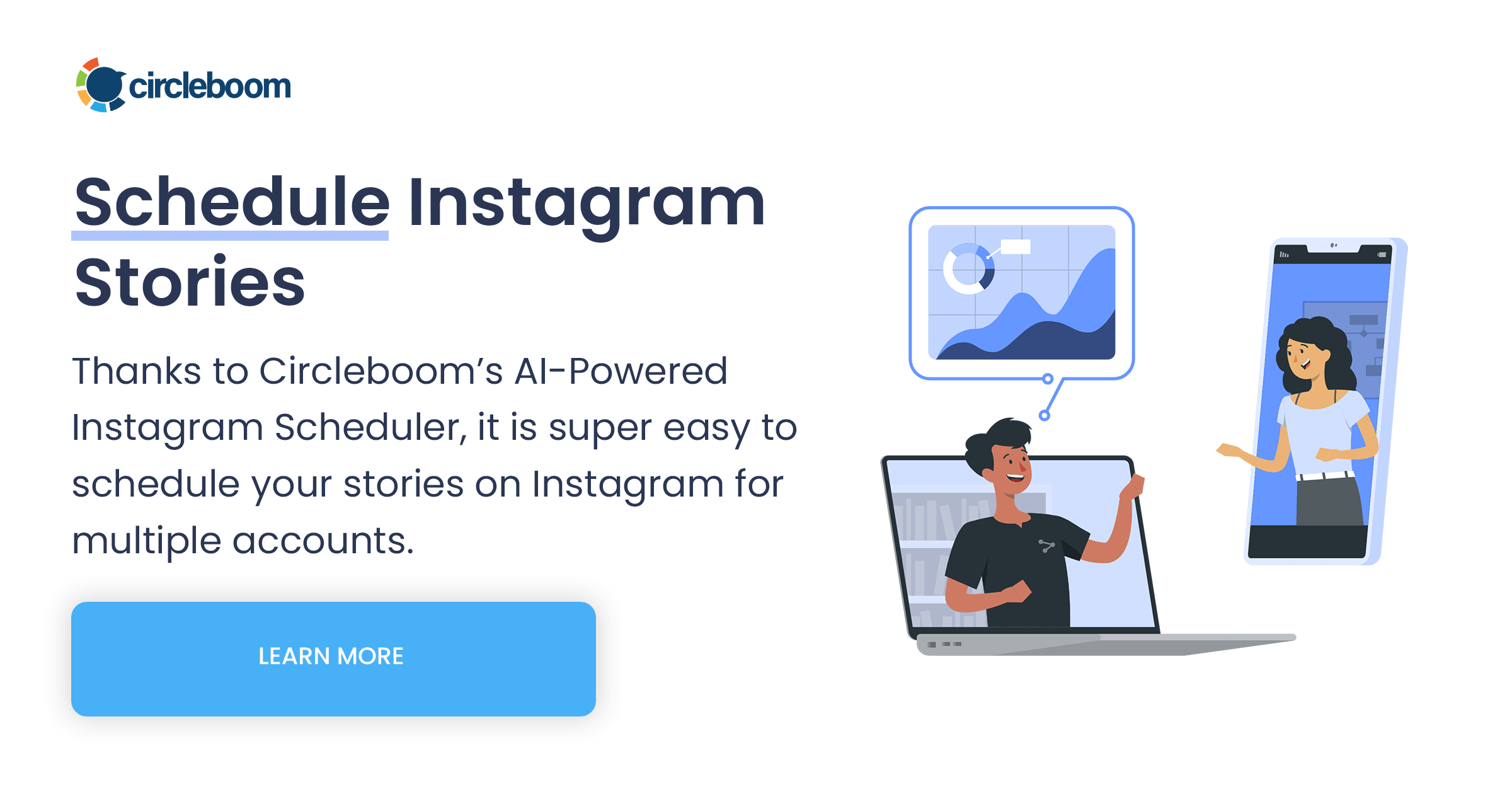
- Start an Instagram post, select the account and click the Story Post tab. The composer switches to the Create Instagram Story window.
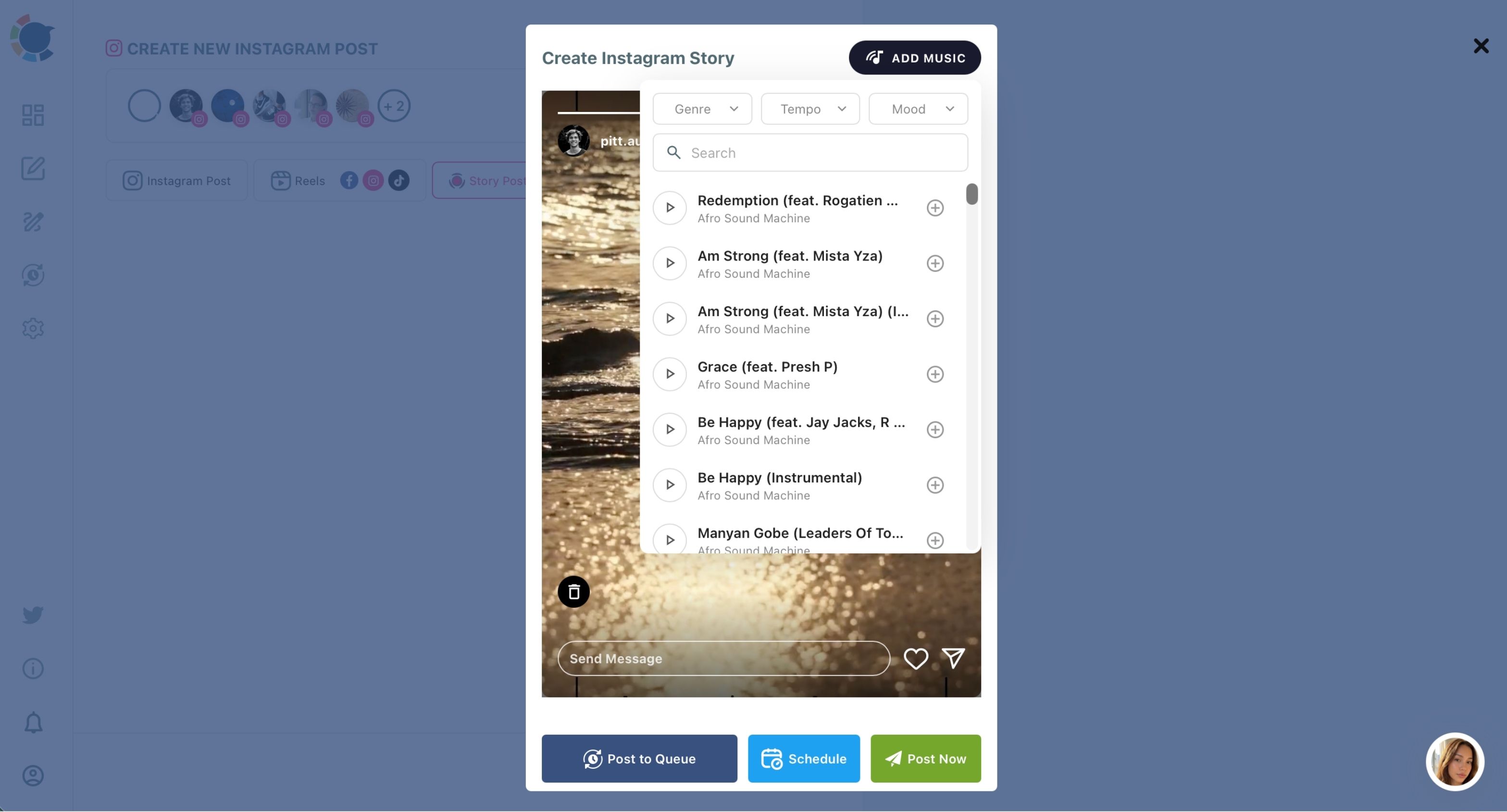
- Upload one image or video, then click Add Music and narrow the library by Genre, Tempo or Mood, or search by keyword, to attach a track.
- Choose Schedule, Post to Queue or Post Now. Schedule opens a calendar with a Set Time field and a "Pick your best post time" panel of six suggested slots; Post to Queue drops the Story into the account's next recurring slot. The Outbox then shows every scheduled Story in List View or in a Week or Month calendar, with Edit and Delete on each row.
The sound is chosen before the time on purpose: once a Story is scheduled, nobody returns to the app to add a sticker, so the track has to travel with it from the start.
In short: Story Post tab, one item, one track, one time.
Why skip Instagram's in-app music sticker for a scheduled Story?
The in-app music sticker is built for posting live, so it does not help a Story that is prepared days ahead. A scheduled Story gets its sound only if the track is attached before it is scheduled, which is exactly what the Add Music library in Circleboom Publish does.
The sticker also brings its own friction. When it does not show up, people end up searching why they can't add music on an Instagram Story.
Instagram's music rules apply either way. Instagram's guidelines for including music in video cover every account type and set out a few points worth knowing:
- Shorter clips of music are recommended over full-length tracks.
- A video should always have a visual component, with the music in a supporting role.
- A video that breaks the licensing terms can be muted or blocked.
A scheduled Story that goes out silent wastes the format's most engaging layer.
I treat the track as part of the Story itself. A hair salon's before-and-after Story with a confident track feels like a reveal; the same clip without sound feels like a price list.
The right mood keeps people watching to the end, and finished Stories are what Instagram reads as a reason to show the account to more people.
Many scheduling tools cannot add music to a scheduled Story at all, so the Story goes out silent. Picking the track in the same composer, before the time, removes that trade-off.
Finding the right track in the Add Music library
The library opens over the Story itself, so you judge the track against the picture you are about to schedule. Three filters narrow it quickly:
- Genre for the overall style.
- Tempo (fast, medium or slow) for energy.
- Mood, with options such as bouncy, bright, carefree, chill and confident.
When you already know the feel you want, the keyword search is faster: type a word and the matching tracks list under Add Music. A yoga studio's morning Story might take a slow, chill track; a new-menu announcement wants something fast and bright. Each candidate has a play button, so you can listen before attaching it.
Getting Instagram Story timing and frequency right
Scheduling decides when a Story goes out, so the time slot deserves as much thought as the picture. The Instagram best time to post panel reads the connected account's own followers, and a Story slot draws on those same windows.
Instagram weighs how quickly a post earns reactions after it goes live, so landing in a window when followers are active gives a Story a better start.
A suggested time does not guarantee more views; it removes timing as the reason a good Story underperformed.
For how many to run, a rhythm of a few Stories a day kept steady beats a burst followed by silence.
How long a week of scheduled Stories takes
The time cost is the strongest argument for scheduling. A week of Stories, track included, fits into one sitting of roughly twenty minutes, which turns a daily check-in into one block on the calendar.
The work does not shrink; it moves to a time you choose.
Stories also sit inside a wider plan. Video that should reach other platforms belongs in the Instagram Reels scheduler, because a Story stays on Instagram.
Feed posts that run alongside the Story week can start from the AI Instagram caption generator, which drafts the caption from a short description.
The short version for your Instagram Story tray
Can you schedule Instagram Stories? Yes, and the routes differ in whether each Story gets its own track and its own audience-matched time, and that is the gap Circleboom Publish closes.
→ Set up your Instagram Story schedule in Circleboom Publish
Questions before you schedule your first Story
Can I schedule Facebook Page Stories the same way?
Yes, the same pattern works for a Facebook Page, and Add Music on Stories covers both Instagram and Facebook, the only two platforms in Circleboom Publish with a Story post type. Ideas for what those Stories should show are in this guide on how to use Facebook Stories for business.
What should a week of scheduled Stories show?
Draw on what already happens in your week:
- A quick how-to.
- Behind-the-scenes access to an event.
- A small story or a number worth sharing.
Give each one its own track so the week does not sound the same from day to day.
Can I reuse a Story I already posted?
Yes, but change it first: swap the image or clip and pick a different track, because an identical Story reads as duplicate content to Instagram and as old news to followers. For resharing other accounts' Stories, see how to repost a Story on Instagram.
Do scheduled Stories have to include music?
No, Add Music is optional. A Story whose clip already has its own audio can go out as it is; the track matters most for silent images and clips. I add one to every still image, because a photo with sound holds attention longer than a photo alone.