
A thousand posts. One afternoon. No burnout.
If that sounds impossible for your X content strategy, it is not. Bulk scheduling on X is one of the most powerful productivity moves available to content creators, health brands, and niche accounts that run on consistent, high-volume posting.
Here is the exact process for bulk scheduling 1000 health tips for your X account using Circleboom's X Post Scheduler.
How Do You Bulk Schedule 1000 Posts on X?
To bulk schedule 1000 posts on X, you need a third-party scheduling tool that supports CSV or bulk upload since X's native compose window only allows one post at a time.
The fastest and most reliable way to bulk schedule posts on your X account is to use Circleboom's X Post Scheduler, which lets you upload hundreds of posts at once, set custom publishing intervals, and distribute content across days, weeks, or months automatically. Circleboom handles the entire queue so you can set it once and walk away.
Bulk scheduling on X means uploading a prepared list of posts to a scheduler that publishes them automatically at set intervals, and the fastest way to do it is with Circleboom's Twitter (X Post) Scheduler.
TABLE OF CONTENTS
- Why Bulk Scheduling on X Is a Game Changer for Content Creators
- What Bulk Scheduling Actually Means for Your X Account
- What Is Circleboom's Twitter Scheduler?
- How to Prepare 1000 Health Tips for Bulk Upload
- How to Bulk Schedule Posts on X Using Circleboom Step by Step
- Setting the Right Posting Frequency for Health Content
- How to Use the Queue and Interval Features Effectively
- Can You Bulk Schedule Images and Media with Your Posts?
- How Bulk Scheduling Affects Your X Engagement Rate
- Auto Retweeting Your Best Health Tips for Extended Reach
- FAQ
- Conclusion
Why Bulk Scheduling on X Is a Game Changer for Content Creators
Manual posting every day is not a content strategy. It is a trap. You become dependent on being online at the right time, every time, and one busy week collapses months of momentum. Health content accounts face this particularly hard because the niche rewards consistency. Your audience expects tips regularly and regularly means reliably, not just when you have time.
Bulk scheduling your X content solves this at the root. You do the creative work in one focused session, upload everything, and let the scheduler publish on your behalf. According to Buffer's 2024 State of Social Media report, accounts that post consistently outperform inconsistent ones in follower growth and engagement rates by a significant margin, regardless of post quality.
What Bulk Scheduling Actually Means for Your X Account
Bulk scheduling means preparing your posts in advance (text, media, timing) and uploading them all at once to a scheduling tool that queues and publishes them automatically.
For a 1000-post health tips campaign on X, this means you could spend 30 minutes preparing and formatting your content, upload it all to Circleboom, set your preferred posting cadence, and have your account active and posting for months without touching it daily.
If you will write all the texts by yourself, this can take one or two days. I used Gemini to auto generate 1000 health tips. Only thing I did was copy pasting them to the Google Sheet and then download it as a CSV file.
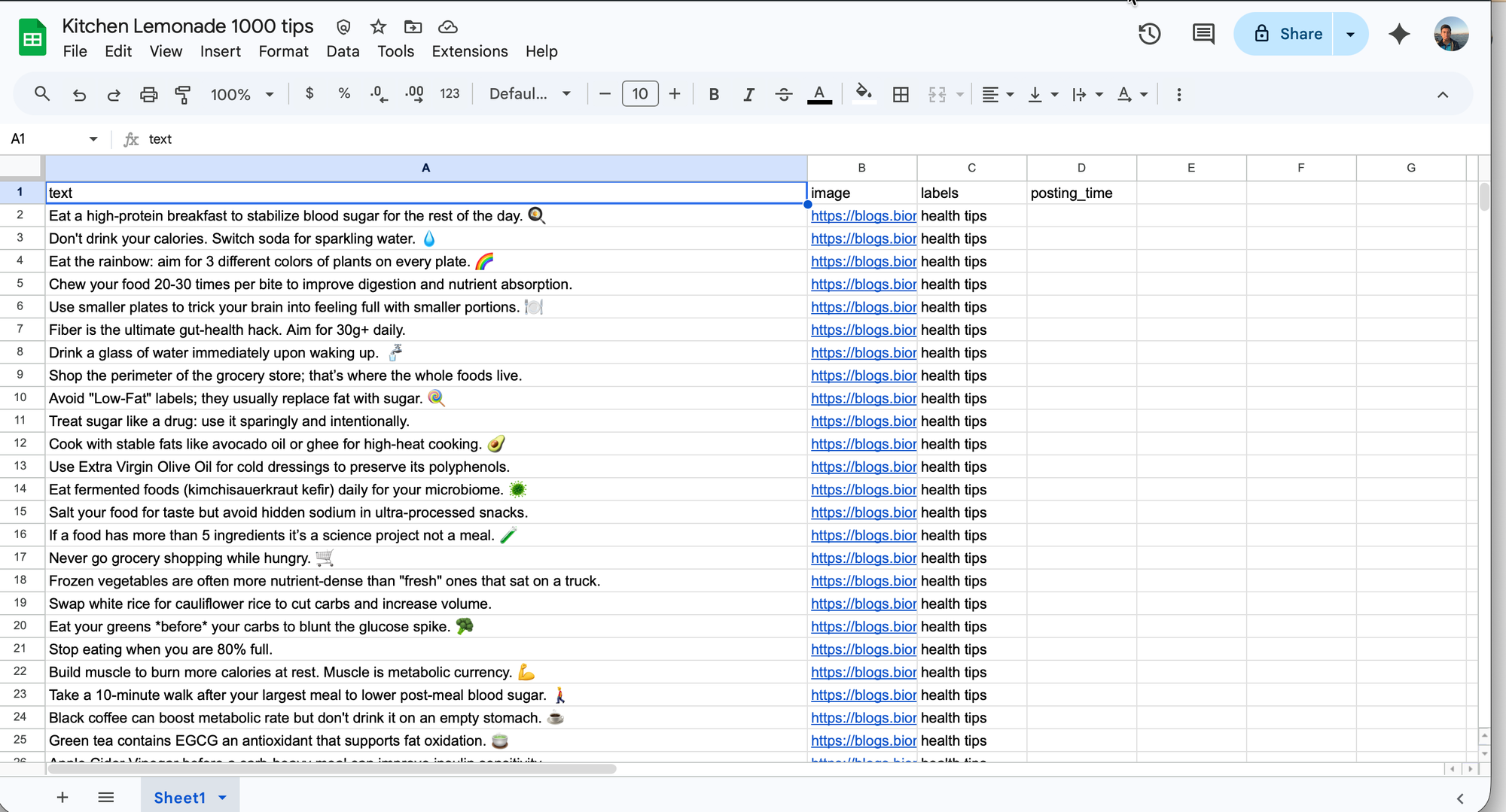
This is not just a time-saving move. It is a strategy for scaling your presence on X beyond what manual effort allows.
What Is Circleboom's Twitter Scheduler?
Circleboom's Twitter Scheduler is a full-featured social media scheduling tool that allows you to create, queue, and publish posts on X automatically. It supports single post scheduling, recurring posts, and bulk CSV upload for high-volume content campaigns.
Circleboom is an Official X Enterprise Developer trusted by NBC News, BBC, the American Red Cross, and L'Oréal, and is fully compliant with X's API policies. That means your scheduled posts are published safely and reliably, with no risk of account suspension from policy violations.

How to Prepare 1000 Health Tips for Bulk Upload
Before you can bulk schedule your health tips on X, you need them in the right format. Circleboom accepts bulk posts via CSV file.
Here is how to prepare yours.
Format your CSV file correctly Your spreadsheet should have one row per post. At minimum, include columns for the post text and the scheduled date and time. If you are including images, add an image URL column. Keep every tweet under 280 characters (if you don't have a X Premium), accounting for any links or hashtags you plan to add.
Organize your content into themes For a health tips account, consider grouping your 1000 tips by theme: nutrition, mental health, sleep, fitness, hydration, and so on. Distribute these themes evenly across your posting schedule so your audience gets variety rather than a week of only sleep tips followed by a week of only fitness content.
Set your intervals in advance Decide how many times per day you want to post on X. For a 1000-tip campaign over three months, posting three to four times per day keeps your account active and your content spread evenly without flooding your followers' feeds.
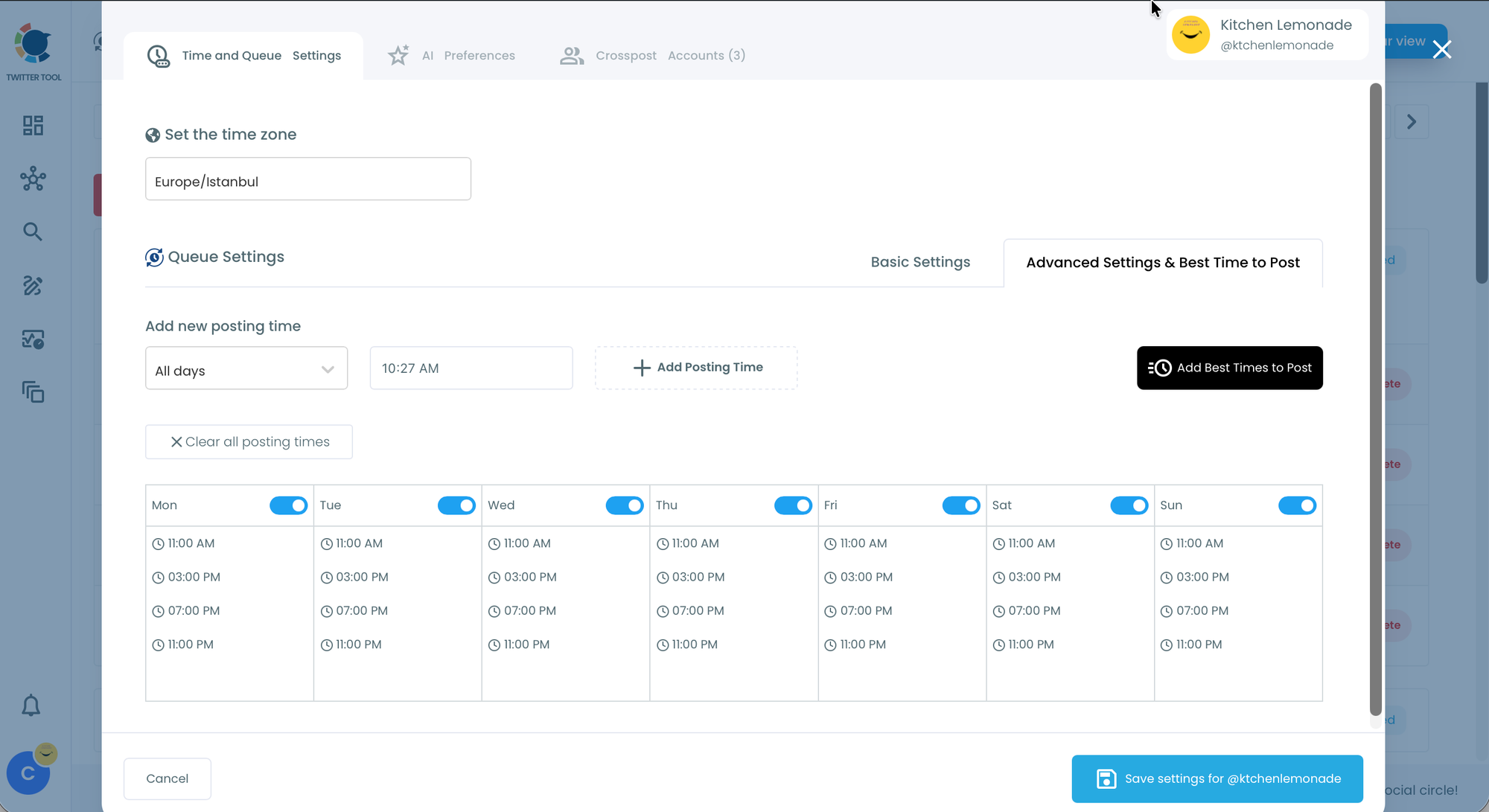
I will share 4 posts per pay. 11. am, 3 pm, 7 pm, 11 pm. This means 4x7=28 posts per week. 1000/28=35,714, I have 35 weeks of content now.
I have done the posting with Queue Scheduling feature on Circleboom. You can set the days and hours and your content will follow this schedule.
How to Bulk Schedule Posts on X Using Circleboom Step by Step
Step 1: First of all, you need a Circleboom account and then connect your X profile to your Circleboom account.
All these take only 10 seconds. Don't worry about the security. Circleboom is an official X Enterprise Developer.

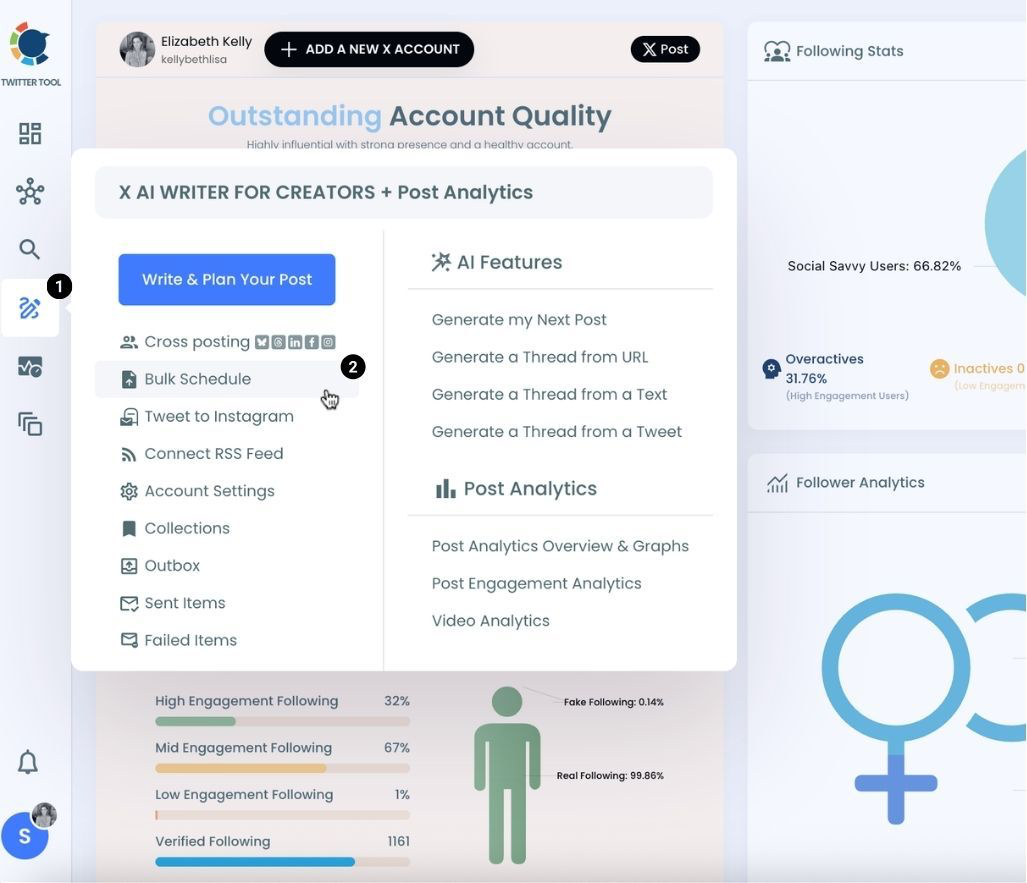
Step 2: When you are on Circleboom Twitter. Go to the X Post Planner
You will see "Bulk Schedule" on the list. Click on it and continue.
Step 3: You need your CSV file prepared. As I said above, I used Gemini to generate 1000 health tips automatically. Then I download it and upload it to Circleboom.
1000 posts are uploaded without any error.
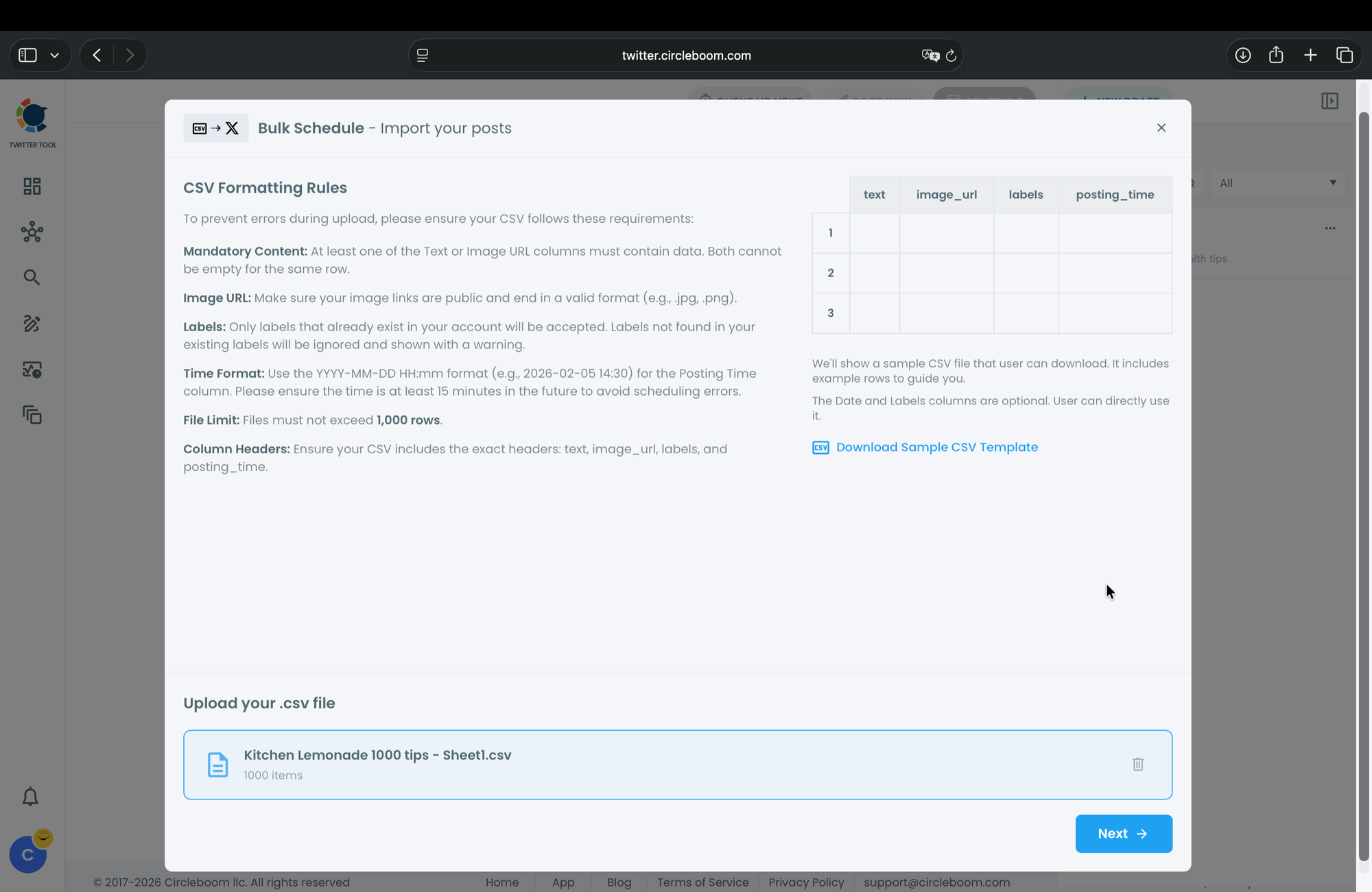
You can also add an image to each post. You need an image URL ending with .png, .jpg or something like that.
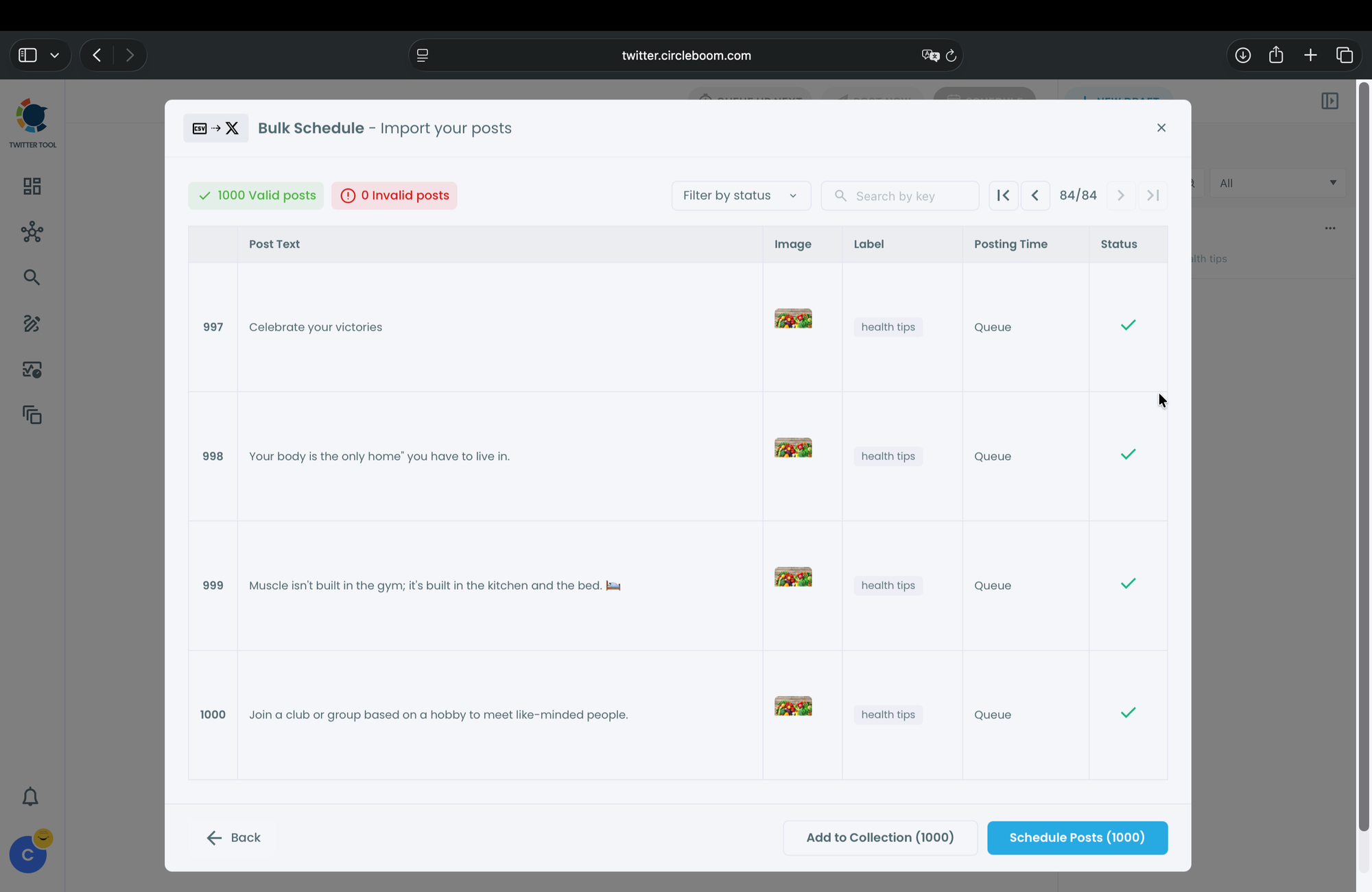
Step 4: I left "posting_time" column empty because I set the Queue schedule and Circleboom auto fill them with my preferred days and hours.
When everything is done, I clicked on "Schedule Posts" button at the bottom right.
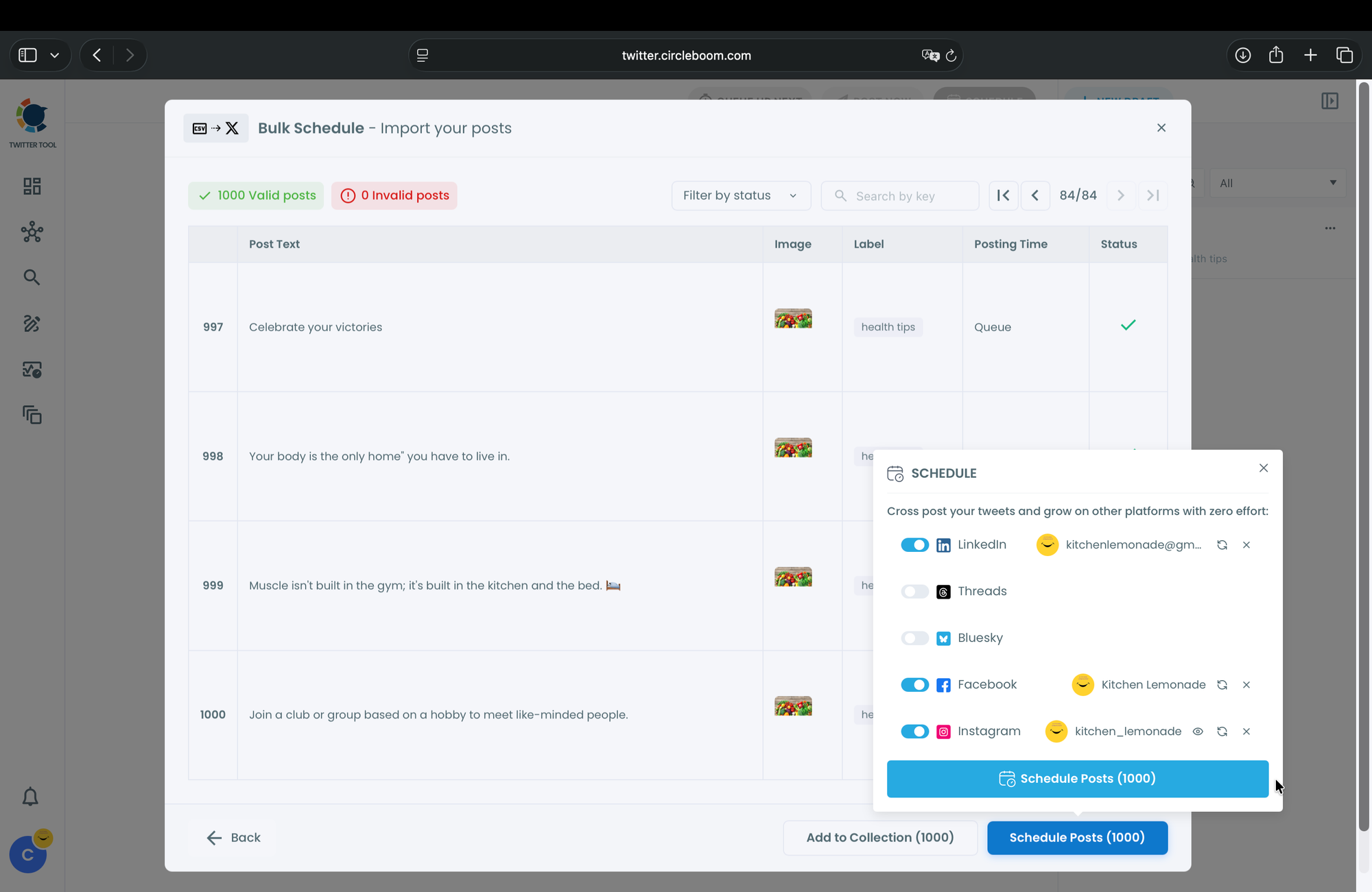
Before sending them, one more amazing feature comes. It is called Cross Posting and you can share your tweets to LinkedIn, Threads, Bluesky, Facebook, and Instagram as well.
I have already connected my LinkedIn, Facebook, and Instagram accounts to Circleboom, so I activated them and this way, I bulk scheduled all these 1000 posts to LinkedIn, Facebook, and Instagram too. Killing four birds with one stone!
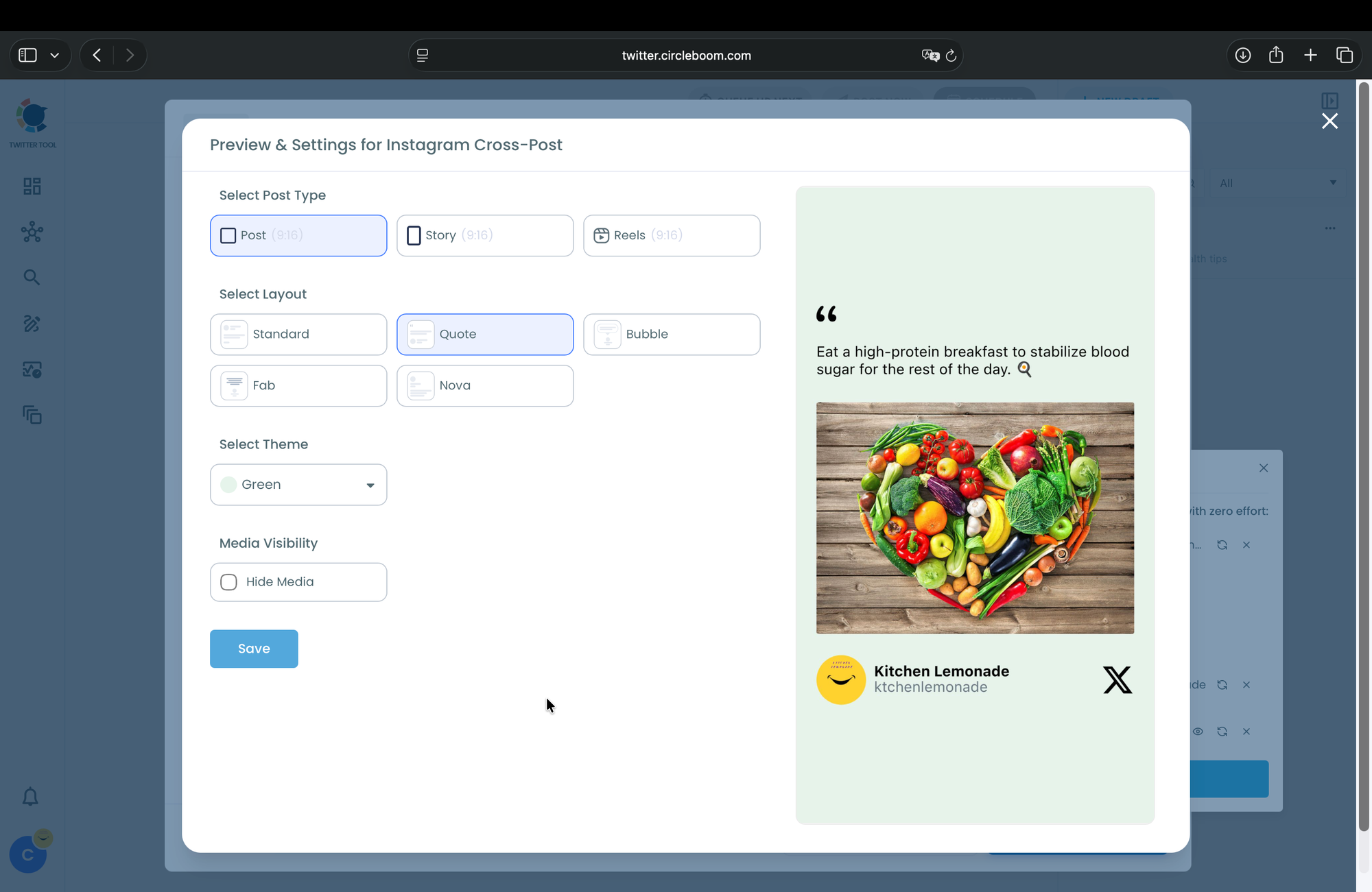
You can choice Post, Story or Reels options for Instagram.
There are many layout types and other options.
I selected Post.
Step 5: Confirm and activate the queue
Review the full schedule in your dashboard, then activate the queue. Circleboom will publish each health tip at the scheduled time on your X account and other platforms with no further action required from you.
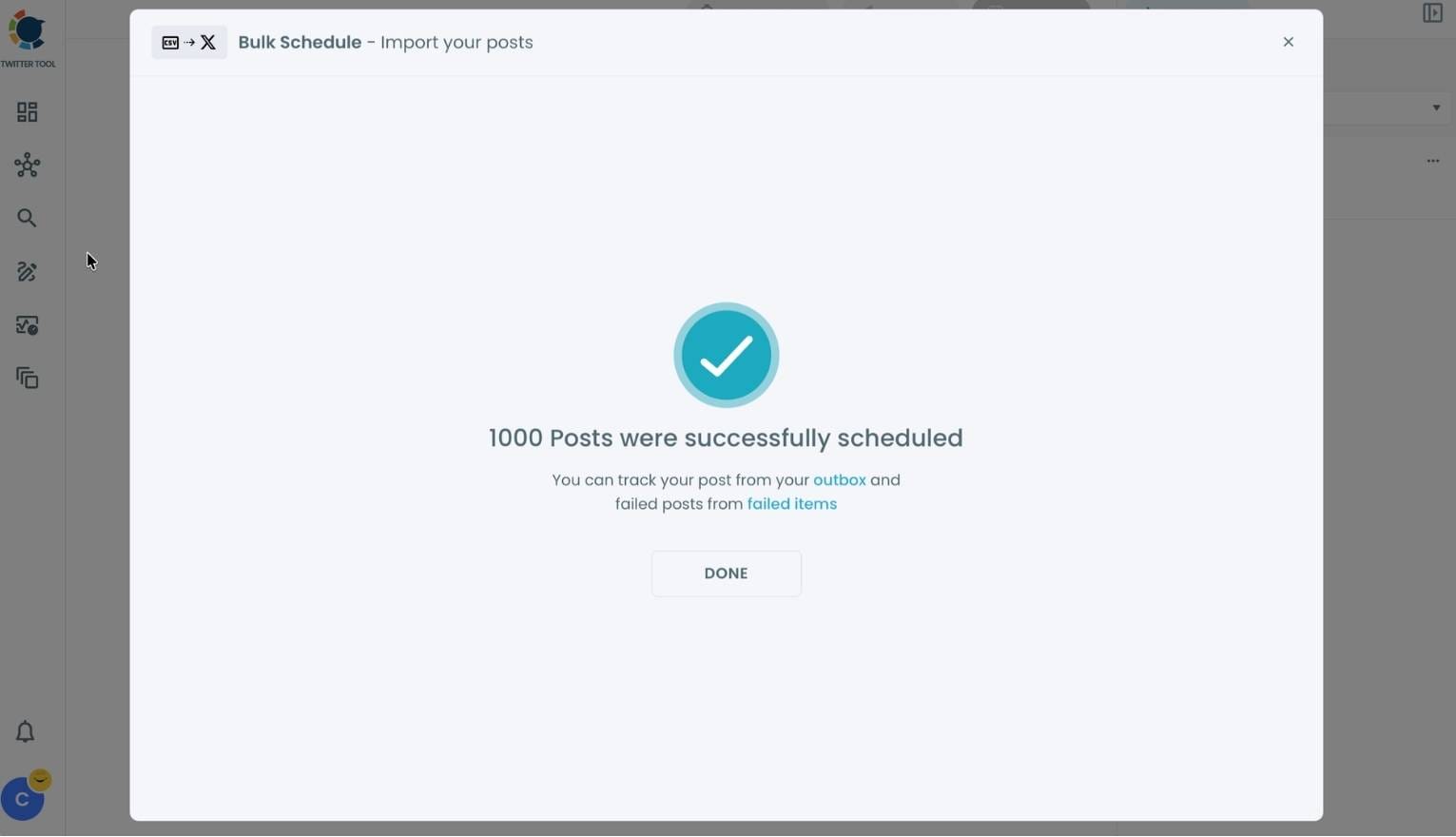
The fastest way to bulk schedule 1000 posts on X is to use Circleboom's Twitter Scheduler with CSV upload, which handles the entire queue automatically.
Setting the Right Posting Frequency for Health Content
Posting too frequently on X can fatigue your audience and suppress engagement rates per post. Posting too infrequently reduces your algorithmic footprint. For a health tips account, two to four posts per day is a widely supported frequency that maintains presence without overwhelming followers.
With 1000 tips and a three-post-per-day schedule on X, your content will last approximately 333 days. That is nearly a full year of consistent posting from a single bulk scheduling session.
How to Use the Queue and Interval Features Effectively
Circleboom's queue feature lets you add posts to an ongoing content pipeline that publishes at your pre-defined slots automatically. If you run out of content in your queue, you simply add more posts and the schedule continues.
Use fixed time slots that match your audience's peak activity on X. Health content tends to perform well in early morning (6 to 8 AM), lunchtime (12 to 1 PM), and evening (7 to 9 PM) windows when people are thinking about wellness habits. Set your Circleboom intervals to hit these windows and your engagement rate will reflect it.
Can You Bulk Schedule Images and Media with Your Posts?
Yes. Circleboom's Twitter Scheduler supports media attachments in bulk scheduled posts on X. You can include image URLs in your CSV file and Circleboom will attach the images to the corresponding posts when they publish.
For a health tips campaign, pairing each tip with a relevant visual significantly increases engagement. Posts with images on X consistently outperform text-only posts in impressions and click-through rates, according to Sprout Social's social media content benchmarks.
How Bulk Scheduling Affects Your X Engagement Rate
One concern creators raise about bulk scheduling is whether it reduces engagement because posts are not published in real time. The short answer is no, when done correctly. What matters is that posts go out at the right times for your audience, which Circleboom's scheduling intervals handle precisely.
What bulk scheduling does improve is consistency. A consistent posting schedule on X builds audience expectation and habit. Your followers begin to anticipate your health tips at certain times of day. That habit formation drives higher open rates, profile visits, and follower retention over time.
Auto Retweeting Your Best Health Tips for Extended Reach
Once your 1000 health tips are scheduled and publishing, you can extend the reach of your best-performing posts using Circleboom's Auto Retweeter. This feature lets you automatically retweet specific posts on X after a set delay, bringing them back into your followers' feeds without creating new content.
Combine bulk scheduling with auto-retweeting your top performers and you create a self-sustaining content engine on X that maximizes the value of every tip you wrote.
FAQ
How many posts can I bulk schedule at once on X with Circleboom?
Circleboom supports large-volume bulk uploads via CSV. You can schedule hundreds of posts in a single upload session. For a 1000-tip campaign, you may want to upload in batches to review content quality, but the tool handles the volume without issue.
Does bulk scheduling on X violate any platform rules?
Not with Circleboom. Circleboom is an Official X Enterprise Developer and fully compliant with X's API policies. Scheduled posting through an authorized third-party tool is explicitly permitted by X's terms of service.
Can I edit a scheduled post after uploading my CSV?
Yes. Circleboom lets you edit, reschedule, or delete any post in your queue before it publishes. You can make changes directly from your scheduling dashboard on X.
What happens if a scheduled post fails to publish?
Circleboom notifies you of any failed posts so you can identify the issue and reschedule if needed. Common causes include media file errors or temporary API disruptions, both of which are easy to resolve.
Can I schedule posts for multiple X accounts at once?
Yes. Circleboom supports multiple X accounts from a single dashboard. If you manage more than one health tips account on X, you can schedule content for all of them in the same session.
Does Circleboom let me recycle my 1000 health tips after they have all posted?
Yes. Circleboom offers a content recycling feature that allows you to loop your post queue automatically on X. Your 1000 tips can cycle indefinitely, keeping your account active without requiring you to write new content.
Conclusion
Bulk scheduling 1000 health tips for your X account is not a fantasy. It is a straightforward process when you have the right tool. One focused session of content preparation, a single CSV upload, and Circleboom handles the publishing for months on your behalf.
Start bulk scheduling your health tips on X with Circleboom's Twitter Scheduler and turn one afternoon of work into a year of consistent content.