Which accounts did that celebrity start following this week, and on which day? X can't tell you. The Following list on a profile shows who the account follows right now, with no dates, no history and no alert when it changes.
The only way to track a celebrity's new follows on Twitter is to record that list on a schedule and read what changed between records.
Three things this walkthrough sets up for you.
• A dated record of each account a public celebrity starts following on X.
• Daily or weekly email reports that arrive only when something changed.
• A results grid where you can follow, list or blacklist the new accounts.
Circleboom records the new follows of any public X account through X's Enterprise API access, inside its Track Someone's X Account's Following and Followers tool. Start a tracker for a celebrity's new follows on Twitter.
Why the following list on X can't show a celebrity's new follows
The Following list on a profile is a current snapshot, not a log. It answers one question, "who does this account follow today?", and nothing else. X attaches no date to a follow and keeps no changelog you can scroll back through. Its following FAQs describe an email when someone new follows you, and nothing for when someone else follows a new account.
That gap hurts more with a celebrity than with anyone else. A famous account can follow thousands of profiles, so one new name sinks into a list you would have to memorize to notice it.
The manual workaround is screenshotting the list and comparing the screenshots by eye, which falls apart the first time the list runs past a few hundred names.
Still deciding how much effort this deserves? The trade-offs between watching by hand and watching with a tool are set out in track celebrity or influencer following activity on Twitter.
People want this record for different reasons, and the reason shapes the setup:
- A brand team checks whether a celebrity it might sponsor already follows a rival brand.
- A journalist or analyst wants to know which new voices a public figure is reading.
- A creator watches which smaller accounts a big name starts noticing.
- A fan wants to see a new follow in the same week it happens, not months later.
Each of them needs the same output: a dated list of changes, and Circleboom builds that list for any public X account.
Already sure? You can set up tracking for a celebrity's new follows now and read the rest while the first snapshot runs.
Start with what the celebrity follows on X today
Tracking records changes from the day you start it, and it does not rebuild follows that happened before that day. So before you track a celebrity's new follows on Twitter, look at the full current list once. The first changes you see then have context.
Circleboom's Followers / Following Search handles that part. You enter the username, choose Display Following, and the account's following list appears as a table with tweet count, join date, follower count, follow ratio and an activity label for every profile. The Twitter following list viewer page covers the same job.
A baseline like this tells you what the celebrity already follows: other actors, brands, journalists, athletes, family. That pattern is what makes a new follow stand out later. A musician who follows mostly other musicians and then adds three sports accounts in one week has done something the baseline makes visible.
Whether someone's following activity can be watched at all, and what X shows by itself, is the question behind can I track someone's following activity on Twitter.
Following list walkthrough: loading a public account's following list into one sortable, filterable table, the baseline every new follow gets compared against.
How Circleboom tracks a celebrity's new follows on X
Circleboom's Track Someone's X Account's Following and Followers feature takes a scheduled snapshot of a public account's following list on X, compares it with the previous snapshot, and lists every account that was added or removed in between. Each change is stored with a date, so over a few weeks the dashboard becomes a history of the celebrity's follow decisions.
The dashboard has two layers. A bar chart shows the changes per day, with blue bars above zero for new follows and red bars below zero for unfollows, and two checkboxes hide or show each series.
Under the chart, a grid lists the accounts themselves: name, tweets, join date, following, followers, follow ratio and an active or inactive label, plus a date picker for narrowing the view to one day or one window.
The source of the data matters as much as the alert. Circleboom reads these lists through the access X grants to its official Enterprise developer partners, so each snapshot is built from X's own records. Scraping-based tools can miss accounts or return incomplete data, which is a weak base for a log of changes.
Compared with diffing screenshots of a 2,000-name list by eye, the snapshot does the comparison for you and keeps the date.
Each tracked account with its rule is a paid subscription that uses Tracking Tokens, and your balance sits in a yellow badge at the top of the tracking table.
Once you know which celebrity and which direction you want, you can monitor a celebrity's following list over time from the same page.
How to track a celebrity's new follows on Twitter
The setup runs through a seven-step wizard, and the moves inside it fall into three decisions.
Open the tracker and name the celebrity's account
- Log in to Circleboom Twitter and connect your X account.
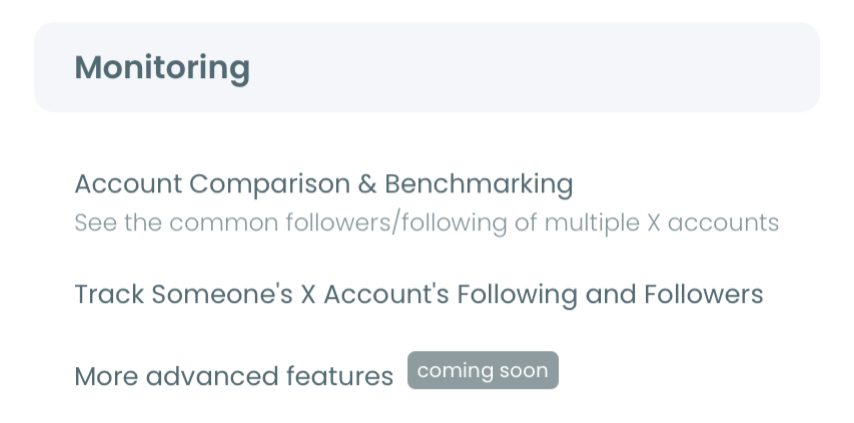
- Go to the Monitoring menu and select Track Someone's X Account's Following and Followers.
- Type the celebrity's username into the @ field and click Validate Username, which confirms that the account exists and is public.
Choose what the tracker watches
- Select Followings on the Choose Tracking Option screen, because a celebrity's new follows live in the list of accounts they follow, not in their followers.
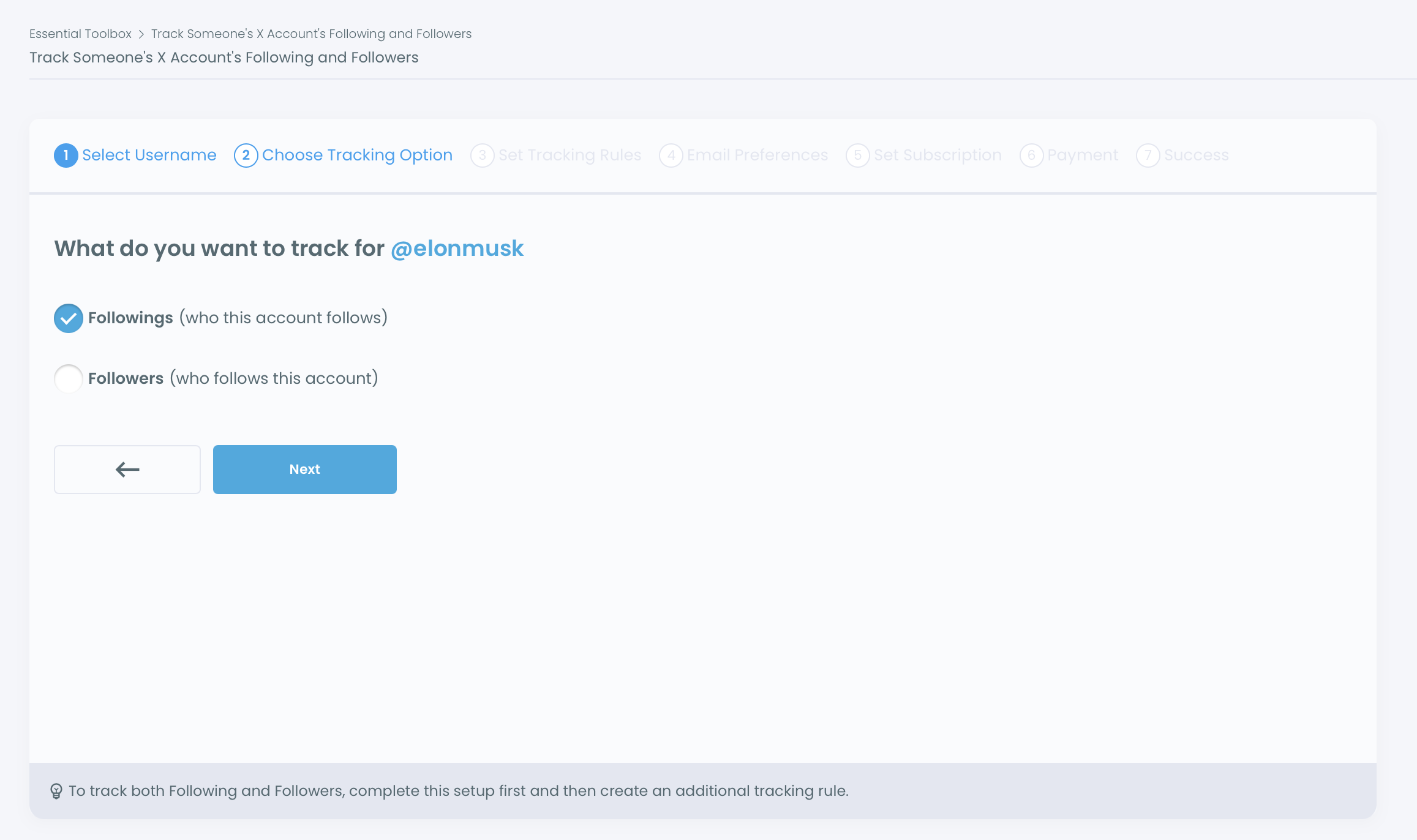
- Pick a tracking rule: Track Recent Following for new follows only, Track Recent Unfollowing for drops only, or Track Both for the full change record.
Decide how the news reaches you
- Set your email preference to daily or weekly reports, or choose dashboard-only reports if you would rather check in yourself.
- Choose a tracking plan and complete the payment, and the account appears in your tracking table with an Active status.
The order follows the data. The username check rules out a private account before you pay, and the Followings choice points every snapshot at the right list. The rule decides whether unfollows count, and email comes last because it only matters once the tracker knows what to watch.
Once the first snapshots land, the grid works like the view in track recently following on X. The only difference is scale: a celebrity's list is far longer than most.
Why a celebrity's new X follow reaches your log after a delay
A new follow appears in your dashboard after the next scheduled snapshot, not the second it happens on X. Tracking runs on periodic snapshots rather than a live event stream, so there is always some lag, and its length depends on the snapshot frequency of your tracking plan.
Email reports follow the schedule you chose, daily or weekly. If a snapshot finds no change, Circleboom sends no email. A quiet inbox means the tracker found nothing new, not that it stopped working.
Large accounts add a second caveat. For accounts with very large follower or following counts, X's API limits can mean the comparison runs on partial list data, so a small change may occasionally be missed.
When a celebrity follows tens of thousands of profiles, read the log as a strong record rather than an exhaustive one, and open the profile to confirm any single follow you plan to act on.
One more practical limit: tracking pauses automatically when your Tracking Token balance reaches zero, so a lapsed balance leaves a gap in the history. If you track a celebrity's new follows around a launch or a premiere, check the balance before that week, not during it.
The record starts on the day you create it, so the best time to set up tracking is before the moment you care about.
Does a celebrity's new follow on X actually mean anything?
One follow means the celebrity chose to see that account's posts, and not much more. It does not prove a friendship, a deal, an endorsement or an upcoming announcement.
Patterns are where the signal lives: repeated follows inside one niche over a short window carry far more weight than one random change.
A few readings hold up better than gossip:
- Several follows in one field within a week suggest the celebrity may be researching that field.
- New follows of a brand's founders and team point to interest in the brand, not a signed contract.
- An unfollow of a long-followed partner signals a relationship change worth checking, not proof of a split.
- A burst of follows right after an event can simply reflect the event itself, such as a premiere guest list.
The reason to track a celebrity's new follows is to notice the pattern early, not to publish a theory about one name.
Check any reading against public posts, announcements or interviews before you repeat it. Ordinary behavior and API timing can both change what a snapshot records, and a celebrity's assistant or social team may run the account.
If your read of a follow would embarrass you once it turned out wrong, it needs a second source.
Treat a single follow as a question to answer, and a cluster of follows as a lead worth following up.
What to do with the accounts a celebrity just followed on Twitter
Put them somewhere you can watch them before you follow anyone.
The results grid has an Add to List dropdown with Twitter List, Add to Mass Block List, Whitelist and Blacklist, and a list is the calmest next step. Lists in the Twitter List Manager let you read the new accounts' posts without changing your own follow graph.
Follow selectively when an account is worth having in your feed. The bulk Follow button follows every selected account, and Circleboom paces that request at 50 follows every 15 minutes and 400 per day, with the rest of the queue continuing automatically the next day.
There is no bulk Unfollow button in this view, because these are someone else's follows, not your own following list.
Per-row icons cover the rest: Follow or Unfollow, Whitelist, Blacklist and Open Profile. Blacklisting is useful when the celebrity's new follows include accounts you never want in a future bulk action.
When the new accounts belong in a report, the Export button saves the results as a CSV. Exports use Export Tokens, a separate balance from the Tracking Tokens that keep the tracker running.
Does a newly followed account look like a partner worth approaching? Check how much its audience overlaps with yours first. The compare X accounts page shows shared followers side by side.
Follows are one slice of an account's public behavior. Posts, replies and list memberships are others, and track other people's activity on X widens the view once the follow log has told you whom to watch.
Which tracking setup fits your reason for watching a celebrity
One oversized setup for every reason wastes tokens and attention. Match the rule to the question you are asking:
- If you want to know whom the celebrity follows next, track Followings with Track Recent Following and a daily email.
- If you are watching a relationship that might end, choose Track Both so unfollows land in the same dated log.
- If the record feeds a monthly client or editorial report, pick weekly emails and export the month from the dashboard.
- If you also care about who starts following the celebrity, add a second rule with Followers, since each direction is its own subscription.
Start with one celebrity and one rule, read two weeks of snapshots, and only then add more accounts.
A small log you read is worth more than five you ignore, and it is the cleanest way to track a celebrity's new follows on Twitter without drowning in alerts.
→ Get a dated log of a celebrity's new follows
Questions to settle before you track a celebrity's follows
Can I track a celebrity whose account is private?
No. Circleboom tracks public X accounts only, and a protected profile cannot be set up for tracking even if you already follow it.
Can I watch a celebrity's followers and following at the same time?
Yes, with two tracking rules for the same account: one with Followers and one with Following, each with its own email preference and frequency. The setup is laid out in can I track both followers and following of the same account.
How many celebrities can I track at once?
That depends on your subscription plan and your remaining Tracking Token balance. Every active rule consumes tokens, so two directions for one celebrity count as two.
Do I lose the history if I pause a tracker?
No. Pausing stops new snapshots but keeps the existing dashboard history; cancelling a subscription may affect data retention depending on the plan terms.