A small brand that copies five tweets a week onto its Facebook Page makes 260 extra posting trips a year. Each trip means copying the text, opening Facebook, pasting, uploading the image again and checking the result.
Switching the Page on once, inside the tweet's own schedule panel, takes that number to zero.
Can you share a tweet on Facebook automatically?
Yes. Circleboom publishes each tweet you switch Facebook on for in X Post Planner to your connected Facebook Page at the same moment it goes live on X, with the X side running through X's Enterprise API access.
→ Share tweets on Facebook automatically
Why copying tweets from X to Facebook by hand breaks down
The share menu X documents does not include a Facebook option. X's help page on how to share a post lists three routes. You can send the post by Direct Message, send it by SMS or email through "Share Post via…", or choose "Copy link to Post" and paste the URL somewhere else.
Facebook is the somewhere else, and every paste is a manual job.
That manual loop costs more than a few minutes:
- The Facebook copy goes up minutes or hours after the tweet, so a launch reads out of sync.
- Images get uploaded a second time by hand, and sooner or later one is forgotten.
- Busy weeks break the habit first, so the Page goes quiet exactly when the X account is loudest.
The real cost is not the effort per post. It is the post that never gets copied.
If you only need to move one tweet once, the walkthrough on how to share from Twitter to Facebook covers the copy-and-paste route. For anything recurring, the better plan is to send every tweet to your Facebook Page as it publishes, so Facebook stops being a separate chore on your list.
Accounts that run both channels by hand tend to drift the same way. The X profile stays current because posting there is the habit, and the Facebook Page trails behind by a few days, then a few weeks.
Sharing tweets on Facebook automatically fixes the trailing, not the writing.
Can you share a tweet to a Facebook profile, or only a Page?
Circleboom's cross-posting connects a Facebook Page. The Crosspost Accounts tab shows a dedicated connect button for a Facebook Page, next to the buttons for Instagram, LinkedIn, Threads and Bluesky, and during authorization you pick the Page your tweets should land on.
Plan around a Page as the destination: every time you share a tweet on Facebook automatically, that Page is where it appears.
Three details are worth settling before you start:
- You connect the Page once, in Account Settings under the Crosspost Accounts tab, as the help article on how to connect accounts for cross posting shows.
- Each post goes to one account per platform, so a single tweet lands on one Facebook Page, not several.
- The usage counter at the top of that tab shows how many accounts you have connected and how many your plan allows.
If your brand runs several Pages, connect the one whose audience overlaps most with your X followers. You can change the selected account per post with the pencil icon next to Facebook, which matters when a launch belongs on a regional Page instead of the main one.
How Circleboom shares your X posts on Facebook automatically
Circleboom shares each tweet from X to your Facebook Page as part of the same publish action. Facebook becomes a destination of the tweet itself, not a second post you build later.
You write once in X Post Planner, turn Facebook on in the Schedule or Post Now panel, and the post goes to X and to your Page together. That is the whole idea behind an auto post from Twitter to Facebook setup: one compose action, two audiences.
Circleboom appears among the official X Enterprise developers that X lists publicly, so the X half of every cross-post runs through approved access rather than a workaround. The Facebook half uses the Page you authorized yourself, and you can reconnect or disconnect it from the same tab at any time.
The difference from the copy-link loop shows up in your calendar. A week of five scheduled tweets becomes five Facebook posts with no extra session, and the Page keeps posting on days you never open Facebook.
When you auto-share your tweets to Facebook from the planner, the planner holds one source draft for both channels, so an edit made before publishing reaches both.
Two and a half minutes: a Facebook Page connected in Crosspost Accounts, then a planned tweet sent to it from the composer.
How to share a tweet on Facebook automatically with Circleboom
The setup happens once; after that, each tweet you share on Facebook automatically needs a single toggle.
Connect your Facebook Page one time
- Log in to Circleboom Twitter and authorize your X account.
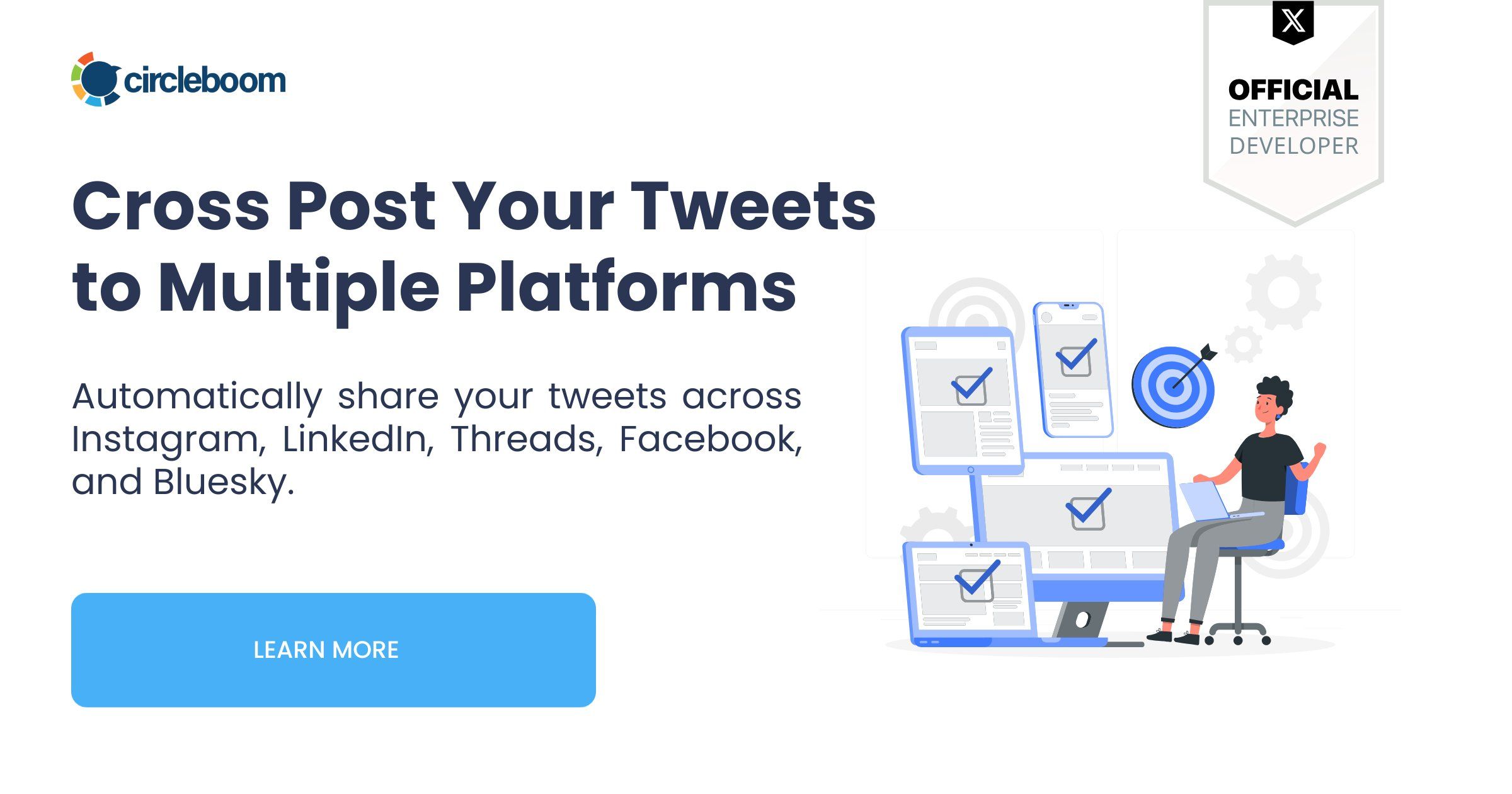
- Go to the X Post Planner menu in the left sidebar.
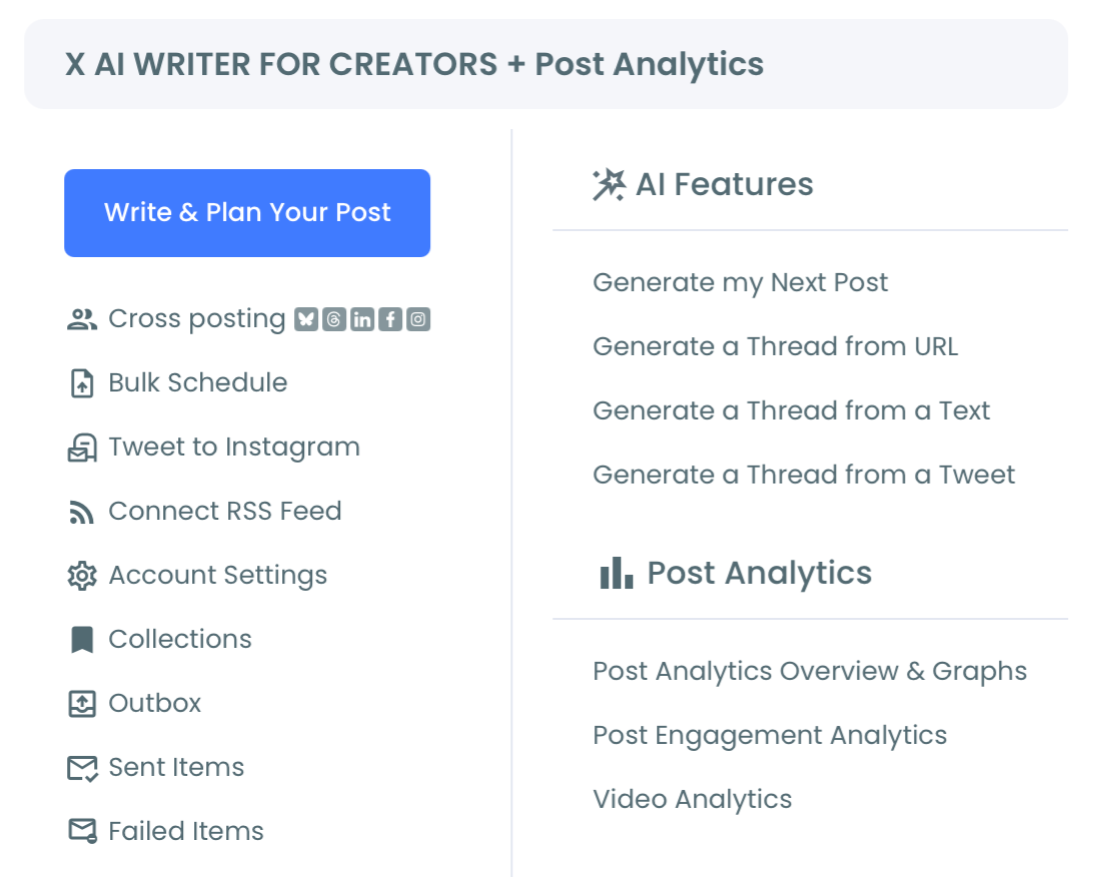
- Open Account Settings and select the Crosspost Accounts tab. You can also click your avatar in the bottom-left corner and choose Settings.
- Click the Facebook Page connect button, sign in to Facebook and choose your Page. Approve the permissions, and the Page appears in your list of cross-post accounts.
Write the tweet and switch Facebook on
- Write your tweet in the composer, with any image or video you want Facebook to carry.
- Click Schedule or Post Now and toggle Facebook on under "Cross-post on", then confirm the Page in the account selector.
- Review the Facebook text in the per-platform editor and adjust it if the tweet leans on X-only references.
- Pick a time and confirm when you schedule. Use Find your best posting time for six suggested slots, keep the time at least 15 minutes ahead, then click the confirm button that names your date and time.
Connecting the Page before you write keeps the Facebook toggle ready on every future tweet, and reviewing the Facebook text before you confirm catches X-only shorthand while it can still be fixed. The schedule then fires both posts at once.
What changes when an X post lands on your Facebook Page
Cross Posting carries the text and any attached image or video. A few things that exist only on X do not make the trip, and one setting is shared by every destination:
| On X | On your Facebook Page |
|---|---|
| A thread | Each tweet becomes its own post |
| A poll | Not carried by cross-posting |
| Image or video | Carried with the post |
| Long post | Up to 63,206 characters accepted |
| Scheduled time | Same time as X |
The thread row surprises people most. Facebook has no thread format, so a five-part thread arrives as five separate Page posts.
If a thread would flood your Page, publish it to X only and cross-post a single summary tweet instead. Your Facebook followers get the point without five posts in a row.
Polls are the second gap. An X poll is an interactive feature, and those are not available through cross-posting. When a poll matters on Facebook too, write the question as a plain tweet for the Facebook audience and keep the poll on X.
Timing is the third. All cross-posted destinations share the same scheduled publish time, and per-platform offsets are not supported within one cross-post.
Pick a slot that works for both audiences. If your X followers peak late at night and your Page serves a local business, test a mid-evening slot before settling on either extreme.
Length rarely bites when you share a tweet on Facebook automatically. The Page accepts far longer text than X, so the per-platform editor matters more for tone than for trimming. Circleboom flags any platform whose limit a post breaks before you can schedule it.
Why a cross-posted tweet doesn't show up on Facebook
An expired Facebook connection is the documented reason a cross-post misses the Page. When a platform connection expires or is revoked, posts to that platform fail at their scheduled time, even though the X version publishes normally.
The fix takes a minute. Open the Crosspost Accounts tab, find the Facebook Page and click Reconnect to authorize it again; you do not need to remove the Page and add it back. From that point, the setup you built to share tweets on Facebook automatically works again for every future post.
Two other checks cover most remaining cases:
- The toggle was off. Facebook is switched on per post, so a tweet scheduled from a fresh draft may have gone to X alone.
- A different Page was selected. If you manage several Pages, the account selector may point at the wrong one; the pencil icon changes it.
The Outbox keeps a single record of everything queued across platforms, which is the fastest place to confirm whether Facebook was on the list for a given post before you start debugging the connection.
Which Twitter posts deserve your Facebook audience?
Platform-neutral tweets deserve it: posts that keep their meaning without X's conversation around them.
Being able to share a tweet on Facebook automatically does not mean every tweet belongs there. Your Page followers never saw the reply chain, the trending joke or the @mention that made a tweet land on X. A tweet that depends on that context reads like half a sentence on Facebook.
A simple filter helps. If the tweet would make sense printed on a flyer, it can go to Facebook unchanged. If it needs the X timeline to make sense, it stays on X or gets a rewrite in the Facebook editor.
Product updates, tips, event reminders and short opinions pass that test easily; quote-posts and reply-bait rarely do.
Proven tweets are the safest bet of all. Twitter engagement analytics shows which posts earned the highest engagement rate on X. An idea that already worked with one audience has a better chance with the next one than an untested draft does.
Measure each channel on its own terms. A post that does modestly on your Page has not failed on X, and the reverse is also true. Watching the two separately tells you which kinds of tweets to keep cross-posting and which to keep native.
Where else the same tweet can go
Once Facebook is handled, the same toggle row covers other networks. Meta's text-first app is the obvious neighbour, and the guide to cross-post from Twitter to Meta Threads automatically covers its tighter 500-character limit.
For a wider spread, see how to share tweets outside Twitter on five platforms at once. It treats Facebook as one stop among Instagram, LinkedIn, Threads and Bluesky.
Professional audiences need a slightly different tone, and the notes on cross-posting tweets to LinkedIn explain what to change before a tweet reaches a work feed.
When a whole month of posts needs to go out together, you can bulk schedule tweets from a CSV file, including cross-posting when it is configured.
If your Page also needs posts that never touch X, such as opening hours or event photos, a dedicated Facebook post scheduler handles Page-only content.
Your Facebook cross-posting checklist
Run through these five points once, and sharing tweets on Facebook automatically becomes part of how you publish rather than a task you remember on good weeks:
- Connect your Facebook Page in the Crosspost Accounts tab and confirm it shows as connected.
- Keep the Facebook toggle on for platform-neutral tweets and off for replies, polls and X-only jokes.
- Send long threads to X alone and cross-post one summary tweet to the Page.
- Pick one scheduled time that suits both audiences, since every destination shares it.
- Check the Crosspost Accounts tab whenever a Page post goes missing, and reconnect instead of starting over.
Five settings, made once, keep your Page as current as your X profile without a single copy-paste.
→ Start sending each tweet to Facebook automatically
Facebook cross-posting FAQ
Can my tweet go to Facebook at a different time than on X?
No. Every cross-posted destination shares the tweet's scheduled publish time, and Circleboom does not support a separate offset for Facebook inside one cross-post. Choose a slot that suits both audiences.
Can one tweet go to two Facebook Pages?
Not in a single post. Circleboom selects one account per platform for each post, so a tweet reaches one Facebook Page; switch the selected Page with the pencil icon when a post belongs elsewhere.
Can I keep a single tweet off Facebook?
Yes. The Facebook toggle is set per post in the Schedule or Post Now panel, so a reply-style tweet can go to X alone while the rest of your Circleboom schedule keeps cross-posting.