
How do you recycle old tweets on X when the platform gives you no way to repost your own tweet on a schedule? You set the schedule once in a tool that reposts for you, removes each repost after a while and repeats the round a fixed number of times.
The steps below cover that setup field by field, then the two questions that decide whether recycling helps an account or tires it: how far apart the reposts go, and where X draws the spam line.
What this guide sets up for you.One proven old tweet back on followers' timelines, on a cycle you control.A repost that removes itself after a set time, so your profile stays clean.Spacing that sends each round to a different part of your audience's day.
Built on Circleboom's Auto Retweet in X Post Planner, which reposts your chosen tweets on X through the official Enterprise APIs of X. Recycle old tweets on Twitter with a timed repost cycle.
Why old tweets on X need a second window
A tweet's active life on X is short. Most of its likes and replies arrive soon after it goes out, and after that it sinks under newer posts.
Followers who were offline, asleep or busy during that window never see it, and the timeline does not hold it for them.
That makes your best old tweets an underused asset. The idea is written, and real followers have already responded to it.
What it lacks is a second chance at the people who missed it.
Reposting by hand is possible on X, but it depends on remembering the right tweet at the right hour and then undoing the repost later. Most accounts do it a few times and stop.
A cleaner route is to recycle old tweets on X with a repost rule you set once, so the timing no longer depends on your memory.
The work behind a strong tweet is already done; recycling is how you collect the rest of its audience.
What Circleboom's Auto Retweet changes for old X posts
Circleboom's Auto Retweet reposts a tweet on X after a delay you choose, takes the repost down after a second delay, and repeats that round as many times as you set. It lives inside X Post Planner, Circleboom's workspace for writing and scheduling X posts, so recycling sits next to the rest of your calendar instead of in a separate tool.
The settings sit in one panel called Auto Repost / Un-RePost:
- RePost after: the hours and minutes until the tweet is reposted, with its own checkbox.
- Un-RePost after: the hours and minutes until that repost is removed, also with a checkbox.
- Repeat this cycle: a counter for how many times the full RePost and Un-RePost round runs.
Each time value is set with separate hours and minutes steppers, using the minus and plus buttons. Repeat this cycle has no checkbox; it applies whenever at least one of the two delays is switched on.
Setting a cycle on a tweet you have not posted yet
Recycling does not have to wait until a tweet is old. While writing a new post in X Post Planner, the cycle-arrows icon in the editor toolbar opens the same Auto Repost / Un-RePost panel, so the cycle is set before the tweet goes live.
Schedule a tweet for Tuesday at 20:00 with RePost after set to 12 hours, and it returns for the Wednesday morning audience without a second visit.
Why the access behind the reposts matters
Because the reposts act on your own account, the source of the access matters. Circleboom is listed on X's Enterprise customer directory, and every cycle runs through your authenticated X account using X's own repost mechanism.
You keep full control of the schedule, and nothing is scraped or simulated.
Compared with retweeting by hand, the panel removes the two weak points of the manual route: forgetting, and reposting at the same hour as the original. If you want to schedule reposts of your old tweets on X with those weak points gone, the steps below set it up.
Setup in motion: an auto-retweet cycle configured on X so a post keeps collecting views after its first hour.
How to recycle old tweets on X step by step
To recycle old tweets on X with Auto Retweet, the flow takes nine actions in three short phases.
Sign in and find the tweet worth another round
- Log in to Circleboom Twitter using the X account that published the tweet you plan to recycle.
- Go to the X AI Writer for Creators + Post Analytics menu in the left-hand navigation.

- Open Post Engagement Analytics and sort the table by the metric you trust most, such as engagement rate or likes, to bring your strongest tweets to the top.
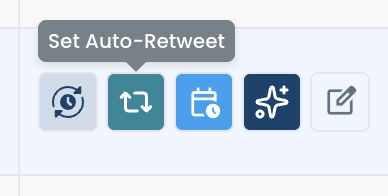
- Click Set Auto-Retweet in the action buttons of the tweet you chose. The retweet icon opens the Auto Repost / Un-RePost panel for that tweet.
Fill in the Auto Repost and Un-RePost panel
- Check RePost after and set the delay with the hours and minutes steppers, for example 4 hours and 0 minutes.
- Check Un-RePost after and set how long each repost stays up, for example 2 hours.
- Set Repeat this cycle with the counter, for example 3 times.
- Apply the settings to save the cycle on the tweet.
Confirm the cycle is running
- Open Sent Items from the same menu and look for a red dot on the tweet's Auto Retweet icon, which marks an active cycle. Clicking the icon shows the status and when the cycle ends.
Choosing the tweet from analytics before opening the panel keeps the decision tied to how followers reacted, not to memory. Checking Sent Items afterwards closes the loop, because a cycle you cannot see is a cycle you cannot manage.
The example values in steps 5 to 7 are not arbitrary. The next section shows what they add up to.
How many hours apart should recycled tweets go out on X?
When you recycle old tweets on Twitter, space each repost far enough from the last one that it reaches a different group of followers, usually a few hours apart. A repost inside the same hour as the original reaches mostly the same people and adds little.
What one 4-2-3 setup gives a single tweet
Take the values from the steps above: RePost after 4 hours, Un-RePost after 2 hours, Repeat this cycle 3 times. The tweet gets its original window plus three repost windows.
One tweet, four visibility windows, and nothing new written.
Each repost stays up for 2 hours and then leaves, so the profile never shows the same post twice in a row. Three rounds also keep repetition in proportion to what one tweet is worth.
Reaching a second time zone with one setting
Staggered gaps of a few hours cover different parts of one region's day. A longer gap can reach another region entirely.
A tweet published at 09:00 in New York with RePost after set to 12 hours comes back at 21:00 New York time, which is around 09:00 in Singapore. Followers in Asia then see it in their morning instead of overnight.
Before you pick that number, check where your audience lives. Circleboom's Followers' Map shows the locations and time zones of your followers, which tells you whether a 12-hour gap reaches anyone.
Keeping a launch post visible for the whole launch
Spacing is not only for evergreen tweets. A launch tweet published at 10:00 can come back in the evening and again the next morning, so followers in every activity window see the announcement while it is still current.
Keep every planned round inside the period when the information holds, and review the cycle if dates or availability change. Circleboom does not check on its own whether an announcement is still valid.
Turning ten evergreen tweets into a monthly rotation
The same math scales across a small library. Ten evergreen tweets, each set with 2 repost cycles a month, give 20 extra visibility windows a month without writing anything new.
Stagger the start dates so the rounds spread across the month rather than landing on the same days, which also keeps the account clear of many cycles firing at once.
Keeping reposts apart from new posts
Recycled tweets should not compete with fresh ones. Keep repost intervals separate from the slots you use for new content, which for most accounts come from best time to post on Twitter data. Use the peak slot for the new tweet and send the repost into the next active window.
To see which windows your followers fill, the guide on when your Twitter followers are online explains how to read follower activity by hour.
Some creators go the other way: in a Circleboom case study with X creators, each post ran 3 cycles about 45 minutes apart, a tight burst for audiences that are online at the same time.
Where X draws the line between recycling and spam
Recycling a few strong tweets on a spaced cycle is ordinary account management; reposting the same content aggressively or in bulk is not. X's automation rules allow automated reposts for informational purposes, while bulk, aggressive or spammy reposting breaks the X Rules.
Three things push a recycling setup toward the wrong side of that line:
- Too many rounds of the same tweet, so it looks like repetition rather than a reminder.
- Many tweets cycling at the same moment, which can also run into X's API rate limits for the connected account.
- Short gaps that show the same followers the same post again and again.
Excessive automated reposting of the same tweet may be flagged as spam-like behavior, and audience fatigue arrives even before that. Engagement per impression drops when followers recognize a post they have already passed over.
Reposting is also different from posting a fresh duplicate. A repost points back to the original tweet. Copying the text into a new tweet creates a second post with the same words, which is the pattern behind duplicate content ghosting on Twitter.
Auto Retweet uses the repost route, so the original stays the single home of the content.
Keep repetition in proportion to what each tweet is worth and to the rest of your output. An account that posts once a day can carry a recycled tweet or two between new posts; an account that posts rarely should recycle sparingly, or its timeline turns into reruns.
A few spaced rounds on tweets that earned them stay well inside the line; many rounds on everything do not.
What happens to likes and replies when Un-RePost removes the repost on X?
Nothing is lost. Un-RePost removes only the repost from your timeline; the original tweet stays on X with every like, reply and repost it collected, including the engagement that came in during the cycles.
That is why switching Un-RePost on is the safer default. The repost leaves after its set time, the profile stays varied for visitors, and the tweet's full engagement history stays attached to the original.
If you leave Un-RePost unchecked, each repost stays on the profile for good, which is fine for a single round but stacks up across three.
The same logic applies if you ever clean up by hand. Removing a repost is not the same as deleting a tweet, and the guide to remove reposts on X covers that manual cleanup separately.
Two conditions do stop a cycle. The original tweet has to exist, so deleting it between rounds makes the next repost fail. The connected X account also has to stay authenticated; a password change or revoked app permission interrupts every scheduled round until the account is reconnected.
Once a cycle has finished, the remaining question is whether it was worth running. To read that result against the rest of your posts, see how to increase Twitter post impressions.
Recycling old tweets on X, in short
To recycle old tweets on X, pick a proven tweet from your analytics, check that it is still accurate, and set a spaced RePost and Un-RePost cycle with a small repeat count. Space the rounds a few hours apart, or 12 hours for a second time zone, and keep them away from the slots reserved for new posts.
Done this way, one good tweet earns several windows with followers who missed it, the profile stays clean, and the account stays far from bulk reposting. The reposts come from your own connected account and follow only the schedule you chose.
→ Set up recycled tweets on X and let the cycles run
Auto Retweet FAQ for recycled X posts
Which old tweets should I recycle first on X?
Start with tweets that beat your own account's average engagement rate, not a generic benchmark. If your average sits at 1.2%, a tweet at 2.4% or more is a strong candidate, as long as its raw engagement is not a tiny sample and its content is still accurate.
Why not just retweet my own tweet again by hand?
You can, since X lets you repost your own tweet. The manual route tends to fail on timing, frequency and memory, and it never removes the repost for you, while Circleboom runs the round, the removal and the repeat count from one setup.
How do I stop a recycling cycle that is already running?
Open Sent Items in Circleboom, click the Auto Retweet icon with the red dot and choose Cancel Auto-RT to stop the cycle at once. The help page on how to view all active auto retweet cycles shows where each control sits.