
You can make it automatically on Circleboom, official Twitter (X) Enterprise Customer. Your posts and accounts are totally safe!
If you're still screenshotting tweets, opening Canva, editing layouts, downloading files, and manually uploading to Instagram, you're wasting hours every week. In 2026, there's no need for that.
Today, we'll show you how to repurpose your tweets into Instagram Posts, Stories, and Reels automatically and in a way that actually fits the platform.
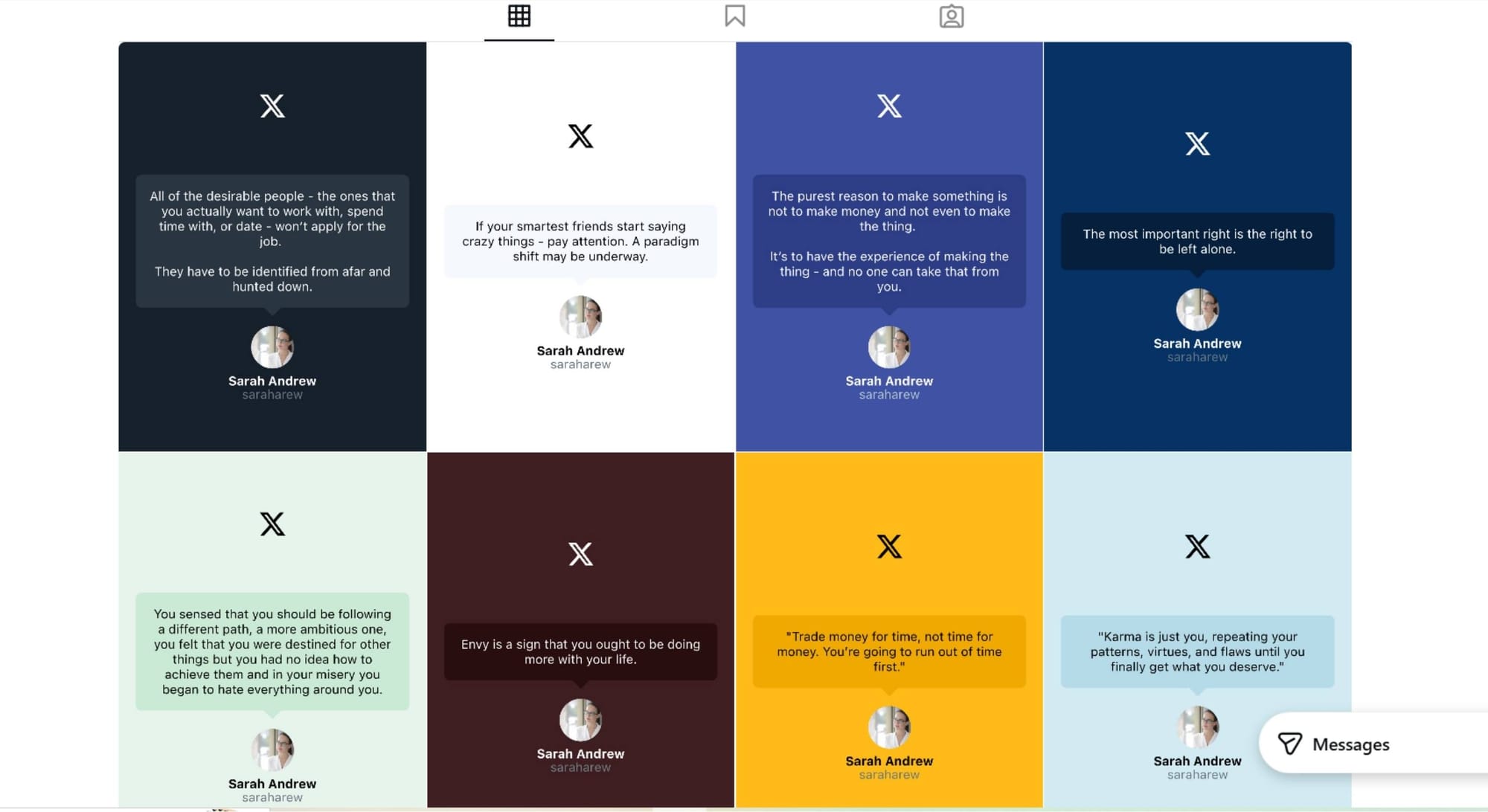
Whether you're a content creator, coach, brand, or meme page admin, turning your top-performing tweets into Instagram-ready content is one of the fastest ways to reach new audiences and grow your brand across platforms.
Let’s dive in.
Why Repurpose Tweets on Instagram?
Your tweets are more than just words. They're proof of your voice, value, and engagement. But not everyone is on X (formerly Twitter).
Repurposing your tweets to Instagram helps you:
- Increase reach by tapping into Instagram's massive visual-first audience
- Drive more traffic to your X account or website
- Build trust through social proof (especially with viral or testimonial tweets)
- Save content creation time by reusing what already works
Instead of recreating content from scratch, smart creators repurpose.
Two Ways to Turn Tweets into Instagram Posts, Stories, or Reels
Option 1: Use Circleboom’s Cross Post to Instagram
Circleboom makes it incredibly easy to generate aesthetic Instagram posts, Stories, and Reels from your X posts and threads, safe and automated!

Step-by-Step:
You will learn how to cross-post your tweets to Instagram with Circleboom.
Step #1: First, log in to your Circleboom Twitter account.
If you don't have an account yet, you can create one in seconds!

Step #2: On the Circleboom Twitter dashboard, navigate to the left menu.
First, find the “Post Management & Analytics” and then click on “Write and Plan Your Post”.

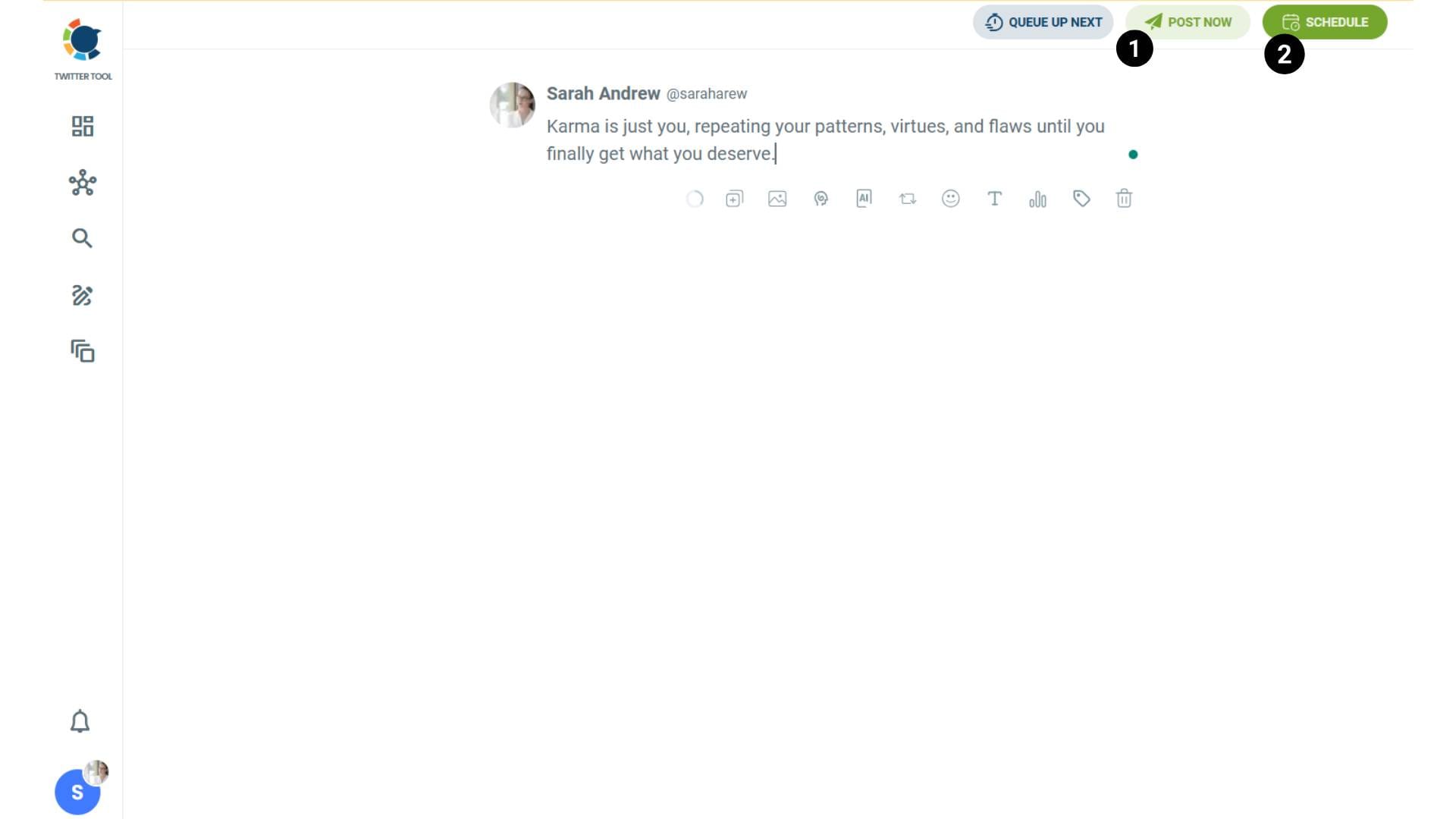
Step #3: Write your tweet. Circleboom’s AI options can generate tweets for you automatically.
When it is ready, you can “Post” or “Schedule” your tweet. To see your cross-posting options, you should click on one of them.
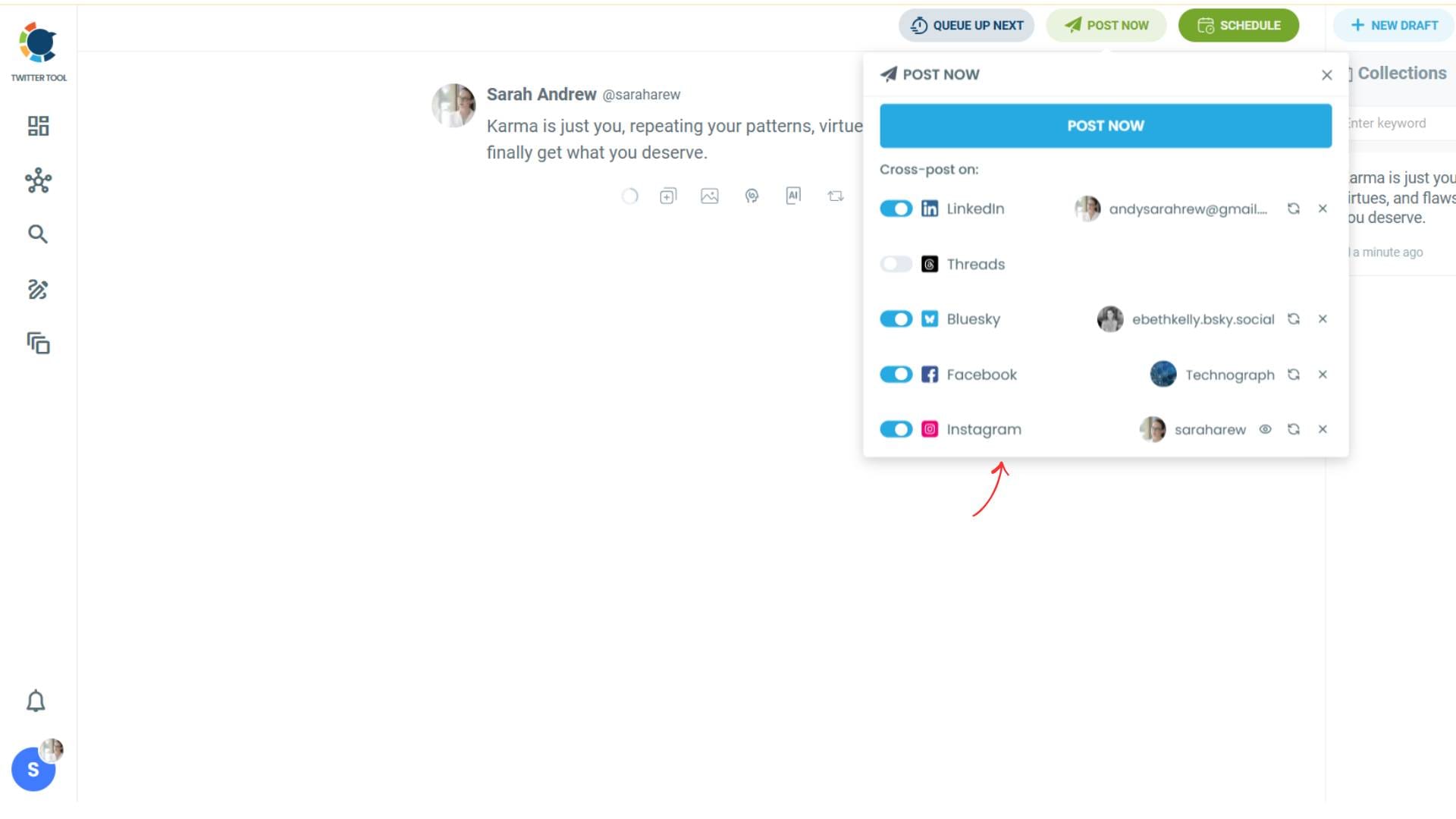
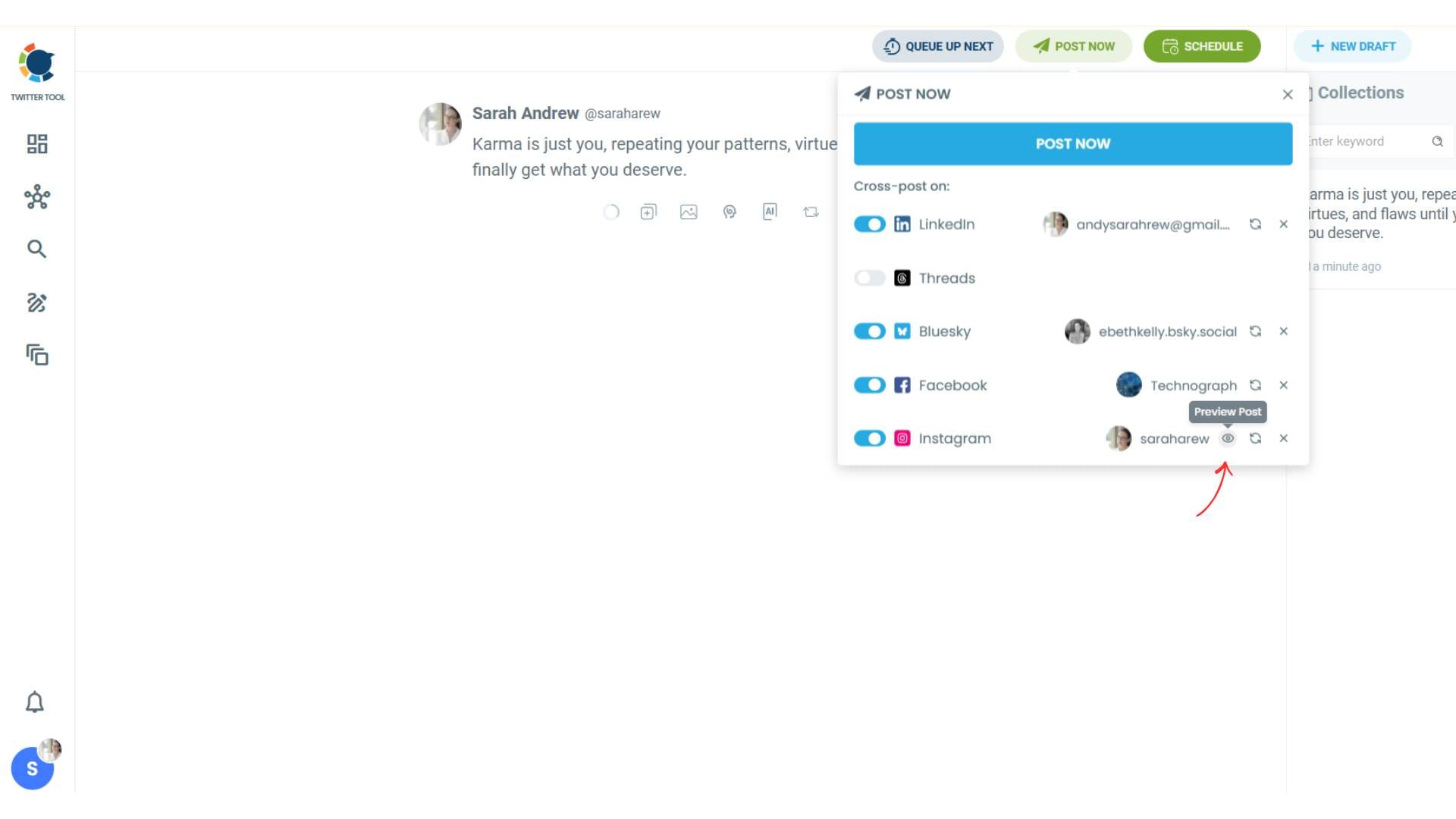
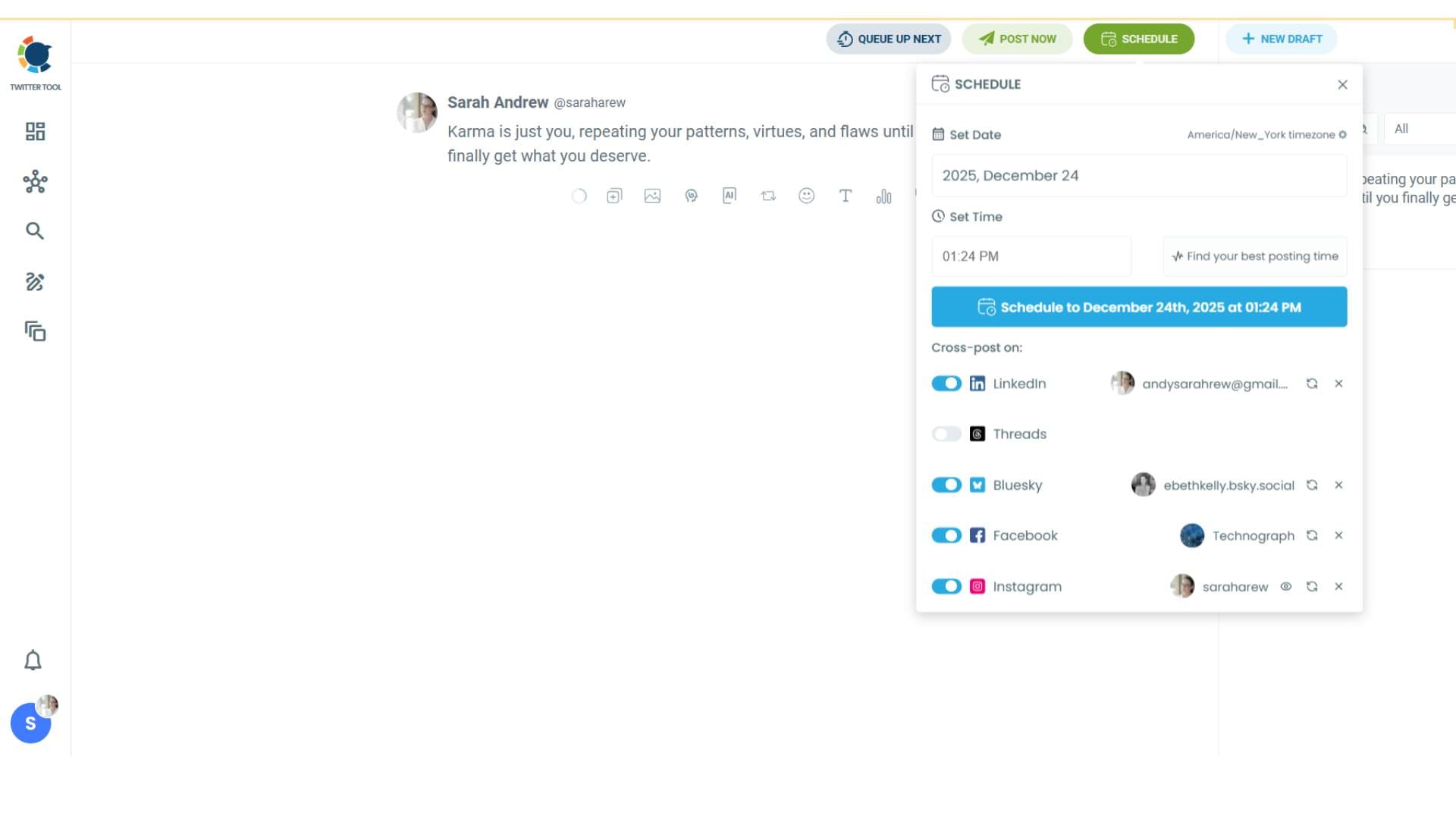
Step #4: You will see your connected platforms. You can cross-post your tweets to these accounts automatically.
You can share tweets on LinkedIn, Facebook, Threads, Bluesky, and finally, Instagram!
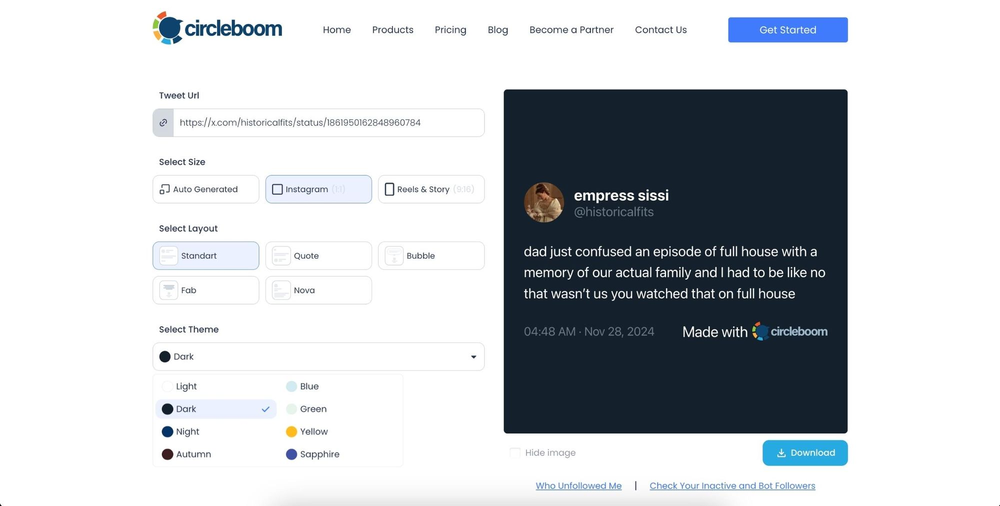
To decide if it is going to be a standard Instagram post or Story or Reels, and decide layouts and colours, click on “Preview”.
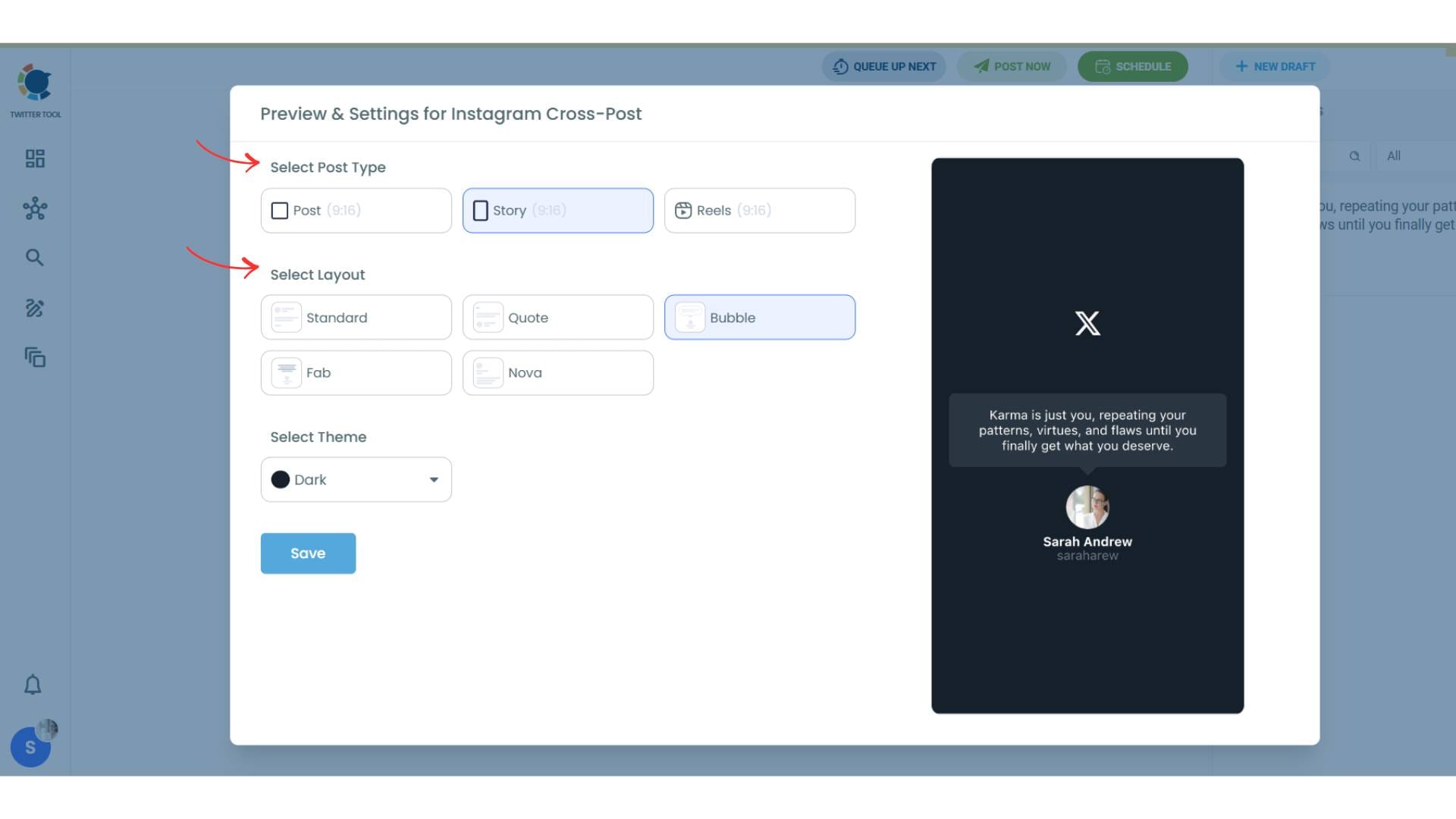
Step #5: Here you can select Instagram post type: “Post”, “Story”, and “Reels”.
You can also select the post layout.
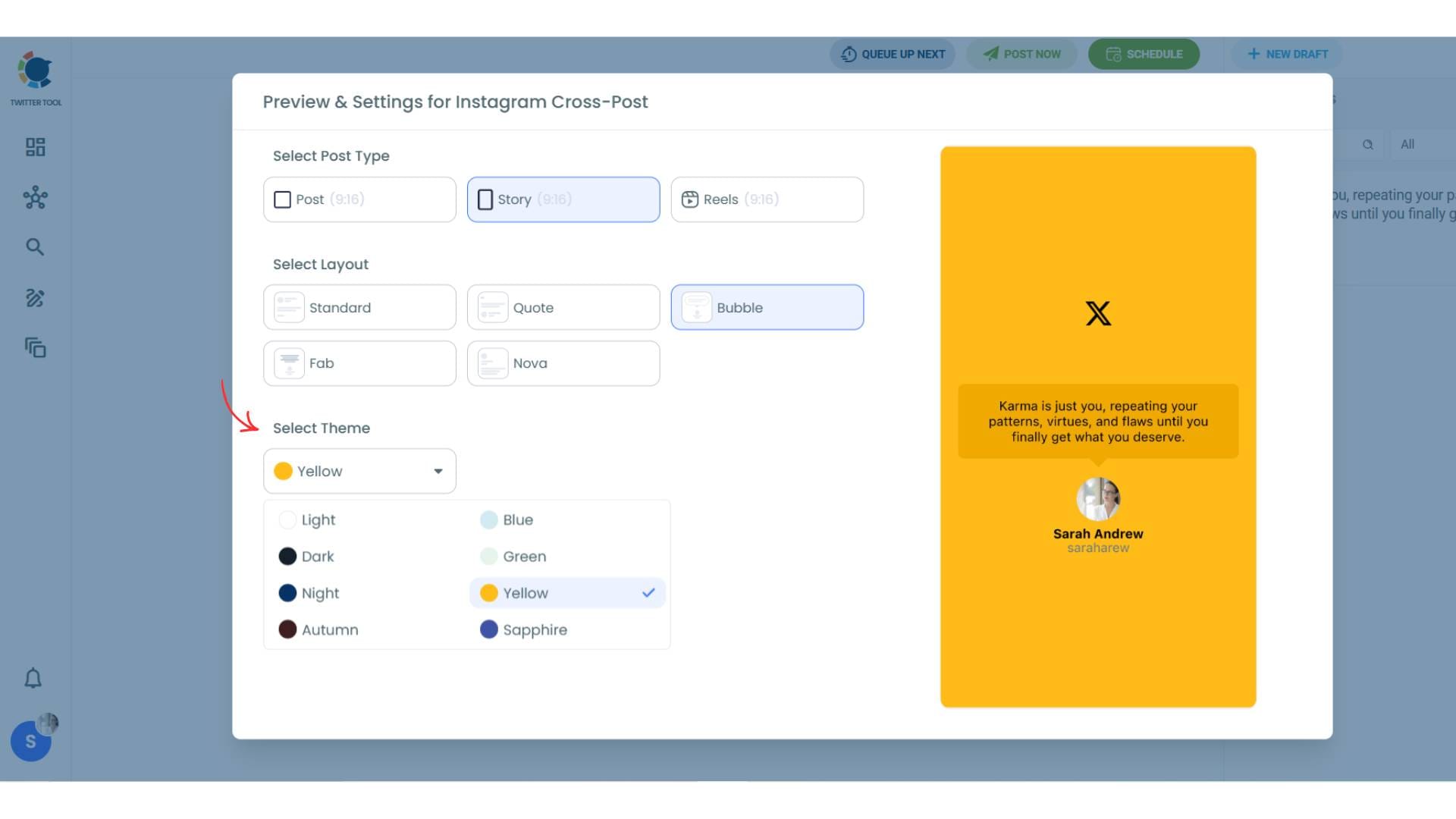
You can also select different themes. Share your tweet on Instagram with different colors.
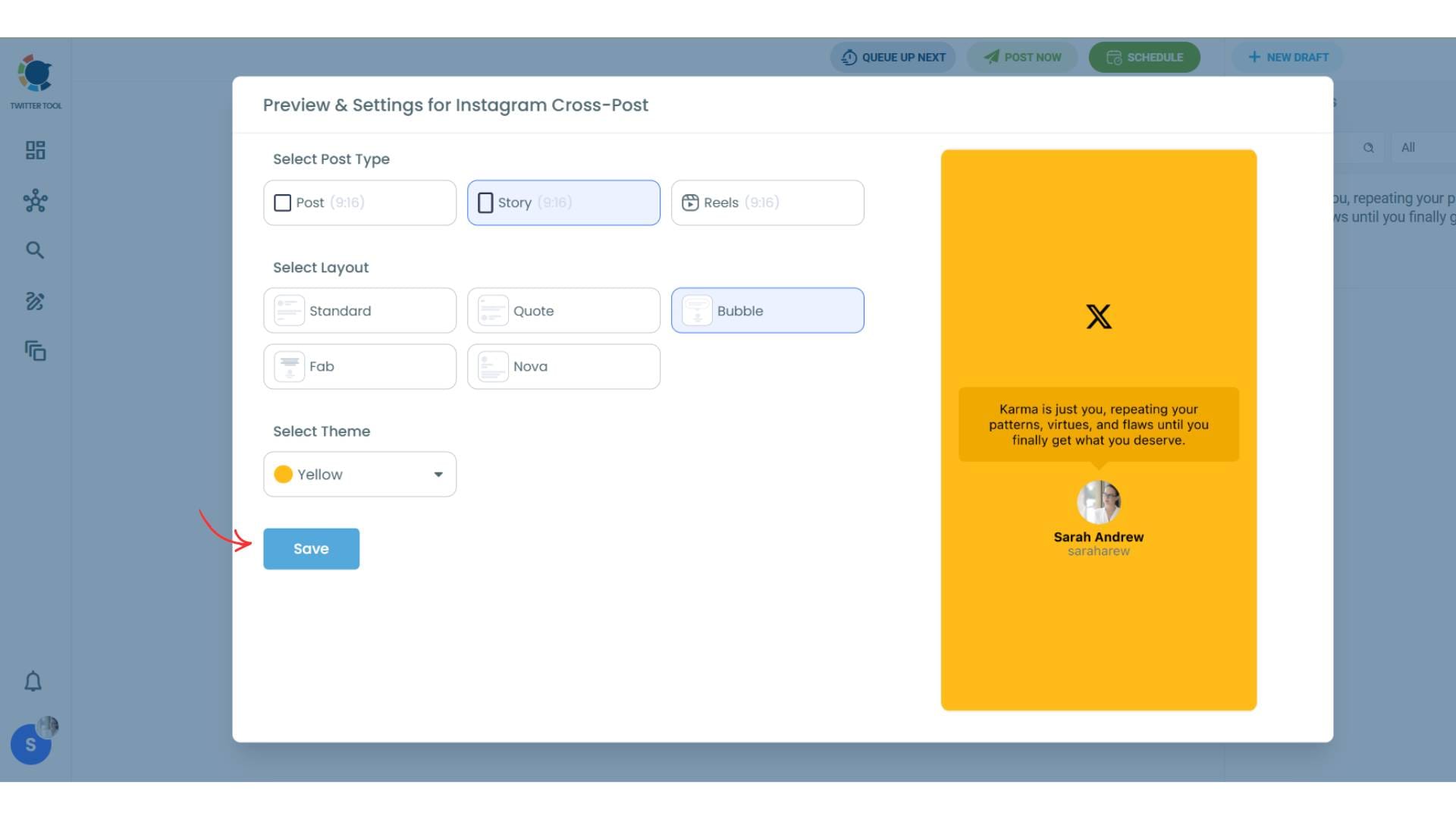
Lastly, you should click on “Save” and your Instagram cross-post is ready.
Step #6: When all is set, you can share your cross post immediately or schedule it for a later time.
You can select the day and hour and click to share your tweet!
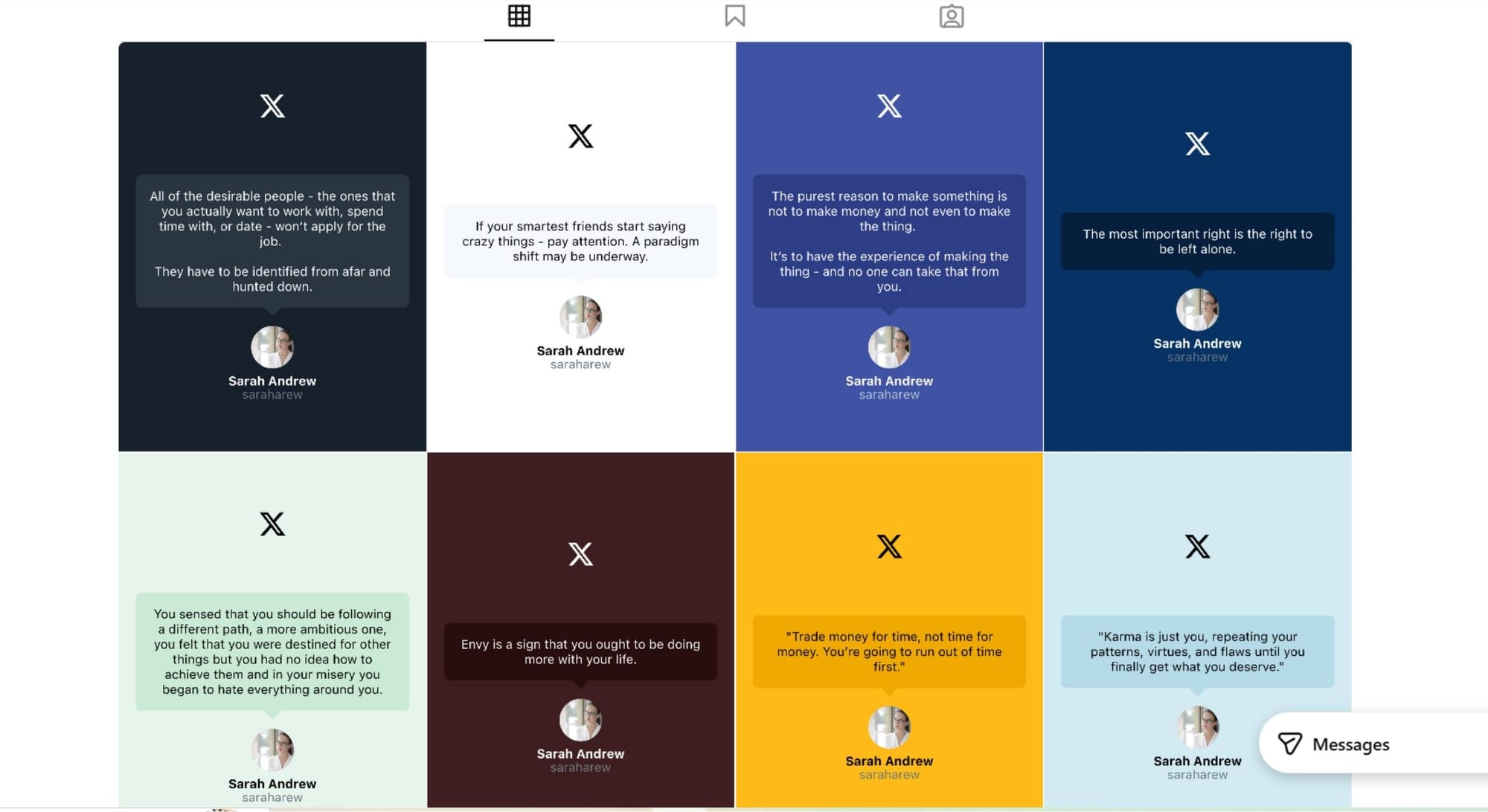
You can get more impressions and engagement for your tweets on Instagram. Don't limit yourself to Twitter (X).
Share your tweets on Instagram to reach a wider audience.
Why It’s Better:
- No need for Canva, Photoshop, or downloading screenshots from X
- Designs optimized for each Instagram format
- Super fast and mobile-friendly
Bonus Tip: Combine multiple tweet screenshots into a carousel post to tell a full story or showcase a mini-thread.
If you want to share a tweet that is already shared on X to Instagram, you should follow these steps:
- Head to Circleboom Tweet Screenshot Generator
- Paste your tweet URL or select one from your account
- Choose your format: Instagram Post, Reel, or Story
- Customize font, theme, and background color
- Save the image or share it directly to your connected Instagram account via Circleboom Publish
Option 2: Use Hypefury for Automated Crossposting
If you're an X power user, Hypefury offers deep automation options that connect your tweet workflow to Instagram without you lifting a finger.
What You Can Do:
- Automatically post an optimized screenshot of your tweet (Tweetshot) to Instagram when you publish it on X
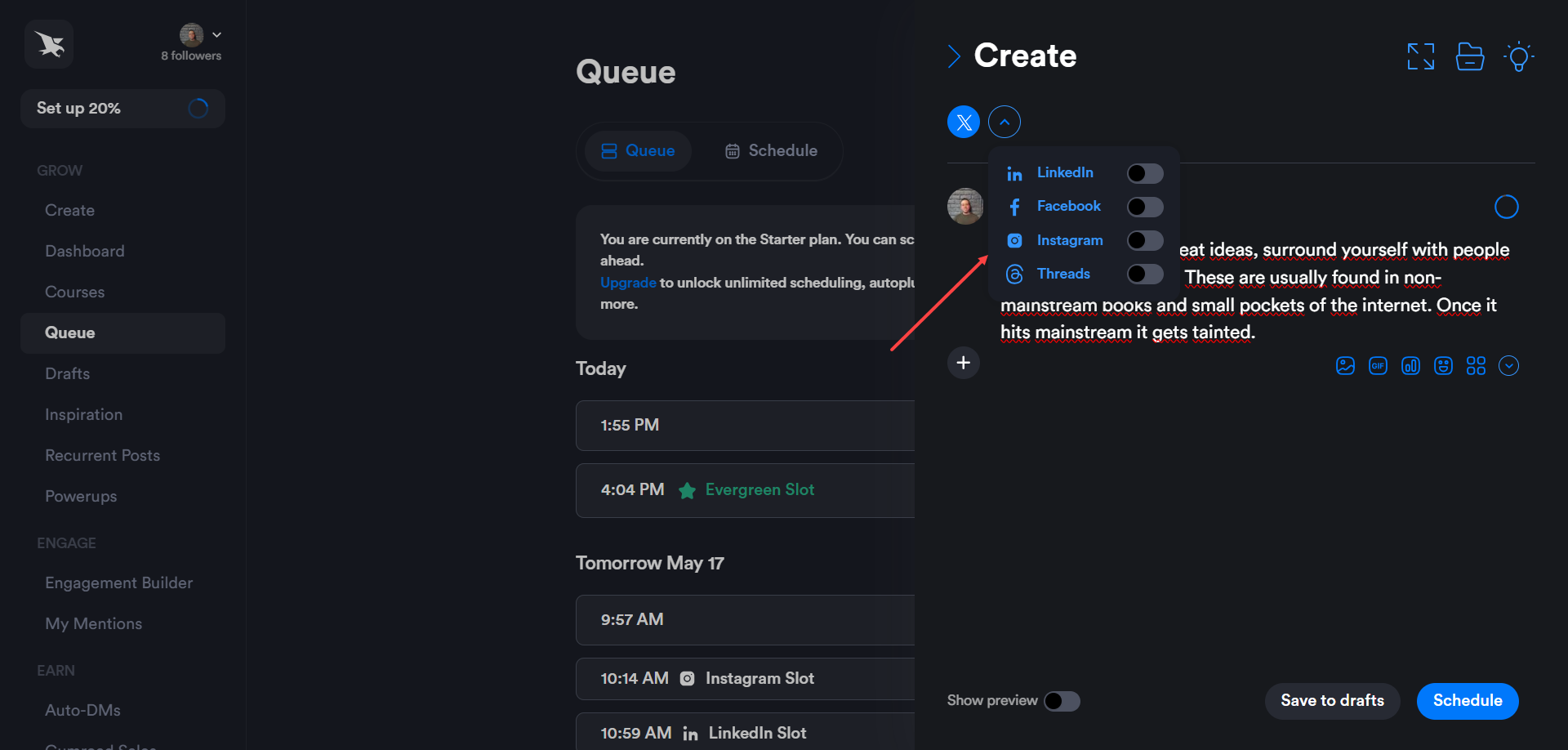
- Schedule one post and have it appear on both platforms
- Customize Tweetshot templates, fonts, and colors
- Repost older tweets to Instagram from your queue
- Turn best-performing tweets into Instagram Reels with background video and sound
Step-by-Step:
- Go to the Hypefury Composer and write your tweet
- Enable Instagram crossposting and preview the Tweetshot
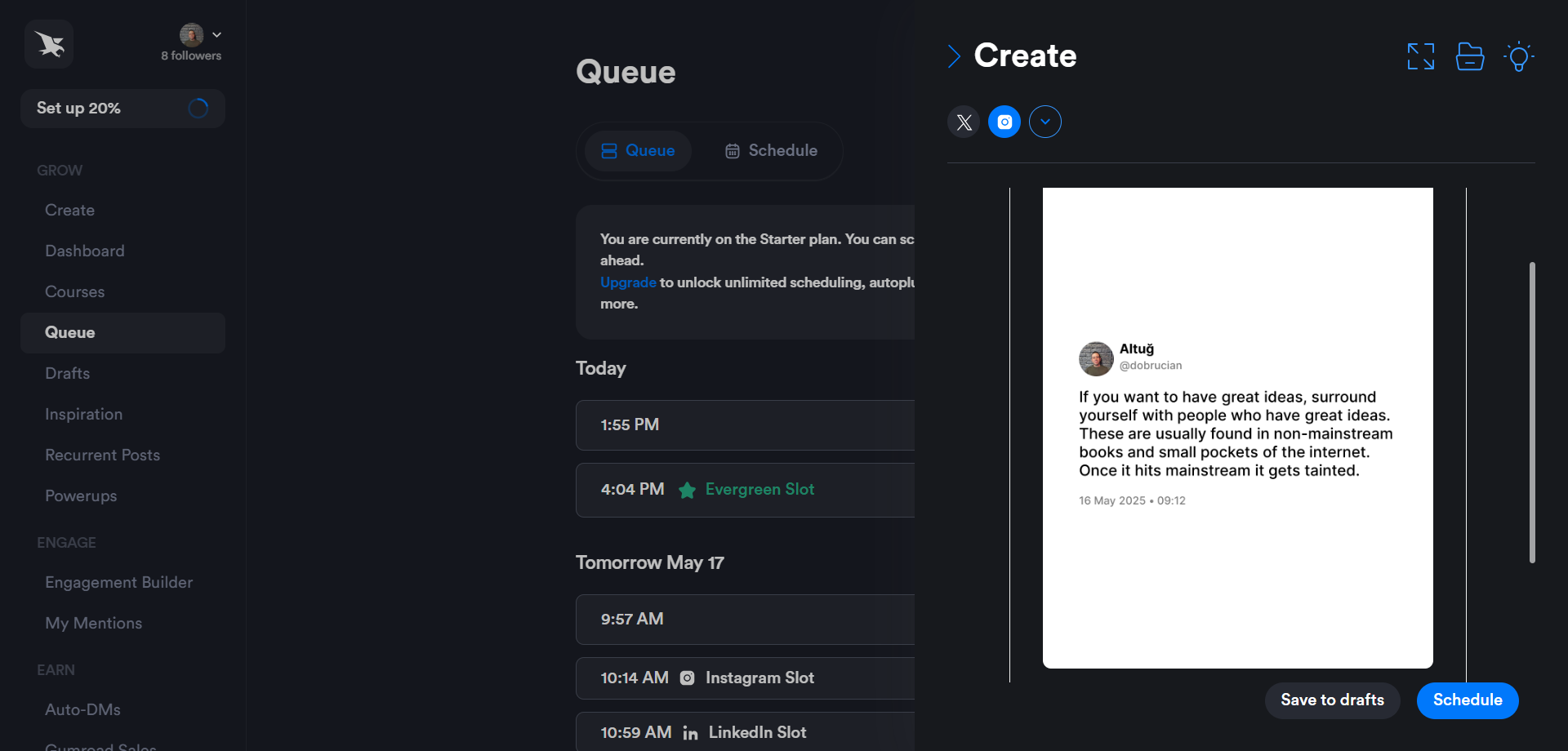
- Customize the caption, layout, and add a final slide if it’s a thread
- Schedule the tweet
- When the time comes, Hypefury posts it to X and Instagram simultaneously
For Reels:
- Head to the Dashboard > Tweet to Reel
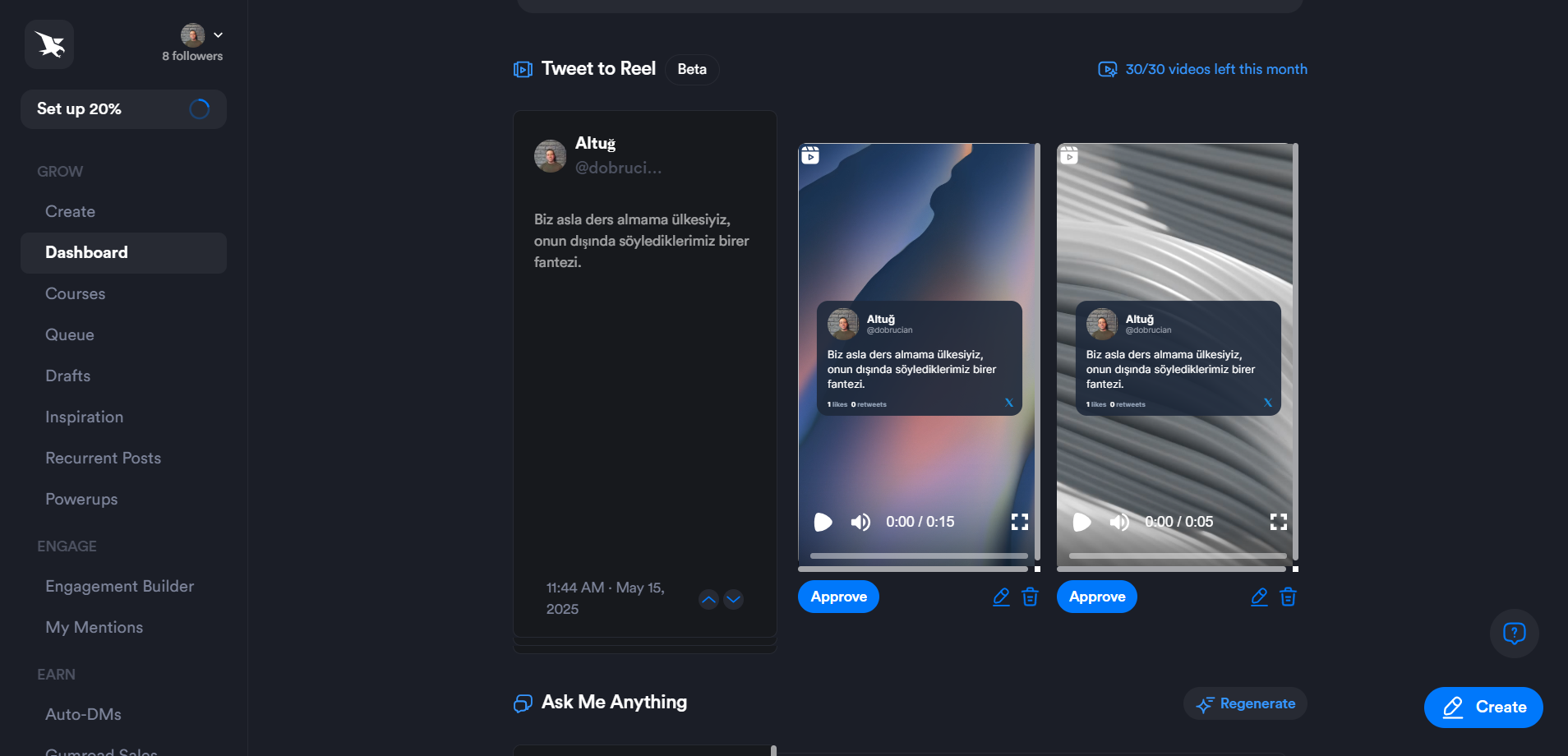
- Select one of your top tweets
- Choose a background video and soundtrack
- Schedule as a Reel to Instagram
Why It’s Better:
- Fully automated for people who post to X daily
- Includes Reels generation with background visuals
- Great for building authority and cross-platform presence with no extra work
Heads-up: Reel creation is currently limited to top-performing tweets and offers limited video/sound customization. Still powerful, though.
Which One Should You Use?
| Feature | Circleboom | Hypefury |
|---|---|---|
| Convert any tweet to image | ✅ Yes | ❌ Limited to tweet at post time |
| Customize font, color, layout | ✅ Full control | ✅ Partial (predefined templates) |
| Instagram Story & Reel formats | ✅ All formats available | ✅ Reels (beta) only |
| Repost past tweets | ✅ Yes | ✅ Yes |
| Post directly to Instagram | ✅ Yes with Circleboom Publish | ✅ Yes |
| Reels with video/sound | ❌ Not yet | ✅ Yes (top tweets only) |
| Best for | Visual control, brand matching | Automation, daily tweeters |
Final Thoughts: From Tweet to Trend
Whether you're turning viral thoughts into Reels or repackaging tweet advice as carousel posts, your X content deserves more life.
With tools like Circleboom and Hypefury, you don’t have to choose between speed and style. You can create a cross-platform presence that feels cohesive, professional, and authentic.
If you're a visual thinker or brand-builder, start with Circleboom and cross-post your tweets to LinkedIn, Facebook, Instagram, Threads, and Bluesky automatically.
More platforms, more reach!
In 2026, your best tweet should never die in the feed. It should live again on Instagram—as a Post, a Story, or a Reel.
Ready to repurpose? Let your tweets fly further.





)


