
Look, we're not here to judge. If your boyfriend is active on X and you've found yourself wondering who's suddenly showing up in his following list, you're not the first person to think about it.
The good news is any public account's followers and following list is visible to anyone; however, you can't see the full list of followers or following.
Moreover, X doesn't make it easy to track changes over time. You can visit his profile and see who he follows right now, but you can't see who he started following last Tuesday, or who started following him last week without sitting there and checking manually every day.
That's where Circleboom Twitter comes in. With its Track Someone's X Activty feature, you can monitor any public X account and get notified when new followers or new followings appear, automatically, without checking his profile every five minutes.
Can you track someone's new followers and following on X?
Yes.
Any public X account's followers and following list is visible to anyone, and with Circleboom Twitter, you can track changes to those lists over time.
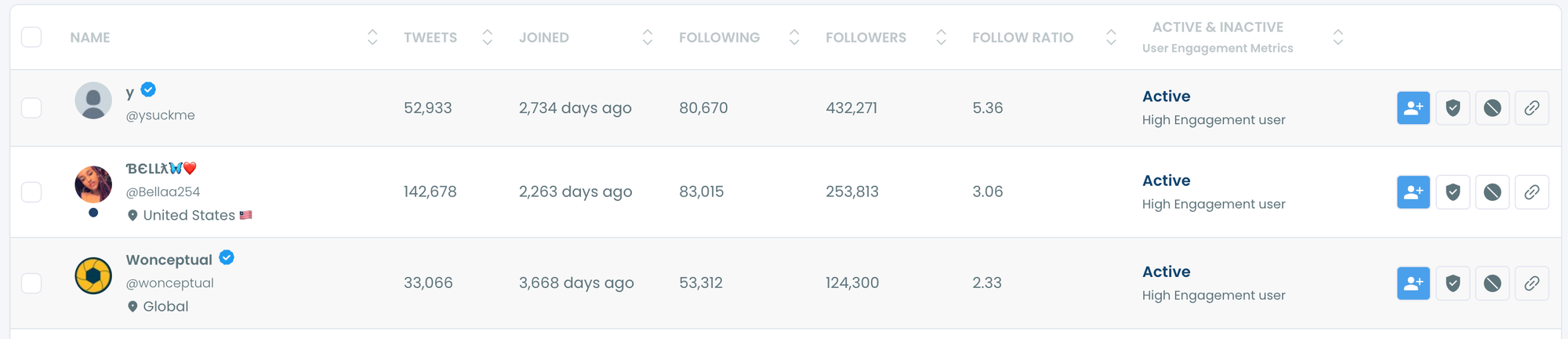
To track your boyfriend's new followers and following on X, you enter his username in Circleboom Twitter's tracking feature, enable the tracking types you want to monitor, and the tool will notify you when new accounts appear or disappear from his lists.
 infocircleboom.com
What Is Circleboom Twitter?
Circleboom is an Official X Enterprise Developer, meaning it connects directly to X's official APIs.
All tracking is based on publicly available data. No scraping, no credential sharing, no access to private accounts. If an account is set to private, it cannot be tracked.

Here's what you can do with Circleboom Twitter's account tracking feature:
🟢 Track new followers of any public X account automatically
🟢 Track new accounts that any public X account starts following
🟢 Monitor unfollow events over time
🟢 Get alerts when changes are detected without manual checking
🟢 View detailed profile data for every newly detected account
If you want to track who your boyfriend follows and who follows him on X without refreshing his profile every day, Circleboom Twitter is how you do it.
How to Track Your Boyfriend's New Followers and Following on X with Circleboom Twitter
With Circleboom's Track Someone’s Most Recent X Followers and Following feature, you can track and analyze someone’s most recent X followers and following with detailed reports!
Here is how:
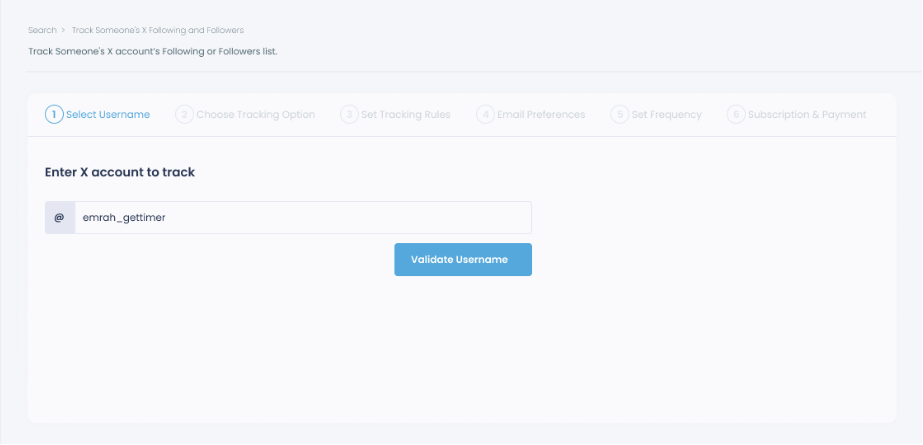
Step #1: Select any username you want to track on X.
You will track their recently followed audience.
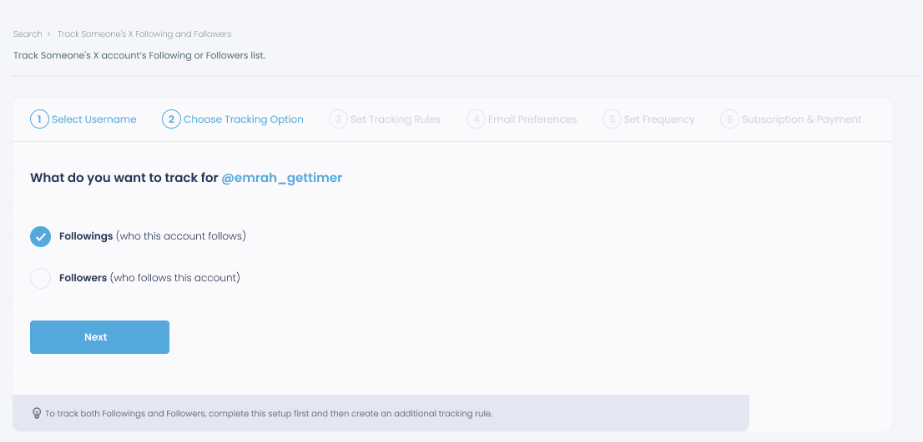
Step #2: Next, you will choose "Followings" or "Followers".
You should select one of the tracking options.
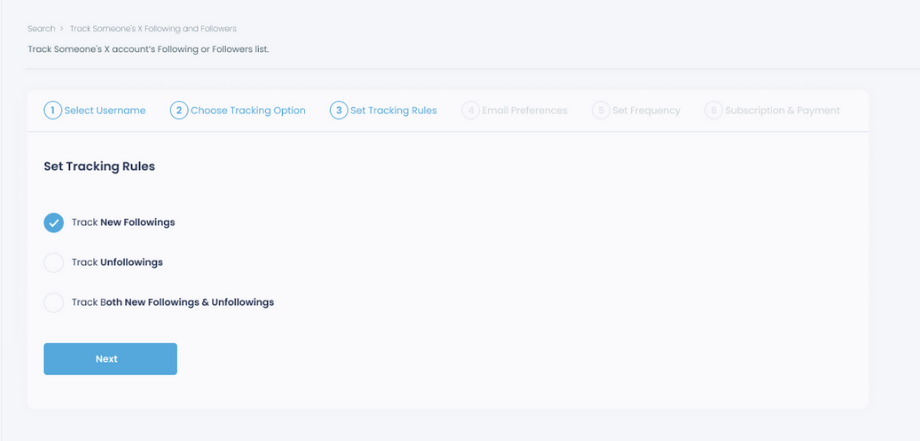
Step #3: Regarding the followings, you can track new, recent followings and unfollowings.
You can track both at the same time!
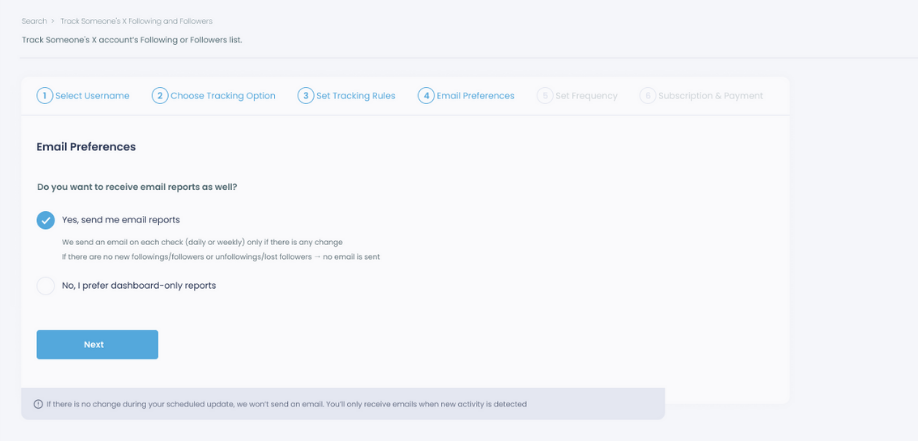
Step #4: For your tracking operations, you can receive email updates for each check.
You can still track new followings or followers without email notifications. You can monitor the following or followers with dashboard-only reports.
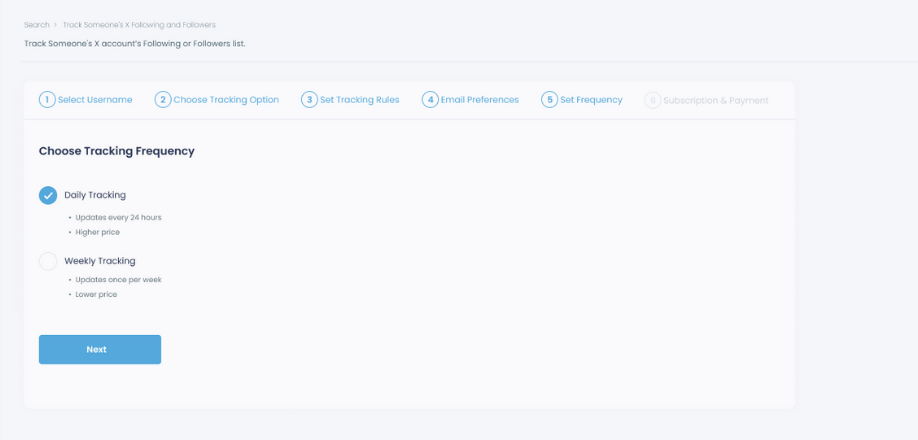
Step #5: Now, you should set the frequency.
You can get "Daily Tracking" or "Weekly Tracking".
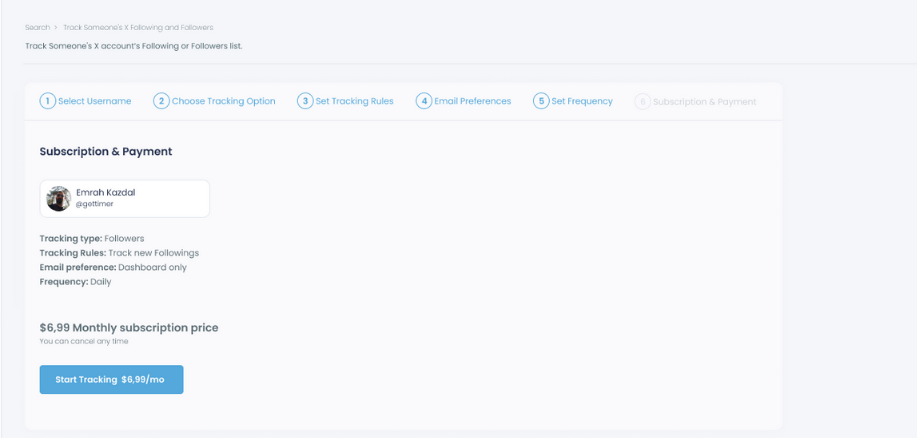
Step #6: The next step is subscription.
After checking the rules, you can start tracking.
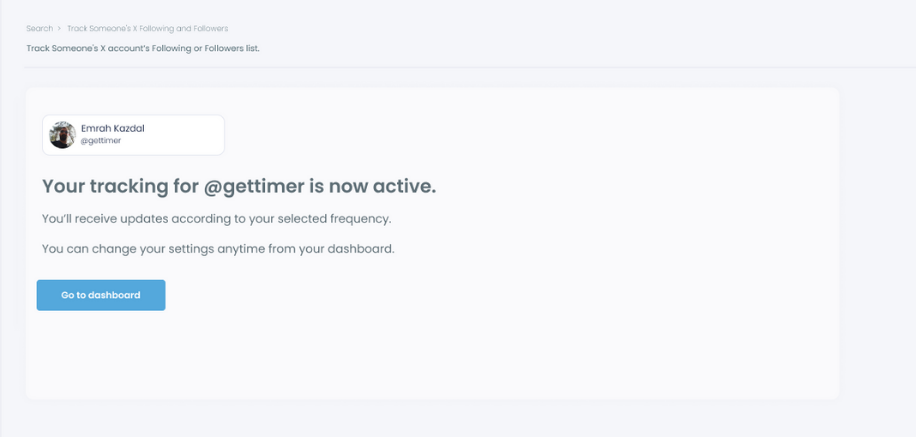
Tracking is now active.
That's it! Now you can monitor newly followings and followers of anyone on X with Circleboom!
What X Actually Shows You (And What It Doesn't)
X makes follower and following lists public by default for public accounts. You can visit any profile and see the full list of who they follow and who follows them right now. That part is easy.
What X doesn't show you is when things changed. There's no timestamp on follows. No notification when someone new appears in a following list. No history of who came and went last week. You see a snapshot of the current moment, nothing more.
So if you visit his profile today, you can see his following list. But if someone new appeared there three days ago, you'd only know if you happened to check three days ago and remember what was there before.
📌 This is the core limitation. X gives you the list. It doesn't give you the changes.
Tracking changes over time requires a tool that monitors the account continuously and compares snapshots, which is exactly what Circleboom Twitter does.
Manual checking is also unreliable. Following lists on active accounts move around. Someone might follow and unfollow within a few days and you'd miss it entirely unless you happened to check at the right moment.
What You'll Actually See When Tracking
Once you set up tracking in Circleboom Twitter, every detected change comes with full account details for the new follower or new following. You don't just get a username. You get a complete picture.
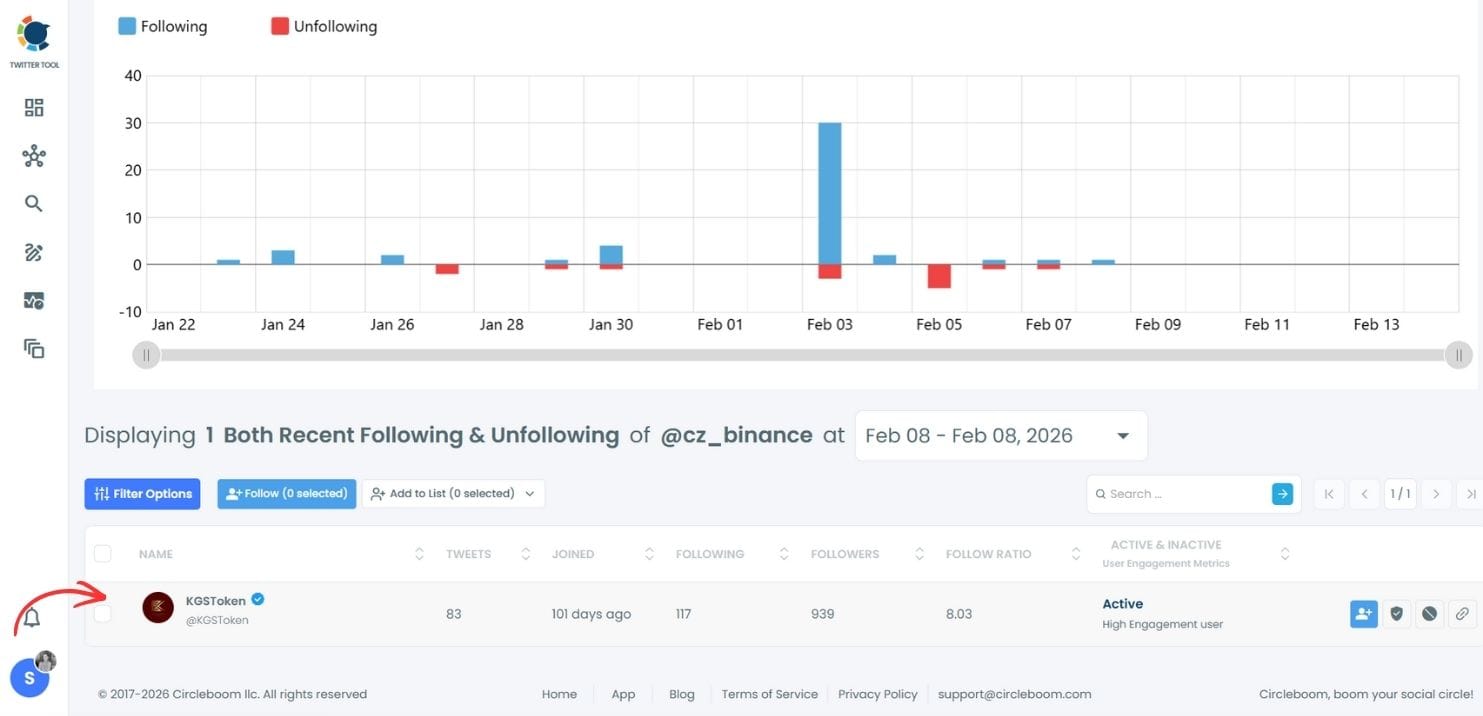
For each newly detected account you'll see: username and display name, profile image, bio, follower count, following count, tweet count, account creation date, and activity indicators. That's enough to understand exactly who the account belongs to and how active they are, without having to click through to their profile separately.
Alerts mean you don't have to check manually. Once tracking is enabled, Circleboom monitors the account continuously. When a new follower appears or a new following is detected, you get notified. You're not sitting there refreshing anything.
Unfollow tracking is also available. If someone he was following disappears from the list, that shows up too. So you get a full picture of the movement, not just the arrivals.
A Few Things Worth Knowing
This only works on public accounts. If his X profile is set to private, the follower and following lists are not visible to anyone outside his approved followers, and Circleboom Twitter cannot track them. The tool works with publicly available data only.
It's also worth knowing that follow activity on X is often completely mundane.
Accounts follow people for all sorts of reasons: they saw a funny tweet, a topic came up in their feed, someone was recommended to them.
A new follow on X is usually about as meaningful as a like on a post. But if the pattern is what you're curious about, now you can see it.
If what you're actually dealing with goes beyond curiosity about a social media account, that's probably worth talking about directly. Knowing who follows who on X tends to raise more questions than it answers.
Frequently Asked Questions
Can I track a private X account's followers and following?
No. Private accounts have protected follower and following lists that are only visible to their approved followers. Circleboom Twitter can only track public accounts, and all data it accesses is publicly available through X's official API. If his account is private and you don't follow him, tracking is not possible.
Will he know I'm tracking his account?
No. Viewing someone's public follower and following list does not notify them, and neither does setting up tracking through Circleboom Twitter. The data is public and monitoring it is the same as visiting his profile to look at his following list, just automated.
How often does Circleboom update the tracking data?
Circleboom monitors tracked accounts continuously and updates regularly with minimal delay. You don't need to check manually. When changes occur, the dashboard reflects them and you can enable alerts to be notified directly.
Can I see who he followed in the past, before I started tracking?
Tracking in Circleboom Twitter captures changes from the point you enable it forward. It does not retrieve historical follow activity that happened before you started. Once tracking is active, all future changes are recorded automatically.
Can I track more than one account at the same time?
Yes. Circleboom Twitter allows you to set up tracking for multiple public accounts simultaneously. Each tracked account has its own dashboard showing new followers, new followings, and unfollow events separately.
Can I export the tracking data?
Yes. You can export the data as a CSV file. This gives you a structured record of all detected changes that you can review, organize, or keep for reference over time.
Final Thoughts
X is a public platform and following lists are visible to anyone. The only thing that was missing was a way to see the changes automatically, without checking manually every day. Circleboom Twitter's account tracking feature fills that gap.
Track your boyfriend's new followers and following on X with Circleboom Twitter and get notified every time something changes, without the daily profile checks.
infocircleboom.com