
Short answer: not through X itself. X shows a person's current follower count and following list, but it keeps no history, no timestamps, and no record of what changed recently. The curiosity is universal; the platform simply does not answer it.
To actually see the changes, you have to capture the account's follow activity over time and compare it. A tracking tool automates that, turning frozen lists into a dated record of new followers and new follows.
This guide covers why X hides this, how tracking surfaces it, and the honest limits worth knowing before you start.
Circleboom monitors any public X account's follower and following activity by taking regular snapshots and comparing them, so each new follower or new follow shows up as a dated entry with full profile data. It reads only public data through official API access.
→ track your crush's new followers on X
Why You Can't See This on X
The information is public and practically invisible at once. Anyone can open a public account's followers or following, but X shows both with no ordering by date and no marker for what is new.
That is the entire obstacle. Without timestamps or a changelog, a follower from yesterday looks the same as one from years ago, so scrolling tells you nothing about recent behavior.
There are no notifications when a public account gains a follower or follows someone new. This is the same limit behind questions like how to track someone else's number of new followers, and it is why people turn to tracking to track your crush's new followers on X.
The reliable method is comparison over time: record the lists now, record them again later, and the difference is the new activity.
How Tracking Makes the Change Visible
Circleboom's account-tracking feature automates that comparison. It takes periodic snapshots of a target public account's followers and following, computes the difference between snapshots, and surfaces the specific accounts that are newly present, each with a date.
The output is a dated history plus a simple chart: additions plotted over time, so you can see not just who but when activity clustered. As a verified Enterprise partner of X, Circleboom pulls this through sanctioned access using only public data, which keeps it compliant.
It is the same engine people rely on to monitor new followers without checking notifications for any account.
Video walkthrough: tracking anyone's new following activity on X over time.
How to Track Your Crush's New Followers and Following on X (Step by Step)
Here is the flow, start to finish.
- Log in to Circleboom Twitter and connect your X account with official OAuth.
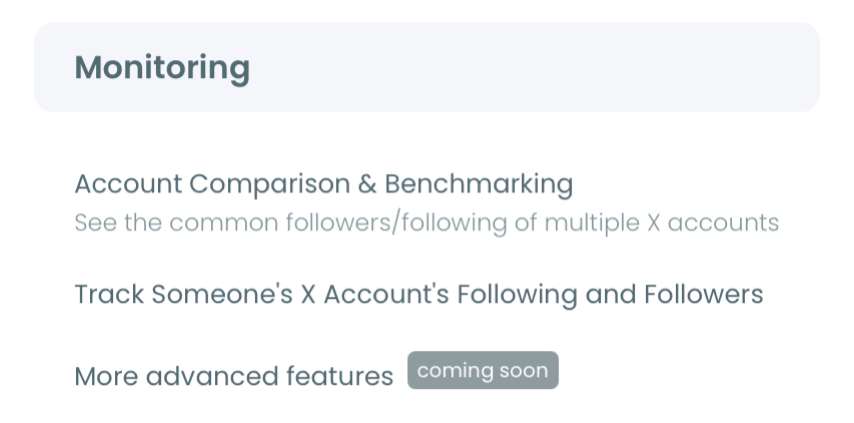
- Open the Monitoring menu and start a new tracking setup for the account you want to watch.
- Enter the username and choose Followers or Following, then set the rule to detect recent changes.
- Open the dashboard over time to read the dated list of new followers or follows, with optional email alerts when fresh activity appears.
That order works because tracking is forward-looking: you set it up, snapshots accumulate, and the dashboard fills with dated activity the static profile never shows. To watch both directions, set up two rules, one for followers and one for following.
Two Signals, Not One
For a crush specifically, the two directions tell different stories, and it is worth separating them in your head. New followers and new follows are not the same signal.
New followers show you who is entering their orbit, the accounts choosing to pay attention to them. New follows show you who they are choosing to notice.
People conflate these and then misread the data, so decide which question you actually care about before you set up tracking. If it is "who is around them," track followers; if it is "who are they into," track following.
The follower tracker handles either, and you can run both.
The honest caution is that neither signal is a confession. A follow is a small public act, not a declaration, and reading a whole narrative into one account is the classic mistake.
Patterns matter more than single events, which is also true when people prevent others from seeing their following list precisely because they know follows get over-interpreted.
The Honest Limits
A few constraints keep this realistic, and knowing them up front saves disappointment. Tracking is powerful but bounded.
It works only on public accounts; if the profile is protected, the follow data is not publicly visible and cannot be monitored. It is a paid feature that consumes tracking tokens, since ongoing snapshots take resources.
And it is snapshot-based, not real-time, so a new follower appears at the next check rather than the instant it happens. Within those limits, it does exactly what X won't, which is show you the dated change.
Related Ways to Read Public Activity
Tracking one account is the focused use, but it sits inside a broader set of public-data tools worth knowing. Seeing the range helps you pick the right one for the question you actually have.
If you simply want a live number, the live Twitter follower counter shows real-time follower count without any setup. If you want relationship context rather than raw change, the who-follows-who view maps connections between accounts.
And the full account-tracking dashboard is where dated follower and following changes accumulate over time.
Each tool answers a slightly different question. A counter answers "how many," a connection map answers "who knows whom," and the tracker answers "what changed and when." For a crush, the tracker is usually the right one, because the question is almost always about change rather than totals.
The broader point is that all of these read the same public data X already exposes; they just organize it differently. That is also a useful reminder of how visible your own activity is, which is why some people study how easily a following list can be scraped and adjust what their profile shows.
Knowing the landscape lets you choose the lightest tool that answers your question instead of over-monitoring.
The Bottom Line
You cannot track your crush's new followers from X alone, because the platform stores the current state and discards the history. The workaround is tracking: capture the follow activity over time and let the differences surface as dated new followers and new follows.
Set it on a public account, choose the direction you care about, let the snapshots accumulate, and the changes X hides become a clear, dated record, with the same caveats that apply to any public-data tool.
→ Start tracking new follow activity on X
Common Questions About Tracking a Crush's Activity
Can I see activity from before I started tracking?
No. Tracking captures changes only from setup forward. It builds a dated history going forward and cannot reconstruct followers or follows that happened before the first snapshot.
Will my crush know I'm watching?
No. Tracking uses only public data through the official API. Nothing is posted or sent, and X does not notify an account that it is being monitored.
Does it work on a private account?
No. Only public accounts can be tracked, because a protected account's followers and following are not publicly accessible. If the account is private, the activity cannot be monitored.
How current is the data?
Near-current, not instant. Tracking runs on periodic snapshots, so new activity appears at the next scheduled check, with daily or weekly email alerts available.
Is tracking a public account allowed?
Yes. It relies entirely on publicly available data and operates within X's platform rules through official API access, so it stays compliant.