When a celebrity partnership comes up in a marketing plan, the first question I ask is not how many followers the star has. It is who those followers are.
A count of, say, four million tells you reach. It says nothing about how many of those accounts are inactive, which countries they post from, or whether your customers are among them, and X only gives you the count plus a list that stops loading long before the end.
How do you see who follows a celebrity on Twitter?
Enter the celebrity's username in Circleboom's Followers / Following Search and choose Display Followers: Circleboom lists that account's followers on X in one sortable, filterable table, pulled through X's Enterprise API access.
→ See who follows a celebrity on Twitter in one filterable list
Why X stops showing a celebrity's followers partway down the list
On X, you can open another account's followers list, but you cannot see the whole of it. The list stops loading after a point, it has no filter and no sort, and there is no export.
For an account with a few hundred followers that barely matters. For a celebrity it means you are looking at a thin slice of the audience and guessing at the rest.
I learned that the slow way. My first attempt to see who follows a celebrity on Twitter was to open the list and scroll, noting accounts that looked like the target customer. After a long session I had a page of names, no idea how representative they were, and a list that refused to load any further.
The sample was whatever X chose to show first, which is not a sample at all.
If you only want to see who follows a celebrity on Twitter out of curiosity, that thin slice may be enough. Why the native list behaves this way is its own question, answered in why can't I see all of someone's followers on Twitter.
What I needed instead was the list as data. If you are at the same point, you can pull a celebrity's follower list into a filterable table and stop scrolling.
A celebrity's follower list is the noisiest list on Twitter
Circleboom's own advice on its search feature warns that when the seed account is too broad or celebrity-like, its followers will be noisy. A famous account attracts everyone: fans, critics, brands, bots, accounts that followed once years ago and never posted again.
Run a hypothetical to see why. Suppose a quarter of a 4-million audience were inactive: that would be a million accounts a sponsored post never reaches, while the profile still showed four million. The quarter is invented for the arithmetic; the real share for any star stays unknown until you look, which is the whole reason to look.
Even the count moves for reasons unrelated to fans: X's help page on following says locked accounts are removed from follower counts across profiles.
So seeing who follows a celebrity is only half the job. The other half is cutting the crowd down to the accounts that answer your question. For a brand, the useful slice usually looks like this:
- Active accounts, not dormant ones.
- Real-looking profiles, with fake or bot-like accounts excluded.
- People in the country or language you sell in.
- Bios that mention the interest your product serves.
The follower count is reach. The filtered slice is the audience you can actually use.
Fake and bot-like accounts deserve a separate look before any partnership talk. The fake Twitter account checker is built for exactly that question. The same Fake/Bot signal is also a filter on any follower list in Circleboom.
These classifications are computed signals, not verdicts, so treat them as a reason to look closer rather than a label to quote.
How Circleboom shows who follows a celebrity on X
Circleboom's Followers / Following Search takes any public X username and returns that account's follower list, or following list, as a structured table. Each row carries the profile photo, name, username, verification badge and location, plus tweet count, account age, following count, follower count, follow ratio and an activity label: Active, Moderate Active or Inactive.
The data source is what makes the table worth trusting. Circleboom pulls these lists as an official developer in X's Enterprise API program, so the rows come from X's own records. Scraping-based collection can skip accounts or misread fields, and a celebrity's list is long enough for those gaps to change the picture.
Compared with my scrolling session, the difference was not speed. It was that I could finally ask the list questions.
Sort by followers and the largest accounts in the audience rise to the top; sort by join date and the newest accounts cluster together; filter for Inactive and you see how much of the count is dormant.
Sorting and filtering are also covered step by step in how to see someone else's Twitter followers and filter the list. When you want to try it on a real star's audience, you can browse a celebrity's Twitter followers with filters from the same page.
How I see who follows a celebrity on Twitter
Here is how I run it end-to-end, from the username to a shortlist.
Load the celebrity's follower list
- Log in to Circleboom with your X account.

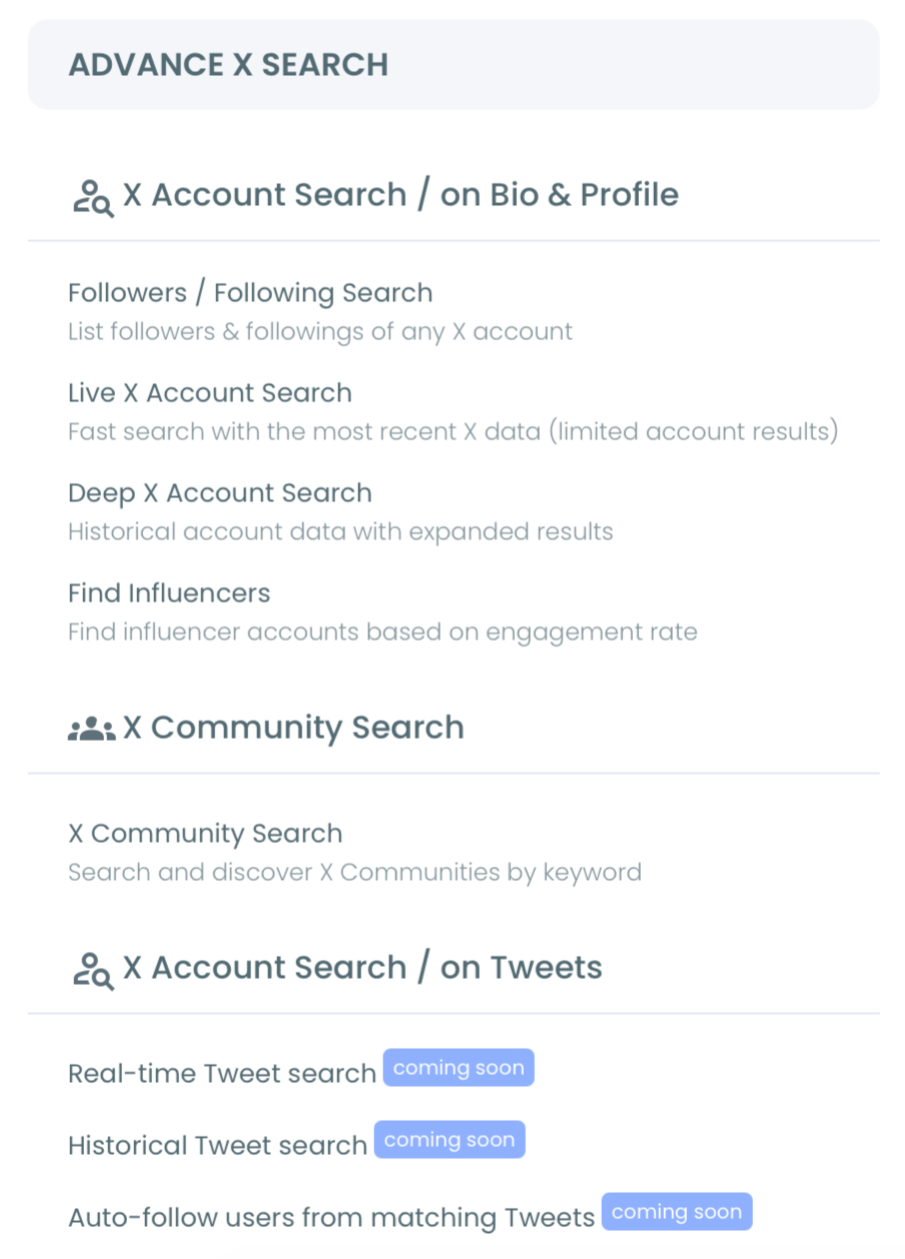
- Open Advanced X Search from the menu and choose Followers / Following Search.
- Type the celebrity's username, select Display Followers and click Show Followers; the field accepts letters, numbers and underscores only.
Cut the crowd down to your audience
- Sort the columns by followers, follow ratio or join date to see different parts of a list too large to show at once.
- Open Filter Options and exclude Fake/Bot and Inactive accounts under Follower Quality.
- Add the filters that define your customer, such as language, location or a keyword in Find in Bio & Name.
Keep what you found
- Save the shortlist with Add to List, or export it as a CSV with the Export button, which uses search tokens.

I filter before I do anything else because every filter works with AND logic, so each one narrows the list further, and the Active Filters bar shows exactly what is applied. Acting on an unfiltered celebrity audience means acting on the noise.
Once the filters are on, I read the activity label first and the follow ratio second. An audience whose filtered slice is mostly Active, with ratios that look like real people rather than follow collectors, is one I would put in front of a client.
When I see who follows a celebrity on Twitter this way, the conversation moves from the size of the audience to its shape, and that is a better conversation to have before money changes hands.
Can you see all of a celebrity's millions of followers?
Not in one screen. The results table lists up to 2,500 accounts at a time, and the page itself says so: you can work with the data through the sort options and see more than 2,500. For a star with millions of followers, that means each sort shows you a different slice of the same audience.
In practice I treat the 2,500 cap as a reason to sort deliberately:
- Sorting by follower count shows the biggest accounts in the audience, often other public figures and media.
- Sorting by join date shows the newest arrivals.
- Sorting by follow ratio separates accounts that many people follow from accounts that follow thousands and are followed by few.
With a list this size, the sort you choose decides which audience you see.
Pick the sort that matches your question before you start reading names, and write it down, so a colleague who repeats the search sees the same slice.
Re-running is cheap. The Recent searches panel on the search page keeps separate histories for follower searches and following searches, so going back to the same star's list with a new sort takes one click. When I see who follows a celebrity on Twitter for a pitch, I run two or three sorts and note what each slice showed.
Finding fans in one country or language inside a celebrity's audience
A global star's followers are spread across many countries and languages, and most brands sell in a few of them. To see who follows a celebrity on Twitter in your market, narrow by place or language before you read a single name. The filter panel narrows the list by language, and the location filter matches a free-text place such as a city against each profile's location field.
Location is only as good as what people typed. Many profiles leave it blank, so a location filter finds the fans who say where they are, not every fan in that place.
Language is often the cleaner cut for a regional campaign. The filter by language page shows that filter on its own.
Stack those with Find in Bio & Name and the slice gets sharp. A skincare brand might keep followers who write in Spanish and mention skincare in their bio. That combination, inside a celebrity's audience, is a shortlist a media plan can use.
What the celebrity's own following list on X adds
The same search works in the other direction. Choose Display Following instead of Display Followers and you see whom the celebrity follows: the accounts they chose to read. Circleboom's own guidance describes that list as an account's information network, and for a star it can be a short, telling one next to the follower count.
For a partnership, the following list answers questions the follower list cannot. Does the star already follow your brand, or a competitor? Do they follow the photographers, stylists, athletes or writers your campaign would involve?
A brand the celebrity already follows is a warmer conversation than one they have never noticed.
I read both lists for any star on a shortlist. The followers tell me who listens; the following tells me who the star listens to.
Comparing two celebrities' audiences before a deal
One follower list answers "who follows this star". The question a partnership usually needs answered is "which star reaches more of our people".
Circleboom's own advice for this feature is to compare three to five similar accounts instead of trusting one source network, because the accounts that show up across several of them are the stronger match.
Running the same search and the same filters on two or three candidates gives you comparable slices, which is the fair way to see who follows a celebrity on Twitter when more than one star is in the running.
Account Comparison adds the overlap view: how much of each audience is shared and how much is unique. Ways to set that up for famous accounts are covered in how to compare celebrity Twitter accounts.
If the filtered slices look similar but one star's overlap with your own followers is much higher, the other star is the one who brings new people.
The follower count is the headline, the list is the story
Seeing who follows a celebrity on Twitter is easy once the list stops being a scroll and becomes a table you can sort, filter and keep. The work that matters starts after that: deciding which slice of the crowd is yours, and keeping it in a list or a file you can come back to.
Whether your own brand account should then follow that celebrity is a separate call, weighed in should your business account follow celebrities on X.
A celebrity's audience only becomes useful the moment you can filter out everyone you were never going to reach.
→ Open a celebrity's follower list and filter it
Four quick questions before you search a celebrity's followers
Can I download a celebrity's follower list?
Yes. The Export button saves the results as a CSV and uses search tokens from your plan. The export list of followers on Twitter page covers that export in more detail.
Can I see who followed a celebrity most recently?
The search shows the account's current followers, not a dated history. For the latest arrivals, read how to check the latest followers of any Twitter account. For an ongoing record, use Circleboom's tracking feature with the Followers option.
Can I see the followers of a private celebrity account?
No. Only public accounts can be searched; a protected account returns no data.
Is it safe to follow people I find in a celebrity's follower list?
Yes, if you go slowly and selectively. Circleboom paces bulk follows at 50 every 15 minutes and 400 per day, continues the rest automatically the next day, and asks you to confirm before it starts.