

X shows you who follows an account right now. It does not show you who started following it this week, and that gap is the reason this question keeps getting asked.
How do you see new followers on a Twitter profile?
Open the account's Followers list for a rough newest-first view, or watch your own notifications if the profile is yours. For a dated record that outlives the notification tab, Circleboom snapshots any public X account's follower list on a schedule and writes each arrival as a dated row through official X Enterprise APIs.
→ see new followers on a Twitter profile
The three follower layers X gives you, and the one it does not
X exposes follower information in three separate layers, and only two of them exist.
The first layer is the notification. Someone follows you, an event fires, a line appears in your notifications, and an email lands if you left that preference on.
It is event-shaped: correct at the instant it happens, then buried under every like and reply that arrives after it. The X notifications timeline also runs quality filters, so low-quality accounts can be pushed out of the view entirely.
The event layer also degrades exactly when it would be most useful.
A quiet account sees every follow land cleanly. An account having a good week sees follows competing with replies, likes, quotes and mentions in the same feed, so the moment your reach improves is the moment the notification tab stops being a reliable inventory of who arrived.
The second layer is the list. Open any public profile, tap the follower count, and you get the full roster. X's own following and follower documentation describes what the list contains and how to open it, but it says nothing about ordering, because ordering is not a promised behavior.
The third layer is the record, and X does not have one.
The ordering everyone trusts is not a date
The Followers list order is a proxy for recency, not a timestamp. New accounts tend to sit near the top, which is why so many people treat position one as "my newest follower." Tendency is not a guarantee.
The list carries no dates and no arrival order you can cite. Nothing in it tells you which rows were not there yesterday. That is the trap examined in sorting someone's followers on Twitter by most recent.
The ordering people lean on turns out to be an artifact, not a promise.
Once you separate those three layers, the real problem gets easy to name. You are not missing a setting. You are missing a data structure that the platform never built.
Circleboom builds that structure for one X account at a time, recording every new follower it picks up as a dated row you can filter, read, and export. Setting it up takes about a minute, so it is worth seeing the mechanics before the theory.
How to see new followers on a Twitter profile with Circleboom
To see new followers on a Twitter profile, set a tracking rule on the account you care about, choose whether you are watching its followers or its followings, and let scheduled snapshots build the dated history for you. Setup runs through a short wizard, and the dashboard fills in from the moment tracking starts rather than backfilling the past. The six steps below cover both phases.
Point the tracker at the account you want to watch
- Log in to Circleboom Twitter and connect the X account you manage.

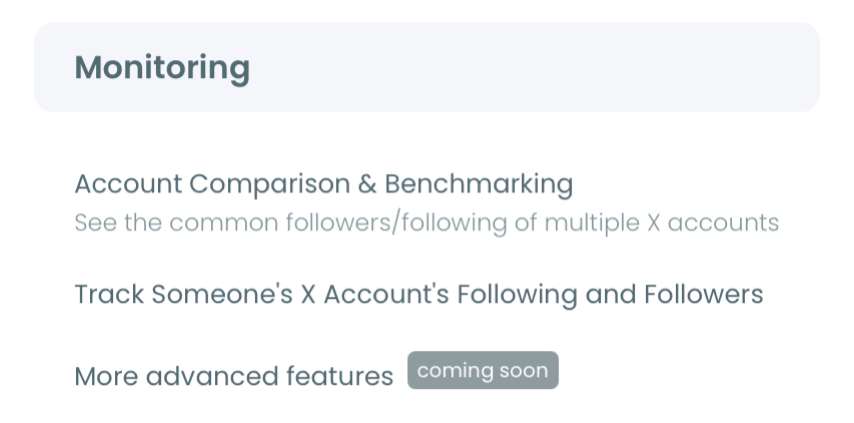
- Open the Monitoring menu and choose the option for tracking an account's recent following or follower activity.
- Enter the @username and press validate. Validation confirms the handle resolves to a live public profile, which is the only category the tracker can read.
Set the rule, then read what it returns
- Pick Followers as the direction when the question is who is newly following that profile. Followings is a separate rule for a separate question.
- Select the change types to watch, either new follows, unfollows, or both, then decide whether alerts arrive daily, weekly, or dashboard-only.
- Open the dashboard once data accumulates and read the activity chart, where arrivals and departures are plotted on opposite sides of the zero line.
That order holds up because each step narrows the question before the next one costs you anything. Validation catches private and misspelled accounts before payment. The followers-versus-followings choice decides what the snapshots collect at all, and the alert setting decides whether you find out by email or by visiting.
Reverse any of those and you end up paying for a rule that answers a question you were not asking.
At a glance: validate the account, pick Followers, pick the change types, set the alert cadence, then read the chart.
Video walkthrough: how a tracked account's new followers arrive as dated rows instead of an undated list.
https://www.youtube.com/watch?v=y9gQkWmikOI
How Circleboom turns follow activity into a dated record
Circleboom builds the missing third layer by taking scheduled snapshots and comparing them.
At each interval, the system pulls the current state of the tracked list, compares it against the previously stored snapshot, and works out what moved: which accounts are newly present, and which are newly gone. Every change is written with a timestamp, so the dashboard becomes a dated history rather than another current-state view.
That single design choice is what separates a record from a list.
The same mechanism runs on your own account, where the accumulated changes add up to the growth curve behind your Twitter follower growth stats. A count tells you the net number moved. A diff tells you which accounts moved it.
Why a diff beats a count on a flat week
The difference shows up fastest on a flat week. A profile that gained forty followers and lost thirty-eight reports a net gain of two, and the count treats that as a quiet week.
The diff treats it as seventy-eight separate events, and the composition of those events is usually the story: a wave of arrivals from one niche, or a wave of departures after a post that landed badly.
That is also why the dashboard keeps additions and removals on the same chart, blue bars above the axis and red bars below it. Reading them together shows churn. Reading only the count hides it.
You can watch new followers land on a Twitter profile from the first snapshot onward, and the history compounds the longer the rule stays active.
The third-party version of this workflow gets a full walkthrough in tracking someone else's number of new followers on Twitter. That one is written from the competitive-research side.
Why tracking new followers is harder on someone else's X profile
Your own account at least gets the event layer. Someone else's account gets nothing at all.
There is no notification when a competitor picks up a follower. There is no email when an investor's audience shifts. A public profile you do not control carries no changelog either, which means the only native method available is opening that profile repeatedly and trying to remember what the top of the list looked like last time.
That approach fails at the first genuinely useful scale, and it fails silently, because you never know which rows you missed.
This is the case that sends people looking for a way to check someone's new followers on X in the first place. The intent behind the search is rarely idle curiosity. It is usually a market-timing question, a competitive question, or a partnership question wearing a follower-list costume.
The asymmetry is worth stating plainly, because it decides which tool you need.
On your own profile you are recovering information the platform showed you once and then lost. On someone else's, you are creating information that never existed in any interface at all, which is a different job with a different failure mode.
If that is your situation, you can track new followers on any Twitter profile rather than refreshing a page and trusting your memory. For your own account, Circleboom's check new followers on Twitter page covers the simpler self-audit version of the same question.
What each new follower's X profile data tells you that a count cannot
Every account the tracker detects arrives as a full profile row, which is where the actual answer lives.
The results grid carries the display name, the join date, the tweet count, both audience numbers, the follow ratio, and an active-or-inactive engagement flag for each account that showed up.
Consider two rows that both increment the follower number by exactly one. The first has a join date from last month, four tweets, and a following count in the thousands. The second is a five-year-old account with a balanced ratio and a real timeline.
The count records those as identical. Nobody reading them would.
That distinction is the whole reason a name on its own is a weak signal:
- A cluster of same-week join dates reads as coordinated inflow, not organic growth.
- A run of high-ratio accounts with empty timelines reads as follow-back farming.
- A handful of established accounts in one niche reads as genuine attention worth answering.
You can act on those rows directly from the grid: follow selected accounts in bulk, push them into a Twitter List, whitelist or blacklist them, or export the whole set to CSV.
Anyone who landed here because their alerts went quiet will recognize the complaint behind Twitter doesn't show new follower notifications. That is the event layer failing, not the data disappearing, and it is precisely the failure a dated record is immune to.
Is it safe to track another X account's new followers?
Yes, because everything the tracker reads is already public, and it reads it through sanctioned access rather than scraping.
Circleboom is an official X Enterprise Developer company. That decides two things at once: what the tracker is allowed to reach, and how complete each snapshot is when it gets there.
Only public accounts are readable, so a private profile cannot be tracked at all, whether or not you follow it.
Completeness is the half people skip. A comparison is only as honest as the two lists being compared. An unofficial scraper that returns a truncated roster on one pass reports follows and unfollows that never happened, and nothing on the screen tells you which rows were invented.
The tracked user receives no notification either. Nothing about the operation touches their account, because a snapshot reads the roster exactly the way any visitor opening the profile would.
Two honest limits are worth naming.
Tracking runs on scheduled snapshots rather than a live event stream, so a follow from twenty minutes ago may wait for the next check before it appears. Any product claiming instant third-party follower alerts is either polling on a tight interval and calling it real-time, or reading a partial list.
The second limit is scale. For accounts with very large follower counts, API pagination can leave a snapshot slightly incomplete, so an occasional small change may be missed on a single pass. Neither limit touches the pattern you are actually reading, which lives in clusters across days rather than in single events.
Seeing new followers on X is a data problem, not a settings problem
X gives you an event that expires and a list that carries no dates, and the record you actually want has to be built by snapshotting the list and comparing it over time. That is the layer Circleboom adds, with each detected account arriving as a dated row complete with the profile context that separates real attention from noise.
Start with the account whose audience movement would settle an argument you are already having, and let the history accumulate from there.
→ monitor new followers on an X profile
Common questions about follower tracking
Do I need to follow an account to track its new followers?
No. Following has nothing to do with what the tracker can read. The only requirement is that the profile is public, and following or unfollowing it later changes nothing about what a snapshot collects.
Does the tracked account get notified when I track its followers?
No. A snapshot is a read, and a read leaves no trace on their side. The rule never follows, messages, likes, or otherwise interacts with the profile, so there is no event for X to notify anyone about.
What happens if a tracked account goes private after I start tracking?
The snapshots stop returning data, because a private follower list is not readable through the API. The history you already collected stays in the dashboard and remains exportable, but nothing new is added until the account is public again.
How soon does a new follower show up in the dashboard?
It depends on the snapshot interval of your plan. Tracking is periodic rather than real-time, so there is always some lag between the follow happening on X and the row appearing in Circleboom. Email alerts fire on your chosen daily or weekly schedule, and only when a change was actually detected.






)