

The fastest way to reduce the number of people you follow on X is to start with the accounts that no longer post. Open Circleboom's Inactive Following feature, review the list of followed accounts that have gone quiet, whitelist the few you still need, select the rest, and click Unfollow. Your following count drops, your timeline loses nothing it was actually showing you, and your follower to following ratio improves.
The following count on most X profiles was never planned. It grew one tap at a time: a follow back to be polite, a conference where you followed every speaker, a few weeks of following people in a niche you were exploring. Years later the number reads 2,000 or 3,000, and nobody remembers why half of those accounts are there.
So people decide to trim it. They open their following list, start at the top, and unfollow whoever looks unfamiliar. A few dozen in, the list jumps back, the same faces show up again, and there is no way to tell which accounts are still posting and which ones went silent in 2021. Most give up long before the number moves.
The problem is not the unfollowing. It is knowing who to unfollow first. A big part of almost every following list is accounts that stopped tweeting a long time ago, and X gives no way to see them as a group.
With Circleboom Twitter, you can pull up every inactive account you follow in one list, check their tweet counts and join dates, protect the quiet accounts you still care about, and unfollow the rest in bulk. That one pass usually takes the biggest bite out of the number.
Where Circleboom fits into a following cleanup
Picture an account with 1,000 followers that follows 2,500 people. Its ratio is 0.40, and its timeline is supposedly fed by 2,500 sources. In reality, a few hundred of those accounts have not tweeted in a year. They add to the following count and contribute nothing to the feed.
Unfollow 700 of those dormant accounts and the following count drops to 1,800. The ratio moves to 0.56. The timeline does not lose a single tweet, because those accounts were not posting any.
That is the kind of cleanup Circleboom was built for. It reads your full following list through X's official API, classifies each account by activity based on account age and tweet frequency, and shows the inactive ones in a sortable table with their tweets, join date, followers, following, and follow ratio. From there you can whitelist exceptions, filter the list further, and unfollow the selection in one action.
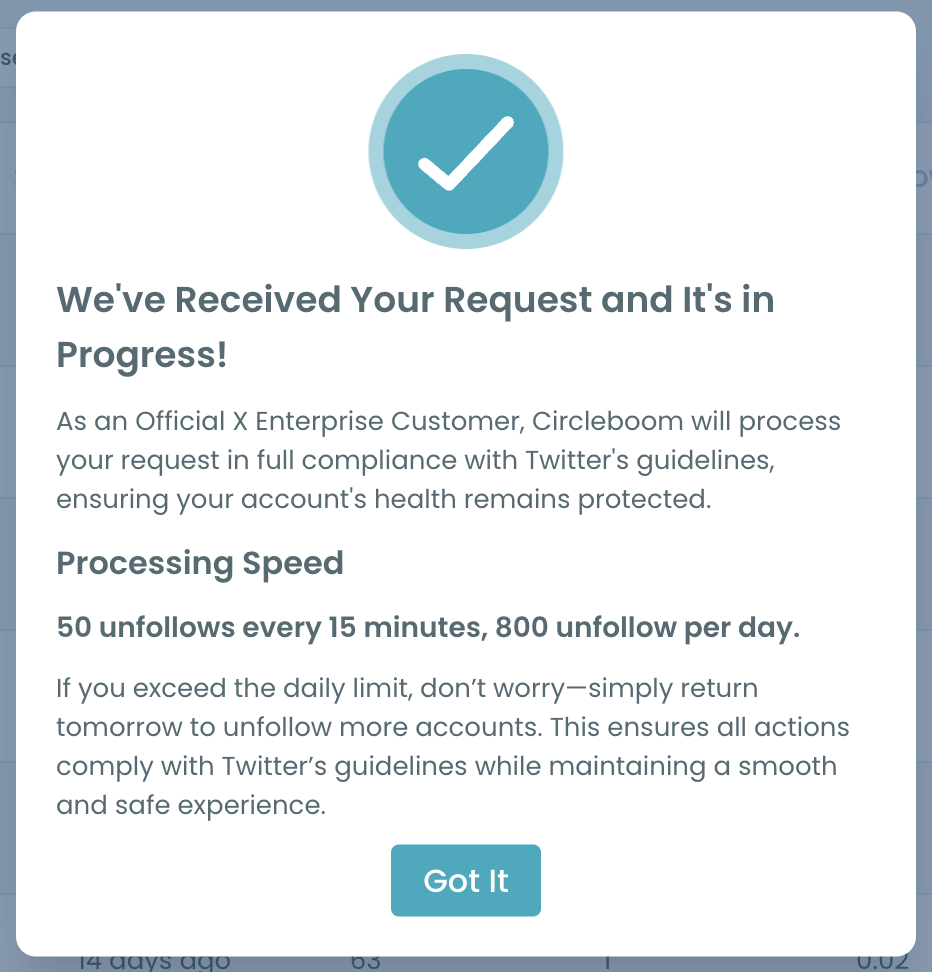
Because Circleboom is an Official X Enterprise Developer, the unfollows go through X's own API rather than a browser script clicking buttons. Circleboom also paces them with a daily safety limit of 800 unfollows to protect your account, and anything left in the queue continues automatically the next day.
How to reduce the number of people you follow on X with Circleboom
Step 1: Log in and open Inactive Following. Sign in to Circleboom Twitter, connect your X account, and open Inactive Following from the Following section. Circleboom lists every account you follow that shows little or no recent activity.
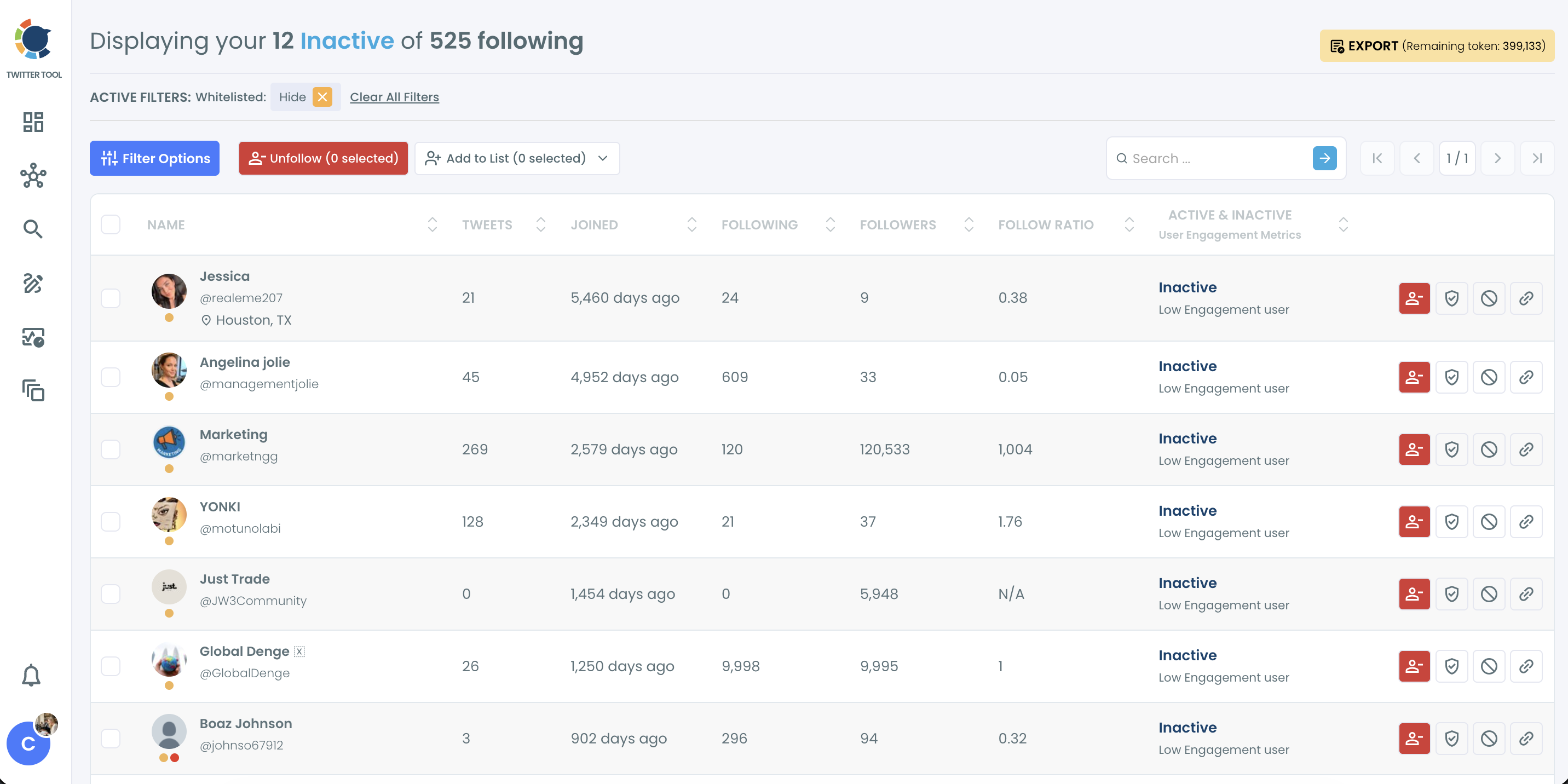
Step 2: Sort to see the clearest cases first. Click the Tweets column to sort by tweet count, or the Joined column to bring the oldest accounts to the top. Old accounts with very few tweets are the safest unfollows, because they have had years to become active and never did.
Step 3: Narrow the list with filters. Open Filter Options to combine inactivity with other signals. Hide or isolate Fake/Bot and Eggheads, set a tweet count range, or filter by follow ratio. An account that is inactive and also looks like a bot is an easy decision.
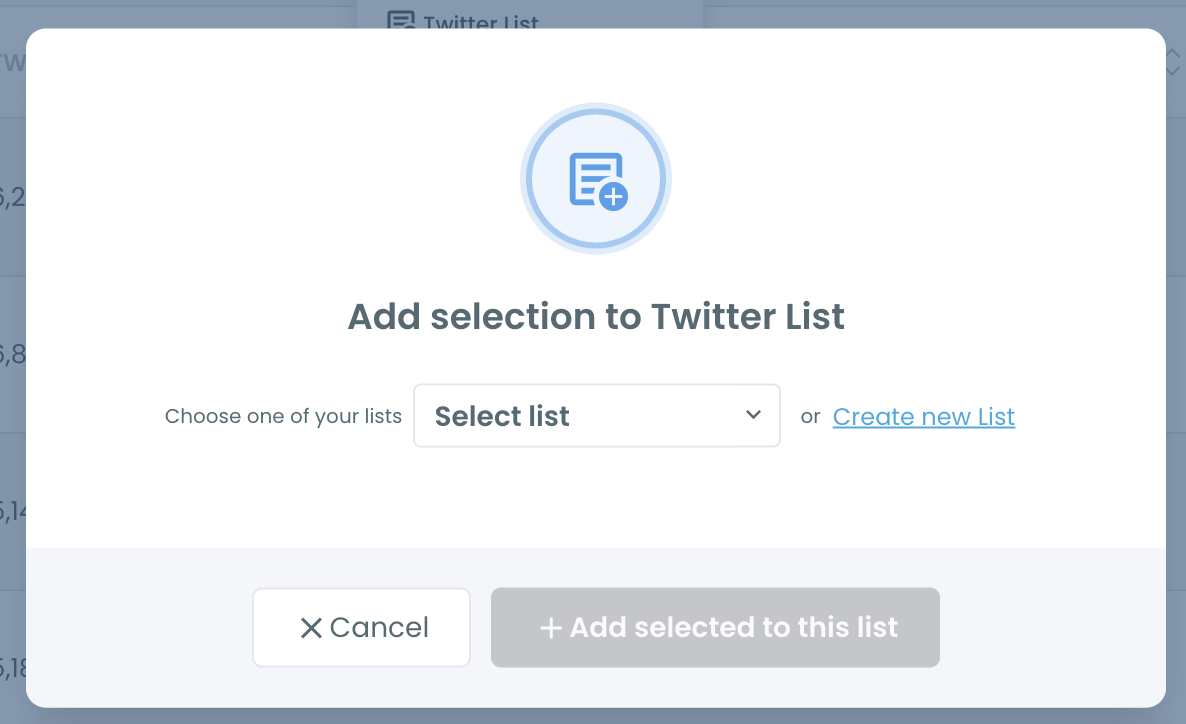
Step 4: Protect the quiet accounts you still need. Some accounts post rarely but still matter: official status accounts, a client, a founder who tweets twice a year, a niche expert. Click the shield icon to whitelist them. Whitelisted accounts are excluded from bulk actions across Circleboom. If you only check an account occasionally, add it to a Twitter List instead so you can still find it after unfollowing.
Step 5: Select and unfollow. Tick the master checkbox to select everyone on the page, or pick accounts one by one. Click Unfollow and confirm in the pop-up.
Step 6: Let Circleboom process the queue. After you confirm, Circleboom shows that your request is in progress. Unfollows are paced within the 800 per day safety limit, and any remaining accounts continue automatically the next day without a manual restart.
📌 Once the inactive layer is gone, run the same process on Not Following Back or Low Quality Following to cut the number further.
Why X makes it so hard to cut your following list
X shows your following list as one long scroll, newest follows first. There is no sort, no filter, and no column that says when an account last tweeted. To find out whether someone is still active, you have to open their profile and look.
That turns cleanup into hundreds of tiny investigations. Open a profile, check the last tweet, go back, unfollow or skip, repeat. On a list of 2,000 accounts, nobody finishes. We wrote more about this in the need to unfollow inactive Twitter accounts.
Inactive accounts are also the hardest ones to notice, by definition. Active accounts remind you they exist every day in your timeline. The ones that went silent simply disappear from view while staying in your following count. Nothing on X surfaces them.
⚠️ Unfollowing too fast is risky. X watches for aggressive unfollow bursts, and accounts that unfollow hundreds of people in minutes can get temporarily restricted. That is why the pacing matters as much as the selection. Our guide on how to unfollow Twitter accounts without getting suspended covers the details.
Some third party unfollow apps work around X's interface by automating clicks in a browser or asking for your password. That approach breaks easily and puts the account at risk. Working through X's official API, with built-in pacing, avoids both.
What a bloated following list costs you
Your ratio looks worse than your account is. A profile with 800 followers that follows 3,000 accounts reads as a follow-for-follow account at first glance, even if the content is good. Bringing the following count down changes that first impression. If you want a benchmark, see what a good like to followers ratio looks like.
Your timeline gets thinner, not richer. Following more accounts does not mean seeing more useful tweets when a large share of them never post. A smaller list of active accounts gives the feed more of what you actually followed people for.
You have less room to follow new people. X places limits on how many accounts you can follow, and every dormant account takes a spot. Clearing them makes room for accounts that are active today. More on that in how Twitter's follow limit works.
Old campaigns leave residue. Follows from a growth push, an event, or a niche you left behind keep sitting in the list long after they stopped being relevant. Following Growth can show when the jump happened, and Inactive Following shows who is left over from it.
Manual cleanup never reaches the end. Most people unfollow a few dozen accounts by hand and stop. The list stays bloated, and the next attempt starts from the same place.
FAQ
What is the fastest way to reduce the number of people I follow on X?
Start with inactive accounts. Circleboom's Inactive Following feature lists every account you follow that has gone quiet, so you can select them and unfollow in bulk instead of checking profiles one by one.
How do I know which accounts are inactive?
Circleboom classifies each account you follow by activity, using public data such as account age and tweet frequency. Accounts labeled Inactive/Low Engagement rarely post or have stopped posting.
Should I unfollow every inactive account?
Not necessarily. Official sources, clients, partners, and experts who post rarely can still be worth following. Whitelist those before you unfollow, or add them to a Twitter List so you can still find them.
Is it safe to unfollow many accounts at once?
Circleboom processes unfollows through X's official API and paces them within a daily safety limit of 800 unfollows to protect your account. Anything above that continues automatically the next day.
Can I undo an unfollow?
Circleboom cannot reverse an unfollow automatically. Review the selection before confirming, and export or list the accounts first if you think you may want to follow some of them again.
What should I clean up after inactive accounts?
Move on to accounts that don't follow you back, then Fake/Bot Following and Low Quality Following. Each pass removes another layer without touching the accounts you actively read.
Will unfollowing inactive accounts change my timeline?
Only for the better. Inactive accounts were not posting, so removing them does not take anything out of your feed. It just leaves the active accounts with more room.
Final thoughts
A following count is a record of every follow you ever made, not of the network you actually use. The gap between those two is mostly accounts that went quiet years ago. Circleboom makes that gap visible, lets you protect the few that still matter, and helps you reduce the number of people you follow on X in one careful pass instead of an afternoon of profile checking. What remains is a list that looks like the account you run today.
Start trimming your following list with Circleboom's Inactive Following:
https://circleboom.com/twitter-management-tool/unfollow-inactive-twitter-accounts






%20safely%3F)