Twitter (X) is still my main platform, and it’s where I spend most of my time creating and sharing content. I tweet regularly, I get good engagement, and I’ve built my content habits around how Twitter works.
But after a while, I realized something that was impossible to ignore.
A huge number of people are still active on Facebook, and many of them never see my tweets at all. They don’t follow me on X, they don’t check Twitter daily, and in some cases, they don’t even have an X account anymore. So even when one of my tweets performs well, that content only reaches a limited group of people.
That’s when I understood the real issue.
It wasn’t that my content wasn’t good enough.
It was that my content wasn’t being distributed widely enough.
So instead of creating completely separate content for Facebook, I decided to post my tweets on Facebook as well and use the same content to reach a larger audience.
Why Posting Tweets on Facebook Is a Smart Move
Posting your tweets on Facebook doesn’t mean you’re changing platforms or abandoning Twitter as your main channel. It simply means you’re extending the reach of content you already worked on.
 Fatih Kemal Oksuzoglu
You reach people who will never see your tweets otherwise
A lot of people still use Facebook as their primary social platform. They scroll Facebook daily, engage with posts, and follow pages and profiles there, but they rarely open Twitter.
If you only post on X, your content simply doesn’t exist for that audience.
By posting your tweets on Facebook, you make sure your ideas, updates, and messages reach people who would otherwise never come across your profile.
 Kevin Frank
You get more value from the same content
Writing good tweets takes time. You think about the wording, the structure, and the message.
When you share that same tweet on Facebook, you’re not creating extra work for yourself. You’re extracting more value from the same effort by letting one piece of content perform on multiple platforms.
That means more impressions, more reactions, and more chances for people to recognize your name or brand.
Facebook gives your content more breathing room
Tweets usually have a very short lifespan. Once the timeline refreshes, even good tweets can get buried quickly.
Facebook works differently. Posts can stay visible longer, get shared, and continue receiving engagement hours or even days later.
So when you post a tweet on Facebook, you’re giving that content a second chance instead of letting it disappear after a few hours on X.
If you are a creator on X and want to know about the latest developments regarding the algorithm changes, engagement strategies, payout boosts, etc., you can join Circleboom's X Creator Growth Lab Community and enjoy a free space to learn from and contribute to!
Why Manual Posting Becomes a Problem Over Time
At first, posting tweets on Facebook manually doesn’t seem like a big deal.
You copy the tweet, paste it into Facebook, maybe adjust a word or two, and publish.
But once you try to do this consistently, it becomes clear why most people stop:
❌ You have to repeat the same steps every single day
❌ You keep switching between platforms
❌ You forget to post sometimes
❌ You lose consistency
❌ It starts feeling like unnecessary extra work
Over time, this friction adds up, and manual posting turns into something you delay or skip altogether.
That’s why I decided to automate the process instead of forcing myself to keep up manually.
The Tool I Use: Circleboom Twitter
To manage this properly, I use Circleboom Twitter, which is an official X Enterprise Developer.

That detail matters because it means the tool works through X’s official systems and is designed to manage Twitter content safely and reliably. It’s not a workaround or a risky automation, it’s built for long-term use.
Circleboom isn’t just about posting tweets. It’s a complete tool for creating, smart scheduling, and distributing content across platforms.
Creating Tweets with the X Post Planner
Inside Circleboom, I use the X Post Planner to create and prepare my tweets before publishing them.
From one dashboard, I can:
➡️ Create tweets manually or with AI Writer, which helps when I want faster drafts or alternative versions
➡️ Improve or rewrite existing tweets without starting from scratch
➡️ Add visuals easily using built-in tools like Canva, Unsplash, and Giphy, instead of searching for assets elsewhere
➡️ Change tweet fonts or styling to make certain parts stand out
➡️ Set Auto Retweets, so my tweets get reshared automatically at a later time
The average lifespan of a post is fleeting; if your followers aren't online at the exact moment you post, your best content is often lost forever. Circleboom’s Auto Retweet feature solves this "visibility gap" by strategically resurfacing your posts to ensure your audience never misses an update. It’s the ultimate tool for capturing attention across different time zones and activity peaks without the manual effort of reposting.
By automating your retweet strategy, you can effectively boost your impressions by 4x and double your engagement rates. This practice doesn't just keep your profile active; it forces the algorithm to give your content a second life, reaching fresh segments of your audience who missed the original broadcast. With Circleboom, you transform a single post into a high-performance asset that works around the clock to maximize your digital reach.
➡️ Schedule tweets at the best time to post based on follower activity, instead of guessing the best time
Circleboom analyzes my followers’ activity and shows when they are online, which helps me publish tweets at times when engagement is more likely.
Automatically Posting Tweets on Facebook
The most important feature for this topic is automatic cross-posting.
Once you connect your accounts, Circleboom allows you to share tweets not only on Twitter, but also on platforms like Facebook and others.
I connected my Facebook account once, and now when I publish a tweet, it can be shared on Facebook automatically at the same time.
This means I don’t need to post twice, remember separate schedules, or repeat the same action manually. I focus on creating the tweet, and Circleboom takes care of distribution.
How to Post a Tweet on Facebook Automatically (Step by Step)
Step #1: First, log in to Circleboom Twitter and land on the main dashboard.
From here, open the account menu and click Settings. This is where Circleboom lets you manage connected accounts, cross-posting options, and platform integrations.
You only need to do this setup once.
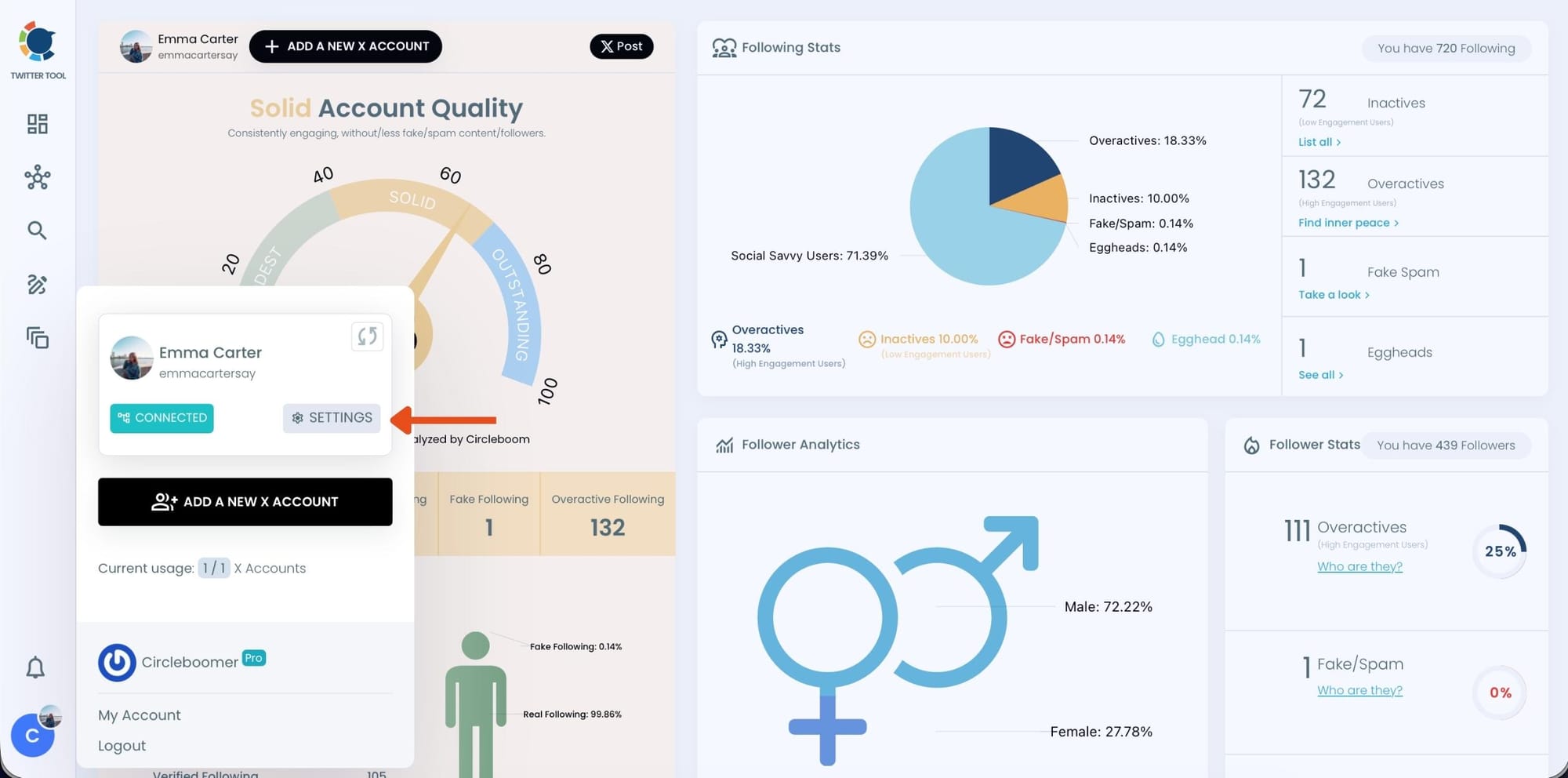
Step #2: Inside Settings, switch to the Crosspost Accounts tab.
If you haven’t connected any external platforms yet, you’ll see a message saying that no accounts are connected for cross-posting. This is normal for first-time setup.
Here, Circleboom shows all supported platforms you can connect, including Facebook.
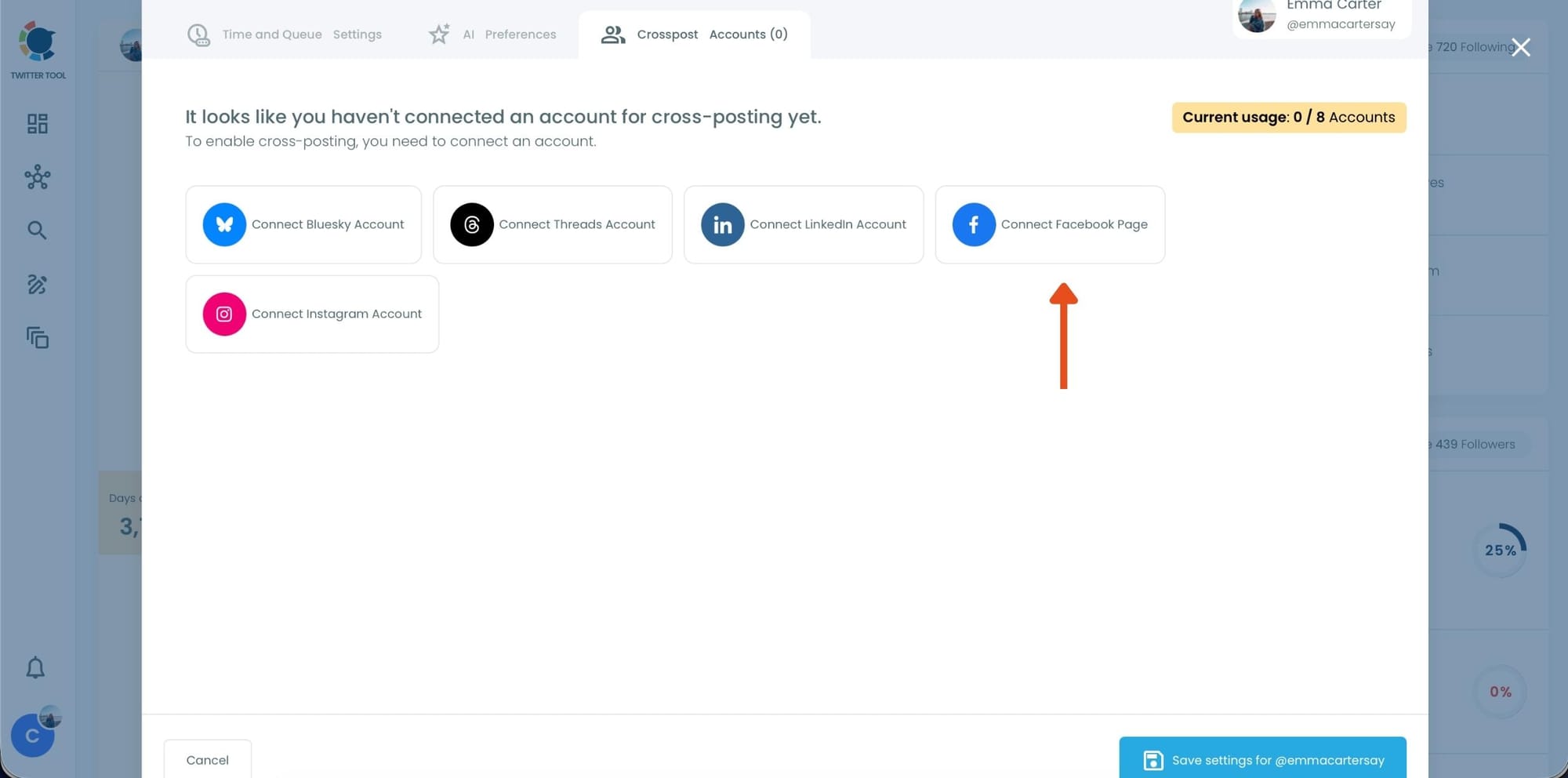
Step #3: Click Connect Facebook Account.
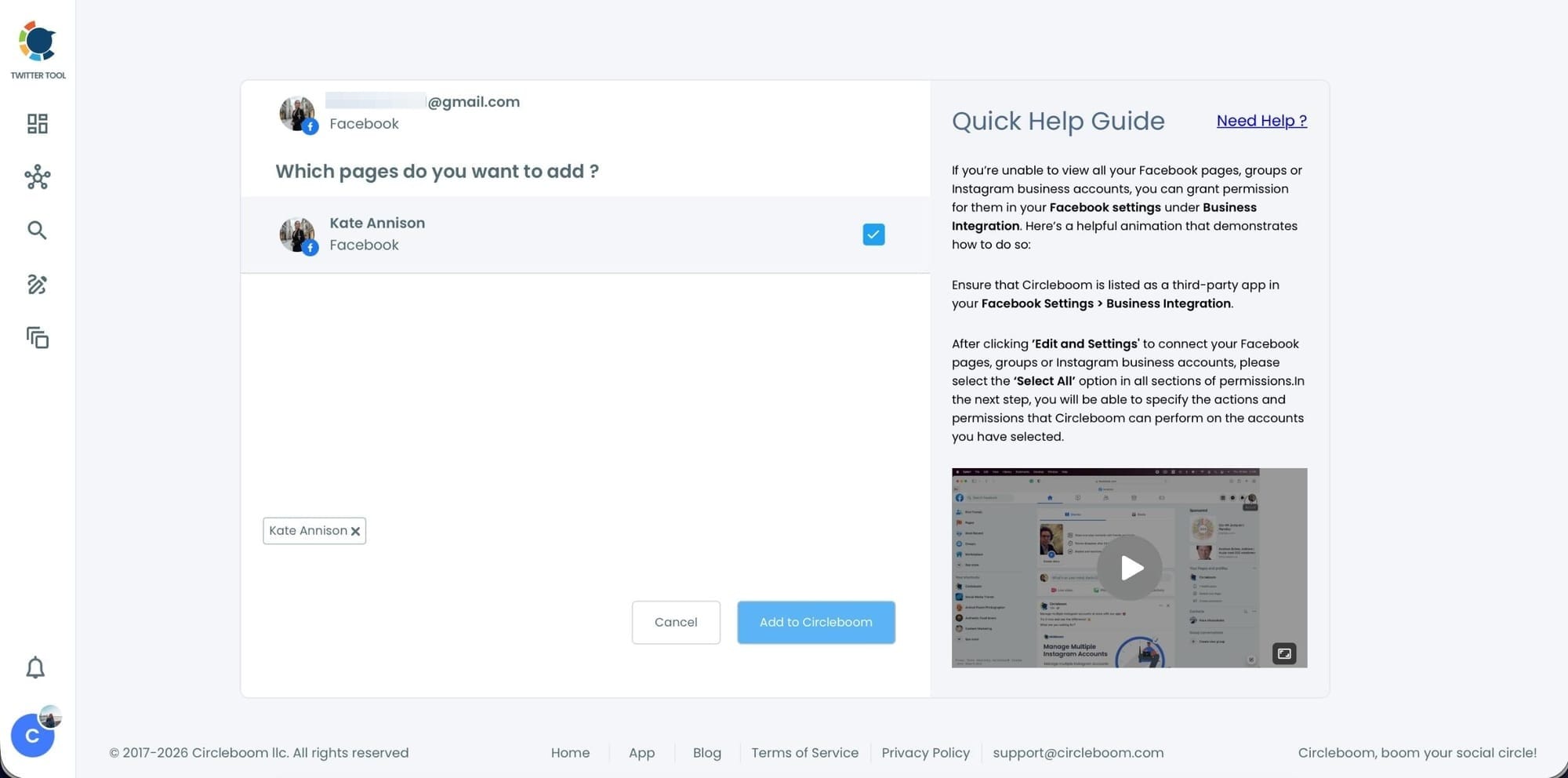
Circleboom will guide you through the Facebook authorization process.
You’ll be asked to:
- Log in with your Facebook account
- Select which Facebook Page you want to connect to
- Grant the required permissions so Circleboom can post on your behalf
After completing these steps, your Facebook Page will appear as connected inside Circleboom.
At this point, Facebook is ready for cross-posting.
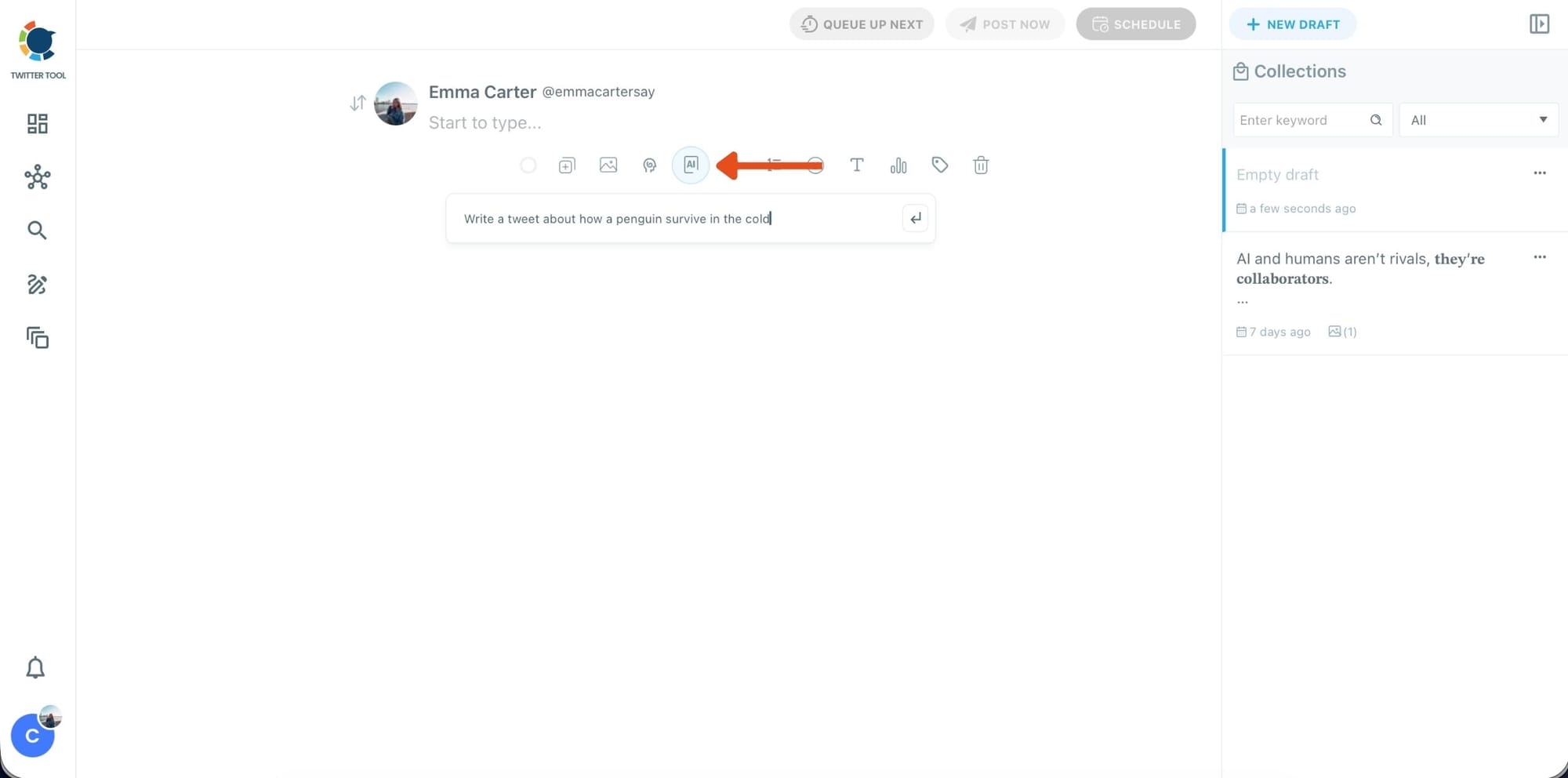
Step #4: Go back to the X Post Planner to create your tweet
Now that Facebook is connected, return to the main dashboard and open X Post Planner + AI Writer.
If you want to speed things up, click the AI button and let Circleboom generate a tweet draft based on your topic. You can edit, shorten, or rewrite the result until it fits your style.
This step is especially useful when you want ideas quickly without starting from a blank screen.
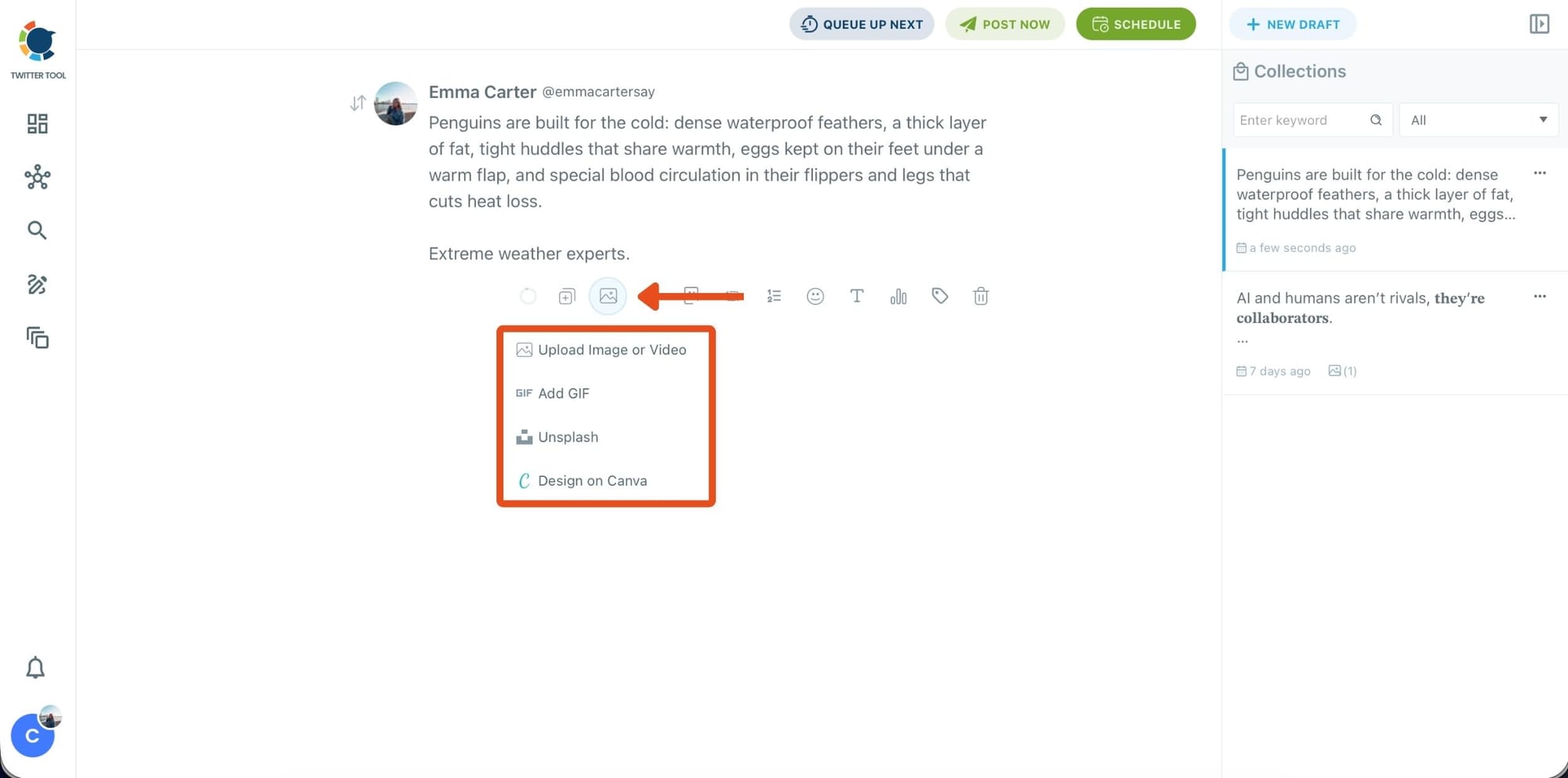
Step #5: Add images, GIFs, or designs to your tweet
After finalizing your text, you can attach a visual to your tweet.
Circleboom lets you:
- Upload an image or video from your device
- Add a GIF
- Select a photo from Unsplash
- Create a custom visual instantly using Canva
All of this happens inside the same editor, so there’s no need to open extra tabs or download files.
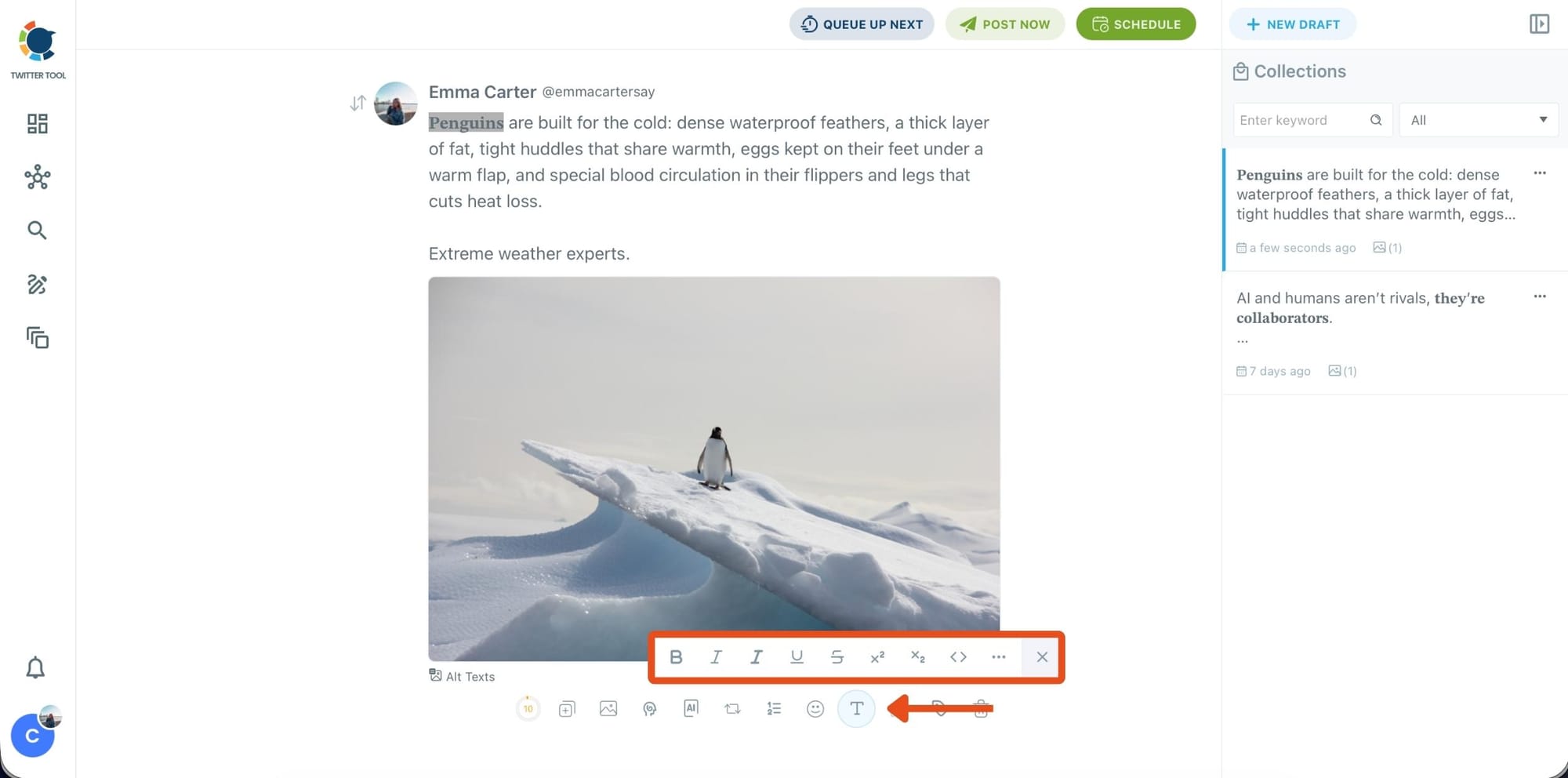
Step #6: Style your tweet with the Font Generator
To make your tweet stand out visually, select any part of your text and open the Font Generator.
Here, you can apply:
- Bold, italic, underline, or strike-through
- Different font styles
- Extra formatting options for emphasis
This is useful when you want key phrases to catch attention quickly in Facebook feeds.
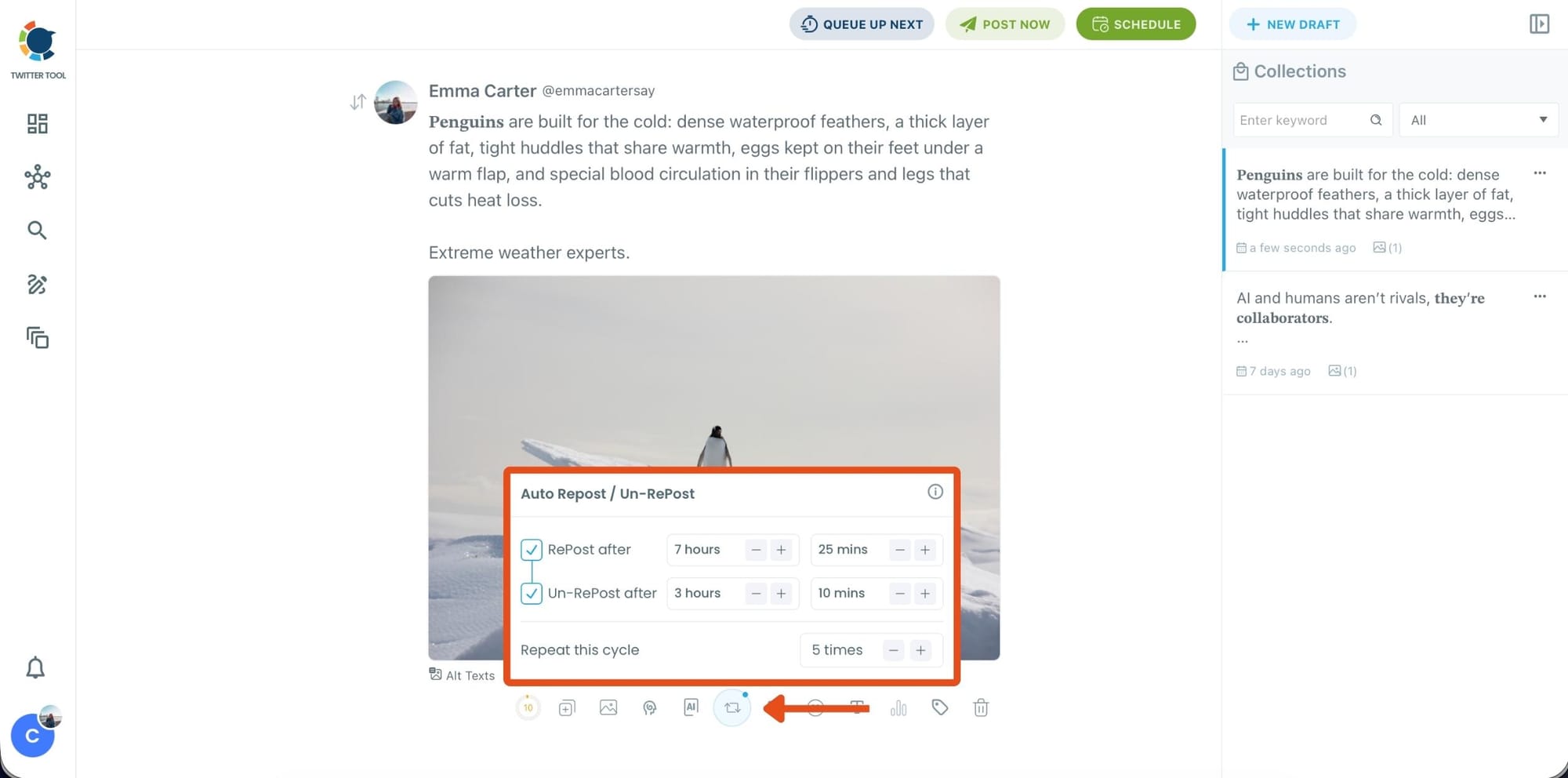
Step #7: Before publishing, you can turn on Auto Repost / Un-Repost.
This allows Circleboom to:
- Repost your tweet after a set time
- Remove the repost later
- Repeat the cycle multiple times
It’s a hands-free way to extend the lifespan of your content without manual reposting.
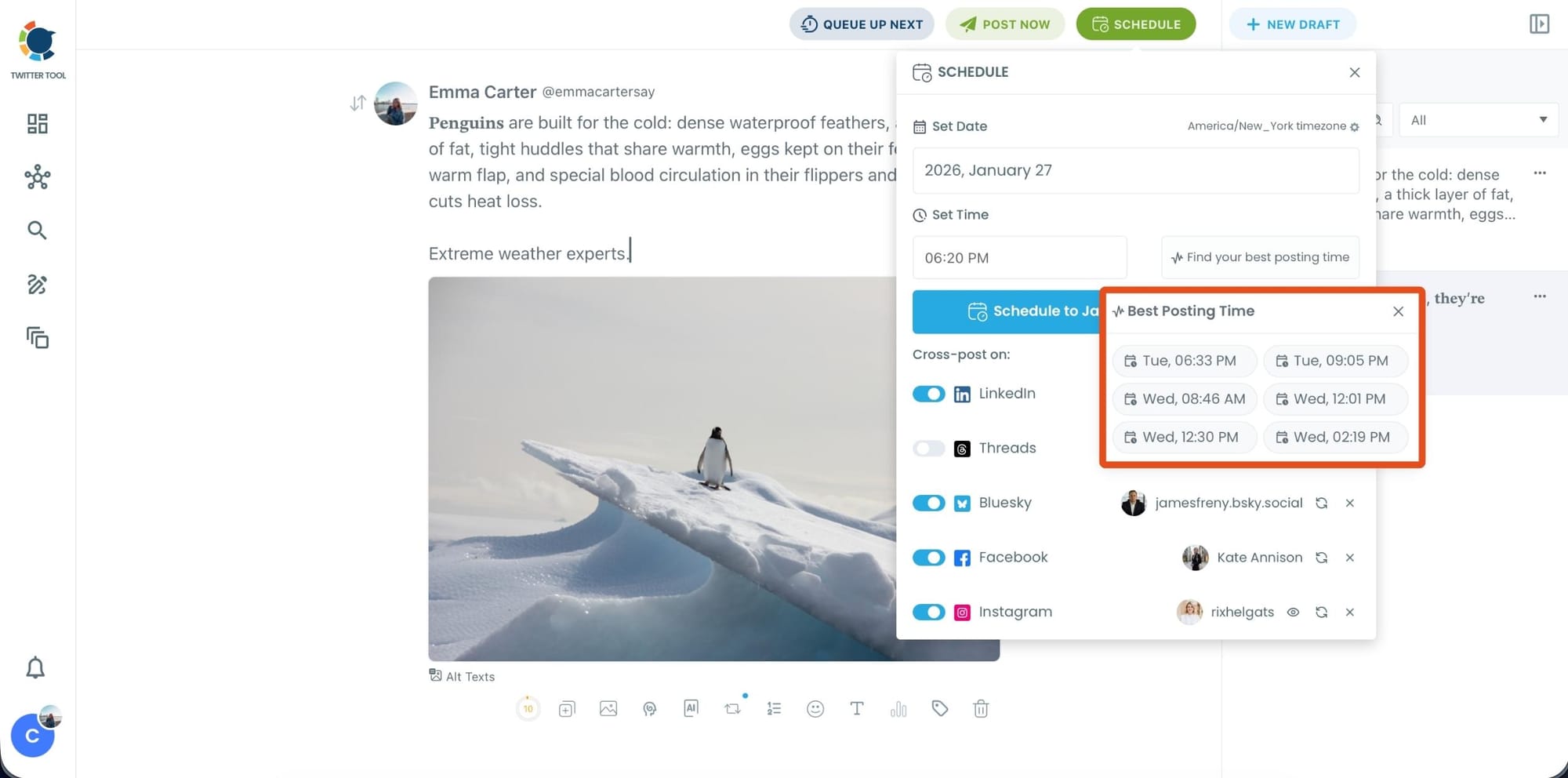
Step #8: Click Post Now or Schedule to choose when your tweet should go live.
You can:
- Set a specific date and time manually
- Or click Find your best posting time to see Circleboom’s suggested time slots based on follower activity analysis
Once published or scheduled, Circleboom will post your tweet on X and share it on Facebook automatically.
Final Thoughts
If Twitter is your main platform but you ignore Facebook, you’re leaving a large audience unreached, even though you already have content that could perform well there.
Posting your tweets on Facebook helps you reach people who don’t use X, extend the lifespan of your content, and get more value from the same effort without adding extra work to your day.
With Circleboom Twitter, posting a tweet on Facebook becomes part of a single workflow instead of a separate task, allowing you to stay consistent across platforms while keeping Twitter as your primary focus.