
To get a daily report on any Twitter account's new followers, you track its follower list on a daily schedule and have the new additions emailed to you. X offers no native report of this kind, so you need a tracking tool that captures the list each day, compares it to the day before, and sends the difference.
What a daily new-follower report gives you.A dated list of every account that followed the target that day.Full profile context on each new follower, not just a username.Delivery to your inbox, only on days when someone new followed.
Circleboom builds this report through official, approved X API access.
→ get a daily report on new followers
Why X Won't Give You a Follower Report
X shows a follower count and a follower list, and nothing that resembles a report. There is no daily summary, no record of who is new, and no way to have changes delivered. The list looks the same whether ten relevant accounts followed overnight or none did.
That missing report is exactly what daily tracking provides. New followers are most informative when they are fresh, because a new follow often marks a campaign landing, a post going wide, or an audience discovering the account. To get a daily report on a Twitter account's new followers, you have to capture the list daily and diff it, which is the same mechanism behind learning to monitor new Twitter followers without checking notifications.
What the Daily Report Contains
Circleboom records a target account's follower list once a day and compares it to the previous capture. The report is the set of accounts that followed since the last one, each entry dated and detailed.
Every new follower in the report arrives with full profile context, so the report is readable rather than just a list of handles. For each new follower you see the account's:
- Username, display name, and bio.
- Follower and following counts.
- Tweet count and join date.
Because Circleboom is an official X Enterprise Developer, every daily capture runs through sanctioned API access rather than scraping, so the report is complete and the monitored account never knows. The dated reports build into a history far richer than the headline number you would get from a basic check, and they sit alongside the Monitoring dashboard for deeper review.
How to Set Up Daily New-Follower Reports (Step by Step)
The flow runs in two phases: open a monitoring rule, then set the report to Followers on a daily schedule.
Connect and open Monitoring
- Log in to Circleboom Twitter and connect your X account with official OAuth.

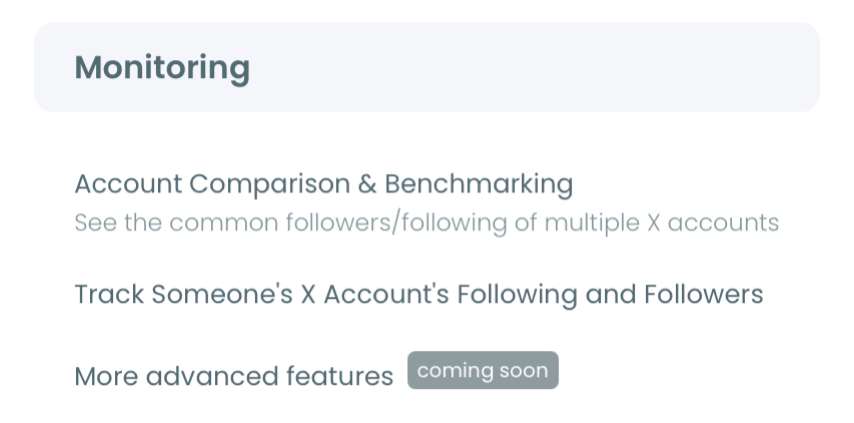
- Open the Monitoring menu and choose to monitor a new account.
Set Followers and a daily email
- Enter and validate the username to confirm the account is public.
- Select Followers as the tracking type, then turn on new-follower detection.
- Choose the daily email option, so each day's new followers arrive as a report.
That order works because each step narrows the job: the login earns official access, Monitoring scopes the rule to one account, the Followers setting points the report at incoming followers, and the daily email sets the cadence. Selecting Followers rather than Following is the key choice, since the report is about who arrives.
See it live: checking an account's followers, the data that fills each daily report.
At a glance: log in, open Monitoring, validate the handle, set Followers with new-follower detection, choose the daily email.
How to Read Each Day's Report
A report is only useful if you read it for composition, not size. The first thing to check is who the new followers are, because a day with five highly relevant followers can matter more than a day with fifty empty ones.
Three quick reads cover most reports. Check whether the new followers are real or hollow, whether they are relevant to the account's niche or a random scatter, and whether the day's volume lines up with a known cause like a post or a launch. Those reads turn the daily list into a story about what the account is attracting. This is also how you track someone else's number of new followers without being misled by the raw count.
The reports compound over time. One report is a snapshot, but a run of daily reports is a trend, and the trend reveals patterns a single day hides: a steady build in one niche, a recurring spike on posting days, or a slow drift in audience. Reading them as a series is where the real value sits, much like a structured daily, weekly, or monthly tracking routine.
Who Benefits From a Daily Follower Report
A daily report fits anyone whose decisions depend on fresh follower data rather than a quarterly total.
- Competitive teams read rivals' daily followers to catch the campaigns and audiences driving their growth.
- Creators and brands read their own daily reports to learn which posts brought real, relevant followers.
- Agencies deliver daily or weekly follower reports to clients without rebuilding them by hand each time.
- Investors and scouts read daily reports to vet whether an account's growth is genuine or inflated.
In each case, the report answers a question the count cannot: who, when, and how good. That is also why teams hunting for brand advocates on X start from the new-follower stream, where the most engaged arrivals first show up. For the churn side, a Twitter unfollowers alert completes the daily picture.
Daily vs Weekly Reports
The cadence you pick depends on how fast the account moves and how closely you need to follow it. Daily reports suit active accounts and live monitoring, where catching a spike on the day it happens lets you connect it to a cause. Weekly reports suit slower accounts, batching the changes into one digest that keeps the inbox calm.
Most people run daily reports on a short list of priority accounts and weekly on the rest. You can change the cadence on any rule at any time, so start with whatever matches your need and adjust as the account's behavior changes. The history you collect stays intact through the switch, so nothing is lost by changing your mind.
Frequently Asked Questions
Will I get a report on days with no new followers?
No. Circleboom only sends a report when the daily capture finds new followers. A day with none produces no email, so the report stays signal rather than noise.
Can I run daily reports on several accounts at once?
Yes. Each account is a separate rule, and you can run several at once, limited by your Tracking Token balance. Daily and weekly cadences can be mixed across accounts.
Does the report include lost followers too?
Yes. The same rule can report followers gained and lost, listed separately with dates, so you see net change rather than only additions. That matters because a day of heavy churn can hide behind a flat net number, and only a report that shows both sides reveals it.
Is reporting on another account's followers compliant?
Yes. Circleboom reads only public data through approved API access and stays within X's rules, so your account stays compliant and the monitored account is never notified. You are receiving a report built from data the platform already makes public, not extracting anything you should not have.
The Bottom Line
A daily new-follower report turns a flat count into a dated, detailed picture of who an account is attracting, delivered to your inbox only when something happened. Set the account to Followers, turn on new-follower detection, and choose the daily email, and the report builds itself from there.
You can start your daily follower report here and read growth one day at a time, while it still matters.