
Want to know who just started following a competitor, a niche leader, or a partner on X? You can, and the accounts you find are often the warmest audience available to you.
How do you find the new followers a Twitter account recently gained?
You monitor that public account's follower list on a schedule, capture each fresh follow with its full profile, and act on the list. Circleboom tracks new followers on any public Twitter account through official X APIs, so you see who arrived and why they matter, as a verified Enterprise partner of X.
→ track new followers on a Twitter account
The rest of this guide shows what those new followers reveal and the exact steps to bring them into view.
Why a Twitter Account's Newest Followers Are Worth Finding
The people who just followed an account are the freshest signal in your niche. They decided, this week, that a topic, a brand, or a person is worth their attention.
That decision is warm.
It has not cooled into a stale entry buried in a follower count.
A follow is a small private commitment. Nielsen's social behavior research shows people follow to stay close to what they care about and to learn about products and creators, per its study on how we use social media.
So a cluster of accounts following a competitor in one week is a live pool of people who raised their hand for your exact subject.
That is different from your own follower audit. Finding who a competitor recently gained is audience discovery, not self-analysis.
You are reading someone else's inbound audience to find people you can reach next, which is exactly why it helps to monitor a Twitter account's new followers on a schedule rather than checking by hand.
From there, you can pair the list with your own Twitter account analytics to see how that audience compares to yours. When you want a static side-by-side instead, you can compare two Twitter accounts to see shared and unique followers at a glance.
What Twitter Shows You, and What It Hides
X only shows the current state of any account's followers. Open a profile, tap Followers, and you get a list roughly ordered newest-first, with no dates and no way to tell what changed since last month.
The Notifications tab is worse for this job. It shows only about the last 50 events, mixed with likes and replies, and it covers your own account, not the competitor you actually want to watch.
There is no history, no alert, and no changelog for another account's new followers.
That gap is the whole problem. The movement, meaning who arrived and when, carries the signal.
The static list does not. A manual check of someone's new followers on X rarely holds up past the first week.
To find the new followers an account gained after a product launch, a viral thread, or a funding announcement, you need something that records the follower list over time and computes the difference.
The Tool That Reveals New Followers on Any Account
Circleboom's Track Someone's X Account's Following and Followers feature is built for exactly this discovery job. It records a target account's follower list at regular intervals, compares each snapshot to the last, and reveals the specific accounts that are newly following, each with its full profile.
Because Circleboom is an official X Enterprise Developer company, the data pulled through official access is complete and the method is compliant. No scraping, no unofficial workarounds, no risk to your account.
That matters when you plan to act on the audience you find, not just look at it.
Each detected follower shows the username, bio, follower and following counts, tweet count, join date, and activity indicators. So a raw "someone new followed them" event becomes a decision you can make in seconds: relevant or not, worth following or listing, worth exporting or ignoring.
Short demo: how new followers on a tracked account render with full profiles, ready to act on.
How to Find New Followers of Any Twitter Account with Circleboom
Here is the flow, in order. Monitoring runs as a subscription per tracked account, so setup happens once and the results accumulate from that point forward.
Set up tracking on the target account
- Log in to Circleboom Twitter and connect your X account with official OAuth.

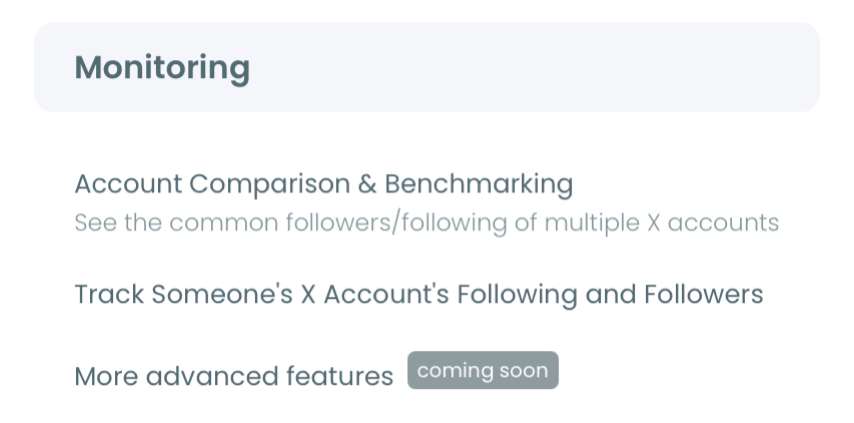
- Open the Monitoring menu and choose to track someone's X account.
- Enter the target username and click Validate to confirm the account is public.
- Select Followers as the tracking option so Circleboom watches who follows this account, then set the rule to track recent following activity.
Review the new followers and act on them
- Choose your alert preference, daily or weekly email reports or dashboard-only, then activate the tracking subscription.
- Open the tracking dashboard to see the dated growth chart. Blue bars mark new followers by day across the tracking period.
- Use the date picker to isolate a window, for example the week after a competitor's launch, then scan the grid of accounts with full profile data.
- Take action from the grid. Follow relevant accounts, add them to a Twitter List, whitelist or blacklist, or export the set as a CSV.
That order works because each step narrows the raw stream into a usable audience. Setup earns official-API access first, the date filter isolates the cohort that matters, and the profile grid lets you judge relevance before you spend a single follow or an ad dollar.
Skip the date filter and you drown in noise; skip the profile data and you act blind.
At a glance: connect, track followers, filter by date, then follow, list, or export the accounts you find.
What You Gain by Finding These Followers
You end up with a live audience list nobody else on the platform can easily assemble. A competitor's newest followers, filtered to your niche, become follow targets, list members, or a seed audience.
They also feed X's own follower look-alikes and Custom Audience targeting, described in the interest and follower look-alikes targeting guide.
The compounding value is the real payoff. One snapshot is a starting point. Weeks of snapshots reveal patterns: which accounts consistently gain the same type of follower, when the niche is most active, and which players are pulling attention your way.
A side benefit is that you can find people who follow a certain account as a one-time pull too. Tracking new arrivals over time is what turns that discovery into a repeatable growth input rather than a single snapshot.
Done right, finding new followers on another account stops being idle curiosity and becomes a sourcing channel. You always know where the freshest, most relevant audience in your space is arriving.
You reach them while the interest is still warm, before they settle into someone else's community and forget your niche exists.
→ start tracking new followers on any account
Common Questions About Finding New Followers on X
Can I see the new followers of an account I do not own?
Yes. Circleboom tracks any public Twitter account's follower list, so you can discover the new followers a competitor, creator, or partner recently gained without owning or managing that account. Private accounts cannot be tracked because the API only exposes public data.
How recent is the new-follower data?
Tracking runs on periodic snapshots, so there is a short lag between a follow happening on X and appearing in your dashboard, set by your plan's check frequency. It is near-real-time, not instant streaming, and email alerts fire on your chosen schedule only when new activity is detected.
What can I do with the new followers once I find them?
You can follow them, add them to a Twitter List, whitelist or blacklist them, or export the whole set as a CSV. Many teams export their most-followed followers to build targeted outreach or ad audiences from the discovered accounts.
Is tracking another account's followers safe and compliant?
Yes. All tracking uses publicly available data pulled through official, approved X access and follows X's platform rules, so your account stays safe.
The tracked account is never notified, and you can also check followers in real time alongside the historical dashboard.