
X search cannot sort results by likes, so the "Top" tab only shows a mix the algorithm picks for you. To find the most liked tweets about a topic, open Circleboom's Historical Tweet Search, describe the topic in plain language, set a minimum like count in the filters, choose a date range, and sort the results by the Likes column. The tweets that got the most likes about that topic rise to the top, each with its impressions, retweets, replies, and bookmarks next to it.
Typing a topic into X search feels like it should be enough. It returns tweets, after all. But the order is X's choice, not yours, and there is no button that says "show me the ones people liked most."
The "Top" tab looks like the answer at first. Then you notice it mixes a tweet with 40,000 likes next to one with 30, leans toward recent posts, and seems to change every time you refresh. Scroll long enough and it starts repeating itself. The tweet everyone was quoting last spring may never show up at all.
People try workarounds. They add "min_faves:1000" to the query and hope the operator still works today. They scroll for an hour and screenshot whatever looks big. Either way, the result is a guess, not a list, and nothing can be compared side by side.
With Circleboom Twitter, you can search public tweets about any topic from a specific past period, filter out everything below a like threshold, and sort what is left by likes, retweets, impressions, or replies. The most liked tweets about the topic end up in one table, ready to read, compare, or export.
Three things X search won't do for you
X built its search for browsing a conversation, not for ranking it. Circleboom's Historical Tweet Search was built for the second job, and it works from data retrieved through X's official API, since Circleboom is an Official X Enterprise Developer. That matters for a ranking: a scraped result set can miss tweets when pages load slowly or X changes its layout, and a missing tweet can be the one that should have been at the top.
What it adds comes down to three things:
- A like threshold. Engagement filters let you set a minimum and maximum for likes, retweets, and impressions, so tweets that never got traction are removed before you even look.
- A fixed time window. Pick the last 30, 60, or 90 days, the last year, or a custom range, and the search stays inside it. "Most liked tweets about the World Cup" means something very different in June than in December.
- Sortable numbers. Results come back as a table with impressions, likes, retweets, quotes, bookmarks, and replies for every tweet. Click the Likes column and the ranking is done.
If you only want to rank your own posts, finding your most popular tweet is a different workflow. This one is for any topic, across all public accounts.
How to find the most liked tweets about a topic with Circleboom
Step 1: Open Historical Tweet Search and describe the topic. Log in to Circleboom Twitter, open Historical Tweet Search, and write what you are looking for in your own words, for example "tweets about remote work burnout."
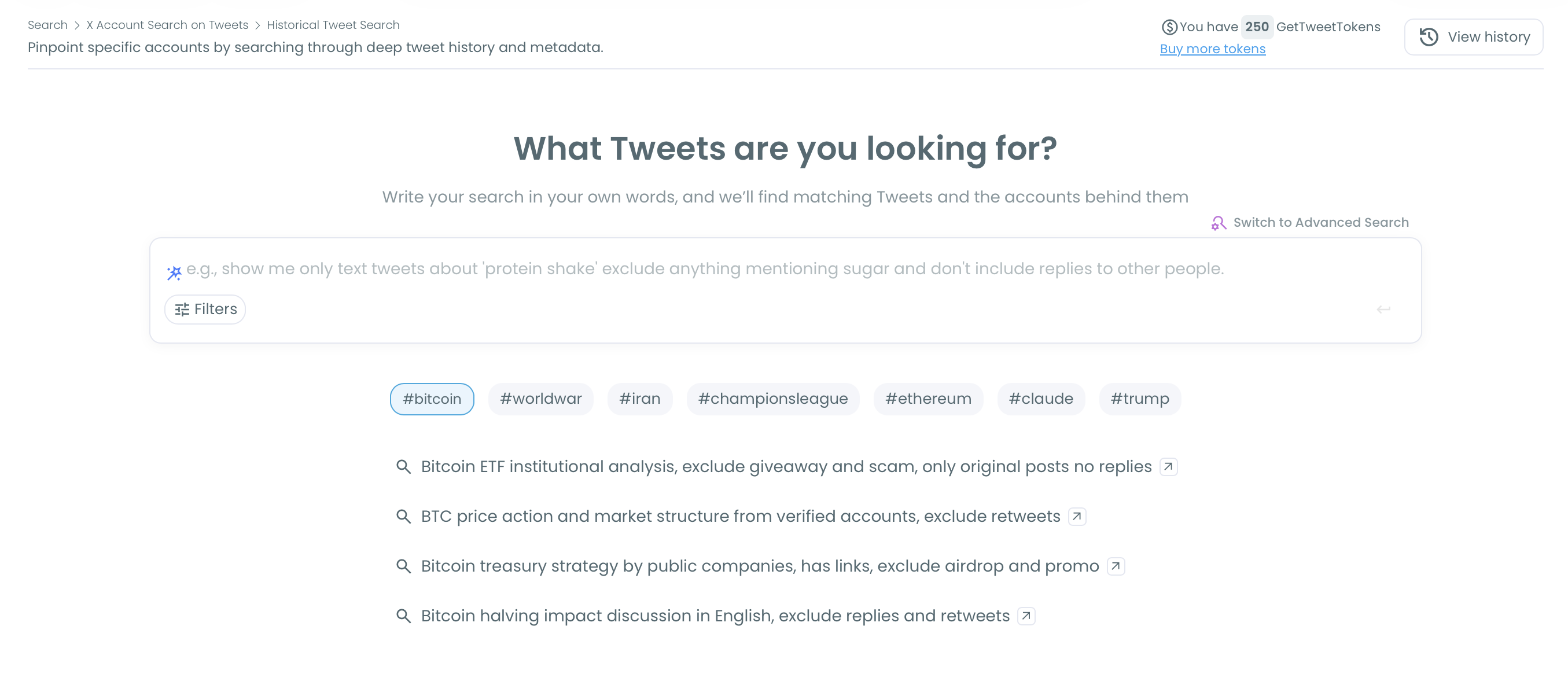
Step 2: Refine the query and set a like threshold. Circleboom turns your request into search chips and offers AI suggestions you can pick from. Open Filters to add exclude terms, a language, or a media type, and set a minimum like count under Engagement Metrics so only tweets with real traction are collected.

📌 Excluding replies keeps the ranking focused on original tweets. If the topic name is ambiguous, add exclude terms for the unrelated meaning.
Step 3: Choose the date range. Select Last 30, 60, or 90 Days, Last 1 Year, or set a custom range for a specific event or season.
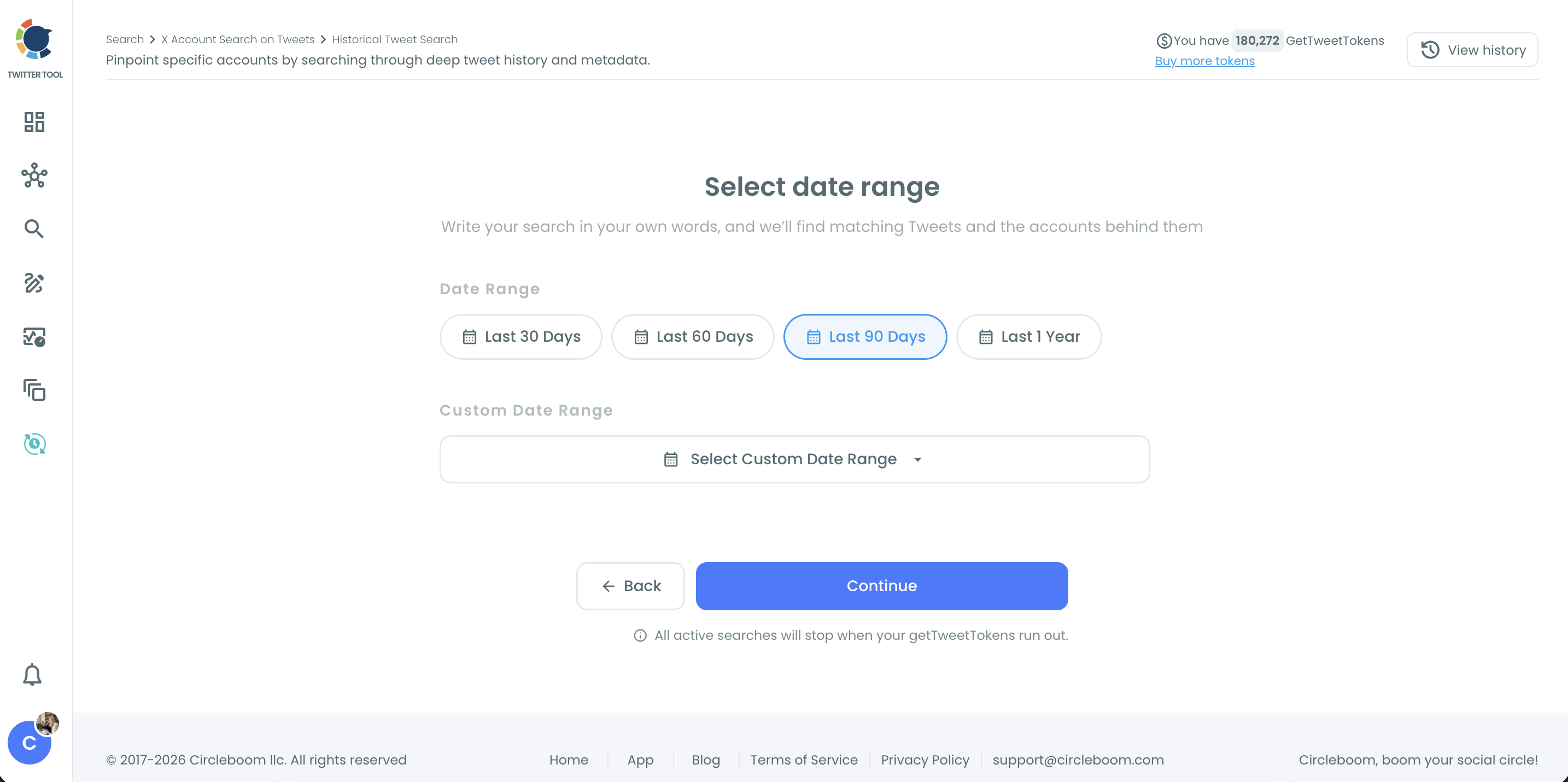
Step 4: Choose how many tweets to collect. Pick the number of tweets you want Circleboom to gather and click Continue. With a like threshold set, a smaller collection already contains the strongest tweets.

Step 5: Sort the results by likes. The results table lists every collected tweet with its impressions, likes, retweets, quotes, bookmarks, replies, and date. Click the Likes column header to sort from most liked to least. Use Filter Options to tighten the list further, and click the link icon next to any tweet to open it on X.
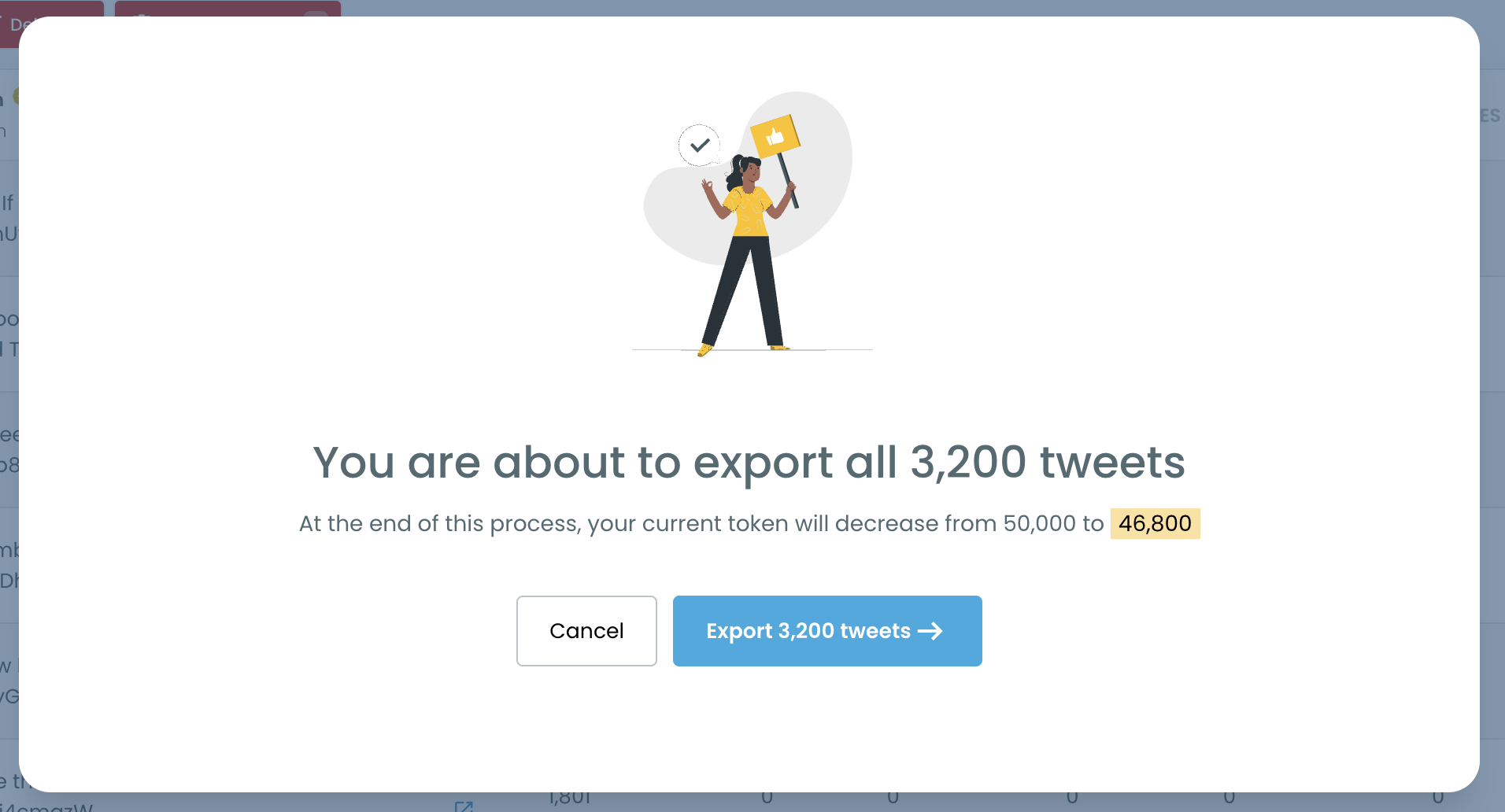
Step 6: Export or switch to the accounts. Click Export to save the ranked tweets as a CSV for a report or a content swipe file. If you want to know who wrote them, click "Display Profiles of this search" to see the unique accounts behind the matching tweets.
Why X search can't rank tweets by likes
X search is designed around relevance and recency, decided by the algorithm. The "Top" tab blends engagement, freshness, who you follow, and what X thinks you will interact with. That is useful for browsing, but it means two people searching the same word can see different "top" tweets, and neither of them sees a ranking by likes.
There is no sort control at all. You cannot click a column, set a threshold in the interface, or ask for "highest likes first." Advanced operators like min_faves have floated around for years, but they are undocumented, inconsistent, and give you nothing you can sort or export once the results load.
Time is the other gap. X search drifts toward recent tweets, so a topic that peaked months ago gets buried under whatever was posted this morning. If you want the most liked tweets about a product launch from last March, you are fighting the interface the whole way.
📌 Likes alone do not tell the full story. A tweet with 5,000 likes and 900 replies landed differently than one with 5,000 likes and 12 replies. That is why seeing replies, retweets, quotes, bookmarks, and impressions in the same row matters as much as the like count itself. Our post on whether likes count as impressions goes into how those numbers relate.
What the most liked tweets tell you that a keyword search doesn't
They show what actually resonates. A list of all tweets about a topic is noise. The most liked ones show which angle, format, and tone people responded to. That is the closest thing to a tested headline you can get for free.
They make content planning less of a guess. If the top tweets about your niche are all short how-tos, or all hot takes, or all threads with a screenshot, that pattern is a brief in itself. Bring those insights into X Post Planner and write around what already works. For more on this, see how to go viral on Twitter.
They point to the voices that matter. The accounts behind the most liked tweets about a topic are often the people your audience already listens to. Switching to the profile view turns a ranking into a shortlist of creators, experts, or influencers worth following or contacting.
They give reports real evidence. "People loved this campaign" is an opinion. A CSV of the most liked tweets about the campaign, with dates and engagement numbers, is evidence a client or manager can check.
They reveal how a topic changed over time. Running the same search for two different date ranges shows whether the most liked takes moved from excitement to criticism, or from beginners to experts. Real-time Tweet Search then shows what is being said right now.
FAQ
Can you sort X search results by most likes?
Not in X itself. X search has no sort option, and the "Top" tab is ordered by its own algorithm. With Circleboom's Historical Tweet Search, you can collect tweets about a topic and sort the results by the Likes column.
How do I find the most liked tweets about a topic from last year?
Set the date range to Last 1 Year or pick a custom range, add a minimum like count in the filters, and run the search. Then sort the results by likes to see the top tweets from that period.
Can I find the most liked tweets about a hashtag?
Yes. Search for the hashtag, or use the Hashtags filter, then sort the results by likes. This works well for event hashtags or campaign hashtags inside the dates they were active.
Does it include tweets from accounts I don't follow?
Yes. Historical Tweet Search covers public tweets from all accounts, not just the ones you follow. Private, protected, and deleted tweets are not included.
Can I export the most liked tweets?
Yes. Click Export on the results page to download the tweets as a CSV, including the engagement numbers and dates for each tweet.
How is this different from finding my own most liked tweets?
This search covers a topic across all public accounts. If you want to rank your own posts, see how to see your most liked tweets instead.
Can I see who posted the most liked tweets?
Yes. Click "Display Profiles of this search" to switch to the profile view. It lists each unique account behind the matching tweets, with follower count, tweet count, and join date, so you can follow them or add them to a list.
Final thoughts
X will show you plenty of tweets about any topic. What it will not do is tell you which ones people actually loved. Circleboom fills that gap with a search you control: your topic, your date range, your like threshold, and a table you can sort in one click. The most liked tweets about a topic stop being something you hope to stumble on and become something you can pull up whenever you need them.
Find the most liked tweets about any topic with Circleboom's Historical Tweet Search: