
A Twitter follower tracker saves your follower count every day and shows who followed and unfollowed you, so you can see your follower history over time. X only shows your current count, so the easiest way to track followers daily, weekly and monthly is a tool like Circleboom Twitter.
Growing followers on Twitter/X isn’t easy. I spend hours writing tweets, following relevant accounts, joining conversations, and testing different posting times. But over time, I realized something: getting new followers is only half the game. Tracking them is where real growth happens.
When you track followers, you start to see patterns: which tweets attract people, which ones cause unfollows, and how your growth changes over days, weeks, and months. Without that, you’re just posting and hoping.
 Arif Akdogan

Why Tracking Followers Is More Important Than You Think
If I gain 50 new followers this week, but 30 people unfollow me, my real growth is only +20. If I don’t track both sides of that equation, I might feel good about “gaining” 50 without realizing my content is also pushing some people away.
Tracking helps you:
- See which content drives real growth.
- Spot the days or weeks you gain the most followers.
- Understand why certain tweets lead to unfollows.
- Keep your audience relevant by removing people who don’t engage.
The Problem with Twitter’s Built In Tools
Twitter/X is great for real time posting, but terrible at long term tracking.
❌ It only sends notifications about new followers (which disappear quickly).
❌ You can’t easily see daily, weekly, or monthly breakdowns.
❌ There’s no “unfollowers” list at all.
For me, this meant I was basically guessing which posts helped my growth, and I couldn’t keep an eye on unfollowers at all.
The Solution: Circleboom Twitter
That’s when I started using Circleboom Twitter, an Official X Enterprise Developer.

Unlike random third party tools, it connects directly through the official API, so it’s safe and compliant.
Here’s what makes it perfect for follower tracking:
➡️ Daily/Weekly/Monthly New Followers: See exactly who followed you in any time period.
➡️ Follower Growth Graph: Visualize your total follower count over time.
➡️ Who Unfollowed Me: See unfollowers and unfollow them back with one click.
I’ve used it to track every new follower and unfollower, understand why my numbers go up or down, and clean my following list so I’m only connected with relevant people.

How to Track Twitter Followers with Circleboom (Step by Step)
Step #1: Log In to Circleboom Twitter
Go to Circleboom Twitter and sign in with your X account. Because Circleboom is an Official X Enterprise Developer, the login is secure and uses X’s own authorization.

Step #2: Open Follower Analytics
Navigate to the left and open up the menu. See the "Followers" tab there.
Here, you will see the "Who Followed Me/ New Followers Alert" option. Click on it and navigate.

You can see who followed you on Twitter in a given period of time.
You can see a time range from the last day to the last year, and take actions like Following Back, or adding them to lists.

You can also “set a new follower alert” on Twitter and receive an immediate notification when someone follows you!
You can get daily or monthly emails.

Step #3: Check the Follower Growth Graph
Open User Analytics, then Followers' Growth, to see your follower count over time. The Performance tab shows your total count day by day, and the Daily Change tab shows how many followers you gained or lost each day. Look for spikes and dips, then compare them with what you posted on those days.

Step #4: See “Who Unfollowed Me”
Navigate to the left and open up the menu. See "Followers" tab there.
Here you will see "Who Unfollowed Me?" option there. Click on it and navigate.
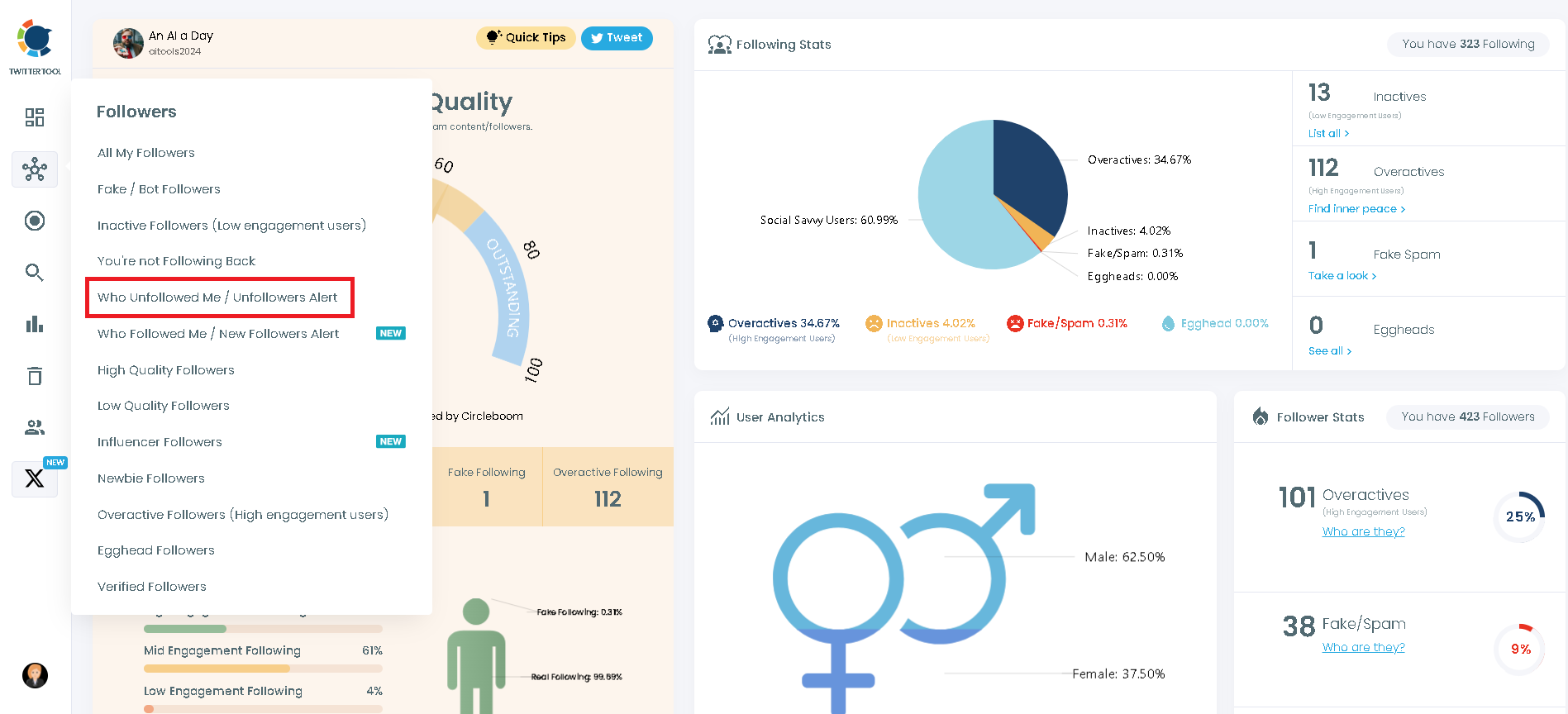
Now you can see those Twitter accounts who unfollowed you on Twitter. To keep your unfollower stats at a desired level, you can select those accounts and unfollow them on Twitter if you wish.
At this point, you can compare delivered Twitter unfollower stats to find out who unfollowed you on Twitter! And you can also unfollow them with one click!
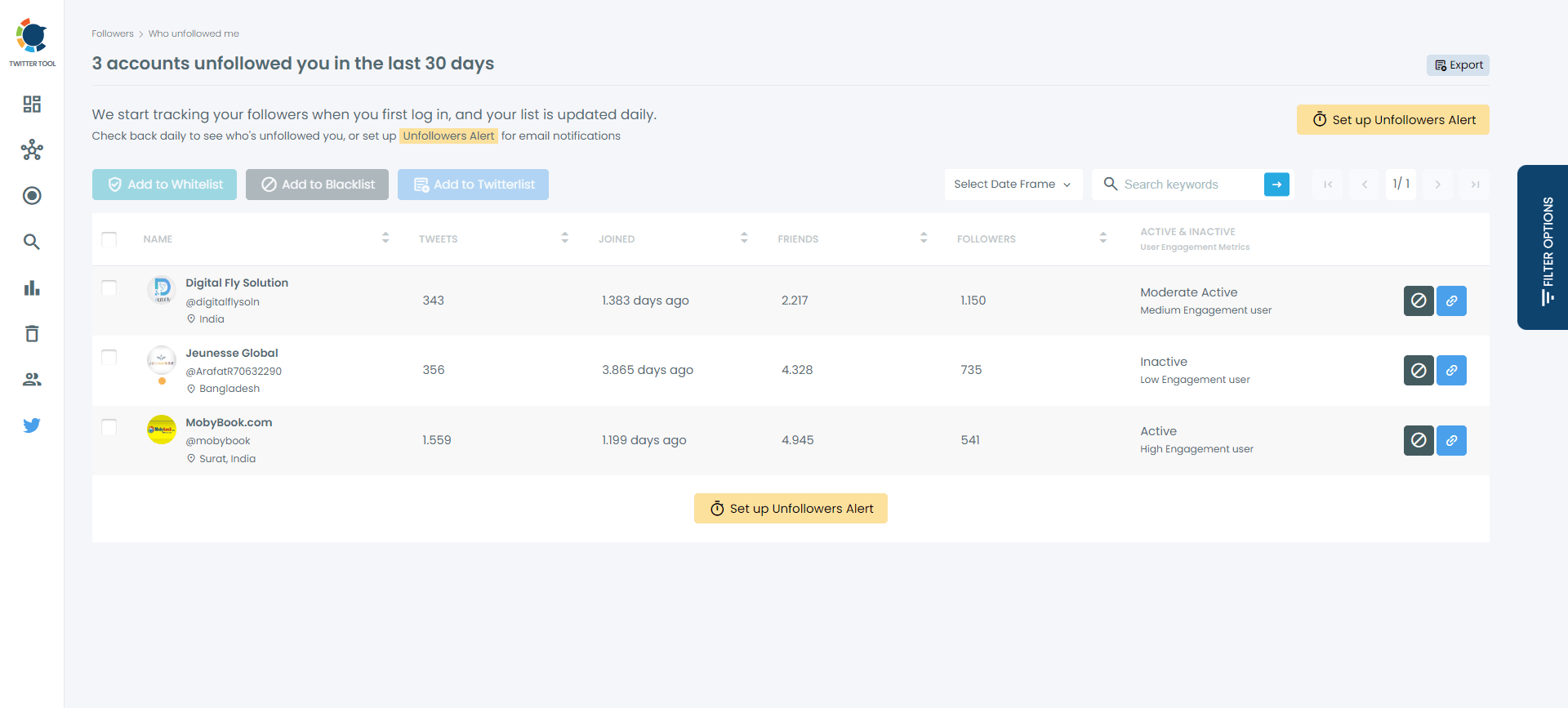
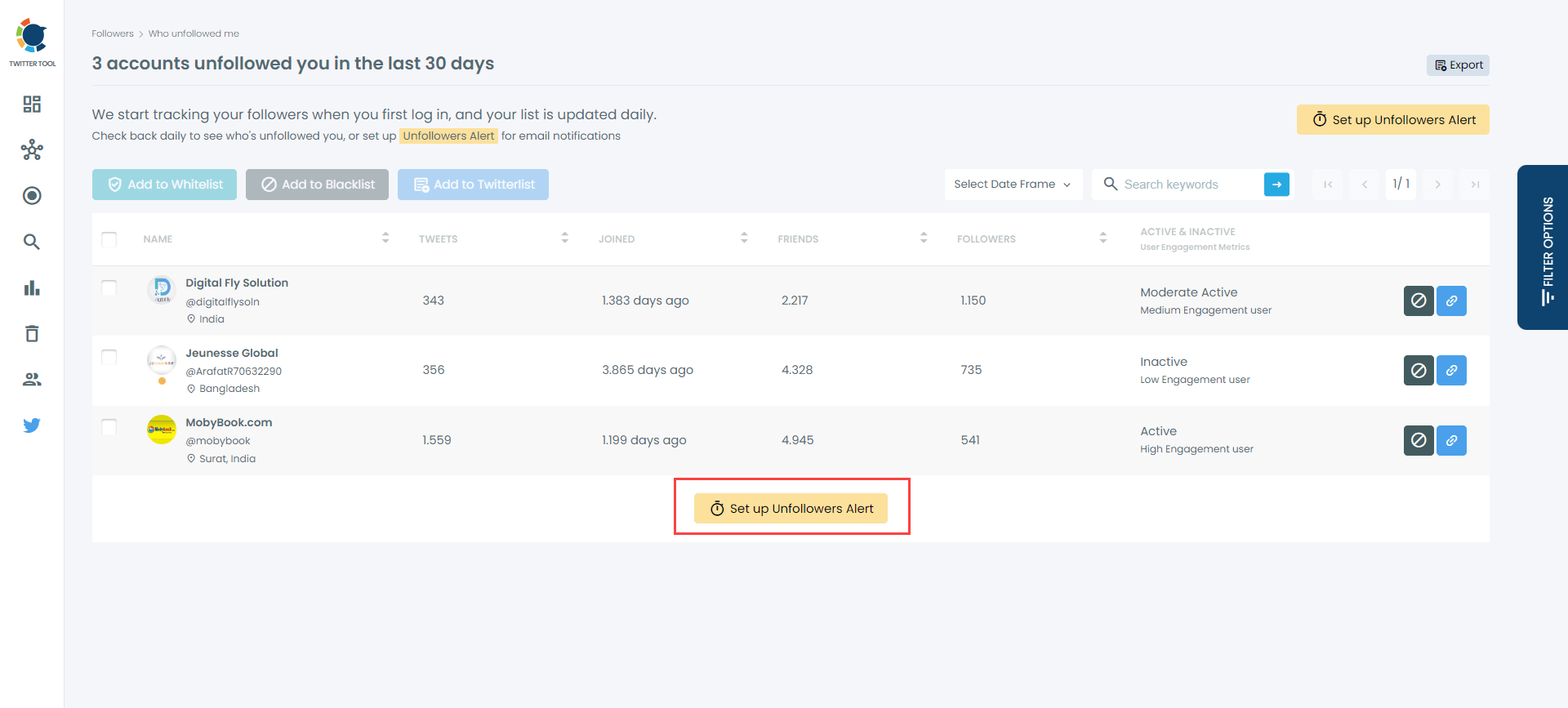
You can also set up an "Unfollower Alert" on Circleboom to get notifications whenever an account unfollows you on Twitter!
Step #5: Repeat Regularly
- Daily: Quick check for new followers.
- Weekly: Review the growth graph for trends.
- Monthly: Evaluate content strategy based on follower changes.
How to See Your Twitter Follower History Over Time
Your X profile shows one number: how many followers you have right now. It keeps no history, so there is no way to open X and see what that number was last Tuesday or three months ago, and no chart of how it got there.
A follower tracker fills that gap by recording your count every day. In Circleboom's Followers' Growth graph, each point is one day, so you can:
- read your weekly and monthly growth straight off the chart,
- spot the exact day a spike or a drop started,
- line it up with what you posted that day.
Do the math. Say you gain 50 followers a week and lose 30. Your profile only ever shows the result: +20. Over a year that is about 1,040 net new followers, but it also means around 1,560 people left. If your tracker shows that most of those unfollows came after one type of post, cutting back on it could keep a few hundred of them without writing a single extra tweet. Every follower you keep is one more person who sees the links you share to your website.
Track Other Accounts’ Followers (Not Just Yours)
One thing I didn’t realize at first was that tracking only my own followers wasn’t enough.
If you’re serious about growth, networking, or even competitive analysis, you also need to understand what’s happening around other accounts in your niche.
That’s where Circleboom Twitter goes one step further.
With Circleboom, you don’t just track your followers. You can also track other accounts’ follower activity and get automatic alerts when something changes.
 infocircleboom.com

What Can You Track?
Using Circleboom, you can set up alerts for any public Twitter/X account and get notified when:
- That account follows someone
- Someone follows that account
- There are noticeable changes in their follower activity
Instead of manually checking profiles every day, Circleboom sends you daily summaries straight to your inbox.
How I Use It (Real Use Cases)
Here’s how this feature actually helps in practice:
1. Competitor & Peer Tracking
I track accounts in my niche: people with similar audiences or slightly bigger followings.
When I see:
- Who they start following
- Who starts following them
I instantly understand:
- Which types of accounts they engage with
- Where they’re expanding their network
- Which communities they’re tapping into
This gives me ideas for networking, collaborations, and even content direction.
2. Smart Networking
If someone influential starts following a specific type of account (founders, creators, developers, marketers, etc.), that’s a strong signal.
Instead of randomly following people, I:
- Identify patterns
- Follow relevant accounts with intent
- Join conversations that actually matter
This makes networking feel strategic, not spammy.
3. Growth Signals Without Guessing
Sudden follower spikes don’t happen randomly.
By tracking other accounts:
- I can see when growth starts
- I can compare it with what they posted
- I can test similar formats or topics on my own account
It’s like having a growth radar, not just analytics.
How to Set Up Alerts for Other Accounts’ Follower Activity with Circleboom
The setup is simple:
Step #1: Select any username you want to track on X.
You will track their recently followed audience.
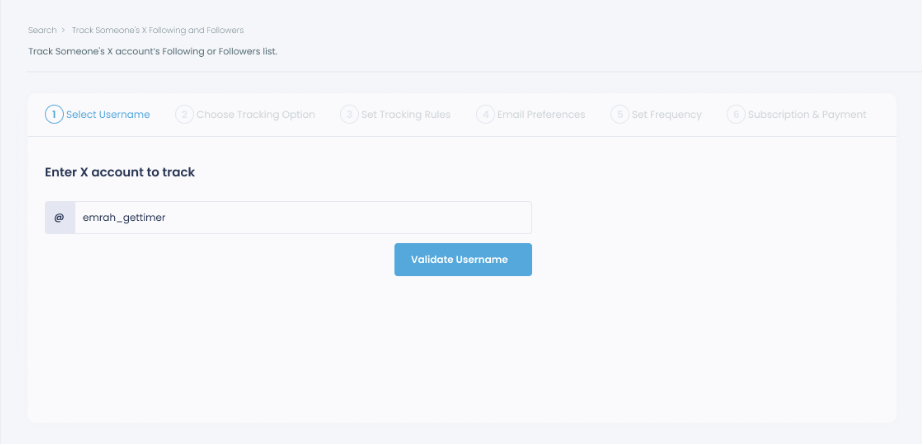
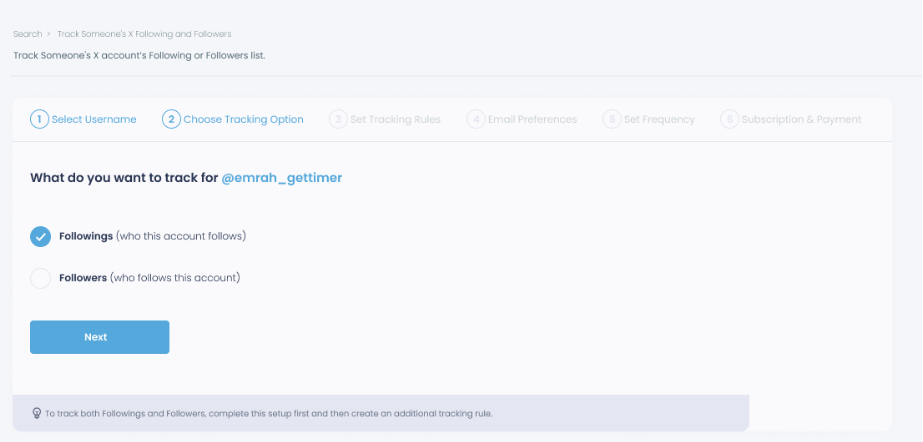
Step #2: Next, you will choose "Followings" or "Followers".
You should select one of the tracking options.
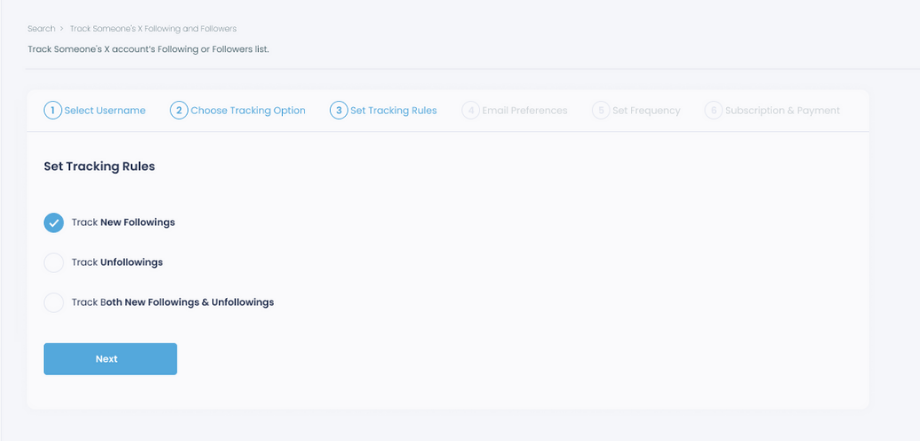
Step #3: Regarding the followings, you can track new, recent followings and unfollowings.
You can track both at the same time!
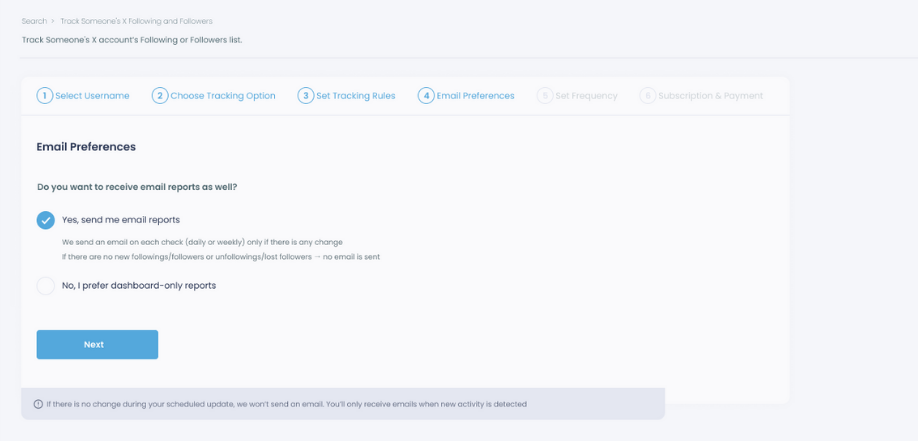
Step #4: For your tracking operations, you can receive email updates for each check.
You can still track new followings or followers without email notifications. You can monitor the following or followers with dashboard only reports.
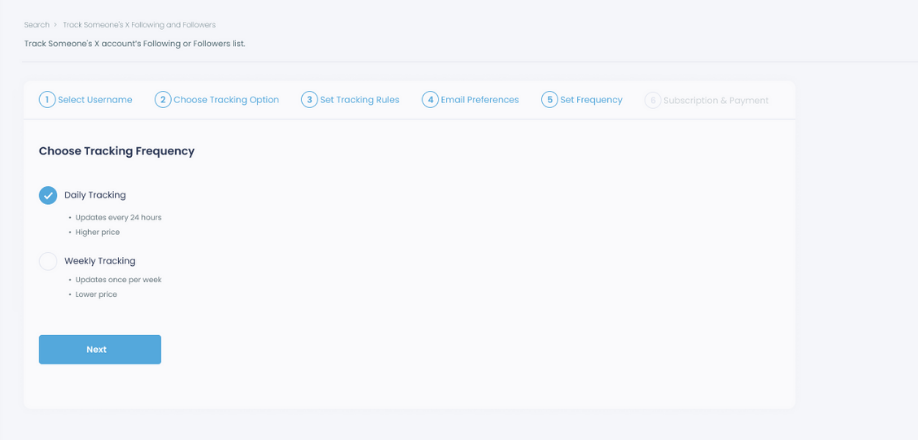
Step #5: Now, you should set the frequency.
You can get "Daily Tracking" or "Weekly Tracking".
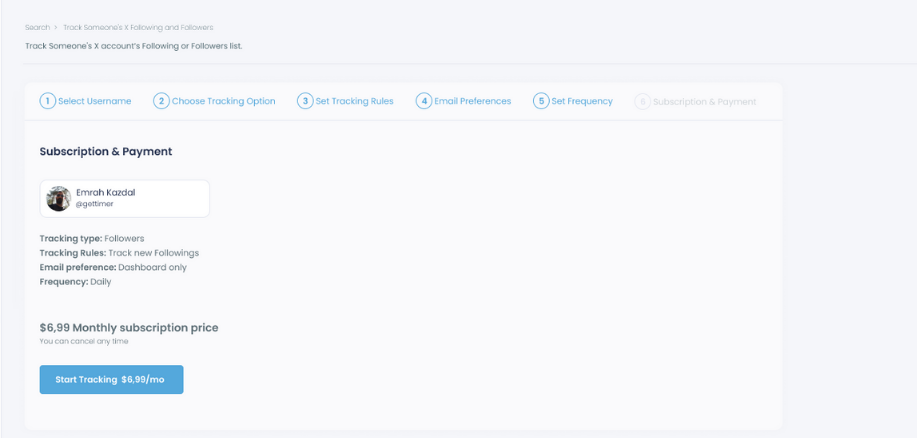
Step #6: The next step is subscription.
After checking the rules, you can start tracking.
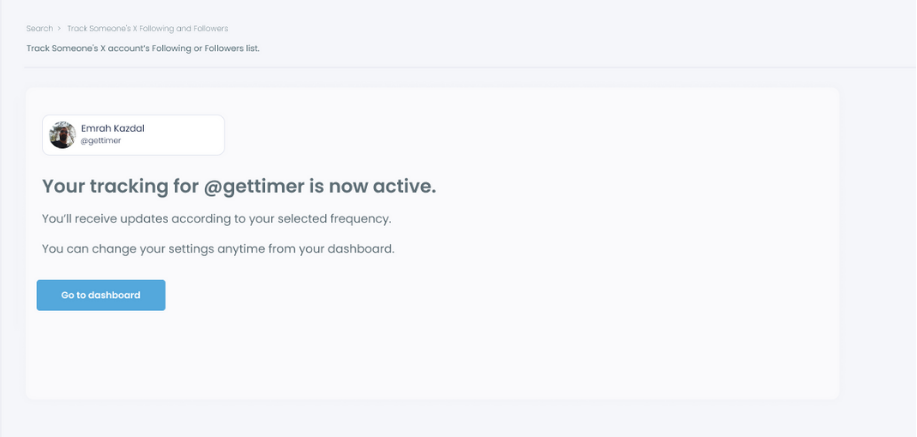
Tracking is now active. That's it! Now you can monitor newly followings and followers of anyone on X with Circleboom!
That’s it.
From that point on, Circleboom sends you clean, structured lists: no noise, no manual checking.
How Tracking Improved My Growth
Before using Circleboom, I was posting a lot but had no clear idea which tweets brought people in or pushed them away.
Once I started tracking:
✅ I doubled down on tweet formats that consistently brought followers.
✅ I removed accounts that unfollowed me, keeping my following list clean.
✅ My growth rate improved because I stopped guessing and started using data.
Frequently Asked Questions
How do I track my Twitter followers?
X only shows your current follower count and a notification when someone follows you. To track followers daily, weekly and monthly, use a follower tracker like Circleboom Twitter: New Followers lists who followed you in any period, Who Unfollowed Me lists who left, and the Followers' Growth graph shows your count day by day.
Can I see my Twitter follower history?
Not on X itself, because your profile keeps no history. A tracker records your count every day and turns it into a graph, so you can see your followers over time and compare any two dates.
Is there a live Twitter follower count?
The number on your profile updates as people follow and unfollow you, so that is your live count. A tracker adds what the profile is missing: the history behind that number and the names of who came and went.
Do Twitter follower counts fluctuate daily?
Yes. People follow and unfollow every day, and X also removes spam and locked accounts from follower counts from time to time, which can cause a sudden drop that has nothing to do with your content. A daily graph helps you tell the two apart.
Can I track someone else's Twitter followers?
Yes. With Circleboom you can track the followers and followings of any public X account and get daily or weekly reports by email.
Is it safe to use a Twitter follower tracker?
It is when the tool uses X's official API. Circleboom is an Official X Enterprise Developer: you sign in through X's own authorization, and Circleboom never sees your password.
Conclusion: Track Smarter, Grow Faster
Gaining followers takes effort, but keeping track of them is what transforms effort into results. By monitoring new followers, spotting unfollowers, and analyzing growth trends, you can understand exactly what’s driving your success on Twitter/X.
Circleboom Twitter makes this process effortless, whether you want daily snapshots, weekly trends, or monthly deep dives. With clear data and one click actions, you’re not just watching your numbers; you’re actively shaping them.
If you’re serious about building a strong, engaged audience, stop guessing and start tracking. The insights you’ll gain could be the difference between slow, unpredictable growth and a steady climb toward your goals.