
Ghost followers are accounts that follow you and never interact. Some are bots. Many are real people who stopped opening the app years ago.
Others followed during a giveaway, didn't win, and never came back. Every one of them sits in the denominator of your engagement rate, and none of them adds a like, a reply, or a repost.
This matters most right before you spend money. A campaign launched on an inflated audience gets judged against an inaccurate baseline.
Circleboom's Twitter Tool sorts your followers into fake/bot, inactive, overactive, egghead, and low-quality groups using data from the official X API. From there, you can remove them in bulk, protect the accounts worth keeping, and see how your numbers change once the list is clean.
How ghost followers lower engagement rate
The version of engagement rate that ends up in media kits and partner pitches is calculated against followers:
Engagement rate = (total engagements on a post ÷ total followers) × 100
You can also calculate it against reach or impressions. The follower-based figure is the one ghosts hit hardest, because they add to the bottom of the equation and nothing to the top.
Picture a streetwear account that gives away free custom t-shirts to anyone who follows and reposts. Followers jump from 10,000 to 20,000 in a week. Average likes hold at 200, so engagement rate drops from 2% to 1%, and the content didn't change at all.
The lower number is the visible part. The rest shows up in places that cost money:
- Distribution. A post shown to a follower base full of dead accounts collects fewer early interactions, which gives X less reason to keep pushing it.
- Testing. Compare two hooks, and if one happened to reach more inactive accounts, the result says nothing about the copy.
- Paid targeting. Follower-based audiences and lookalikes built from your follower list carry the same dead weight into your ad account.
What ghost followers look like on X
Ghost followers come in a few recognizable types. Circleboom lists each type separately, which helps, because they call for different decisions.
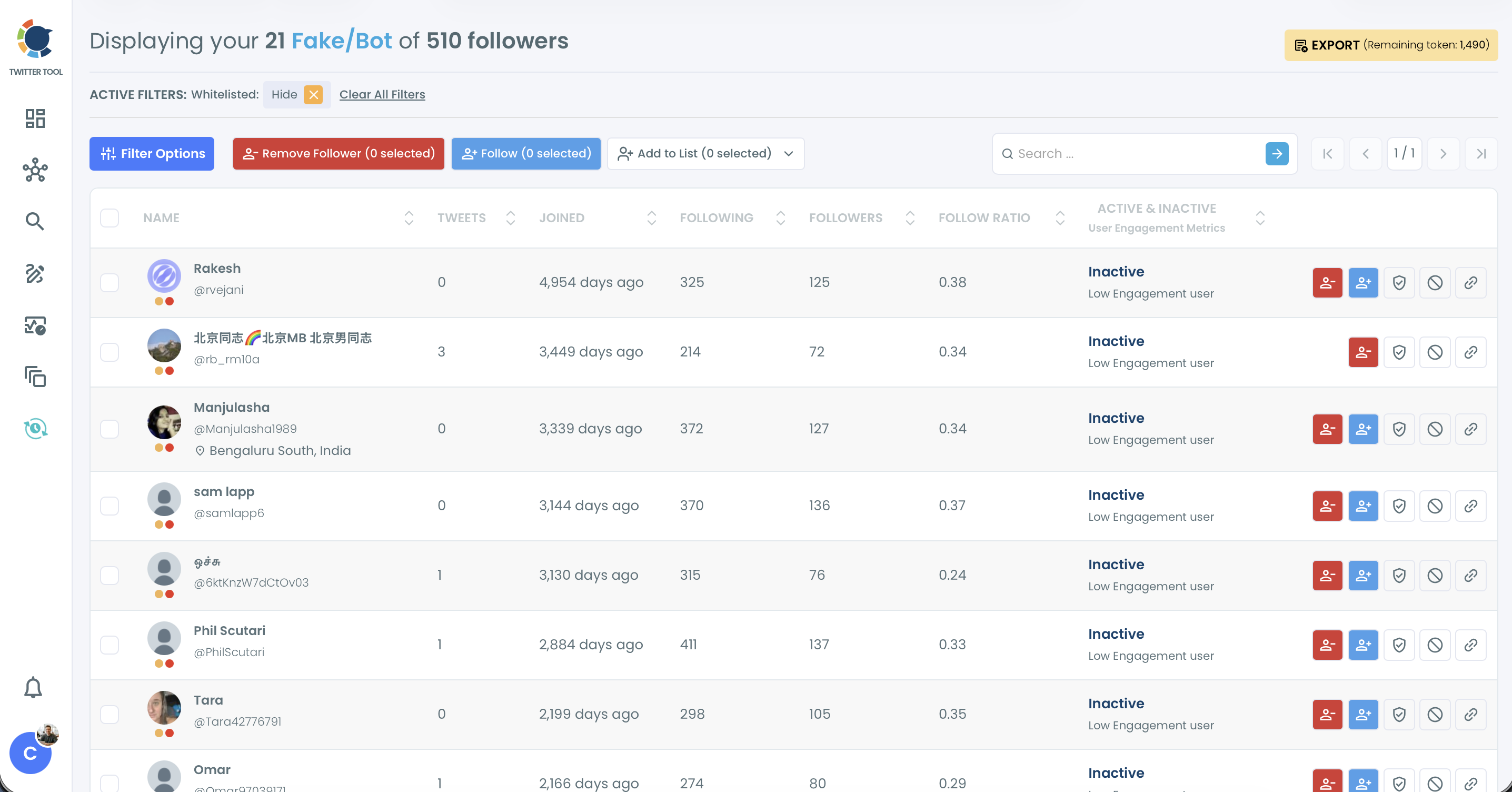
- Fake/bot accounts. Automated or purchased followers, usually with a lopsided follow ratio. One account in a Fake/Bot list joined 5,388 days ago and follows 170,465 accounts. A following list that size comes from mass follow-back activity, and nobody reads that timeline.
- Inactive accounts. Circleboom compares account age with total tweet count. One flagged follower has 8 tweets across 3,132 days, which works out to about one post a year.
- Eggheads. Accounts that never replaced the default profile image.
- Overactive accounts. Accounts with very high posting frequency, which usually points to automation or a reposting feed.
- Low-quality accounts. Accounts with a weak follower-to-following ratio.
A few signals are still worth checking by eye: handles made of random letters and long number strings, bios with no connection to your niche, the same "Great post!" reply showing up from a dozen accounts, and follower spikes you can't trace to a post or campaign.
Running a bot audit in Circleboom
The goal of an audit is an honest baseline before a campaign. Removing every last bot is unrealistic, and chasing it wastes time.
Every list used below sits under Circleboom's Followers / Following Management menu.
Record your baseline first
Write down your follower count, average engagements across your last 20 posts, engagement rate by followers, and average impressions. Without these numbers, you have no way to show the cleanup changed anything.
Pull the X Account Analysis Report
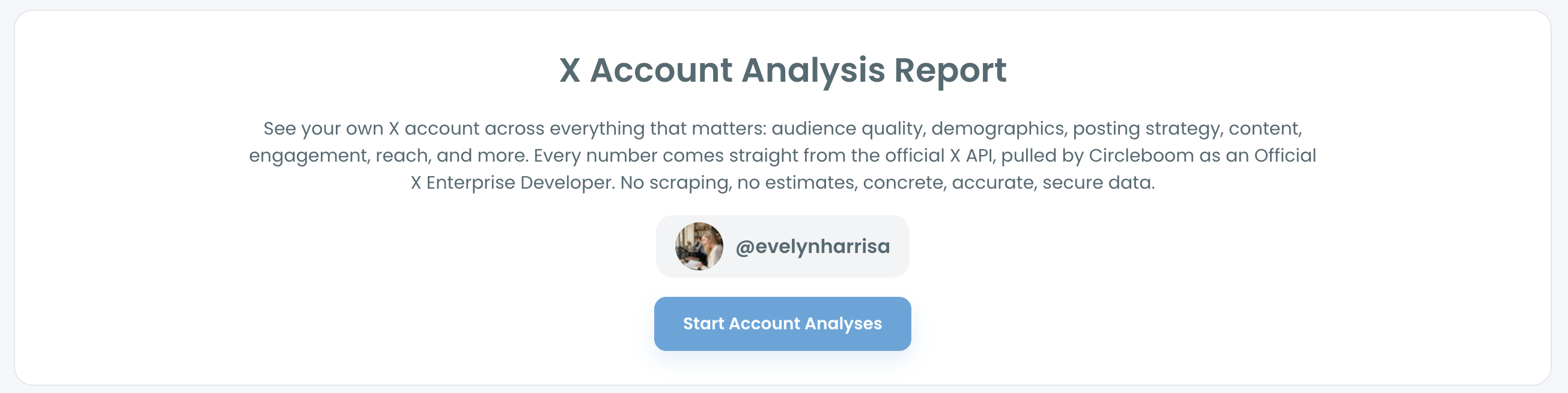
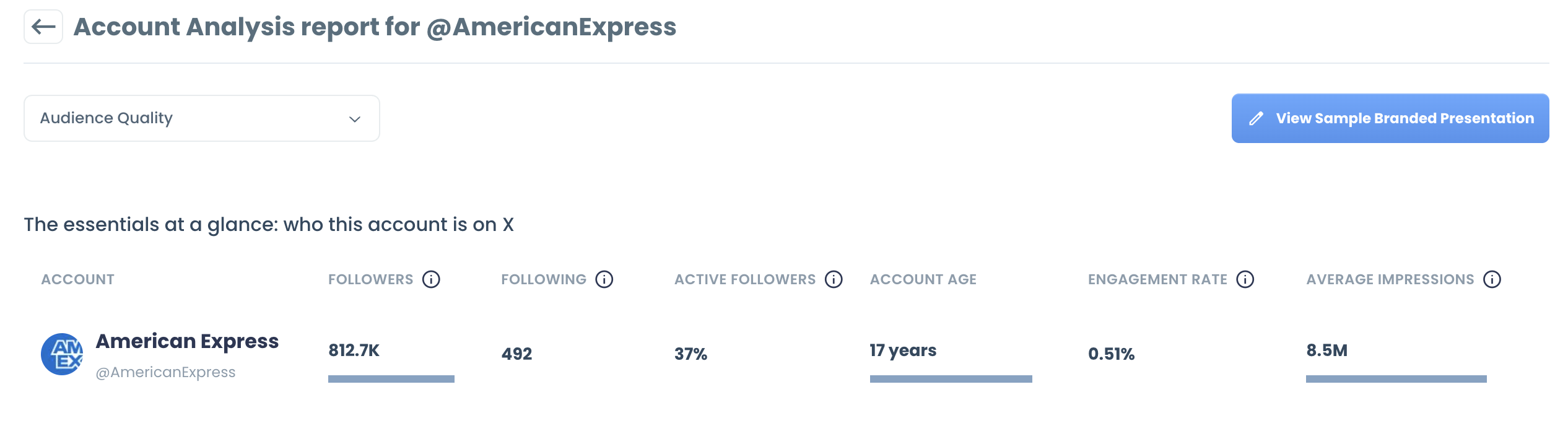
Under Analytics, open the X Account Analysis Report, enter your handle, and start the analysis. The report gives your account a quality score from 0 to 100, banded as Modest, Solid, or Outstanding, alongside:
- Days on Twitter and tweet frequency
- Inactive, fake/bot, and overactive accounts in your following
- Counts and percentages for overactive, fake/bot, and inactive followers
- Engagement split across your following (high, mid, and low)
- Gender split of your followers
Circleboom pulls every number from the official X API as an Official X Enterprise Developer, so the report runs on account data rather than scraped samples or estimates.
Work through the fake/bot list
Open Followers, then Fake/Bot Followers. Each account shows its tweet count, join date, following, followers, follow ratio, and engagement activity, and every column is sortable.
Sort by Following, highest first. Mass-follow accounts rise to the top, and they're usually the easiest calls on the page. Select them in bulk and use Remove Follower.
Export the list before removing anything. If you manage the account for a client, that export is the evidence behind the change in their numbers.
Treat inactive followers as a separate pass
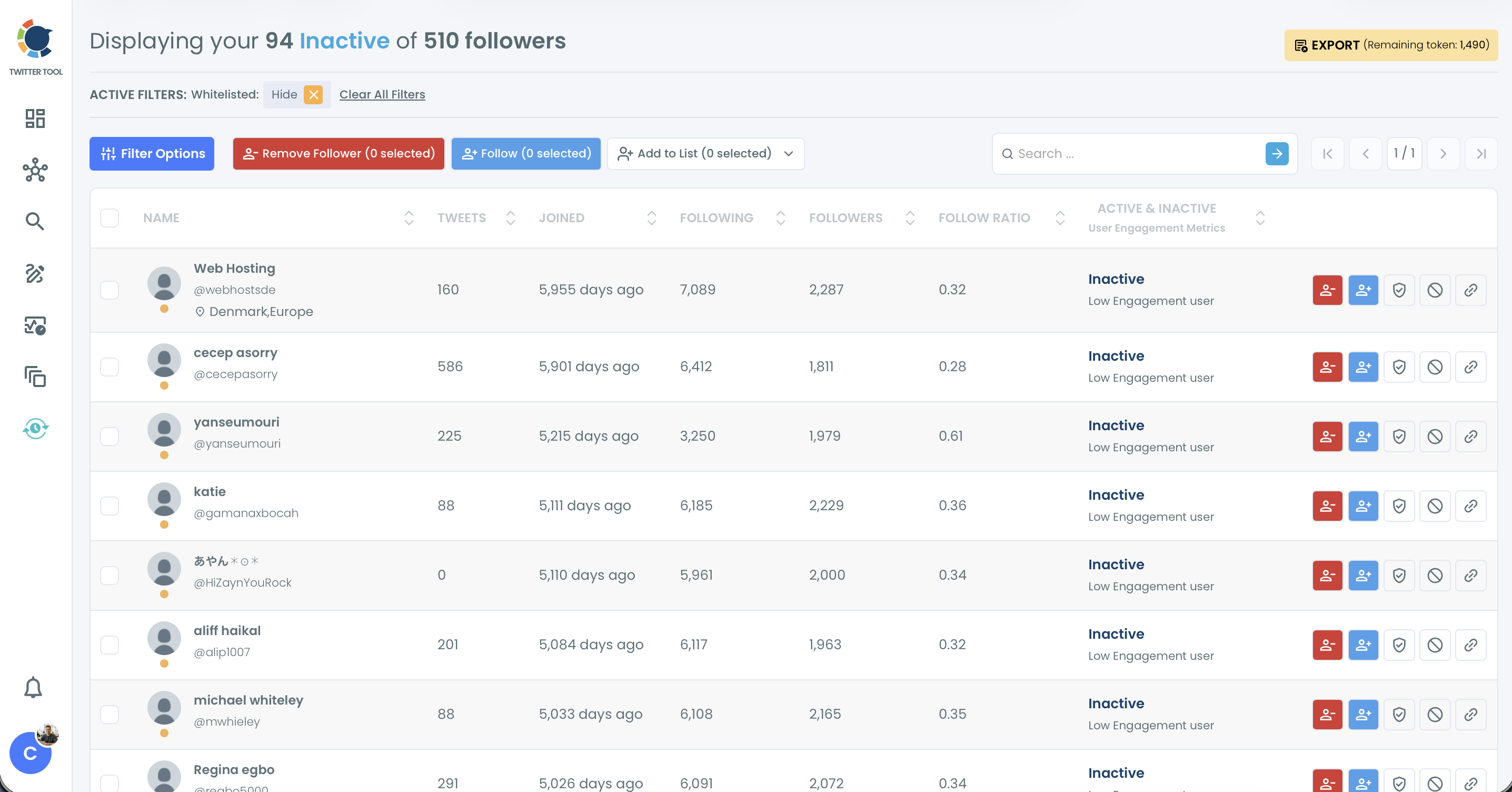
Circleboom judges inactivity by account age and total tweet count. An account that tweeted recently after a year of silence still counts as inactive, and so does one that posts sporadically.
Some of these are real people who log in to read and rarely post. On a B2B account, that matters. A dormant follower who happens to be a CTO at a target account is worth more than a hundred active strangers, and bulk removal will take them out along with the abandoned accounts.
Run this list slower than the bot list. Scan the bios, check the follower counts, and remove the accounts that have no connection to your market.
Narrow the list with filters
The Filter Options panel stacks conditions: account quality (Eggheads, Protected, Inactive, Overactive), verification status, keywords in bio and name, whitelist and blacklist status, and follower and following count ranges. A few combinations that save time:
- Eggheads with a following count above 2,000. Close to a guaranteed removal list.
- Inactive with a follower count above 5,000. Dormant accounts that still carry reach. Review these by hand.
- A bio search for "founder," "CMO," or your product category. Pulls out the accounts you'd want to keep before you remove anything in bulk.
Whitelist before you remove anything
Every row has a shield icon that adds the account to your whitelist. Whitelisted accounts are hidden from every list by default, so a teammate, client, or partner never ends up in a bulk removal by accident. The block icon next to it sends an account to your blacklist.
Spend five minutes whitelisting your own team and clients at the start. Doing it after a bulk removal means following people back and explaining why.
Remove in phases, then measure again
How far to go depends on what the audit finds:
- Under 10% ghost followers: remove the obvious fakes and move on.
- 10% to 25%: spread removals over two or three weeks so the follower count doesn't drop sharply in a single day.
- Over 25%: plan a larger cleanup, and expect your follower count to look very different afterward.
A worked example: 50,000 followers and 750 engagements per post gives a 1.5% engagement rate. The audit flags 10,000 accounts, and you remove them. The same 750 engagements on 40,000 followers is 1.875%. If the cleaner audience lifts early interaction and the average climbs to 900, the rate reaches 2.25%. Check again after the next ten posts and set that as the baseline for the campaign.
Clean up the accounts you follow
The analysis report scores your following as well as your followers. Inactive, fake/bot, and overactive accounts you follow all appear on the same scorecard, so a following list full of abandoned and spam accounts pulls the quality score down.
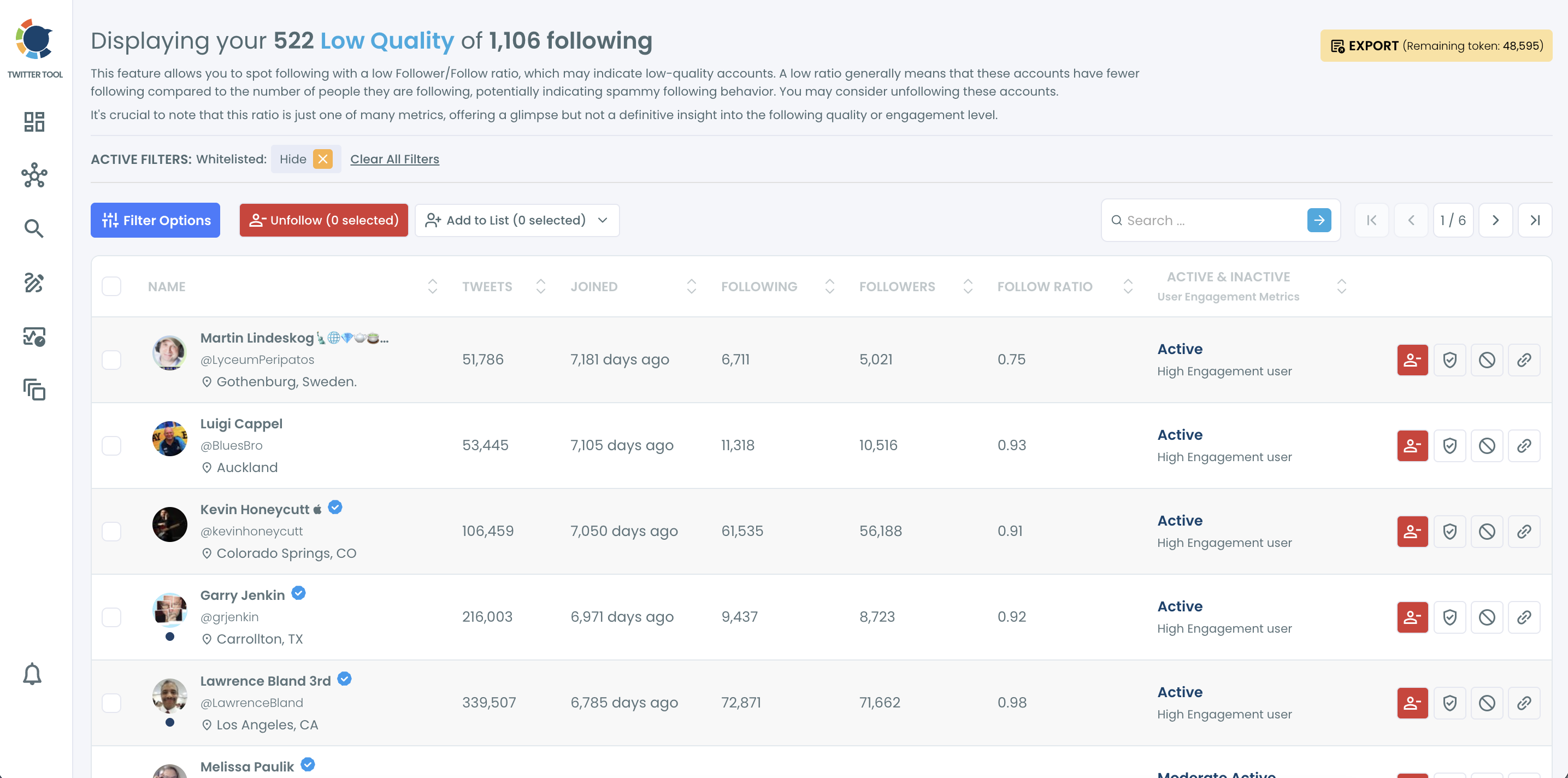
The Following menu mirrors the follower side, with lists for Not Following Back, Fake/Bot Following, Inactive Following, and Low Quality Following.
The low-quality list is sorted by follower-to-following ratio. Circleboom flags ratio as one signal among many, so scan each account before you unfollow it in bulk.
Vet creators before you pay them
The X Account Analysis Report works on any public handle. That makes it a pre-contract check for influencer and creator partnerships.
Health brands lean on this check more than most. A telehealth company paying fitness creators to talk about testosterone replacement therapy needs those posts in front of real men who might consider treatment. A creator whose audience is 30% bots and abandoned accounts can't deliver that, however large the follower count looks.
Two creators each have 80,000 followers and quote the same rate. Run both. If one shows 30% of its followers as fake/bot or inactive, a per-follower price on that account means paying for 24,000 people who will never see the post. The engagement split in the report (high, mid, and low) shows whether the remaining audience actually interacts.
Keep the follower list healthy
Ghost followers build up again if nothing changes after the audit. Most of them arrive through the same few doors: follow-for-follow schemes, giveaways with no link to your niche, and bought growth. X treats bought engagement and follow churn as violations of its platform manipulation and spam policy, so those shortcuts also put the account at risk.
A few Circleboom features keep the list in check between audits:
- Who Followed Me. Review new followers in the week after a giveaway or viral post, while bad accounts are easy to spot.
- Followers' Growth. A spike you can't tie to a post or campaign is worth investigating the same day.
- Engaging & Loyal Followers. These are your brand advocates. Reply to them first and reshare their posts.
- When Followers Are Online. Schedule posts for the hours your real audience is active, so early interaction comes from people who engage.
On the paid side, build retargeting audiences from people who engaged in the last 30 to 90 days instead of your full follower list. This is especially important for B2B tools like invoicing software, where every wasted impression is a missed shot at a decision-maker.
A quarterly audit is enough for most accounts. Run an extra one about two weeks before any paid launch or partnership pitch, so the numbers you present reflect the people who actually read your posts.
Circleboom's Twitter Tool runs every step of this audit from one dashboard, with data pulled from the official X API. Connect your X account to Circleboom and check your Fake/Bot and Inactive Followers lists before your next campaign goes live.