I just checked my follower count on Twitter 5 days ago. And, today I realized that I just lost one follower! Who is it? Who recently unfollowed me on Twitter (X)?
Is there a way to track unfollowers on Twitter?
Yes, there is!
Circleboom is the best tool to see who unfollowed you on Twitter! You can check your unfollowers day by day and see your recent unfollowers on X!
Keep in mind that the API provides a more accurate real-time data stream than the X interface itself. While the platform UI may experience lag, the API captures and reflects new developments instantaneously.
Circleboom has the official Enterprise API, we don't scrape data from X!

How? Let's find out!
See who recently unfollowed you on Twitter with Circleboom!
Follow these steps and find out those recent unfollowers on Twitter with Circleboom:
How to do it!
Step #1: As the first step, please go to Circleboom Twitter and log in with your active e-mail address.
If you haven't got a Circleboom account yet, you can get one in almost no time!
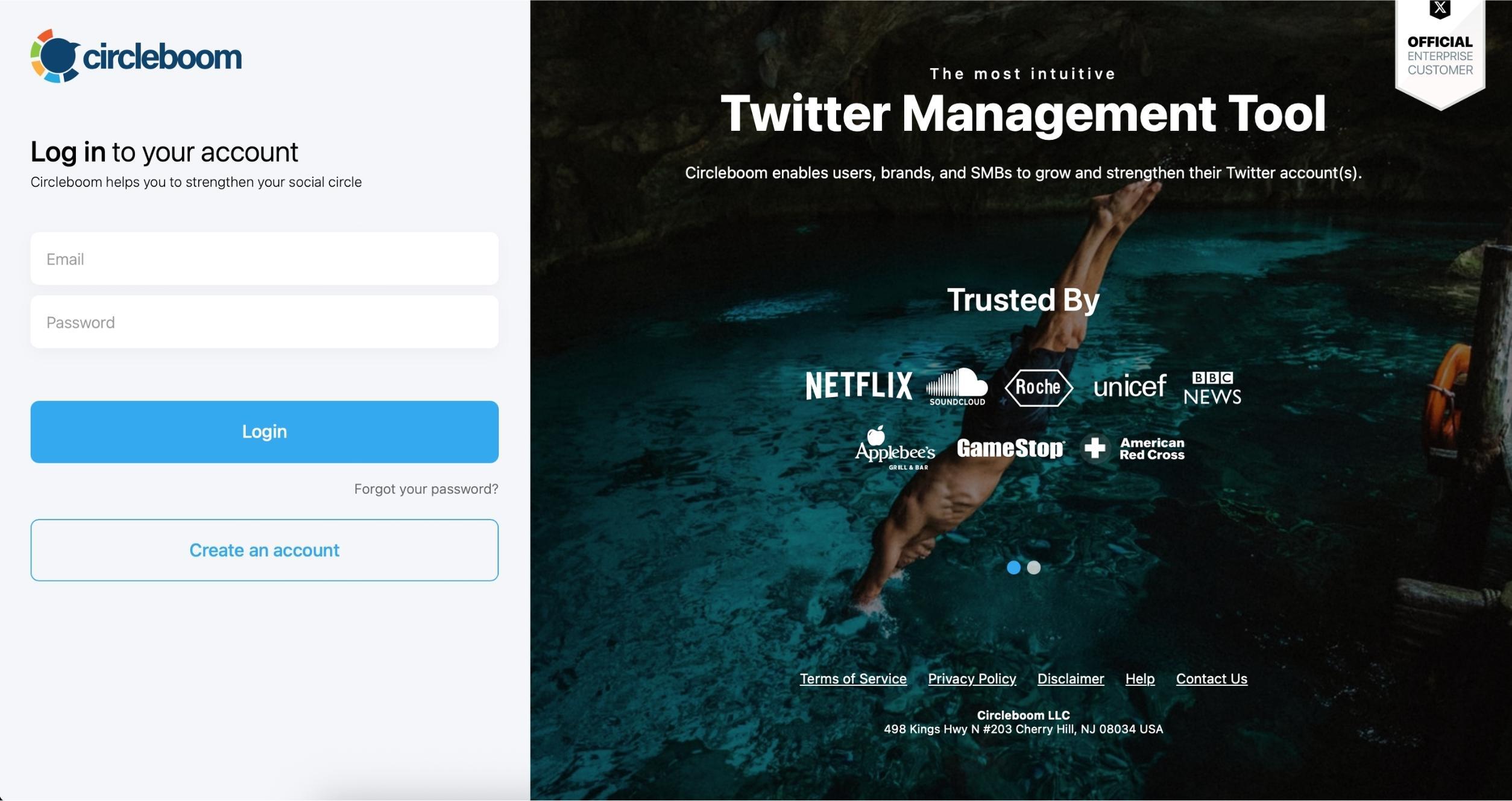
Step #2: Secondly, let's authorize Circleboom Twitter via sign-in with your Twitter account. Circleboom is an official X Enterprise Developer Partner.
Your Twitter account will be connected to the Circleboom dashboard to find out who unfollowed you on Twitter.

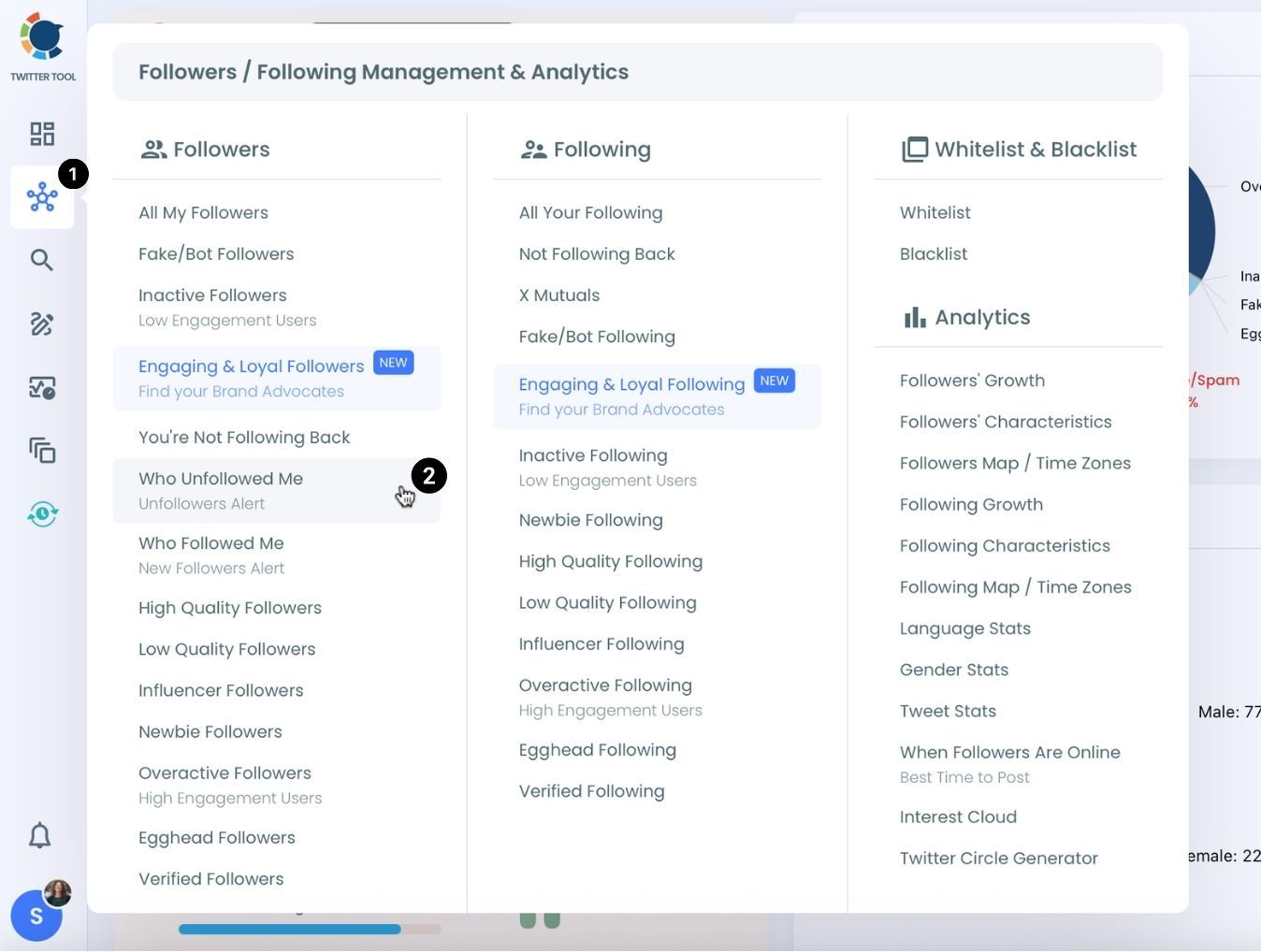
Step #3: Navigate to the left and open up the menu. See "Followers" tab there.
Here you will see "Who Unfollowed Me?" option there. Click on it and navigate.
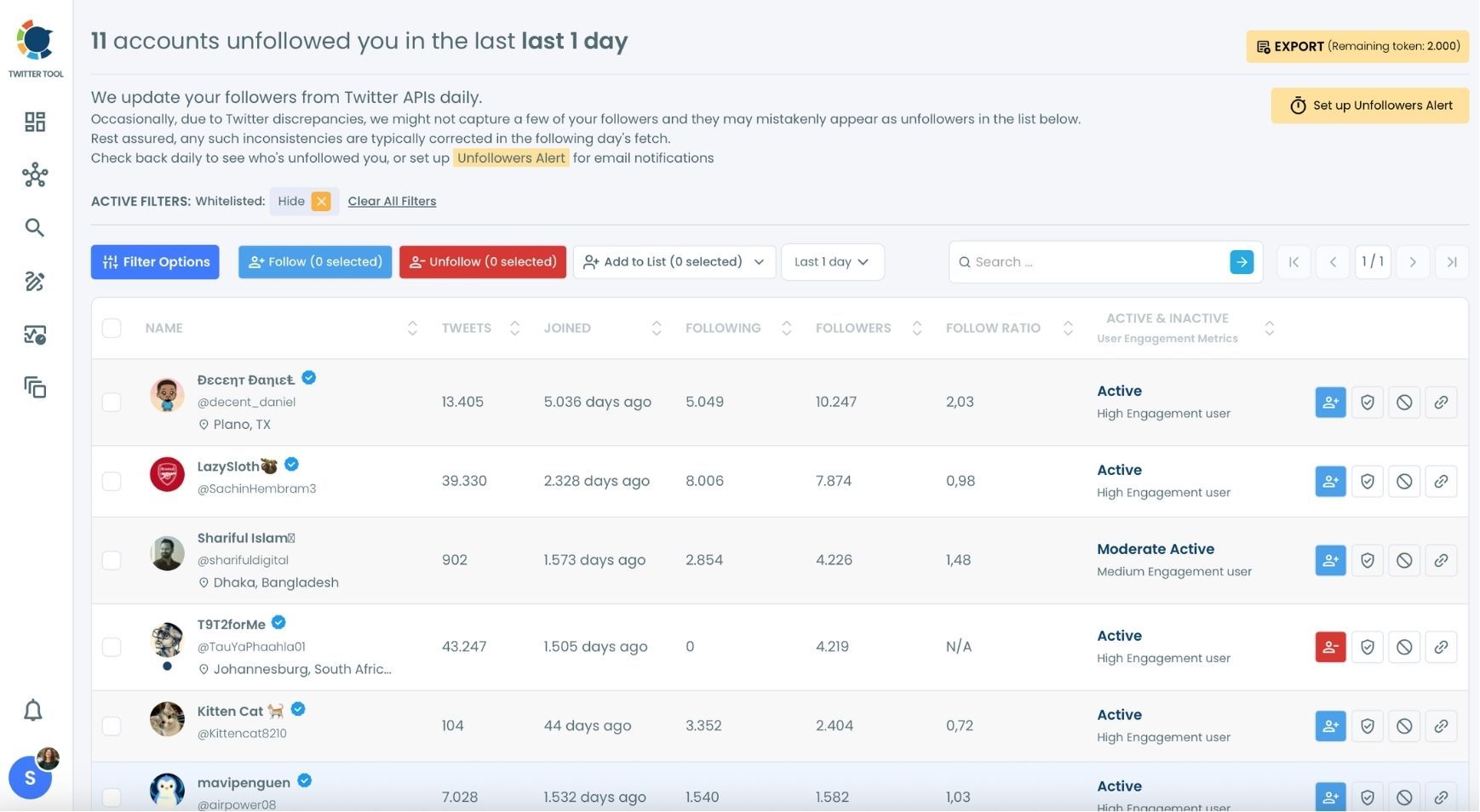
Step #4: Now you can see the Twitter (X) accounts that unfollowed you. Circleboom lists all those unfollowers!
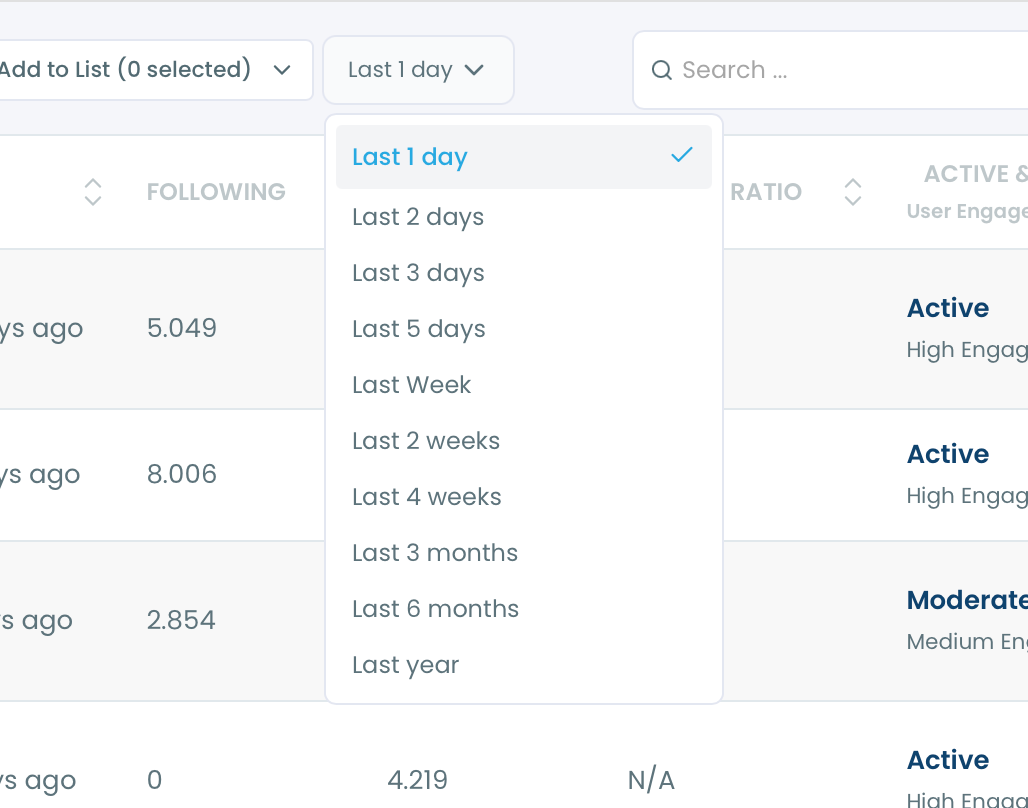
The default is the unfollowers from the last 1 day.
You can also change the time period and see who unfollowed you in an enlarged calendar.
You can even see who unfollowed you last year!
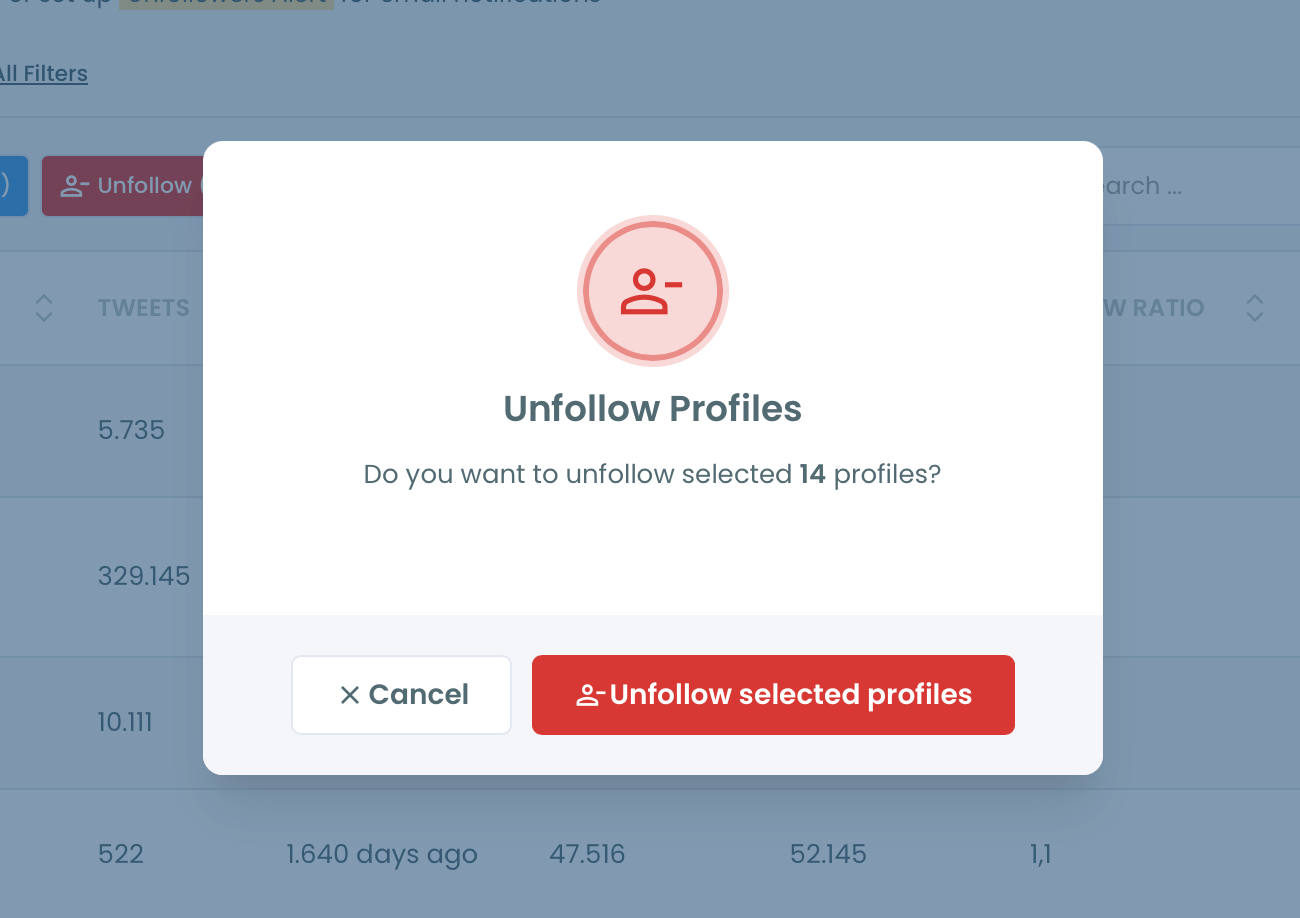
If you don't want to follow them anymore, you can unfollow all or some of those accounts that unfollowed you on Twitter (X).
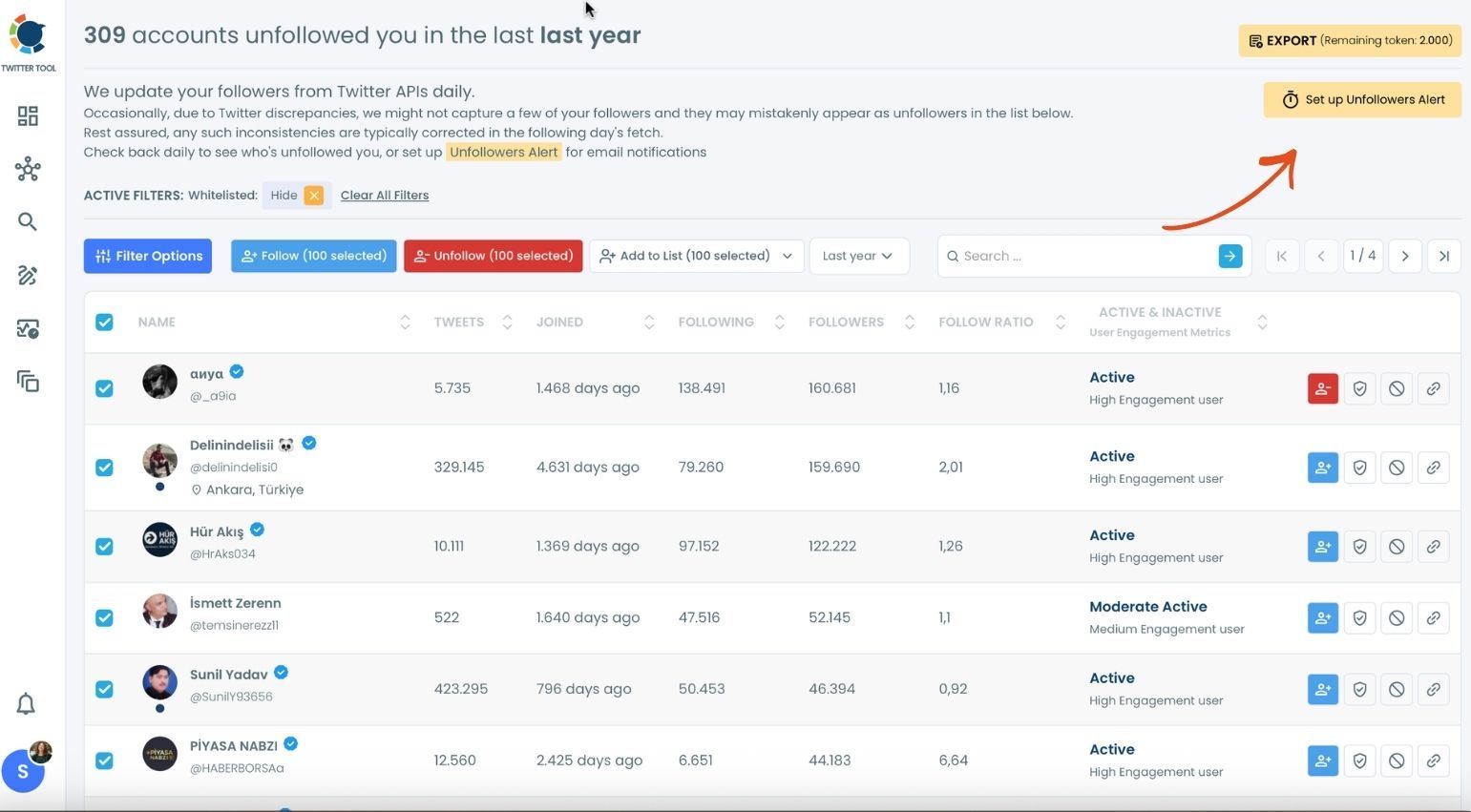
If you would like to know who unfollowed you on Twitter immediately, there is a perfect tool in Circleboom.
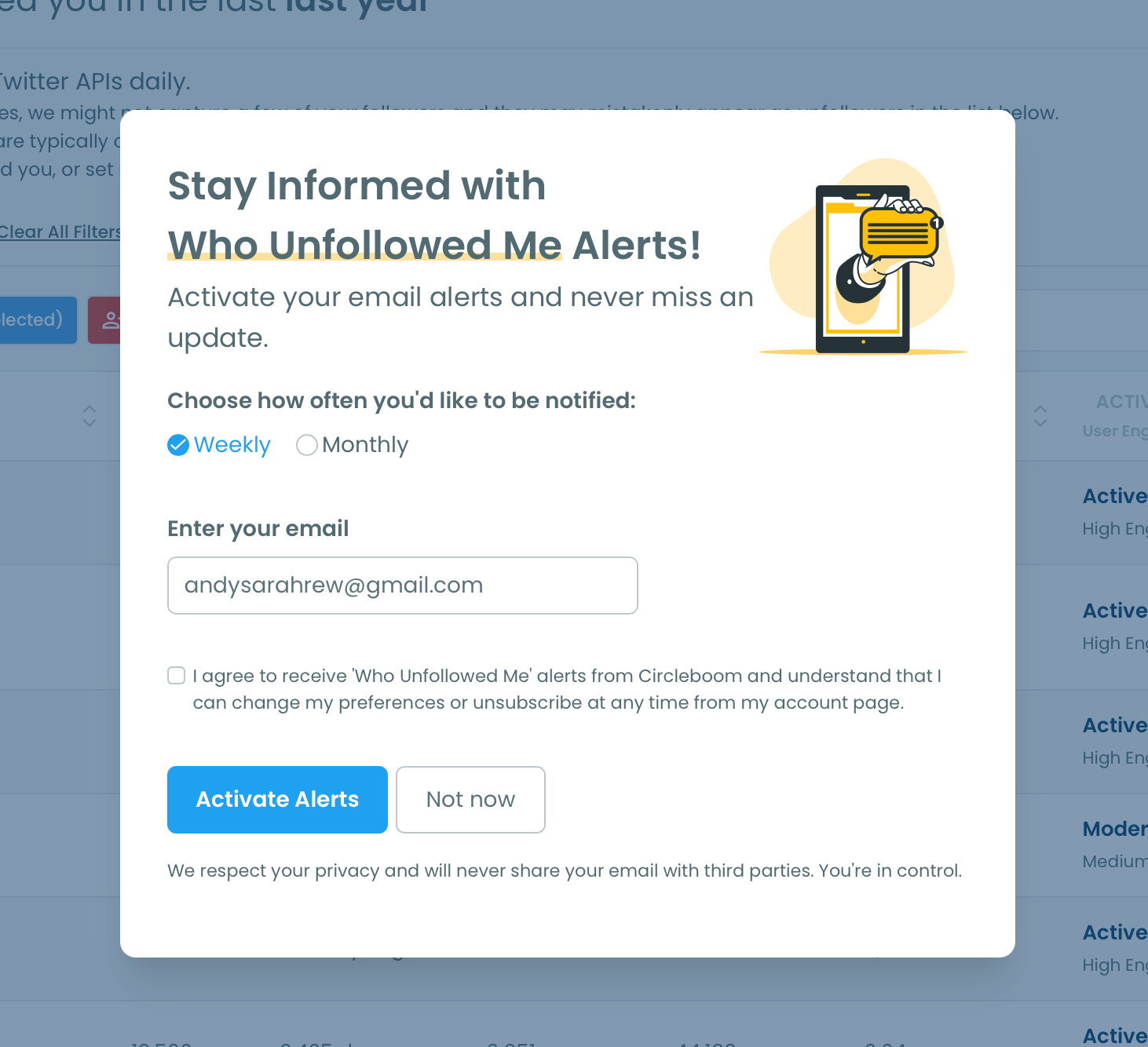
You can set "Unfollower Alerts". When someone unfollows you on Twitter, we will email you so you can take action quickly! To enable it, you should click on the "Set up Unfollowers Alert" button at the top right.
You will select the frequency of unfollower alerts: weekly or monthly!
Final Words
Keeping track of who recently unfollowed you can offer valuable insights into your social media planning and audience engagement. Through the detailed walkthrough in our article, we've shown how Circleboom makes this process possible, straightforward, and insightful. With Circleboom's intuitive tools, you can effortlessly identify recent unfollows, refine your content strategy, understand audience preferences, and foster a more engaged follower base.
Remember, social media is as much about interaction as it is about numbers. By staying informed about your follower dynamics, you position yourself to create more resonant and impactful content. Let Circleboom guide you in navigating the ebbs and flows of Twitter's social landscape, transforming every unfollow into a stepping stone for growth and connection.