
Some of your tweets get strong engagement. Others barely move. The writing quality is similar, the timing is fine, but the results are completely different.
The difference is often the topic. Not every follower followed you for the same reason, which means not every tweet you write will resonate with all of them equally. Your followers are a mix, and X does not tell you what that mix actually cares about.
That is where Circleboom Twitter's Interest Cloud comes in. It analyzes your followers' tweets and bios, extracts the topics they discuss most, and displays the results as a word cloud. The bigger the word, the stronger the interest.
What Are Your Followers Interested in on X?
Most X users have no reliable way to find out what their followers are interested in because the platform doesn't provide audience interest data natively.
To see what your followers are actually interested in on X, you need a tool that analyzes follower content directly.

Circleboom Twitter's Interest Cloud feature does exactly this by scanning follower tweets and profile bios, extracting frequently used keywords, and displaying the results as a visual word cloud.
The largest words in the cloud represent the topics your audience talks about most.
 infocircleboom.com
What Is Circleboom Twitter?
Circleboom is an Official X Enterprise Developer, meaning it connects directly to X's official APIs rather than scraping data or using workarounds.

That distinction matters because it keeps your account safe and keeps the data accurate.
Within the Twitter management suite, Circleboom covers a wide range of actions:
🟢 Analyze your followers' interests through a real-time word cloud visualization
🟢 Track follower growth and detect unusual changes over time
🟢 Identify fake, bot, and inactive followers in your audience
🟢 Find your best time to post based on when your specific followers are online
🟢 Schedule, bulk schedule, and auto-retweet content from a single dashboard
For finding out what your followers are interested in on X, the Interest Cloud feature is the specific tool you need.
How to Find What Your Followers Are Interested in with Circleboom Twitter
Step #1: Go to Circleboom Twitter and log in.
If you don't have a Circleboom account yet? Let's get yours in no time!
Step #2: When you have entered the Circleboom dashboard, find the left-hand menu.
On the menu, click on "Analytics" and "Interest Cloud" from the drop menu.

Step #3: The Interest Cloud will prompt within seconds.
Here, you will have both Twitter audience insights graphs for your friends and followers separately.
Moreover, you will get percentages for the usage distribution of each word that appear on the graph to allow you to make the correct analysis through interests from Twitter.
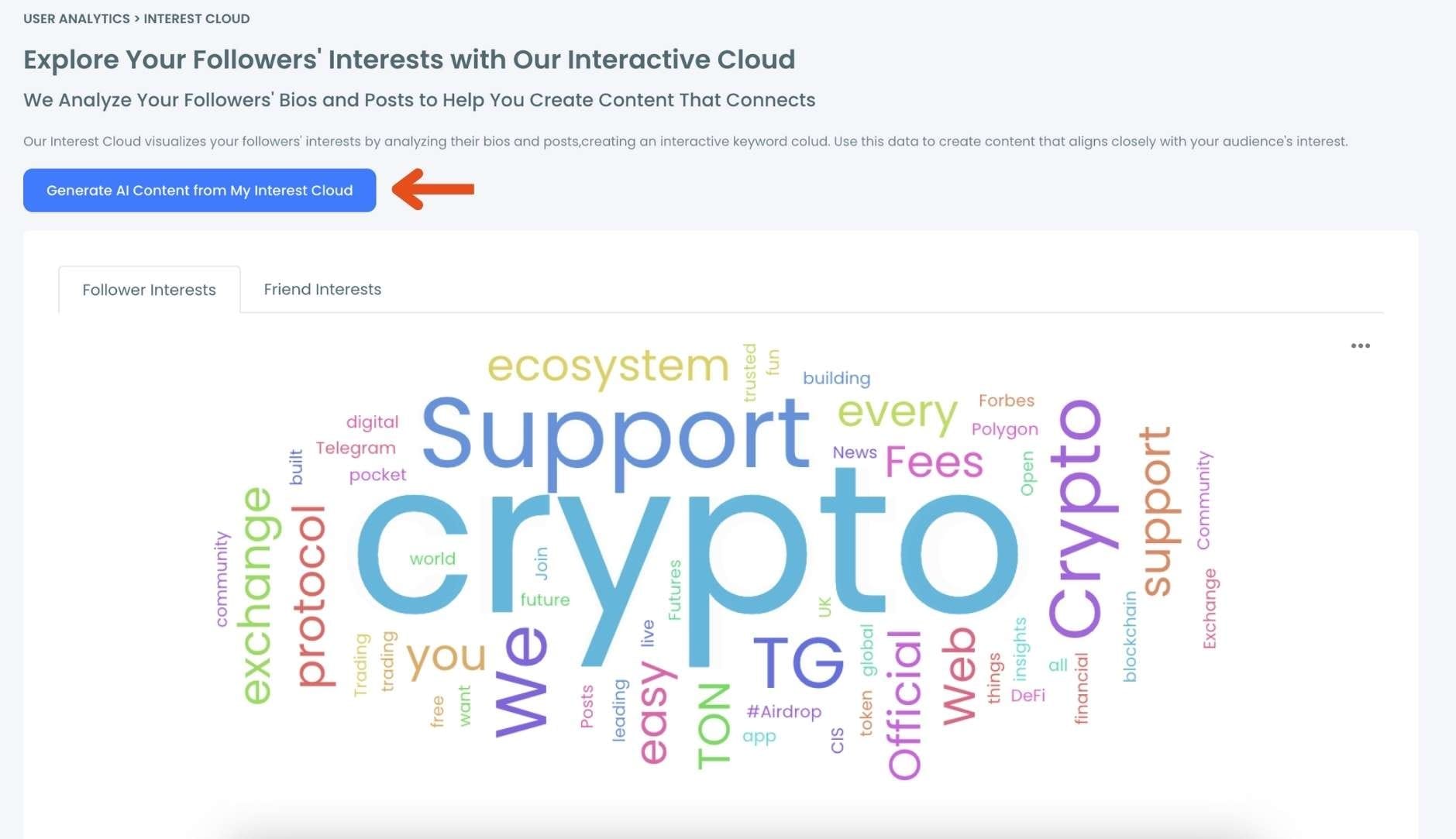
You can also save Interest Cloud graph in different file formats like PNG, SVG, JPG and PDF to use the graph in comparative analysis while defining your Twitter Interest Targeting strategy over time!
From Interests to Tweets: Use Circleboom's AI Writer to Act on What You Find
Seeing your followers' top interests is one thing. Turning them into actual tweets is where most people slow down.
Once you know the topics your audience cares about, Circleboom's AI Tweet Generator lets you act on that information immediately
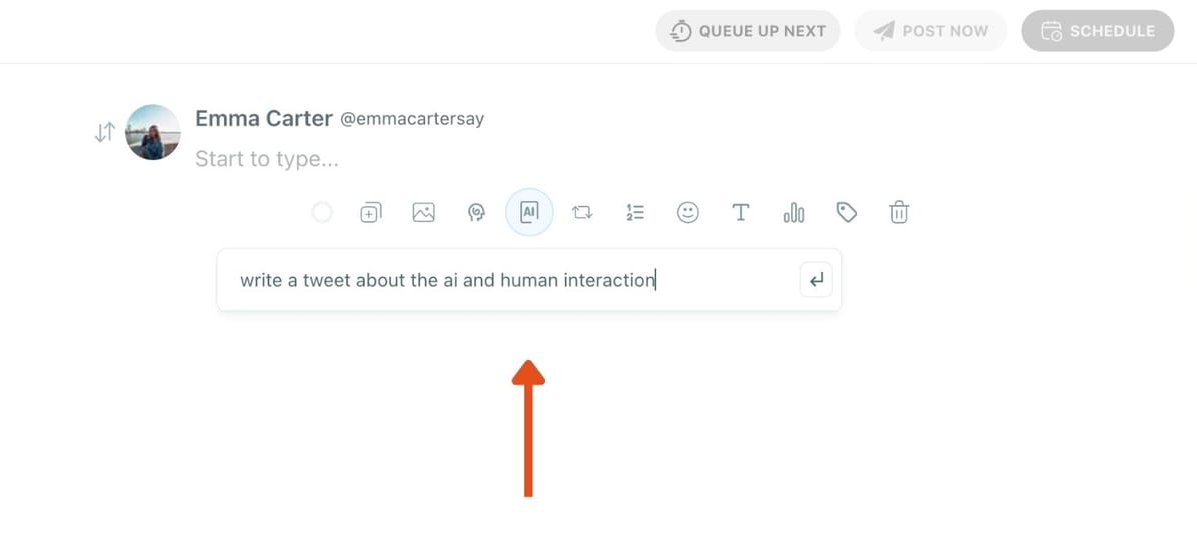
. You take a keyword or theme from the Interest Cloud, feed it into the AI writer inside the X Post Planner, and it generates a ready-to-publish tweet around that topic. You can adjust the tone, condense it, make it punchier, or expand it into a thread, all within the same editor.
The workflow becomes: identify the interest, generate the tweet, schedule it. No blank page, no guessing whether the topic will land.
This is particularly useful when you spot a cluster of related interests in the cloud. Instead of writing one tweet and moving on, you can use the AI writer to generate a series of posts around that theme, building a content streak without having to restart from zero each time.
How to Create and Schedule Tweets to Get More Intractions
Step 1: Go to Circleboom Twitter’s X Post Planner
Open Circleboom Twitter and click X Post Planner + AI Writer.
Then select Write & Plan Your Post to start creating your tweet.

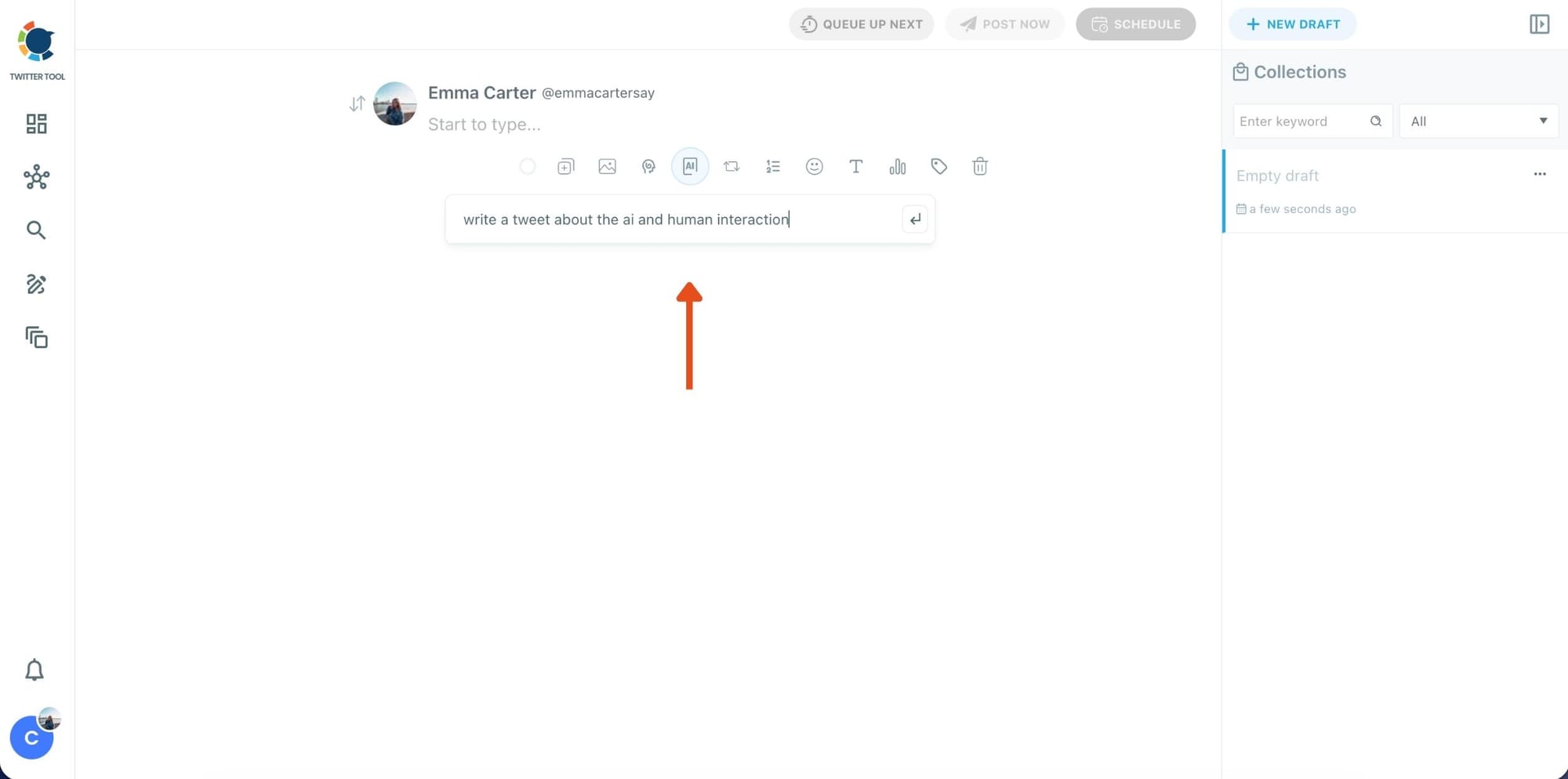
Step 2: Write your tweet (or generate one with AI)
You can type your tweet manually in the editor.
Or, if you want to move faster, click the AI option and let Circleboom generate a tweet idea for you based on your topic.
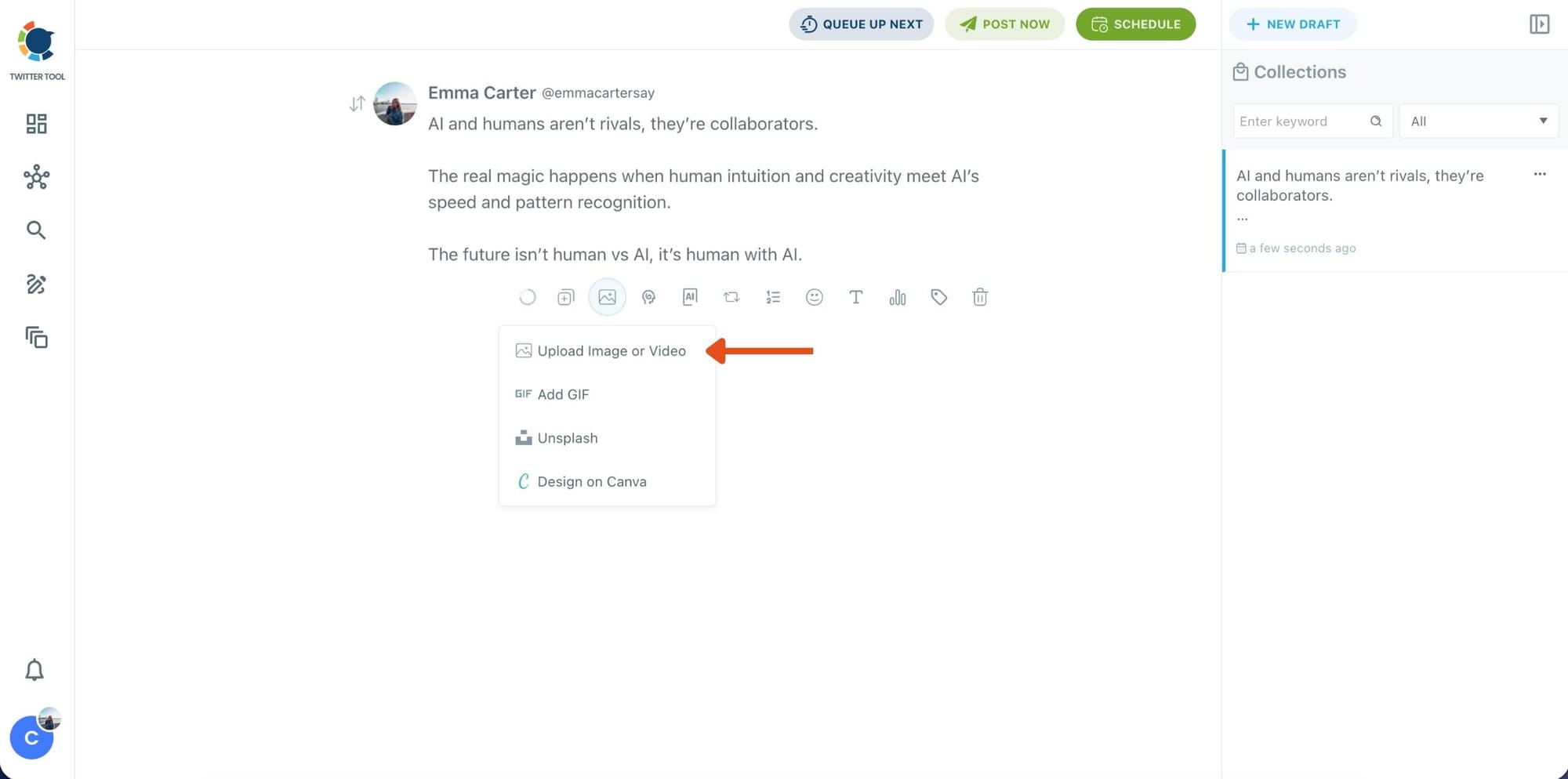
Step 3: Add an image to make the post more engaging
Once your text is ready, attach a visual to your tweet.
You can:
- Upload an image/video from your device
- Pick one from Unsplash
- Or design one instantly using Canva
Step 4: Style your tweet using Circleboom’s Font Generator
Now it’s time to make your tweet stand out visually.
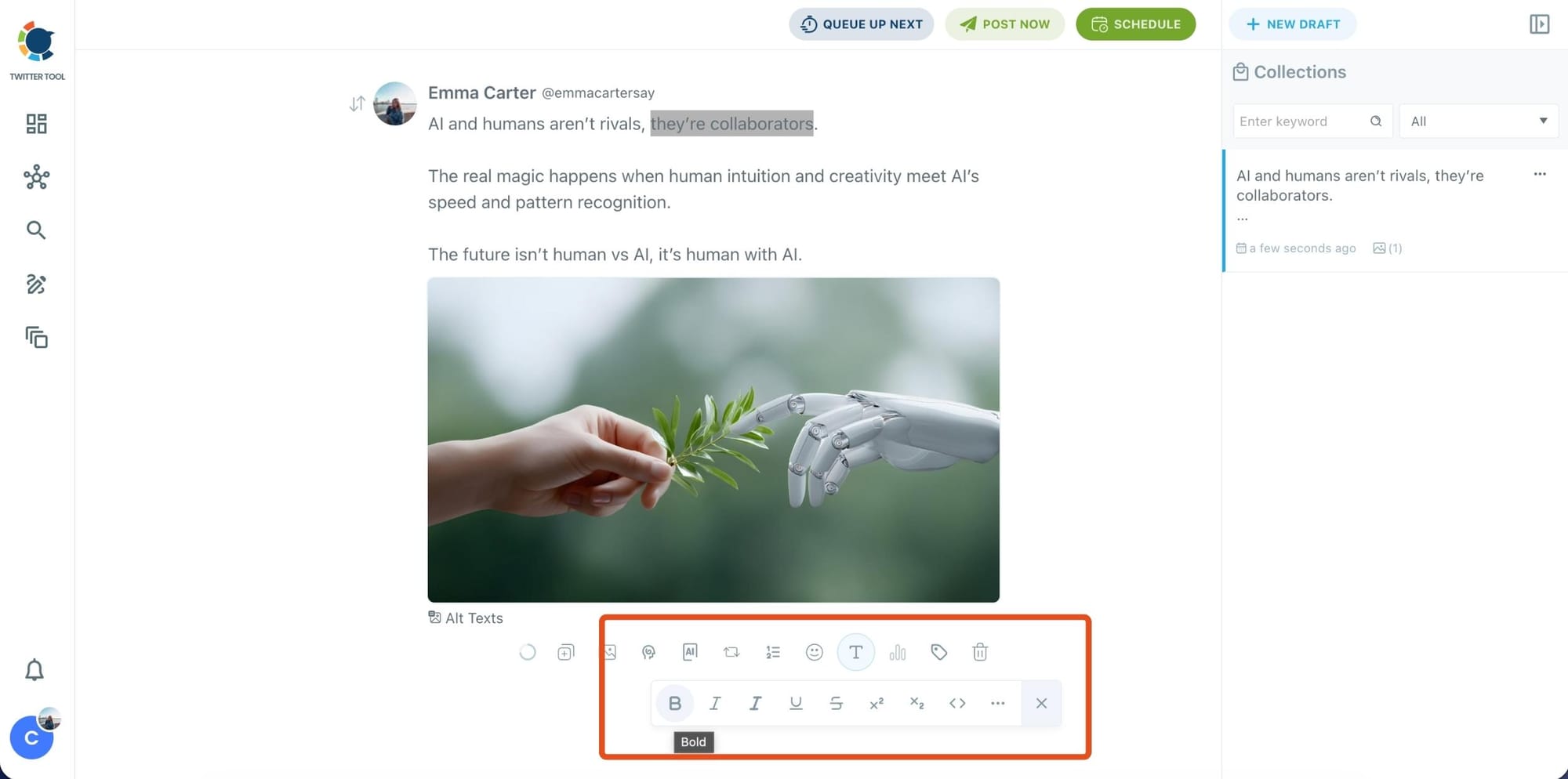
Select the part of your text you want to change, then open the Font Generator toolbar and apply styles like:
- Bold / Italic / Underline
- Different font variations
- Extra formatting options for a more “designed” look
This is perfect when you want key parts of your tweet to grab attention immediately.
Step 5: Set Auto Retweets to boost visibility
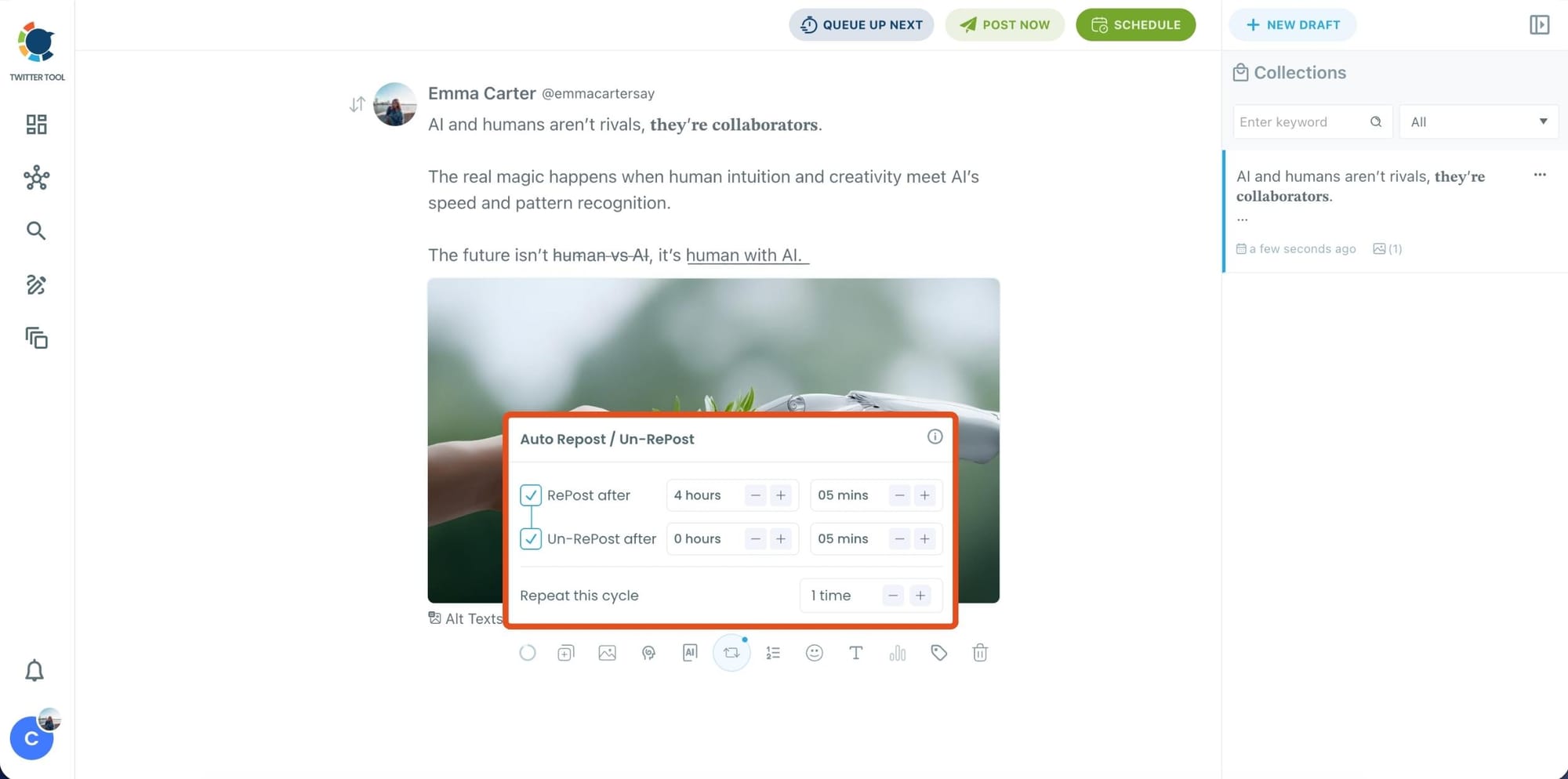
After styling your post, you can increase reach by enabling Auto Repost / Un-RePost settings.
This lets you automatically:
- Repost your tweet after a selected time
- Remove the repost later
- Repeat the cycle if you want more than one repost
It’s a smart way to bring your tweet back into the feed without manually reposting it.
Content on X has a notoriously short shelf life; if your audience isn't scrolling the second you hit 'publish,' your insights vanish into the noise. Circleboom’s Auto Retweet bridges this gap by automatically reviving your top posts, ensuring they land in front of followers regardless of their time zone.
This automation isn't just about staying active. It’s a proven growth hack that can quadruple your impressions and double your engagement. By giving your content a 'second life,' Circleboom forces the algorithm to prioritize your brand, turning every individual tweet into a 24/7 engine for reach.
Bonus Tip: Cross-post your tweet to other platforms automatically
Before you publish, you can also enable Cross-Post to share the same tweet across multiple platforms in one go.
 Arif Akdogan
Circleboom lets you post your content to Instagram, Facebook, LinkedIn, Bluesky, and Threads automatically, so you don’t have to rewrite, re-upload, or repeat the same work on each platform.

Step 6: Schedule it for the best time to post
Finally, click Schedule and set your date and time.
You can also click Find your best posting time to see Circleboom’s suggested time slots based on follower activity.

Once you pick the best option, smart-schedule it, and you’re done. Your tweet will go out at the time it has the highest chance to perform well.
Why Knowing Your Followers' Interests Matters More Than It Looks
Content decisions become faster and more confident. When you can see that your audience consistently discusses topics like productivity, AI tools, or startup finance, you stop debating what to post. The research is already done.
Engagement improves when relevance improves. A post that aligns with something your audience already cares about performs differently than one that doesn't. It is not just about quality of writing. It is about relevance of topic. Content that speaks directly to what your audience is already discussing will consistently outperform content that doesn't.
Audience mismatches become visible. Sometimes the interest data surprises you. The cloud shows topics you didn't expect, or it confirms that your audience has drifted from your original niche. Either way, that information is useful. You can adjust your content, or you can use Circleboom's fake and bot follower checker to assess whether some of those followers are actually real people engaging with your content.
Content ideas don't dry up. The word cloud is not just a diagnostic tool. It is a content idea generator. Every cluster of related terms in the cloud is a potential thread, question, or perspective you haven't tried yet. Many creators who report running out of ideas are not actually out of ideas. They just don't know what their audience wants to hear about.
You can time content more effectively. Interest data works best when it is paired with posting timing. Once you know what your audience cares about, you can use Circleboom's best time to post feature to make sure those posts go out when your followers are actually online and most likely to engage.
Guessing at content topics without data is one of the most common reasons accounts plateau. The Interest Cloud removes that variable. Most creators are optimizing execution while ignoring audience alignment, and that is the gap this feature closes.
Frequently Asked Questions
What does the size of words in the Interest Cloud mean?
The size of each word reflects how frequently that topic appears across your followers' tweets and bios. A large word means it shows up often. A small word is a niche or secondary interest. You read the cloud from largest to smallest when building your content priorities, though the smaller words are worth noting too. They often point to specific communities within your broader audience.
Is the Interest Cloud based on my followers or the accounts I follow?
It is based on your followers, meaning the people who follow you. The analysis looks at what they tweet and what their profile bios describe. This is audience-side data, not account-level data about your own behavior.
How does Circleboom find out what my followers are interested in on X?
Circleboom analyzes publicly available follower content through X's official APIs. It scans tweets and profile bios, extracts frequently used keywords, calculates topic frequency, and renders the results as a word cloud. No scraping, no unauthorized data access. The entire process is fully compliant with X's API policies.
Can I use this to generate content ideas?
Yes, and that is one of the most practical applications. The fastest way to find content ideas based on your followers' interests on X is to check the Interest Cloud in Circleboom Twitter, identify the top three to five topic clusters, and write one post per cluster as a test. The results will tell you which threads to pursue further.
What if the cloud shows topics that don't match my niche?
That is useful information, not a problem. It could mean your audience has shifted, which happens as accounts grow. It could also mean a portion of your followers are low-quality or bot accounts who inflate topic signals.
Use Circleboom's follower analytics tools alongside the Interest Cloud to understand your audience composition more fully. Then decide whether to adjust your content or audit your follower list.
How often should I check what my followers are interested in on X?
Checking once a quarter is a reasonable baseline. Check more frequently if your follower count is growing quickly, if you recently went viral on a topic that is outside your usual content, or if your engagement has dropped noticeably and you can't explain why. Audience interests shift, and a snapshot from six months ago may not reflect where your followers are today.
Final Thoughts
The reason content strategies plateau is rarely effort. Most creators who are stuck are posting consistently, experimenting with formats, and tracking their numbers. What they are missing is the upstream information: what their audience is actually interested in on X before a single post is written.
That is the gap the Interest Cloud closes. You see what your followers are already talking about, in plain visual terms, without spending days analyzing tweets manually.
If you have been making content decisions based on instinct, start making them based on data instead.
Start finding out what your followers are interested in on X with Circleboom Twitter:
infocircleboom.com