
The moment you create a Twitter (X) account, the platform asks for something that looks simple but ends up shaping your entire identity: your username.
Your username becomes your public URL (x.com/yourname).
It appears in replies, retweets, search results, tags, and recommendations.
And whether you’re growing a brand, starting a personal account, or creating a niche page…
Your username determines how easily people can find you, remember you, and recognize you.
But here’s the frustrating part:
Most good Twitter usernames are already taken.
If you’ve ever tried typing name after name only to see
❌ “This username has been taken.”
You already know the struggle.

So today, we’ll talk about the simplest, fastest way to find a username that’s unique, memorable, and most importantly — available.
 Arif Akdogan

Why Finding a Good Twitter Username Is Hard
With hundreds of millions of active users, almost every short or aesthetic idea is already gone:
- First names? Taken.
- Common words? Taken.
- Brand phrases? Taken.
- Anything clever you thought nobody else had? Probably taken.
Twitter also restricts usernames to:
- Only letters, numbers, and underscores
- No spaces or emojis
- 4–15 characters
Combine all this… and choosing a username becomes a nightmare.
That’s exactly why many people now use a Twitter Username Generator to skip the guesswork.
The Best Solution: Use Circleboom Twitter Username Generator
A username generator helps you instantly create ideas that are unique, creative, and available.
The best tool for this is Circleboom’s free Twitter Username Generator.
It’s fully AI-powered and checks the availability of each suggestion — so you don’t waste time testing names manually.
 infocircleboom.com

Here’s why it’s the most effective option:
- Uses AI to generate hundreds of username ideas
- Covers styles like professional, aesthetic, funny, crypto, business, fitness, etc.
- Automatically removes taken usernames
- Completely free
- Works with any name, word, niche, or brand
Perfect for:
- Personal accounts
- Brands
- Business pages
- Creators
- Side projects
- Startups
- Niche pages
If you want a username that looks good and ranks well, this is the easiest way to find it.
How to Use Circleboom’s Twitter Username Generator (Step-by-Step)
Using it is extremely simple:
Step #1: Go to the Twitter Username Generator
Open the Circleboom Free Twitter Username Generator on your browser. Then enter a keyword, niche, or style that represents your Twitter identity.
You can type anything such as:
- “tech”
- “crypto”
- “design”
- “marketing”
- your brand name
- your personal name
- or a vibe like aesthetic, minimal, bold, funny, etc.

Step #2: Let the AI Generate Unique Twitter Username Ideas
The tool instantly produces dozens — sometimes hundreds — of creative username ideas. Choose one from the generated list.
The generator automatically removes unavailable usernames, so every option you see is ready to use on Twitter — no more trial and error.
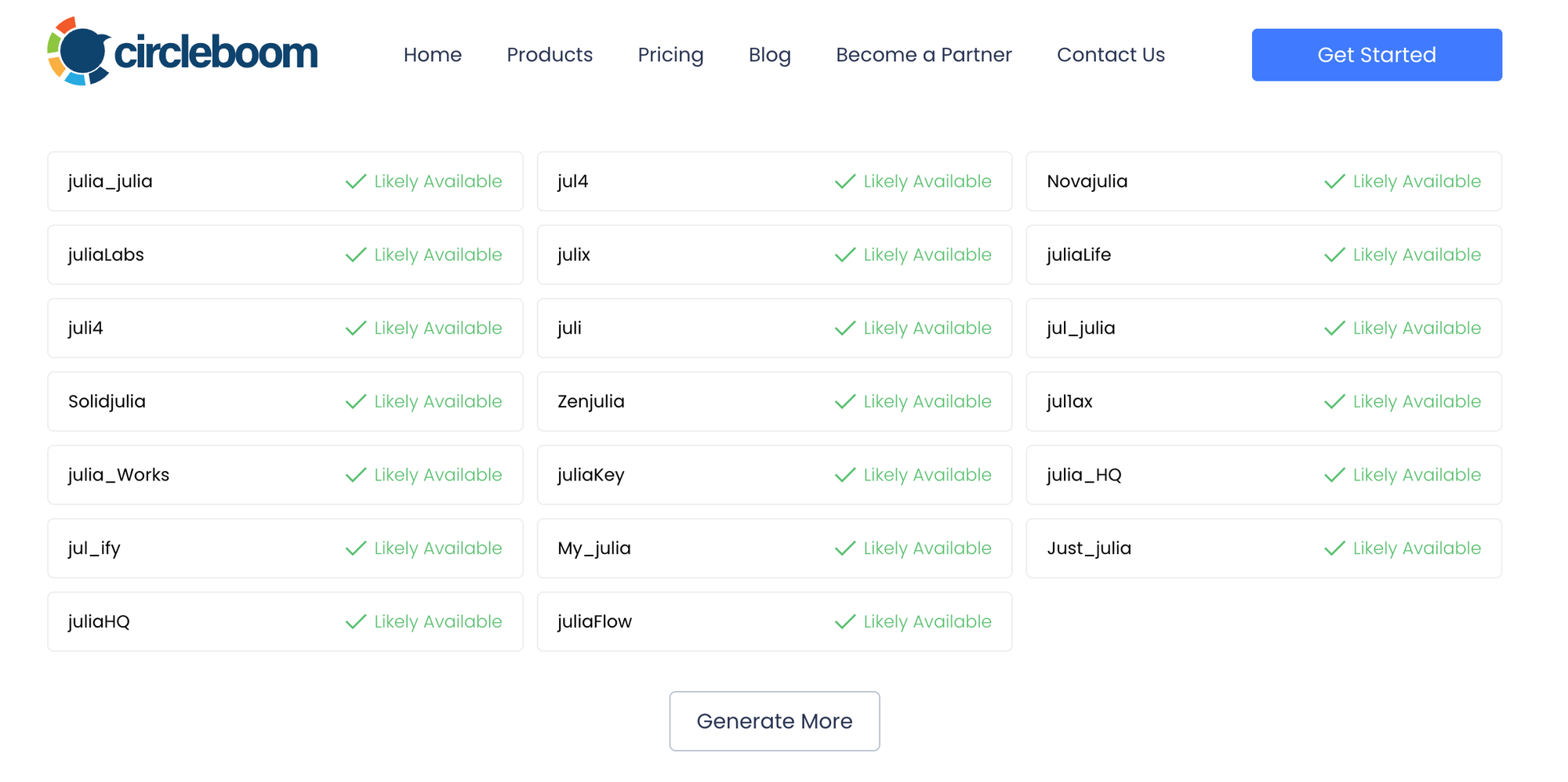
When you find the one you like, simply copy it.
Step #3: Paste It on Twitter
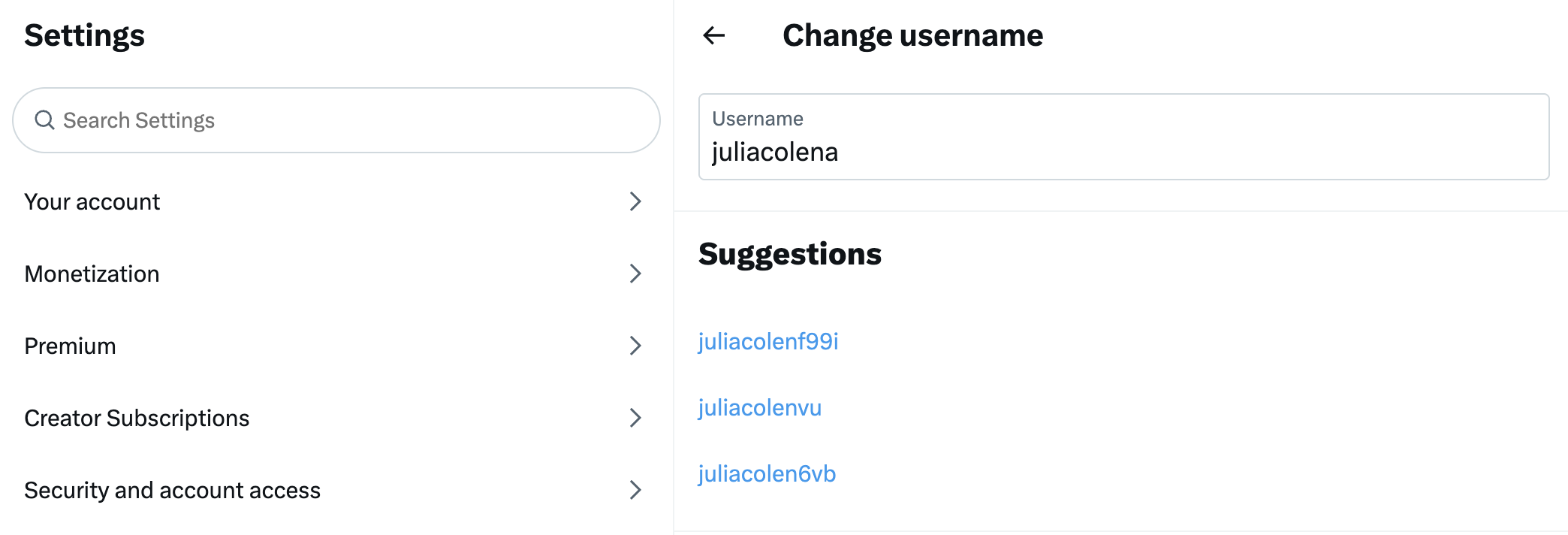
Use your new username while creating a fresh Twitter (X) account or when updating the username of your existing profile.
Tips for Choosing a Great Twitter Username
Here’s how to pick a handle that works long-term:
✔ Keep it short (under 12 characters if possible)
✔ Avoid extra numbers (unless meaningful)
✔ Choose a name people can type easily
✔ Match your other social media usernames
✔ Use niche-specific keywords
✔ Keep it clean and professional
✔ Avoid double underscores and hard-to-read combos
Good usernames = better branding + higher memorability.
Twitter Username Rules You Should Know
Before choosing your final handle, remember:

- Length: 3–15 characters
- Allowed: letters, numbers, underscore
- Not allowed: spaces, periods, emojis, symbols
- Must be unique
- Usernames of deleted accounts may stay unavailable
- Impersonation is forbidden
Twitter may release inactive handles occasionally, but there’s no guaranteed timeline.
Can I Change My Twitter Username? (Yes!)
Twitter lets you change your username anytime — without losing followers.
Here’s how:
- Go to Settings & Privacy
- Tap Your Account
- Select Account Information
- Tap Username
- Enter your new handle
- Save
Important Notes
- You keep all followers
- Your existing posts stay the same
- Your profile URL changes immediately
- Your old username becomes available for others
This is why using a generator is useful — you won’t run into availability problems mid-change.
How Do I Find My Twitter Username?
Many people confuse “Display Name” with “Username.”
Your Twitter username is the one that begins with “@”.

You can find it:
- On your profile under your name
- In replies, mentions, messages
- In your URL: x.com/yourusername
- In your account settings
Your display name can be anything, but your username must be unique.
How to Check if a Twitter Username Is Available
Here are the easiest ways:
1. Type It Into Twitter’s Signup Page
If it’s not available, Twitter alerts you.
2. Enter It Directly as a URL
Visit:
x.com/yourusername
If the page loads → taken
If not → available
3. Use Google Search
site:x.com yourusername
How to Search Usernames on Twitter
If you want to check someone else’s name or see if an account exists:
1. Use Twitter Search: Type @username into the search bar.
2. Try the Direct URL: Go to x.com/username.
3. Use Advanced Search: Search by account name, keywords, or mentions.
Final Thoughts: Build a Strong Presence with the Right Username
Your Twitter username is the first thing people see — the foundation of your identity.
But since most good names are already taken, finding one manually is nearly impossible.
That’s why AI tools make the process effortless.
With a Twitter Username Generator, you can get:
- Unique
- Brandable
- Aesthetic
- And instantly available
handles in seconds.
If you’re starting a new account, rebranding, or creating a niche page, this is the quickest way to get a perfect username.
Try Circleboom’s free Twitter Username Generator and claim your ideal handle today.