
At some point, almost everyone runs into the same situation on Twitter.
You come across a GIF that perfectly captures a reaction, a mood, or a moment. It might be something funny, something relatable, or even something you want to reuse in your own content. Naturally, the first thing you try to do is save it so you can use it later.
But then you realize something frustrating.
There is no download button.
Even though Twitter is full of GIFs and makes it incredibly easy to view and share them, it does not provide a built-in way to download them directly to your device. That small limitation becomes surprisingly noticeable once you start wanting to reuse content outside the platform.
 Harshita Agrawal
Why this becomes a real problem over time
At first, it might not seem like a big deal.
But if you spend enough time on Twitter, you start noticing how often GIFs are used in conversations and content. They are not just random visuals. They are part of how people communicate.
People use GIFs to:
🟢 react to tweets
🟢 make jokes
🟢 express emotions quickly
🟢 add personality to replies
In many cases, a single GIF can replace an entire sentence.
Because of that, it is completely normal to want to save them. You might want to reuse them in your own tweets, send them in private chats, or even include them in other types of content.
The problem is that Twitter only supports viewing and sharing within the platform, not downloading.
So if you want to use that GIF somewhere else, you are forced to look for a workaround.
The simple way I download GIFs now
I started using Circleboom’s Twitter GIF Downloader.
 infocircleboom.com
What I like about it is how straightforward the process is.
🟢 There is no need to create an account or log in. You are not asked to go through multiple steps or deal with popups. The tool does exactly what you expect it to do, without adding anything extra.
All you have to do is take the link of the tweet that contains the GIF, paste it into the tool, and download the file.
That’s the entire process.
It works consistently, and it saves a lot of time compared to other options.
Why I prefer this approach over others
The biggest advantage is simplicity.
When you use tools that require logins or show too many ads, it creates friction. Even if the tool technically works, the experience feels slow and distracting.
With Circleboom’s GIF Downloader, everything is designed to remove that friction.
You do not need to:
- sign up for anything
- connect your account
- go through multiple pages
You just paste the link and get the result.
Another important point is reliability. Since Circleboom is an official X Enterprise Developer, the tool feels more trustworthy compared to random websites that appear in search results. That matters, especially when you are using tools regularly.
How I download a GIF step by step
The process itself is very simple, but I will walk through it the way I actually use it.
First, get the URL of the GIF you want to download from Twitter.
You should click on the "Share" icon on the right side of tweets ⬇️
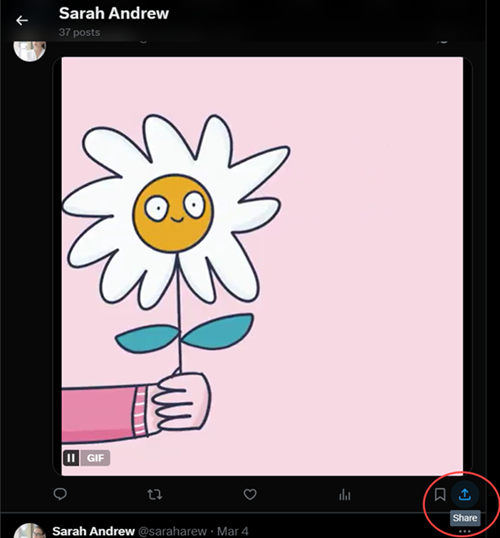
Then click the "Copy link" option.
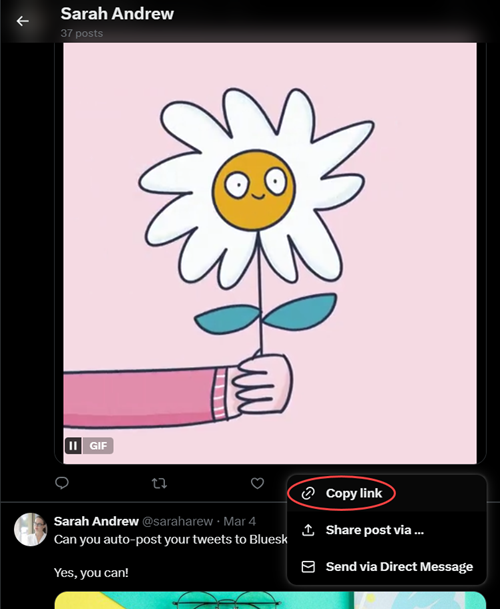
After you get the link, go to Circleboom's Twitter Video & GIF downloader
You should enter it into the bar ⬇️
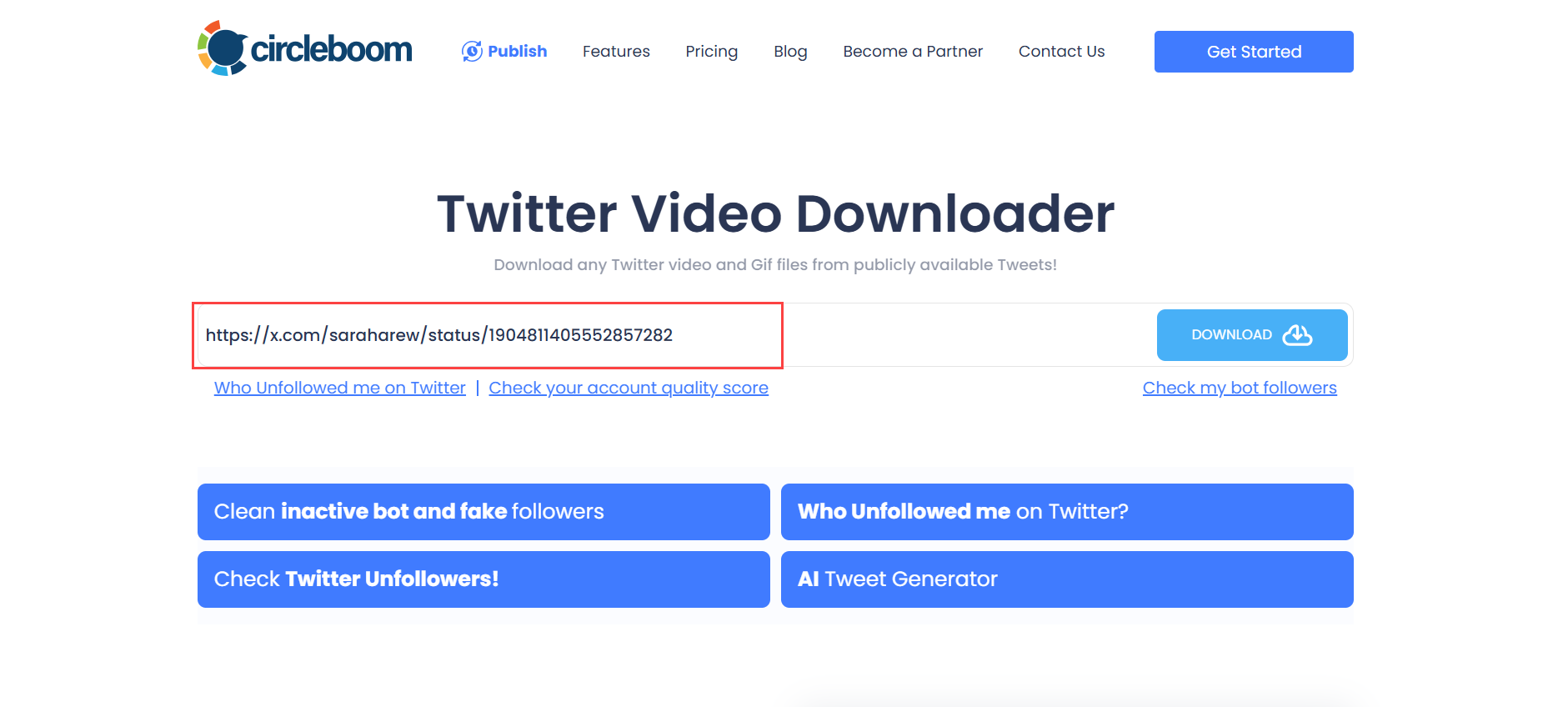
After you click on the "Download" button, the options will appear.
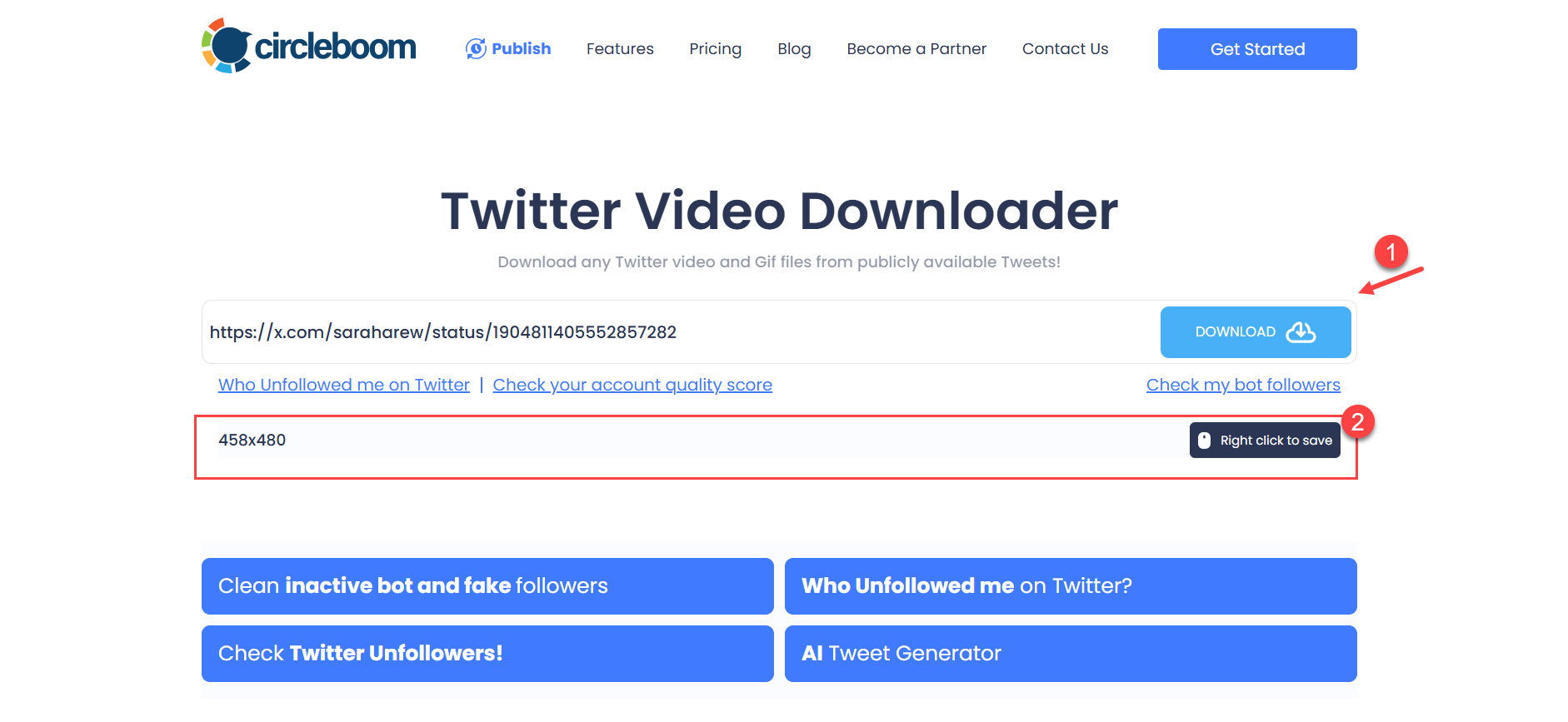
As the last step, click "Download," and your GIF will be saved to your device.

That's it! It is so easy to save GIFs from Twitter, thanks to Circleboom's Video and GIF downloader!
Who this is actually useful for
At first glance, downloading GIFs might seem like a small thing, but it becomes surprisingly useful once you start doing it regularly.
If you are active on Twitter, you will probably find yourself saving GIFs more often than you expect.
This is especially helpful if you:
➡️ frequently use reaction GIFs in conversations
➡️ create content and need quick visual elements
➡️ manage social media accounts
➡️ or simply like collecting useful or funny visuals
Instead of searching for the same GIF again and again, you can just save it once and reuse it whenever you want.
Final thought
Twitter is full of creative and engaging content, and GIFs are a big part of that experience.
The only downside is that the platform does not offer a direct way to download them.
Once you start using a simple tool for it, you realize how much easier things can be.
For me, using Circleboom’s Twitter GIF Downloader removed the extra steps and made the process effortless. It turned something slightly annoying into something quick and practical.
And after using a clean, one-step solution, going back to complicated tools does not really make sense anymore.