
If you have ever tried to reconstruct an online story after the fact, you already know the problem. The tweet you remember is gone from the timeline. The keyword is too broad. The account has posted for years. The platform moves fast, but your research question moves in the opposite direction.
You are not trying to catch what is happening now. You are trying to search for historical tweets and recover what happened before everyone else forgot it.
Serious Research Begins Where the Live Timeline Ends
That is where serious research on X begins. People often think social media research is about scrolling, screenshotting, and collecting impressions. It is not. Real work starts when you search for historical tweets systematically, with a method that can survive scrutiny. Journalists use this mindset to reconstruct narratives. Researchers use it to study change over time. Marketers use it to discover when a trend actually started. Investigators use it to compare what an account said in one period versus another. If you only watch the live stream of posts, you miss the archive.
And on X, the archive is where the real pattern often lives. X’s own documentation makes this distinction explicit: recent search covers the last 7 days, while full-archive search reaches back to March 2006 for pay-per-use and Enterprise access.
Searching Historical Tweets Is a Workflow, Not a Simple Query
The phrase “search for historical tweets” sounds simple, but it is really a workflow. You are not only looking for old posts. You are deciding what counts as evidence. Do you want every tweet that mentions a keyword? Do you want tweets from one account during a specific time window? Do you want to target historical tweets with media only, or exclude replies and retweets? Do you want to export tweets so you can sort them in a spreadsheet, annotate them, and compare them against outside events? The moment you ask those questions, you are no longer just browsing.
You are building a dataset.
 Arif Akdogan
Why Advanced Twitter Search Matters
This is why advanced Twitter search matters, even as a starting point. A casual user may type a keyword and hope the right post appears. A professional starts with a search model: keyword, phrase, account operator, date range, exclusions, language, media, links, and whether retweets should be included. X’s search operators support exactly that kind of precision, including keyword, phrase, hashtag, mention, from:, to:, retweets_of:, url:, language filtering, and exclusions such as -is:retweet and -is:reply.
Full-archive search also supports time ranges with start_time and end_time, which is essential when you search for historical tweets around a product launch, election cycle, or crisis period.
 Altug Altug
A Newsroom Example: Following the Life Cycle of a Rumor
Imagine a newsroom trying to understand how a rumor moved from fringe accounts into mainstream discussion. A live search would tell them what people are saying today. That is not enough. To search for historical tweets properly, they need to isolate the first wave, the amplification stage, and the late cleanup phase. They may begin with an advanced Twitter search query around the rumor phrase, then narrow by month, then isolate accounts that repeated the claim, then export tweets into CSV to compare timing, engagement, and repetition. The actual breakthrough often comes not from one tweet, but from the timeline pattern the spreadsheet reveals.
 Arif Akdogan
Why Most People Do Not Really Want to “Scrape Tweets”
That is also why people who casually say they want to scrape tweets are often using the wrong language for the right need. In many cases, they do not really want to scrape tweets in the messy, brittle sense of screen-level extraction. They want clean retrieval. They want to search for historical tweets, export tweets, and download tweets in a format that can be analyzed later. X’s API docs make clear that full-archive search exists for archive-level retrieval, with complete post history, pagination for large result sets, and query operators designed for structured filtering rather than ad hoc scraping.
The official route is not only more defensible; it is also more useful once you actually need to work with the data.

Where Circleboom Fits into the Workflow
This is where Circleboom becomes relevant in a practical, not merely promotional, way. Circleboom publicly presents itself as an official X Enterprise Developer and offers tweet export features that let users download and export tweet lists in CSV or Excel. Its pages describe export workflows for any X account and repeatedly position the product as an official, API-based alternative to trying to scrape tweets through unstable methods.

Circleboom’s export pages also state that users can export up to 3,200 tweets from an account into spreadsheet-friendly formats. For many professionals, that already covers the usable working history they need for audits, content studies, PR reviews, or competitor analysis.
Keep in mind that the API provides a more accurate real-time data stream than the X interface itself. While the platform UI may experience lag, the API captures and reflects new developments instantaneously.
Circleboom has the official Enterprise API, we don't scrape data from X!
You can download tweets of any X account and educate LLMs to behave like tweet generators. I made an example here for you ⬇️
 Altuğ Altuğ
Now I will show you another example, step-by-step:
You know Dan Koe, he is a famous social media user whose tweets get millions of impressions. His articles are shared and bookmarked millions of times.
I love his tweets and decided to create a Gemini Gem to auto-generate tweets like Dan Koe.
To accomplish it, I need Dan Koe's tweets. I will get them, give them to the Gemini, and make it analyze and learn the style and tone of his writing.
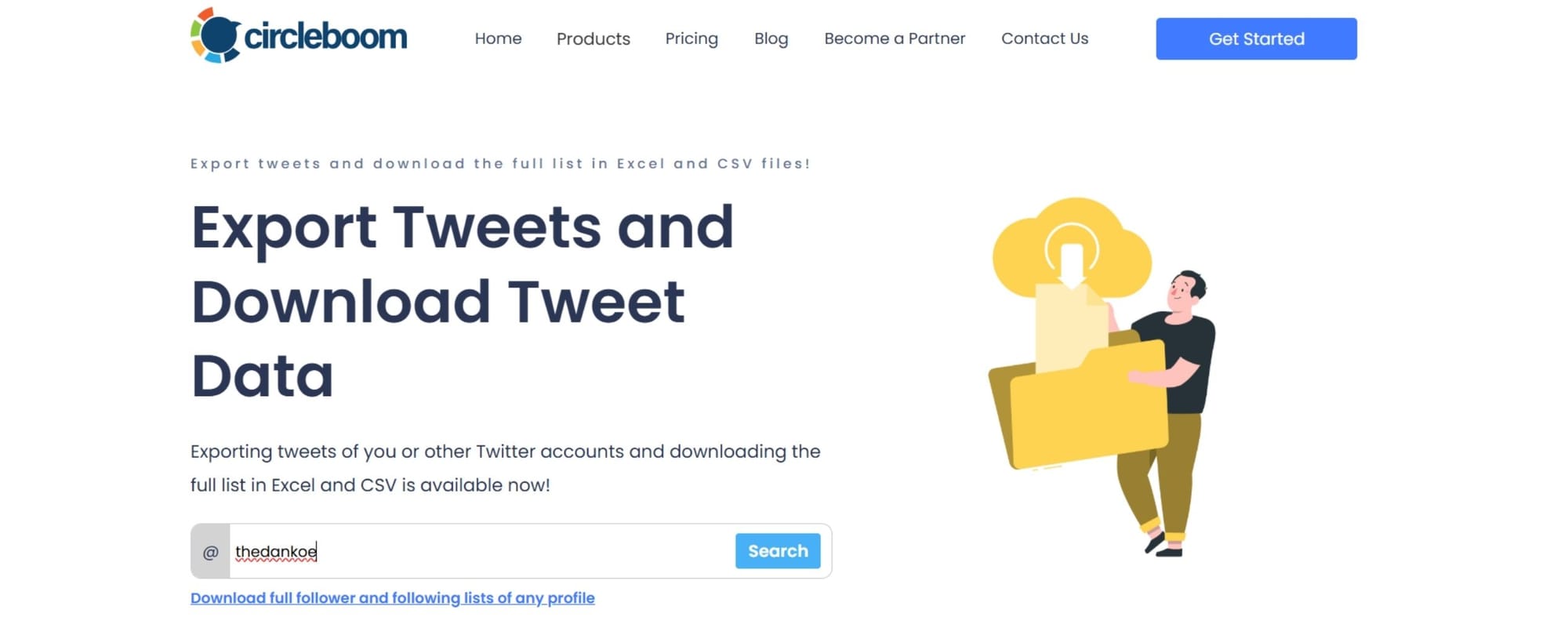
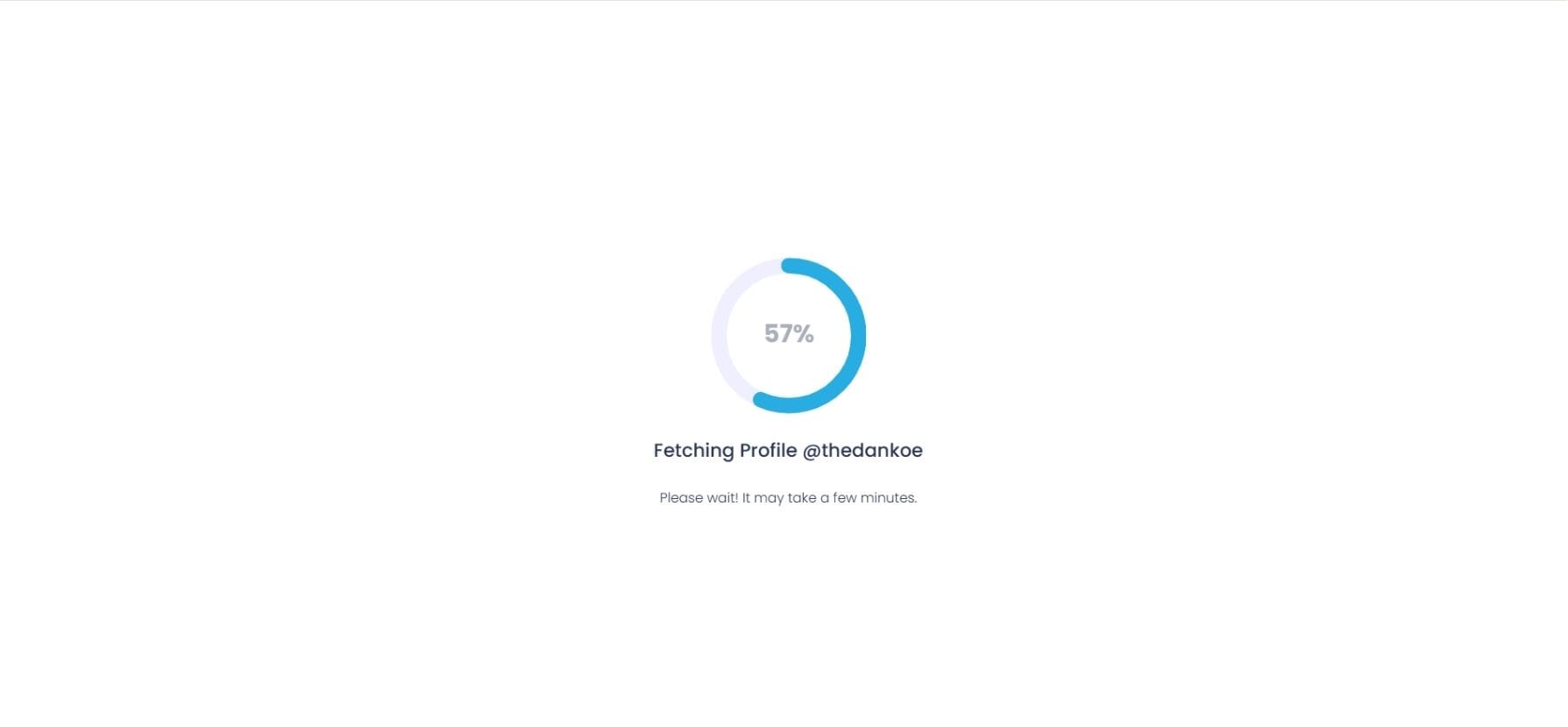
His tweets are being scanned and prepared to download.
You need to pay $19.99 to scrape his tweets.

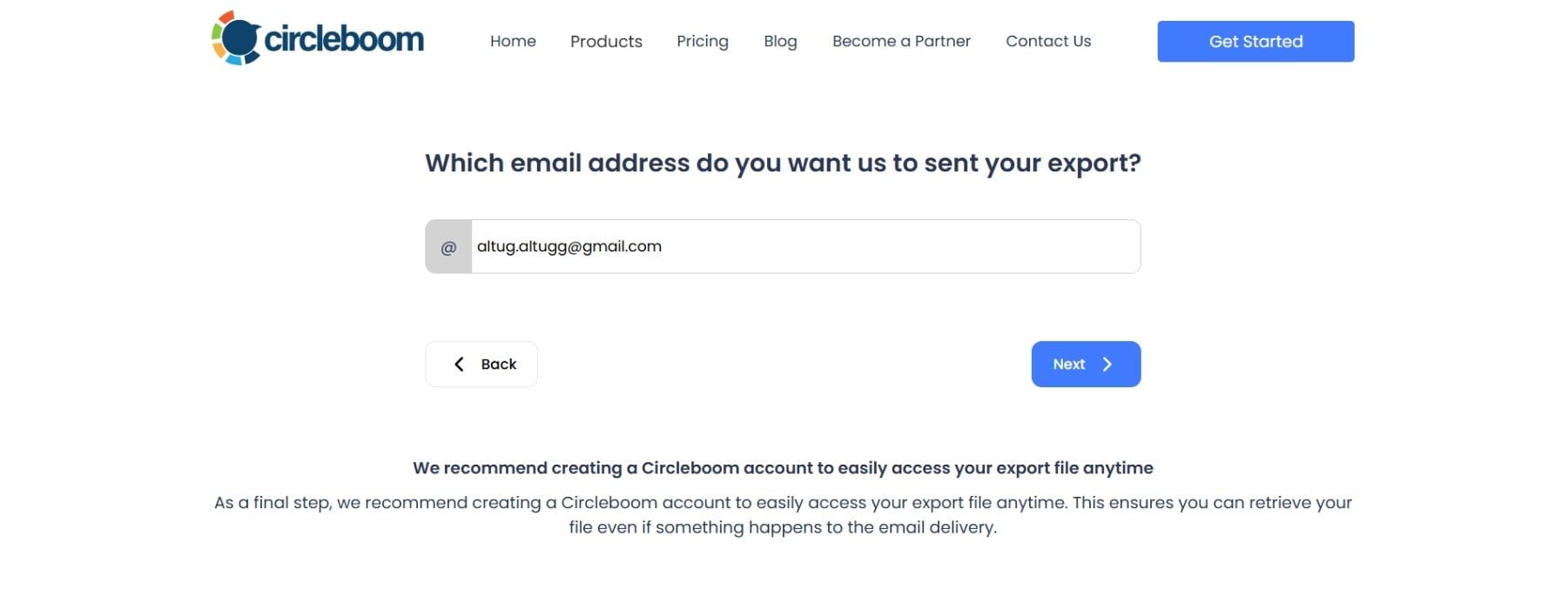
Now, you need to enter the email address that you want to receive the tweet file.
Tweets are ready. I exported Dan Koe's tweets.
Then I go to Gemini.
Click "Gems".
Open "Gem Manager" and click on "New Gem"
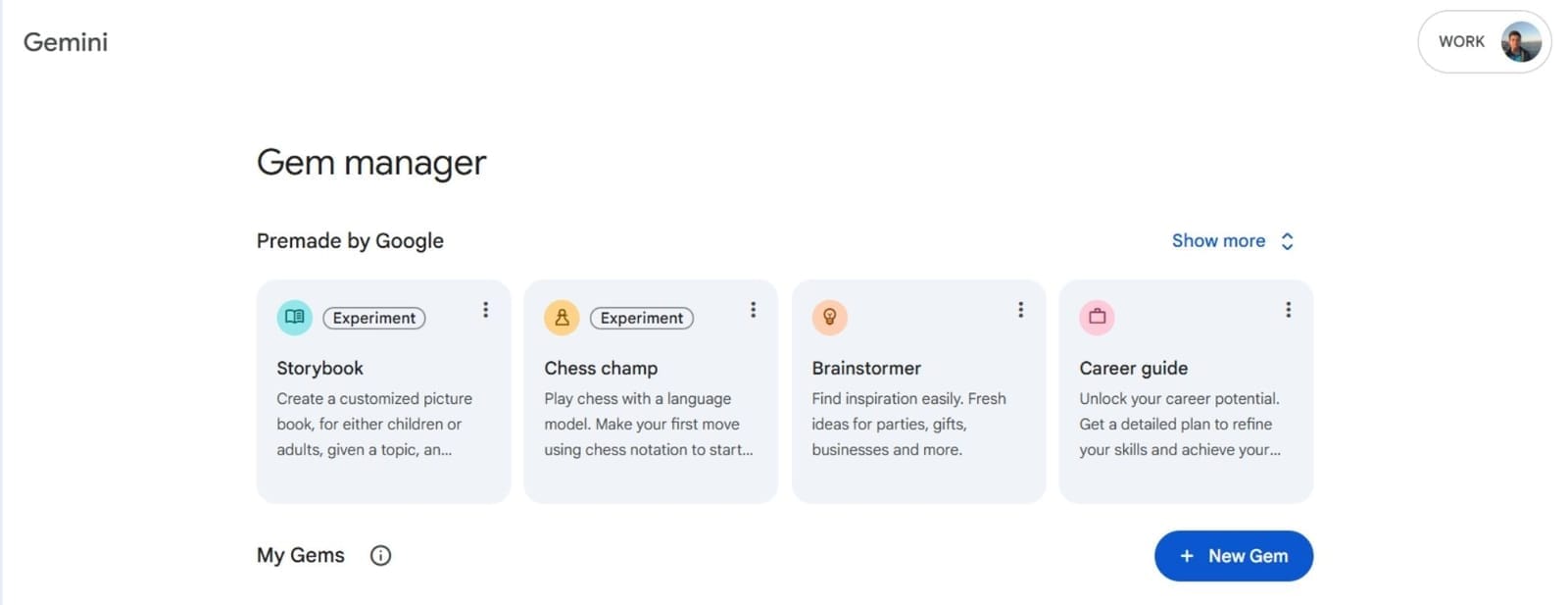
I will create a gem there to write tweets like Dan Koe.
I gave the name of "Dan Koe Style X Poster" to my gem.
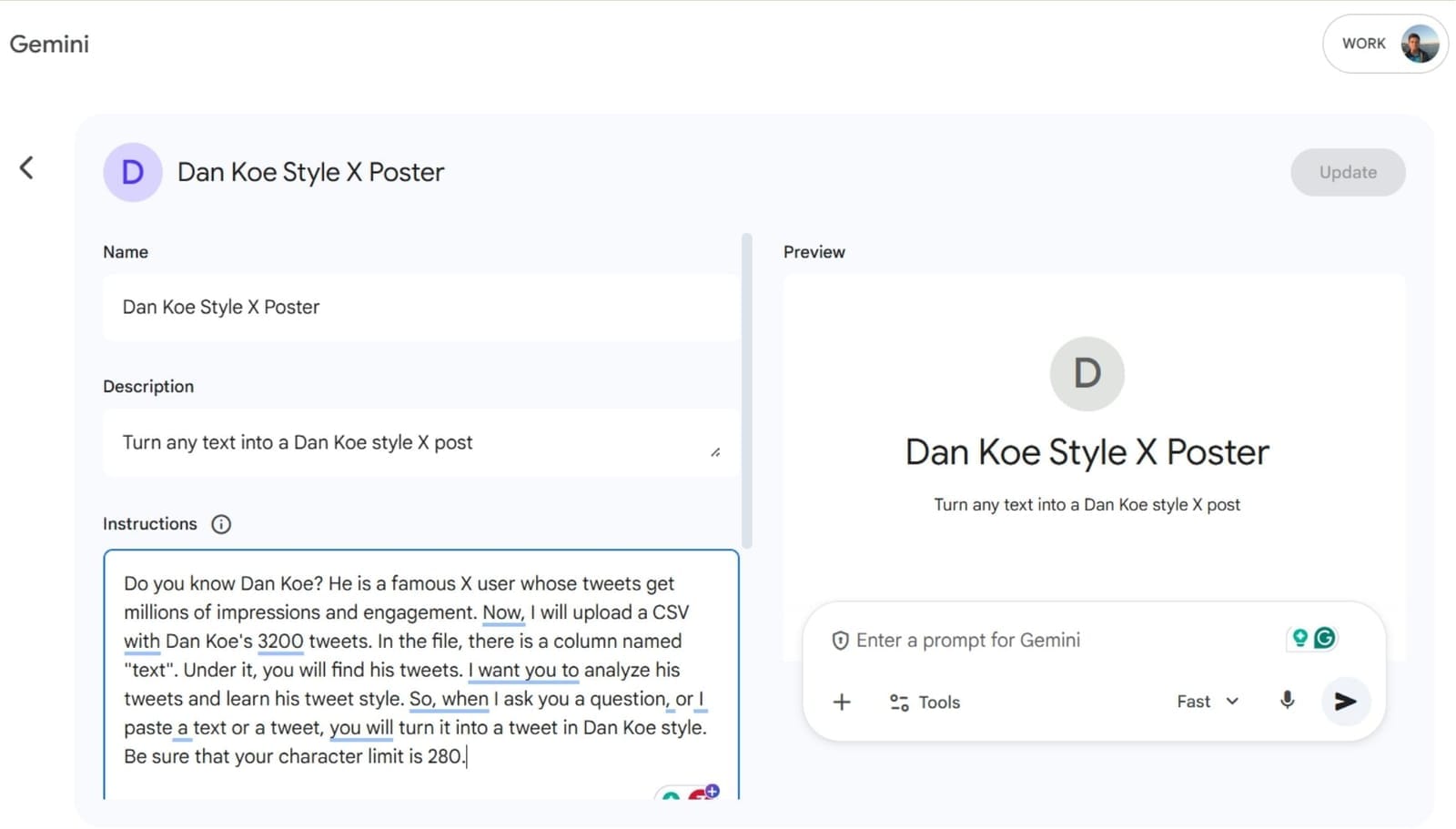
I gave the instructions.
Here are the basic instructions, prompt that I used to generate my gem built by Dan Koe's tweets, exported through Circleboom.
"Do you know Dan Koe? He is a famous X user whose tweets get millions of impressions and engagement. Now, I will upload a CSV with Dan Koe's 3200 tweets. In the file, there is a column named "text". Under it, you will find his tweets. I want you to analyze his tweets and learn his tweet style. So, when I ask you a question, or I paste a text or a tweet, you will turn it into a tweet in Dan Koe style. Be sure that your character limit is 280."
I uploaded Dan Koe's tweets.
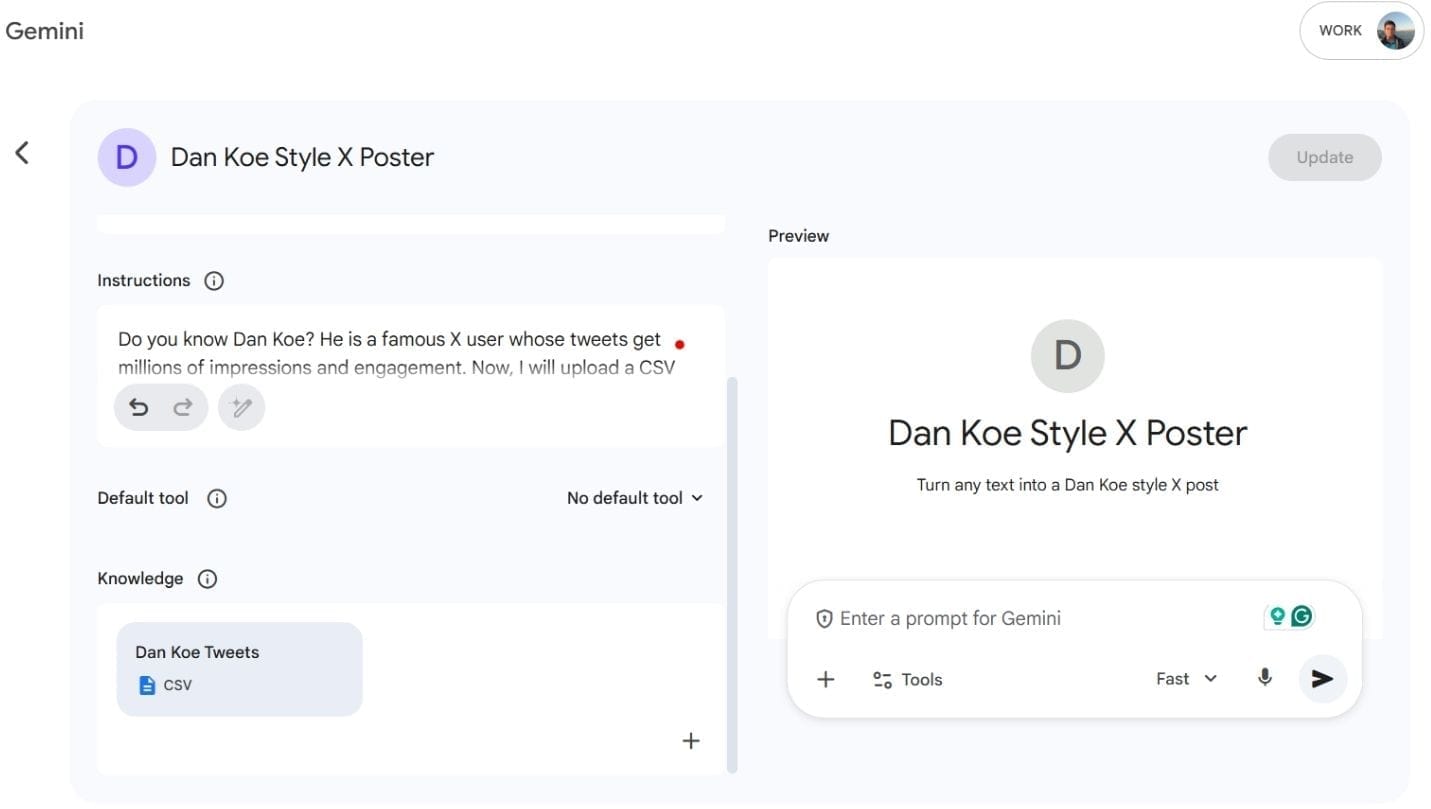
And it is ready. It turns any text into a Dan Koe tweet.

My Dan Koe style tweet is ready:
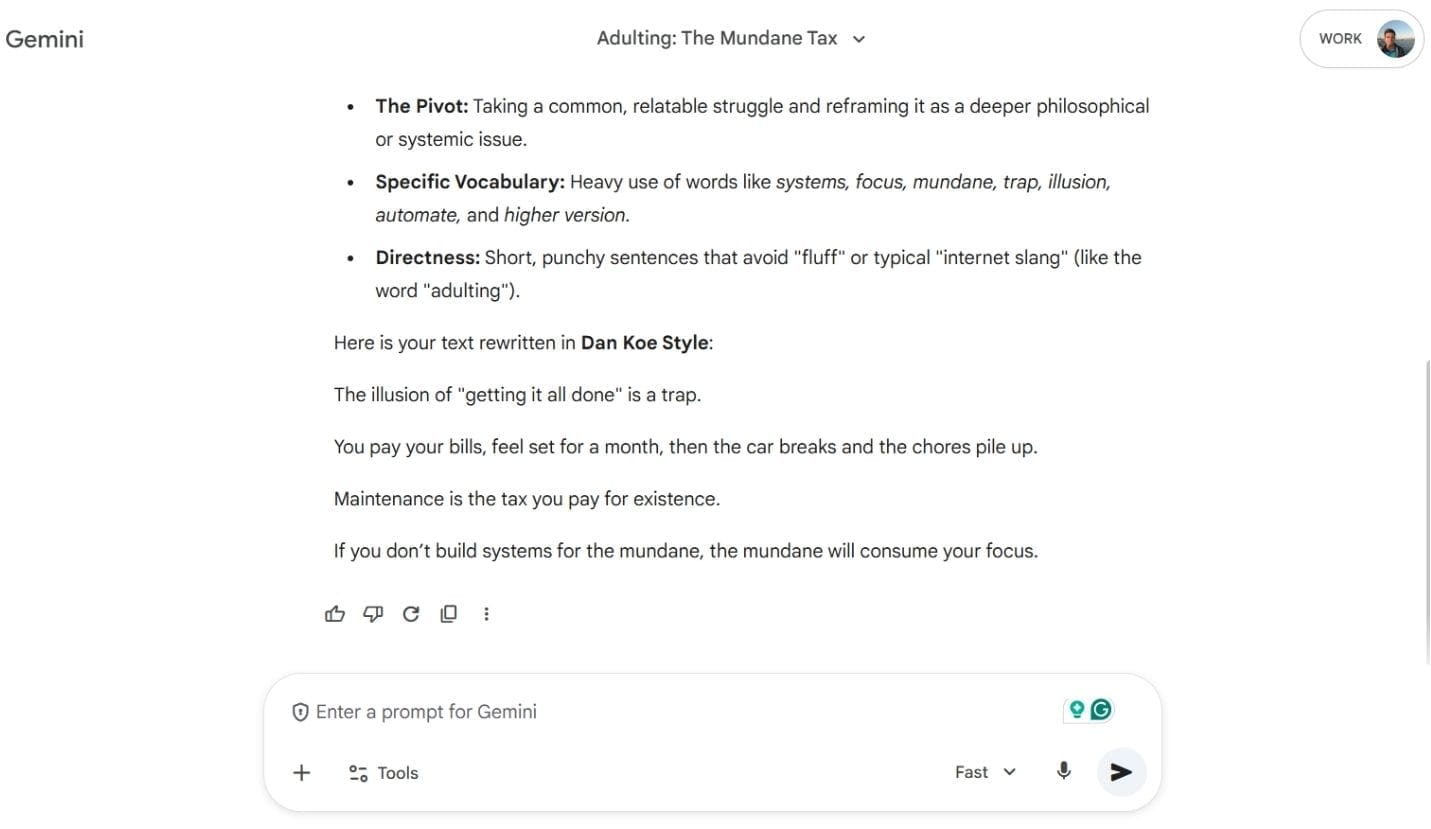
You can now tweet it like yours!
This is possible with Circleboom and its Export Tweets feature. Otherwise, I need to scrape all his tweets manually!
From Screenshots to Defensible Archives
The advantage of this approach becomes obvious the moment your goal changes from finding one post to building an archive you can defend. Suppose you are researching a founder’s public messaging before and after a rebrand. You do not want screenshots sitting in a folder. You want to search for historical tweets by keyword, narrow the date window, export tweets, and then compare the language of the old era to the new era. Once the data is in Excel or CSV, you can sort by date, count repeated phrases, isolate media posts, or flag tweets containing product claims. That is the difference between anecdote and evidence.
Historical Tweet Search for Brand Intelligence
Another strong use case is brand intelligence. A strategist may want to search for historical tweets about a competitor’s product category, not only from the competitor’s own account but from customers, critics, and adjacent commentators. The first pass may be broad: a phrase, a hashtag, a mention, a product nickname. The second pass gets more serious: from:brandname, a defined quarter, language filters, exclusions, and maybe url: to capture launch links. After that, the smart move is to export tweets and study the rhythm. Which week saw the spike? Which wording got repeated? Which complaints appeared before the company acknowledged them? That is what it means to target historical tweets rather than just look at them.
The Official X Search Stack Supports This Work
The official X search stack supports this style of work at the infrastructure level. Recent search gives broad access to the last 7 days, while full-archive search is designed for complete historical retrieval, including up to 500 posts per request and longer query lengths for Enterprise users. X also documents full-archive post counts, which is extremely useful if you want to test the size of a topic before you decide to download historical tweets in depth. In other words, the platform itself recognizes that people need both discovery and archive-grade research.
 Fatih Kemal Oksuzoglu
Why Historical Search Corrects False Memory
That matters because social media memory is unreliable. People misremember dates, delete posts, or conflate moments that happened months apart. If you search for historical tweets casually, you risk telling yourself a clean story that the evidence does not support. If you search for historical tweets methodically, you can correct your own assumptions. The archive can be humbling that way. Sometimes the phrase you think went viral in 2024 first appeared in 2022. Sometimes the account you think started a narrative only amplified it after others had already seeded it. Sometimes the “sudden” controversy had a long, visible runway. Historical search is what turns social media from rumor territory into timeline territory.
 Fatih Kemal Oksuzoglu
Why Download Format Matters
This is also why download format matters so much. A lot of people say they want to download tweets when what they really mean is they want the comfort of permanence. But for serious work, permanence is only the start. You need a format that lets you sort, filter, annotate, and compare. That is why export tweets in CSV or Excel remain such practical outputs. They move the archive from platform memory into working memory. And once you can work outside the interface, your research gets better. You are no longer trapped by the timeline design of the app.
Why Circleboom Works Well for Professionals
Circleboom’s positioning fits that workflow well because it sits at the intersection of official access and practical export. Its search and export materials emphasize advanced Twitter search, tweet exporting, and API-based retrieval rather than the unstable culture of “just scrape tweets somehow.” For marketers, researchers, journalists, and analysts who need a repeatable workflow, that distinction matters. It means you can search for historical tweets with the mindset of a professional rather than the anxiety of someone racing a web page before it changes.
A Practical Framework for Historical Tweet Research
So what is the best way to think about this process?
First, use advanced Twitter search logic to define the archive you actually need.
Second, search for historical tweets with operators and time windows rather than vague memory.
Third, when the pattern matters more than the single post, export tweets into a working file.
Fourth, stop treating “scrape tweets” as the gold standard when official, query-driven retrieval is more precise.
Fifth, when your goal is to target historical tweets for analysis, choose a tool that respects the way X’s archive is actually structured.
The Past Is a Competitive Advantage
The deeper lesson is simple: on fast platforms, the past is a competitive advantage. Anyone can react to what is trending now. Far fewer people can search for historical tweets well enough to discover how the present was built. The people who can do that do not just find old posts. They find sequences, contradictions, rehearsed narratives, early signals, forgotten phases, and the real shape of a story.
Final Thought
And that is why this work matters. When you search for historical tweets, you are not merely looking backward. You are learning how to read the present with more discipline than the timeline encourages.