

If you’ve ever posted something on X and thought “this should reach more people than just Twitter,” you’re not wrong at all.
Because Twitter (X) is fast. The timeline refreshes constantly, and even a tweet that performs well can get buried quickly. You might get good engagement for a few hours, then it slows down, and that post basically disappears unless it keeps getting new interactions.
That’s exactly why sharing your own posts outside Twitter (X) is not only possible, it’s actually a very smart strategy if you want more reach without creating more content every single day.
So let’s answer it clearly:
✅ Yes, it’s possible to share your own posts outside Twitter (X).
And once you do it consistently, you’ll notice that your content starts working harder for you. One tweet can bring value on multiple platforms instead of dying inside one feed.
If you are a creator on X and want to know about the latest developments regarding the algorithm changes, engagement strategies, payout boosts, etc., you can join Circleboom's X Creator Growth Lab Community and enjoy a free space to learn from and contribute to!
Why Sharing Your Tweets on Other Platforms Works So Well
Cross-posting is simple: one post → multiple platforms.
When you share your tweets on platforms like Instagram, Facebook, LinkedIn, Bluesky, and Threads, you increase your reach for one main reason:
You’re placing the same message in front of different audiences.
Even if your topic is the same, the people who follow you on Twitter are not always the same people who follow you on LinkedIn or Instagram. Some users literally never open X, but they scroll Instagram all day. Others live on LinkedIn and don’t even notice tweets unless someone reposts them.
So when you share your tweet outside X, you get benefits like:
➡️ More reach from the same content (you’re multiplying distribution)
➡️ New eyes on your ideas without writing an extra post
➡️ More chances to be discovered from different algorithms
➡️ More profile visits back to your account, especially when people like your content style
➡️ Longer lifespan for your post, because some platforms keep content visible longer than X
And the best part is: this strategy scales.
You don’t need 10 viral tweets. You need consistency and smarter distribution.
The Problem: Manual Sharing Sounds Easy… Until You Do It Daily
Yes, you can share tweets outside X manually.
You can copy the text, paste it into another platform, or take a screenshot and post it somewhere else. That’s the “basic” way.
But once you try to do it regularly, it becomes exhausting fast:
- You repeat the same work on every platform
- You constantly switch between apps
- Formatting looks different everywhere
- You need separate posting schedules
- Instagram is a big problem because it’s visual-first
And Instagram is where most people get stuck.
Because tweets are text-based, but Instagram doesn’t work like that.
If you copy a tweet and post it as a caption without visuals, it usually doesn’t look strong enough to stop someone from scrolling.
 Arif Akdogan
So to do it properly, you’d need to design it… and that adds even more work.
That’s why most people stop cross-posting after a few days.
Not because it doesn’t work, but because it becomes too much to manage manually.
Why I Use Circleboom Twitter for Cross-Posting
This is exactly why I use Circleboom Twitter.

Circleboom Twitter is an official X Enterprise Developer, which matters because it means the tool is built on X’s official infrastructure. It’s not some random workaround tool, it’s designed to help you manage and publish content properly.
Inside Circleboom, there’s an X Post Planner that lets you create, improve, and schedule tweets easily.
And it’s not just a basic scheduler. It includes tools that make content creation faster and cleaner, like:
- AI Tweet generator (for new ideas, rewrites, and variations)
- Image curation tool (to quickly add visuals when needed)
- Font styler (to make certain lines stand out)
- Auto Retweeter (so your posts can get a second wave of reach)
It also gives you something that a lot of people underestimate:
Circleboom analyzes your audience activity and shows when your followers are online, so you can schedule your tweets for the hours your audience is actually active.
That alone can boost performance because you’re not posting at random times and hoping people will see it.
The Best Part: Circleboom Shares Your Tweets Outside X Automatically
Now here’s the most important part of this blog.
Circleboom doesn’t only help you create and schedule tweets…
It also shares them automatically outside Twitter (X).
Once you connect your other accounts, Circleboom can publish your posts on:
✅ Instagram
✅ Facebook
✅ LinkedIn
✅ Bluesky
✅ Threads
That means instead of writing a post on X, then manually reposting it everywhere, you can:
Create once → schedule once → publish everywhere automatically.
And Circleboom formats your content so it fits the platform style instead of looking like a messy copy-paste job.
How Circleboom Handles Instagram (The Platform Tweets Don’t Fit Naturally)
Instagram is the main reason cross-posting becomes difficult.
Because it’s not a text-first platform. If you post a tweet on IG without a visual, it won’t hit the same.
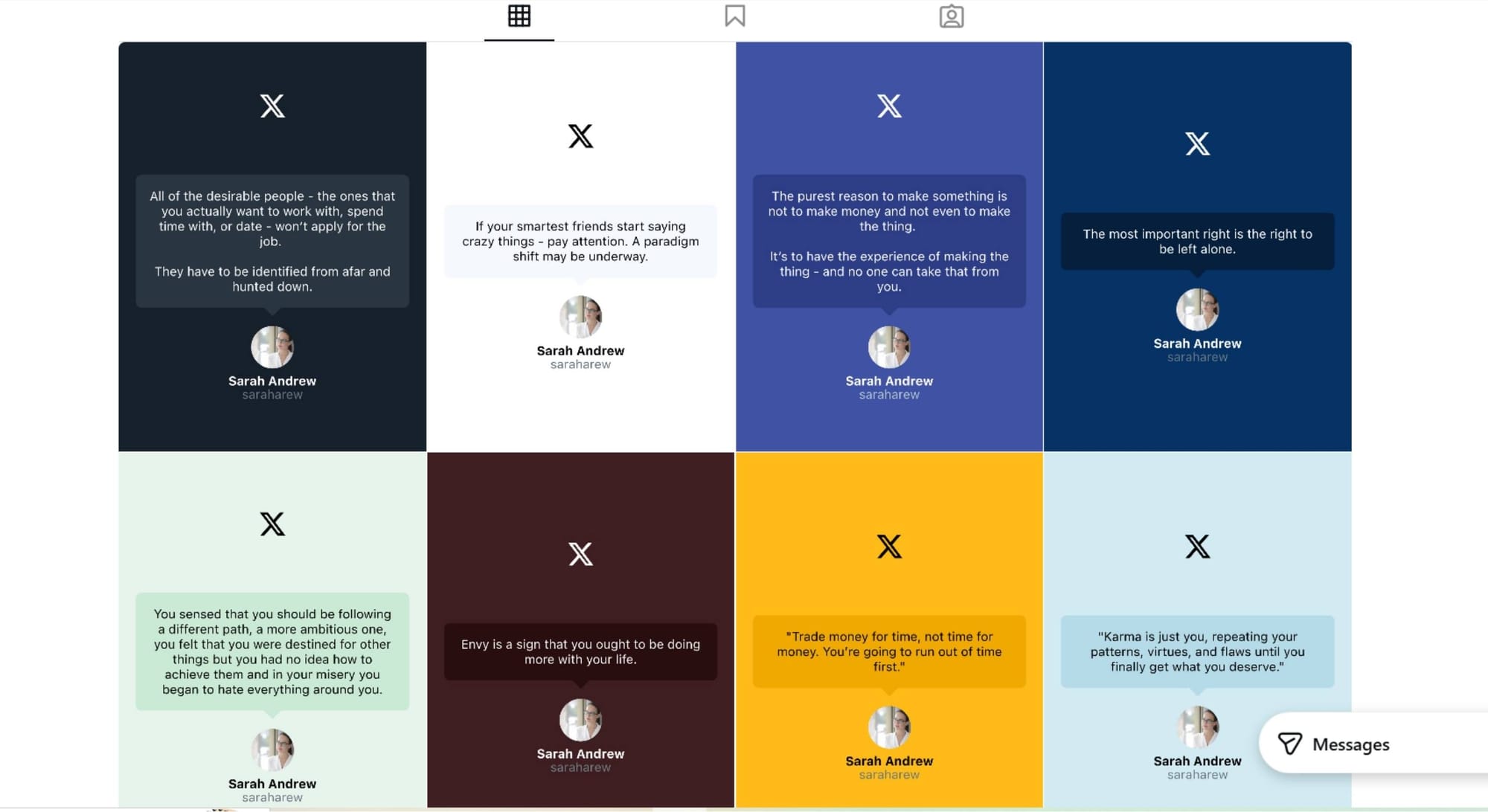
Circleboom solves this by converting your tweet into an Instagram-friendly format automatically.
It can turn your tweet into:
✅ An Instagram Post
✅ An Instagram Story
✅ An Instagram Reel
And you can choose which format you want depending on your goal.
What makes this useful is that you don’t need to design anything yourself. Circleboom creates a clean visual layout so the tweet looks like an actual Instagram post, not a random screenshot.
So you still share the same message, but in the right format for Instagram.
How to Share Your Tweets Outside Twitter (X) Automatically (Step-by-Step)
Let me show how you can share your tweets on Instagram, and the other platfroms at the same time.
Step #1: First, log in to your Circleboom Twitter account.
If you don't have an account yet, you can create one in seconds!

Step #2: On the Circleboom Twitter dashboard, navigate to the left menu.
First, find the “Post Management & Analytics” and then click on “Write and Plan Your Post”.

Step #3: Write your tweet. Circleboom’s AI options can generate tweets for you automatically.
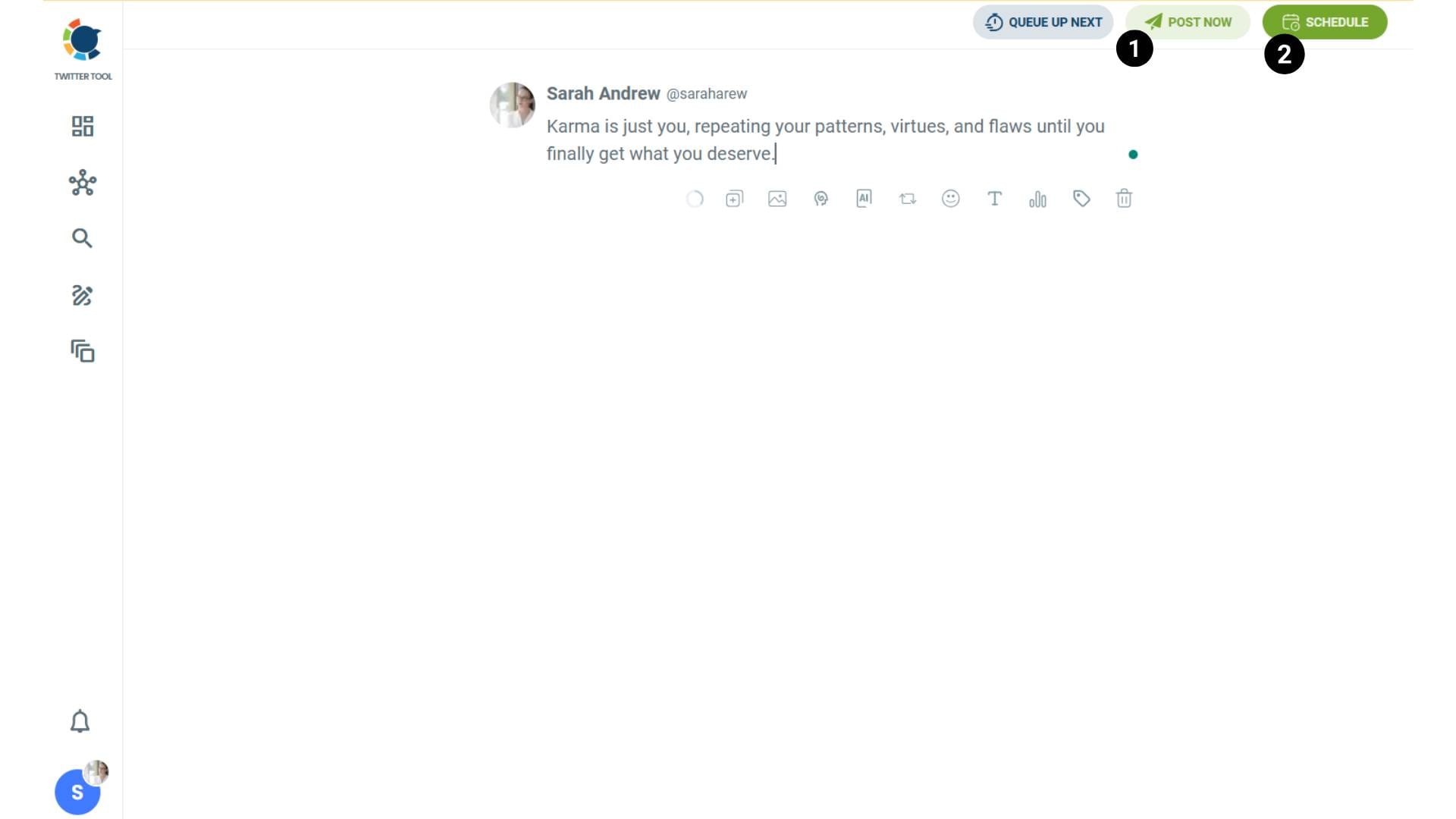
When it is ready, you can “Post” or “Schedule” your tweet. To see your cross-posting options, you should click on one of them.
Step #4: You will see your connected platforms. You can cross-post your tweets to these accounts automatically.
You can share tweets on LinkedIn, Facebook, Threads, Bluesky, and finally, Instagram!
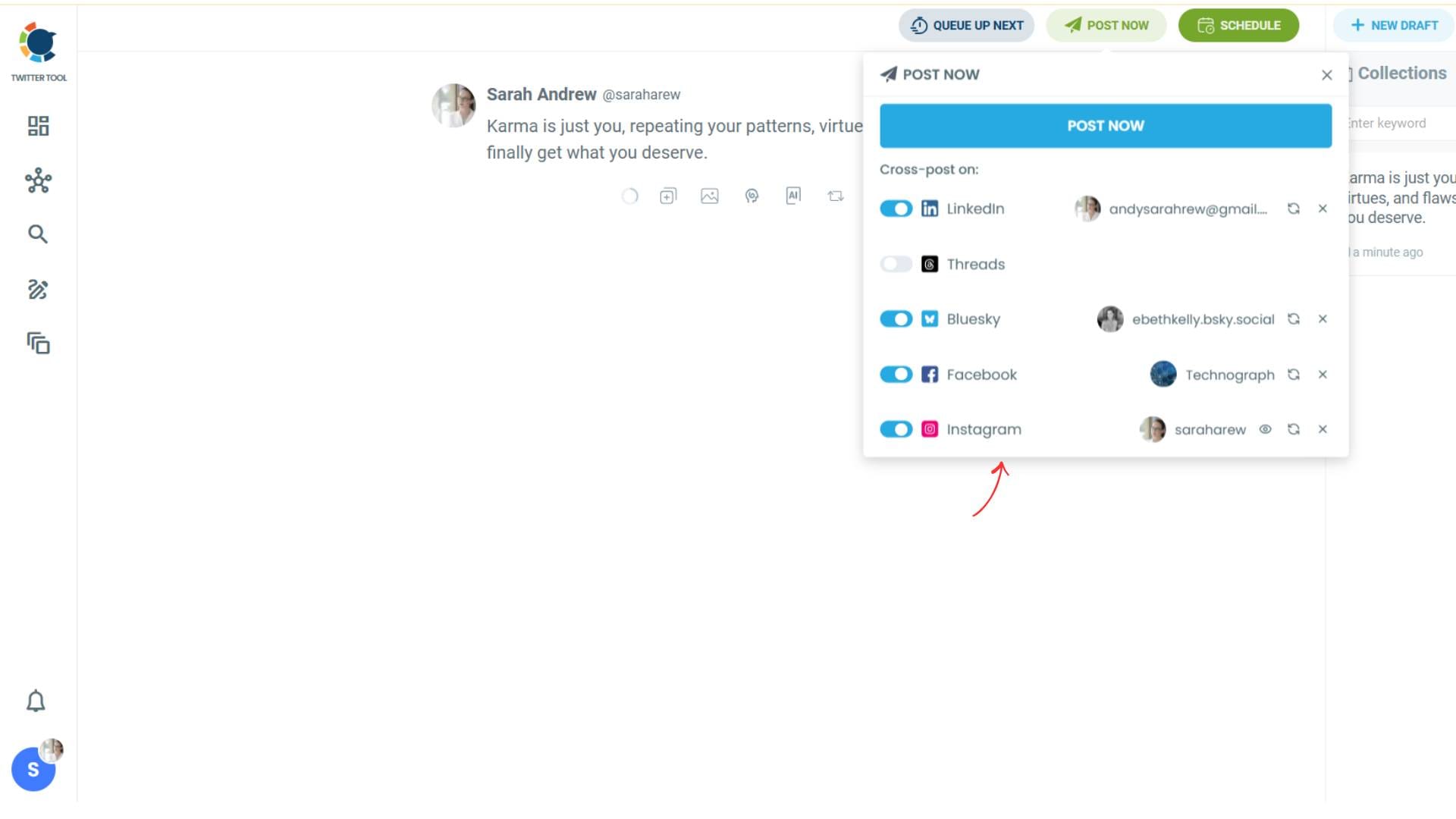
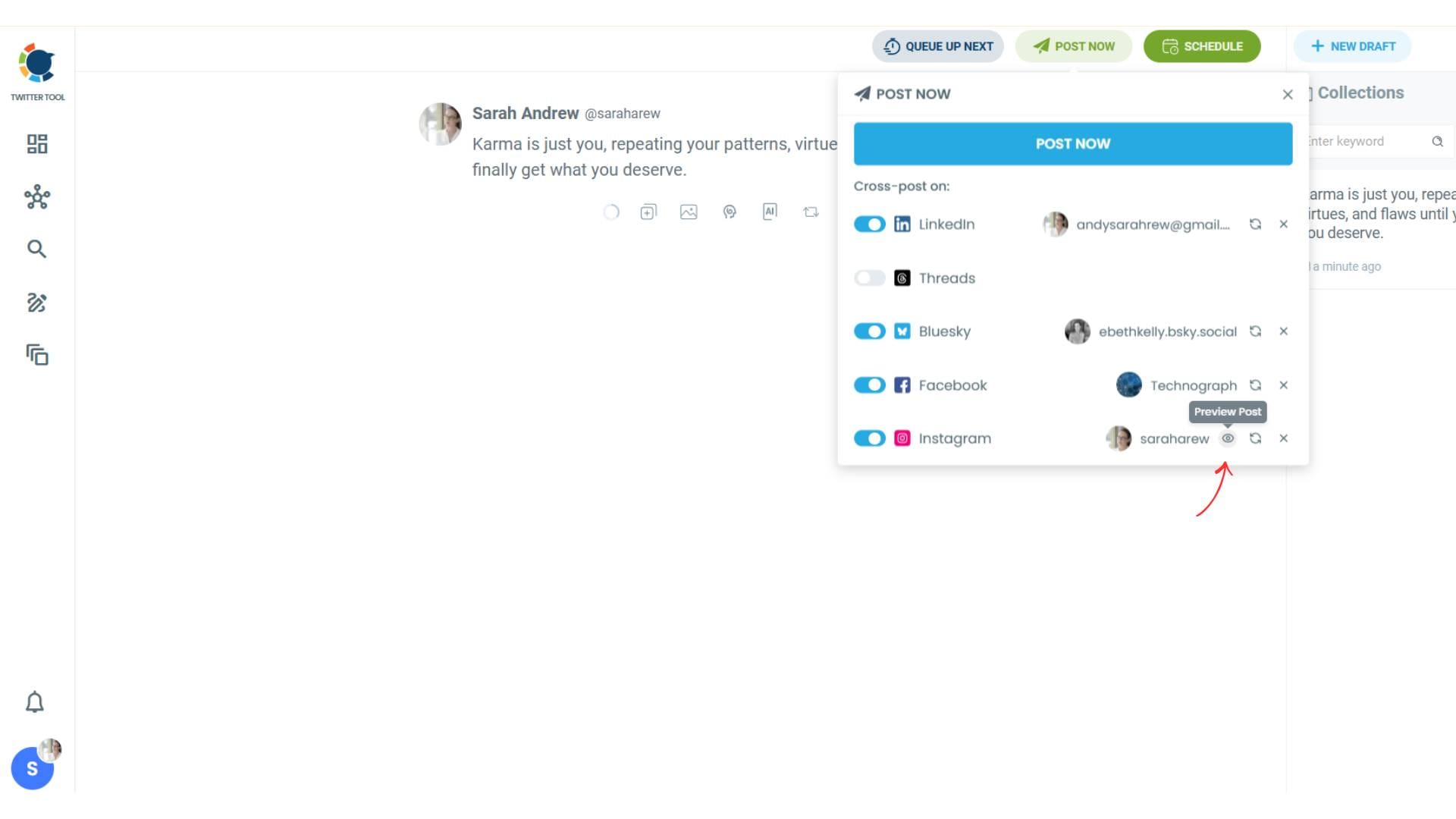
To decide if it is going to be a standard Instagram post or Story or Reels, and decide layouts and colours, click on “Preview”.
Step #5: Here you can select Instagram post type: “Post”, “Story”, and “Reels”.
You can also select the post layout.
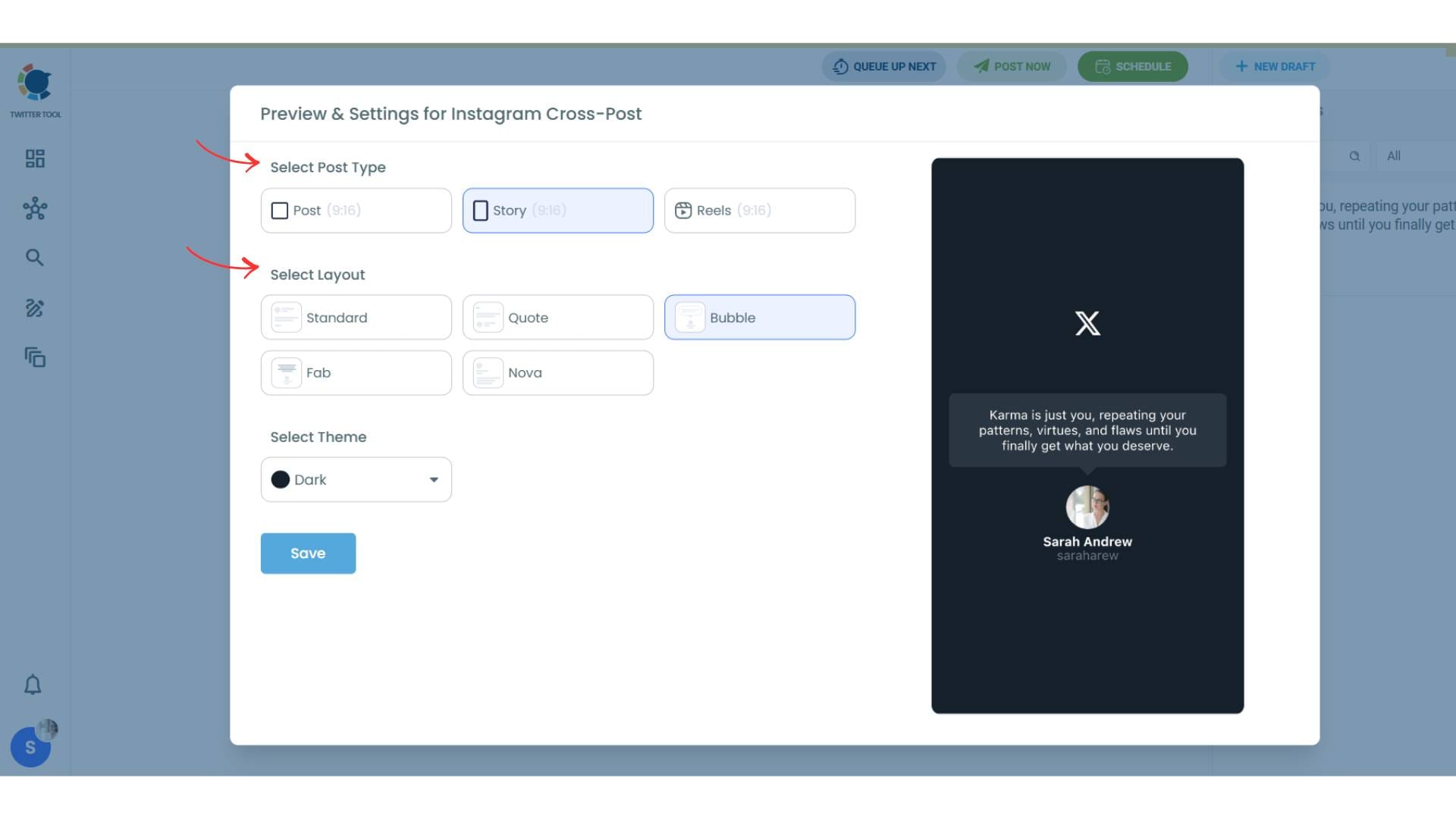
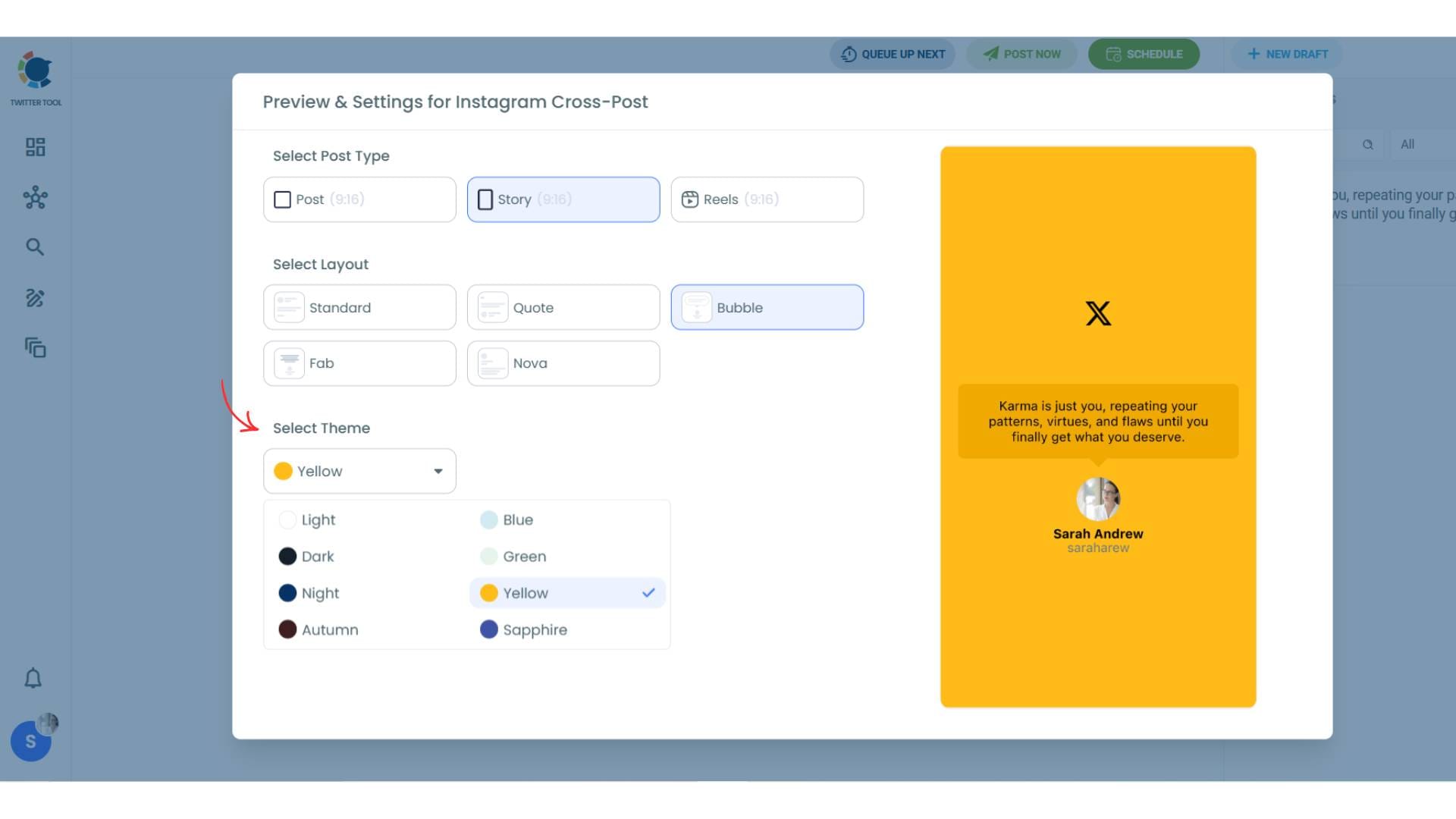
You can also select different themes. Share your tweet on Instagram with different colors.
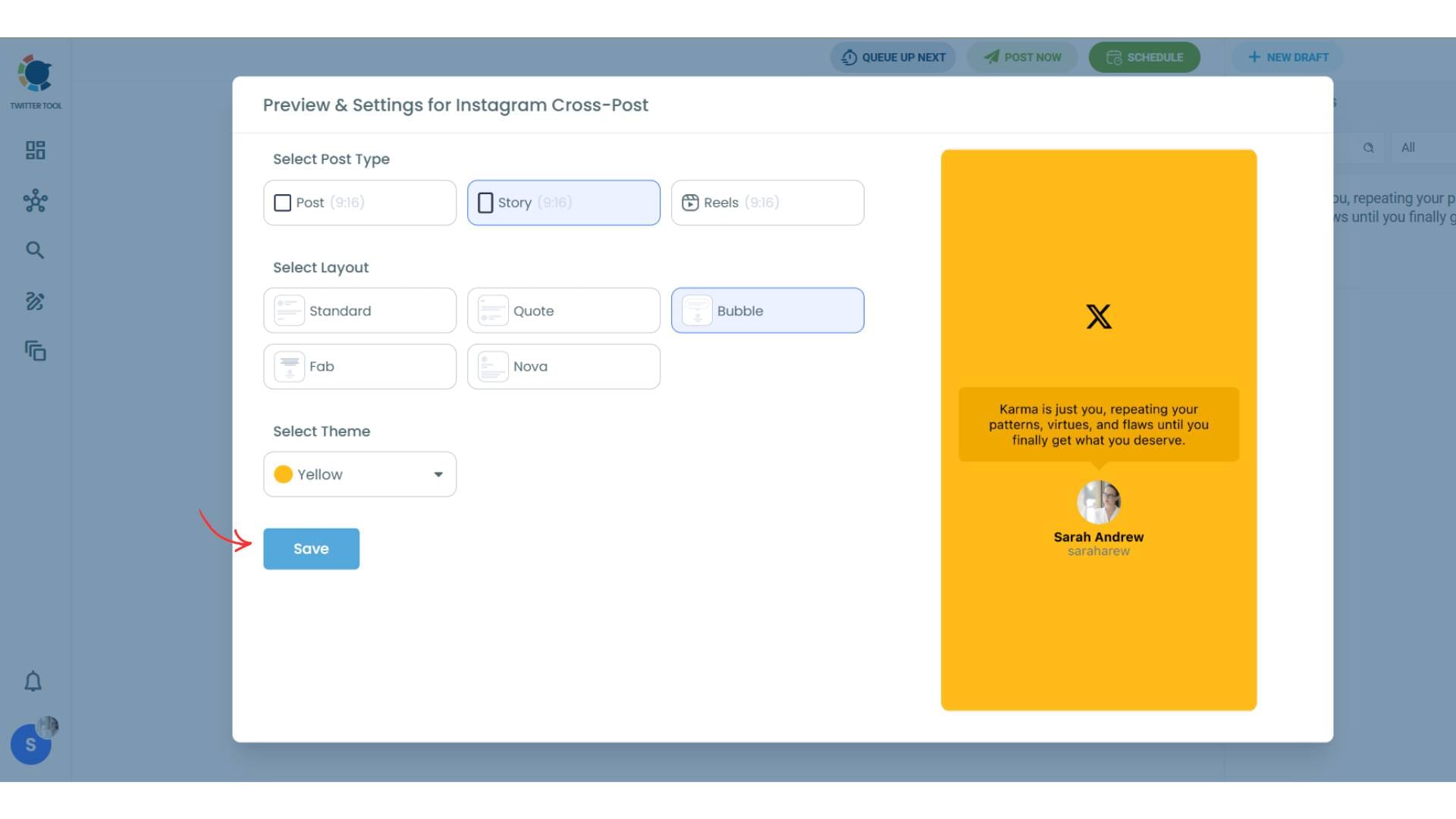
Lastly, you should click on “Save” and your Instagram cross-post is ready.
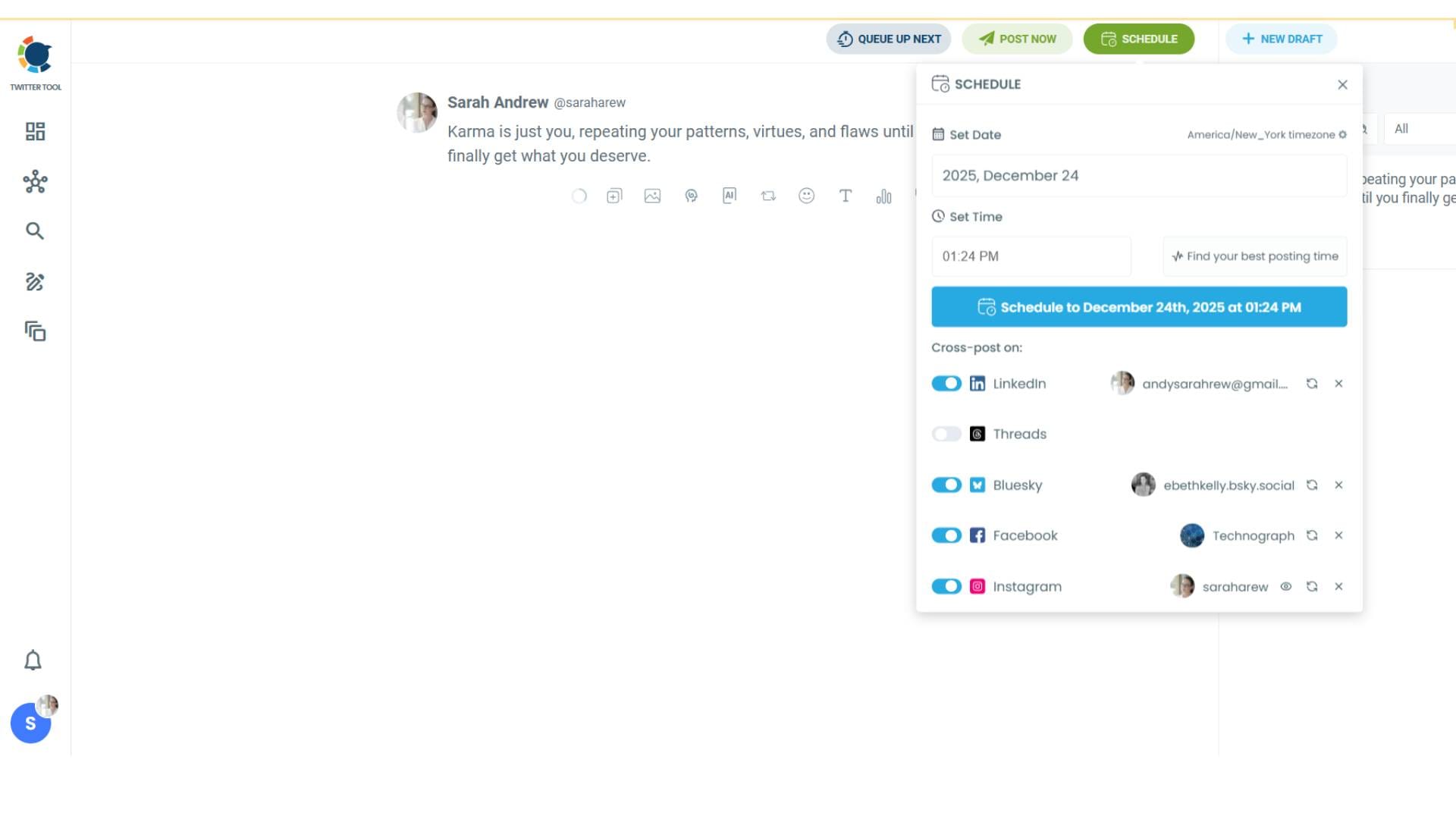
Step #6: When all is set, you can share your cross post immediately or schedule it for a later time.
You can select the day and hour and click to share your tweet!
You can get more impressions and engagement for your tweets on Instagram. Don't limit yourself to Twitter (X).
Share your tweets on Instagram to reach a wider audience.
Final Thoughts
So yes, it’s absolutely possible to share your own posts outside Twitter (X).
And if you care about growth, it’s one of the smartest things you can do, because it turns a single tweet into a multi-platform reach boost. You’re not just tweeting and hoping it performs. You’re distributing your content properly.
With Circleboom Twitter, you can create, schedule, and automatically share your posts across multiple platforms from one dashboard, and even convert tweets into Instagram-ready designs without extra work.
If you’re serious about increasing reach without increasing effort, cross-posting is one of the easiest wins.




%3F)


