Most support teams on X run on whoever happens to be watching. Twitter customer service then depends on who saw what, a colleague's memory and a mentions tab that only shows customers who chose to tag you.
A repeatable queue fixes that, and the steps below build one from the first query to the follow-up list.
Manual: refreshing X search by hand, with no shared record, no account list and no export. Circleboom: a live search that collects public tweets on X from a start date you set, through official X Enterprise APIs.
→ Set up your Twitter customer service queue with a live search
Why a support queue on X falls apart without a search behind it
A support queue needs three things: a defined intake, a review step and an owner for what comes next.
X gives you intake only for people who tag you, and the review step lives in whoever's feed it landed in.
The same pattern shows up in small teams, and the problem is rarely effort.
It is that nobody can say what the queue contains.
The expensive miss is the customer who never tags you. The second expensive miss is the tagged tweet two people answered differently.
Both come from having no shared list.
A clear set of best social media monitoring tools can help you judge the category, but the method matters before the choice of software.
For a support lead, this is also a reporting problem. You cannot improve a queue you cannot count.
A team that can track Twitter customer service tweets from one saved search has a shared starting point every day.
That matters more than any response script.
What a live tweet search does for a support team
Circleboom's Real-time Tweet Search finds public tweets on X that match your keywords from a start date you set, and it keeps collecting matching tweets posted after setup. Each search produces two views: the tweets themselves, and the deduplicated accounts behind them.
Circleboom is an official X Enterprise developer, and that matters for a support record. Data comes from official source records, while scraping-based tools can miss tweets or return incomplete fields, which is a poor basis for a report to management.
Set expectations with your team on what the tool does not do. It finds tweets.
Replies happen on X and are not sent by the tracker, and it has no auto-reply or sentiment score. A person reads every tweet before acting, so your Twitter customer service tracking stays a human job with better inputs.
Unlike a browser search, the results sit under a search log that you can reopen without using more tokens.
Build your keyword list before you open the tool
Group complaint language by what the customer is trying to do, because each group needs a different reply. A single long query mixes these together and produces a queue nobody can triage.
This list also decides what your team reads every day, so it deserves more care than the setup clicks that follow.
| Group | Example words | Who owns it |
|---|---|---|
| Something stopped working | down, broken, not working | Technical support |
| Billing or leaving | canceling, refund, alternative | Account owner |
| Product question | anyone used, does it support | Support or sales |
| Hard-to-spell names | common misspellings | Same as its group |
Combine each group with your product name and run them as separate searches. Separate searches also make the export easier to route, because each file already belongs to one person.
Tagged tweets are a separate job, so use track Twitter mentions for your handle.
Write the words the way customers type them on Twitter
Vocabulary is the part teams get wrong. Customers rarely use your feature names, so a list written from your help center misses them.
A good search and keyword strategy starts from how people describe the problem. Run a broad search first, read what comes back, and only then tighten it with exclude terms and language filters.
Your keyword list is your intake policy, so review it the way you would review any other policy.
Broad words deserve special care. If your product name is also an ordinary word, a bare keyword search will fill the queue with unrelated tweets, and the team will stop trusting it within days.
Exact-phrase matching and exclude terms are the fix.
How much tracking does a token balance cover?
A token balance covers the tweets you collect, since searches use GetTweetTokens in proportion to the number of tweets collected, and the balance is shown during setup.
Exports draw on the same balance separately, so a large search followed by a large export spends tokens twice.
Three rules help you plan the budget:
- The tweet count you request controls collection size, and it is not a count of unique accounts.
- If the balance runs out mid-collection, the search stops at that point and the partial results stay saved.
- Reopening a saved search does not use more tokens.
The practical approach is to start with a small count for each keyword group, see how much of it is useful, and then raise the number only for groups that earn it. A noisy group costs the same per tweet as a useful one.
Before you commit a budget, compare what each tier offers on Circleboom Twitter plans and pricing.
How to set up a Twitter customer service queue with Circleboom
The process, in three phases: open the search, scope the query and work the results. Each phase ends with something a teammate can pick up.
Open the search from your connected account
- Log in to Circleboom Twitter and connect your X account.
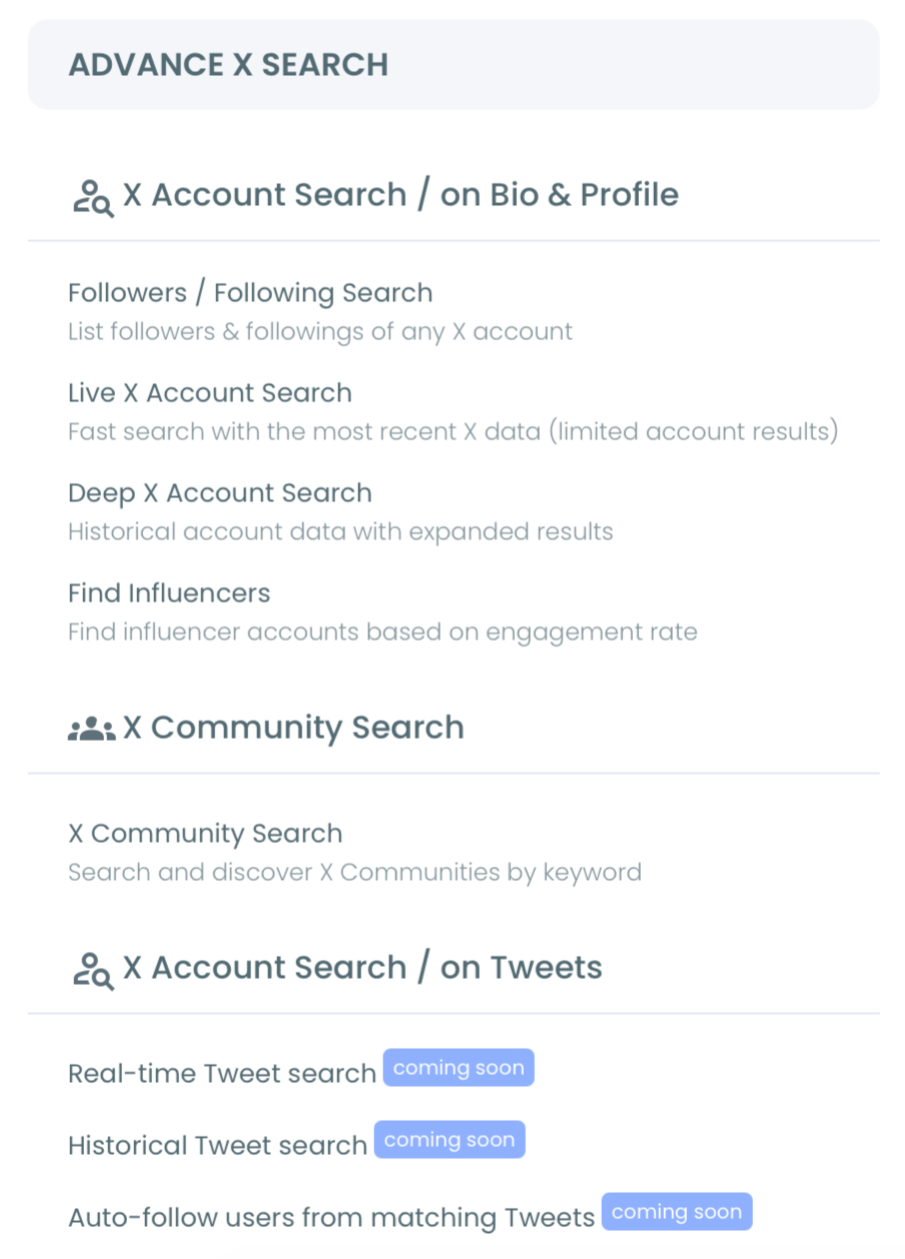
- Navigate to the Advanced X Search menu and select Real-time Tweet Search.
Scope one keyword group at a time
- Write the search in your own words, using one group from your keyword table. Open Filters to add exclude terms, language and reply settings.
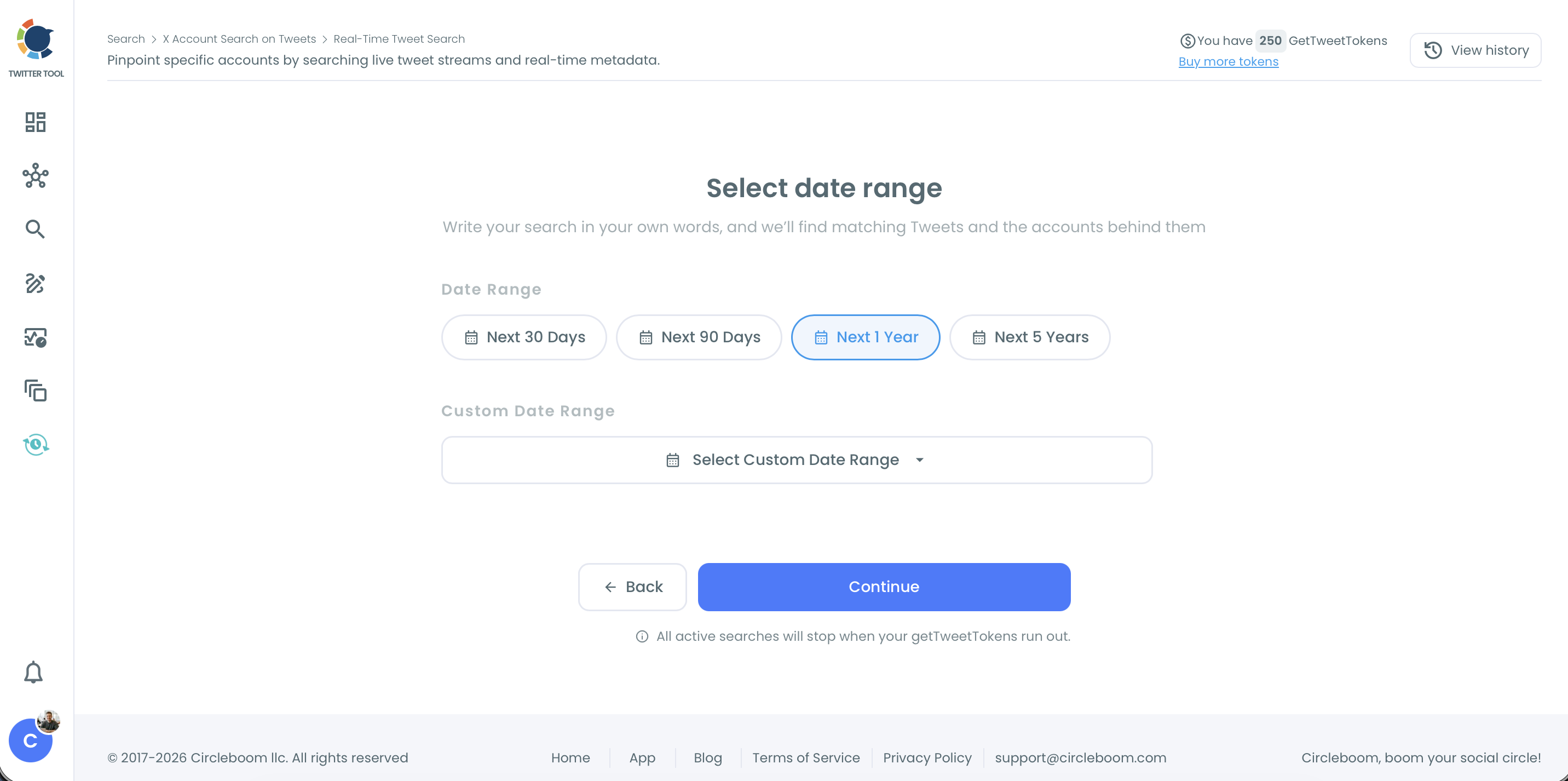
- Set a start date for the search, then continue to the tweet count.
- Choose how many tweets to collect, keeping it small for a new group until you trust the wording.
Work the results as a daily review
- Read the tweet view first, sorting by impressions or replies, and open the original tweet on X before you respond.
- Reply on X itself, because the tracker does not send anything. Assign one person per keyword group so that no customer gets two answers.
- Switch to the profile view and move accounts that need a second touch into the Twitter List Manager.
That sequence works because each step narrows what the next one has to handle: the group limits the query, the count limits the spend, and the read limits who gets a reply.
Without that read, the queue is a pile of keyword matches again.
What to check before your team replies in public
Check who will see the reply, because a public answer reaches more people than the customer. Before you set rules on tone, read whether your followers see when you reply to a tweet.
The audience for a reply is the audience for your brand's manners.
Check the facts next, particularly during an incident. Rumors move quickly on X, and a confident reply repeating one is worse than no reply.
Finding correct information in a crisis is a skill your support team should practice before it needs it.
A drafting aid can help a new teammate get the first version down. The AI Reply Generator handles that, and a person still checks it against your facts.
Anything that needs an order number or account detail should move out of public and into DMs. Say so in the reply, so that everyone watching can see the customer was helped.
How to hand flagged tweets to the rest of the support team
Export the flagged results as a CSV and route the file to the owner of that keyword group.
The file matters because live posts can be deleted, edited, made private or buried under newer activity, and engagement numbers keep shifting, so a pasted link is not a stable handoff.
The tweet view and the profile view export separately.
Send the tweet file when someone needs the wording, for a bug report or an incident note. Send the profile file when someone needs the people, for an account review or a follow-up.
Exporting search results uses tokens, with the remaining balance shown before you commit.
Keep export timing simple: do it at the end of each review, while the tweets are still on X.
When someone needs one account's own tweets in a file, Export Tweets is the separate tool for that.
A short routine keeps the handoff from collapsing when someone is out. The file name matters more than people expect, so name each one with the keyword group and the date.
Anyone covering the shift then knows what they are holding and when it was pulled, and because counts change, the date tells them how fresh it is.
Review the queue itself regularly as well.
Move a group's budget toward the words that keep producing real customers, and retire words that only produce noise. A queue that never changes usually means nobody is reading the results closely.
What your support team gets from this queue
The clearest gain is a shared answer to "what came in today?" Everyone on the desk reads the same export, and a teammate returning from leave can pick up where the last file stopped.
Customer service on X stops depending on one person's feed.
The second gain is reach beyond the tag. Product questions from people who never mentioned your handle now show up while they are still open, so a useful reply still reaches them in time.
Everyone reading that thread sees a brand that answers.
The third gain is evidence. When the same complaint keeps returning across keyword groups, you have tweets and dates to bring to the product team, rather than a feeling that "people keep saying this."
That turns Twitter customer service from a cost center story into a source of product input.
Expect the first week to look worse than the old queue, not better. You will find complaints that were always there, and your response figures may drop once untagged tweets count.
I would tell leadership that in advance, because the number has become more honest, and a support lead who explains this early keeps the trust when the chart moves.
The gain also depends on restraint. Reading before acting is what keeps the queue useful, because a keyword match does not prove the person is a customer.
The Real-time Tweet Search record supports that judgment, and your team still makes the call.
Your Twitter customer service queue, summed up
A working queue is a keyword list split by owner, a live search for each group, a human read of each tweet, replies on X, and a list and export for whatever comes next.
I would build the first group this week and add the others once that one is producing useful tweets.
Circleboom's standing on X's Enterprise developer list means the record behind that queue comes from official data.
→ Run your first Twitter customer service search on live tweets
Twitter customer service setup FAQ
Is X's own search enough for a support team?
For a one-person check, it can be. Native X search shows live tweets, but it does not identify, filter, save or export the accounts for you.
Circleboom's Twitter advanced search tools fit better once a team shares the work.
Does the queue catch every customer tweet as soon as it is posted?
No. Circleboom collects matching public tweets, but coverage depends on API availability and rate limits, protected accounts are excluded, and some deleted tweets may not appear.
Treat it as a strong second net alongside your mentions, not a complete record.
How do I know whether a complaint spike on Twitter is new?
Compare the live results with a past window. The Twitter historical data search in Circleboom covers closed date ranges, so you can see whether the same words appeared before.