

A partnership priced on a competitor's follower total is priced on every spam-like account inside it. So is a growth target, and so is the slide that says the competitor is ahead.
Checking who those followers are takes one report and a few rows of reading.
How do you spot spam-like followers in a competitor's audience on X?
Circleboom breaks each competitor's followers on X into suspected fake or bot, overactive and default-avatar groups, each with a share, a count and the accounts themselves, using official X Enterprise APIs. Read every list as one signal, then look for accounts that are suspicious on several.
→ spam followers on Twitter
Why spam-like followers in a rival's X audience distort your decisions
A follower count is a running total with no quality check attached. Automated, bought and abandoned accounts sit in it next to real readers. Your own total has them too, and a separate article answers whether you can remove inactive and spam followers on Twitter.
X itself treats part of that total as a problem. Its help center page on Authenticity bans the inflation of follower counts and singles out mass-registered and non-genuine accounts.
The mistake I see most often is a team accepting the total and arguing about content. They ask why the rival's posts "work" before asking how many of the rival's followers could respond to a post at all.
Three decisions lean on that number:
- A growth target set against the competitor's count.
- A sponsorship or creator fee quoted from it.
- A report to leadership that ranks accounts by it.
Each of those decisions is only as sound as the accounts behind the count.
Why a by-eye check of a competitor's Twitter followers fails
Checking by eye does not hold up. X shows a follower list one profile at a time, with no filter for suspicious accounts and no way to compare two lists on the same basis.
A single doubtful profile is a different case. For one account, Circleboom's free Fake Twitter Account Checker takes a username and returns a verdict on fake profile characteristics.
For a whole audience you need the suspicious accounts grouped and counted. That is the job of a comparison built to find spam-like followers in a competitor's audience.
What Circleboom shows about a competitor's spam followers on Twitter
The X Competitor Benchmark Report in Circleboom takes up to 5 X accounts per comparison and shows, for each one, the followers that carry spam-like signals. Your own account can take the first slot next to 4 competitors, or you can leave it out and compare 5 other accounts.
The data source is the reason the result can be shown to a client. Circleboom is listed on X's Enterprise customer directory, so follower records arrive from X's own APIs and no scraping is involved. The classifications on top of those records are Circleboom's analysis.
Four places in the report that point at spam-like X followers
Spam followers on Twitter do not sit under one label in the report. Four places in the Audience Quality block point at them:
- Fake/Bot tab: accounts classified as fake, bot or spam.
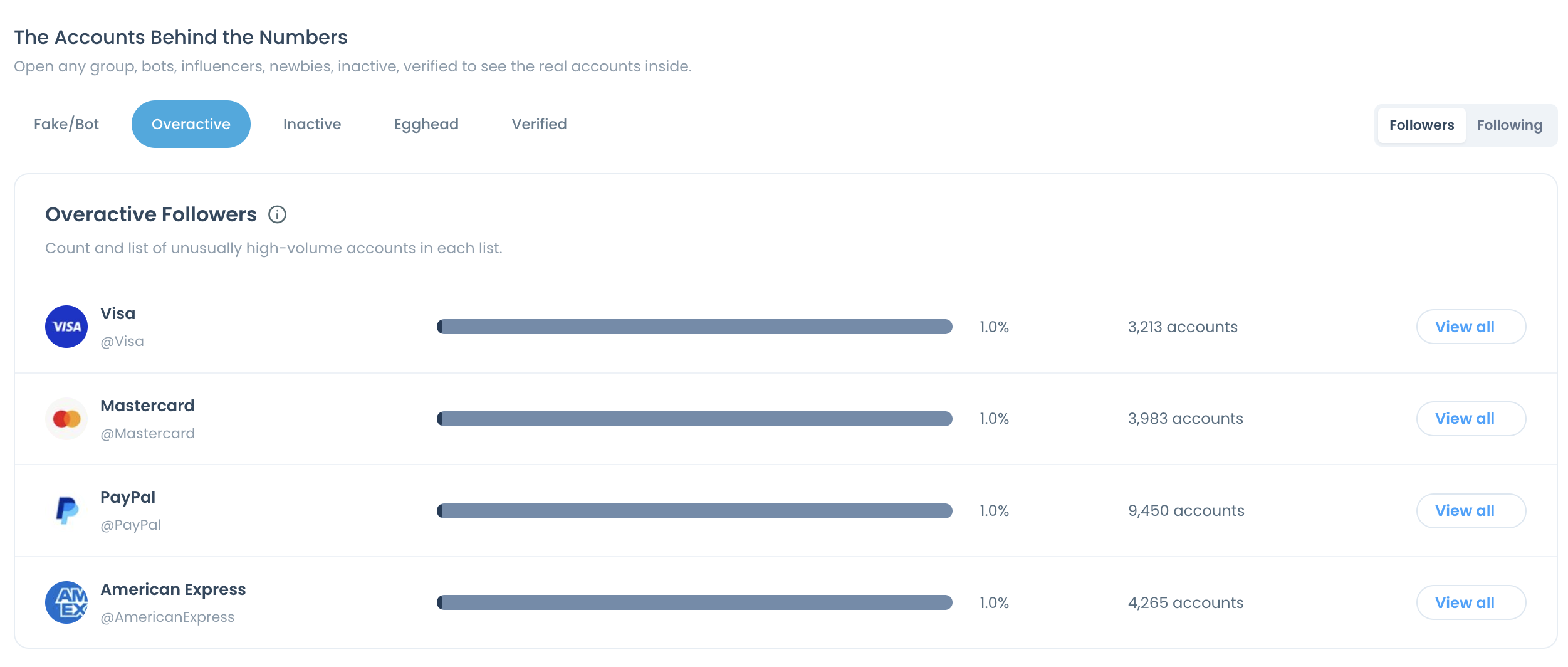
- Overactive tab: accounts posting at unusually high daily volume.
- Egghead tab: accounts still using X's default avatar.
- Ordinary vs Overactive chart: the share of each audience that posts far above a normal rate.
The three tabs belong to a panel named The Accounts Behind the Numbers. Every row in it gives a percentage, a raw count and a View all button for one compared account.
Each tab also has a Following side. Switch to it and the same rows describe the flagged accounts a competitor follows.
Treat each of these as a prompt for review. Posting volume, for example, does not identify spam by itself, because a live-event commentator and a bot can post at the same rate.
Check two things about the accounts first: each must be public, and none may have more than 3,000,000 followers. Within those limits, you can check a rival's followers for spam accounts without any access to the rival's profile.
How to spot spam followers on Twitter in a competitor's audience
The process, in order: set up one comparison, then read three tabs.
Set up the comparison with the accounts you want to check
- Open Circleboom Twitter and sign in with the X account your team manages. The comparison is created from that dashboard.

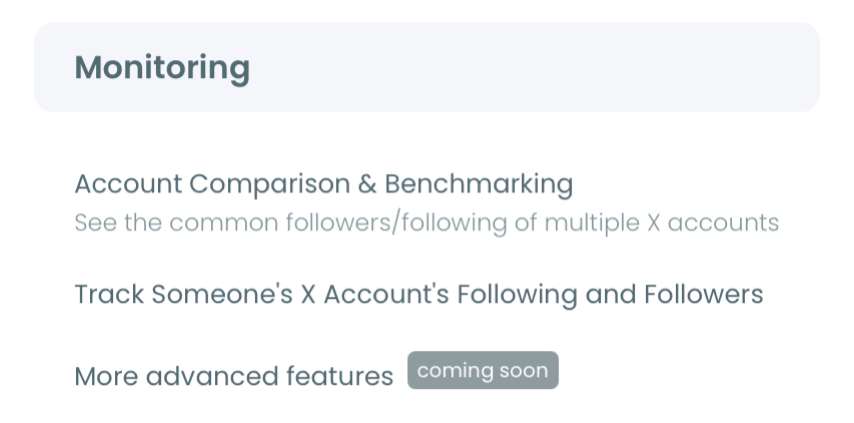
- Open the Monitoring menu and pick X Competitor Benchmark Report, which heads the list.
- Enter the handles under Account Handles, one per @ box. The plus button adds a slot until the counter reaches 5.
- Press Start Competitor Analysis. The next screen asks how often to run: Just this once for a single check, or Keep it up to date every month for a repeat on a schedule.
Read the flagged lists one tab at a time
- Scroll to the Audience Quality block and find the Ordinary vs Overactive chart. Note which account has the largest overactive share before opening any list.
- Open The Accounts Behind the Numbers and keep the switch on Followers. The Following side describes the accounts a competitor follows, which is a different question.
- Select the Fake/Bot tab and compare the rows. Write down both the percentage and the count for each account.
- Switch to the Overactive tab to see the high-volume followers behind the chart from step 5.
- Open the Egghead tab for the followers that still use X's default avatar.
Open the accounts and look for overlap
- Click View all on the competitor's Fake/Bot row to open the accounts in that list.
- Look for groups of similar accounts. A run of profiles with no photos and copied bios is a stronger finding than any single flagged account.
- Compare percentages with counts across the set. A smaller share of a larger audience can still be more accounts.
The sequence matters because every step narrows the one after it. The chart tells you where volume is unusual, the tabs turn a share into named accounts, and the overlap check stops one weak signal from being reported as proof.
Cost follows the number of competitors: one Competitor Token each, for every report. Your own column is not charged, so a one-off check on four competitors costs four tokens.
Can you see which of a competitor's X followers are brand-new accounts?
No. The competitor report has no drill-down for newly created accounts, so account age is the one common spam signal it cannot list.
This gap is easy to miss, because recently created profiles are among the first things people look for when a follower count jumps. The report's five tabs are Fake/Bot, Overactive, Inactive, Egghead and Verified. None of them sorts followers by creation date.
Plan for it: a comparison shows who is flagged, who is faceless and who posts non-stop, and it does not show who joined last week.
The view exists for your own account. Circleboom's Newbie Followers feature highlights recently created accounts among your followers, and the page on newly created Twitter accounts (newbies) introduces it.
For accounts outside your own audience, creation date has to be approached from another side. A separate article explains how to search Twitter accounts by join date.
Age still leaves a trace inside the comparison. When you open a competitor's Fake/Bot list and find a group of look-alike profiles, the join date on each profile tells you whether they are young accounts.
How to compare spam-like shares across Twitter accounts of different sizes
Compare the count as well as the percentage, because the two can rank a peer set in opposite orders. Every row in The Accounts Behind the Numbers prints both, so no extra math is needed.
An illustrative case shows why. Suppose one competitor has 400,000 followers with 8% flagged, and another has 100,000 with 12% flagged. The second account has the worse share. The first has 32,000 flagged accounts against 12,000, which is the larger problem in absolute terms.
Which figure matters depends on the decision:
- Pricing a partnership: the share, because it describes what a typical follower is.
- Explaining a follower gap: the count, because it shows how much of the gap is hollow.
- Choosing whose list to open first: the count again, since a bigger list is likelier to contain a visible cluster.
The charts in the block also carry a Percentage and Values toggle, so the same comparison can be shown either way in a review.
When to repeat the spam check on a competitor's X followers
Repeat it when a decision depends on it, and on a schedule if you report every month. Each report is a snapshot of the audience on the day it ran, and follower lists change.
A saved comparison can be refreshed in two ways. Get a new report with the latest X data pulls the same handles again on demand. Keep it up to date every month does it automatically, and a 12-month schedule produces 13 reports in total.
A new run never overwrites the old one. Earlier results stay under Past Analyses for that set, so you can place two dated Fake/Bot rows next to each other and see whether a competitor's flagged count grew, shrank or held.
Keep the set of accounts the same between runs. Swapping one competitor for another changes the group, and a different group is not a change in anyone's audience.
Protect real supporters on Twitter before any cleanup of your own
Whitelist your real, active supporters before you select a single account for removal or blocking. The competitor check usually ends with a look at your own audience, and the same three signals will flag some people you want to keep.
The Overactive list is where this matters most. A loyal customer who replies to everything and a bot that posts all day both land in it.
Circleboom's Whitelist marks chosen accounts as protected. A whitelisted account is excluded from later bulk actions across the product, so it cannot be staged by accident with the accounts around it.
A workable order for your own account:
- Open your own Overactive, Egghead and Fake/Bot follower lists.
- Select the accounts you recognise as real and whitelist them in one action.
- Flag the clear unwanted ones with Blacklist, which labels them without removing anything.
- Confirm that your protected accounts appear under the Whitelisted & Blacklisted filter.
Blacklist is a label, not an action. After flagging, you still choose what happens to those accounts. Both labels have further uses, covered in the post on the blacklist and converting the whitelist to Twitter lists.
A view of the cleanup side: removing no-photo followers from your own account after the review.
Block a spam cluster on X when the same accounts follow you
You can block a whole cluster at once on your own account. Circleboom stages the accounts in a Mass Block List, and its Chrome extension then blocks them one after another.
Blocking is the stronger of two options. A removed follower can follow you again. A blocked account cannot follow you, reply to you or message you.
The flow has two separate moments, a decision and an execution:
- Add the unwanted accounts to the Mass Block List from any follower list.
- Review the list before anything is blocked.
- Open the Twitter X Mass Blocker extension and start the run yourself.
- Keep the browser open while the extension works through the queue.
The run is gradual by design. When X's rate limit is reached, processing pauses for between 1 and 20 minutes and then resumes without any action from you. That whole flow belongs to the feature built to mass block Twitter accounts.
For one or two accounts, X's own block button is enough, and a short post covers how to block a Twitter follower by hand.
X also asks users to flag spam directly. Its help center describes X's reporting options, which are worth using for accounts that are plainly abusive.
Removal stays available as the lighter path when blocking is more than the case needs.
The cost of trusting a rival's follower count on X unchecked
Without the check, a competitor's total keeps doing work it has not earned. It sets your targets, prices your partnerships and shapes how leadership ranks your account.
With the check, the same total comes with a breakdown: how many followers are flagged, how many post at extreme volume, how many never added a photo, and which accounts those are.
I would not present a competitor comparison without it. A share on a slide invites the question "how do you know?", and the list behind View all is the answer.
Keep the reading honest in both directions. One signal on one account is a reason to look. Several signals on a group of similar accounts is a finding.
→ Spot spam followers in a competitor's Twitter audience
Spam-like follower FAQ for competitor checks
Should a no-photo follower in a competitor's list be counted as spam?
Not on that basis alone. Many real people never upload a photo, so the default avatar describes the profile and says nothing about who runs it. In Circleboom, read the competitor's Egghead list next to the Fake/Bot list for the same X account, and examine first the accounts that appear on both.
Is there a way to read a rival's followers one profile at a time?
Yes, as a separate job. Circleboom's Followers / Following Search loads a public X account's followers into a table you can filter, which suits reading a network profile by profile. The competitor report is faster when the question is how many spam-like accounts a rival has and who they are.



)