
Someone's newest follows are one of the clearest signals of where their attention is heading next. The problem is that X hides that movement, so you need a way to capture it before it disappears into a static list.
How do you see someone's Twitter recent following activity?
You take dated snapshots of the account's following list and compare them over time, because X stores no follow history of its own. Circleboom monitors any public account's recent following on X and records every new follow as a timestamped entry through official, policy-compliant API access.
→ track recent following on X
A follow is a private decision. A tweet is a public statement. The follow usually comes first, which is exactly why watching an account's newest follows gives you a head start on its owner's next move.
Why Scrolling Their Following Tab Does Not Work
The obvious approach is to open the account's profile, tap Following, and read down the list. It fails for three separate reasons, and each one matters.
X does not sort a following list by follow date. The order you see is not newest-first, so the account at the top is not the person they followed last. There is no timestamp on any entry either, which means the list tells you who they follow, never when the follow happened.
X also keeps no changelog. Open the same following list tomorrow and it looks identical to today unless you memorized all several hundred entries. The platform sends no notification when an account follows someone new, and it exposes no history you can page back through.
X's own following documentation describes the current state of an account, not the sequence of changes that produced it. On top of that, the Following feed is now algorithmically ranked rather than chronological, so even your own home feed no longer reveals follow order reliably.
To see recent following activity, you have to capture the list repeatedly and compare each version against the last. That comparison is the entire trick, and doing it by hand is not realistic for an account with hundreds of follows.
This is where a dedicated tracker earns its place. If you want to skip the theory and act, you can monitor any account's recent following directly, and the tool holds the snapshots for you.
What Recent Following Activity Actually Reveals
New follows are research behavior made visible. When someone starts following an account, they have decided it is worth watching, and that decision is often the earliest observable signal of intent anywhere.
The patterns are readable once you have dated data:
- A venture capitalist who follows three founders in one vertical in a single week is showing active due diligence.
- A competitor's CTO who follows a cluster of ML infrastructure accounts is signaling a technology direction.
- A journalist who begins following a new source is tipping editorial attention toward a beat.
The same logic runs in reverse. When an account quietly unfollows a partner it has followed for years, a relationship has usually cooled before anything is said publicly. Circleboom captures both the additions and the removals as dated events on any public X account.
Repeated follows in one niche matter far more than a single random follow. One follow is noise. A convergence of follows from accounts you already watch is a market signal that has not yet reached the news. To pressure-test what a target's roster is telling you, it helps to analyze somebody's followers and following on Twitter alongside the follow feed.
How to See Someone's Twitter Recent Following Activity
To track an account's recent following on X, you validate the target username, set the tracker to watch new follows, and let it snapshot the list on a schedule. The workflow below runs that loop through official API access, grouped into two phases: setup, then reading the results.
Set up tracking for the target account
- Log in to Circleboom Twitter and connect your X account with official OAuth.

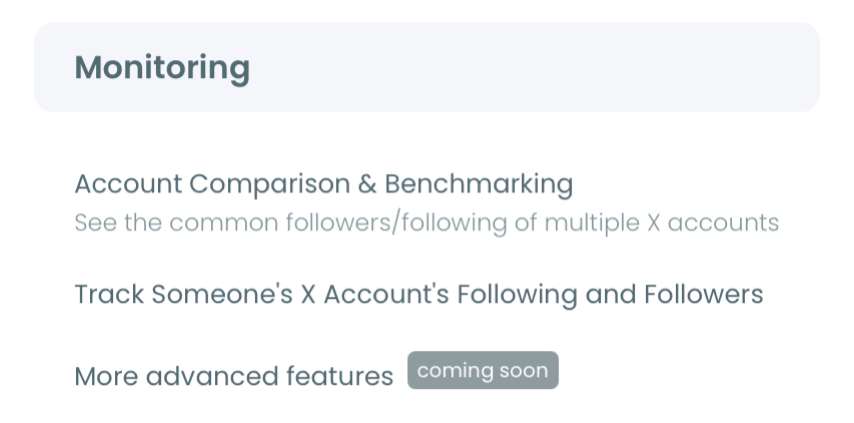
- Open the Monitoring menu to reach the account-tracking tools.
- Enter the username you want to watch in the single @ field, then validate it to confirm the account is public.
- Choose Followings as the tracking option so the tool watches who this account starts following, and set the rule to track recent following.
Read and act on the results
- Pick your alert preference (daily or weekly email digests, or dashboard-only review), then activate the tracking subscription.
- Open the tracking dashboard to read new follows as dated entries, each with the followed account's bio, follower counts, and join date.
That order holds up because the login earns authorized access first, the username validation confirms the account is trackable before you spend a token, and the tracking rule narrows the tool to exactly the signal you care about. Skip the validation step and you risk tracking a private account that returns nothing.
At a glance: connect, open Monitoring, validate the username, set the following rule, activate, then read the dated dashboard.
Short demo: how a single username turns into a dated feed of every new account it starts following on X.
If a specific follow catches your eye, you can widen the lens and find people who follow a certain account on Twitter to map the crowd around it.
What the Tracking Dashboard Shows
The dashboard converts invisible movement into a structured, searchable record. A bar chart plots follow activity by day, with blue bars for new follows and red bars for unfollows, across the full tracking window.
Below the chart, each detected account appears in a grid with its name, tweet count, join date, follower and following totals, and follow ratio. A date picker lets you isolate a specific window, so you can see exactly what an account followed before and after a funding round, a hire, or a product launch. You can export the whole record as a CSV for a research file or a client report.
Because Circleboom is an official X Enterprise Developer, every snapshot pulls complete, authorized data rather than scraped fragments, so your own account stays compliant and safe while you watch. That distinction is the point: the data is full and official, not a partial grab from an unofficial workaround.
The same monitoring setup can watch the other direction, so you can check someone's new followers on X by adding a second rule for the account's followers.
When you want continuous coverage rather than a one-time look, the Twitter Follower Tracker keeps a running record of every change over time.
To frame a target's follows against a rival's entire network, Twitter Competitor Analysis puts the two side by side so the signal stands out.
And if your interest is the broader movement rather than a single account, the guide to tracking recent following on X covers the reverse-signal cases in more depth.
When a Follow Signal Is Worth Acting On
Not every new follow means something. The skill is separating routine follows from the ones that carry weight, and dated data makes that possible.
Weight comes from context. A single follow from a high-volume account that follows thousands of people is close to noise. A follow from a selective account that adds only a handful of new follows a month is a deliberate choice worth reading.
Timing sharpens it further. A follow that lands in the same week as two other tracked accounts following the same target is a convergence, and convergence is the strongest signal the dashboard produces. Watch for three things before you act:
- Selectivity of the account doing the following.
- Clustering of follows around one target or one niche.
- Proximity in time to a known event like a launch or a funding round.
When those three line up, the follow is telling you something the market has not caught yet. When they do not, log it and move on without overreading a routine add.
That convergence play scales to any fast-moving niche. Traders who track crypto accounts to catch new projects early are reading the same dated-follow signal, just tuned to a market that turns over in days.
The Bottom Line
X will never hand you a timeline of what an account followed last, but the follows are public the moment they happen, and a dated diff turns that raw movement into a signal you can act on before anyone else reads it.
→ Run recent following tracking now
Questions Readers Ask
Can I track any account's recent following?
Yes, as long as the account is public. Private profiles are not accessible through the official X API, so tracking cannot be set up for them regardless of whether you follow the account.
Will the person know I am tracking their follows?
No. Tracking works on publicly available data through authorized API access and never interacts with the target account, so there is no notification and no visible footprint on their side.
How quickly does a new follow show up?
Tracking runs on periodic snapshots rather than a live stream, so there is a short lag between the follow happening on X and appearing in your dashboard. The exact delay depends on your plan's snapshot frequency, and email alerts fire on your chosen daily or weekly schedule only when there is new activity.
Can I track followers and following at the same time?
Yes, but each is a separate tracking rule. Set up the following rule first, then create a second rule for the same account to watch its new followers, since each rule runs as its own subscription.