
Twitter (X) is still my main platform. That’s where most of my content starts, and that’s where I get the fastest feedback and engagement.
But lately, I’ve been paying close attention to Bluesky.
Bluesky is still relatively early compared to X, but that’s exactly why it has real potential to increase reach. The platform is growing, the audience is highly engaged, and the noise level is much lower. Posts don’t disappear as fast, and it’s much easier to get noticed without already having a massive following.
That’s when I realized something important:
If I keep posting only on Twitter, I’m missing an opportunity to build visibility on Bluesky while it’s still early.
So I decided to start posting my tweets on Bluesky as well.
If you are a creator on X and want to know about the latest developments regarding the algorithm changes, engagement strategies, payout boosts, etc., you can join Circleboom's X Creator Growth Lab Community and enjoy a free space to learn from and contribute to!


Why Posting Your Tweets on Bluesky Makes Sense
Posting tweets on Bluesky isn’t about switching platforms or abandoning Twitter. It’s about using the same content to grow in more than one place.
Bluesky still offers strong organic visibility
Unlike mature platforms where competition is intense, Bluesky still gives creators room to be discovered. Posts can stay visible longer, and it’s easier for new accounts to get attention.
That makes it a great place to repurpose tweets that already work well on X.
You can build an audience early
Early platforms reward early participation. By sharing your tweets on Bluesky now, you start building a presence before the platform becomes crowded.
Later on, that early activity can turn into a strong advantage.
 Altug Altug
You reuse content instead of creating more
You don’t need a separate content strategy just for Bluesky.
If a tweet already performs well on X, there’s a good chance it will also resonate on Bluesky. Cross-posting lets you test this without doubling your workload.
Why Manual Posting Becomes a Problem
Yes, you can copy and paste your tweets into Bluesky manually.
But once you try to do this consistently, it quickly becomes inconvenient:
❌ You post the same content twice
❌ You manage two different schedules
❌ You forget to post sometimes
❌ Consistency breaks over time
Manual posting works for a day or two, but it’s hard to maintain long-term, especially if Twitter is still your main focus.
That’s why I decided to automate the process.
The Tool I Use: Circleboom Twitter
To handle this properly, I use Circleboom Twitter, which is an official X Enterprise Developer.

This matters because it means the tool works through X’s official systems and is built for managing Twitter content reliably and safely. It’s not just a posting tool, it’s a full content management and distribution platform.
Creating Tweets with the X Post Planner
Inside Circleboom, I use the X Post Planner to prepare my tweets.
From one dashboard, I can:
➡️ Create tweets manually or with AI Writer
➡️ Rewrite or improve tweets quickly
➡️ Add visuals using built-in tools like Canva, Unsplash, and Giphy
➡️ Style tweet text to make key parts stand out
➡️ Set Auto Retweets so posts get reshared later.
The average lifespan of a post is fleeting; if your followers aren't online at the exact moment you post, your best content is often lost forever. Circleboom’s Auto Retweet feature solves this "visibility gap" by strategically resurfacing your posts to ensure your audience never misses an update. It’s the ultimate tool for capturing attention across different time zones and activity peaks without the manual effort of reposting.
By automating your retweet strategy, you can effectively boost your impressions by 4x and double your engagement rates. This practice doesn't just keep your profile active; it forces the algorithm to give your content a second life, reaching fresh segments of your audience who missed the original broadcast. With Circleboom, you transform a single post into a high-performance asset that works around the clock to maximize your digital reach.
➡️ Smart Schedule tweets to the best time to post based on follower activity analysis
Circleboom analyzes when my followers are online, which helps me post at times that make sense instead of guessing.
This already improves performance on Twitter before cross-posting even comes into play.
Automatically Posting Tweets on Bluesky
The key feature here is cross-posting.
Circleboom allows you to share your tweets not only on X but also on platforms like Bluesky.
After connecting my Bluesky account once, I can choose Bluesky as a destination when creating a tweet. From that point on, Circleboom handles the rest.
That means:
- I create the tweet once
- I schedule or publish it once
- The post appears on both X and Bluesky automatically
No extra steps, no manual copying.
How to Post a Tweet on Bluesky with Circleboom (Step by Step)
Step #1: First, log in to Circleboom Twitter and land on the main dashboard.
From here, open the account menu and click Settings.
This is where Circleboom lets you manage connected accounts, cross-posting options, and platform integrations.
You only need to do this setup once.

Step #2: Inside Settings, switch to the Crosspost Accounts tab.
If you haven’t connected any external platforms yet, you’ll see a message saying that no accounts are connected for cross-posting. This is normal for a first-time setup.
Here, Circleboom shows all supported platforms you can connect to, including Bluesky.
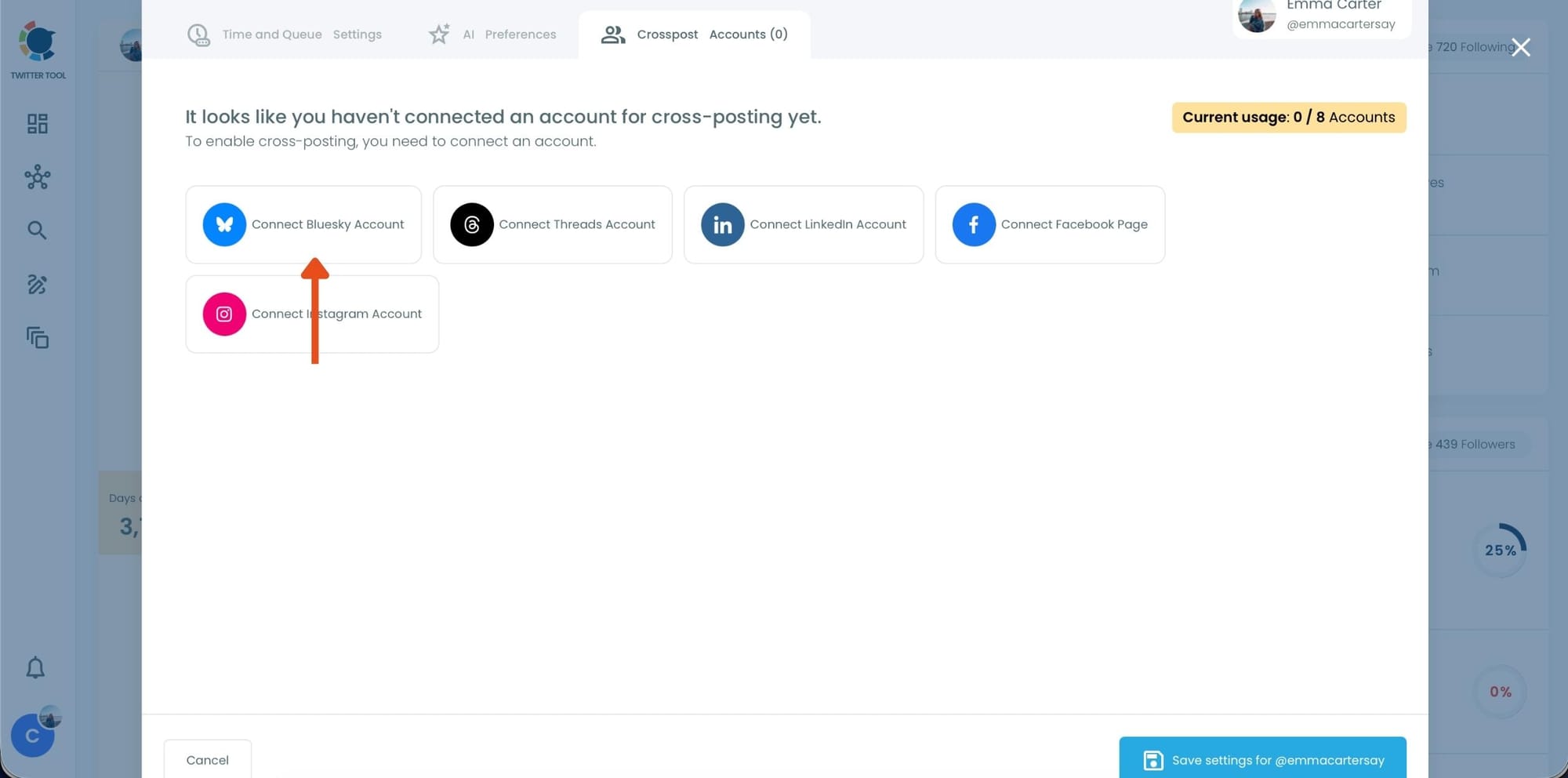
Step #3: Click Connect Bluesky Account.
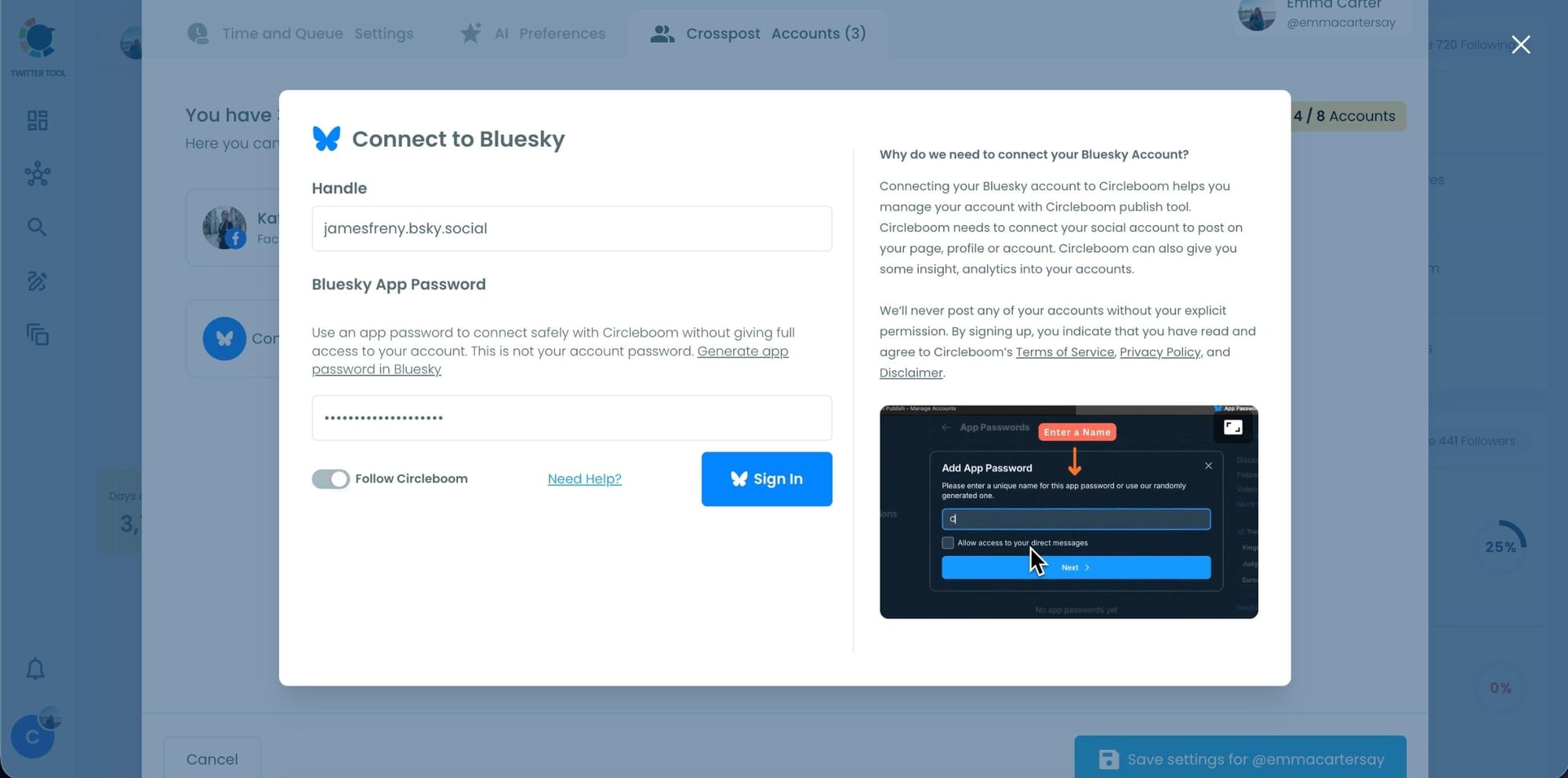
Circleboom will ask for:
- Your Bluesky handle
- A Bluesky App Password (not your main account password)
This app password is generated directly inside Bluesky and allows Circleboom to post safely on your behalf without full account access.
After entering the required information, complete the connection. Once done, your Bluesky account will appear as connected inside Circleboom.
At this point, Bluesky is ready for cross-posting.
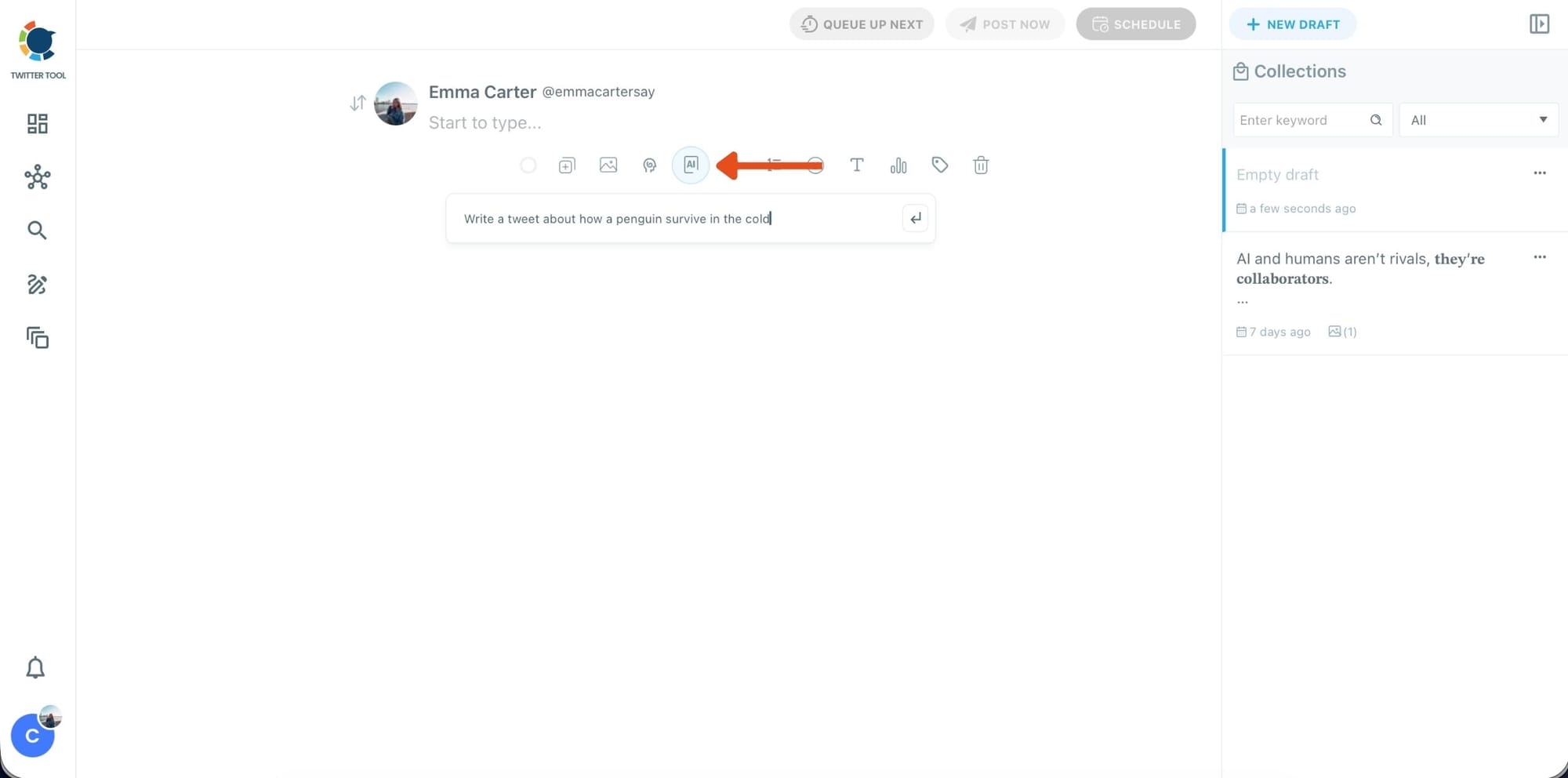
Step #4: Go back to the X Post Planner to create your tweet
Now that Bluesky is connected, return to the main dashboard and open X Post Planner + AI Writer.
If you want to speed things up, click the AI button and let Circleboom generate a tweet draft based on your topic. You can edit, shorten, or rewrite the result until it fits your style.
This step is especially useful when you want ideas quickly without starting from a blank screen.
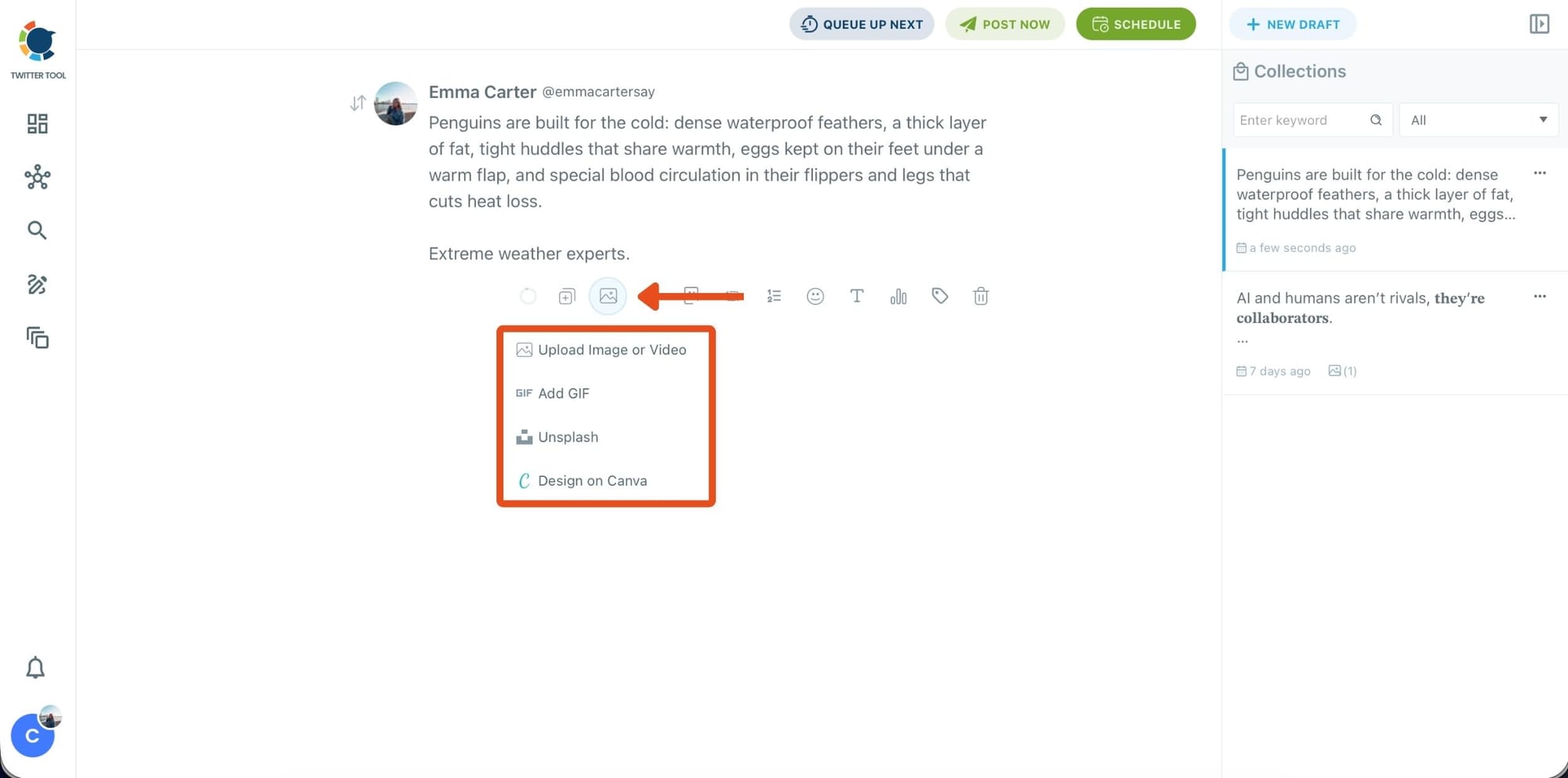
Step #5: Add images, GIFs, or designs to your tweet
After finalizing your text, you can attach a visual to your tweet.
Circleboom lets you:
- Upload an image or video from your device
- Add a GIF
- Select a photo from Unsplash
- Create a custom visual instantly using Canva
All of this happens inside the same editor, so there’s no need to open extra tabs or download files.
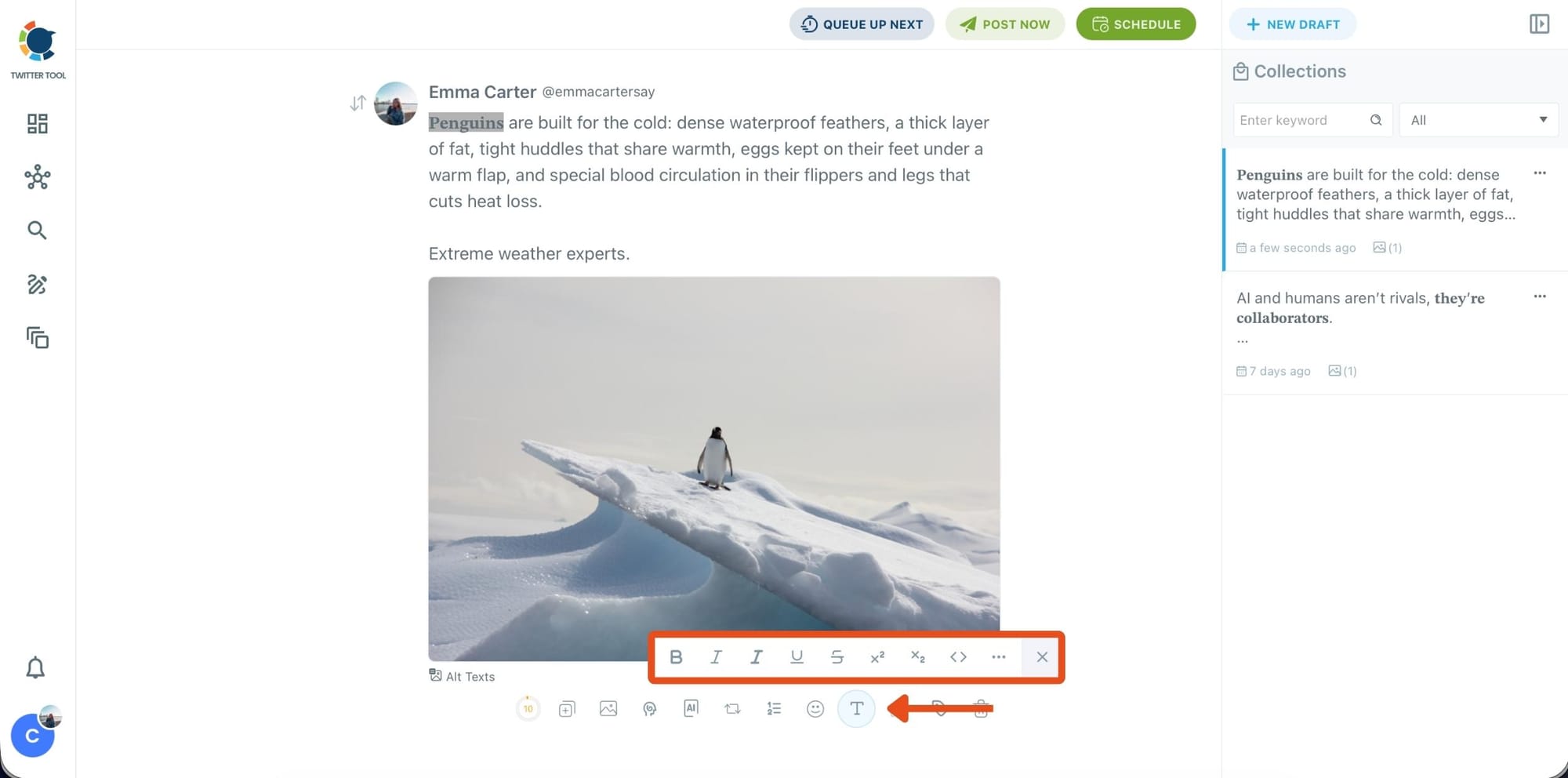
Step #6: Style your tweet with the Font Generator
To make your tweet stand out visually, select any part of your text and open the Font Generator.
Here, you can apply:
- Bold, italic, underline, or strike-through
- Different font styles
- Extra formatting options for emphasis
This is useful when you want key phrases to catch attention quickly in Bluesky feeds.
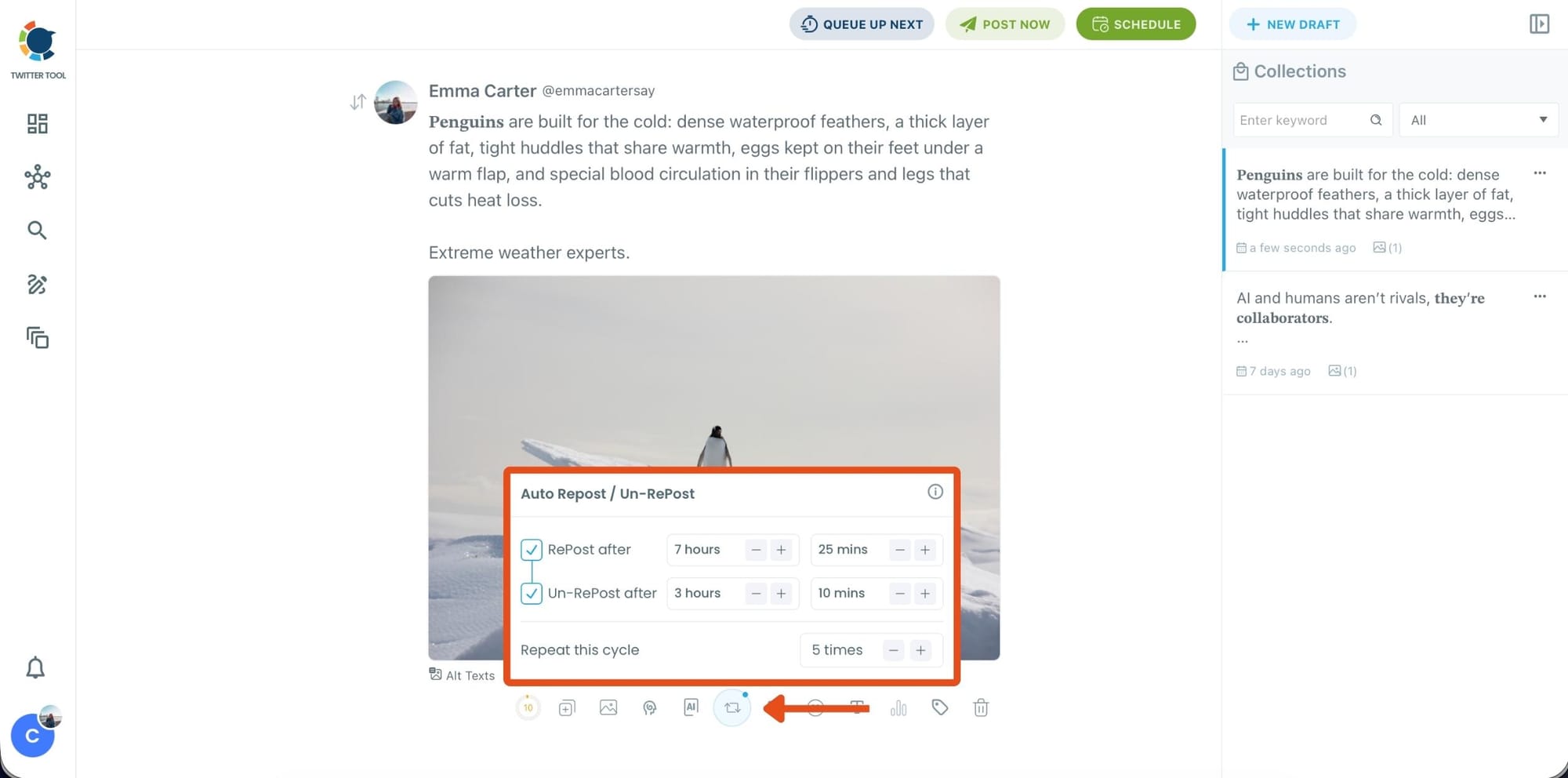
Step #7: Before publishing, you can turn on Auto Repost / Un-Repost.
This allows Circleboom to:
- Repost your tweet after a set time
- Remove the repost later
- Repeat the cycle multiple times
It’s a hands-free way to extend the lifespan of your content without manual reposting.
Step #8: Click Post Now or Schedule to choose when your tweet should go live.
You can:
- Set a specific date and time manually
- Or click Find your best posting time to see Circleboom’s suggested time slots based on follower activity analysis
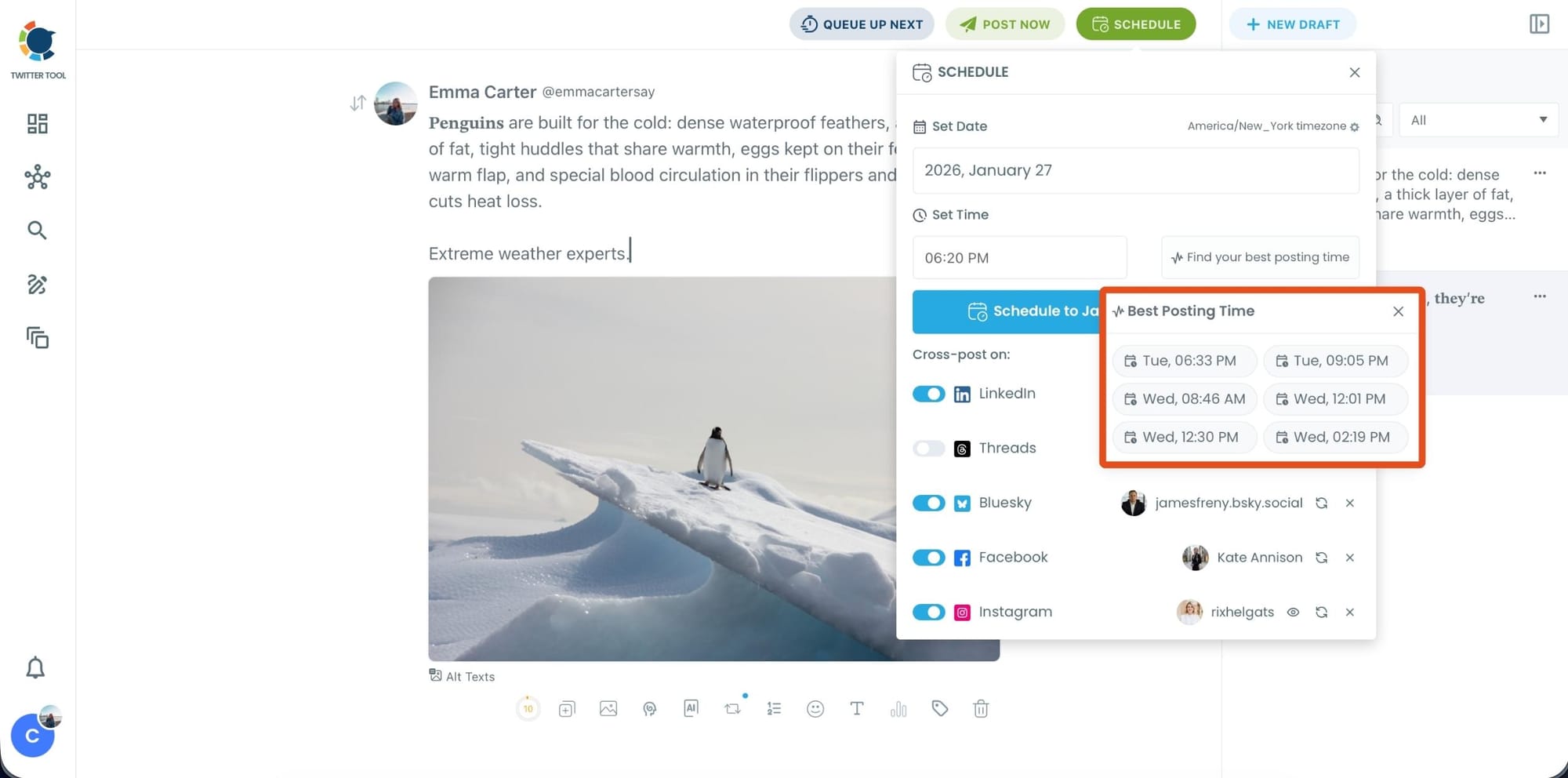
Once scheduled, Circleboom will publish the tweet on X and post it on Bluesky automatically at the selected time.
Tips for Making Tweets Work Better on Bluesky
Bluesky feels more conversational and less promotional than X.
Short thoughts, insights, and observations tend to perform better than heavy marketing messages. Replies and early engagement also help visibility, so interacting with comments matters more.
The good news is that tweets already written in a natural, direct tone usually fit Bluesky very well.
Final Thoughts
Bluesky has real potential right now, especially because it’s still growing and organic reach is easier compared to larger platforms.
Posting your tweets on Bluesky helps you:
- Reach a new and engaged audience
- Build presence early
- Test content without creating extra work
- Grow beyond a single platform
With Circleboom Twitter, posting a tweet on Bluesky becomes part of the same workflow you already use for X. You keep Twitter as your main platform, while quietly building reach on Bluesky at the same time.