

Most brands search for their name on X when they remember to. That is not monitoring, it is archaeology. By the time you search, the conversations that mattered have already moved on, the people who asked questions have already found someone else, and the complaints that deserved a response have already been screenshotted and shared.
X does not track mentions over time. It shows you a moment, not a history. Real monitoring means capturing mentions from a defined start date forward, building a running structured record of who said what and when.
Circleboom's Real-time Tweet Search does this through official X access, collecting every matching mention from the moment you start forward and surfacing both the tweets and the accounts behind them in a structured, filterable, actionable view. Historical Tweet Search does the same for the past, letting you go back up to a year to see what was said during any specific period.
→ monitor brand mentions on Twitter
Why X Makes Brand Monitoring Reactive
X's native search is a feed, not a tracker. It returns tweets sorted by relevance or recency as of the moment you look. There is no date range control precise enough for retrospective analysis, no way to switch from viewing tweets to viewing the accounts behind them as a structured list, and no storage of past results. Every time you search your brand name natively, you start from zero.
That means most mention monitoring on X is reactive by default. Someone brings a tweet to your attention and you go look. A PR incident forces a search. A quarterly report prompts a retrospective. None of these habits catch the mentions that happen quietly, the questions from potential customers, the complaints from existing ones, the comparisons against competitors where your name comes up alongside someone else's.
The gap costs real opportunities. An account that asked "does anyone use [your brand] for X" three days ago and got no answer from you has already moved on. A frustrated user who posted a complaint two weeks ago and was ignored has already formed an opinion. X's search shows you those tweets if you happen to search at the right moment. A structured monitor captures them as they happen.
Real-time vs Historical: Two Different Jobs
The two search modes cover different halves of the time dimension, and confusing them leads to using the wrong one.
Real-time Tweet Search is for ongoing monitoring. It collects mentions from a defined start date forward, accumulating as the conversation develops. Set it up when a campaign launches, when a product goes live, or simply from today onward as a running monitor. The value is timing: you see accounts expressing a signal while the context is still active, before the moment passes.
Historical Tweet Search is for retrospective audits. It searches the X archive within a date window you set, last 30 days, last 90 days, last year, or a custom range. Use it to see what was said about your brand during a specific period: a product launch, a pricing change, a PR event. The value is depth: it reaches back into conversations that no native search would reliably surface.
 infocircleboom.com
Both present results in the same dual-view structure, a Tweet View showing the posts themselves and a Profile View showing the deduplicated list of accounts that posted them. The Profile View is where most of the action happens.
How to monitor brand mentions on Twitter with Circleboom
Circleboom reads public X data through the official Enterprise API, so every mention it surfaces is drawn from sanctioned access with no scraping involved.

Because Circleboom is an official X Enterprise Developer, the entire monitoring process runs through compliant API access, keeping your account safe throughout.
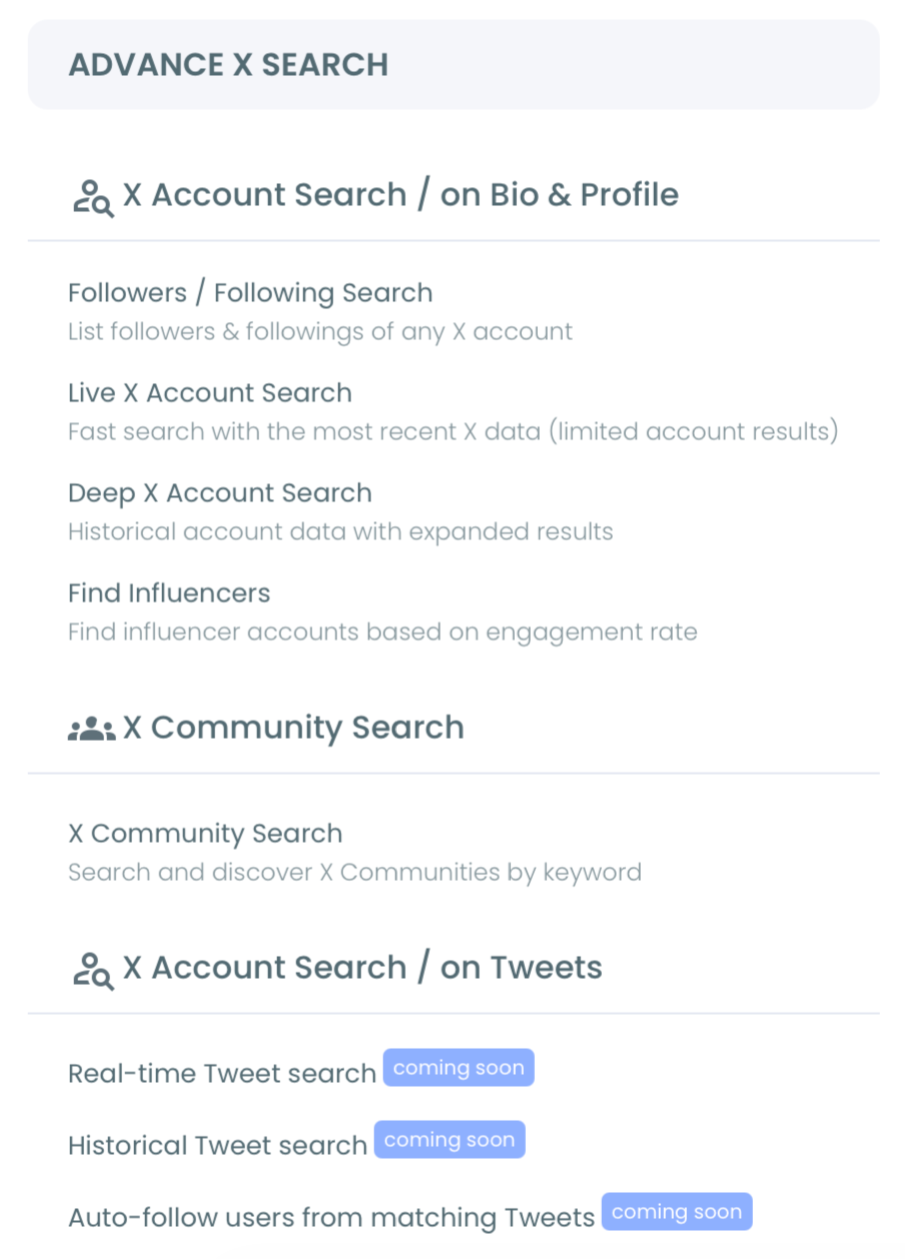
1. Log in and open the tweet search Log in to Circleboom Twitter and connect your X account through OAuth. Open the Advanced X Search section and select Real-time Tweet Search from the menu.
2. Enter your brand name and set the start date Type your brand name in plain language, the system suggests AI-refined search variations you can select or adjust. Then set the start date: Last 24 Hours, Last 7 Days, Last 30 Days, or a custom date. For an ongoing monitor, set it to today. For a specific campaign, set it to the launch date. The feature begins collecting matching tweets from that point forward.
3. Switch between Tweet View and Profile View Results load in two switchable views. Tweet View shows the matching posts with engagement data: likes, retweets, impressions, replies, and timestamps. Profile View shows the deduplicated list of unique accounts that posted those mentions, each account appears once regardless of how many times they mentioned you, with follower count, engagement tier, and follow ratio attached. Profile View is where you engage: follow an account, add them to a Twitter List, or export the full list as CSV for reporting.
4. Apply filters and narrow the signal Use the filter panel to set a minimum engagement threshold (likes or retweets), select language, exclude irrelevant terms, and choose keyword match type, exact phrase versus contains. For brand monitoring, exact phrase match reduces noise from accounts that include your name as a partial match for an unrelated term.
5. Run Historical Tweet Search for retrospective periods For audits of past campaigns or events, switch to Historical Tweet Search. Set the date window (up to one year back), define how many tweets to collect, and review results using the same dual-view structure. The Profile View here gives you every unique account that mentioned your brand during that period, a clean list for analysis, outreach, or reporting.
That sequence moves from setup to insight in one linear flow. Results are stored in the search log so you can revisit past collections without re-consuming tokens.
What Structured Monitoring Changes
Once mentions are captured in a running dataset rather than discovered through periodic manual searches, the relationship with brand conversation changes entirely. You stop reacting to mentions that surface by chance and start engaging with them while they are fresh. A question posted yesterday is visible today. A complaint from last week is in the list with a timestamp, not buried in a search feed you never opened.
The Profile View is the practical payoff. Instead of reading individual tweets, you get a structured list of every account that mentioned your brand in a period, filtered and sortable by follower count and engagement tier. That list is the actual monitoring output, a ready-made set of accounts that already know your brand and recently acted on that awareness. Following them, adding them to a list, or using them as a basis for outreach is all one step from within the same view.
The historical capability adds a benchmark layer. Running Historical Tweet Search on the same keyword across different periods shows whether mention volume is growing, whether the tone of conversation is shifting, and whether specific campaigns or events moved the needle. That is what turns isolated searches into a real monitoring practice.
Mentions You Miss Are the Ones That Cost You
The pattern behind inconsistent brand monitoring is the same one that shows up across every native platform tool: X exposes just enough, a basic search, a notifications tab, to make the problem feel handled without actually handling it. The notifications tab shows direct mentions and replies. It does not show quote tweets, brand mentions without the @ tag, or tweets that name your product but address someone else. The basic search shows the current moment. It does not track what was said before you searched.
The accounts worth engaging are often in those gaps. A user asking their audience whether anyone has used your tool, a journalist mentioning your brand in a thread about your category, a competitor's frustrated customer naming alternatives, none of these trigger a notification, and all of them are worth knowing about. Structured monitoring closes those gaps. The search log in Circleboom preserves every past collection, so even if you do not check daily, the mentions that happened while you were away are waiting in the stored result rather than lost to the feed.
The Mistake to Avoid
The most common error after setting up brand mention monitoring is searching only the exact brand name and treating the result as complete. Brand names are used in inconsistent ways: abbreviated, misspelled, prefixed with symbols, included in longer phrases. An exact-phrase search will miss variations that real users post every day.
The fix is to run parallel searches: one exact-phrase search for the brand name, one broader contains search that picks up partial matches and adjacent terms, and one for your most recognized product or feature name as a separate keyword. Filter each by engagement threshold before reviewing so you are not sorting through low-signal mentions manually. The Profile View deduplicates accounts across review sessions, so the same account will not appear twice even if they mentioned you in multiple searches.
The second mistake is treating the Profile View as a follow list by default. It is a review queue first. Some of the accounts mentioning your brand will be noise. Filter by engagement tier and follower count, spot-check borderline accounts, and then follow or add to a list with intent rather than in bulk.
Frequently Asked Questions
Does Circleboom alert me when my brand is mentioned?
Real-time Tweet Search builds a running collection from a defined start date, but alerts are not triggered per individual mention. The feature accumulates results in the search log, which you review on your own schedule. For time-sensitive use cases, set a recent start date and check the log frequently during the active period.
Can I monitor mentions of a competitor's brand, not just my own?
Yes. Real-time Tweet Search and Historical Tweet Search work on any keyword, not just your own brand name. Searching a competitor's name using the same workflow surfaces the accounts discussing them, useful for identifying frustration, comparison shopping, or switching signals.
What is the difference between Tweet View and Profile View?
Tweet View shows the individual matching posts with engagement metrics. Profile View shows the deduplicated list of unique accounts that authored those posts, each account appears once, regardless of how many matching tweets they posted. Profile View is the right starting point for most monitoring workflows because it organizes the conversation by who is talking, not what was said.
How far back can Historical Tweet Search go?
Up to one year with a custom date range. Preset options are Last 30 Days, Last 60 Days, Last 90 Days, and Last 1 Year. For periods beyond a year, the archive is not accessible through this feature.
The Bottom Line
Searching your brand name when you remember is archaeology. Structured monitoring captures mentions as they happen and stores them for review, so you are engaging with live conversations rather than discovering past ones.
Set up Real-time Tweet Search from today forward, use Historical Tweet Search to audit specific past periods, and use the Profile View to act on the accounts that already know your brand. The mentions that matter most are the ones that happen when you are not looking, and a running monitor is what catches them.

