
Every tweet you publish gets a short window of attention, and when that window closes, the work behind the tweet stops paying. Followers who were offline never see it. You end up writing a new post to say what the old one already said well.
To keep a tweet visible longer on Twitter, bring the original back to the timeline at a later hour instead of posting it again. Circleboom schedules reposts of your own tweets on Twitter and removes each one after a set time, using official X Enterprise APIs, so one tweet gets several visibility windows.
→ tweet lifespan
The setup, the choice of tweet and the check afterwards are all below.
Why a tweet drops out of sight on Twitter so quickly
A tweet drops out of sight because most of its engagement arrives shortly after posting, and the timeline has moved on by the time the rest of your followers log in.
Tweet lifespan is the name for that stretch: the time during which a tweet is still being shown and still collecting responses. X states no official tweet lifespan figure, so the useful question is what shortens yours.
Two things shorten it. The first is ranking. X explains in its help center how it picks and orders posts for the For You timeline. A post with little early response has less to recommend it later.
The second is plain timing. A follower who opens the app eight hours after you posted has eight hours of newer posts to scroll through first.
I see the same misreading again and again: people blame the tweet. In most cases the tweet was fine and the hour was the problem. The same post can have a long tweet lifespan or a short one, depending on who was awake when it went out.
Ranking itself is a larger subject than this guide. For the mechanics, the Circleboom blog has a separate post on the hidden X algorithm and the real rules of visibility.
What you control: the number of turns a tweet gets
What you control is how many times the tweet gets a turn. That is the practical route to a longer lifespan for each tweet, and it needs no change to the tweet itself.
What keeps a tweet visible on X: more windows for the same post
A tweet stays visible longer when the original is reposted at a later hour, because the repost puts it back in front of followers who were away the first time. You are not writing a copy. The same tweet returns with its likes and replies attached, and each return adds to the tweet lifespan without adding a tweet.
X allows this on your own posts. Its Repost FAQs cover reposting your own post, and they explain that undoing a repost takes it off your profile timeline while the original post stays where it was.
Circleboom turns that pair of actions into a schedule. Its Auto Retweet tool reposts a tweet on X after the delay you choose, removes the repost after a second delay, and repeats the pair as many times as you set.
The tool sits inside X Post Planner, in a panel named Auto Repost / Un-RePost. Its three controls are these:
- RePost after: the delay between publishing and the repost.
- Un-RePost after: how long the repost stays on your profile.
- Repeat this cycle: the number of times the repost and its removal run.
Why the access behind the reposts matters
A repost cycle acts on your account while you are not watching, so the access behind it deserves a look. Circleboom is one of the companies on X's official Enterprise developers list, so the reposts go out through official channels, and only for the tweets you selected.
Compared with a reminder on your phone and a manual repost, the scheduled route removes the step that fails most often: remembering at the right hour.
Circleboom's documentation gives a simple picture of the gain. A tweet that collected 2,000 impressions in its first window can collect more in each repost window, from followers who were offline the first time. The figure is an example, and no fixed lift is promised.
That is what it means to make a tweet's lifespan longer: the post earns its attention in several sittings.
Choose an evergreen tweet before you extend it on Twitter
An evergreen tweet is a post that is useful whenever it is seen, and it is the right kind of tweet to keep visible. A how-to, a resource or an explanation qualifies. A reaction to today's news does not.
The distinction matters because a repost shows the tweet to people at a later date. If the tweet says "this week only" and comes back next week, the repost works against you.
Run four checks on a candidate before it gets a cycle:
- Event dates: nothing in the tweet has already happened.
- Offer validity: any price or deal is still on.
- Factual claims: the statement is still correct.
- Linked destinations: every link still opens the right page.
Circleboom does not run these checks for you. The tool reposts the tweet you selected, so the judgment stays with you.
Let past performance narrow the list
Past response is the second filter. Pick candidates from Post Engagement Analytics, where your published tweets sit with their numbers, and favor the ones your audience already answered.
Strong past numbers are a clue and not a guarantee. A tweet that did well once tends to be a safer use of a repost than one the audience scrolled past, and that is as far as the evidence goes.
Timely tweets are not excluded. They get a different treatment: an event reminder can return once a few hours later and stop when the event ends, while an evergreen explanation can keep returning for weeks.
How long should the gap between reposts be on X?
The gap should be long enough for the repost to land in a different part of your followers' day. A repost that follows the original by a few minutes reaches the same people twice.
Circleboom's guidance for the feature offers these starting points:
- A tweet scheduled for Tuesday at 20:00 with a 12-hour delay returns for the Wednesday morning audience.
- Morning, afternoon and evening crowds are covered by reposts roughly 4 and 8 hours after the original.
- A launch tweet published at 10:00 can return that evening and again the next morning, while the news is still current.
Spread matters more than count. Cycles packed close together show the tweet to the same followers again, and each view then earns less response.
How long the repost should stay up
The repost should stay up long enough for its window to play out, and then come down. Circleboom's example uses an Un-RePost delay of 2 hours: a visitor scrolling your profile then sees each tweet once, and not the same post three times in a row.
The removal is also what makes the next repost possible, so a tweet lifespan built on several windows depends on it.
Where to aim the gap when followers are spread out
When your followers live in more than one region, the gap should point at the second region's daytime. Start by learning how to view the location of Twitter followers, then count the hours between your publishing time and that region's morning.
Before you pick a delay: how follower time zones point to the hours a repost should land in.
Now you have a tweet and a gap. The setup itself takes a few minutes.
How to keep a tweet visible longer on Twitter, step by step
Seven steps, grouped by the decision each group settles.
Get to the tweet you want to keep visible
- Open Circleboom Twitter and connect the Twitter account you publish from.
- Select the X Post Planner menu after the account is connected.

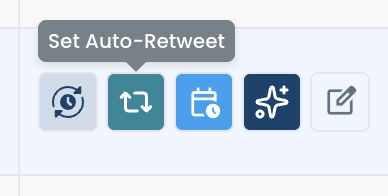
- Find the evergreen tweet under Post Analytics and click the Set Auto-Retweet button in the row of action buttons beside it. For a tweet you have not published yet, write it in the post editor and click the auto repost icon (the cycle arrows) in the toolbar.
Give the tweet its repost windows
- Check the RePost after box and enter the gap you chose, using the separate hours and minutes steppers.
- Check the Un-RePost after box and enter how long the repost should stay up before it is taken down.
- Raise the Repeat this cycle counter to the number of extra windows the tweet should get.
Confirm the cycle and leave the original in place
- Publish or schedule the post with the cycle attached. If the tweet is already live, confirm the cycle in the panel instead. Either way, leave the original tweet untouched while the cycle runs.
The sequence puts the editorial choice ahead of the timing, so no window is spent on a tweet that should not come back. The removal delay is what frees the tweet to return again in the next cycle.
The sequence again:
- Open the planner and reach the tweet.
- Set the repost delay.
- Set the removal delay.
- Set the repeat count and confirm.
Count the result before you move on. The original publication is one window and each repeat adds another, so a counter set to 2 gives the tweet three showings.
With one tweet handled, the same logic scales to a set of them.
How to keep ten evergreen tweets visible all year on X
To keep a set of evergreen tweets returning all year, treat them as a rotation: a fixed list of posts, each with a small number of repost cycles a month. You build the list once and review it on a schedule. A rotation is tweet lifespan planned for the whole account, where a single cycle plans it for one post.
The count: 20 extra windows a month from tweets you already wrote
This calculation is illustrative, and it follows the example in Circleboom's own documentation. Take 10 evergreen tweets and give each one 2 repost cycles a month.
That is 20 extra visibility windows a month with nothing new written.
Carry the same arithmetic forward and the rotation gives 240 extra windows over twelve months. The number says nothing about how many impressions each window earns. It tells you how many more turns your best material gets while you spend your writing time on new ideas.
A rotation changes the unit of planning from "tweets per week" to "windows per tweet."
Build the rotation in one sitting
The rotation is easier to keep when the posts go onto the calendar together. Circleboom's page to bulk schedule tweets is made for that case: many posts and many time slots, planned in one pass.
Three habits keep a rotation healthy:
- Stagger the tweets, so two rotation posts do not return in the same hour.
- Look at the calendar regularly and pull any post that has gone stale.
- Give a tweet that has cycled several times a rewritten first line.
The last habit comes from the product notes too. Their example is a tweet that has cycled 3 times and then goes out the following week as a rewritten version with a new hook.
If your evergreen posts carry visuals, the Circleboom blog explains how to bulk schedule tweets with images without attaching each file by hand.
A rotation on X can also be paired with other networks. X Post Planner can cross-post the same tweet to platforms such as LinkedIn and Threads when you schedule it, so the post finds readers outside X as well.
How to confirm the tweet stayed visible on Twitter after the first hour
You confirm it by comparing the tweet's numbers before and after each repost window. If impressions and responses rise after a window, the tweet was seen by people who had missed it.
Open the tweet in Post Analytics once the last cycle has finished. Circleboom's Impression Analytics shows the impression count per post, which is the first number to read.
While you are there, note roughly when responses stopped after the first window. That stretch is your own account's tweet lifespan, and it is a better guide to your next gap than any general figure.
Impressions alone can mislead. The product notes put the question this way: did the reposts bring additional meaningful engagement, or only repeated impressions?
Read the result as one of three cases:
- New likes and replies arrived after each window: keep the cycle as it is.
- Impressions rose but responses did not: widen the gap, because the same followers are seeing the tweet again.
- Nothing moved: stop the cycle and spend the window on a different tweet.
Treat every result as an observation about one tweet. No repost guarantees a new audience, and a cycle is one of several ways to increase impressions on your Twitter posts.
What a single-window tweet costs you on X
Without a second window, a tweet is seen by the followers who happened to be online in its first stretch, and the rest never learn it existed. With a repost cycle, the same tweet takes several turns in front of your audience, and the replies collect in one place.
The usual wrong turn, and I took it myself for a long time, is treating a short tweet lifespan as a writing problem. People post more, tire themselves out, and still miss the followers who were asleep.
The cost is easy to overlook. Your best explanation gets one short showing, and next month you write it again from scratch.
One evergreen tweet and one well-placed repost are enough to find out what your account has been leaving unseen.
→ Set the first cycle: extend your tweet lifespan
Tweet lifespan FAQ for the repost cycle
What share of my followers sees a tweet when it first goes out?
A small share, according to the one study Circleboom has published figures from. In a Circleboom case study with X creators, the median tweet lifespan was about 12 minutes and about 80% of the audience never saw a given post, whatever the account's size. X does not publish a comparable figure.
How soon after publishing can the first repost go out?
The delay is entered in hours and minutes, so the first repost can follow within the same hour. A gap that short brings the tweet back to much the same followers, so evergreen tweets aimed at another region usually suit a gap of several hours.
What happens to the cycle if I delete the original tweet?
The cycle fails for that interval. Auto Retweet works only on a tweet that still exists at the scheduled repost time, and the connected X account also has to stay signed in and authorized for the cycle to run.
Can a repost stay on my profile for good?
Yes. Leave the Un-RePost after box unchecked and the repost stays up with no automatic removal. That suits a single extra showing; for repeated windows, keep the removal on.
Will a repost cycle clash with tweets I have already scheduled?
It can, if a repost lands close to a new tweet. Review the cycle next to the rest of your calendar in X Post Planner, and keep repost times separate from the Best Time to Post slots you use for new posts.