
By [Arif Akdogan] | [26.03.2026]
Joining a Community on Twitter (X) is actually very simple.
But joining the right Community is what makes the real difference.
Communities on X are designed to bring people together around specific topics. Instead of scrolling through a mixed feed, you can participate in more focused conversations with people who share similar interests.
That sounds great in theory.
But in practice, most people either join random Communities or struggle to find good ones in the first place.
Communities are meaningful when they are crowded with high-quality members. More high-quality community members mean more high-quality content. Therefore, member count may not be a decisive criterion to define the quality of a community, but we can infer from the number of community members that this community has the potential to be good!
 Altug Altug
So in this guide, you’ll learn not only how to join a Community on Twitter, but also how to find better, more relevant ones.
What are Twitter (X) Communities?
Communities are topic-based spaces inside X where people gather to discuss a specific subject.
These can be about:
- crypto
- startups
- marketing
- AI
- or any niche topic
The main advantage is that conversations are more focused compared to the main timeline.
Instead of competing with everything happening on X, your posts and replies are seen by people who are already interested in that topic.
This leads to:
- more relevant engagement
- better conversations
- easier networking
How to join a Community on Twitter (X)
The process itself is straightforward, but there are a few steps to understand.
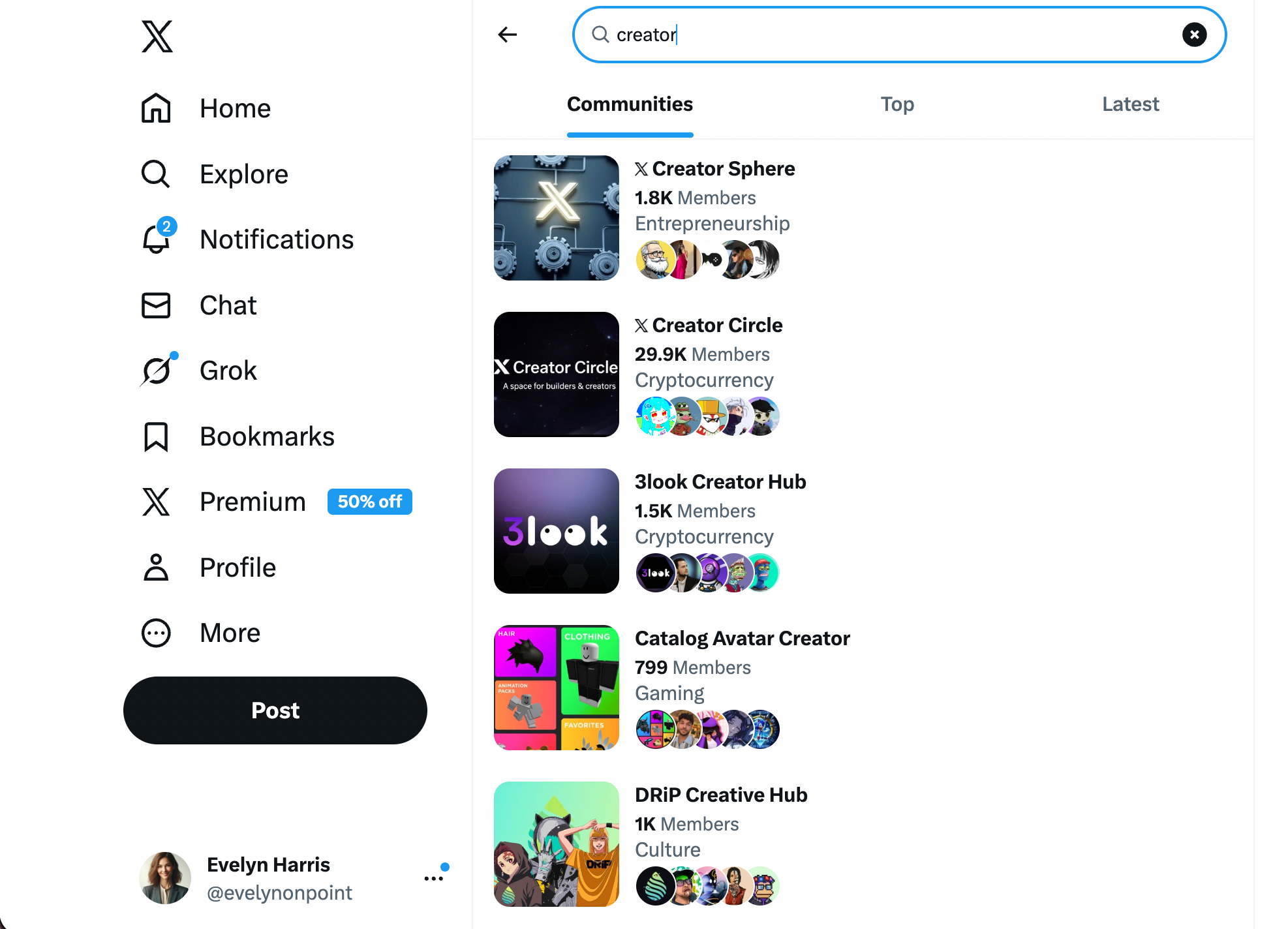
1. Find a Community
First, you need to find a Community.
You can do this by:
- searching for keywords on X
- exploring suggested Communities
- opening Community links shared by others
2. Open the Community page
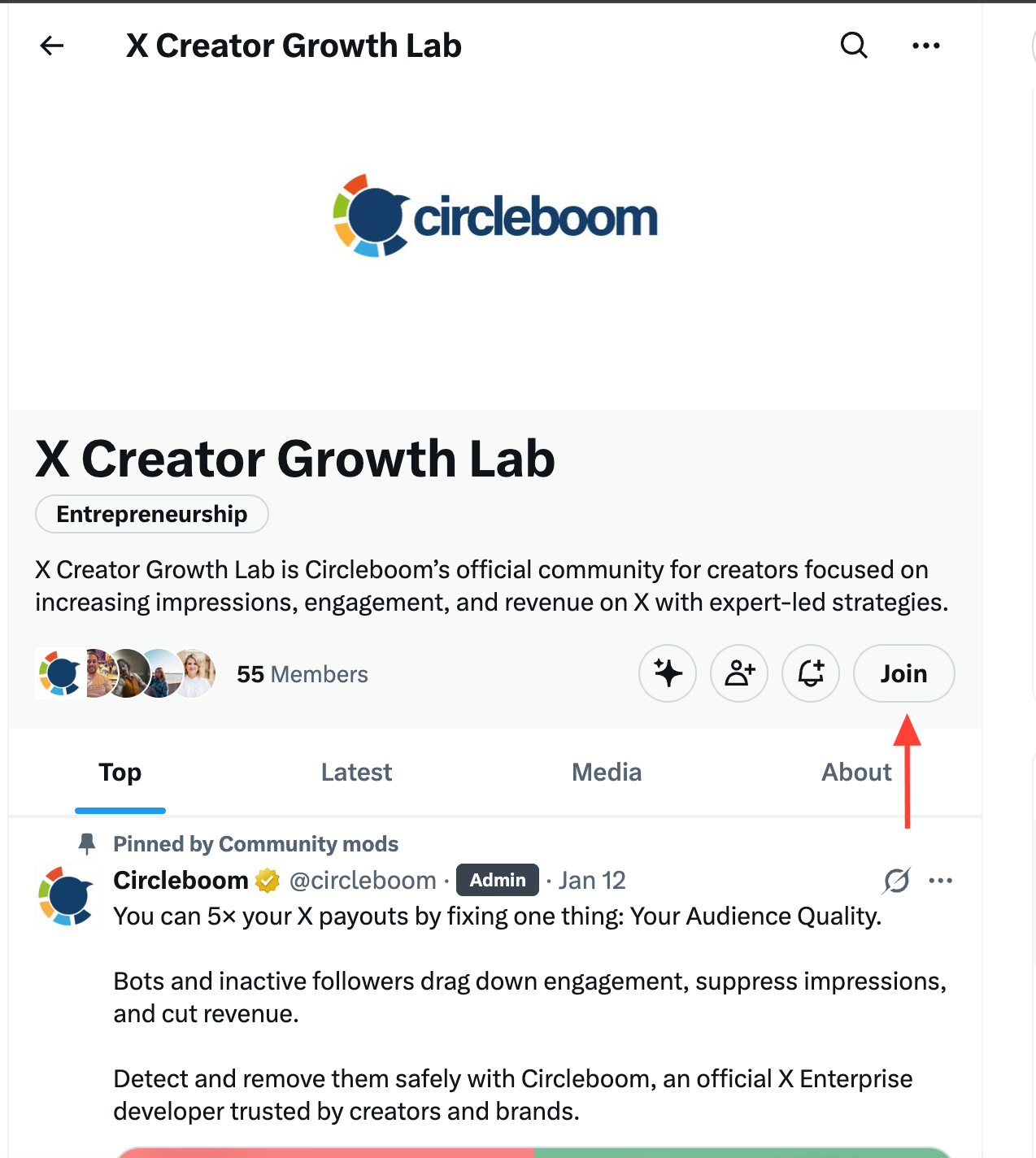
Once you find a Community, click on it.
Here, you can review:
- the description
- Community rules
- member count
- recent activity
This step is important because not every Community is worth joining.
3. Click “Join”
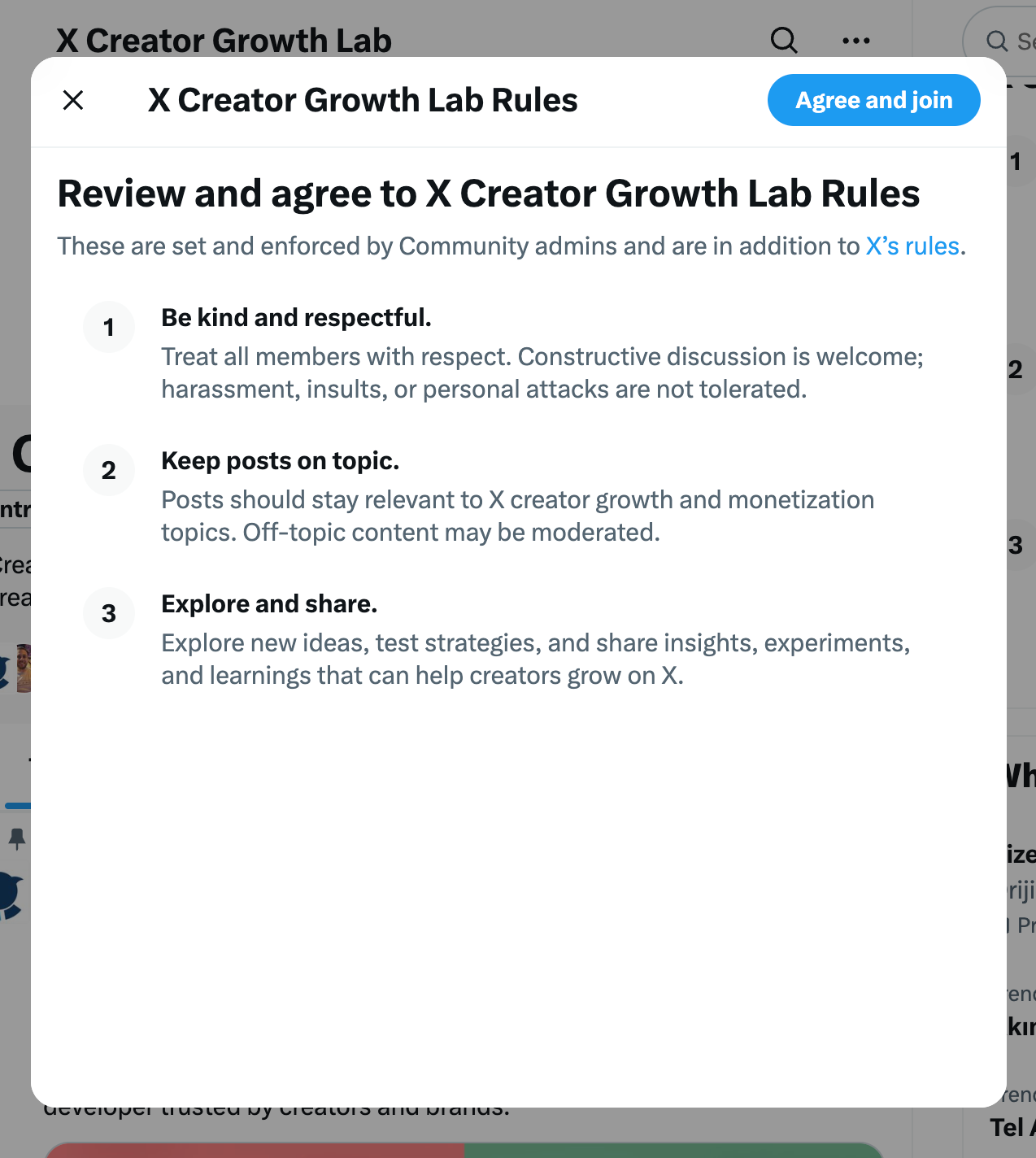
On the Community page, you’ll see a Join button.
There are two types of Communities:
- Open Communities → you join instantly
- Restricted Communities → you request to join and wait for approval
4. Start participating
After joining, you can:
- post inside the Community
- reply to others
- engage in discussions
This is where the real value comes from.
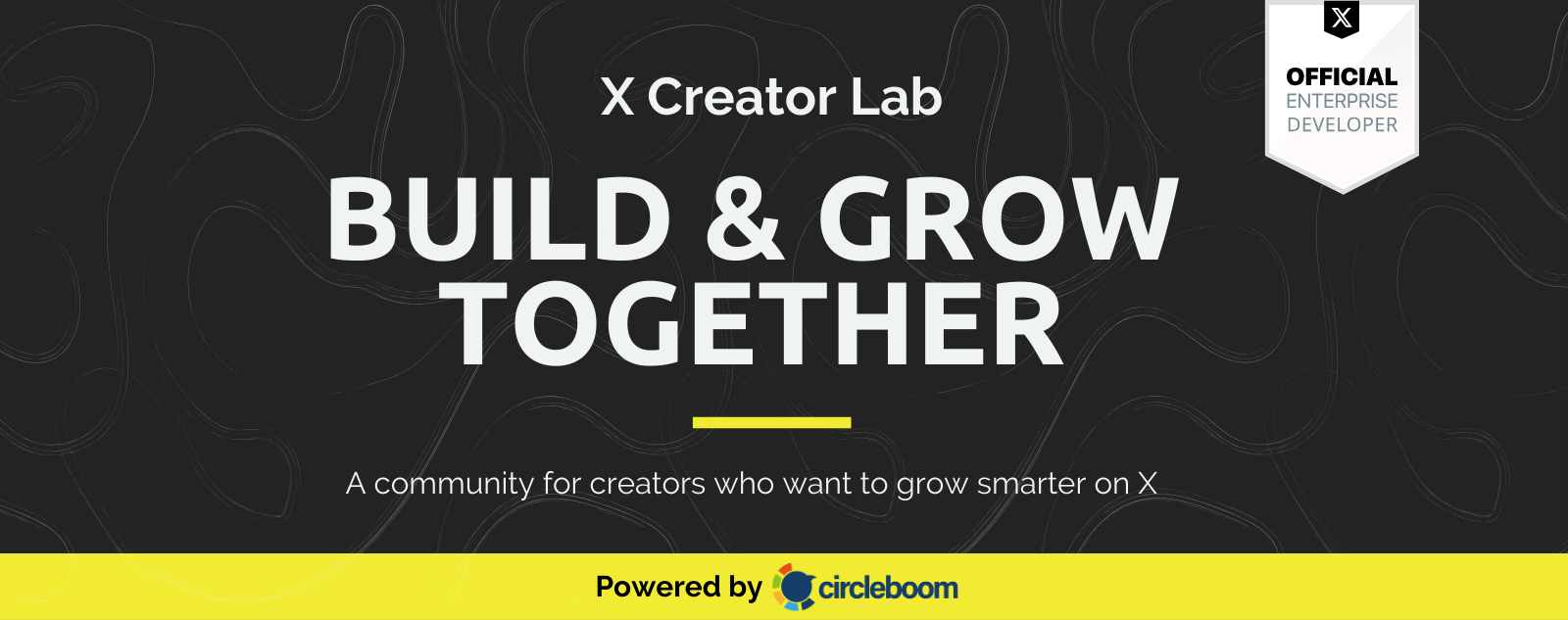
If you are a creator on X and want to know about the latest developments regarding the algorithm changes, engagement strategies, payout boosts, etc., you can join Circleboom's X Creator Growth Lab Community and enjoy a free space to learn from and contribute to!
The problem: not all Communities are worth joining
Even though joining is easy, finding good Communities is not.
Most of the time:
- search results feel random
- there is no proper filtering
- many Communities are inactive
- some are low-quality or irrelevant
This means you can easily end up joining Communities that:
- don’t match your niche
- have no real engagement
- add no value to your experience
And over time, this becomes a waste of time rather than a benefit.
Why finding the right Communities matters
The Communities you join directly affect your experience on X.
They influence:
- what conversations you see
- who you interact with
- how others perceive your account
Joining strong, niche Communities can help you:
- connect with the right audience
- build credibility
- stay updated on trends
While random Communities usually do the opposite.
That’s why it’s not just about joining Communities.
It’s about choosing them carefully.
A better way to find Communities: Circleboom Twitter
To avoid random discovery, using a more structured search method makes a big difference.
Circleboom Twitter is an official X Enterprise Developer, which means it works with X using official APIs and follows platform rules.

Its X Community Search tool is designed to help you find better Communities faster.
Instead of relying on X’s limited search, you can:
🟢 search Communities by any keyword
🟢 apply filters to refine results
🟢 find more relevant and high-quality Communities
🟢 see all matching Communities in seconds
🟢 open them directly on X and join
This turns a messy process into something much more controlled and efficient.
 Altug Altug
How to find and join Communities with Circleboom (step-by-step)
Step #1: Open Circleboom’s Community Search page
Start by going to Circleboom’s Discover X Communities page.
You’ll see a simple interface with a search bar. Type a keyword based on your interest, such as coding, AI, crypto, or marketing.
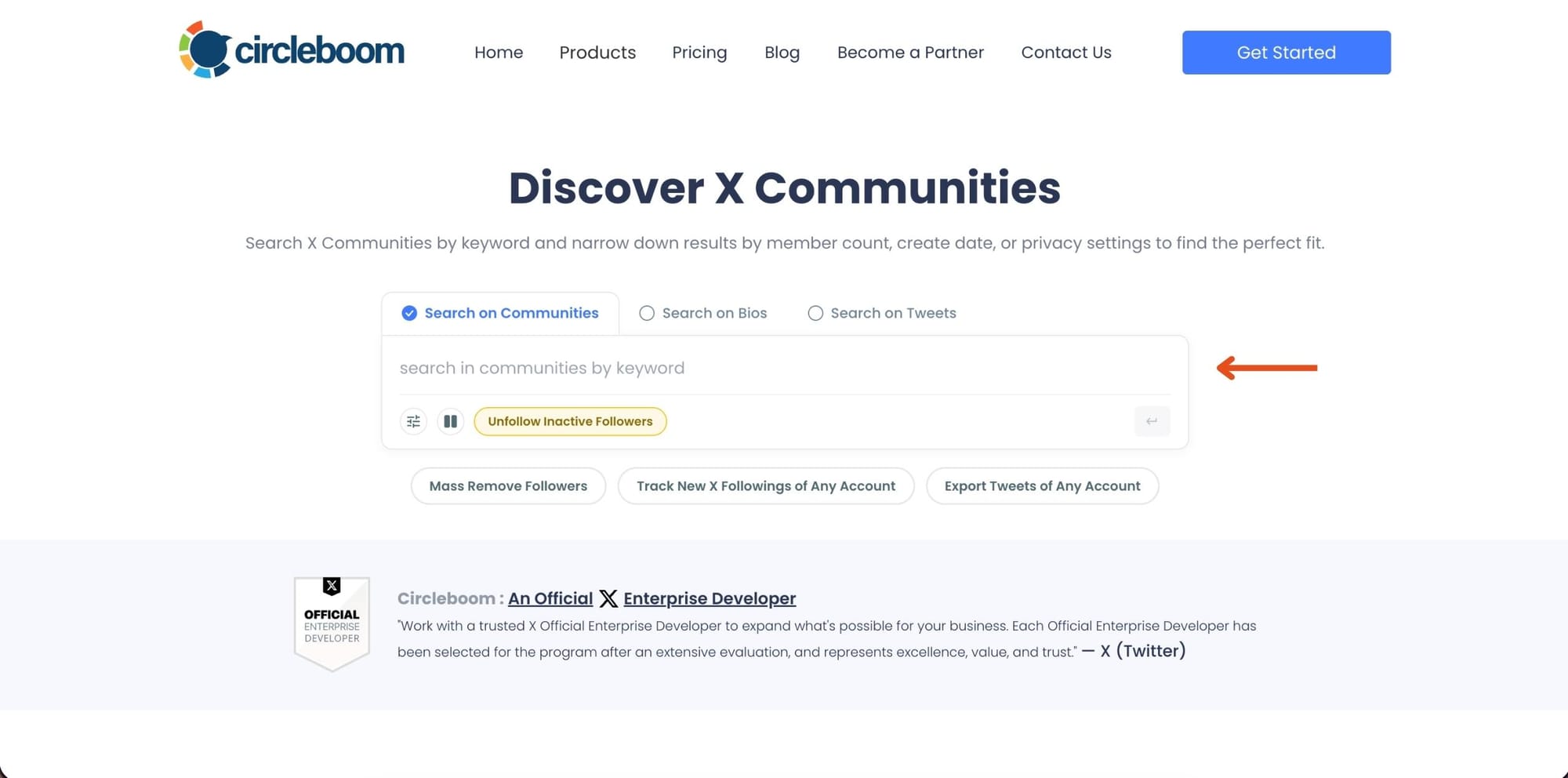
Once you enter your keyword, Circleboom instantly finds Communities related to that topic. This step allows you to move from random browsing to targeted discovery.
Step #2: Refine results using filters
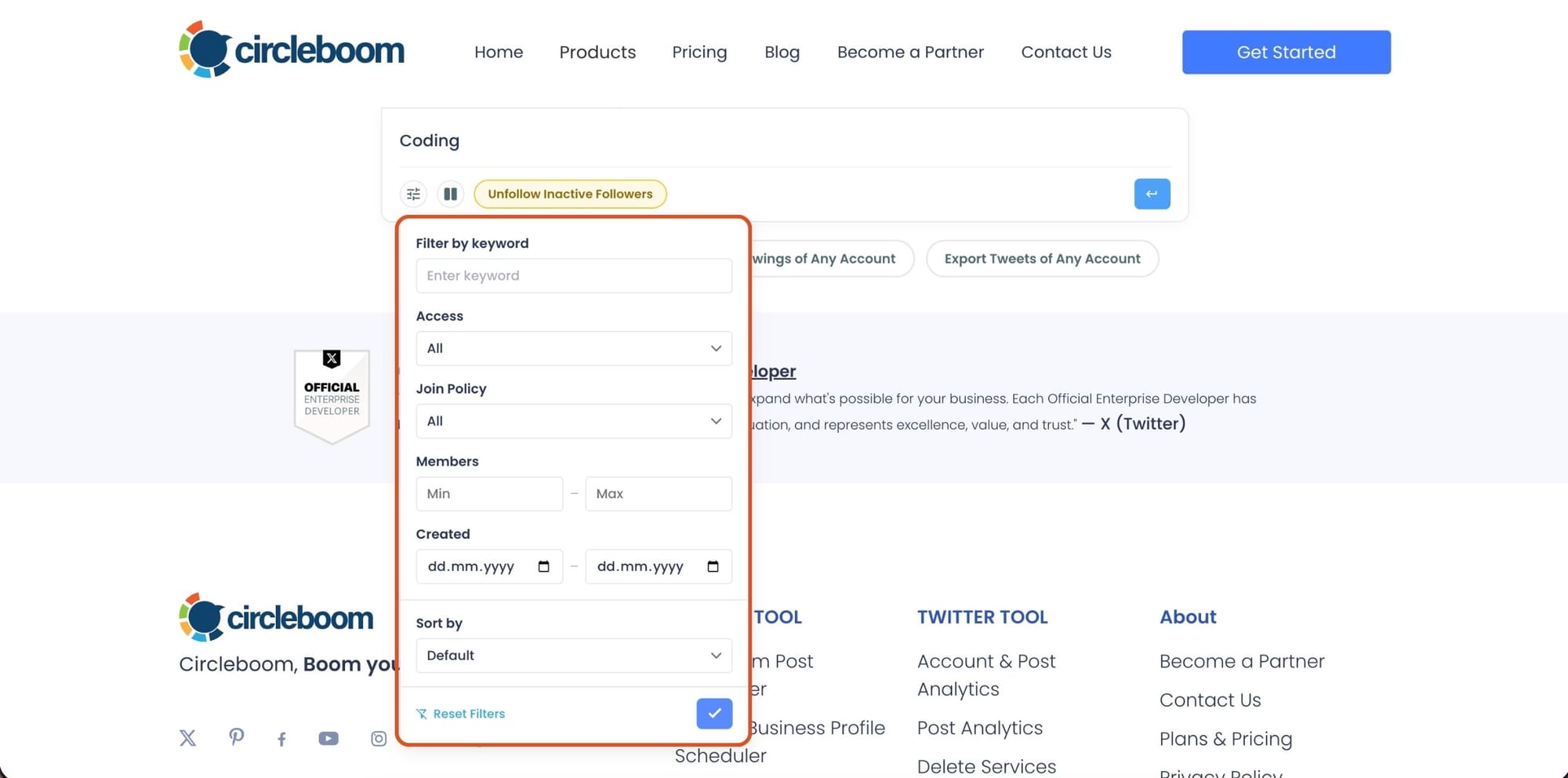
After searching, open the filter panel to narrow down the results.
You can adjust things like access type, join policy, member range, creation date, and sorting. This is what makes the biggest difference. Instead of checking dozens of Communities manually, you reduce the list to only the ones that actually match your expectations.
Step #3: Review Communities and open them on X
Once filters are applied, Circleboom lists all matching Communities in a clean layout.
Each result includes key details like the name, description, member count, and when it was created. You can quickly compare options without opening each one individually. When something looks relevant, click “View on X” to open it.

Step #4: Join the Community
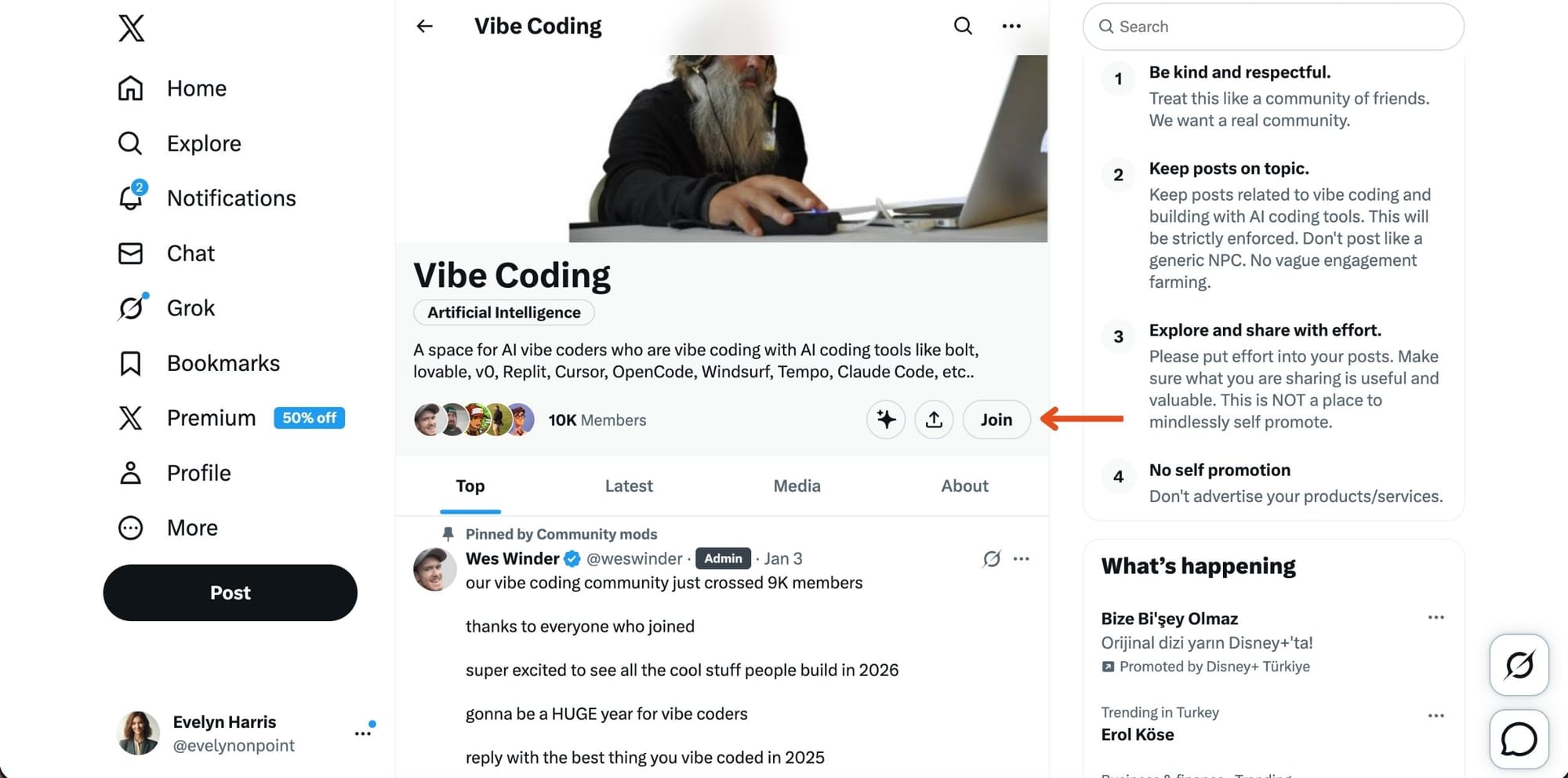
After clicking, you’ll land on the Community page on X.
From there, click the Join button. If the Community is open, you’ll be added instantly. If it requires approval, your request will be reviewed. Once you’re in, you can start participating and engaging with other members.
Why Circleboom makes it easier
Search by keyword: You can look for Communities in any niche.
Instead of broad suggestions, you get targeted results based on your topic.
Filter for better results: This is what X is missing.
You can filter Communities using:
- access
- join policy
- member count
- creation date
- sorting options
This allows you to focus only on Communities that actually match your needs.
Save time and avoid guesswork: Instead of checking Communities one by one, you get a refined list instantly.
This helps you find better options much faster.
How to leave a Community on Twitter (X)
If you’ve joined a Community and later decide it’s not useful, leaving is simple.
1. Open the Community page: Go to the Community you want to leave.
2. Click “Joined”: After joining, the button changes from “Join” to “Joined.”
3. Select “Leave Community”: Click the button and confirm that you want to leave.

Once you leave:
- you are no longer a member
- you won’t see Community posts in your feed
- you can rejoin later if needed
Tips for joining the right Communities
To get the most value:
- choose Communities related to your niche
- look for active discussions
- don’t rely only on size
- read rules before joining
- focus on quality over quantity
Final thoughts
Joining a Community on Twitter (X) is easy.
Finding the right one is the real challenge.
X gives you access to Communities, but its discovery system is limited and often random.
If you want to join Communities that actually add value, using a tool that lets you search and filter properly can make a big difference.
That’s where Circleboom helps turn Community discovery into a smarter and more intentional process.
)