

Why does sensitive content keep appearing after you have already changed the setting?
Because the setting governs how that content is displayed to you, and it has no effect on how much of it is being posted into your feed in the first place.
Those are two different problems. Most guides only solve the first one, which is why the feed improves for a week and then drifts back.
Getting rid of sensitive content on X takes a display fix and a composition fix. The display fix is a setting and takes two minutes. The composition fix is a cleanup of the accounts feeding your timeline, and it is the one that holds. Circleboom reads your following list through official X API access and flags the accounts that have drifted into spam, automation or high-volume adult promotion.
→ clear the accounts posting sensitive content
The setting filters. The cleanup changes what there is to filter.
What "sensitive content" means on X, precisely
The term covers more than people assume, and knowing the boundaries tells you which lever applies.
X's Adult Content Policy permits consensually produced adult media on the platform as long as it is marked sensitive.
Marked content sits behind a warning that a viewer has to acknowledge before the media displays, and accounts that post it regularly are asked to set their media settings so everything they post carries that warning by default.
X's guidance on reporting and viewing sensitive media covers the viewer side. What the warning looks like, how to change whether you see it, and how to report media that should have been marked and was not.
Three consequences follow from that, and they explain most of the frustration people have with this.
Marked content is compliant. Reporting an account for posting it usually goes nowhere, because the account is following the rule rather than breaking it.
Unmarked content is the reportable case. If explicit media is arriving with no warning at all, that is the violation, and the report has somewhere to land.
And accounts under 18, or with no birth date on the profile, cannot view marked content at all. If you are seeing it, your account is configured to allow it, which is the first thing worth checking.
The display fix, and exactly what it covers
Start here because it is two minutes and it tells you whether the rest of this article applies to you.
X's media settings documentation covers the control that determines whether media flagged as sensitive is hidden behind a warning or shown directly.
Turning the warning on is the whole fix, and it works reliably on content that has been correctly marked.
That last clause is the limit. The setting acts on a label, so anything that has not been labelled passes straight through it.
A network account posting explicit media without marking it is not affected by your display setting at all until X labels the content or the account.
The setting also does nothing about volume.
Content that is correctly hidden behind a warning still occupies a slot in your timeline, still counts as something you scrolled past, and still tells the recommendation model what your feed is about.
A warning changes what you see. It does not change what is there.
If the volume is the part bothering you rather than the explicitness, no display setting will touch it, and a pass over the accounts you follow is the only lever that applies.
If your feed is still unrecognisable after the setting is correct, the problem is composition rather than display.
How to enable NSFW content on Twitter is worth reading in reverse first, to confirm nothing is toggled the wrong way before you go further.
The temporary label, and why it matters here
There is a second labelling mechanism people run into while investigating this, and it is worth separating from the first.
X applies a temporary label to accounts under certain conditions, which restricts reach and can attach a warning to the account's content regardless of what that content is.
It is an account-level state rather than a content-level marking, and it behaves differently from the sensitive-media flag.
That distinction matters when you are trying to work out why something is or is not showing a warning.
Content marked sensitive by its author behaves one way. Content from an account carrying a temporary label behaves another, and the two get conflated constantly.
On the receiving end of a label yourself rather than trying to filter one? The Twitter temporary label explains what triggers it.
Removing a Twitter temporary label covers the path out of it.
Video walkthrough: unfollowing the low-quality accounts in a following list, which is the composition half of this problem.
How to get rid of sensitive content on Twitter at the source
The composition fix is a cleanup of your own following list, and it is the part that changes the feed permanently.
Connect your account and open the following audit
- Log in to Circleboom Twitter and connect the X account whose feed you are cleaning.
- Open the Follower and Following menu and select Fake/Bot Following, which applies multi-signal scoring to the accounts you follow rather than to the ones following you.

- Let the full retrieval finish before drawing conclusions, since the list keeps changing while it loads on larger following counts.
Separate the categories before acting on any of them
- Whitelist anyone you follow deliberately, including parody, brand and support accounts that look unusual on purpose. The label persists across every feature and every future session.
- Stack Fake/Spam with Eggheads, a Tweet Count range and a Follow Ratio ceiling to isolate accounts that were synthetic from the start.
- Run the Overactive filter as a separate pass. This catches genuine accounts posting at a volume that has taken over your timeline, and those score perfectly well on every spam signal.
- Read a full page of each segment by hand, because a filter catching accounts you would not unfollow individually is set too wide.
Unfollow in paced batches
- Select the reviewed rows and click Unfollow. Circleboom processes 50 unfollow actions every 15 minutes, up to 800 per day, pausing automatically when a quota is reached.
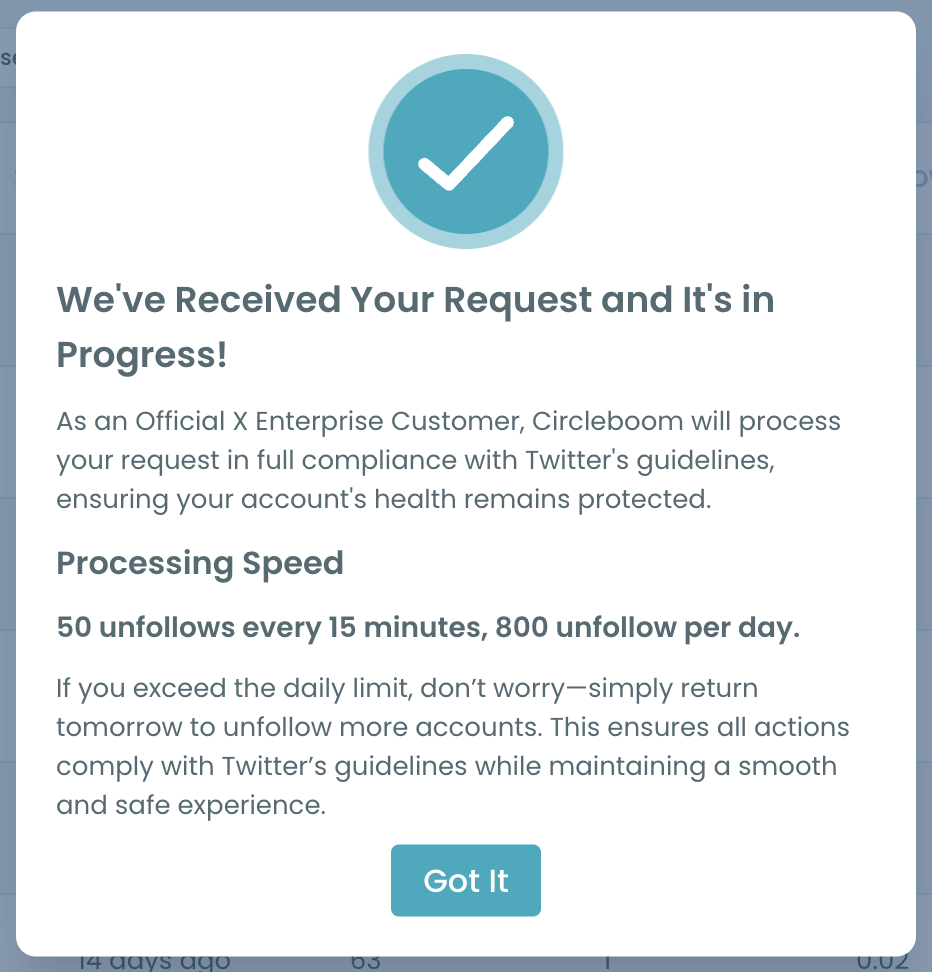
- Keep each session to 100 or 150 accounts. That is the documented working pace, and unfollowing aggressively is what X's automated systems treat as suspicious behaviour.
Running the spam filters and the overactive filter separately is what makes the results legible.
Combined, they return one undifferentiated list where a bot and a prolific journalist look identical. Separated, each list has an obvious decision attached to it.
Quick recap: fix the display setting, then audit the following list, then unfollow in batches of 100 to 150.
The category no filter catches
The largest source of drift on an established account is not spam.
It is accounts that were completely fine when you followed them.
An account you followed years ago because it posted good work can be abandoned, then recovered by somebody else, then repurposed into something entirely different.
The follow relationship carries none of that history, and nothing notifies you when it happens.
These accounts defeat every structural filter, because they have old join dates, high tweet counts and real follower numbers. Every signal that usually indicates legitimacy is present.
Only their current behaviour gives them away.
The gentler version is a real account that changed. Someone who posted twice a week now posts thirty times a day, or has pivoted into promotion, or has started reposting a feed.
Nothing about that is a violation and it is still not what you signed up for.
That is why the Fake/Bot Following view is worth running even on a following list you feel confident about. The scoring reads current behaviour rather than how the account looked when you followed it, and the gap between those two is where the accumulated noise lives.
A following list is a record of decisions you made once. Your feed reflects what those accounts are doing now.
Why muted words do less here than people expect
Muting is the natural second move after the display setting, and for this specific problem it underdelivers in a way that is worth understanding before you rely on it.
X's mute controls let you mute words, phrases and hashtags from your timeline, your notifications, or both, with an optional expiry.
Muting the handful of terms that adult promotion accounts repeat does cut some of what gets through.
The limit is that muted words match text, and the content here is largely visual.
An account posting an image with a three-word caption matches nothing you have muted, and a caption of pure emoji or a single link matches nothing either.
There is a second limit that costs more than people realise.
Mute a term that is common enough to be useful and you will silently lose posts you wanted, from people you follow, with no indication that it happened.
That is why a short list of specific phrases beats a long list of general ones, and why an expiry is usually better than a permanent mute.
Muting also leaves the account in your following list, which means it keeps counting toward your following total, keeps sitting on your public profile, and keeps telling the recommendation model what your feed is about.
Muting is the right tool for text you can name. It is the wrong tool for images and for volume.
Is unfollowing in bulk safe on X?
Yes, at a controlled pace, and the pace is the whole answer.
Circleboom processes 50 unfollow actions every 15 minutes with a daily ceiling of 800, and pauses automatically when a limit is reached rather than pushing through.
The documented recommendation is to stay well below that, around 100 to 150 accounts per session.
Unfollow limits also vary between accounts on X.
If the platform returns a rate-limit response, the request is simply not fulfilled, and repeated fast requests get read as aggressive behaviour rather than as enthusiasm. Accounts are temporarily locked for exactly this pattern.
Circleboom runs the whole operation as an official X Enterprise Developer company, inside X's documented rules rather than around them.
On an operation touching hundreds of relationships in sequence, that pacing is the difference between a clean cleanup and a locked account.
If you would rather not unfollow at all, muting individual accounts removes them from your timeline while leaving the follow in place. The difference between muting and blocking on Twitter sets out what each action actually closes.
What to do next
Run the two fixes in order, because the first one is cheap and tells you whether the second is needed.
- Set X's sensitive media handling so marked content sits behind a warning, then judge the feed.
- Mute the handful of terms that genuinely recur, with an expiry if the problem is temporary.
- Audit your following list for accounts that were always synthetic and accounts that have degraded since.
- Run the Overactive pass separately, since volume is a different problem from content.
- Unfollow in batches of 100 to 150 and re-check a month later.
The setting is maintenance you do once. The audit is maintenance you repeat, and it is the only one of the two that changes what enters your feed rather than what survives the filter.
Clearing the accounts feeding sensitive content into your timeline takes an afternoon once, then thirty minutes a quarter to keep flat.
If muting is the direction you prefer, seeing which accounts you have muted is worth checking first, since most people have a mute list they have entirely forgotten about.
→ clean the sensitive content out of your following list
Common questions about sensitive content
Why do I still see it after changing the setting?
Because the setting acts on content that has been marked. Unmarked media passes straight through, and the setting never reduces how much of it is being posted into your feed.
Can I report accounts for posting adult content?
Only when it is unmarked. Marked content is permitted under X's policy, so the productive report is about the account being inauthentic rather than about what it posts.
Does unfollowing notify the account?
No. Unfollowing is silent on X and generates no notification, which makes it a lower-friction action than blocking.
What if the accounts do not follow me and I do not follow them?
Then they are reaching you through recommendation feeds, and no cleanup touches that. Settings and muted words are the right tools for that half. Finding your low quality followers and friends covers the half you can act on.
How long before the feed actually changes?
The chronological timeline changes within a day, because you removed the source directly. Recommendation-driven feeds take a week or two to catch up.



%3A%20A%20Complete%20Tutorial)