

The accounts that gain followers on X do three plain things well: a profile that explains them, a posting rhythm they can keep, and replies worth reading.
To get more Twitter followers, give your profile a clear bio and a pinned post, publish useful posts on a schedule you can keep, and reply with something new under the accounts your future followers already read. All of it assumes public posts: with Protect your posts switched on, accounts that don't follow you can't see your replies, and your followers can't repost you.
Below: the steps on X, how X ranks replies, which numbers show where followers slip away, what Premium changes, and how to keep the posts coming.
How to get more Twitter followers, step by step
Most new Twitter followers arrive the same way: someone sees a post or a reply, taps the name, and decides on the profile.
So set up the profile first, then the posting rhythm, then the replies that bring new people to it.
X's own advice on how to grow your following lists the same three moves: engage with other accounts, share your @handle and post consistently.
Make your X profile close the follow
- Open your profile and select Edit profile, on x.com or in the X app.
- Rewrite the bio for a stranger. X allows 160 characters, and its business guide asks you to cover what you do, your value and why to follow.
- Add a recognizable photo and a header. X recommends 400x400 pixels for the photo and 1500x500 for the header, which it suggests using like a billboard for what's new. Keep the photo readable at small sizes, since it sits next to every reply you leave.
- Pin your strongest post. Open the three-dot menu at the top of that post, select Pin to your profile, then confirm with Pin.
The pinned post matters because it is the first post anyone sees on your profile, as X's help page on how to customize your profile explains. Pick one that proves what the bio promises.
For bio wording you can adapt, this collection on how to write the perfect Twitter bio has more than 40 examples to start from.
A finished profile reads top to bottom as one pitch: name and handle, the bio, the follower counts, then the pinned post.

Post on a rhythm you can keep
A visitor who likes your profile checks your recent posts next, so the rhythm has to be one you can hold for months.
- Choose two or three topics you can post about every week, so your last few posts show what following you will bring.
- Write short, conversational posts. Add an image, video, GIF or poll with the icons at the bottom of the composer, and keep hashtags to one or two per post, as X's guide suggests.
- Turn longer ideas into a thread. Select Post on the web or the compose icon in the app, add each follow-on post with the plus icon, then select Post all. Timelines shorten threads of four or more posts behind Show this thread, so make the first post a complete point on its own.
- Schedule posts ahead on x.com. Select the calendar icon at the bottom of the compose box, pick a date and time, and select Confirm; scheduled posts and drafts wait under Unsent posts.
Reply where your next followers already read
Replies put you in front of people who don't follow you yet, inside conversations they already care about.
If you don't know whose posts to watch, how to find the best Twitter content creators helps you build that first reading list.
- List a handful of accounts your ideal followers read, and check their new posts every day.
- Reply with something the post didn't say: an example, a number from your own work, or a respectful counterpoint.
- Quote a post when your take deserves its own spot on your profile. X describes quote posts as the way to add a comment to what you share.
- Share your @handle where people already know you, such as your website, business cards and email signature, and add X's follow button to your site from publish.x.com.
The sequence matters because posts and replies only earn a visit. A finished profile turns that visit into a follow, and a steady rhythm gives every returning visitor something new to read.
How does X decide which replies get seen?
X puts replies in a set order:
- Replies from accounts the reader follows and replies the original author has replied to come first.
- Verified accounts next.
- Everyone else last.
That is how X itself describes how conversations are ranked. Within each group, a model orders replies by the likes, replies and reposts it predicts, and pushes down replies it expects to be muted or reported.
That ordering changes how the reply habit works. An answer from the original author is one of the signals X names, so write replies an author would want to answer: a precise question, a data point, a useful counterexample.
A reply that only agrees gives the author nothing to answer.
Replies also stay where they were written. The For You ranking code X has published filters replies from accounts a viewer doesn't follow out of that viewer's For You feed.
A reply wins followers inside the conversation, from the people reading that post.
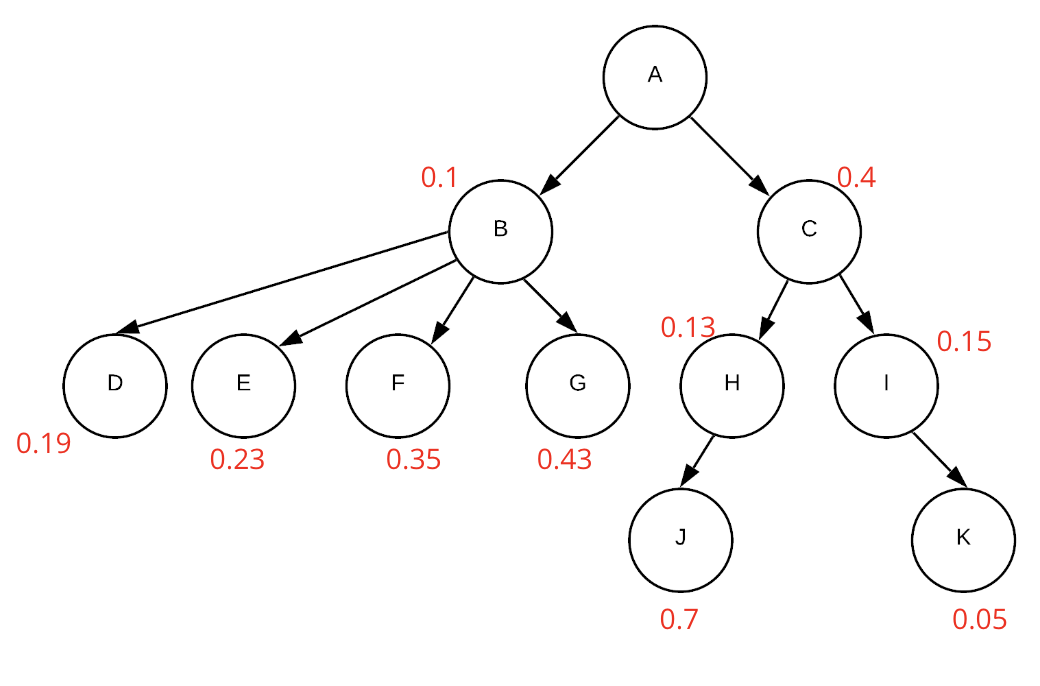
X's help page draws each conversation as a tree in which every reply carries its own score, and the ranking then picks which branches of that tree to show.
Why do people see your Twitter posts but not follow you?
Usually one stage of the path leaks: too few people see your posts, readers don't tap through to your profile, or visitors reach the profile and leave.
X's account analytics, which X offers to Premium subscribers, put impressions, profile visits and new followers side by side. That's enough to see where your Twitter followers slip away.
Read the three numbers together, over the same period:
- Few impressions: too few people see you. Post on a steadier rhythm and reply more before changing anything else.
- Many impressions, few profile visits: people read the posts but don't wonder who wrote them. Post what only you could post: your numbers, your examples, your field.
- Many profile visits, few new followers: the profile is losing them. Rewrite the bio and swap the pinned post.
Fix the stage that leaks before adding volume to the stage that works.
Say a week brings 20,000 impressions, 150 profile visits and 3 new followers. People are finding you and checking you out, so the profile is where the work is.
X's own Premium promotion shows that Account Analytics screen, with impressions, profile visits and new followers each shown next to its change against the previous period.

Without Premium, a rougher version still works: note your follower count once a week, and compare it with the view counts X shows on each of your posts.
Does X Premium help you get more followers?
Premium helps your replies get seen, but it gives no one a reason to follow you.
Every tier of X Premium includes reply prioritization, with a larger version in Premium and the largest in Premium+. X also says people "will see a slight preference for replies from verified accounts over other replies," and verified accounts can answer posts whose replies are limited to verified accounts.
The checkmark comes with Premium and Premium+ after X reviews the account, and it is tied to your profile details. Changing your profile photo, display name or @handle after subscribing removes the checkmark until X validates the account again, and X may turn away sign-ups from accounts that changed those details in the previous three days.
If I were starting an account today, I'd finish the profile first and subscribe after.
Premium also unlocks the account analytics described above.
What it can't fix is a profile with no clear promise or posts nobody would miss. A prioritized reply only sends more people to that profile, and they follow only if it gives them a reason.
Why a steady posting rhythm beats bursts on Twitter
Because X's feed has a short memory and discounts repetition.
The same published For You code drops candidate posts older than 48 hours, and it multiplies each additional post from one author in a viewer's feed by a decaying factor.
Two more details favor steady posting. That code also lifts posts from authors whose impressions sit below a threshold toward a target position, so a small account posting regularly still gets tested with new readers.
And X's account recommendation system, which picks the accounts it suggests to people, ranks candidates partly on a "user state" built from daily login frequency and daily post frequency.
Put together, three posts on Monday and then silence leave nothing of yours eligible for For You by Wednesday night, while a post a day keeps something of yours in the pool all week.
X covers the calendar side natively: the web composer saves drafts and schedules posts, and the Inspiration view in X's Creator Studio lists top-performing posts by likes, replies and more.
To plan what goes on that calendar, how to create a Twitter content calendar walks through setting goals, finding your audience's peak times and mixing content types.
What a calendar can't give you is the next idea on a busy week.
Keeping your posting rhythm on X when the ideas run out
Accounts rarely stall at the calendar. They stall at the blank composer: a busy week, no obvious next idea, and a gap that outlasts the 48 hours For You gives a post.
The tiring part is deciding what to post. Picking the next idea from scratch every day is the first habit to slip, and a broken rhythm stalls follower growth because the feed's window is so short.
Circleboom Twitter has a feature built for that moment. Generate My Next Post reads your previous posts, learns the tone, vocabulary and topics you already use, and drafts your next post in that voice, so it reads like your account rather than generic AI text.
Circleboom is one of the Enterprise developers X lists in its official customer directory. It reads your post history through X's approved access after you authorize it, so nothing is scraped and your password stays with X.

What you do with each draft
Each draft opens in the composer, where you decide what happens to it:
- Edit it and add what only you know: a number, an example, an opinion.
- Click Generate again when a draft misses the direction you want.
- Publish it right away, or schedule it for later.
- Save it to Collections, or extend it into a thread with Add another post.
Nothing goes out until you publish or schedule it yourself.
On the weeks you're short of ideas, open Generate Your Next Tweet and let your own post history suggest the next one. Then keep the reply habit going, so each new post has somewhere to send visitors.
Where the drafts still need you
The drafts are only as good as the history behind them. Accounts with fewer than about 50 to 100 published posts get more generic drafts, and an account that is changing topics will see drafts lag behind the new direction until enough new posts exist.
Generate a few options before you pick one, and skip any draft that repeats something you posted recently.
Treat each draft as a first version: the structure is there, and the specific knowledge is yours to add.
Getting more Twitter followers, in three habits
More Twitter followers come from three habits on a public account:
- A profile that closes the follow.
- A posting rhythm the feed can keep picking up.
- Replies that give strangers a reason to tap your name.
When growth stalls, find the stage that leaks and fix that one first.
The rhythm is usually the first habit to break, and it's the one X's 48-hour window depends on. Keep it going through the thin weeks, and the profile and the replies keep paying off.
→ Keep your posting rhythm through busy weeks with Generate Your Next Tweet
X follower questions on follows, hashtags and apps
Can following too many accounts get you suspended on X?
Only when it breaks X's rules. Following isn't banned, but X caps it at 400 accounts a day, and once you follow 5,000 accounts, each new follow depends on your follower-to-following ratio.
X's rules also prohibit follow churn, meaning following and then unfollowing large numbers of accounts to inflate your own follower count, and accounts that do it can be suspended.
Do hashtags help you get more followers on X?
Only in small doses: X's business guide suggests one or two hashtags per post at most. X's systems read the text of each post, so a clear topic in the words themselves tells them what the post is about.
Are "free followers" apps safe to use?
No. X warns that these apps often lead accounts to break the X Rules, and that they can compromise the account, post spam links from it, force aggressive following, add fake or compromised followers and get the account suspended.
If you've connected one, revoke its access to your account right away.

