

X shows who retweeted one tweet at a time, but never who retweets you the most across all your posts. To find out, open Circleboom's Engaging & Loyal Followers feature. It goes through up to your last 3,200 tweets, collects the retweeters of each one, removes duplicates and fake accounts, and ranks your followers by a Times Retweeted count. Sort that column and the people who share your tweets most often are at the top.
Every account has a few people who always seem to be there. Their names keep popping up in notifications. A new tweet goes out, and within the hour the same handful have already reposted it. You know they exist, but if someone asked you to name your top ten, you would probably guess.
X does not help much with that guess. Open any tweet and you can see who reposted it. Open the next one and you see another list. There is no screen that adds those lists together and says "this person shared 14 of your tweets, this one shared 9."
Doing it by hand means opening tweet after tweet and keeping a tally. Nobody does that for more than a few posts, and the people who share your work quietly, without replying, never get noticed at all.
With Circleboom Twitter, you can see that tally already done. Engaging & Loyal Followers builds a ranked list of your followers by how many of your tweets they have retweeted, so you can thank them, follow them back, keep them safe from cleanups, and give them more reasons to keep sharing.
How the Times Retweeted count is built
The ranking works backwards from your content instead of forwards from your follower list, which is what makes it different from every other follower view.
First, Circleboom retrieves up to your last 3,200 tweets through X's official API. For each tweet, it collects the accounts that retweeted it. Then it merges those lists, removes duplicates, and drops accounts that are fake, suspended, or locked. Finally, it checks the result against your current follower list, so only people who actually follow you are included.
Each remaining follower gets a Times Retweeted number: how many of your tweets they shared. That column exists only in this feature, and it is the clearest answer to "who retweets me the most" you will get. Next to it you also see each follower's tweets, join date, followers, following, follow ratio, and an activity label.
Results are saved, and a date selector lets you look back at earlier runs. That makes it easy to see whether the same people are still your top supporters a few months later, or whether new ones have joined them.
Because Circleboom is an Official X Enterprise Developer, all of this comes from X's own records rather than scraped pages that can miss retweets when lists load partially. Missing even a few retweets would shuffle the ranking, so the data source matters here.
How to find who retweets you the most with Circleboom
Step 1: Open Engaging & Loyal Followers. Log in to Circleboom Twitter, connect your X account, and open Engaging & Loyal Followers from the Followers section. Circleboom starts building your list and lets you know when it is ready.
Step 2: Sort by Times Retweeted. When the list appears, click the Times Retweeted column to sort from highest to lowest. The followers at the top are the ones who retweet you the most.
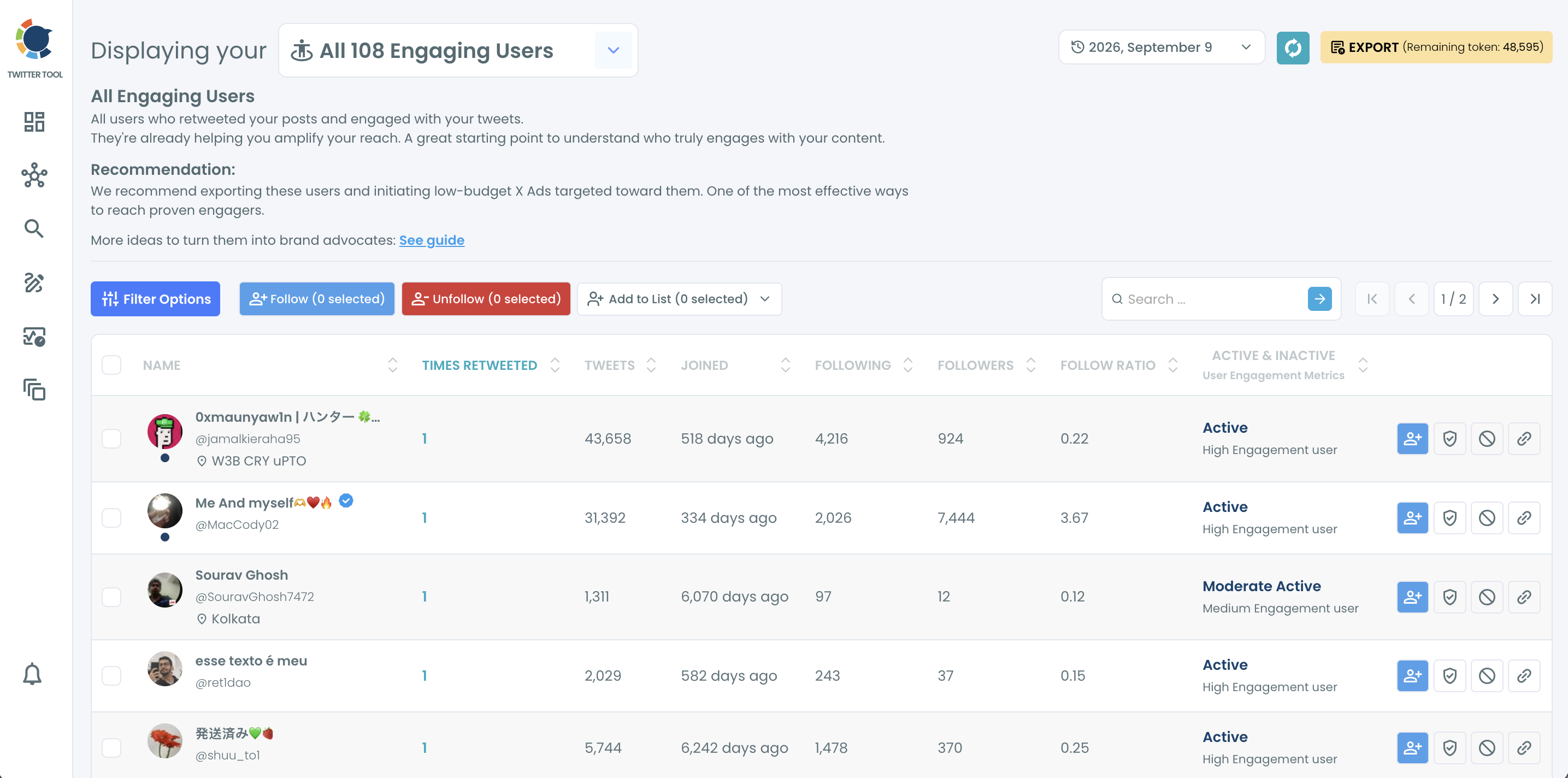
📌 A small account that retweeted you 12 times can matter more than a large account that did it once. Sort by Times Retweeted first, then look at follower counts.
Step 3: Narrow the list if you need to. Open Filter Options to focus on a segment: verified accounts, followers in a certain location or language, accounts with a keyword in their bio, or followers above a certain follower count.
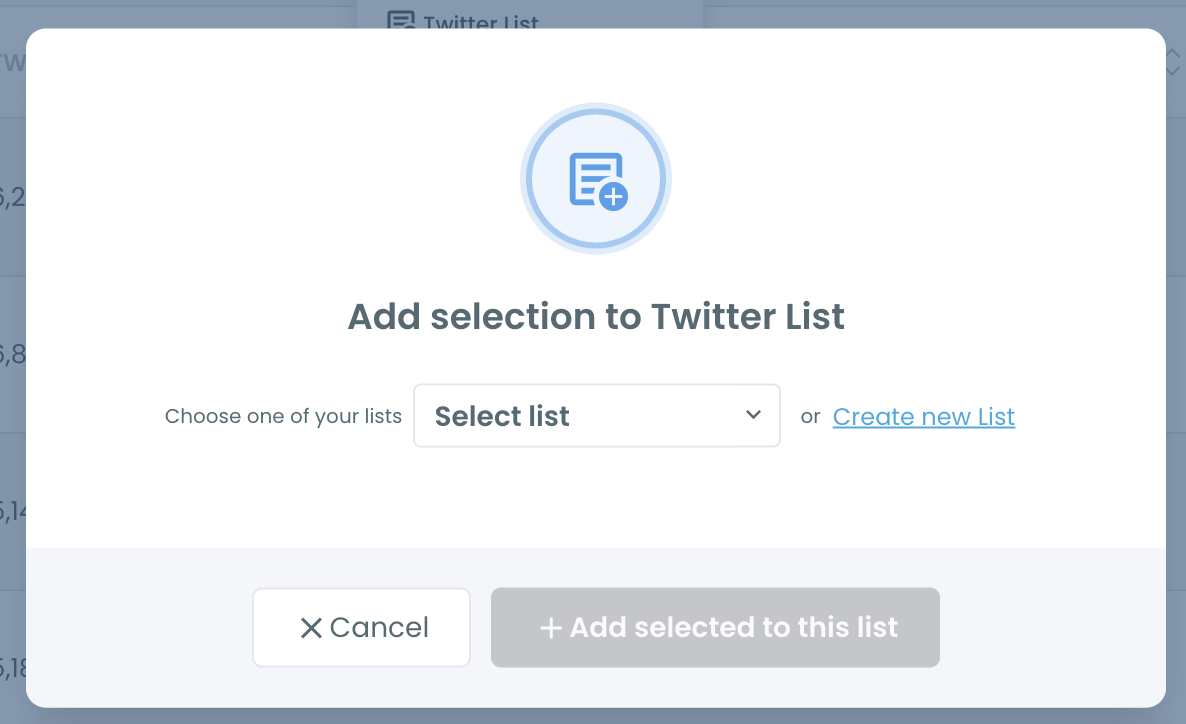
Step 4: Protect and organize your top supporters. Click the shield icon to whitelist your strongest retweeters so they are never removed in a future follower cleanup. Select them and use Add to List to put them in a Twitter List, such as "Top supporters," so their posts are easy to find and engage with.
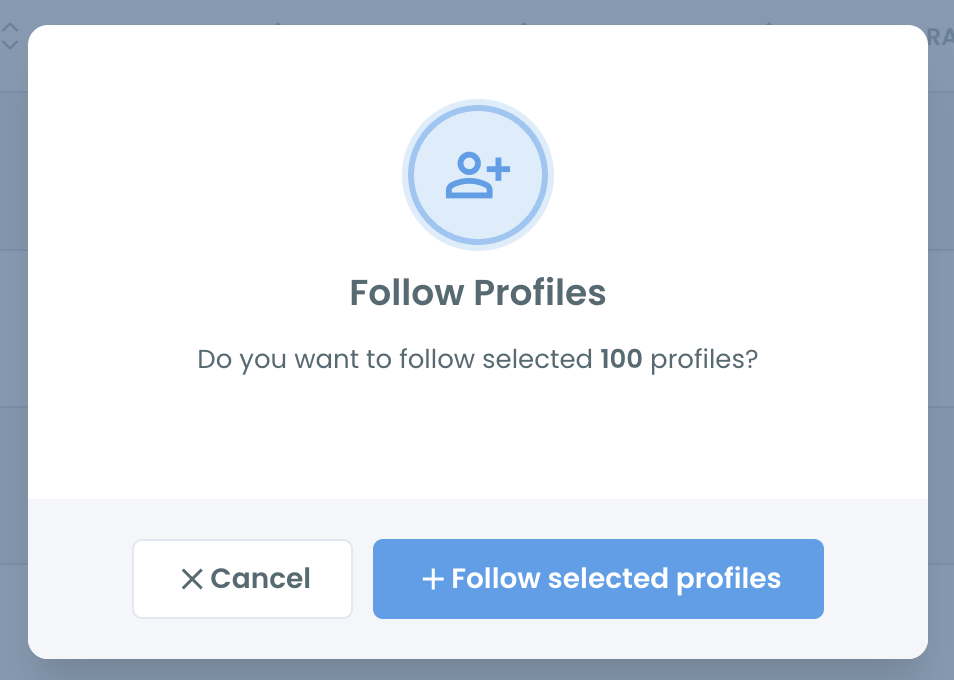
Step 5: Follow back the ones you are not following yet. Select the retweeters you do not follow and click Follow. Circleboom processes follows within a daily safety limit of 400 to protect your account, and anything left continues automatically the next day.
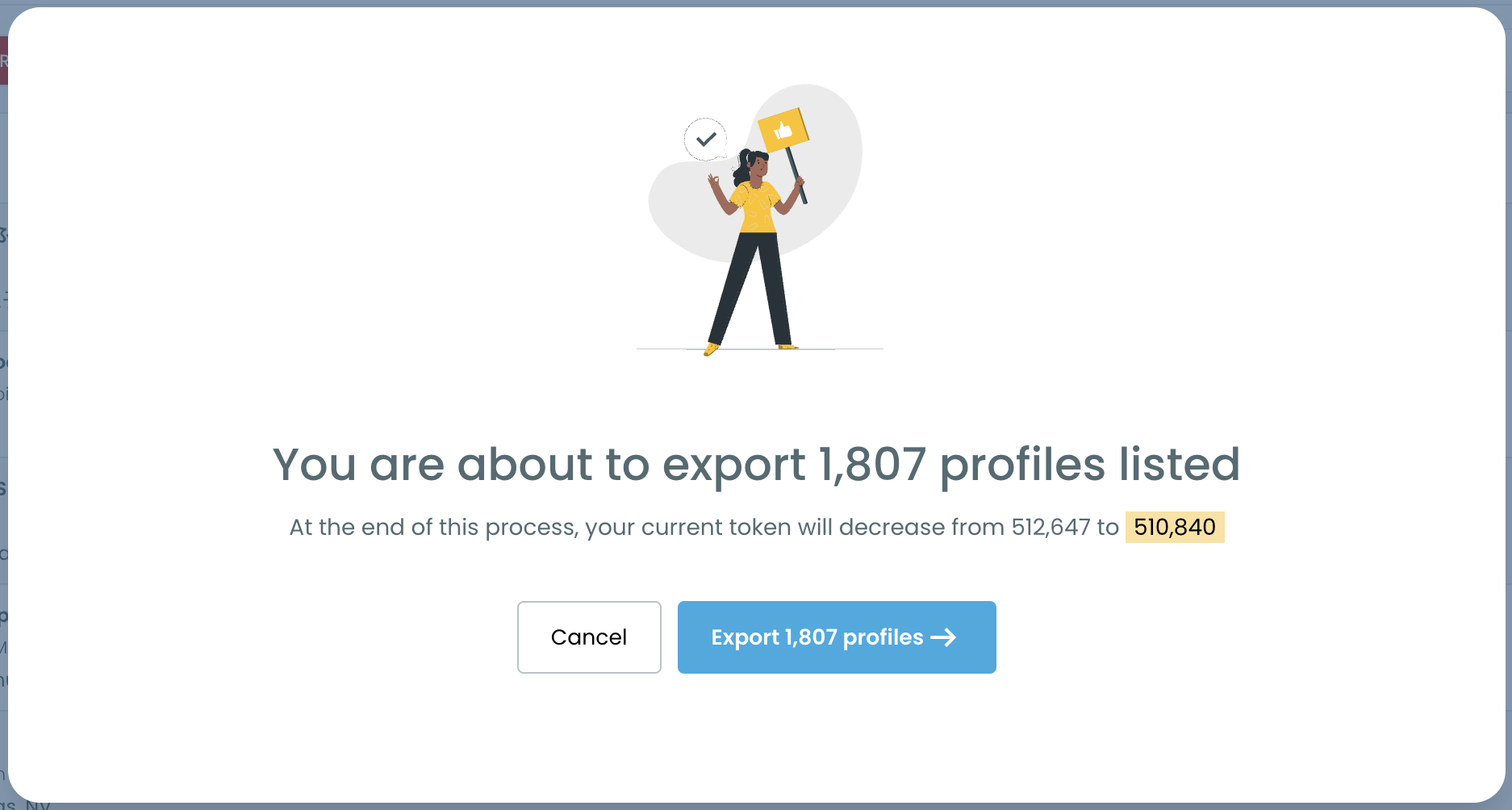
Step 6: Export the list for outreach or ads. Click Export to download your top retweeters as a CSV. Circleboom recommends using it as a custom audience for low budget X Ads, since these people have already shown they amplify your content.
Why X can't tell you who retweets you the most
X treats every tweet as its own island. The repost list for a tweet lives under that tweet, and there is no account level view that combines them. Your analytics show how many reposts each tweet got, not who made them or how often the same person appears.
Even the per-tweet list has become harder to use. Our post on why you can't see who retweeted a post anymore explains the changes. For an account with hundreds of tweets, piecing together a ranking by hand is not realistic.
Notifications do not solve it either. They show recent activity, not totals, and they fold repeated actions together. The follower who has quietly reposted you every week for a year looks the same as someone who did it once yesterday.
📌 Retweets are a different signal from likes. A like is private appreciation. A retweet puts your tweet in front of the retweeter's own followers, under their name. People who do that repeatedly are vouching for you, which is why they deserve their own list. More on that in what engaging and loyal followers are.
What knowing your top retweeters lets you do
Thank the people doing the work. A reply, a mention, or a quote of their post goes a long way with someone who has shared your tweets a dozen times. Most accounts never acknowledge these people because they do not know who they are.
Keep them safe during cleanups. Small or quiet accounts can look like low quality followers to a filter. Whitelisting your top retweeters first means a cleanup of inactive or fake followers never removes the people who spread your content.
Get more reach from every tweet. Each retweet from a loyal follower puts your tweet into their followers' timelines. Engaging with them regularly keeps that habit going. Our guide on how to engage with followers on Twitter has practical ideas.
Build a warm audience for ads. A custom audience of people who already retweet you is far more qualified than broad targeting. Circleboom's own recommendation is to export them and run low budget X Ads aimed at them.
Find your brand advocates. The people at the top of the list are often the first to share a launch, a newsletter, or an announcement. Treat them as your inner circle. See find your brand advocates on X for a longer playbook.
Learn what makes people share. Pair the list with Post Engagement Analytics and sort your tweets by retweets. The posts your top supporters shared most tell you what kind of content travels.
FAQ
How can I see who retweets me the most on Twitter?
X does not offer this view. Circleboom's Engaging & Loyal Followers feature checks the retweeters of up to your last 3,200 tweets and ranks your followers by a Times Retweeted count, so the people who retweet you most appear at the top.
Does it include people who don't follow me?
No. The list is cross-referenced with your current followers, so it only shows followers who retweeted you. To see everyone who retweeted a specific tweet, followers or not, use Export Retweeters.
Are fake accounts included in the ranking?
No. Circleboom removes duplicates as well as fake, suspended, and locked accounts before building the list.
Can I compare my top retweeters over time?
Yes. Results are saved, and the date selector on the results page lets you open earlier runs and see how your top supporters have changed.
What should I do with my top retweeters?
Thank them, follow back the relevant ones, add them to a Twitter List, and whitelist them so they are protected from bulk cleanups. You can also export them for outreach or as an X Ads custom audience.
Is this the same as my most engaged followers?
It is a specific kind of engagement. This ranking is based on retweets, the action that spreads your content to new people. Followers who only like or reply will not rank as high here.
How do I find my most retweeted tweets instead?
Use Post Engagement Analytics and sort your tweets by retweets. Our post on how to see your most retweeted tweet walks through it.
Final thoughts
Every account runs on a small group of people who keep sharing its tweets, usually without being asked and almost never with any thanks. X shows their retweets one tweet at a time, so they stay invisible as a group. Circleboom adds it all up and tells you exactly who retweets you the most, so you can recognize them, protect them, and give them more to share. Most growth starts with the people who are already helping.
See who retweets you the most with Circleboom's Engaging & Loyal Followers:
https://circleboom.com/twitter-management-tool/twitter-circle-tool/engaging-followers-and-following



)