
To find accounts looking for a tool like yours on Twitter, search live and recent tweets for buying-intent phrases ("looking for," "any recommendations," "frustrated with") combined with your product category, then act on the accounts behind those tweets. Circleboom Twitter does both halves of that job: it collects the matching tweets and extracts the deduplicated list of X accounts, so you reach people while they are still deciding.
Circleboom Twitter searches live public tweets from a date you choose and turns each matching post into an actionable X account you can follow, list, or export. The buying signal is captured while it is fresh, not weeks later.
→ find accounts looking for a tool on Twitter
One search, two outputs: the tweets and the people who wrote them.
The accounts you want are not in your follower list yet. They are posting questions like "anyone know a good X tool?" right now, and the window to be the helpful answer is short.
Why buying-intent searches on X are time-sensitive
A tweet asking for a recommendation has a half-life of hours, not weeks. By tomorrow the person has already picked something, or the thread has scrolled out of reach. That is the core problem with finding accounts looking for a tool like yours on Twitter: native X search shows you the conversation, but it does not turn that moment into a list you can work.
You still have to read each tweet, copy the username, check whether the account is real, decide whether to reply or follow, and repeat. By the time you finish, the signal is cold. Circleboom Twitter closes that gap by collecting the tweets and the accounts in one pass, with a start date you control so the results reflect intent expressed now.
The signals worth chasing fall into a few clear buckets:
- Direct requests: "can anyone recommend a tool for...".
- Switch signals: "fed up with [competitor], what else is out there?".
- Comparison mode: someone weighing two named products.
- Problem statements: a pain point described before a tool has been chosen.
People in comparison mode and switch mode are the warmest, because the decision is close but unmade. A direct request is warm too, but it often draws a crowd of replies, so speed matters more there. A problem statement is earlier in the funnel, yet it lets you enter the conversation before competitors even notice it. Sorting your search results by these buckets tells you where to spend the first reply of the day.
This walkthrough on searching real-time tweets on X shows the live monitoring flow end to end. For deeper queries, you can confirm exactly what specific words an account said before reaching out. You can also broaden the same logic to find people with the same interests on X once you know what kind of account converts.
How Circleboom finds accounts looking for a tool like yours on Twitter
The solution is a live tweet-to-account search, and Circleboom Twitter runs it on the official X Enterprise API rather than scraping. You can find accounts looking for tools on Twitter by describing the intent in plain language, narrowing with filters, and reviewing both the tweets and the profiles behind them.
Real-time Tweet Search collects matching public tweets from a start date you set and deduplicates the authors into a clean account view. Each account arrives with follower count, follow ratio, join date, and an active-or-inactive signal, so you can judge quality before you engage. Because the data comes through compliant API access, the account list is structured and exportable, not a fragile screen-scrape that breaks the next time X changes its layout.
You can refine intent even further with the Twitter advanced search filters that sit alongside this feature, and you can pivot from intent words to bios with search Twitter bios and profiles when you want to confirm someone is your buyer, not a bystander.
Follow this sequence to capture intent while it is live.
Set up the live intent search
1. log in to Circleboom Twitter and connect the X account you want to work from.

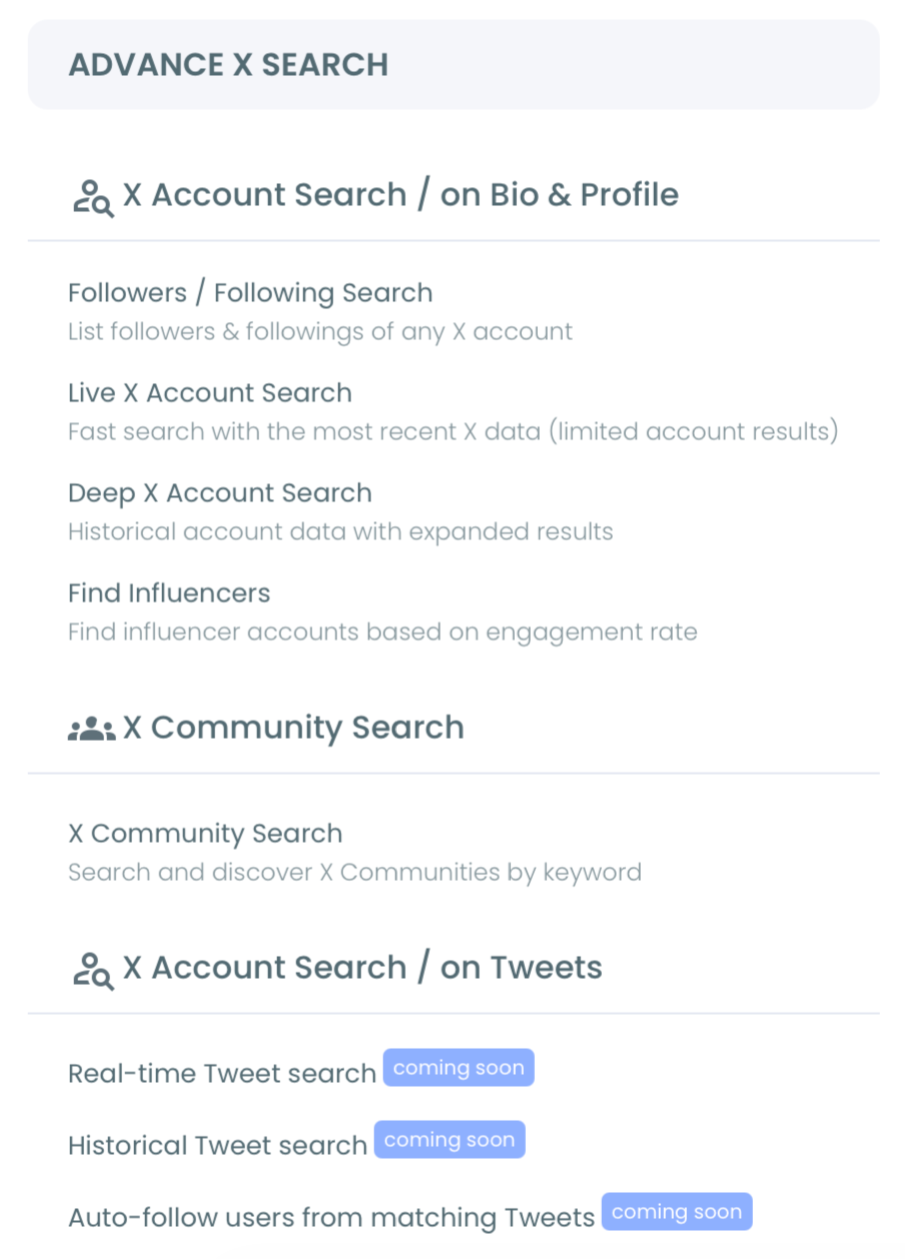
- Open the Advanced X Search menu and select Real-time Tweet Search.
- Describe what you are looking for in plain language, such as "people asking for a social media management tool," and accept or refine the AI search suggestions.
Narrow, collect, and act
- Apply filters: add intent phrases as keywords, exclude noise terms, set language, and require a minimum engagement count to skip low-signal posts.
- Choose a start date (Last 24 Hours, Last 7 Days, Last 30 Days, or custom) so collection anchors to current intent rather than old conversations.
- Select how many tweets to collect, then run the search and review the tweet results as they arrive.
- Click "Display Profiles of this search" to switch to the account view, then follow promising accounts, add them to a Twitter List, or export the list as CSV.
Run the search live during a product launch, a competitor's bad day, or any moment when people are actively shopping, because the value of the account view comes from acting before the decision is made.
What the account view actually shows you
The profile view is more than a list of usernames, and reading its columns correctly is what separates a real prospect from a dead end. Each unique account appears once, deduplicated from however many matching tweets it posted, and every row carries the signals you need to score quality before you spend a reply on it.
The columns worth reading first are these:
- Followers and Following, which together give you reach and the basic shape of the account.
- Follow Ratio, where a wildly lopsided number often flags a bot or a spam account.
- Joined date, since a brand-new account paired with aggressive following is a classic low-quality pattern.
- Tweets, a posting history that tells you whether the person is a real, active participant.
- Active and Inactive, a computed classification that lets you skip dormant accounts in one glance.
Read these together, not in isolation. A balanced follower-to-following ratio on X alongside a steady posting history usually marks a genuine buyer, while a high ratio next to a recent join date is the signature of an account you should ignore. The point of vetting before you act is simple: a keyword match means the tweet matched, not that the account is worth your time.
The Circleboom way versus doing it by hand
Doing this manually means scrolling X search, reading each tweet, copying the username, opening the profile in a new tab, eyeballing whether it looks real, and pasting it into a spreadsheet, then repeating until the thread has scrolled past you. The signal goes cold while you are still building the list, which is the exact failure that makes most intent hunting feel pointless.
There is also a tempting wrong turn here, which is reaching for a scraper. Scraping breaks the moment X changes its layout, it returns messy unstructured data, and it sits outside the platform's rules. Circleboom takes the opposite route. Because collection runs through approved developer access, the account list arrives structured, sortable, and exportable, and it does not break on the next layout change. If you have ever leaned on a safe keyword auto-follow alternative, this is the same compliance-first logic applied to discovery rather than following.
Turning the account list into outreach
The account view is the part that pays off. A Twitter List built from a live intent search becomes a standing watchlist you can monitor and engage over days, while a CSV export drops straight into a CRM or outreach sequence. Speed still wins: the first helpful, non-pushy reply usually earns the click, so the faster you move from signal to list to message, the better.
Keep the list clean as you go. Whitelist the accounts you have already engaged, blacklist the spam, and re-run the search with a fresh start date for only the newest signals. That rhythm keeps your pipeline current instead of stale. Pairing intent search with steady habits like engaging with followers on Twitter turns a one-time list into a relationship. And being able to export your Twitter followers means the people you convert can feed your next lookalike search.
In summary
Finding accounts looking for a tool like yours on Twitter comes down to capturing intent tweets while they are fresh and acting on the people behind them. Native search shows the conversation; Circleboom Twitter turns it into a worked list. Describe the intent in plain language, set a recent start date, filter for quality, then follow, list, or export the accounts, all through compliant X Enterprise API access. The result is a repeatable way to reach buyers during the short window when your tool is the answer they are searching for.
→ find accounts looking for a tool like yours on Twitter
Common questions about finding buyers on X
What search phrases reveal buying intent on Twitter?
Phrases like "looking for," "any recommendations," "what tool should I use," "frustrated with," and "alternative to [competitor]" combined with your product category surface the clearest buying intent. Add them as keywords in Real-time Tweet Search and exclude unrelated terms to cut noise.
Can I see the accounts, not just the tweets?
Yes. After a search, click "Display Profiles of this search" to switch to the account view, which deduplicates every author into one row with follower count, follow ratio, join date, and an activity signal so you can evaluate quality.
How recent are the results?
You control that with the start date. Choosing Last 24 Hours or Last 7 Days scopes collection to current intent, while a custom range lets you widen or tighten the window depending on how time-sensitive the signal is.
Is this scraping X?
No. Circleboom retrieves public tweets through compliant, policy-approved X developer access, so the search is safe and the account data is structured and exportable rather than scraped.
Do searches cost tokens, and what happens if I run out?
Each search consumes GetTweetTokens in proportion to how many tweets you collect, and the balance is shown during setup. If the balance runs out mid-collection, the search stops at that point and the partial results are still saved, so you never lose what was already gathered. Export consumes tokens separately, so check the remaining balance before exporting a large result set.