X has no option to delete DMs by date, so you can only remove conversations one by one in the app. To delete old DMs on Twitter older than a certain date, download your X archive, upload the direct-messages.js file to Circleboom's Delete All DMs feature, set the end date to the day before your cutoff, exclude any accounts you want to keep, and click "Delete my DMs." Every DM inside that date range is removed in one pass, and newer conversations stay in your inbox.
X will still show you a direct message from 2017 if you scroll far enough. What it will not do is let you say "delete everything before last January" and walk away. If you want to delete old DMs on Twitter by date, the app gives you one conversation at a time and nothing else.
So the cleanup turns into a scroll. Open a conversation, tap the menu, delete, confirm, go back, find the next one. The inbox is sorted by latest activity, so an ancient thread with one recent reply jumps to the top while a quiet conversation from years ago sits buried somewhere below.
Most people do not actually want an empty inbox, either. They want the old stuff gone and the recent stuff left alone. The client threads from this quarter, the conversation with a friend that is still going, the support chat they might need next week. A cutoff date is the natural way to think about it, and X has no cutoff date.
With Circleboom Twitter, you can upload the direct messages file from your X archive, set a start and end date, and delete every DM that falls inside that window in one go. Conversations outside the range stay where they are, and any account you exclude stays protected even if its messages match the dates.
Where Circleboom Twitter comes in
Circleboom is an Official X Enterprise Developer, which is a status X grants to developers who build on its official API under its policies. For something as personal as your inbox, that detail carries weight. Circleboom never asks for your X password, never scrapes your messages through a browser, and never automates clicks behind the scenes. Every deletion request goes through X's own API, the same channel X expects approved developers to use.

For DMs specifically, there are two tools that split the work by age. The Delete My Last DMs feature handles anything from the last 30 days straight from your connected account, no files involved. The Delete All DMs feature reaches further back than that by reading your X archive, and it is the one built for date based cleanup: a calendar range, a keyword search on message text, checkboxes for DMs with media or links, and an exclusion list for the people whose conversations you want to keep.
The same archive approach powers the rest of the Circleboom delete toolkit, so if your DM cleanup is part of a bigger reset, tweets, likes, and bookmarks can follow the same pattern.
How to delete old DMs on Twitter by date with Circleboom
Step 1: Download your X archive and find direct-messages.js. On X, go to Settings and privacy, then "Download an archive of your data," and request your archive. When it is ready, download and unzip it, open the data folder, and locate the file named direct-messages.js. That single file is what you upload, not the full ZIP.
📌 The file must come from the same X account that is linked to your Circleboom subscription. If direct-messages.js is larger than 100MB, follow the extra preparation guide shown on the upload page before uploading.
Step 2: Log in to Circleboom Twitter and open Delete All DMs. Sign in at Circleboom Twitter, connect your X account, and open the Delete All DMs feature from the delete tools.
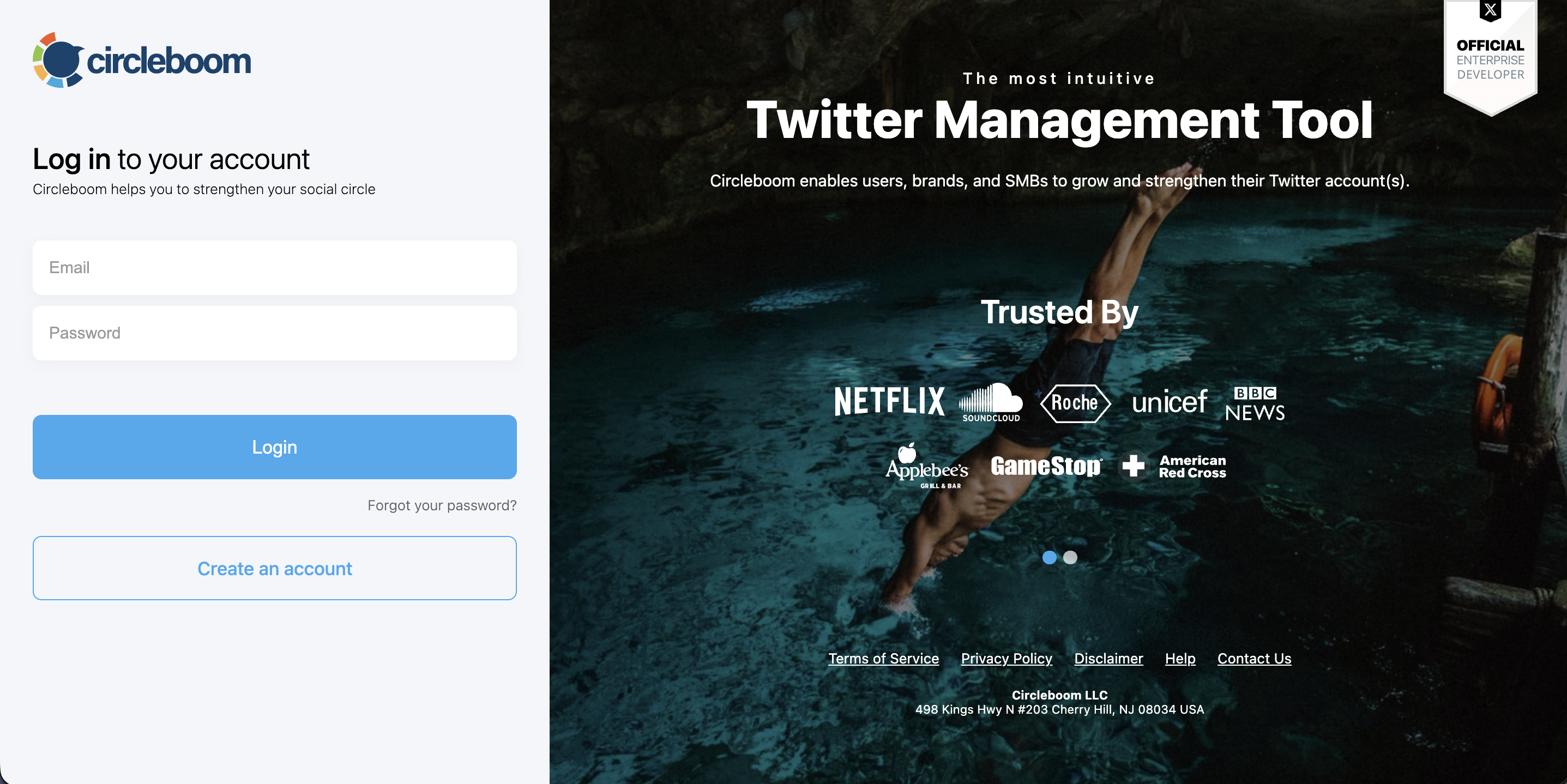
Step 3: Upload direct-messages.js. Drag the file into the upload area. Once it is processed, Circleboom shows how many DMs the file contains, and every DM is selected by default.
Step 4: Set your date range. In the Filter step, pick a Start Date and an End Date. Both dates are inclusive, so DMs created on those two days and every day between them are included. By default, the range covers the first and last message in your file, so to delete everything older than a certain date, keep the start date as it is and move the end date to the day before your cutoff.
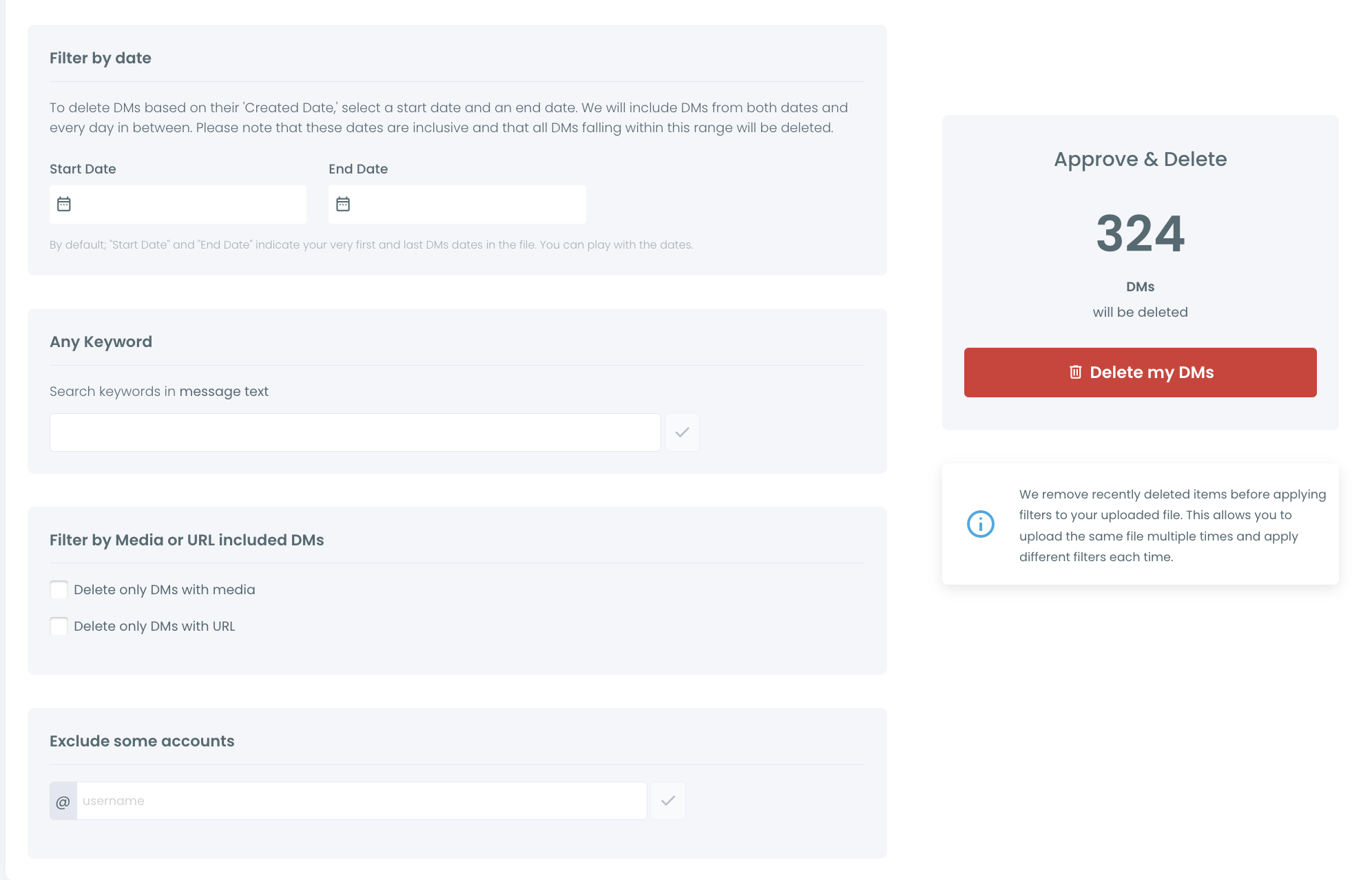
Step 5: Narrow it further and protect the conversations you want to keep. Add a keyword if you only want messages that mention a specific word. Tick "Delete only DMs with media" or "Delete only DMs with URL" if you are after old photos or link spam. Under "Exclude some accounts," enter the @usernames whose conversations must survive the cleanup. Their DMs will not be deleted, even if they fall inside your date range.
Step 6: Check the count and delete. The Approve & Delete box on the right shows exactly how many DMs will be removed. When the number looks right, click "Delete my DMs" and confirm in the pop-up.
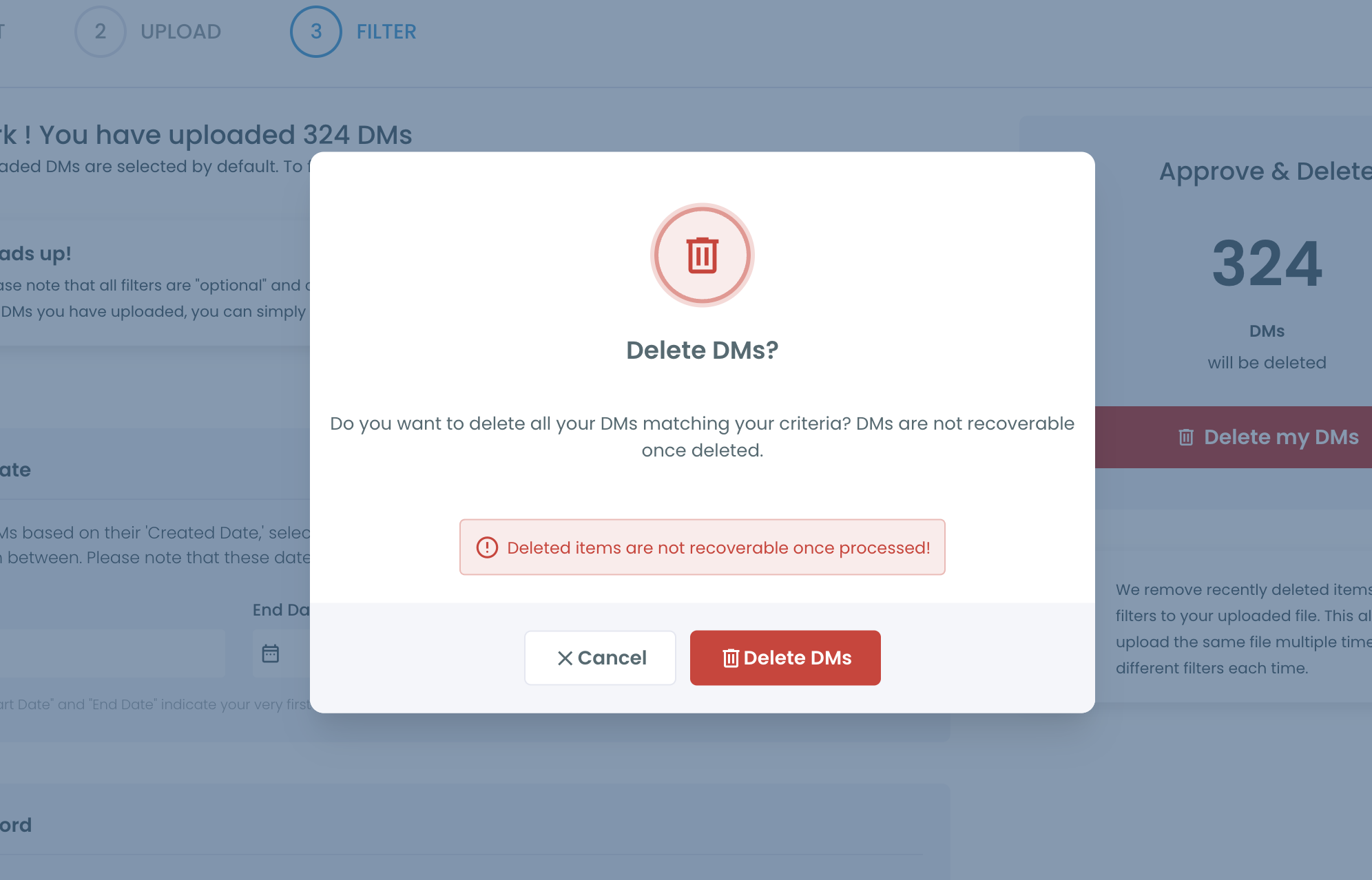
⚠️ Deleted DMs cannot be recovered once processed. Keep your downloaded archive somewhere safe if you want a private copy of the history.
If you want a second pass later with different filters, you can upload the same direct-messages.js file again. DMs you already deleted are left out automatically.
Why X can't delete DMs by date on its own
The DM inbox on X was designed as a chat window, not a filing cabinet. Every conversation has its own menu, and the only bulk option is none. There is no date filter, no search by year, and no way to select more than one thread. We covered the general version of this problem in how to delete multiple Twitter DMs at once.
The API has a ceiling too. X's API only returns direct messages from the last 30 days. Any tool that works purely from the API, Circleboom's own Delete My Last DMs included, simply cannot see a message from last spring. That is a limit X sets, and no developer can lift it.
The archive is the way around that wall. When you request your data from X, the archive includes direct-messages.js, a file with your full DM record going back to when you opened the account. Reading that file is what makes "older than a certain date" possible at all, because it is the only place where those old messages are still listed with their created dates.
📌 Deletion on X is one sided. Removing a conversation from your inbox does not remove it from the other person's inbox. That is how X handles DMs for every account and every tool. If you want the details, our post on whether you can delete Twitter DMs from both sides walks through it.
This also explains why some "DM cleaner" apps stop halfway. They either hit the 30 day wall or try to click through the inbox in a browser session with your password, which tends to break whenever X updates its interface. Working from the archive through official endpoints avoids both problems.
What old DMs cost you if they stay
Old conversations carry old context. A message you sent years ago, to a coworker, an ex, or a stranger in a heated moment, still sits in your inbox exactly as you wrote it. If your account is ever accessed by someone else, all of it is readable.
A compromised account exposes everything at once. Phishing links and leaked passwords happen to careful people too. The less history your inbox holds, the less there is to lose. Our guide to social media privacy risks and solutions covers the wider picture.
Accounts change hands and purposes. A personal account that becomes a brand account, or a company account passed to a new social media manager, should not come with years of private threads attached. A date cutoff lets you clear the past and keep the working conversations.
Spam piles up quietly. Message requests full of links and crypto pitches do not disappear on their own. Filtering for DMs with URLs inside an old date range clears that layer without touching normal chats. If spam is a recurring problem, it also helps to know how to block direct messages on Twitter from accounts you do not follow.
Manual cleanup never reaches the bottom. Deleting thread by thread is fine for five conversations. For five hundred, people give up long before they reach the oldest ones, which are usually the ones they wanted gone in the first place.
FAQ
Can I delete old DMs on Twitter without deleting recent ones?
Yes. With the Delete All DMs feature, you set a start and end date, and only DMs created inside that range are deleted. Everything newer than your end date stays in your inbox.
Why can't I just use the API for DMs older than 30 days?
X's API only returns direct messages from the last 30 days, so no API based tool can see older ones. Your X archive contains the full history in the direct-messages.js file, which is why Delete All DMs asks you to upload it. For a closer look at what the archive holds, see how to check your Twitter DM history.
Can I keep conversations with certain people?
Yes. Add their @usernames under "Exclude some accounts" before you delete. Their DMs are skipped even if they fall inside your selected date range or match your keyword and media filters.
Will the other person still see the messages I delete?
Yes. DM deletion on X is one sided, so your copy is removed and theirs remains. This applies to every tool, including X itself, because it is how the platform stores conversations.
Can I get deleted DMs back?
No. Once Circleboom processes the deletion, the DMs are gone from your inbox and cannot be restored. Your downloaded archive remains your personal copy. Our post on how to retrieve deleted DMs on X explains what is and is not possible.
What if my direct-messages.js file is too large?
If the file is larger than 100MB, an extra preparation step is needed before upload. The guide is linked on the Delete All DMs page, and Circleboom support can help at support@circleboom.com.
Can I delete only old DMs that contain links or images?
Yes. Combine your date range with "Delete only DMs with URL" or "Delete only DMs with media." That removes old link spam or shared photos while leaving plain text conversations in place.
Final thoughts
The odd thing about X's inbox is that it remembers everything and forgets nothing on command. Your oldest conversations are still there, just harder to reach than the new ones. Circleboom Twitter turns that around by reading your full archive and letting you pick a date, protect the people who matter, and delete old DMs on Twitter in one pass instead of a hundred. The recent inbox you actually use stays exactly as it is.
Start your date based DM cleanup with Circleboom Twitter:
https://circleboom.com/twitter-management-tool/delete-all-tweets/delete-all-twitter-dms