

After a hack, first secure the account: change your password, turn on two-factor authentication, and revoke any apps you do not recognize in X's settings. Then start the Twitter hacked cleanup and remove what the attacker left behind. Open Circleboom's Delete My Last Tweets feature, filter your recent tweets by the dates of the hack or by spam keywords and links, and delete them in bulk. Then use Delete My Last DMs to clear the messages sent from your inbox in the last 30 days, excluding the conversations you want to keep.
It usually starts with a message from a friend. "Did you mean to send me this?" Then you open your profile and see it: a stream of crypto giveaways, fake investment links, or "I made $4,000 this week" posts, all under your name. Some of them already have replies from confused followers.
Getting the account back is the first panic. The second one comes right after, when you realize how much was posted. Dozens of tweets, sometimes hundreds. Replies under other people's posts. DMs sent to everyone who ever messaged you, each with the same suspicious link.
X gives you a trash icon on each tweet and a delete option on each conversation. That is it. Clearing a hack one post at a time takes hours, and every minute those tweets stay up, more followers see them and some of them click.
With Circleboom Twitter, you can load your recent tweets into one list, filter them down to the ones posted during the hack or containing the spam links, and delete them all at once. The same goes for the DMs sent from your account in the last 30 days. Once the account is secure, the cleanup itself is a few minutes of filtering.
What a hacker leaves behind, and what clears it
Hacked accounts tend to leave the same kinds of mess. Each one has a matching Circleboom tool:
- Spam tweets and replies posted during the hack → Delete My Last Tweets, filtered by date, keyword, hashtag, or post type
- Scam DMs sent to your contacts → Delete My Last DMs, with real conversations excluded
- Likes the hacker added to spam posts → Delete My Last Likes, filtered by date or keyword
- Older damage beyond the recent window → Delete All Tweets and Delete All DMs, which read your X archive
None of these tools ask for your X password. Circleboom is an Official X Enterprise Developer and connects through X's official API with the permissions you approve. After a hack, that matters: the last thing you want is to hand your new password to another app. Every deletion is a request X itself processes, without browser automation or scraping.
How to clean up your X account after a hack with Circleboom
Step 1: Secure the account first. On X, change your password, turn on two-factor authentication, log out of all other sessions, and review the connected apps list in Settings and privacy. Revoke anything you do not recognize. Do this before any cleanup, or new spam can appear while you delete the old.
📌 Cleanup tools can remove what was posted, but they cannot lock a door that is still open. Always secure the account first.
Step 2: Open Delete My Last Tweets. Log in to Circleboom Twitter, connect your X account, and open Delete My Last Tweets. Circleboom loads up to your latest 3,200 tweets with their dates and engagement.
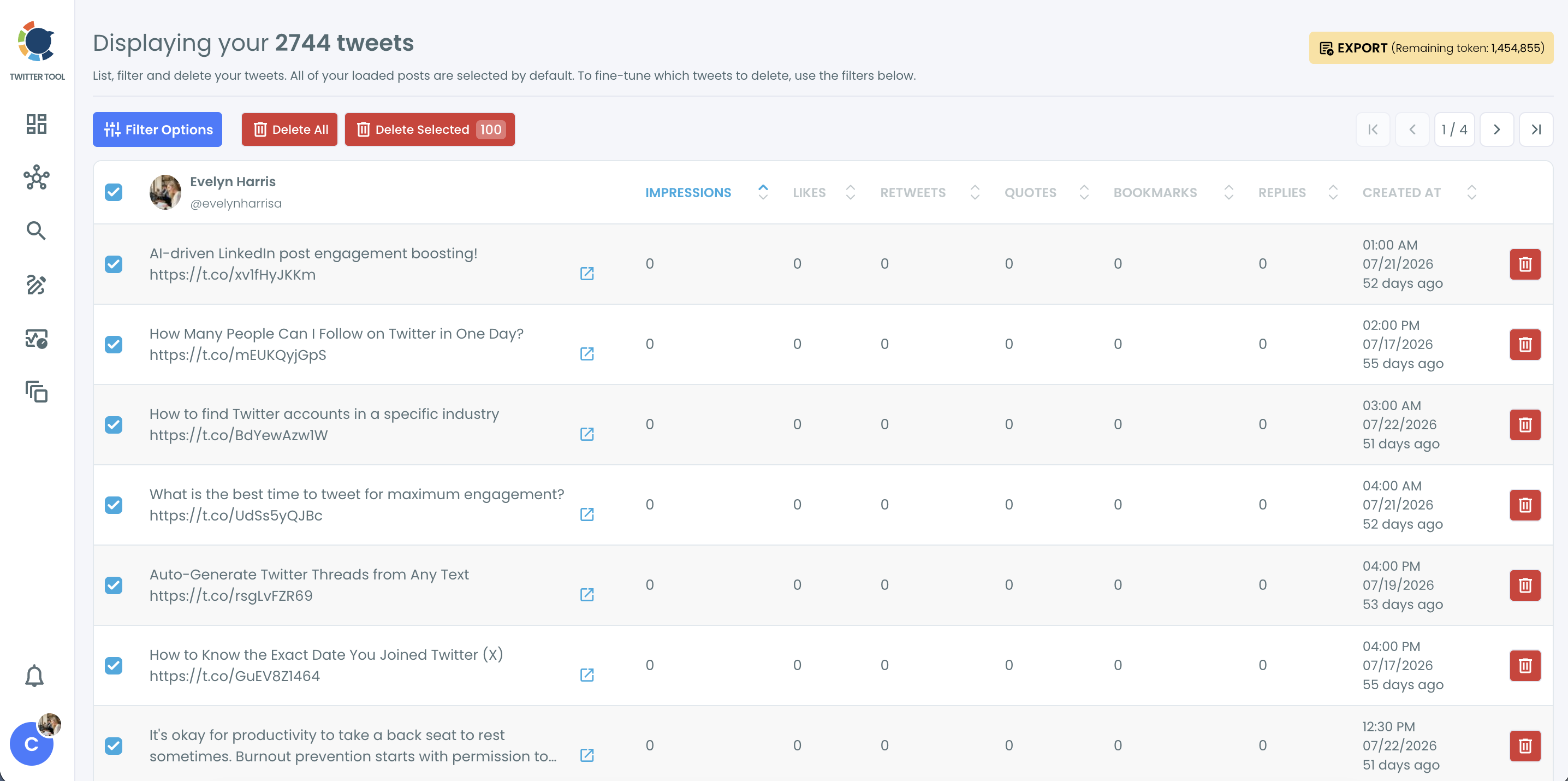
Step 3: Filter down to the hacker's posts. Every loaded tweet is selected by default, so narrow the list before you delete. Open Filter Options and set the date range to the hours or days the hack lasted. Then add a keyword, @username, or hashtag that appears in the spam text, such as a giveaway phrase or a crypto ticker. Include replies in the post type if the hacker replied under other accounts.
📌 If you tweeted normally during the same days, use Exclude Some Tweets to keep your real posts out of the selection.
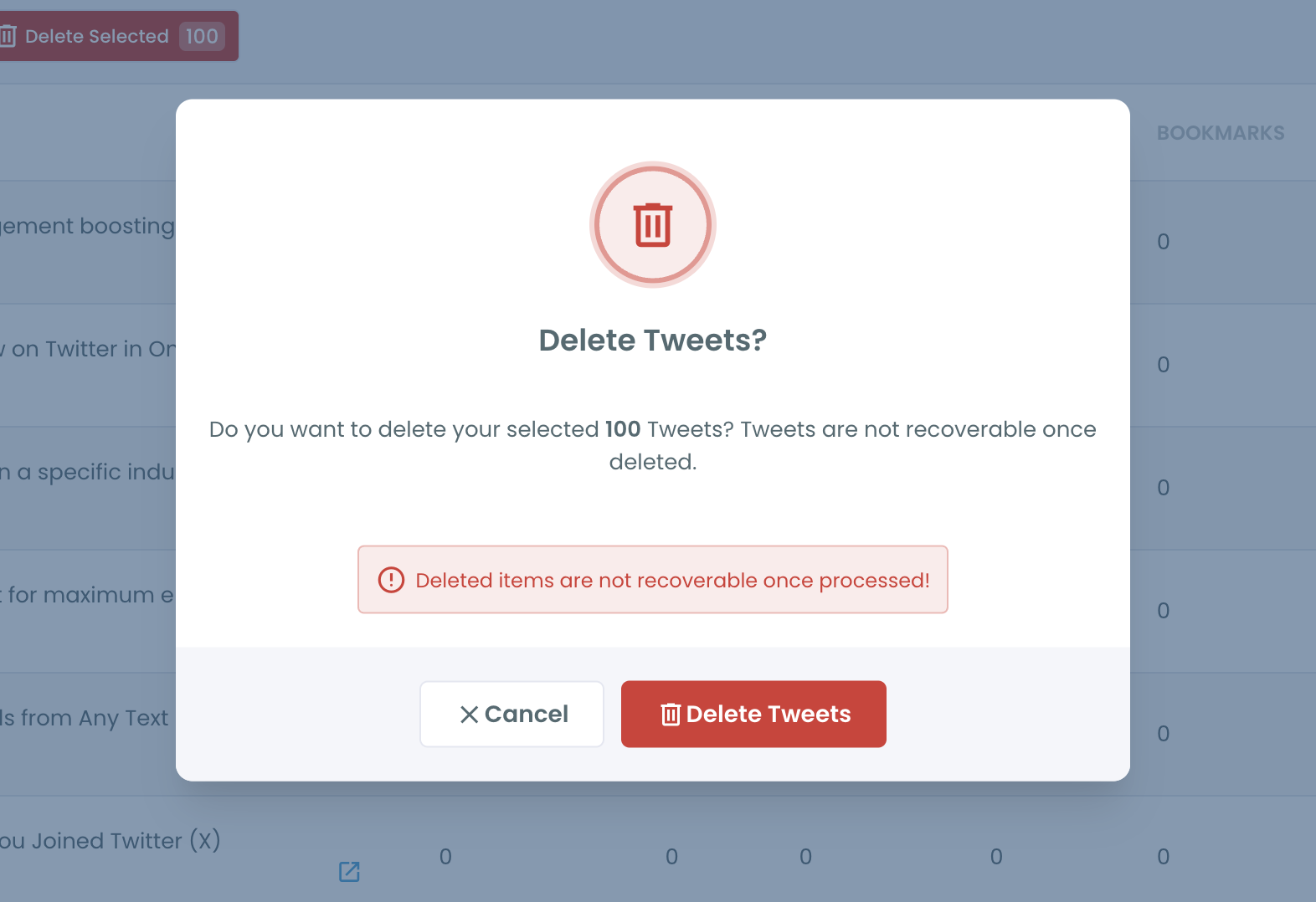
Step 4: Delete the spam tweets. Review the filtered list, then click Delete All to remove everything that matches, or select specific tweets and click Delete Selected. Confirm in the pop-up.
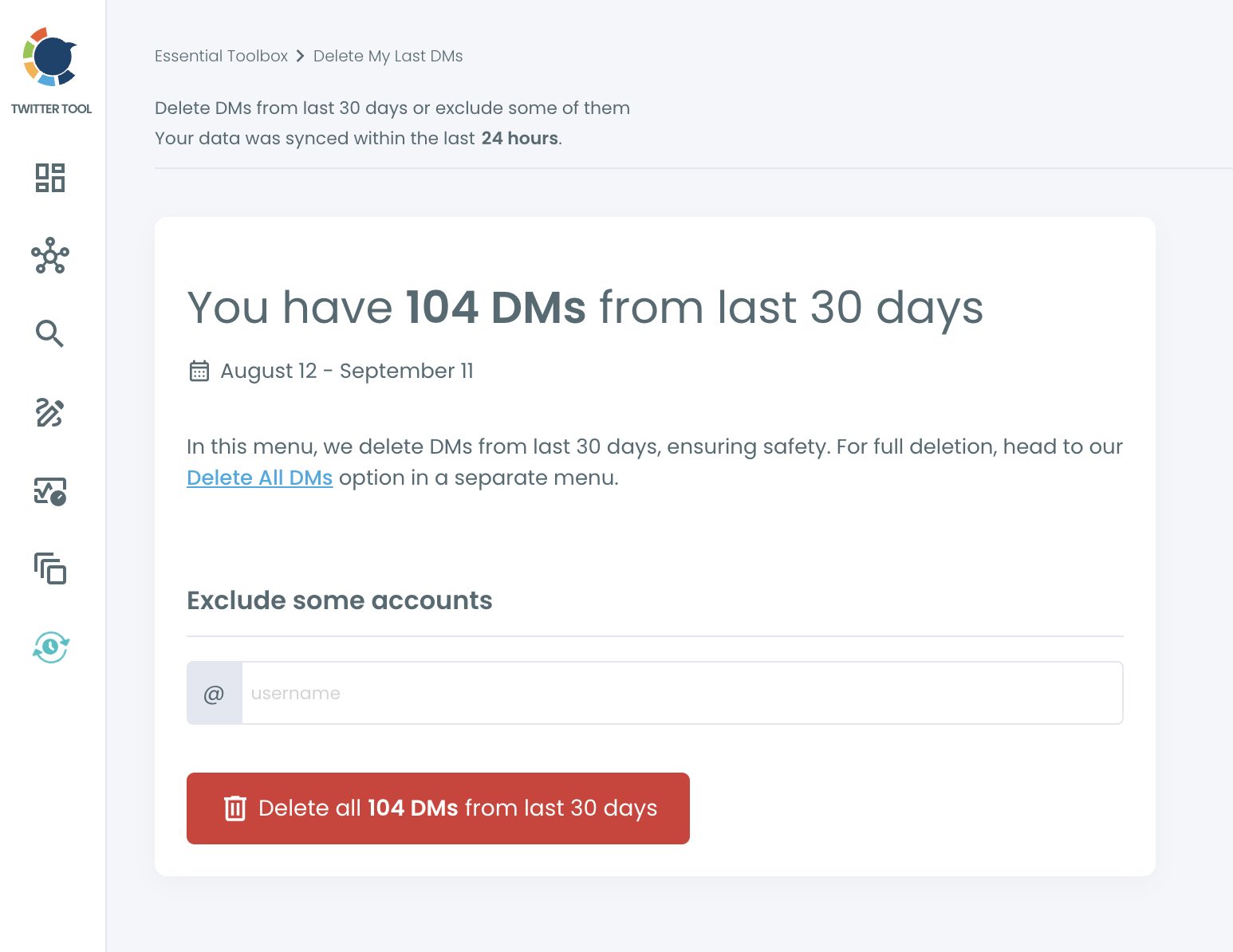
Step 5: Clear the scam DMs. Open Delete My Last DMs. Circleboom shows how many DMs are in your inbox from the last 30 days. In the "Exclude some accounts" field, add the people whose conversations you want to keep, such as family, clients, or anyone you were actually talking to. The count updates as you exclude them. Then click the delete button and confirm.
⚠️ Deleting a DM removes it from your inbox only. The people who received a scam message still have it. Post a short public note or message close contacts directly so they know not to click.
Step 6: Check likes and older history. If the hacker liked spam posts, open Delete My Last Likes and filter by the same date range. If the damage goes further back than your recent tweets or the last 30 days of DMs, use Delete All Tweets or Delete All DMs with your X archive.
Why a Twitter hacked cleanup takes so long by hand
X was built for posting, not for undoing. Every tweet has its own menu, every conversation its own delete option, and nothing can be selected in bulk. A hack that posted 150 tweets and sent 300 DMs means 450 separate deletions, each with its own confirmation.
There is no filter to separate the hacker's posts from yours, either. Your timeline shows everything in order, and you have to judge each tweet as you scroll. If the hacker also replied under other people's posts, those replies are scattered across your Replies tab. We covered the general version of this problem in how to delete replies on Twitter.
DMs are worse. Scam messages are often sent to every conversation in the inbox, so the hacker's messages sit inside real threads. Deleting the whole thread by hand also deletes your real history with that person, unless you are careful.
📌 Speed matters after a hack. Spam tweets keep collecting impressions, and some followers will click before they realize what happened. Every hour of manual cleanup is another hour the links stay live. Our guide on social media security tips covers prevention for next time.
Some "account recovery" services ask for your login to do the cleanup for you. After a hack, sharing your password again is exactly the wrong move. An official API connection with permissions you can revoke at any time is the safer route.
What happens if hacked content stays up
Followers lose money. Hacked accounts are used to push scams precisely because followers trust them. A fake giveaway from a familiar name gets clicks that a random account never would.
Your account can get flagged. Spam links and mass DMs look like platform abuse. Leaving them up increases the chance of reports, reduced visibility, or restrictions. If that has already happened, see what to know about suspended Twitter accounts.
Your reputation takes a hit. New visitors who land on your profile see the spam first. For a brand or a professional account, that first impression is hard to undo.
Followers quietly leave. Some people unfollow after one scam DM. Who Unfollowed Me helps you see how much the hack cost you once things settle.
Spam followers may stick around. Hacks sometimes come with a wave of bot follows. Running a fake follower check afterwards removes accounts that arrived with the spam.
FAQ
What should I do first if my X account was hacked?
Secure it before anything else. Change your password, turn on two-factor authentication, log out of other sessions, and revoke any connected apps you do not recognize. If you cannot log in, use X's account recovery process.
How do I delete all the tweets a hacker posted?
Open Circleboom's Delete My Last Tweets, set the date range to when the hack happened, add a keyword or link that appears in the spam, and delete all matching tweets at once.
Can I delete the DMs the hacker sent from my account?
Yes. Delete My Last DMs removes DMs from the last 30 days in bulk, and you can exclude specific accounts to keep real conversations. The recipients will still have their copy, so warn close contacts.
Will deleting spam tweets also remove my real tweets?
Not if you filter first. Every loaded tweet is selected by default, so set a date range and keyword before deleting, and use Exclude Some Tweets to protect real posts from the same days.
Does Circleboom need my X password?
No. Circleboom connects through X's official API with permissions you approve, and you can revoke that access from X's settings at any time.
What if the hack happened a long time ago?
Use Delete All Tweets or Delete All DMs. They read your X archive, so they can reach tweets beyond your latest 3,200 and DMs older than 30 days.
Should I tell my followers my account was hacked?
Yes. A short tweet explaining that the account was compromised and that recent links should not be clicked helps protect people who saw the spam before you deleted it.
Final thoughts
Getting a hacked account back feels like the hard part, but the mess it leaves behind is what keeps doing damage: spam tweets still collecting clicks, scam DMs still sitting in inboxes, a profile that no longer looks like yours. Circleboom turns that cleanup from hours of single deletions into a few filtered passes, so your Twitter hacked cleanup is done before the spam spreads further. Secure the account, filter, delete, and get back to posting as yourself.
Start your hacked account cleanup with Circleboom Twitter:
https://circleboom.com/twitter-management-tool/delete-all-tweets

