
Quote a competitor's verified audience without a number behind it, and the first follow-up question ends your slide. Creator shortlists, partnership briefs and pitch decks all lean on that figure. X prints it nowhere on a rival's profile.
Manual: scroll a rival's follower list and tally badges by eye, with no total and no way to repeat the count. Circleboom: one report that counts verified followers for up to 5 accounts on X by Blue, Gold and Gray badge, pulled through X's official Enterprise APIs.
→ verified followers on Twitter
The steps come first, then the reading order and one chart detail that trips people up.
Why a competitor's verified count is hard to get on X
A public profile on X shows two audience numbers: followers and following. Neither says how many of those accounts carry a checkmark.
You can open the follower list and look for badges, but the list loads in small batches and X prints no total for it. For a rival with a six-figure audience, a manual tally costs an afternoon and leaves no result you can repeat next month.
I have watched this number get waved around in client meetings more often than almost any other. "They have the verified crowd" is said with confidence and sourced from memory.
The gap matters because a hand-built comparison cannot hold its basis constant. If you count one rival on Monday and another on Friday, or cover half of one list and a tenth of another, the two figures were gathered differently and cannot sit in one table.
What you need is the same field, pulled for every account, on one date. Circleboom's X Competitor Analysis & Benchmark Report does that for up to five accounts. It is where you can see your competitors' verified followers on X next to each other.
The rest of this guide covers verified followers on Twitter for competitors only: the count, the badge split and the accounts behind both. Your own verified followers on X are a separate, easier job with its own view.
Do you have to add your own X account to see theirs?
No. Including your own account is optional, and every slot in the comparison can hold any public X account.
The set holds up to 5 accounts in total, and it comes in two shapes:
- Your own account plus up to 4 competitors.
- Up to 5 other accounts, with yours left out.
Adding your own handle is the better default when the question is "how do we stand against them." The report treats your account as one column among several. Your verified followers on Twitter are counted the same way as every rival's and sit in the same table.
There is a cost reason too. Competitor Tokens are charged per competitor per report, and your own account, when included, never consumes a token. Putting your number beside theirs is free.
Leave your account out when you are screening other people's audiences. A partnership lead comparing five candidate creators has no use for their own column, and all five slots can go to candidates.
Two limits apply to every slot, yours included. The account must be public, and it cannot have more than 3,000,000 followers.
How to check verified followers on Twitter for several competitors
The process, in order, takes seven steps across three phases.
Add the handles you want to benchmark
- Open Circleboom Twitter and sign in with your X account.

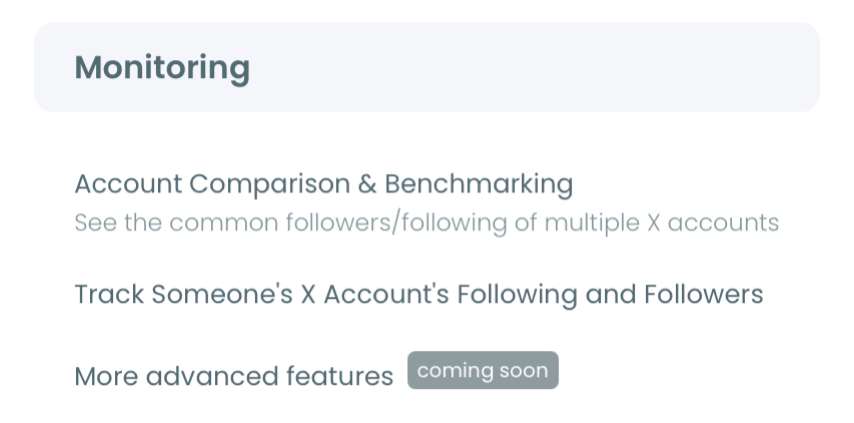
- Go to the Monitoring menu and select X Competitor Analysis & Benchmark Report, the first item, labeled New.
- Enter each handle in its own @ field under Account Handles. Use the + button to add a slot, and watch the counter, which reads "N of 5 competitors added."
Run the report on one date for every account
- Select Start Competitor Analysis, and pick Just this once if you want a single report or Keep it up to date every month if you want it to recur.
- Select View report on the run's card under Your saved analysis. Each run is dated, so you always know which day the count describes.
Read the badge panel, then the list of verified accounts
- Scroll to the panel titled Verified - by Blue / Gold / Gray badge and keep the Followers toggle selected. Read the table on the right, not only the chart: the chart legend groups the badges as Total Verified, Blue and Gold/Gray combined, while the table gives Blue, Gold, Gray and Total Verified their own columns.
- Select the Verified tab in The Accounts Behind the Numbers. Each compared account shows its verified share, its account count and a View all button.
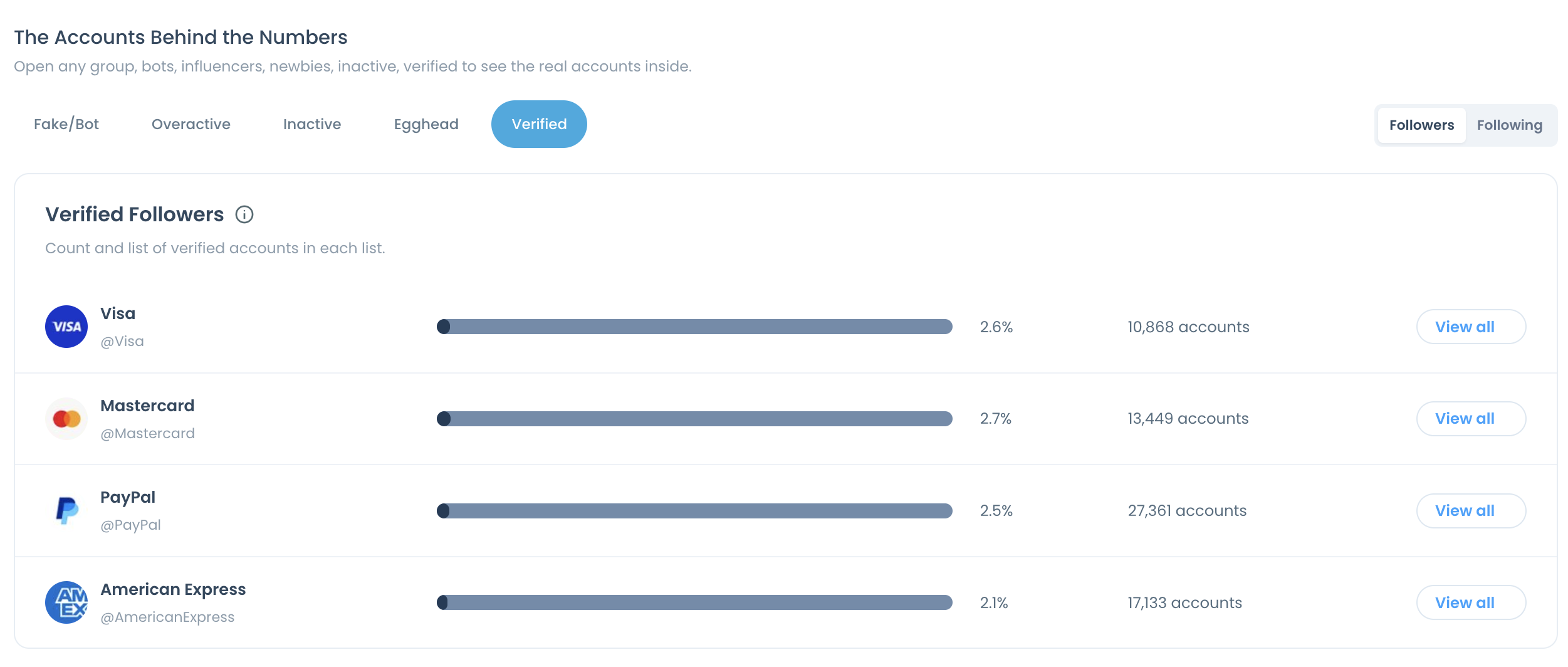
This order keeps the comparison honest: one run pulls every account on one date, the panel gives the share by badge, and the tab attaches a count and a list to that share before anyone quotes it.
The chart merges Gold and Gray into one bar, so the table is the only place to read organization followers and government followers separately.
What the gold column on X tells you that the chart cannot
The Gold column isolates organizations. X gives the gold checkmark to organization accounts on its business tier, which X describes on its Premium Business page.
That makes the gold share a different kind of signal from the blue share. Blue followers are individual subscribers. Gold followers are companies that chose to follow the account.
On the follower side, Gold and Gray shares are often far smaller than the Blue share, so the combined bar is short. A bar that short tells you almost nothing in a chart. In the table, the two values sit in their own columns and you can see which one is carrying the bar.
Here is where that matters in practice. Suppose two competitors show the same Gold/Gray bar in the chart. In the table, one turns out to be all Gold and the other mostly Gray. The first has businesses in its audience, which is a B2B signal. The second has public institutions, which points at policy or civic content.
Same bar, two different audiences. Only the table shows it.
I check the Gold column first whenever the brief is partnerships, because a rival with companies in its audience is already being watched by the kind of account a co-marketing deal needs.
How to read share and count together on Twitter
Read the percentage and the account count as a pair, never one alone. The Verified tab prints both on one row for each compared account, so there is no reason to quote half the picture.
When the audience is bigger, a smaller share of it can still add up to more accounts. As an illustrative calculation, a 3% verified share of 400,000 followers is 12,000 accounts, while a 5% share of 60,000 followers is 3,000. The second account wins on share and loses on count by a factor of four.
Which one matters depends on the question:
- For credibility and audience mix, read the share.
- For outreach and partnership prospecting, read the count, because the count is the size of the list you can review.
- For a trend, read the same figure in two dated runs of the same peer set.
Three rules that keep a verified follower count honest
Each rule closes off one way the number gets misused.
The count is a snapshot as of the run date. A re-pull or a scheduled monthly run produces a new dated result and leaves the old one under Past Analyses, so compare runs, not memories.
Keep the peer set stable between runs. If you swap one competitor for another, say so in the report you hand over, because a different group of accounts is not a change in anyone's verified followers on Twitter.
Verification is context, not a quality verdict. A badge does not establish topic relevance, audience fit or observed interaction. A verified follower who never engages with the category is worth less to you than an unverified one who replies every week.
A share that lands close to level across the whole set tells you this metric will not separate the accounts. Move to the other Audience Quality panels in the same block before drawing a conclusion.
The verified follower comparison for Twitter accounts also has a Percentage / Values toggle, which switches the applicable charts between the two views.
Review the verified accounts behind a competitor's number on X
The View all button opens the list behind the count. Each compared account has its own button, and the list holds every verified account counted for it, regardless of badge type.
A count tells you how big a rival's group of verified followers on Twitter is. The list tells you who is in it, and that is where the work starts.
Review before you engage. Circleboom's own example for this list is a competitor with 300 verified followers, of which the 50 most relevant are the ones to approach.
Which accounts count as relevant depends on the brief:
- For partnerships, look for companies and the people who run their accounts.
- For creator work, look for accounts that post on your topic.
- For press, look for editors and reporters who cover your category.
Sometimes you are looking for particular people inside a rival's audience, not only the verified ones. The method for how to find specific followers of another Twitter account uses the same logic with more filters.
Widen the pool and start the conversation
To widen the pool past one competitor's audience, Circleboom's verified Twitter accounts list search finds verified profiles outside it.
Screen recording: pulling a list of verified Twitter accounts, the search to run once the report has handed you a count.
Once you have a shortlist, the engagement itself is ordinary relationship work: useful replies, quote posts that add something, and collaboration offers. The post on how to connect with verified users on Twitter covers that side.
Save the shortlist as an X list so it outlives the meeting. From a Circleboom search result, Add to List puts every selected account into an existing list or a new one.
Following those accounts is optional. If you do it in bulk from Circleboom, expect it to take time by design. You confirm the selection, the follows go out 50 every 15 minutes up to 400 a day, and the rest of the queue carries over to the next day.
Which verified accounts does your competitor follow on X?
The Following toggle answers this. Switch it on the same panel and the report recalculates the audience block for the accounts each competitor follows, not the accounts that follow it.
The panel title stays the same and the subtitle changes to describe the following list. The Verified tab becomes Verified Following, with its own share, count and View all button for each compared account.
Two facts about the toggle keep people out of trouble.
It changes the audience block only. Audience Quality and the demographics panels have a following-side view. Posting behavior, engagement, impressions and the content leaderboards describe the account's own posts, so they are identical in both views.
Following-side percentages are not audience data. They describe who a brand chose to follow, which reads more like a contact list than a crowd. Reporting a following-side verified share as "their audience is X% verified" is the most common mistake I see with this view.
Used properly, the view is a relationship map. The verified accounts a competitor follows are often its press contacts, partners and sponsored properties. The page for the following export of the competitor report shows what that side of the report contains.
What an unchecked verified number costs you
Without a counted figure, a competitor's verified followers on X stay an opinion, and opinions lose budget arguments. With one, you can say which competitor has the larger verified share, which has the larger count, and whether either difference is big enough to plan around.
The costs of skipping the check are concrete. You pay a creator on follower count without knowing the badge mix behind it. You plan a quarter around a gap that may not exist. Or you reach for a shortcut such as buying verified followers, which adds badges and none of the relevance or interaction the badges were supposed to bring.
The mistake I see most often is quoting the chart and never opening the table. The second is quoting a share with no count beside it.
Circleboom is listed on X's Enterprise customer directory, so the follower records behind the count come from X's own API, not from a scraped list that can miss accounts. That is the difference between a figure you can defend and one you hope nobody questions.
If you want to see the layout before you spend a token, the Twitter competitor analysis sample report shows every panel with example data.
→ Check your competitors' verified followers on Twitter
Verified follower checks: frequently asked
What do the blue, gold and gray checkmarks mean in the breakdown?
Blue marks an account with an active X Premium subscription, gold marks an organization and gray marks a government or multilateral organization. X sets the three out under checkmarks and profile labels on X. Circleboom's badge panel on X uses those three groups as its columns. For the organization badge in detail, see what gold verified means on Twitter.
Do verified followers matter for getting paid on X?
Yes, they are part of how X judges payout eligibility. X's creator payout rules refer to verified followers and to activity from verified accounts, and X publishes the current thresholds in its own help pages, so read them there. A competitor comparison in Circleboom shows how your verified share on Twitter stands against peers in your niche.
How do I see my own verified followers without X Premium?
Use Circleboom's Verified Followers view for your own connected account, which lists them without a Premium subscription. The competitor report on X is for comparing accounts; your own list is a separate feature. The steps for the organization badge are in how to check your gold verified followers without X Premium.