

Managing multiple Twitter accounts sounds exciting at first. More reach, more content, more growth.
But after a while, it turns into something else.
Writing tweets one by one, uploading images, setting posting times manually… and repeating the same process for every account. It’s not just time-consuming, it’s draining. You end up spending more time posting than actually thinking about what to post.
That’s exactly why I started using Circleboom Twitter’s bulk scheduling feature.
 Arif Akdogan
Circleboom Twitter is an official X Enterprise Developer, which means it works directly with X’s API. And with its bulk scheduling feature, I was able to automate posting across all my accounts by simply uploading a CSV file and scheduling everything at once.
Instead of logging in every day just to post content, I now prepare everything in advance and let the system handle the execution.
Why I Started Automating My Twitter Posting
The biggest problem with Twitter is not creating content. It’s staying consistent.
You can have great ideas, but if you don’t post regularly, it doesn’t matter. Your reach drops, your engagement slows down, and your growth becomes unpredictable.
When you manage multiple accounts, this problem multiplies.
You need to:
- Think of content constantly
- Post at the right times
- Keep every account active
- Avoid gaps in posting
Doing all of this manually every single day is not sustainable.
I realized that if I wanted to grow accounts properly, I needed a system, not effort. So instead of treating posting as a daily task, I started treating it as a process:
Plan → Prepare → Schedule → Let it run
That’s where automation changed everything.
Circleboom Twitter: The Tool I Use to Automate Posting
To make this system work, I use Circleboom Twitter.
What makes it different from most tools is that it’s an official X Enterprise Developer. This means it doesn’t rely on unofficial methods or risky workarounds. Everything runs through X’s official API, so it’s stable and safe.

But the real reason I use it is simple: it saves time.
Bulk Scheduling allows you to upload a large number of tweets at once and schedule them instantly. Instead of repeating the same actions over and over again, you do it once and you’re done.
This is especially useful if:
➡️ You manage multiple Twitter accounts
➡️ You create content in batches
➡️ You want a more structured content system
➡️ You don’t want to think about posting every day
It removes the repetitive part of Twitter and lets you focus on what actually matters.
How to Automate Your Twitter Posting with Circleboom Bulk Scheduling
Step #1: After logging in to Circleboom Twitter, click Bulk Schedule.
This opens the bulk scheduling interface and allows you to import multiple tweets at once instead of creating them one by one.

Step #2: Upload your CSV file
Upload your CSV file by dragging it into the upload area or selecting it from your computer.
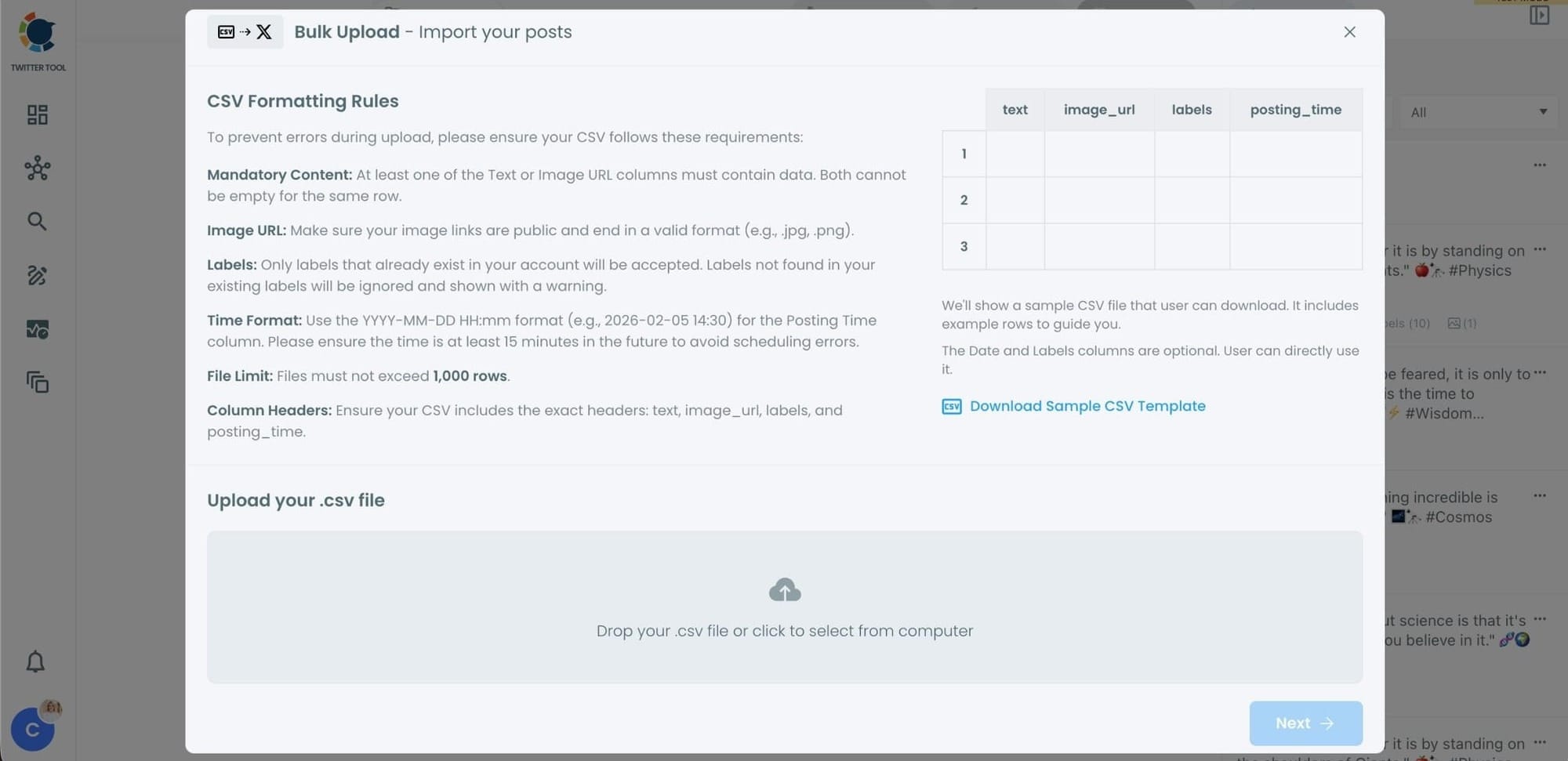
Before uploading, make sure your CSV file follows the required format.
Your file should include the correct column headers, and each row should represent a single tweet.
You can include tweet text, image URLs, labels, and posting times.
Preparing the file in the correct format prevents errors during scheduling.
Step #3: Review your imported tweets
After uploading the CSV file, Circleboom shows all your tweets in a preview list.
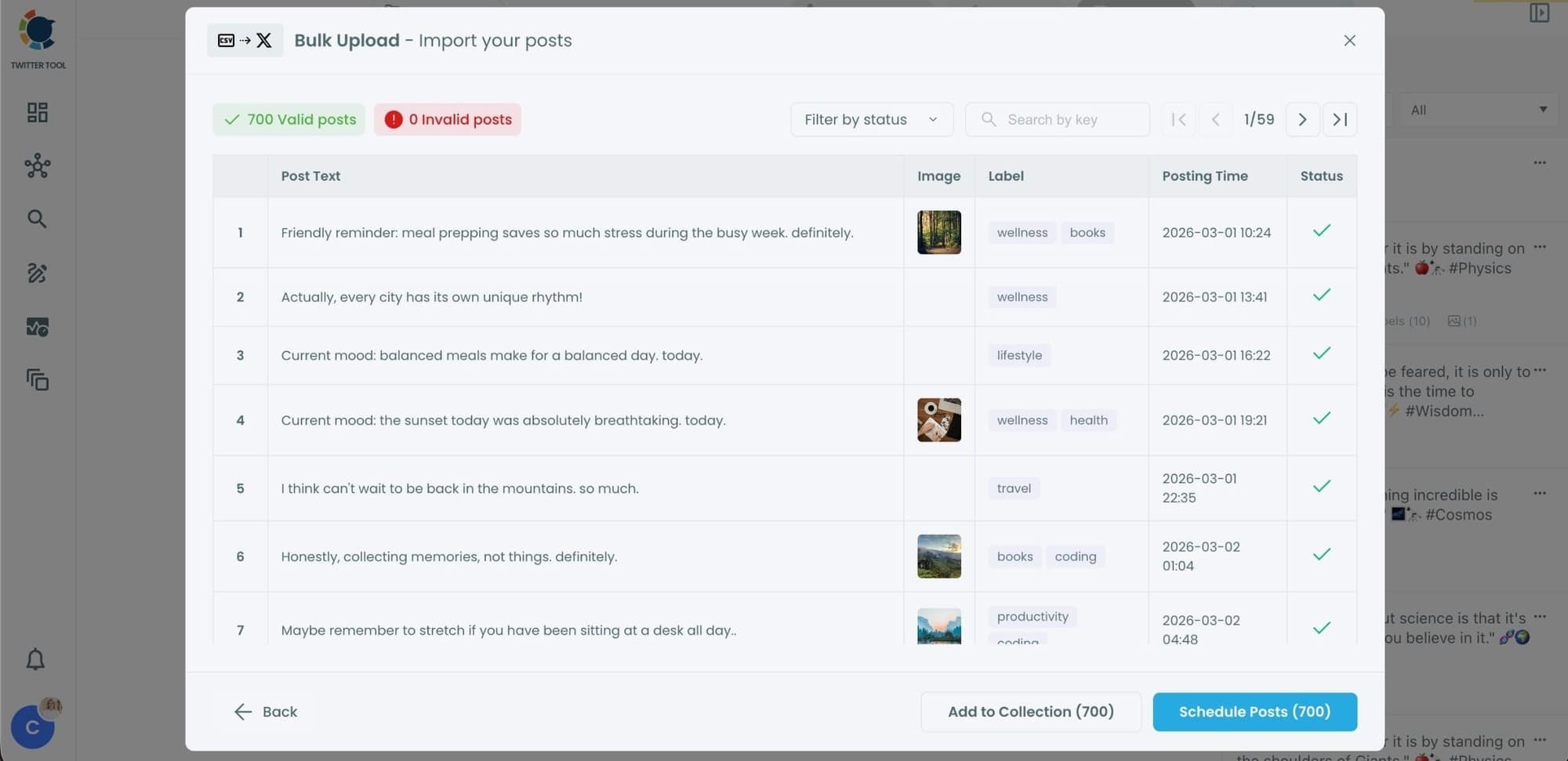
At this stage:
- Valid tweets are marked clearly
- Invalid tweets are shown with the reason for the error
- You can also add tweets to Collections if you want to organize or reuse them later
This step helps you catch and fix problems before anything is scheduled.
Step #4: Schedule all tweets at once
Once everything looks correct, click Schedule Posts.
Circleboom automatically schedules all valid tweets based on the posting times in your CSV file.
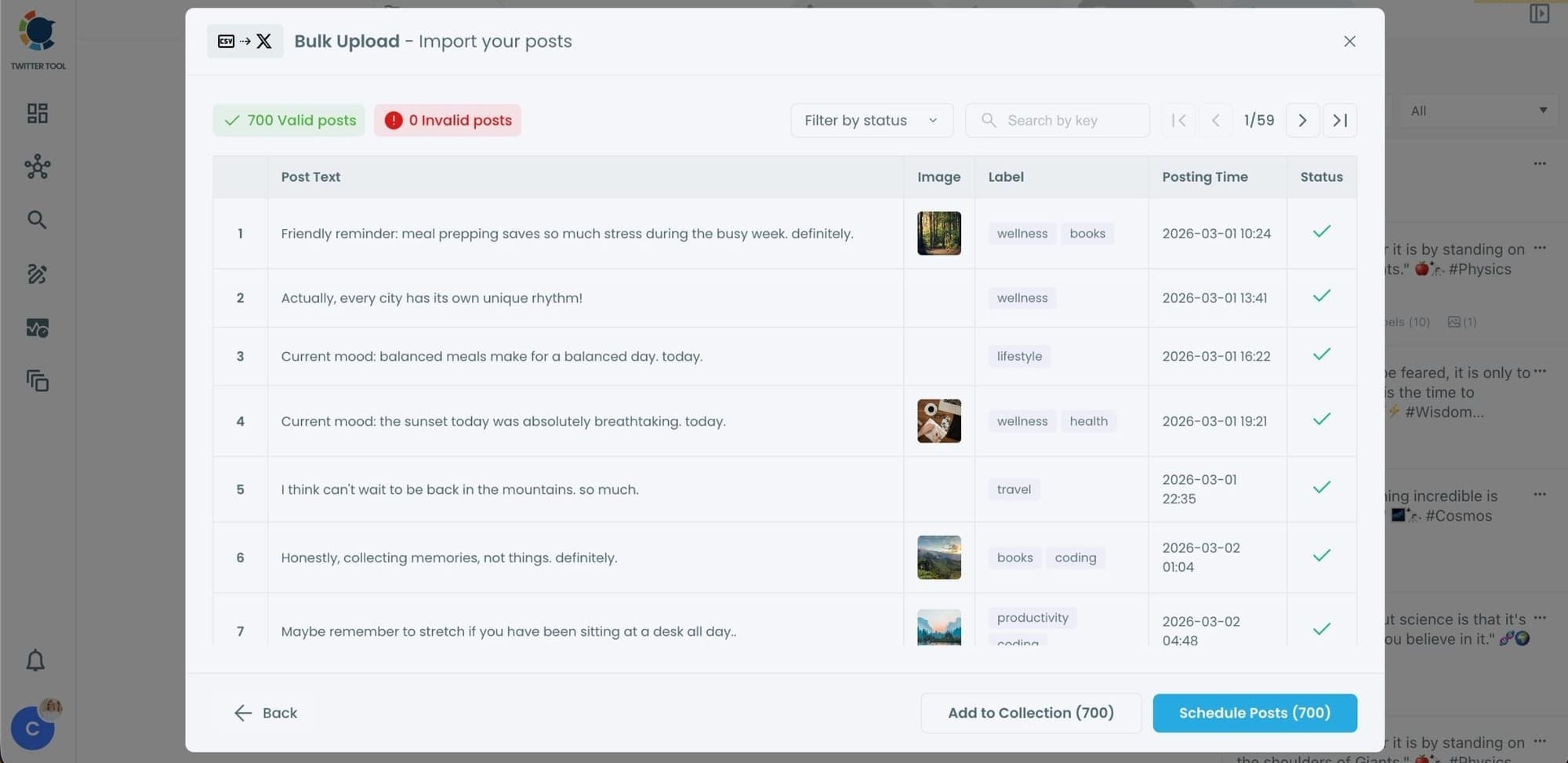
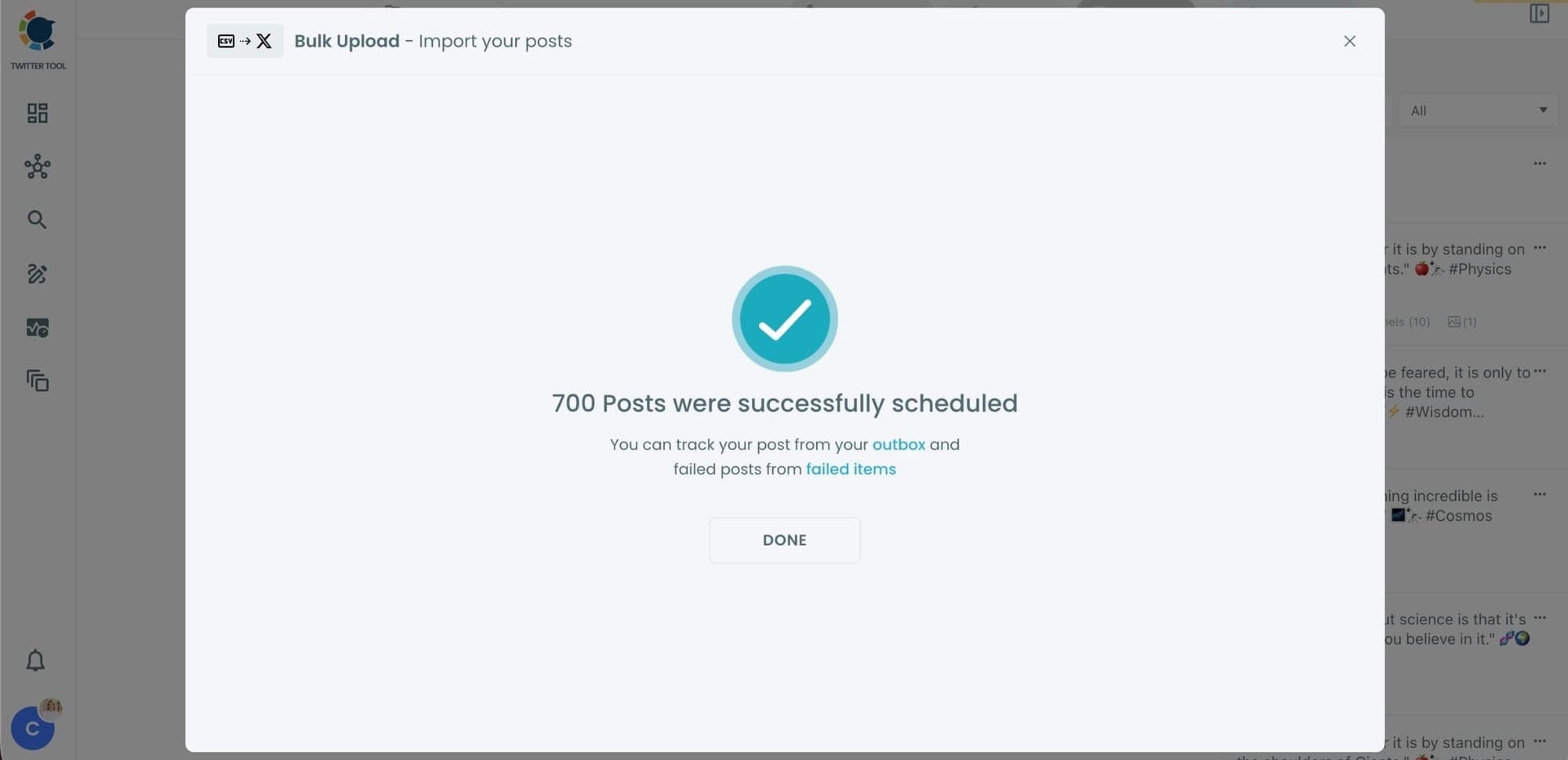
Even hundreds of tweets can be scheduled in seconds, without manual work.
Step #5: Manage scheduled tweets from the Outbox
After scheduling, all your tweets appear in the Outbox and calendar view.
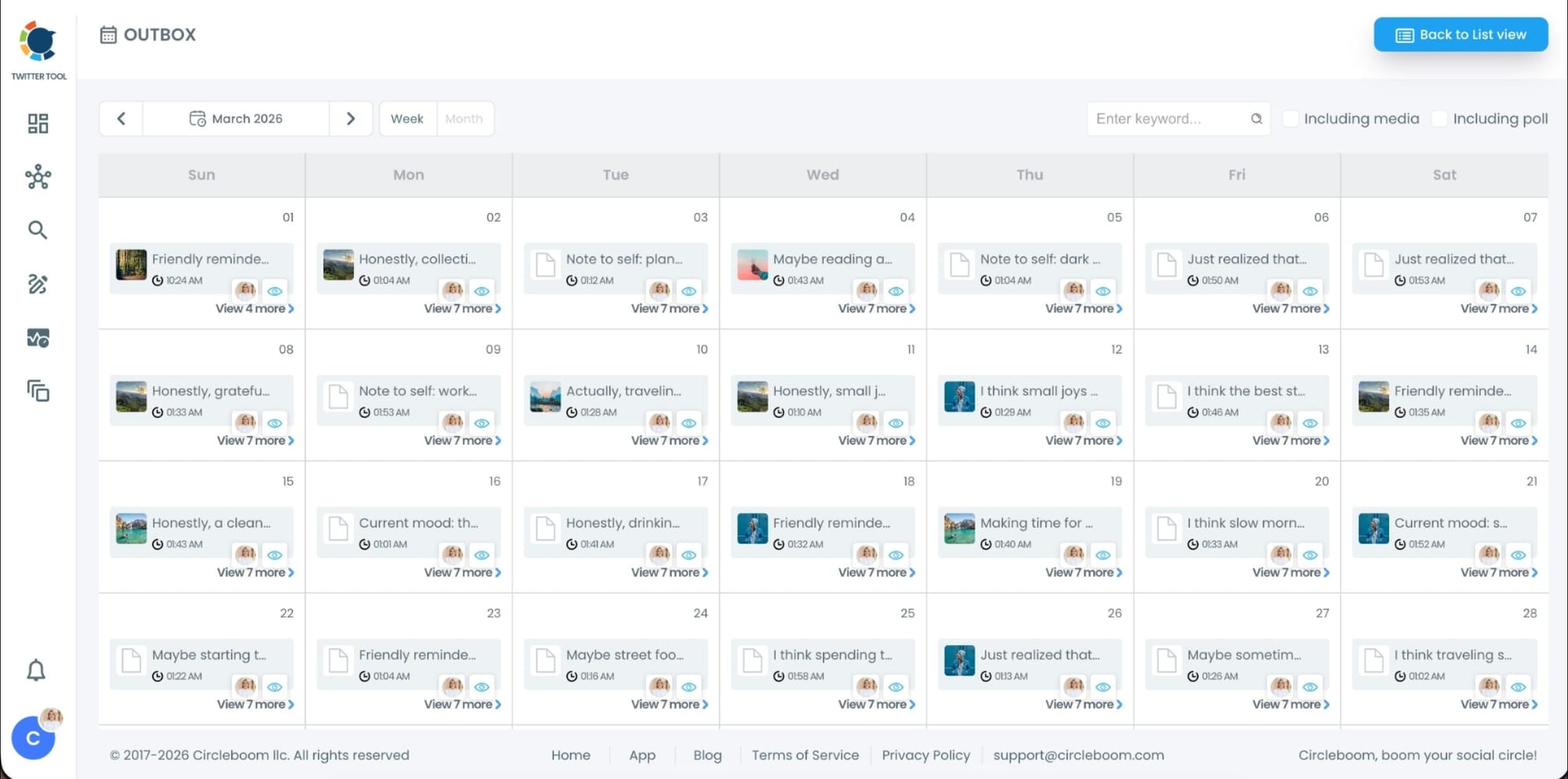
From here, you can:
- See all scheduled tweets by date and time
- Make changes if needed
- Edit or remove scheduled posts
- Keep track of your content easily
This gives you full control even after bulk scheduling is completed.
What Is Bulk Scheduling and Why Is It Useful?
Bulk scheduling is what turns Twitter posting into a scalable system.
Instead of creating tweets one by one, you prepare everything in a CSV file. This file includes all your content and scheduling details.
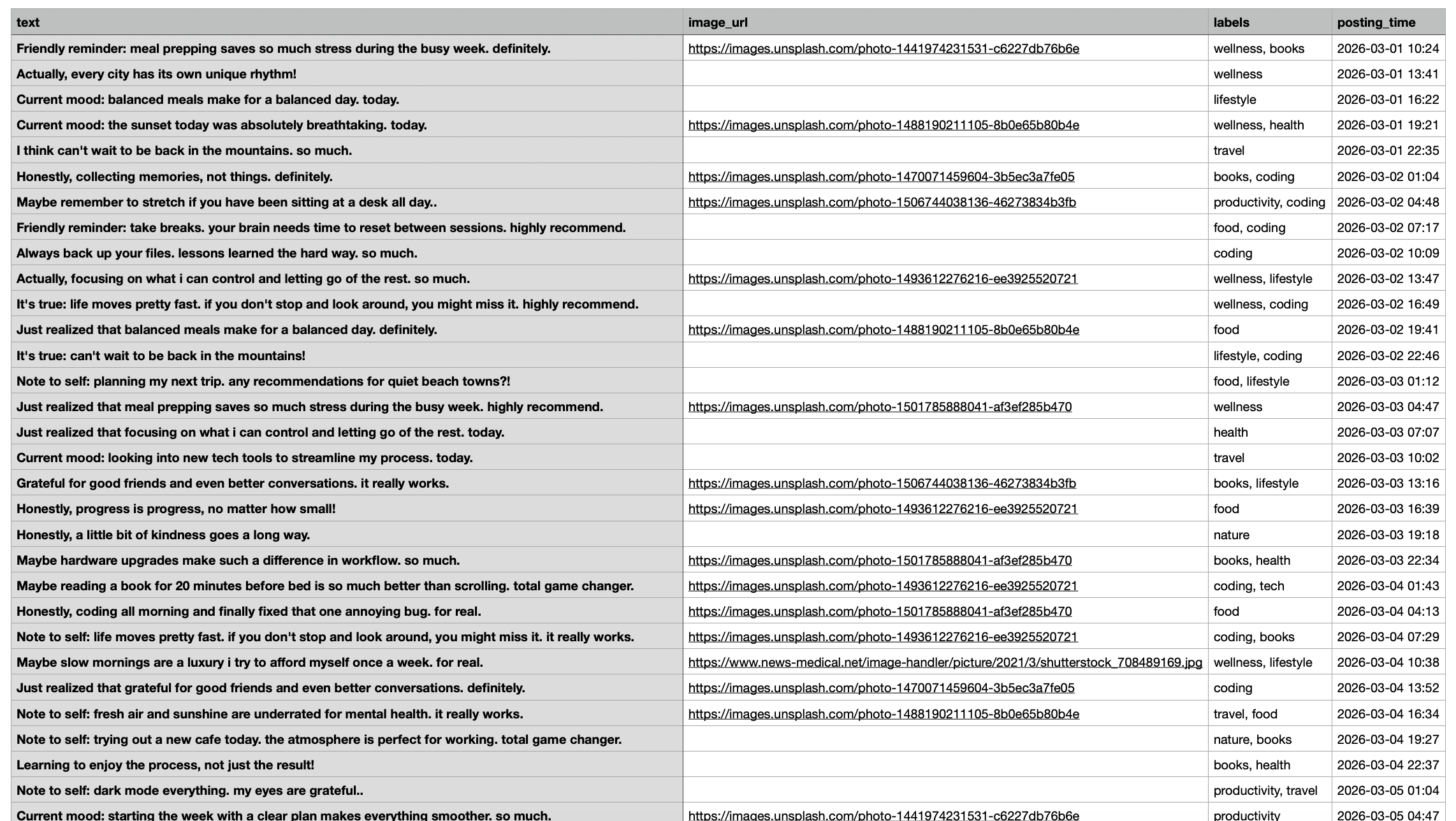
Each row becomes a tweet, and each column defines part of that tweet:
- Text → what you want to say
- Image URL → visual content
- Labels → organization and categorization
- Posting time → when it goes live
✅ Once you upload this file, all your tweets are ready to be scheduled.
This changes how you work completely.
Instead of thinking:
“What should I post today?”
You start thinking:
“What should I post this week or this month?”
By doing this:
- You move from reactive posting to planned content
- You reduce daily decision fatigue
- You create a consistent posting rhythm
- You avoid missing posting times
It also makes multi-account management much easier. You can prepare content for different accounts in one place and schedule everything together.
How Bulk Scheduling Changed the Way I Manage Multiple Accounts
Before using bulk scheduling, posting felt like a daily obligation.
Every day, I had to:
- Think of something to post
- Format it
- Add visuals
- Choose a time
- Repeat for every account
Now, I don’t think about posting daily at all.
I sit down once, prepare content in bulk, upload it, and schedule everything.
That single change gave me back a huge amount of time.
More importantly, it improved how I work.
Instead of being stuck in execution, I now focus on:
- What type of content performs best
- How to improve engagement
- How to grow accounts strategically
Automation didn’t just save time, it shifted my focus to higher-value work.
 Arif Akdogan
Benefits of Automating Your Twitter Posting
Once you switch to bulk scheduling, the difference becomes very clear.
You get:
- Consistency without effort → your accounts stay active even when you’re not posting manually
- Time savings → hours of repetitive work are removed
- Better organization → your content becomes structured instead of random
- Scalability → managing multiple accounts becomes realistic
- Less stress → no more “what should I post today?”
It’s not just about convenience. It’s about building a system that works even when you’re not actively working.
Final Thoughts
If you’re posting on Twitter manually every day, you’re spending time on something that can be automated.
Using Circleboom Twitter’s bulk scheduling feature, I automated my entire posting workflow by uploading a simple CSV file and scheduling everything at once.
Because it’s an official X Enterprise Developer, everything runs through X’s API, which makes the process reliable and safe.
And once you switch to this system, it changes how you manage Twitter completely.
You stop thinking daily, and start planning ahead.
And that’s where real growth begins.



)