
One of the best things about X is that you are not limited to your followers.
A single tweet can reach thousands or even millions of people if it performs well. That’s what makes the platform powerful. You don’t need a huge following to get views. You need the right strategy.
If you want to maximize views, you need to understand how X distributes content and what actually drives reach. ⬇️
How Views Actually Grow on X
When you post a tweet, X doesn’t immediately show it to everyone.
It first shows your tweet to a small group, usually your followers. Then it measures how people react.
- If people like, reply, and repost → your tweet gets pushed further
- If engagement is low → distribution slows down
This is why the first 12–15 minutes are critical. Early engagement decides whether your tweet grows or stops.
1. Create Content That People Want to Engage With
Content is the foundation. If your tweet doesn’t trigger engagement, nothing else will help.
Posts that perform well usually:
- share strong opinions
- ask questions
- provide useful or relatable insights
The goal is simple: make people interact.
A practical way to improve this is by understanding what your audience actually cares about. With Circleboom Twitter, you can analyze your followers’ interests and see what topics they engage with the most.

This allows you to create content that is already aligned with your audience instead of guessing.
- Focus on topics your audience is already interested in
- Create posts that invite replies or reactions
- Use insights instead of assumptions
When your content matches your audience, engagement becomes much easier.
2. Keep Your Posts Simple and Clear
Even good ideas can fail if they are not presented clearly.
People scroll fast. If your tweet is hard to read or understand, they skip it.
- Start with a strong first line
- Keep sentences short and direct
- Make your message easy to grasp instantly
A helpful tip here is using Circleboom’s AI Writer.

It is designed for social media and trained to generate engaging posts. Instead of overthinking your wording, you can quickly create clear and structured tweets that are easier to read and more likely to perform.
3. Be Consistent
One viral tweet is not enough.
Consistency is what increases your chances of getting more views over time. The more you post, the more opportunities you create for your content to perform.
Instead of posting randomly, it’s much better to plan your content ahead. With Circleboom Twitter, you can schedule your posts, create a content calendar and organize your posts in advance.

This helps you stay consistent without needing to think about what to post every day.
- Plan your tweets ahead of time
- Keep a steady posting rhythm
- Build momentum over time
Consistency keeps your account active and increases your chances of reaching more people.
4. Post When Your Followers Are Online
Timing plays a major role in performance.
If you post when your followers are not online, your tweet won’t get the early engagement it needs. And without that, it won’t be pushed to a wider audience.
The first 12–15 minutes are where everything starts.
With Circleboom Twitter, you can analyze your followers’ activity and see exactly when they are online.
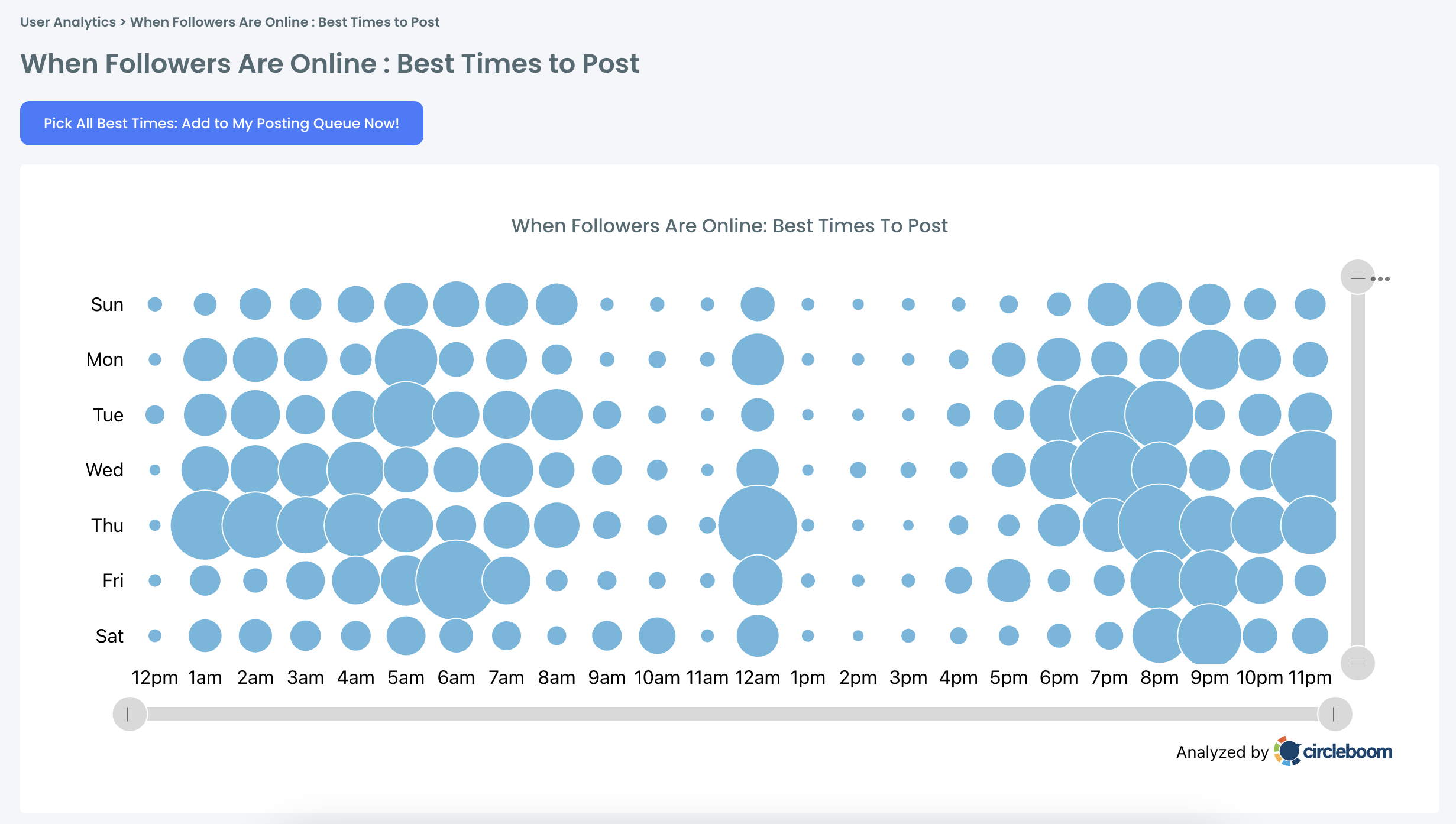
This allows you to post at the right time or schedule your tweets to go live when engagement is most likely.
5. Retweet Your Own Posts to Increase Views
Not everyone sees your tweet the first time you post it.
That’s why retweeting your own content works. It gives your tweet another chance to be seen and brings it back into the timeline.
Each retweet can:
- reach new people
- extend the lifespan of your tweet
- increase total impressions
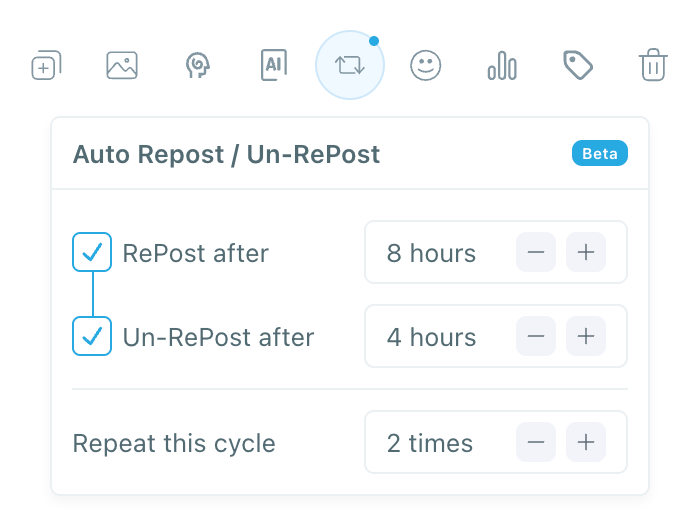
With Circleboom Twitter, you can automate this process using auto retweet cycles. It can retweet, un-retweet, and repost your tweets automatically, so you don’t have to do it manually.
How to Use Circleboom Twitter to Do All of This Automatically
Instead of trying to handle everything manually, Circleboom helps you automate and optimize the key steps that increase your views.

Circleboom Twitter is an official X Enterprise Developer, which means it works directly with X’s official API. This makes it one of the safest and most reliable tools to manage your content and growth strategies without risking your account or relying on incomplete data.
In this section, I will show you how to create a tweet that can get up to 5x more views using Circleboom Twitter.
 Altug Altug
How To Create an X Post with Circleboom Twitter
Step 1: Go to Circleboom Twitter’s X Post Planner
Open Circleboom Twitter and click X Post Planner + AI Writer.
Then select Write & Plan Your Post to start creating your tweet.

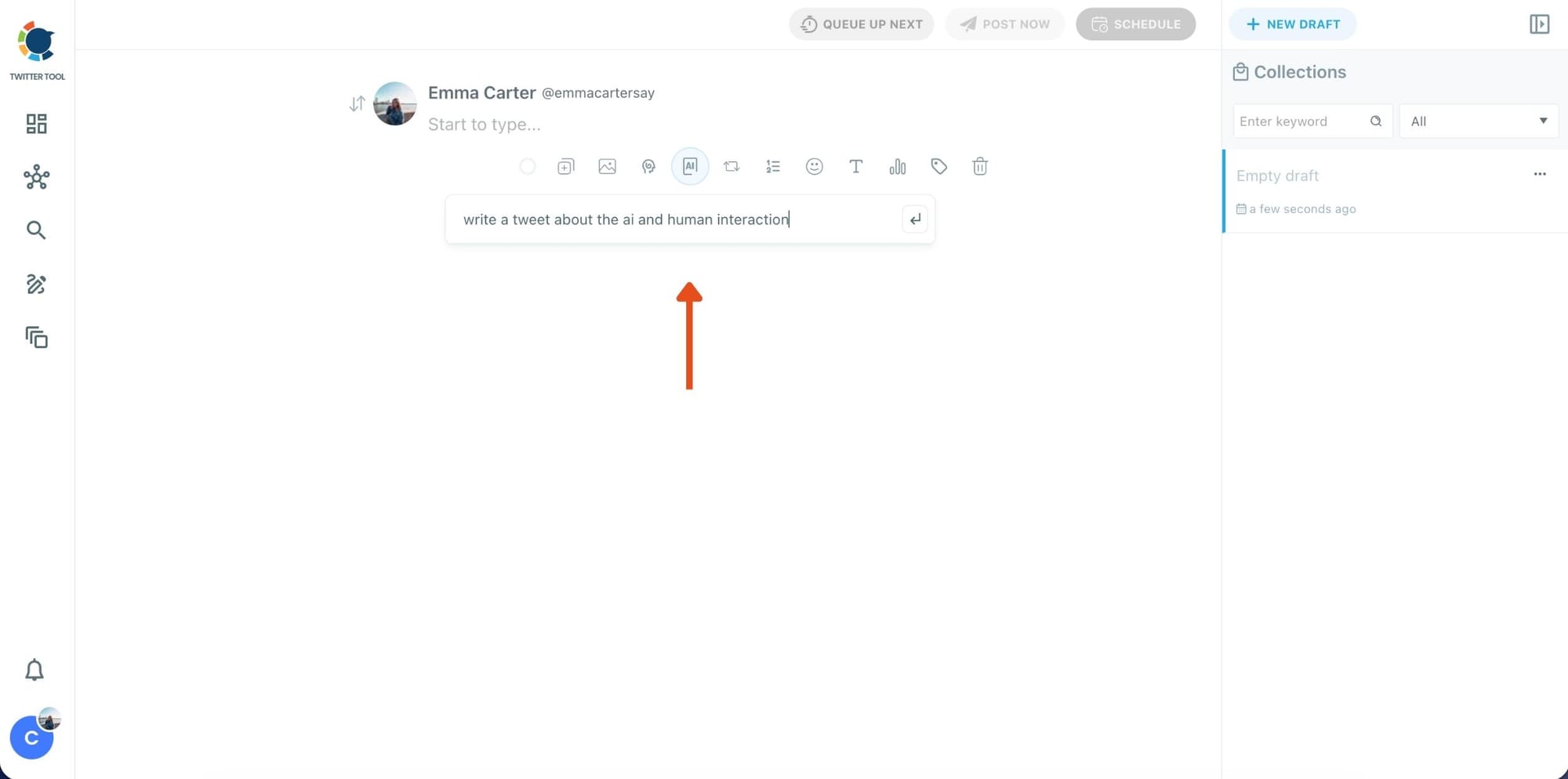
Step 2: Write your tweet (or generate one with AI)
You can type your tweet manually in the editor.
Or, if you want to move faster, click the AI option and let Circleboom generate a tweet idea for you based on your topic.
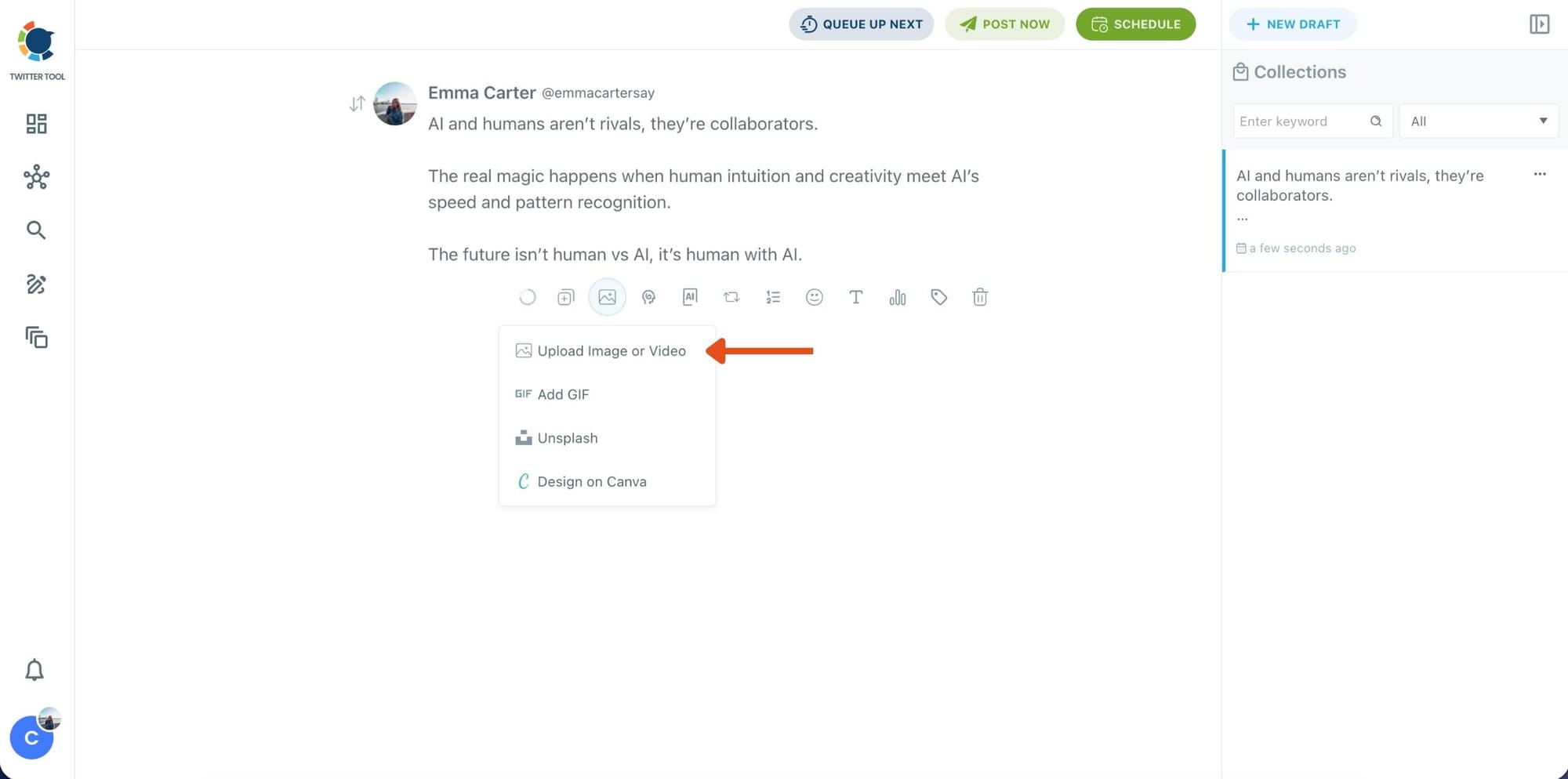
Step 3: Add an image to make the post more engaging
Once your text is ready, attach a visual to your tweet.
You can:
- Upload an image/video from your device
- Pick one from Unsplash
- Or design one instantly using Canva
Step 4: Style your tweet using Circleboom’s Font Generator
Now it’s time to make your tweet stand out visually.
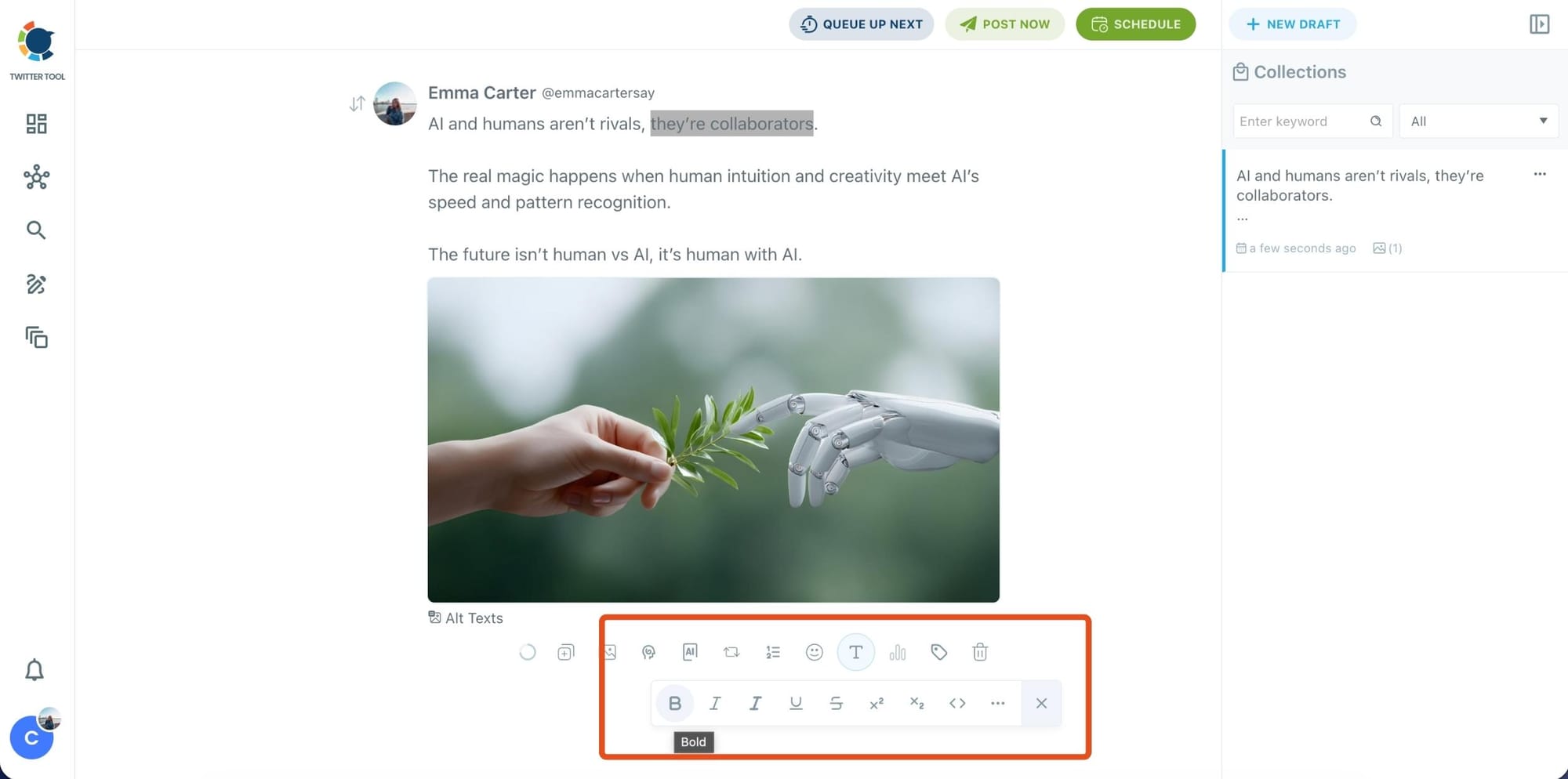
Select the part of your text you want to change, then open the Font Generator toolbar and apply styles like:
- Bold / Italic / Underline
- Different font variations
- Extra formatting options for a more “designed” look
This is perfect when you want key parts of your tweet to grab attention immediately.
Step 5: Set Auto Retweets to boost visibility
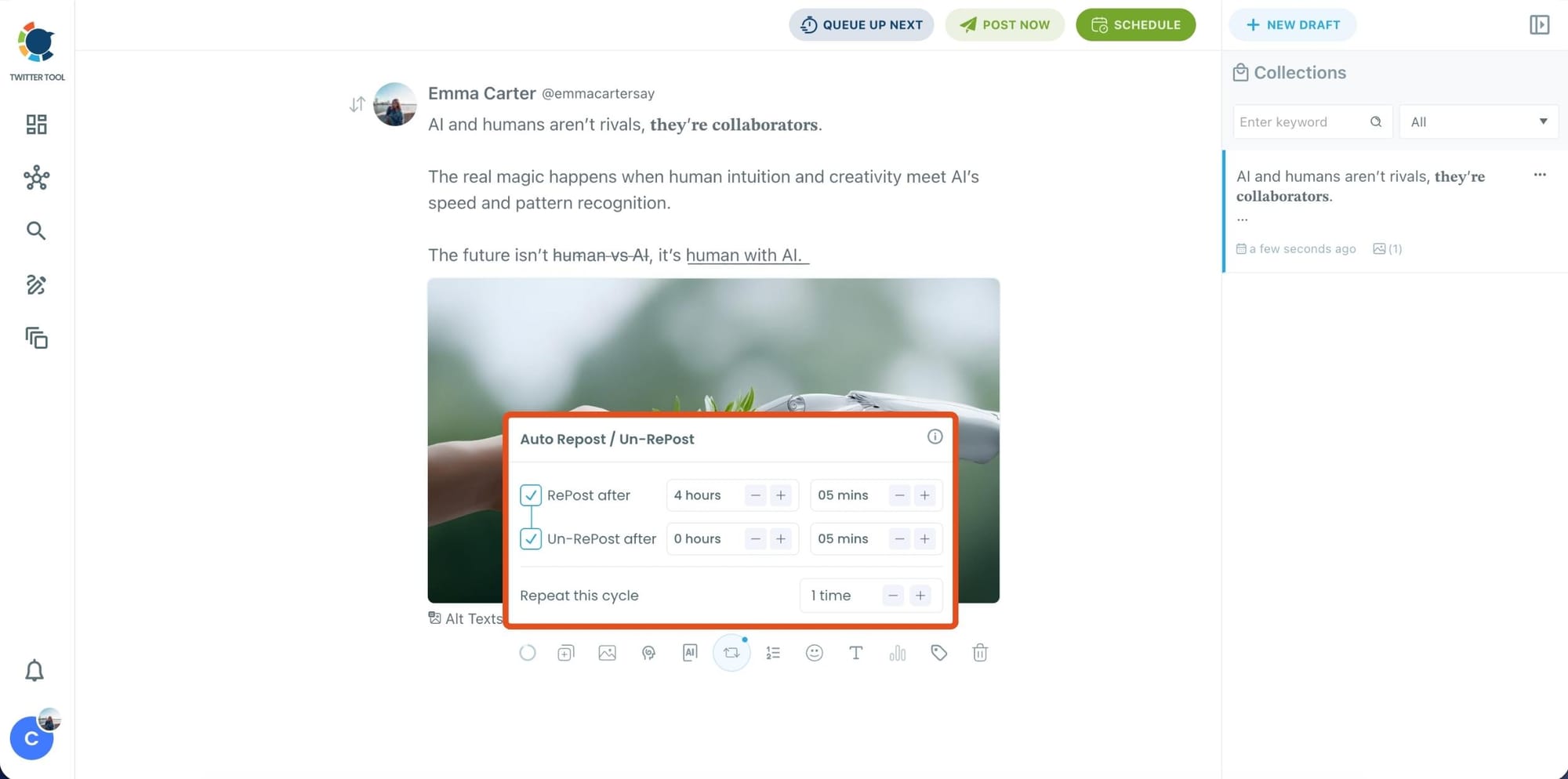
After styling your post, you can increase reach by enabling Auto Repost / Un-RePost settings.
This lets you automatically:
- Repost your tweet after a selected time
- Remove the repost later
- Repeat the cycle if you want more than one repost
It’s a smart way to bring your tweet back into the feed without manually reposting it.
Bonus Tip: Cross-post your tweet to other platforms automatically
Before you publish, you can also enable Cross-Post to share the same tweet across multiple platforms in one go.
Circleboom lets you post your content to Instagram, Facebook, LinkedIn, Bluesky, and Threads automatically, so you don’t have to rewrite, re-upload, or repeat the same work on each platform.

Step 6: Schedule it for the best time to post
Finally, click Schedule and set your date and time.
You can also click Find your best posting time to see Circleboom’s suggested time slots based on follower activity.

Once you pick the best option, smart-schedule it, and you’re done. Your tweet will go out at the time it has the highest chance to perform well.
Final Thoughts
On X, your reach is not limited by your follower count. A single tweet can go far if it performs well in the early stages.
If you focus on the right things:
- creating engaging content
- keeping your posts clear and easy to read
- staying consistent
- posting at the right time
- and boosting your tweets with retweets
you can significantly increase your reach.
These are not small improvements. When applied together, they can multiply your results.
With the help of tools like Circleboom Twitter, you can apply all of these strategies more efficiently and consistently. Instead of doing everything manually, you build a system that supports your growth.
If you follow this approach, it’s very realistic to see 5–6x more views on your tweets over time.