

Follow for Follow is an old and still working method to grow your audience on Twitter!
My follower graph after I started following this method! ⬇️
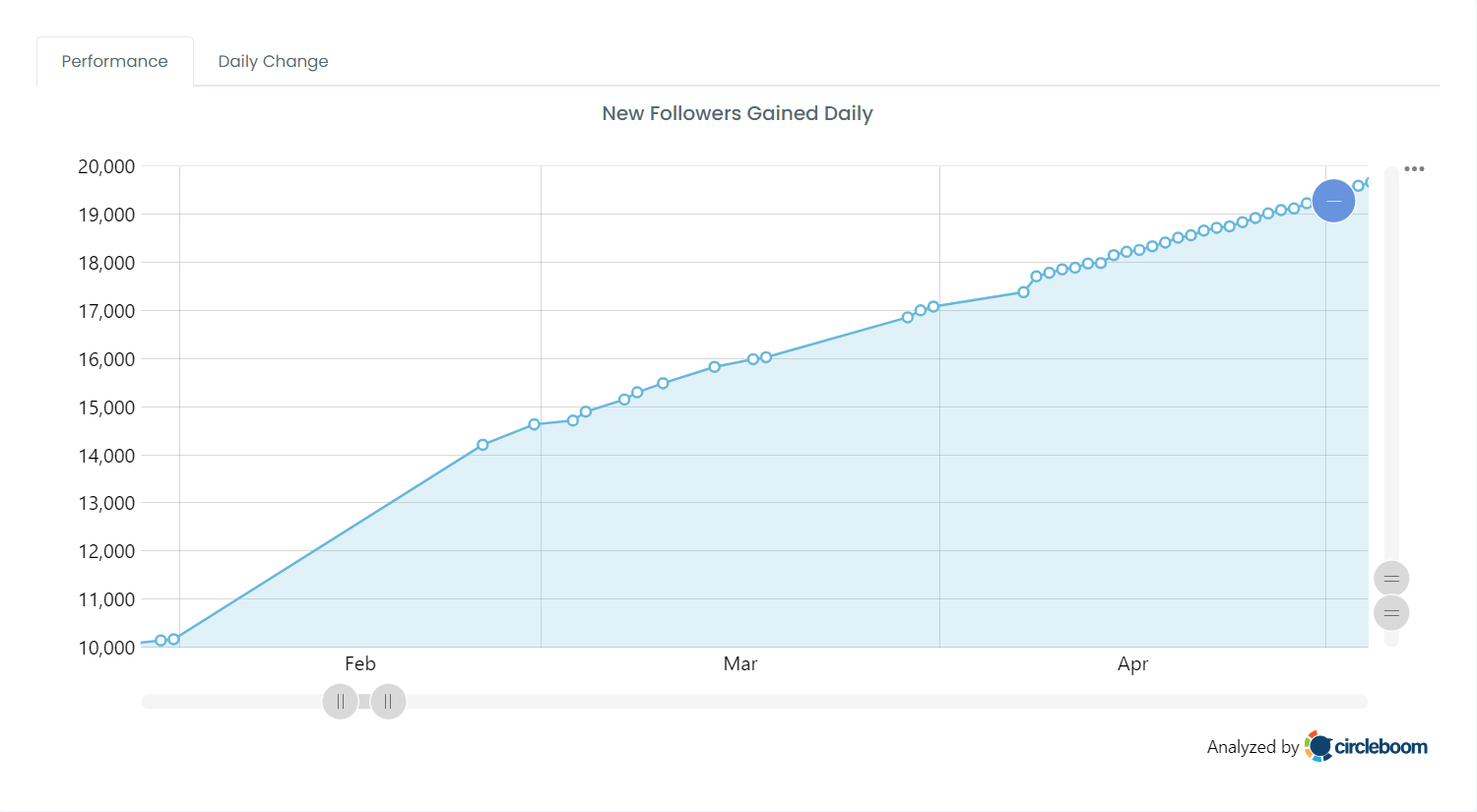
It is a very basic tactic. You follow people and they follow you back. They gain new followers, and you gain new followers. It is a win-win!
The critical question is how you can find follow-for-follow accounts on X (formerly Twitter). You may think it is impossible, but you are wrong!
These accounts write it on their profiles! They write follow-for-follow or f4f on their X profile walls! So the question is not about finding, it is about searching!
You should have the tools or ways to search these accounts! I have good news for you!
Circleboom has a great account search tool. You can target people's profiles and find those who used specific terms in their bios!
Let's try this for "follow-for-follow" and "f4f"!
Search and Find "Follow for Follow" and "F4F" accounts on X with Circleboom
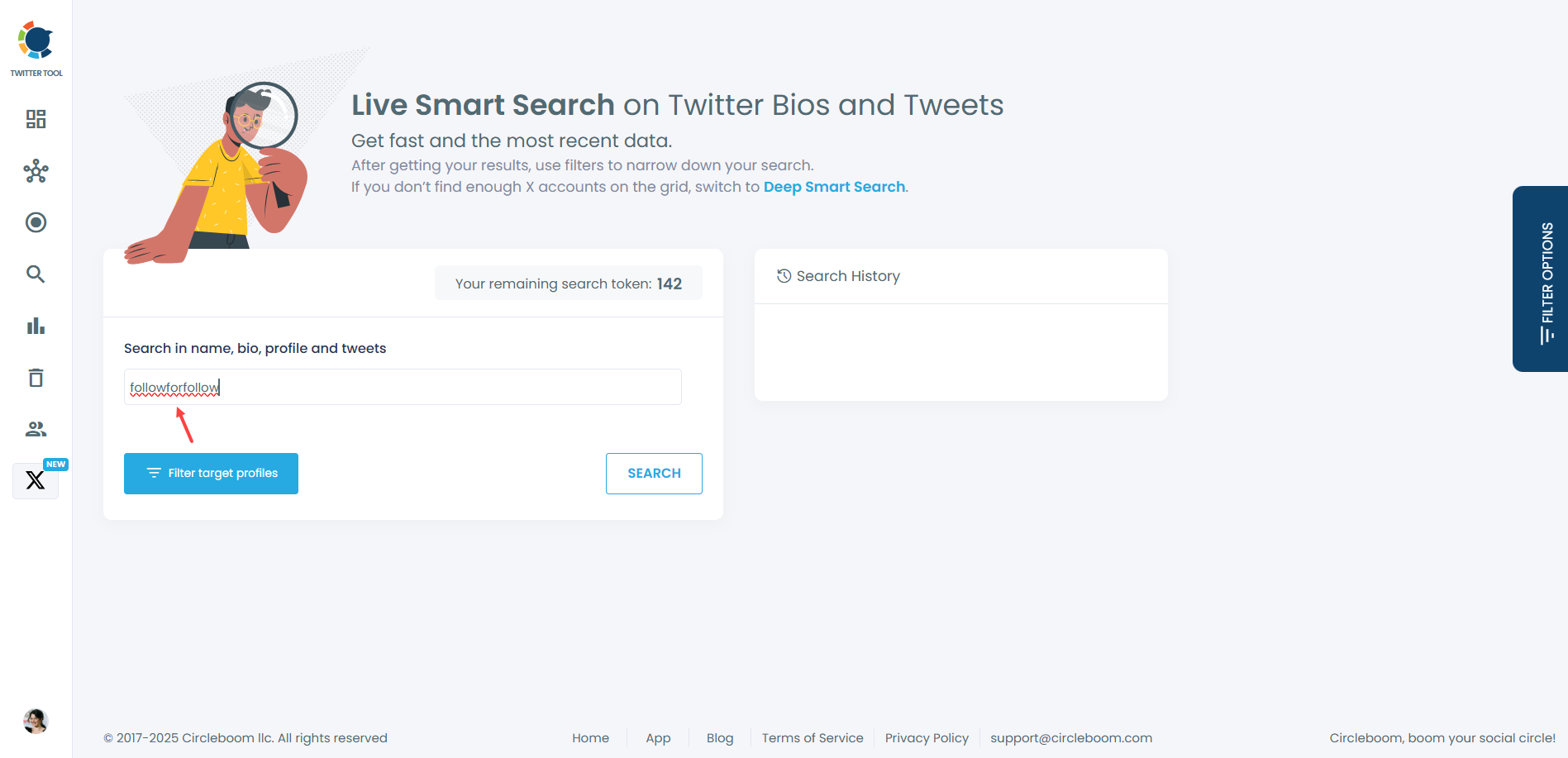
Firstly, I searched for "followforfollow" on Circleboom's "Live Smart Search" module to find X profiles that used these keywords on their profiles ⬇️
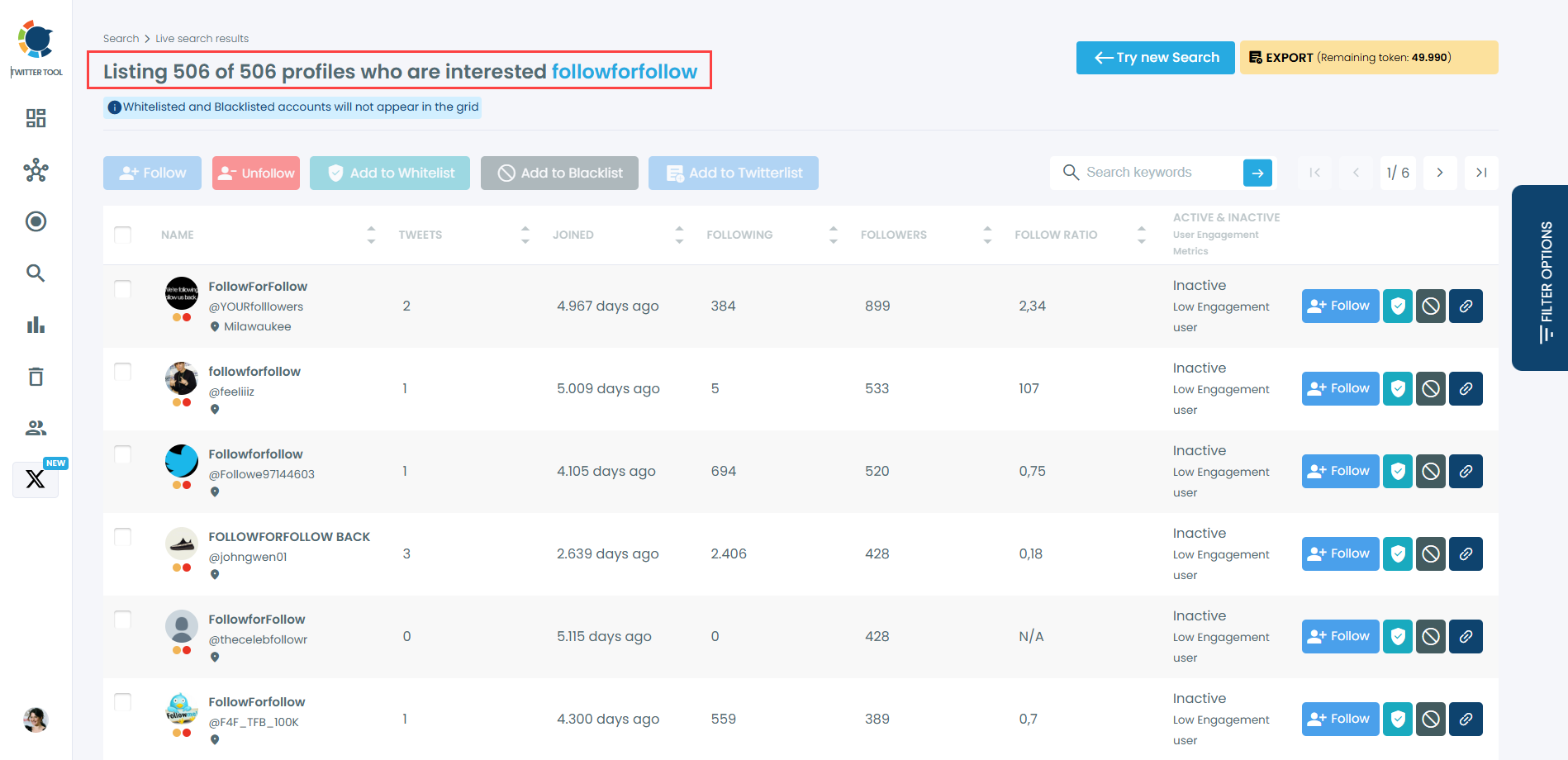
Circleboom found 506 profiles for me!
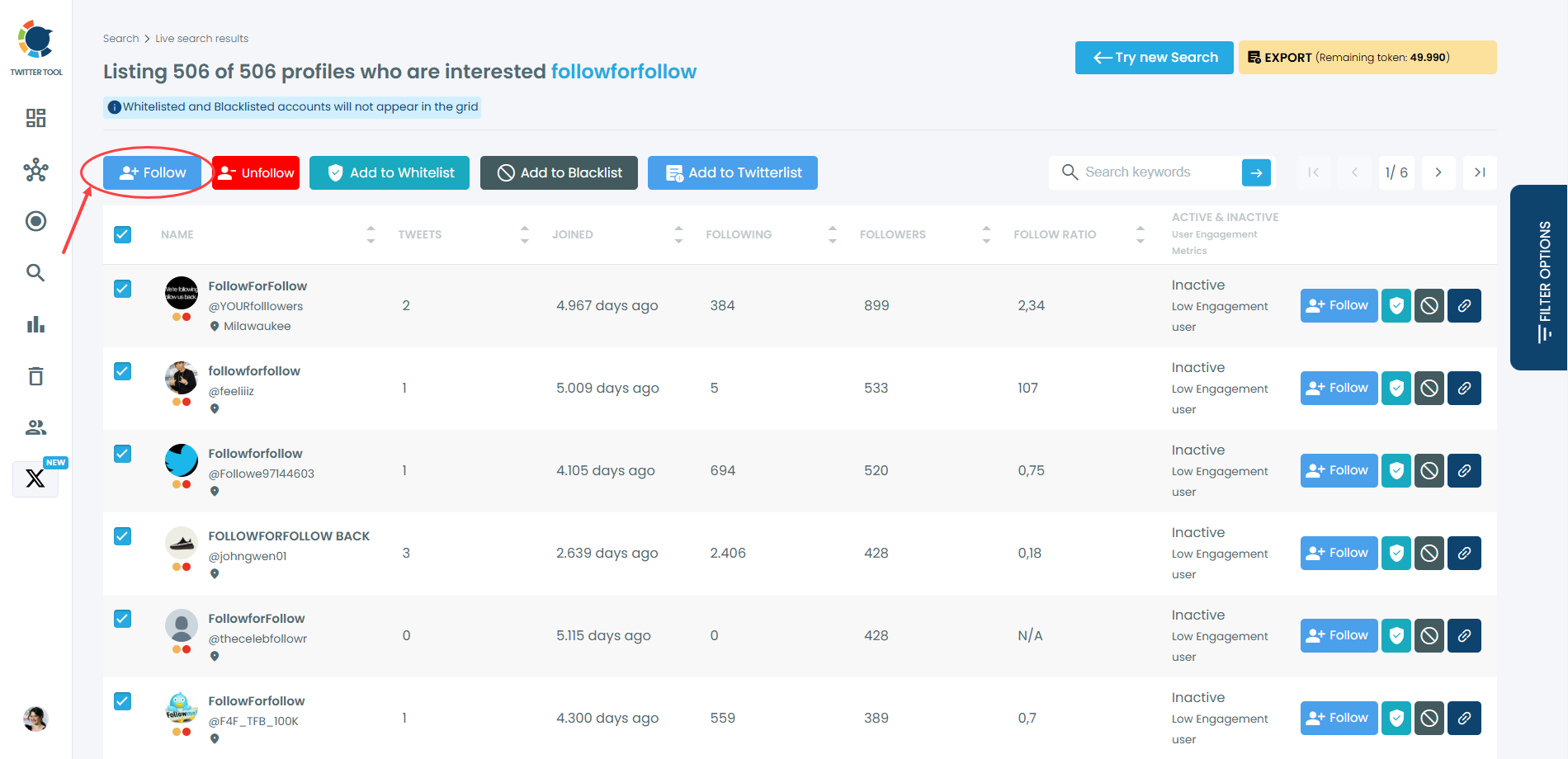
You can mass follow all these accounts with one click on Circleboom ⬇️
Now, I search for "f4f".
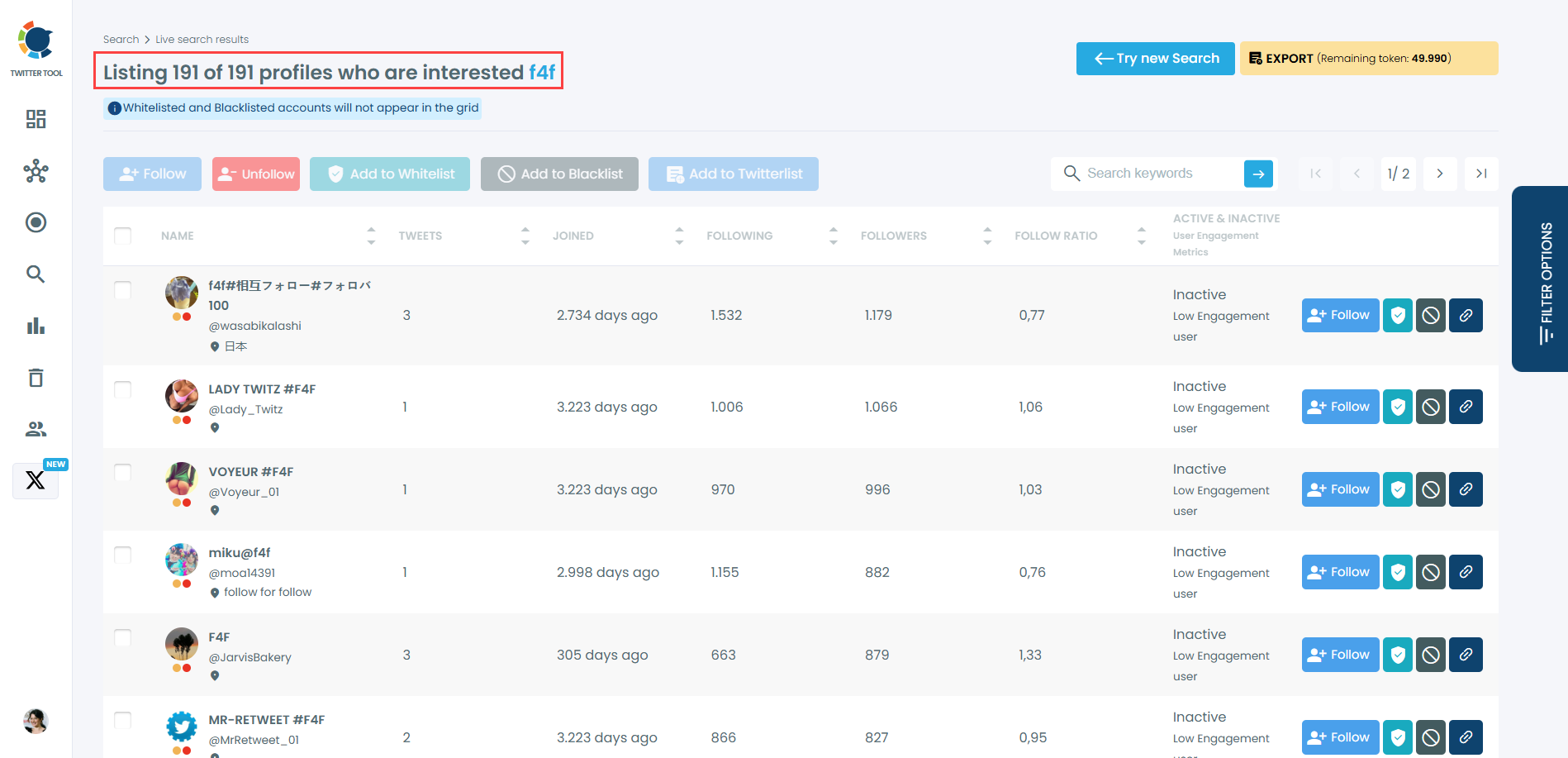
Circleboom listed 191 profiles for "f4f" ⬇️ You can bulk follow them, too!
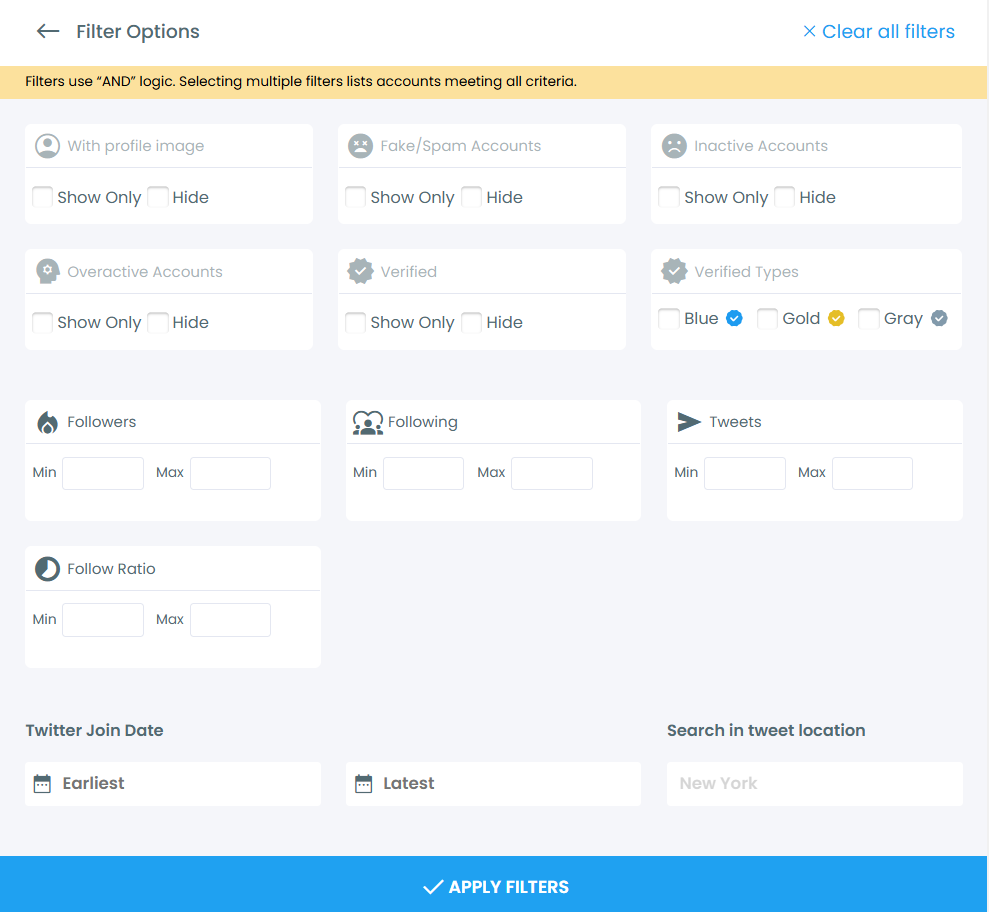
If you want, you can make more specific searches with advanced search filters on Circleboom. For example, you can only search for verified accounts!
You follow them and then they follow you back. But, after a while, they may unfollow you! How can you track these unfollowers?
Thanks to Circleboom's "Who Unfollowed You" feature, you can find those unfollowers. Also, you can set up a "Unfollower Alert" and get notified when someone unfollows you on X ⬇️
 Altug Altug
Bonus: How to fix bad follow ratio on Twitter
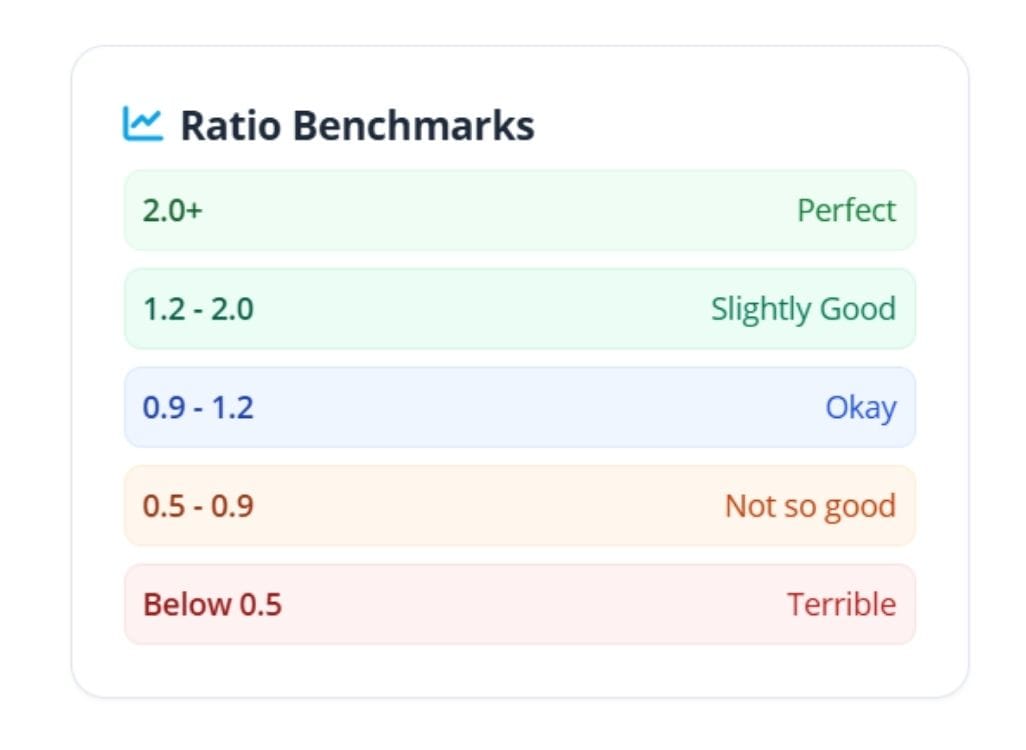
Follow Ratio Benchmarks:
Check your Twitter (X) follow ratio here ⬇️:
 Altug Altug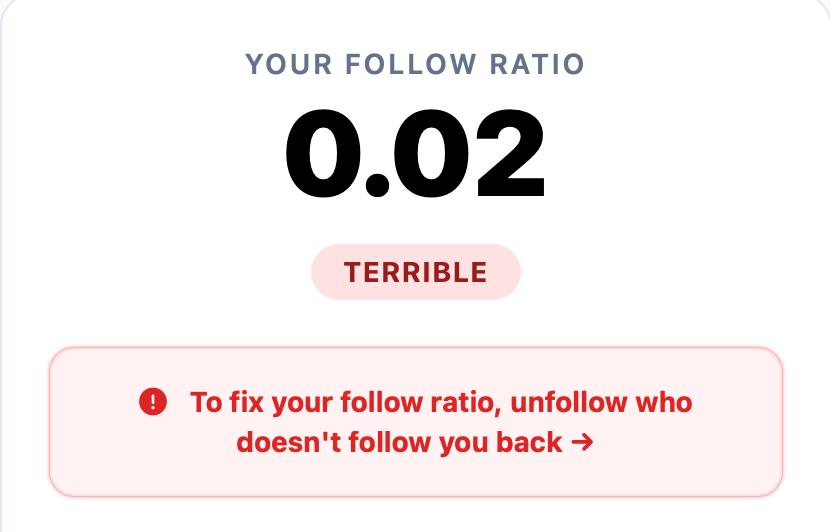
The two levers for improving your follow ratio on Twitter are growing your followers and reducing your following count. Circleboom helps with both, but the fastest fix is cleaning up who you follow.
Here is the step-by-step process using Circleboom.
Step 1: Go to Circleboom and login. If you don't have an account, create a new one in two seconds.
Circleboom is an official X Enterprise developer. So, don't worry about security issues.

Keep in mind that the API provides a more accurate real-time data stream than the X interface itself. While the platform UI may experience lag, the API captures and reflects new developments instantaneously.
Circleboom has the official Enterprise API, we don't scrape data from X!
Step 2: Run a following audit.
Navigate to the "Following" section in your Circleboom dashboard. You will see a segments by activity status. Click on "Not Following Back" to see those accounts that you follow but they don't follow you back. They are killing your follow ratio.
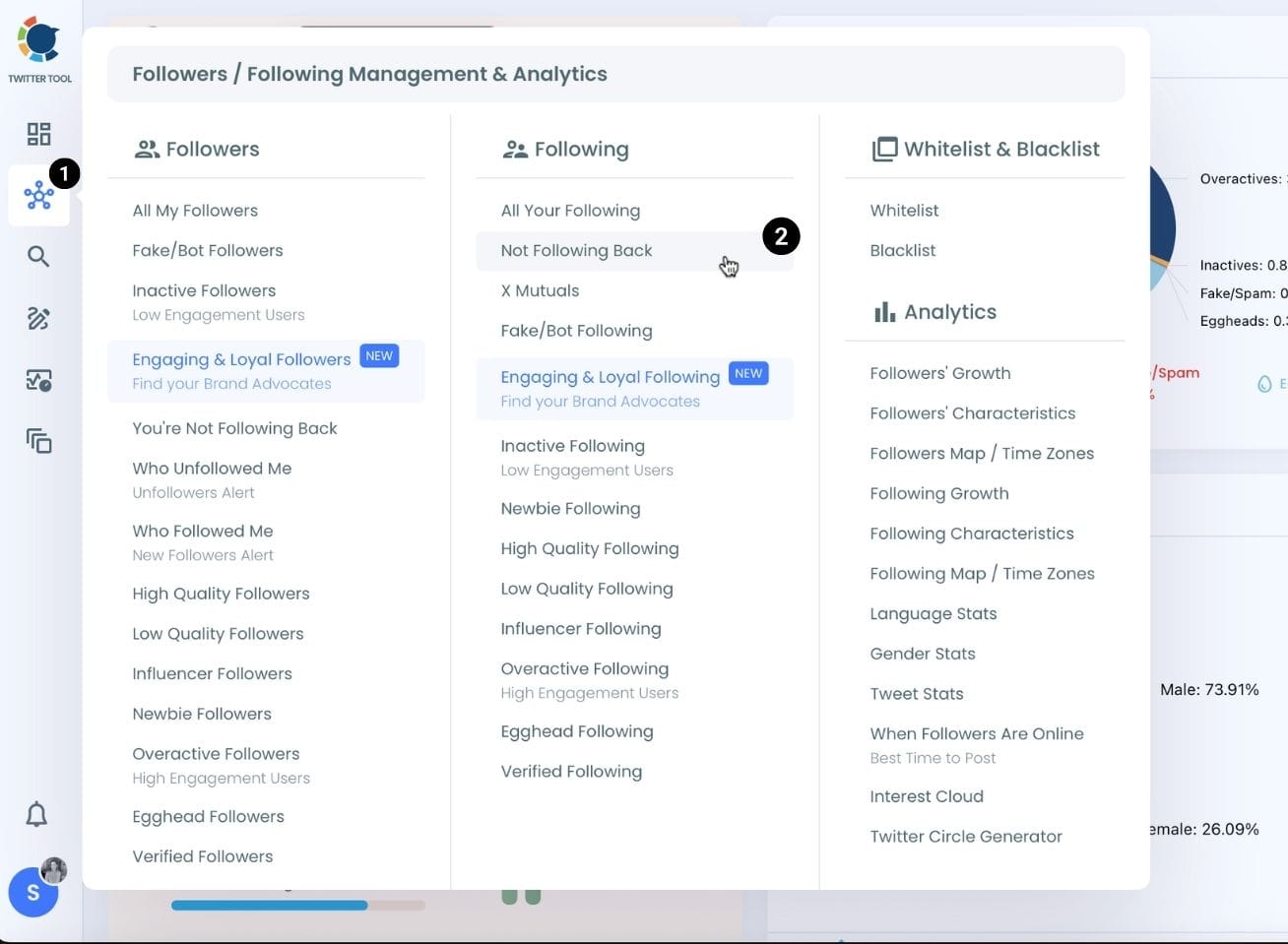
Step 3: You will see those accounts who are not following back.
Circleboom lists all these accounts. You don't need a manual work.
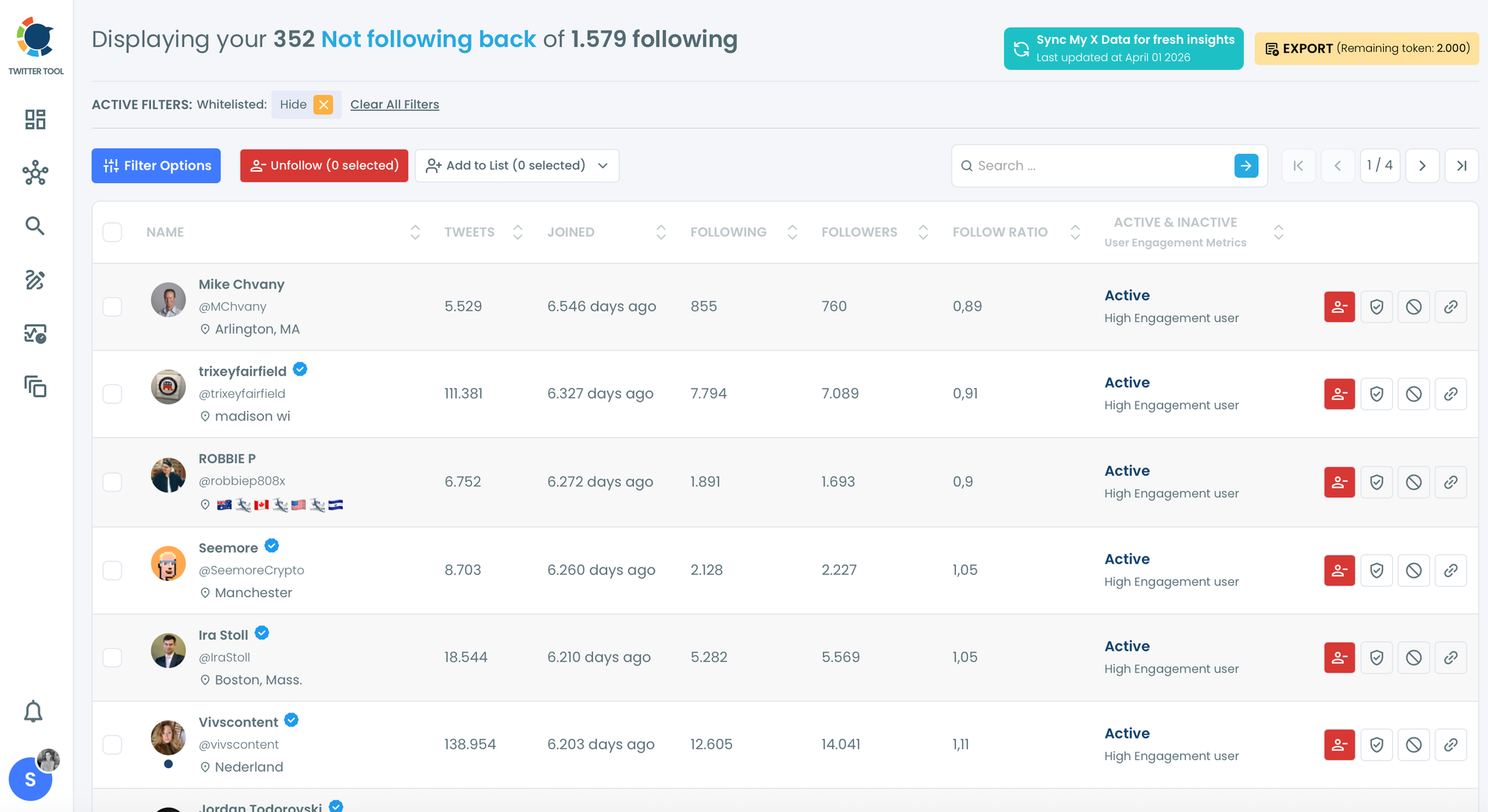
Step 4: You can mass unfollow them all. It brings a full cleaning.

Or, you can do it selectively. Follow my tactic: I will apply follow ratio filter. I want to see accounts with follow ratio between 0.9 and 1.1
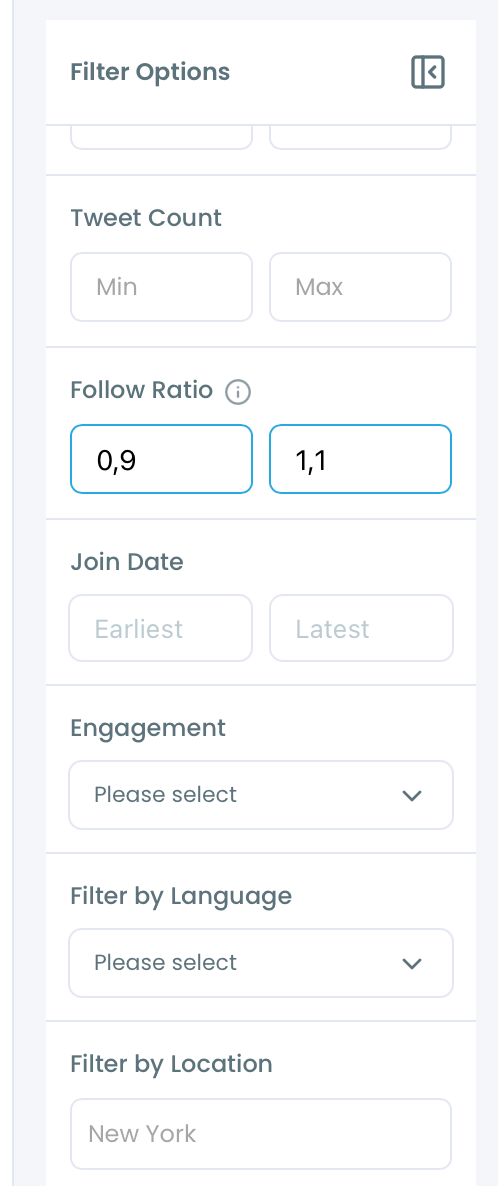
These accounts are normally following back those who follow them. However, they don't follow me back 😄 so I don't want them neither.
Circleboom found 211 accounts with this filter.
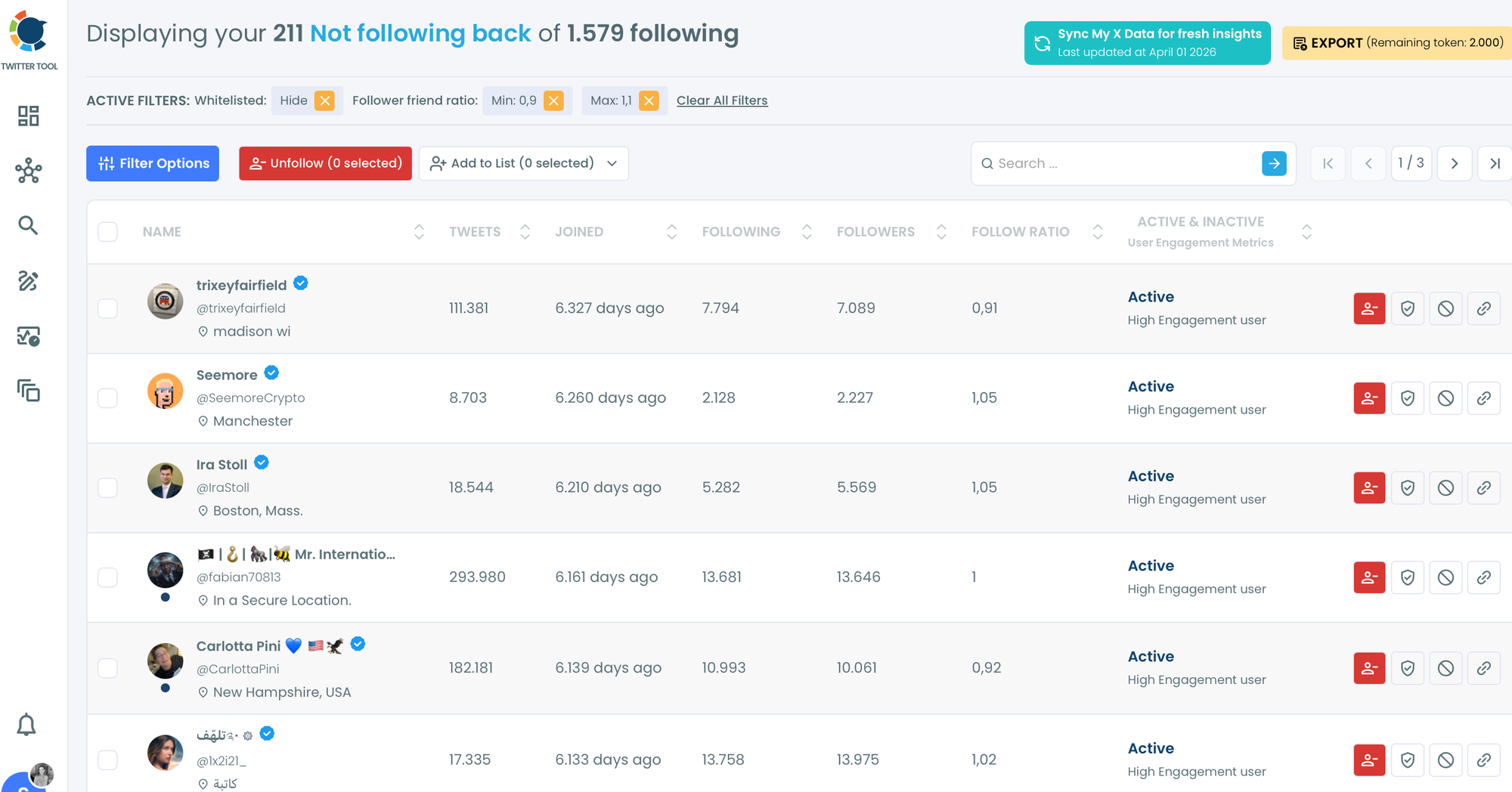
Step 5: Unfollow in bulk or selectively. You can remove accounts individually or in batches.
Circleboom lets you do this safely within Twitter's API rate limits so your account is never flagged or penalized.
The fastest and safest way to repair your follow ratio on Twitter is to use Circleboom to run this cleanup on a regular cadence.

Final Words
I think it is the best method to grow an X account: follow for follow!
With Circleboom, I can find these accounts and mass-follow them with one click. In the example above, I followed almost 700 accounts at once! If half of them follow me back, I will gain 350 followers with one click, great right!
Circleboom is a great tool for managing X accounts. It can be used for this and many other functions.




%20accounts%20on%20Twitter%3F)


