

Hashtag monitoring on Twitter means watching a specific hashtag continuously, from a chosen start date forward, so you see every account posting it while the conversation is still live. It is different from a one-time search. A search answers "who used this hashtag." Monitoring answers "who is using it right now, who keeps using it, and which of those accounts I should act on."
That distinction matters because the value of a brand, campaign, or event hashtag decays fast. A complaint, a launch reaction, or an event post is most useful in the hours it is fresh, not weeks later in a static report.
Hashtag monitoring on Twitter is the ongoing practice of tracking a hashtag from a set start date forward and acting on the accounts behind each post. Circleboom's Real-time Tweet Search collects live tweets matching your hashtag through sanctioned X data access, then extracts a deduplicated, actionable list of the accounts posting them.
→ Start hashtag monitoring on Twitter
Below: how to set it up, what to do with what you see, and where most monitoring stops short.
Most teams treat a hashtag as a number to report. The real win is the people. A hashtag is a self-selected list of accounts who care about your topic enough to type it, and that list refreshes every minute the conversation runs. That is why it pays to track a Twitter hashtag in real time rather than reviewing it once the campaign is over.
Why Hashtag Monitoring Beats a One-Time Lookup
A one-time hashtag lookup is a snapshot. You search, you scroll, the moment passes, and the accounts you wanted to reach scroll out of view. Ongoing monitoring keeps the window open.
When you monitor a campaign hashtag from the moment it launches, you watch participation build in real time. You see which accounts pick it up first, which influencers amplify it, and which audiences carry it past your follower base. That live spread is something no after-the-fact analytics view can reconstruct.
Circleboom is built for exactly this kind of sustained watching. As an official X Enterprise developer, it pulls live public tweet data through sanctioned APIs, so your monitoring stays compliant while it runs. The native X search bar shows you live tweets too, but it stops at the scroll. It does not turn the moment into a structured list you can filter, save, and act on.
The deeper point: monitoring is only worth doing if you do something with what you see. A dashboard that tells you a hashtag got 4,000 tweets is interesting. A list of the 4,000 accounts behind those tweets, ranked by engagement and ready to follow or list, is useful.
What the monitored result actually looks like
The structure of that list is what makes it workable. Each matching tweet carries its own metadata in the tweet view: impression count, likes, retweets, quotes, bookmarks, replies, and the creation timestamp. Switch to the profile view and the same data collapses into one row per account, deduplicated, so an account that posted your hashtag ten times appears once, not ten times. That single dedupe step is the difference between a clean engagement list and a spreadsheet you have to clean by hand.
How to Monitor a Twitter Hashtag with Circleboom
To monitor a Twitter hashtag, you set the hashtag as your keyword, anchor a start date, and let Circleboom collect live tweets and the accounts behind them as the conversation develops. The flow runs in four phases.
Video walkthrough: how live keyword and hashtag monitoring surfaces the accounts posting in real time.
Connect your X account and open the live search
- Log in to Circleboom Twitter and authorize your account with official OAuth.
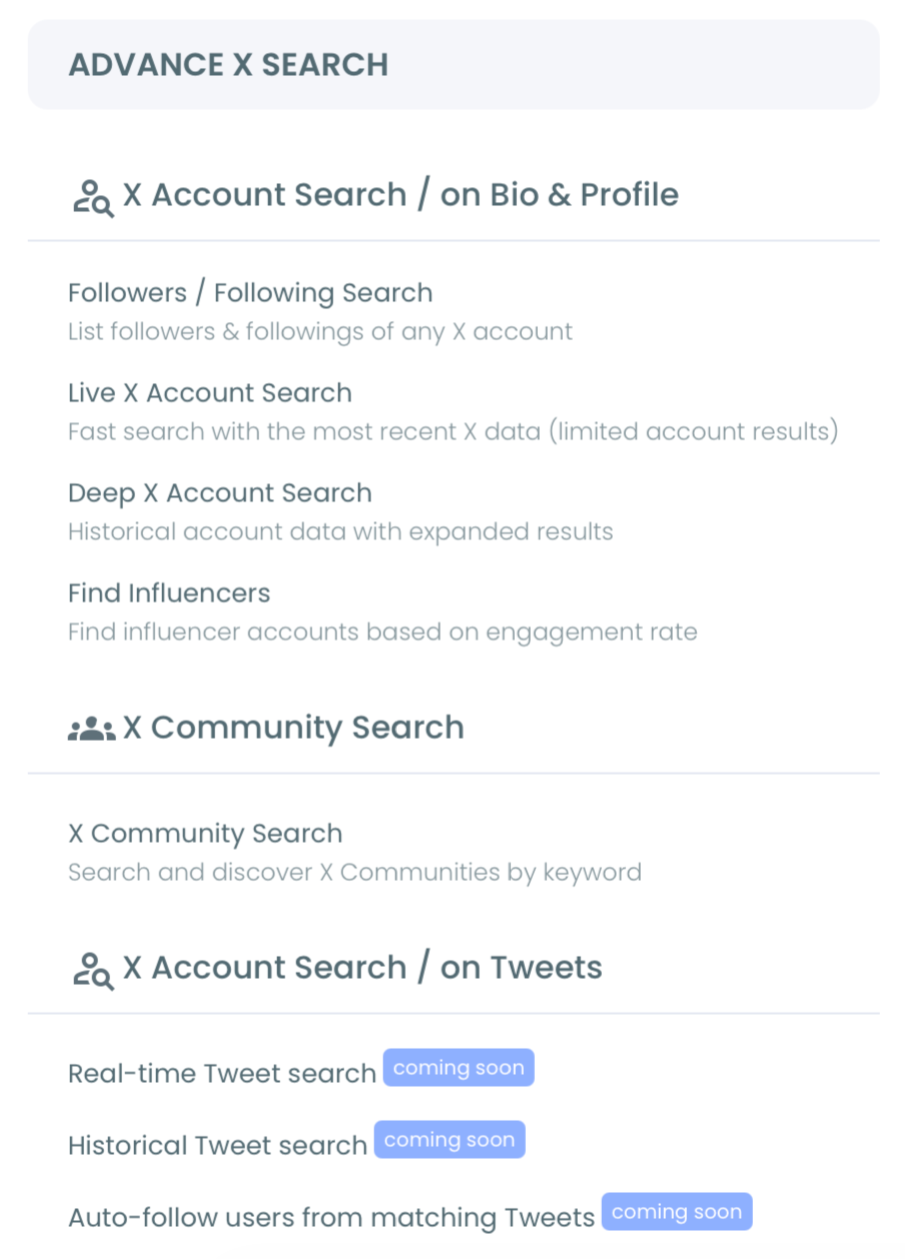
- Open the Advanced X Search menu and select Real-time Tweet Search.
Set the hashtag and anchor your start date
- Type your hashtag in plain language or use the filters to add an exact hashtag match, then set exclusions to cut noise.
- Pick a start date (Last 24 Hours, Last 7 Days, Last 30 Days, or a custom moment) so collection accumulates forward from your launch or event start.
- Set engagement minimums to keep low-signal posts out before the stream fills up.
Act on the accounts while the moment is live
- Switch to the profile view to see the deduplicated accounts behind the matching tweets, then follow high-fit accounts, add them to a campaign list, or export them as a CSV.
That phase order is what makes monitoring hold up over time. The login earns official-API access, the start date scopes the live window, the filters protect signal quality, and the profile view turns a passing conversation into a list you keep working after the spike fades.
One setting deserves a closer look: the start date controls collection size and freshness at the same time. A date set too far back behaves like a historical query, returning a less current result set than a live monitor should. For a launch, anchor it to the launch hour. For an ongoing brand tag, a rolling Last 7 Days window keeps the stream current without dragging in stale posts.
Which Filters Actually Keep a Monitor Usable
The filter panel is where a monitor either stays clean or drowns in noise, so it is worth knowing which controls matter for a hashtag. The most useful ones for ongoing watching are specific, not generic.
- Keyword Match Type lets you choose exact phrase over partial match, so a tag like #Launch does not pull in every post that merely contains those letters.
- Exclude terms strip the spam, giveaways, and bot replies that latch onto any active tag.
- From Verified Accounts and engagement minimums raise the floor on account quality during a spike.
A common mistake is leaving every filter open and planning to clean the result later. During a busy event there is no later. The stream fills faster than you can sort it, and the strong accounts get buried under throwaway posts. Set the floor before the conversation peaks, not after, and the profile view stays workable the whole way through.
There is one caveat worth holding onto. A keyword match in a live tweet does not guarantee the account is a real prospect. Review the profile view before any bulk follow, because the requested tweet count controls how much you collect, not how many of those accounts actually fit your goal.
What to Do With What You Monitor
Monitoring produces a list, and the list is where strategy starts. The accounts posting your hashtag fall into clear buckets you can act on differently.
- Engage the loudest advocates while the shared context is still alive.
- Add prospects to a list for follow-up after the campaign window closes.
- Flag the critics during a reputation event so you can respond fast.
Each bucket maps to a Circleboom action. Strong-fit accounts get a selective follow. Slower-burn prospects go into a Twitter List Manager list so you can keep watching them without changing your follow graph.
Critics during a reputation event get handled the way top teams approach crisis management on X. Speed and a clean account list decide the outcome.
One marketing insight that reframes the whole exercise: a hashtag is the cheapest intent signal on the platform. Someone who types your campaign tag has already raised their hand. Monitoring is just the act of catching that hand before it drops. If you have ever wondered how many people saw a hashtag, the more useful question is which of them you reached back to.
You can run live hashtag monitoring on Twitter the moment a campaign goes live, and keep the same query running for the full duration.
Monitoring vs Measuring: The Difference Most Tools Miss
Measuring a hashtag tells you what happened. Monitoring a hashtag lets you change what happens next. Most analytics tools stop at the count, the reach chart, and a sentiment score. Those are reports, not workflows.
Circleboom closes the loop. The same live stream that feeds a count also feeds an account list you can work.
Pair it with the Keyword and Hashtag Tracker for ongoing keyword coverage, or track Twitter mentions of your brand name alongside the hashtag.
For the trend-discovery side, the older guide on Twitter hashtag and trend search still maps the basics well. Many teams also run monitoring next to a good app to watch Twitter activity end to end.
Underpinning all of it is the same skill as finding relevant accounts through hashtag search. Monitoring is simply that skill, run continuously.
If you want to understand the raw query side, X documents its own search operators on the developer platform. That is the same logic Circleboom's filters express in a guided interface.
Summary
Hashtag monitoring on Twitter is ongoing, not one-time, and its payoff is the accounts behind the posts, not the post count alone. You set a hashtag, anchor a start date, and watch the conversation accumulate, then follow, list, or export the accounts while the moment is still live. Circleboom runs all of this through sanctioned, policy-compliant data access, so the workflow stays safe from the first tweet to the last export.
A count tells you a hashtag worked. A monitored account list lets you do something about it.
→ Begin monitoring a Twitter hashtag now
FAQ
What does it mean to monitor a hashtag on Twitter?
It means tracking a hashtag continuously from a chosen start date forward, watching every account that posts it, and acting on those accounts while the conversation is live. Circleboom captures the live tweets and extracts the accounts behind them.
How is monitoring different from searching a hashtag once?
A one-time search is a snapshot of who used a hashtag. Monitoring is an accumulating live feed from your start date forward, so you catch new participants as they post instead of missing them after they scroll away.
Can I monitor a hashtag during a live event or campaign?
Yes. Set the start date to your event or launch moment, and Circleboom collects matching posts from that point on, giving you a live participant list you can engage while the shared context still exists.
Does monitoring a hashtag keep my account safe?
Yes. Circleboom pulls public tweet data through sanctioned, policy-compliant access, so monitoring runs within X's rules rather than scraping.
How many accounts will a hashtag monitor actually return?
It depends on the tweet count you collect and how active the tag is. The number you set controls collection size, not the count of unique accounts, since the profile view deduplicates authors. A noisy tag can return hundreds of accounts from a single collection; a niche tag may return a focused few dozen.

