

AI has quietly become the engine behind almost everything we do.
Your phone predicts what you’re going to type.
Your browser finishes your questions before you ask them.
Your apps tailor content based on how you scroll.
But on Twitter (X), the place where thoughts move fast and timing is everything, AI feels essential — not optional.
And if you’ve ever tried to post consistently on X, you already know this:
ideas run out, timing is random, and Twitter’s built-in scheduling tools are painfully limited.
You can schedule a simple tweet, but no threads. No creative help. No follower-activity data. No optimization. Nothing smart about it.
Even Grok — X’s own AI — helps you understand posts, summarize topics, and explain trends…
But it can’t help you create a posting system.
It doesn’t generate tweet calendars, format hooks, or schedule posts at strategic moments.
So if you’re trying to stay consistent, stand out, and grow, you need something more powerful than a native scheduler and more practical than a general AI chatbot.
That’s the point where I started using Circleboom Twitter — an AI-powered tweet scheduler built specifically for creators on X.
Why Twitter’s Native Tools Aren’t Enough
Twitter’s scheduling feature hasn’t evolved in years.
It still feels like a basic reminder app slapped onto a massive social network.
Here’s the reality:
❌ You can’t schedule threads.
❌ You don’t get timing suggestions.
❌ There’s no audience analysis.
❌ There’s no AI-generated content.
❌ You have to come up with ideas manually — every single time.
If you’re posting once a month, fine.
If you’re posting daily or growing an audience, this is a nightmare.
Grok is a great addition — you can ask it to explain memes, interpret trends, decode screenshots… but it does nothing for planning, writing, or timing your tweets.
Creators need workflow automation, not just explanations.
 Arif Akdogan
Why an AI-Powered Scheduler Makes Sense Now
Three things have changed:
1. Creativity fatigue is real
Most people run out of ideas long before they run out of motivation.
AI fills that gap by turning concepts, news, or even long articles into short, sharp tweets or threads.
2. Timing determines everything
A brilliant tweet posted at a dead hour performs worse than a mediocre one posted at the right time.
The first 10 minutes decide your reach — you need timing based on follower behavior, not luck.
3. Content is more competitive than ever
Twitter feels faster, louder, and more crowded.
AI helps you stay consistent without burning out.
This is exactly where Circleboom Twitter fits in.
Meet Circleboom Twitter: The AI Scheduler Built for Real Creators
Circleboom isn’t just a scheduler — it’s a complete Twitter management platform.
And since it’s an official partner of X, everything you do runs through secure, approved APIs.

That trust alone separates it from random “AI tweet tools.”
But beyond safety, Circleboom actually solves the real problems:
- It generates tweets using AI tuned specifically for social media.
- It creates posts from articles, news, or even existing tweets.
- It analyzes when your followers are active.
- It suggests the right time to publish.
- It schedules tweets, media, and full threads.
- It manages your followers, filters inactive/fake ones, and shows audience insights.
- It even offers a font styler to give your tweets a visual boost.
In short:
Circleboom covers everything Twitter’s native tools don’t.
 Arif Akdogan
What Makes Circleboom’s AI Different?
General AI tools can write paragraphs, essays, and long posts.
But Twitter doesn’t work like that.
Circleboom’s AI is built specifically for short-form content, designed to create:
- hooks
- one-liners
- list-style tweets
- threads
- summaries
- reactions
- commentary
- news recaps
And it’s continuously updated with:
- new posting styles
- trending structures
- algorithm-friendly formats
- niche-specific patterns
- X community behaviors
This means the tweets you generate feel native to Twitter, not robotic or blog-like.
How to Use Circleboom’s AI-Powered Tweet Scheduler (Step-by-Step)
If you want to combine AI + timing + scheduling into a simple system, here’s exactly how to do it:
Step #1: Log into Circleboom Twitter and open X Post Planner

After logging in with your X account, go to the left-hand menu and click on “X Post Planner + AI Writer.”
Click the “Write & Plan Your Post” button to begin crafting your tweet.

If needed, you can also use the built-in AI tools to generate your next tweet or create a thread from a URL, a block of text, or even another tweet.
Step #2: Add visuals to enhance your post
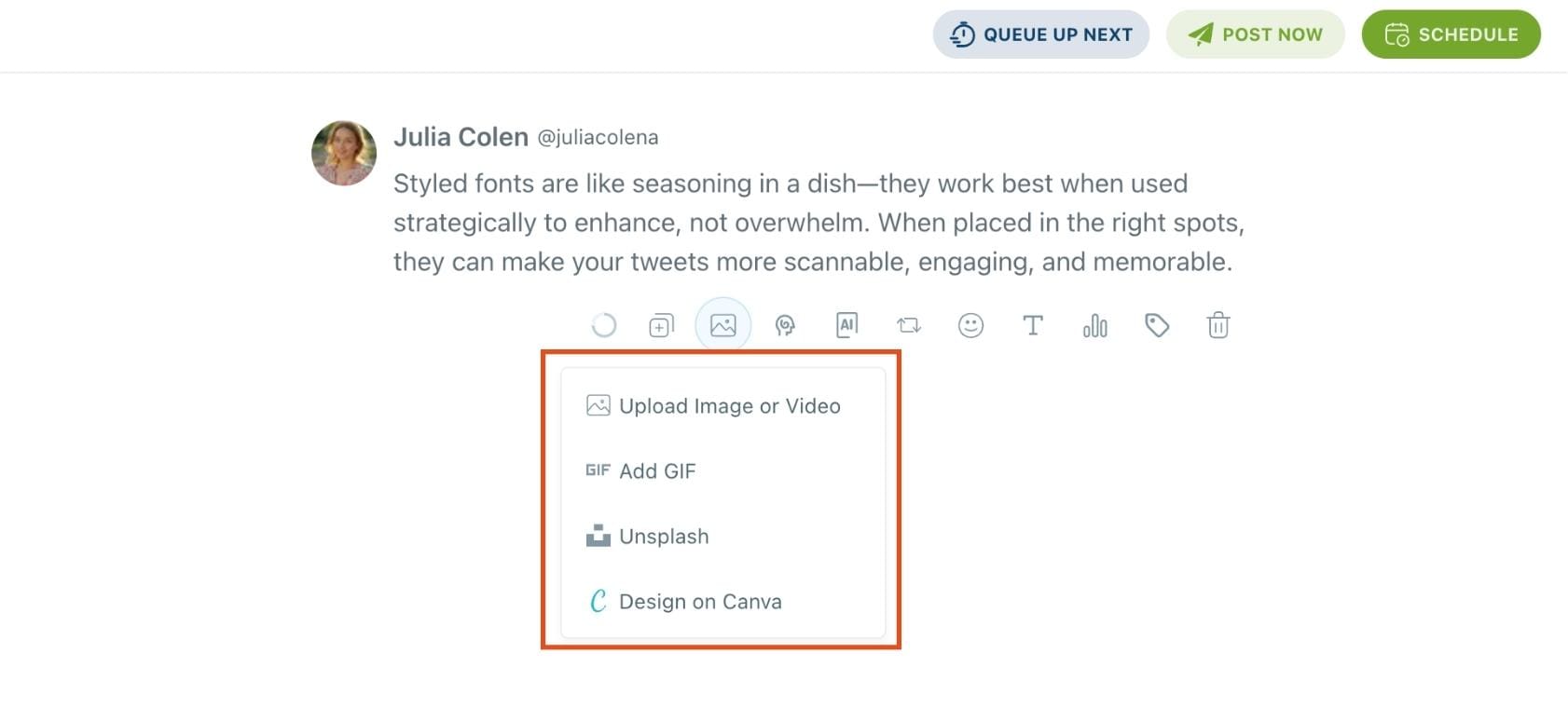
You can upload images or videos, add a GIF, pull high-quality photos directly from Unsplash, or design something custom using Canva—all without leaving Circleboom.
These media options are available under the image icon in the editor.
Step #3: Use AI to write and improve your text
You can create a new tweet or rewrite your tweet with the AI Tweet Generator to make it more punchy, add emojis or hashtags, fix grammar, rephrase for clarity, or even continue writing where you left off.
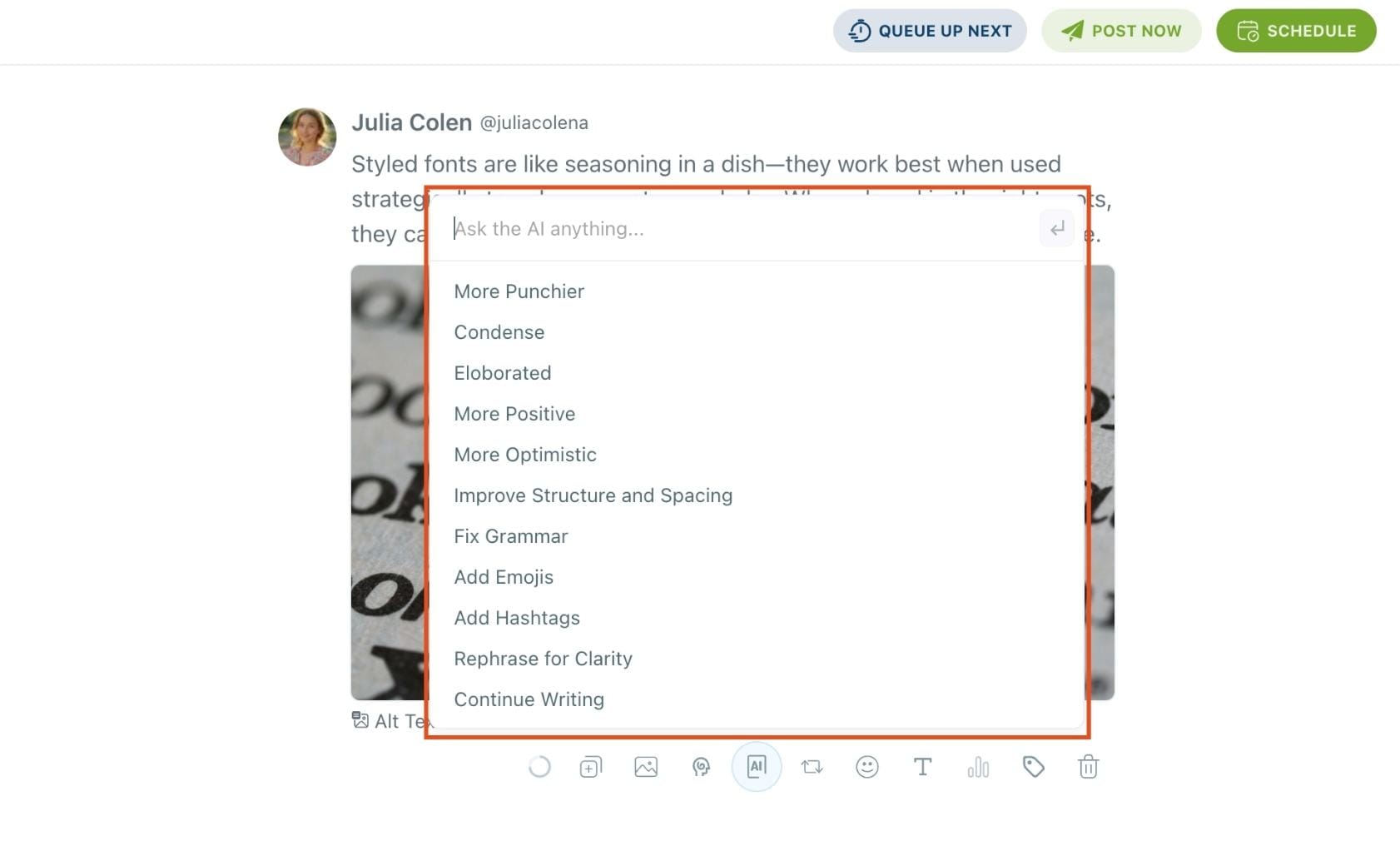
The AI tools are designed to match your tone—whether you want something professional, casual, or energetic.
Step #4: Highlight text and apply a font style.
Select the part of your tweet you want to style. Click the Font & Styling (T) option.
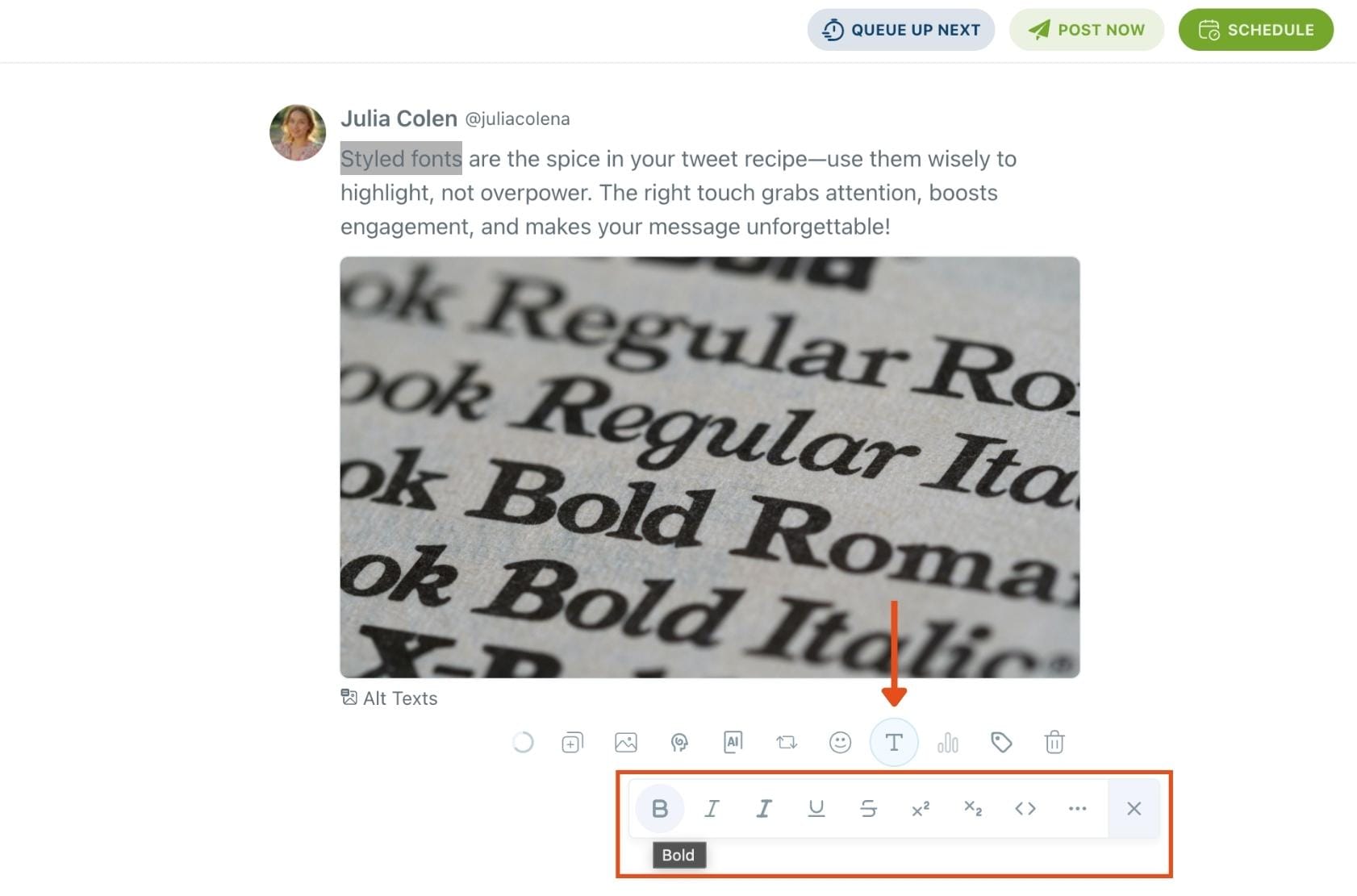
You’ll see a dropdown with options like:
- Normal Text
- Fullwidth
- Fraktur / Fraktur Bold
- Double Struck
- Cursive Script
- Circled / Circled Inverse
- Squared / Squared Inverse
- Inverted
…and more.
Step 5: Set auto-repost to increase visibility
You can turn on the Auto Repost feature to reshare your tweet automatically.
Set how long to wait before reposting, when to un-post it, and how many times to repeat the cycle.
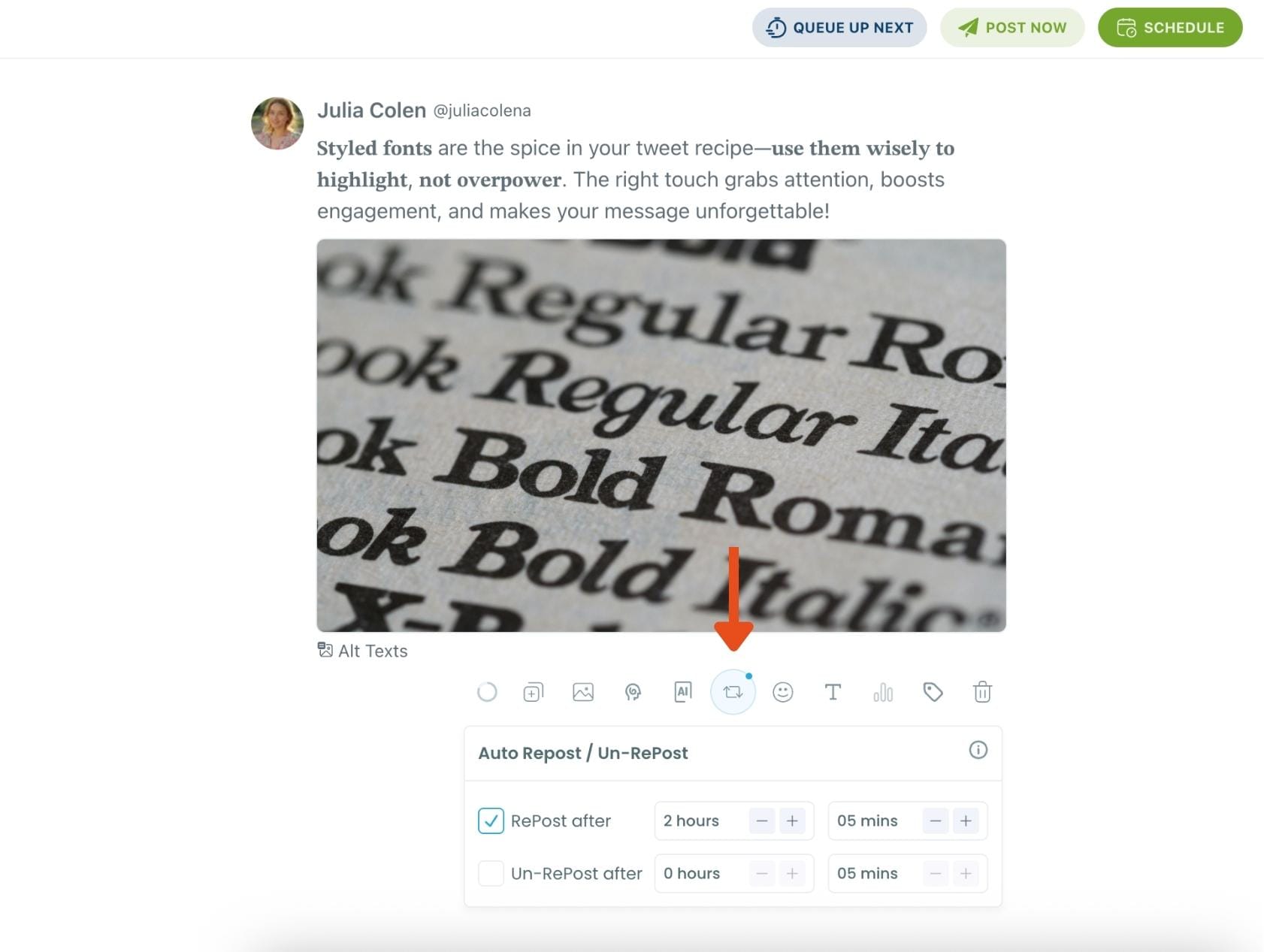
This is a useful way to reach followers across different time zones without any manual effort.
Step #6: Post or schedule your tweet
Once your tweet is ready, you can choose to post it immediately or click the green “Schedule” button to post it later.
You can choose the exact date and time or let Circleboom suggest the best posting time based on your audience activity.
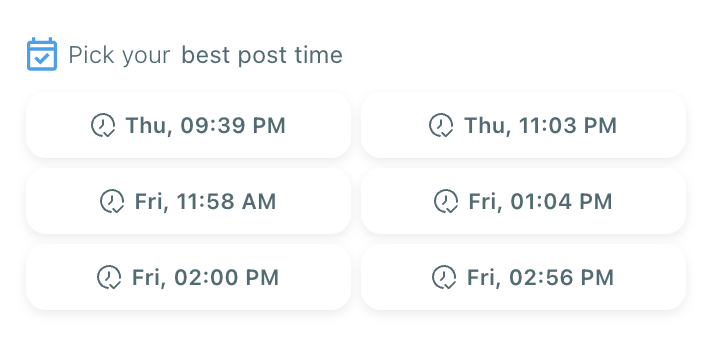
Your tweet will be automatically published at the optimal moment.
Bonus Tip: Cross-post to other platforms
You can publish your tweet not just on X, but also on LinkedIn, Threads, Bluesky, and Facebook—all from the same screen.
Just toggle the platforms you want, and Circleboom will handle the rest.
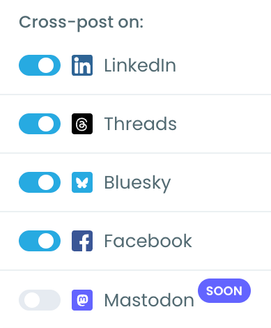
And then I don’t worry about posting for days.
Why AI + Scheduling Is Your Competitive Advantage
When you combine:
- AI that writes smart, native-style tweets
- Data that tells you when your audience is online
- A scheduler that automatically posts for you
you get a posting system that beats manual tweeting every time.
You don’t worry about ideas.
You don’t worry about timing.
You don’t worry about consistency.
You stay active even when you’re offline.
It's the exact setup serious creators, marketers, and brands need in 2026.
Final Thoughts
Twitter is evolving fast.
Grok helps you understand content.
But you still need a system to create and schedule your content.
Circleboom fills that gap:
AI for writing, insights for timing, tools for scheduling — all in one place, and all built on official, safe X APIs.
If you want to tweet smarter, stay consistent, and publish at the perfect moments without the stress, an AI-powered tweet scheduler is one of the best upgrades you can make for 2026.




)


