A listing post can sell the apartment or bury it.
The difference is often which photo people see first.
This guide is for anyone who posts several photos to a Facebook Page at once: agents, restaurants, event organizers, shops. It covers the three ways to do it and the layout templates that keep your strongest photo in front.
What is a Facebook photo grid template?
A Facebook photo grid template is a pre designed layout that combines several photos into one image, for example one large photo with smaller ones beside it, so a single post shows all of them in the order and size you choose. It is a different thing from an Instagram grid, where separate posts line up on a profile. It is the alternative to letting Facebook arrange a multi photo post automatically.
Three ways to share several photos on Facebook
1. A multi photo post. Select several photos in one post and Facebook arranges them into a grid. Meta described this standardized grid in its December 2025 update to Facebook posting. It is fast, but the layout is Facebook's choice.
2. A designed collage. One image that already contains a grid. You control which photo is biggest, the spacing and the colors. Any photo collage maker works for this, because the result is a single image.
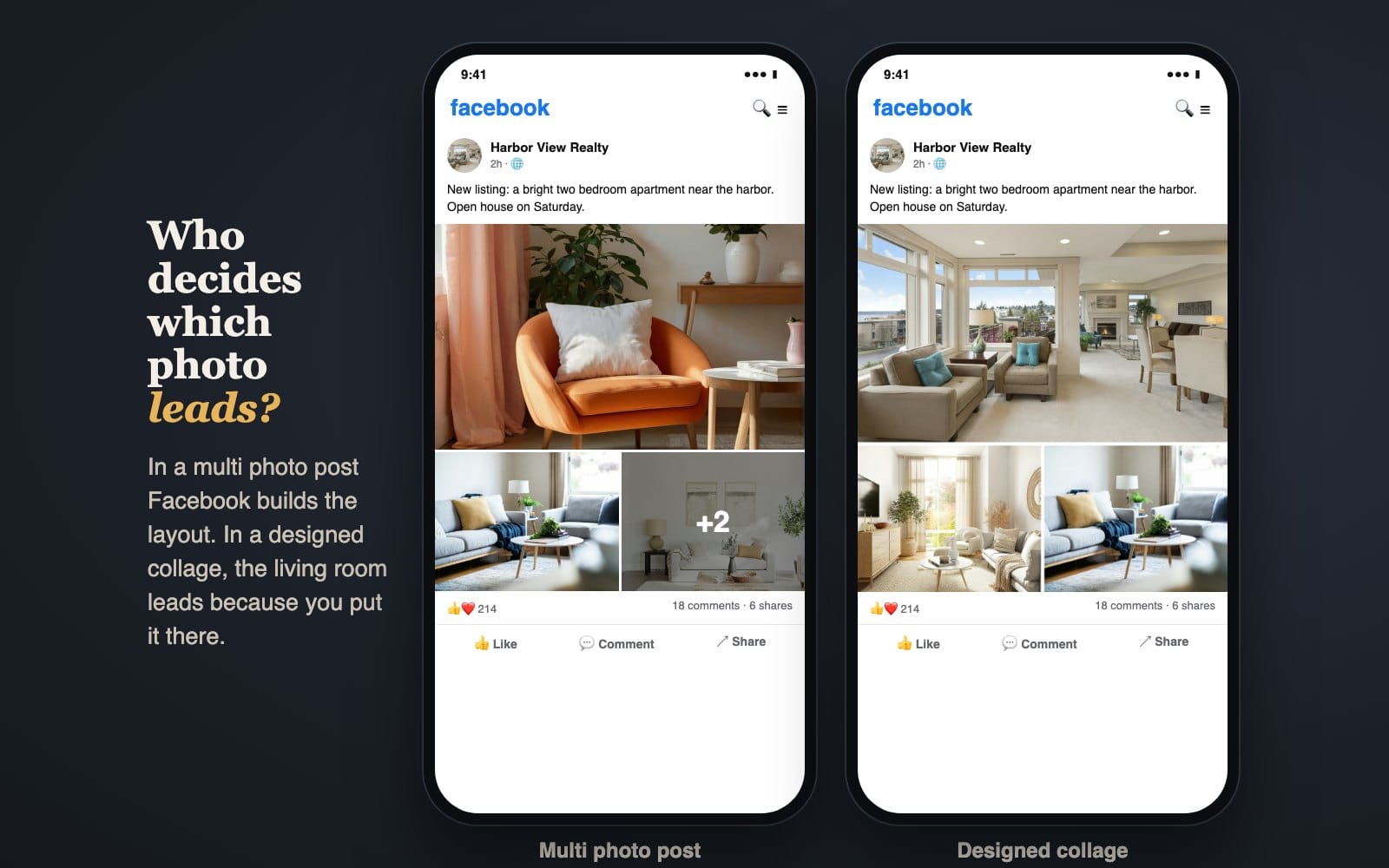
Left: a multi photo post laid out by Facebook. Right: a designed collage where you choose the lead photo. Feed views in this article are illustrations built with real apartment photos.
3. An album. A named collection on your Page, best for full galleries such as a wedding or a property with 30 photos.
| Situation | Best format |
|---|---|
| 2 to 4 strong photos | Designed collage |
| Quick update, many photos | Multi photo post |
| Full gallery to browse | Album |
| Before and after | Designed collage |
A collage is one image, so it also travels well when shared to Instagram or a Story. For a profile, these 15 Instagram grid layouts show what fits there.
Three photo grid templates that work
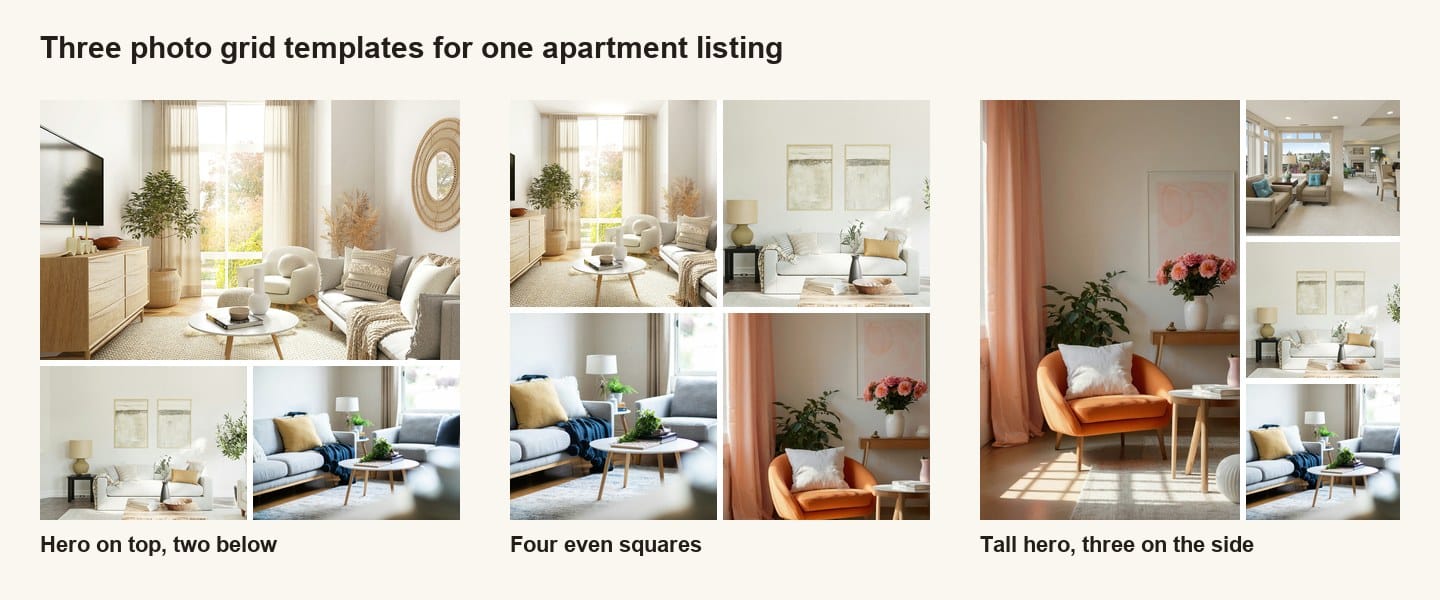
Three templates, one apartment listing.
Hero on top, two below
The strongest photo takes the top 60 percent, two supporting photos split the bottom. For a listing, that is the living room on top and the kitchen and bedroom below.
Four even squares
Four equal photos for situations where no single photo should win: four dishes on a new menu, four speakers at an event. If you need more cells, a 9 grid post maker splits one photo into a full three by three grid.
Tall hero, three on the side
A tall photo on the left and three small ones stacked on the right. It suits vertical subjects, a staircase, a dress, a bottle, with details beside them.
What size should a Facebook collage be?
A square of 1080 x 1080 px is safe everywhere. A portrait of 1080 x 1350 px (4:5) takes more space in the mobile feed, which is where most people see Page posts. Keep text away from the edges in both cases.
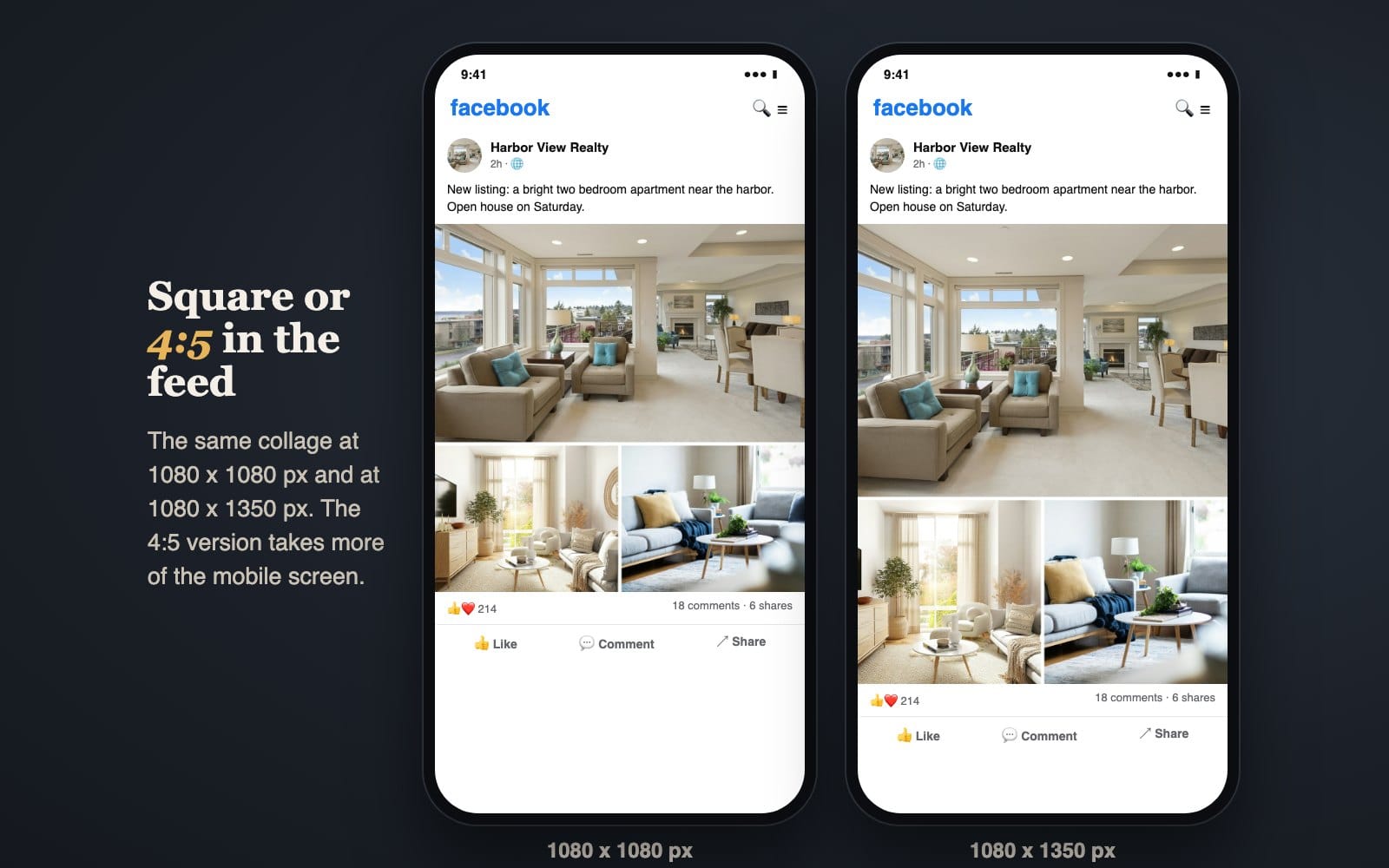
The same collage as a square and as a 4:5 portrait in the mobile feed.
How a real estate agent can use these
Say an agent posts three new listings a week, each with a collage and a link to the full album.
That is three collages, built from one template in about five minutes each, instead of hoping Facebook puts the living room first. The album link catches the people who want to see every room.
For anyone posting this way across several Pages, a scheduler with multi image post design, such as Circleboom's Facebook post design tool, keeps the template and the posting in one place.
Tips that make photo grids look professional
- Use the same light in every photo. Mixed daylight and warm lamps make a collage look patched together.
- Leave a small, even gap. Four to eight pixels between photos reads cleaner than photos touching.
- Let one photo lead. Even in a four square grid, place the strongest photo top left, where eyes land first.
- Don't put text over every photo. One short line on the hero photo is enough.
FAQ
How do I make a photo grid on Facebook?
Either select several photos in one post and let Facebook arrange them, or design a collage as a single image with a grid template and upload that. The collage gives you control over which photo leads.
What is the best Facebook photo grid layout?
For most posts, one large hero photo with two smaller photos below. It shows a clear main subject and still fits several photos into one post.
What size is a Facebook photo collage?
1080 x 1080 px works everywhere. 1080 x 1350 px takes up more of the mobile feed.
Should I use an album or a multi photo post?
Use an album for a full gallery people will browse, such as an event or a property. Use a post or a collage for the few photos that tell the story at a glance, and link to the album for the rest.
Do photo collages work for Facebook ads?
A collage is a normal image, so it can be used in image ads. Keep text minimal, because ads with a lot of text in the image tend to perform worse.
People decide in the first photo.
Make sure it's the one you'd choose.