
Great Instagram videos show up when you least expect them.
Sometimes it’s a Reel worth watching again, sometimes a quick tutorial or a clip you want to save for later. I’ve had this happen many times. The natural reaction is to download the video from Instagram and keep it on the device.
That’s where the problem starts, because Instagram doesn’t give you an option to download videos to your device.
Saving a post inside the app only works as long as the video stays online and you’re logged in. If the post is removed or you’re offline, access is gone. That’s why converting Instagram videos to MP4 becomes the most practical solution for anyone who wants to save videos properly.
 Arif Akdogan
Why Instagram Doesn’t Let You Download Videos
Instagram is designed to keep content inside the platform.
While you can save posts to your account, those saves stay locked within Instagram’s app. There is no native way to download Reels, Stories, IGTV videos, or regular video posts as MP4 files to your phone or computer.
This limitation is intentional. It helps Instagram control content usage and keeps engagement inside the platform. But for users, it creates a problem when you simply want to store a video locally.
The Problem With Most Instagram Video Downloaders
Once you start searching for Instagram video download tools, another issue appears.
Most of them are not safe or user-friendly.
Many Instagram downloaders:
❌ Are filled with aggressive ads and pop-ups
❌ Redirect you to suspicious websites
❌ Ask you to log in with your Instagram account
❌ Lock downloads behind paywalls or subscriptions
Any tool that asks for your Instagram username or password should be avoided immediately. Downloading a video should never require access to your account.
The Best Way to Convert IG Videos to MP4
After trying multiple tools, the cleanest and safest option I use is Circleboom’s Free Instagram Video Downloader.
 infocircleboom.com
It does exactly what it promises, without unnecessary friction.
With Circleboom’s tool, you can download any public Instagram video for free, including:
🟢 Instagram Reels
🟢 IGTV videos
🟢 Regular video posts
There’s no login, no pop-up ads, and no hidden costs. You just paste the link and download the MP4 file directly.
Step-by-Step: How to Convert Instagram Videos to MP4
Using Circleboom’s free Instagram Video Downloader is straightforward. You don’t need to log in, install anything, or deal with ads. Just follow these steps:
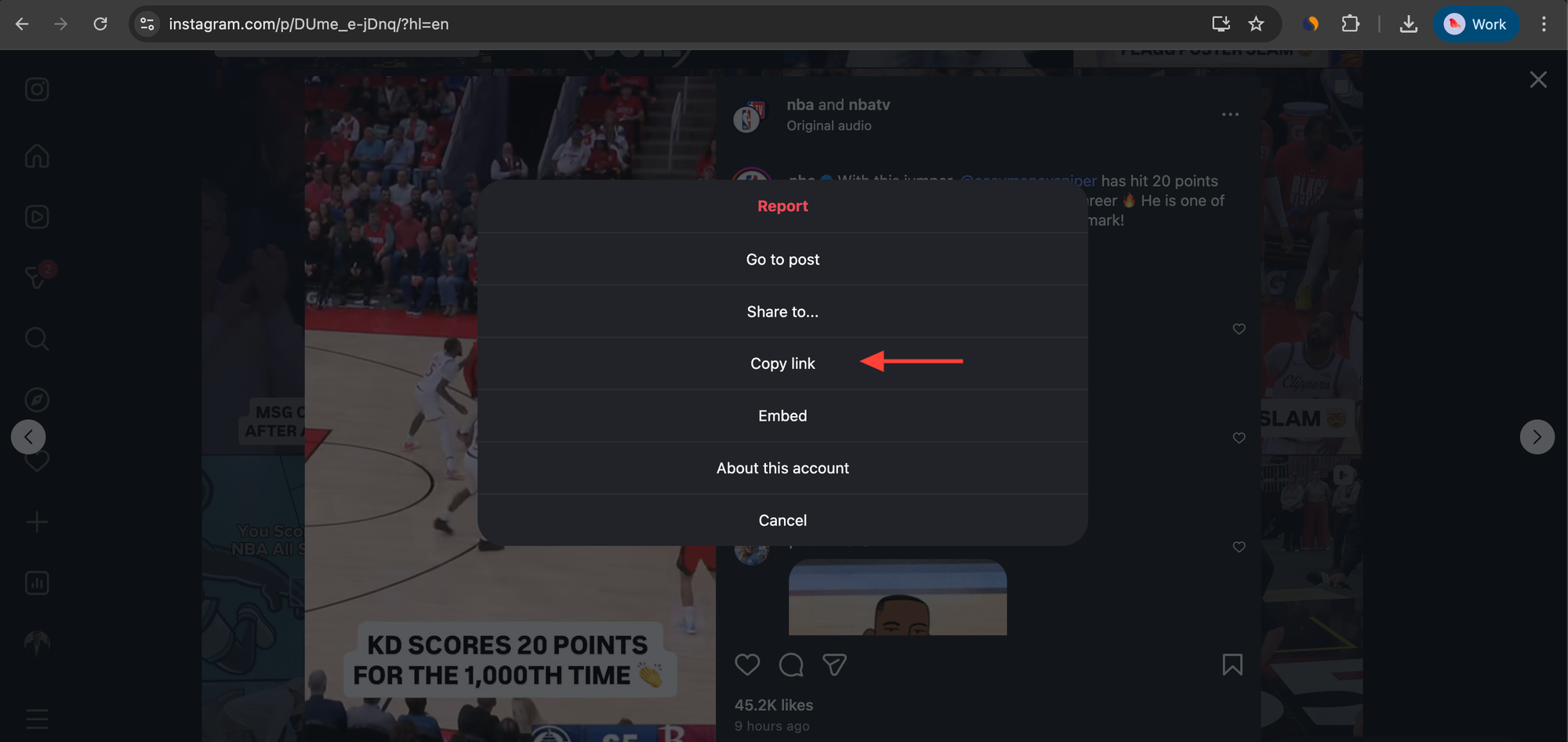
Step #1: Copy the Instagram Video Link
First, open Instagram and find the video you want to download. This can be a Reel, a regular video post, an IGTV video, or even a Story (as long as it’s public).
Tap the three-dot menu on the post and select Copy link. This gives you the direct URL of the Instagram video.
Step #2: Paste the Link Into Circleboom’s Instagram Video Downloader
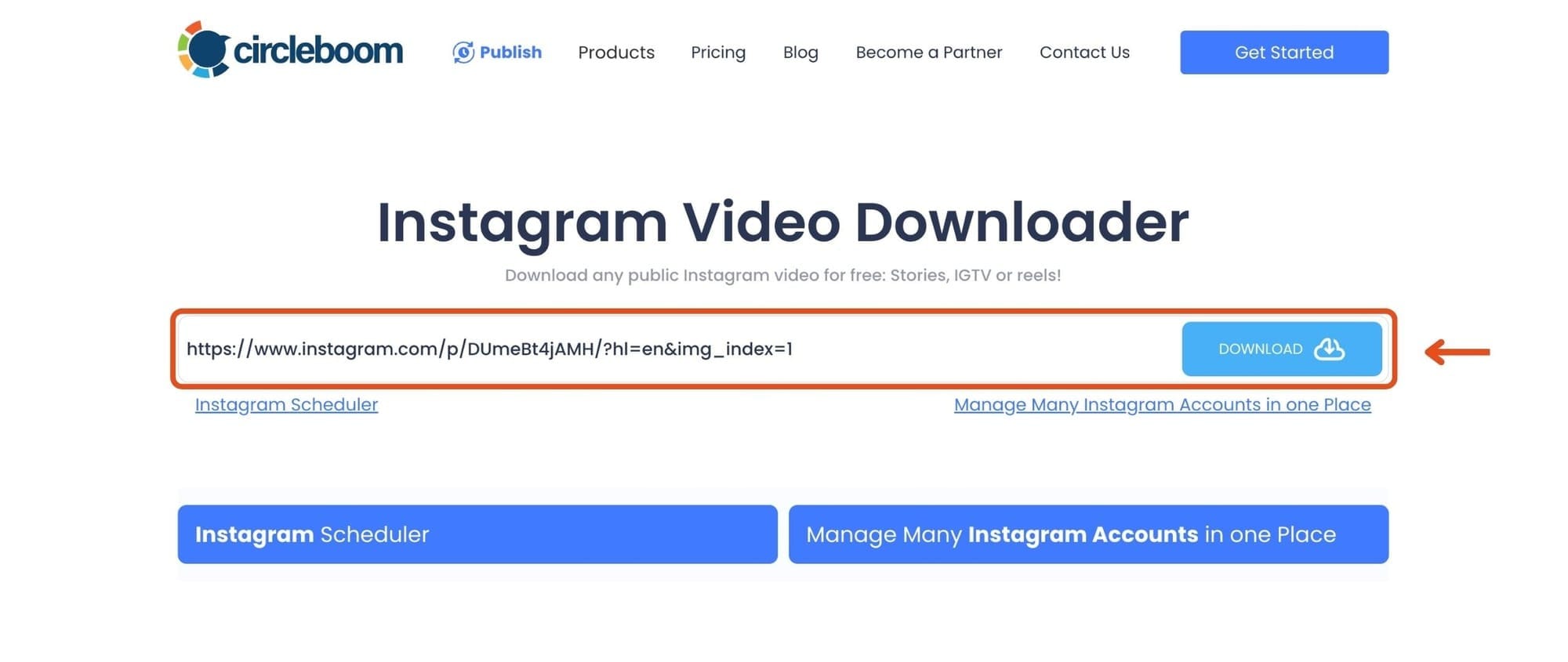
Go to Circleboom’s Instagram Video Downloader page.
Paste the copied Instagram link into the input field shown on the page, then click the Download button. Circleboom instantly processes the video and prepares it for download in MP4 format.
No pop-ups, no redirects, and no account required.
Step #3: Download the Video as an MP4 File
Once the video is processed, a download option appears.
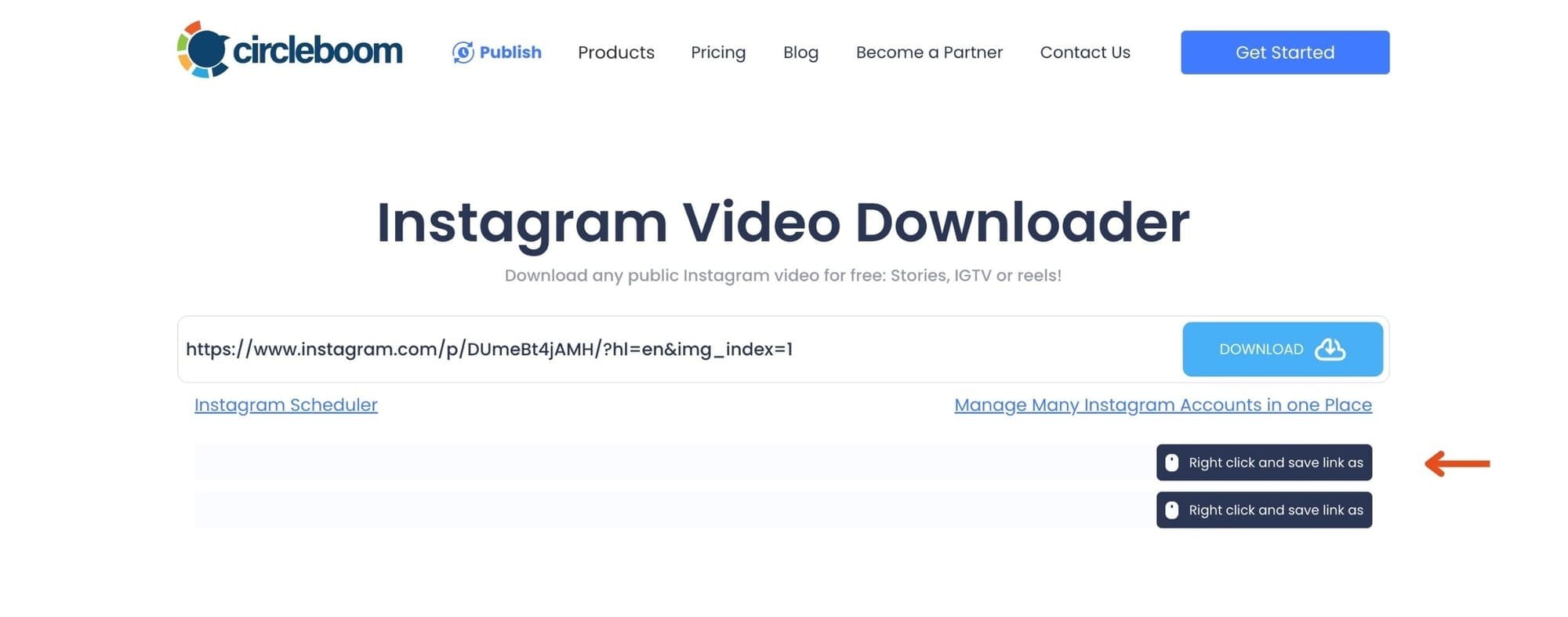
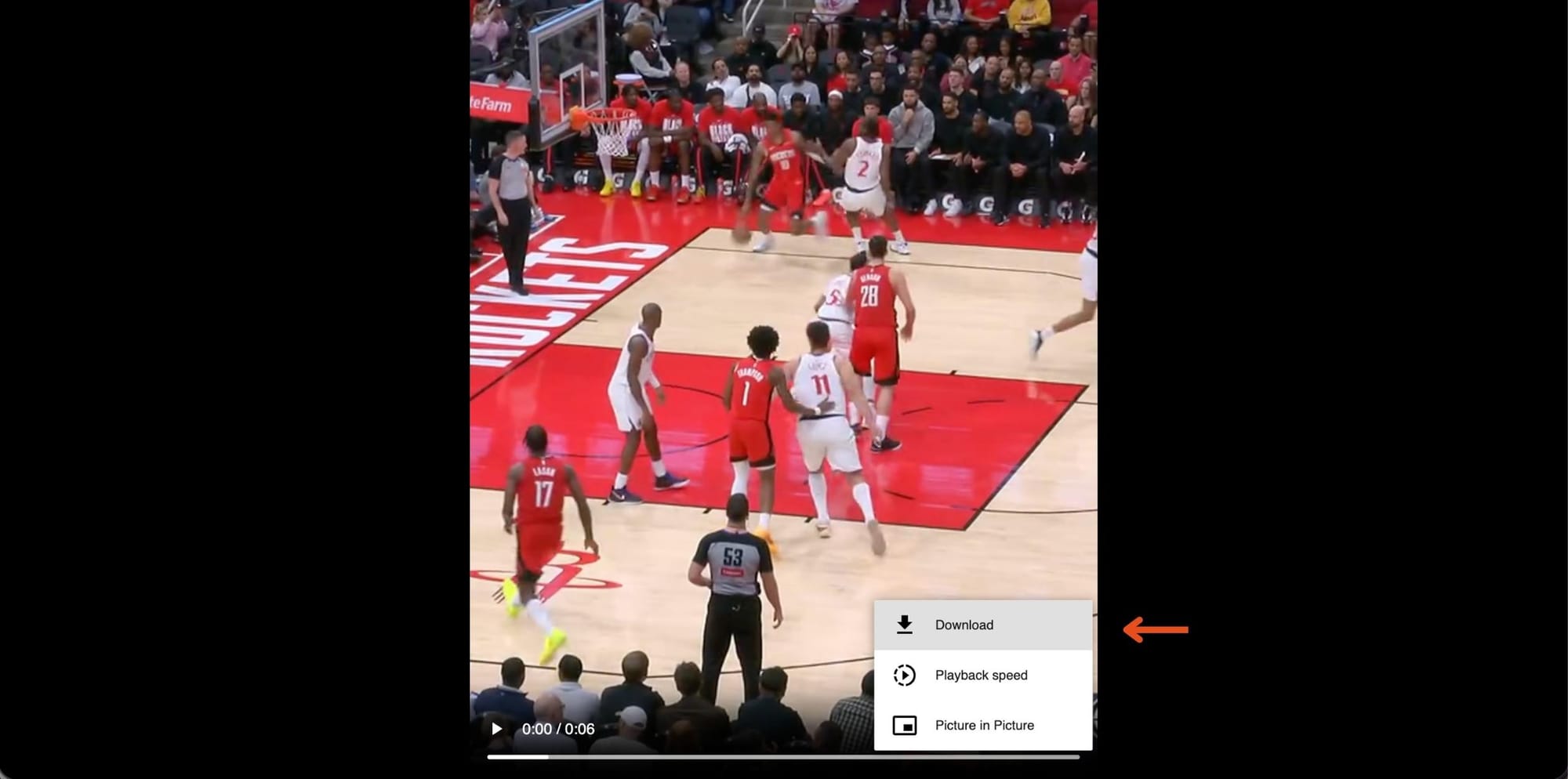
Right-click on the download link (or tap and hold on mobile) and choose Save video as or Download.
The video will be saved directly to your device as an MP4 file, ready to watch offline or use later.
That’s it.
In just a few seconds, the Instagram video is safely converted to MP4 and stored on your device, without watermarks, ads, or login requirements.
What You Can Do With Downloaded Instagram MP4 Videos
Having an MP4 version of an Instagram video gives you flexibility.
You can watch videos offline, save content for inspiration, keep references for future projects, or store educational clips without worrying about them disappearing. If you plan to repost content, always make sure you have the creator’s permission and give proper credit.
A Quick Reminder on Responsible Use
Circleboom’s downloader works only for public Instagram videos, which is important for privacy and safety.
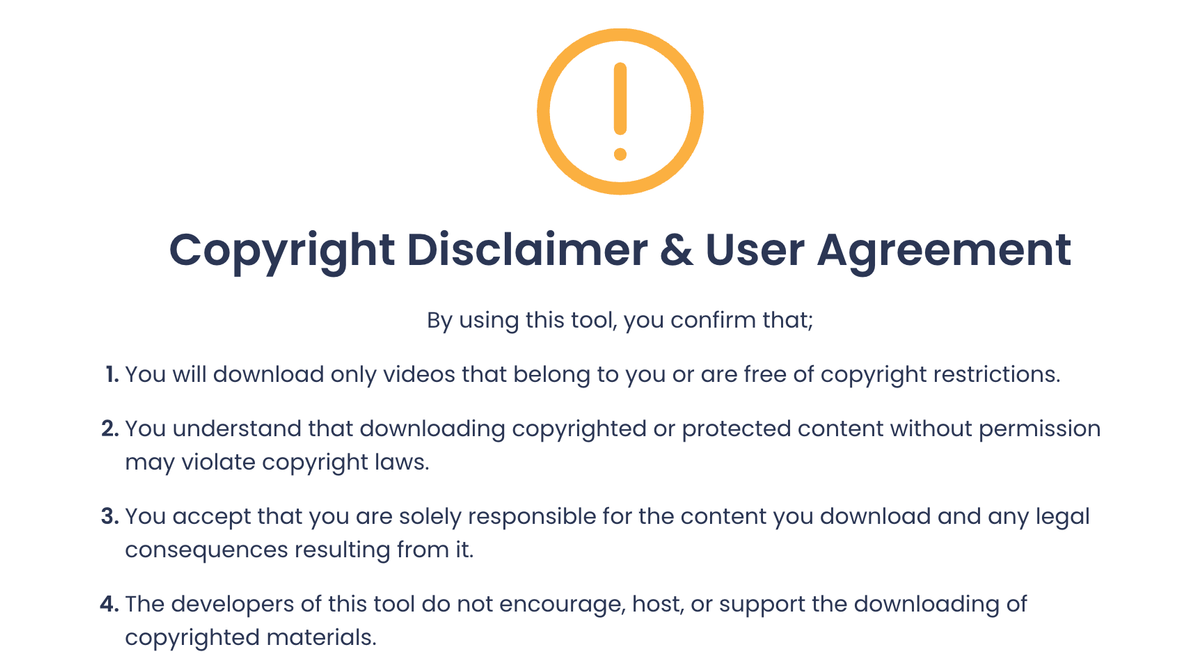
Downloading content should always be done responsibly. Saving videos for personal use is usually fine, but reposting or redistributing content without permission can violate creator rights.
Final Thoughts
Instagram makes discovering great video content easy, but saving it isn’t.
Most third-party download tools create more problems than they solve, either by pushing ads, requesting logins, or charging hidden fees. If you want a simple and safe way to convert Instagram videos to MP4, Circleboom’s free Instagram video downloader is a clean solution.
It removes friction, keeps your account secure, and lets you save any public Instagram video in seconds.