

You created a video. It took time, equipment, and editing effort. Naturally, you want to maximize its reach and revenue potential across every platform where it could perform. The question is: can you post the same video to both Facebook and YouTube and get paid from both?
The short answer is yes, with some important conditions that determine whether you will actually see revenue from both platforms.
The rules change every week, from payout boosts to reach suppression. Don’t get left behind. Join the Circleboom X Creator Growth Lab, your dedicated space for real-time algorithm updates, tested engagement strategies, and creator-to-creator insights.

Can I Upload the Same Video to Facebook and YouTube and Earn Money?
Yes, you can upload the same video to both Facebook and YouTube and earn money from each platform independently, provided you meet the monetization requirements of both. Neither platform contractually prohibits you from uploading content you own to other platforms simultaneously. However, YouTube's algorithm tends to favor original uploads over content that appears elsewhere first, and Facebook's in-stream ad eligibility has its own independent threshold requirements.
To earn money from the same video on both Facebook and YouTube means meeting each platform's monetization criteria independently and uploading content you own outright, and the fastest way to maximize cross-platform reach is to use a tool like Circleboom's Social Media Scheduler to manage and publish your video content across platforms from a single dashboard.
TABLE OF CONTENTS
- Do Facebook and YouTube Allow the Same Video?
- YouTube Monetization Requirements
- Facebook Monetization Requirements
- Does Dual-Posting Hurt Your YouTube Performance?
- Copyright Considerations When Cross-Posting Videos
- Best Practices for Uploading the Same Video to Both Platforms
- How to Schedule and Manage Cross-Platform Video Publishing
- Does the Same Video Perform Equally on Both Platforms?
- Frequently Asked Questions
- Conclusion
Do Facebook and YouTube Allow the Same Video?
Neither YouTube nor Facebook has a policy that prohibits you from uploading the same video to both platforms, as long as you own the rights to that content. This is the critical qualifier. If your video includes licensed music, stock footage you do not have a multi-platform license for, or clips from third-party creators, you may face copyright claims on one or both platforms that limit or eliminate your monetization.
If the content is entirely original and you hold all rights, you are free to publish it on both platforms and enroll both uploads in their respective monetization programs.
It is called cross posting, sharing the same content on multiple platforms at once. Circleboom Publish allows you to share the same video on YouTube and Facebook, plus Instagram and TikTok ⬇️
 Altug Altug
YouTube Monetization Requirements
To earn money from a video on YouTube, your channel must be accepted into the YouTube Partner Program (YPP). As of 2025, the standard eligibility threshold requires 1,000 subscribers and 4,000 valid public watch hours in the past 12 months, or 1,000 subscribers and 10 million Shorts views in the past 90 days.
Once accepted, YouTube places ads on your videos and pays you a share of the revenue generated. Revenue varies significantly based on your niche, audience geography, and engagement. According to data from Statista, YouTube ad revenue per thousand views (RPM) ranges widely across content categories, with finance, technology, and business content typically earning more than entertainment or gaming content.
Facebook Monetization Requirements
Facebook's video monetization program, known as in-stream ads, has its own eligibility requirements that are separate from YouTube entirely. To qualify for in-stream ads on Facebook, your page generally needs at least 10,000 followers, 600,000 total minutes viewed in the past 60 days, and at least 5 active video uploads.
Facebook also offers a Stars program and fan subscriptions as alternative monetization paths. Each of these has separate thresholds. Crossing both platforms' monetization thresholds and maintaining them independently is what determines whether you earn from both.
Does Dual-Posting Hurt Your YouTube Performance?
This is the most common concern, and it is worth being direct. YouTube does not officially penalize you for posting the same video elsewhere. It does, however, reward watch time, retention, and engagement signals. If your video performs better on Facebook first and viewers have already seen it, YouTube engagement may be lower, which can affect how the algorithm distributes it.
The more practical concern is exclusivity windows. Some creators upload to YouTube first, wait 48 to 72 hours for YouTube's algorithm to index and promote the content, and then publish on Facebook. This approach takes advantage of YouTube's early promotion window before the content becomes widely distributed.
Copyright Considerations When Cross-Posting Videos
Copyright is the most common trap in cross-platform video monetization. If your video uses a music track licensed for YouTube only (which is common with YouTube Audio Library tracks and some third-party licenses), posting that same video on Facebook may trigger a copyright claim on Facebook that strips your monetization on that platform.
Always check the license terms of any third-party asset used in your video before posting it to multiple platforms. Original music, royalty-free tracks with multi-platform licenses, and content you composed or recorded yourself are safe. Platform-specific licensed content is not.
According to guidance from Sprout Social on cross-platform content strategies, creators who adapt their licensing approach for each platform see fewer monetization disruptions and longer-term revenue stability.
Best Practices for Uploading the Same Video to Both Platforms
To maximize revenue from the same video on both Facebook and YouTube, follow these practices:
Own all rights to every element of the video. Music, footage, graphics, and voiceover must all be fully cleared for use on both platforms.
Consider a staggered upload schedule. Upload to YouTube first, give it 48 to 72 hours to gain traction, then post to Facebook. This lets YouTube's algorithm work in your favor before the content is widely distributed.
Customize metadata for each platform. Use a YouTube-specific title and description optimized for search. Use a Facebook-specific caption written for social sharing. Same video, different framing. Each platform has its own discovery mechanism.
Thumbnail strategy matters differently on each platform. YouTube thumbnails are clicked. Facebook thumbnails are scrolled past. Design accordingly.
How to Schedule and Manage Cross-Platform Video Publishing
Managing upload timing, captions, thumbnails, and publishing windows across two or more platforms manually is time-consuming. A social media scheduling tool streamlines the process significantly.
Circleboom's Social Media Scheduler allows you to schedule and manage content across multiple platforms from a single dashboard. You can plan your upload timing, set platform-specific captions, and maintain a consistent publishing rhythm across Twitter, Facebook, Instagram, and more without switching between platforms and losing track of your schedule.
How to Cross Post Videos Using Circleboom
Circleboom is an Official X Enterprise Developer, trusted by NBC News, BBC, the American Red Cross, and L'Oréal, and fully compliant with social media API policies across every platform it supports. The fastest way to cross post videos to TikTok, Instagram, YouTube, and Facebook at the same time is to use Circleboom's Social Media Scheduler.
Here is the step-by-step process.
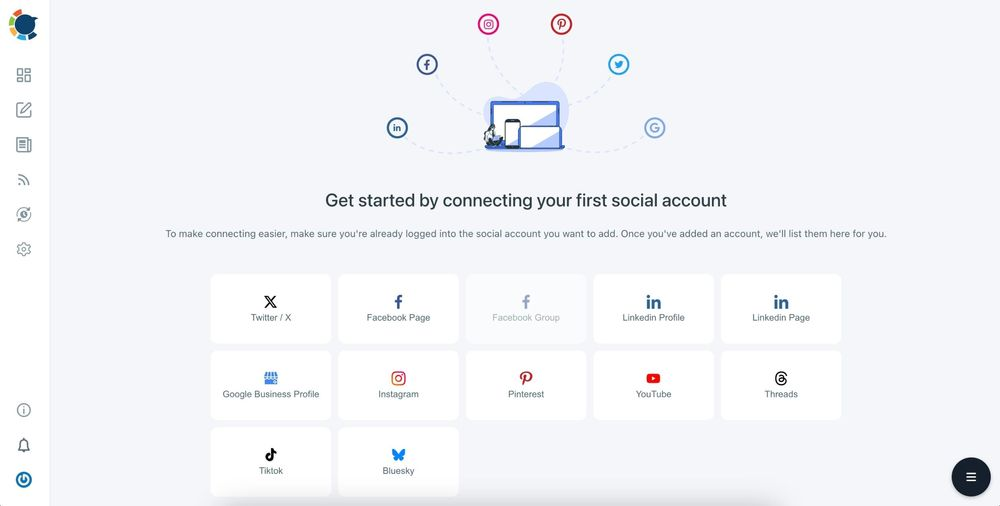
Step 1: Connect all four platforms. Go to circleboom.com/social-media-scheduler and authorize your TikTok, Instagram, YouTube, and Facebook accounts.
Circleboom uses official API connections for all platforms.
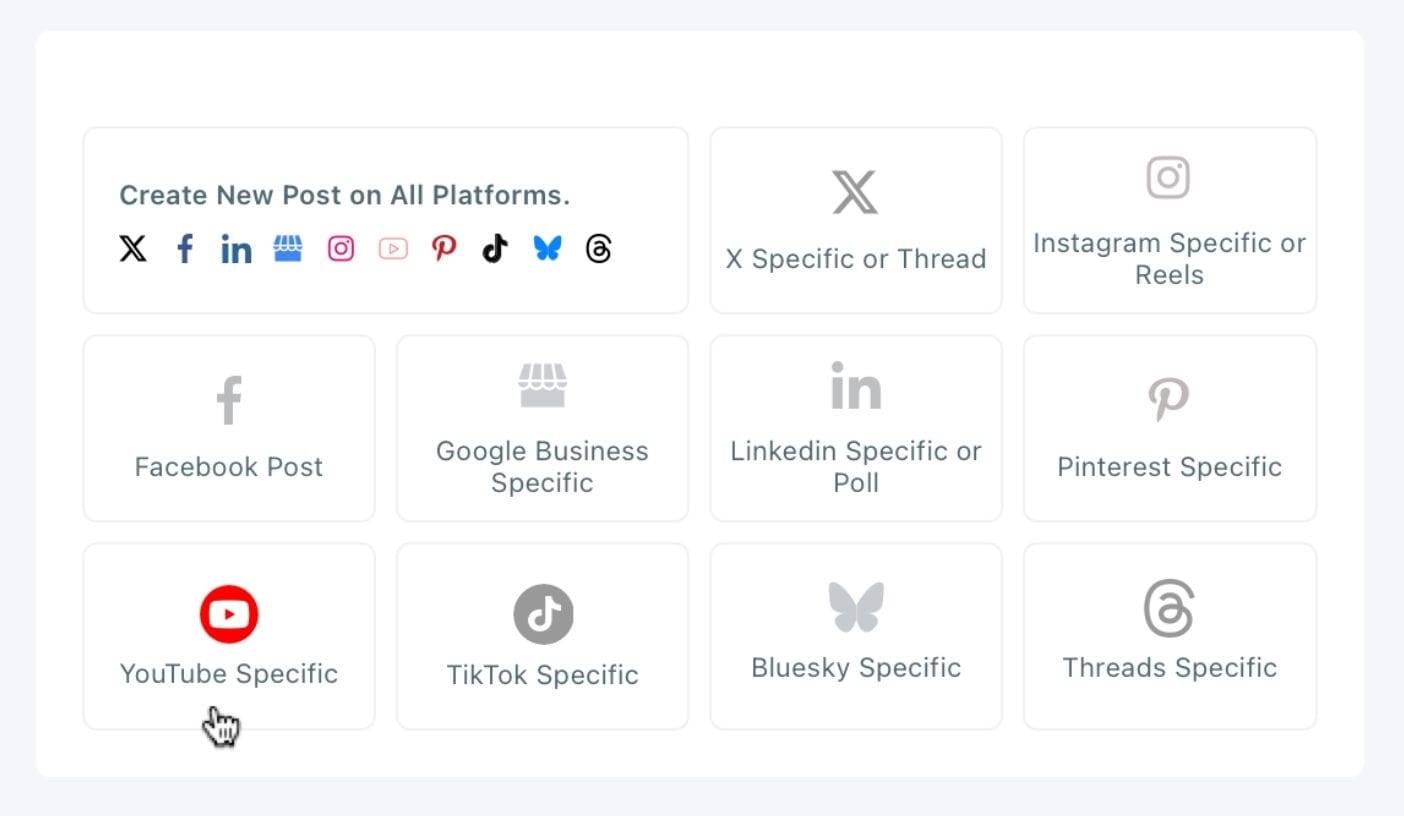
Step 2: Create a new post.
Select "YouTube Specific" in the Circleboom dashboard. You will choose other platforms after you upload your video.
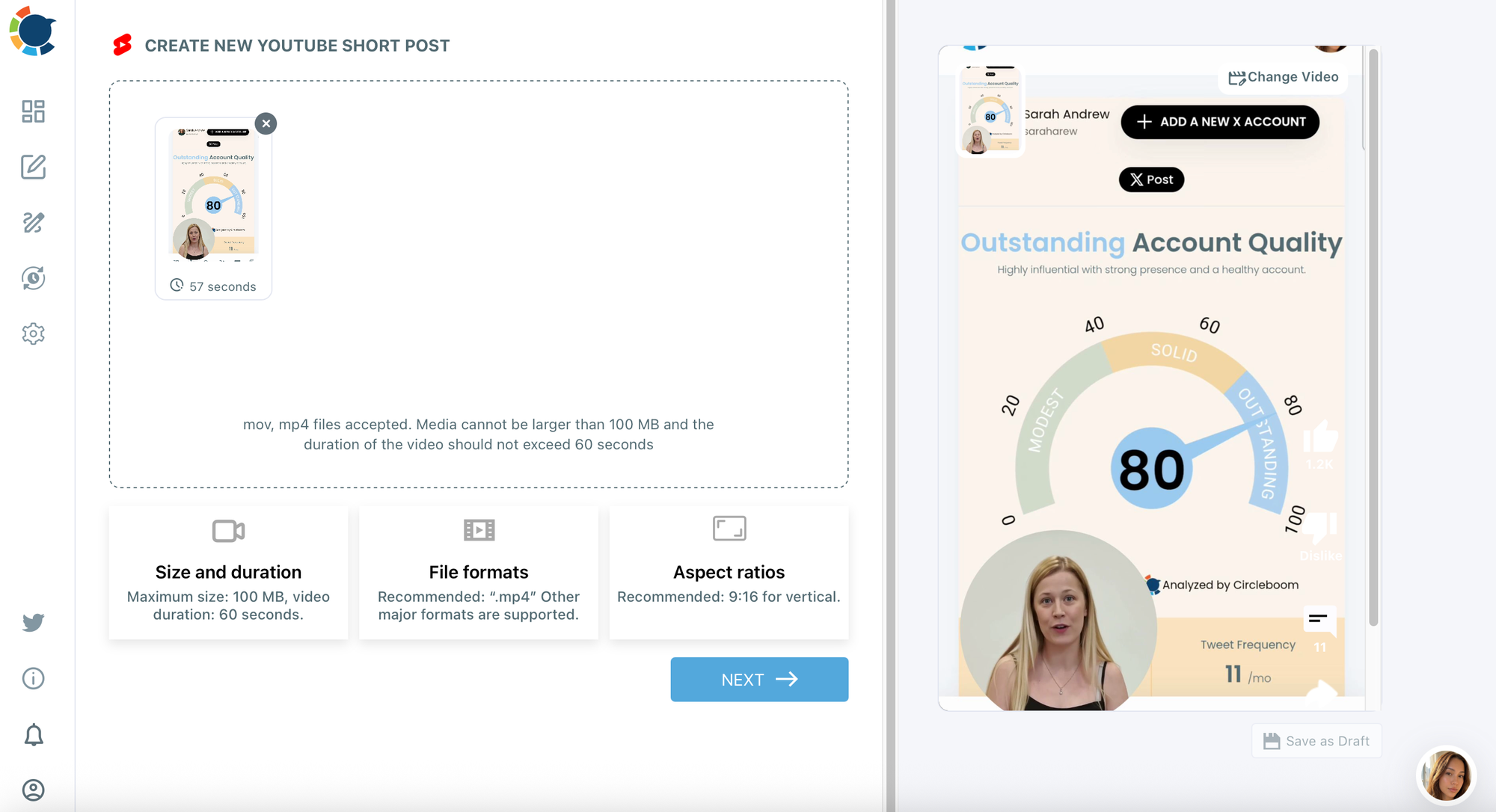
Step 3: Upload your video.
Upload your video file directly from your device. Circleboom accepts the standard video formats for all four platforms.
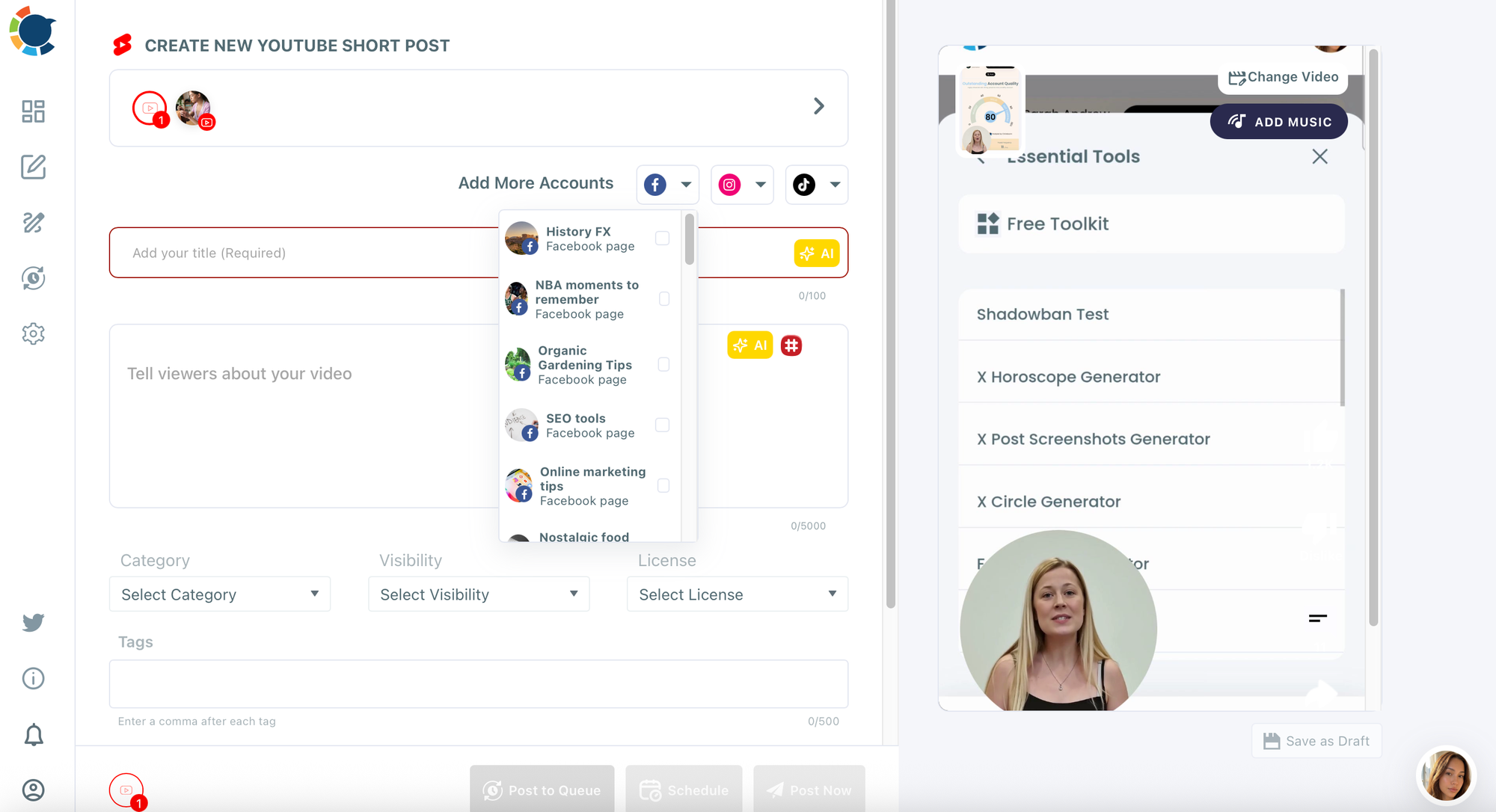
Then, you need to select Facebook accounts.
By the way, you can select multiple YouTube and Facebook accounts at once!
Step 4: Write your captions per platform.
You can write captions for your posts. One caption for all social media platforms.
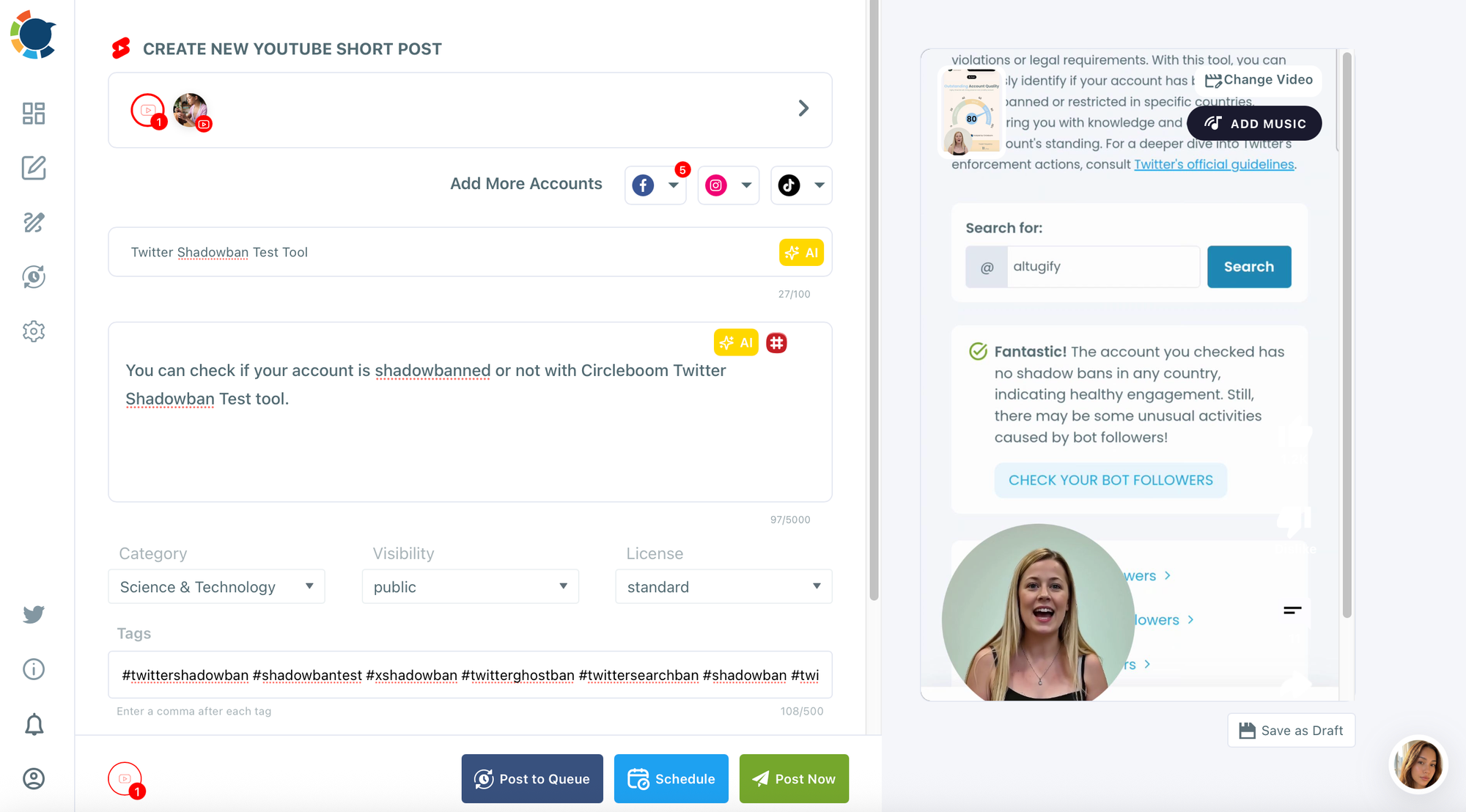
You can also add tags and write the first comment before posting the video!
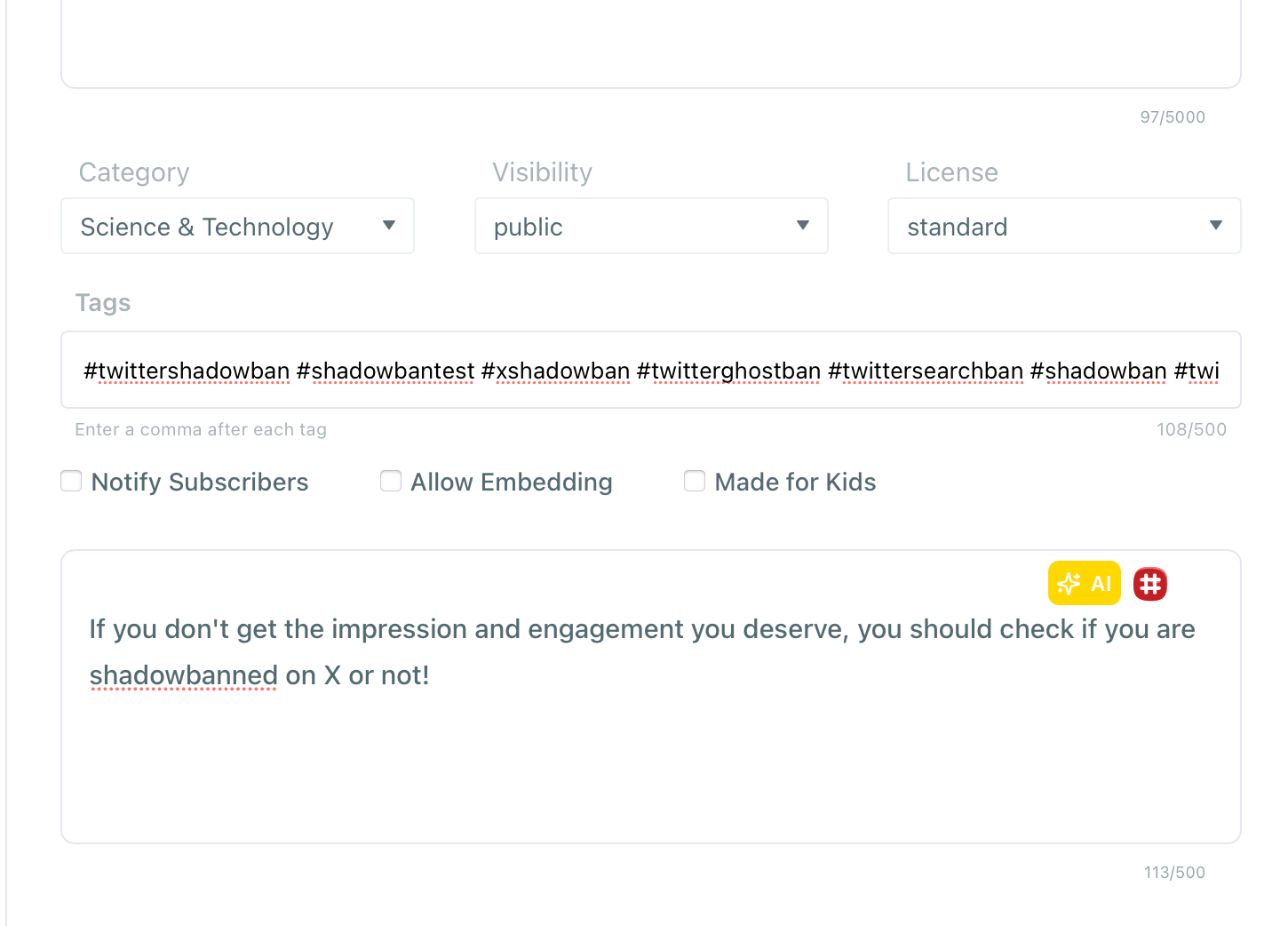
Step 5: Select other platforms.
If you wish, you can add Instagram and TikTok accounts as well.
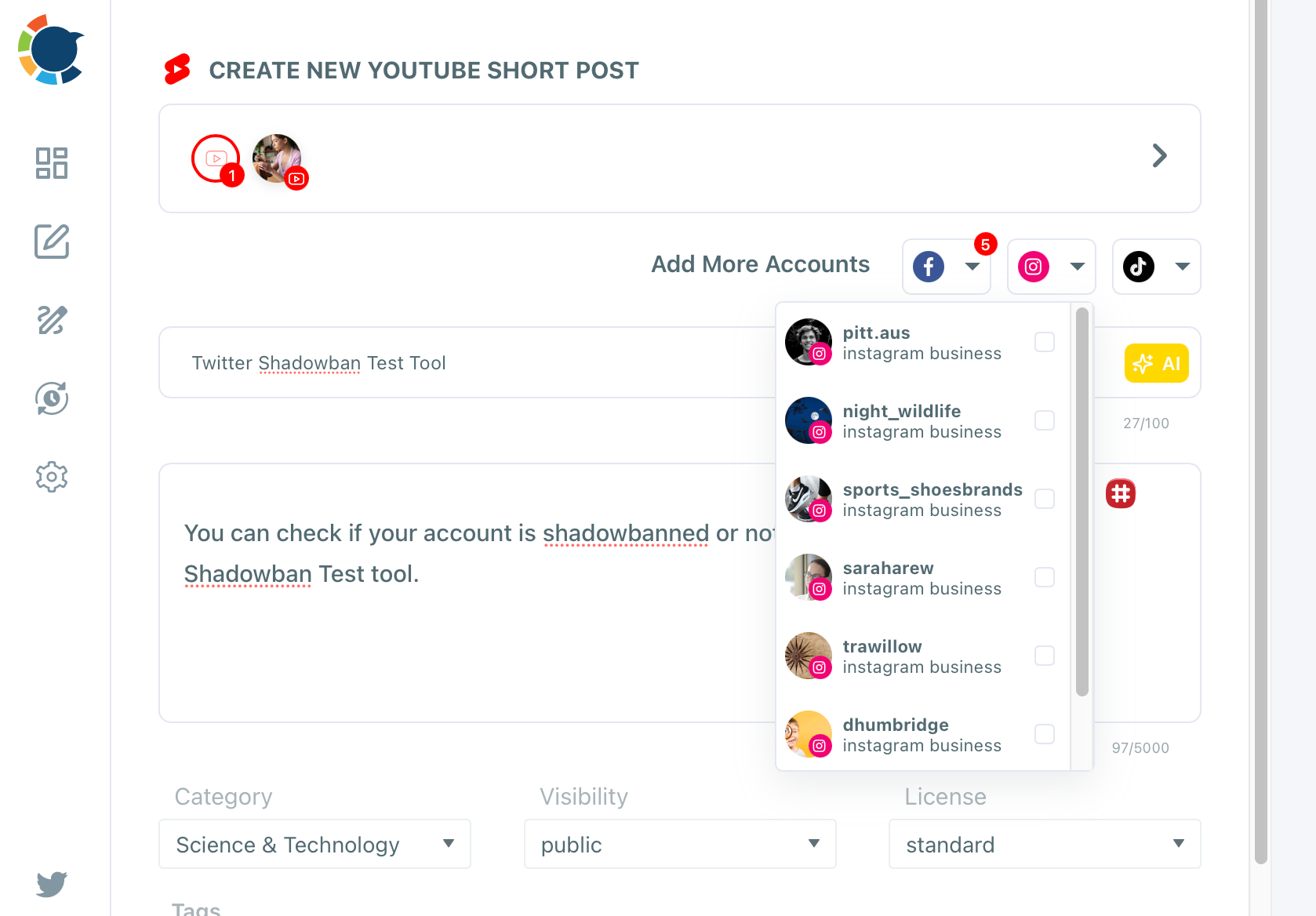
Step 6: Schedule and confirm.
Review the post preview for each platform, then confirm. Circleboom queues the video and publishes natively to each platform at the specified time.
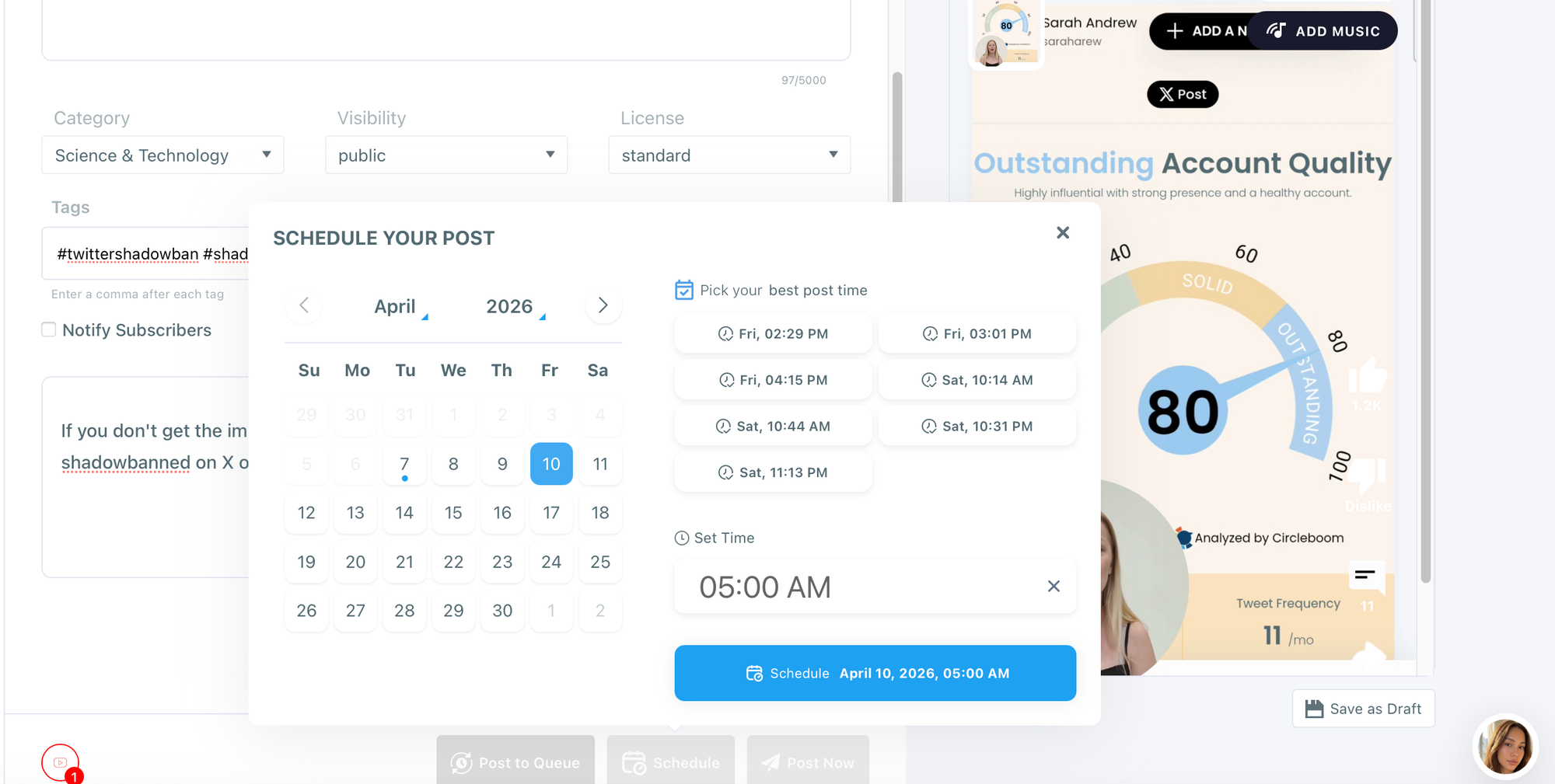
The fastest and safest way to cross post videos to TikTok, Instagram, YouTube, and Facebook is to run this process inside Circleboom once per video asset.
For creators who post regularly, this kind of workflow efficiency translates directly into more consistent publishing, which both YouTube and Facebook reward with better algorithmic distribution.
You can cross post the same video to TikTok, Instagram YouTube and Facebook.
— Sarah Andrew (@saraharew) April 2, 2026
Multiple platforms and multiple channels.
One video - 4 audience.
You can maximize your reach across multiple platforms and reach to a different audience segments.
Less effort, more reach. pic.twitter.com/uiH591p8vQ
Does the Same Video Perform Equally on Both Platforms?
Rarely. Facebook and YouTube have fundamentally different discovery mechanisms, audience behaviors, and viewing contexts. YouTube is primarily a search-driven platform where viewers actively look for specific content. Facebook is a feed-driven platform where content is discovered through sharing, recommendation, and network activity.
A video that performs well on YouTube because of strong search optimization may underperform on Facebook if it lacks a strong hook in the first 3 seconds. Conversely, a highly shareable Facebook video with emotional or entertainment value may not rank well in YouTube search if it lacks keyword-optimized metadata.
Same video, different strategy for each platform. Treat them as distinct audiences even when the content is identical.
Frequently Asked Questions
Can I monetize a video on YouTube and Facebook at the same time? Yes, as long as you meet both platforms' independent monetization requirements and own full rights to the content. Revenue is tracked separately by each platform.
Does posting on Facebook first hurt YouTube monetization? It does not affect monetization directly, but it can reduce YouTube's early algorithmic push if viewers have already seen the content. Uploading to YouTube first is generally the safer sequence.
What if I get a copyright claim on one platform but not the other? Copyright claims are platform-specific. A claim on YouTube does not affect Facebook and vice versa. The claim will redirect ad revenue on that specific platform to the rights holder rather than to you.
Can I use YouTube Audio Library music in a Facebook video? Not necessarily. YouTube Audio Library licenses are often specific to YouTube. Check each track's license page before using it on Facebook. Look for tracks labeled "free to use" across all platforms.
What is the fastest way to cross-post videos across platforms? Use a scheduling tool. Circleboom's Social Media Scheduler lets you manage cross-platform publishing from one dashboard, saving time and reducing the risk of inconsistent posting.

Conclusion
Uploading the same video to Facebook and YouTube and earning money from both is entirely possible. The key conditions are full content ownership, independent monetization eligibility on each platform, and a thoughtful publishing sequence that lets each platform's algorithm work in your favor.
The more consistent and strategic your cross-platform publishing, the more revenue you can generate from every video you produce. A scheduling tool that keeps your content calendar organized across platforms removes the operational friction that slows most creators down.

