

Writing tweets one by one, logging in daily, and trying to stay consistent quickly becomes exhausting. Most people start strong, post regularly for a few days, and then slowly disappear because it takes too much time and effort to keep up.
That’s where bulk uploading changes everything.
Instead of thinking “what should I tweet today?”, you can prepare dozens of tweets in one sitting, upload them all at once, schedule them, and let them go live automatically over time.
X doesn’t offer a built-in way to do this at scale, but Circleboom Twitter you can upload tweets in bulk and schedule them.
What Is Circleboom Twitter?
Circleboom Twitter is an official X Enterprise Developer, meaning it works directly with X’s official APIs and follows platform rules safely.

It’s designed to help you manage your content more efficiently, especially when it comes to planning and automation.
With Circleboom Twitter, you can:
🟢 Upload multiple tweets in bulk
🟢 Schedule all of them at once
🟢 Automatically publish them at your chosen times
So instead of manually posting every day, you prepare your content once, and Circleboom takes care of the rest.
This is especially useful if you’re running campaigns, managing a content calendar, promoting products, or simply trying to stay consistent without burning out.
How to Bulk Upload and Schedule Tweets with Circleboom Twitter
Here is the full process.
Step 1: Connect your social accounts. Go to Circleboom Twitter's X Post Planner and connect every platform you want to publish to.
You can connect Twitter, Facebook, Instagram, LinkedIn, Bluesky and Threads all together.

Step #2: You are on Circleboom Twitter. Go to the X Post Planner
You will see "Bulk Schedule" on the list. Click on it and continue.

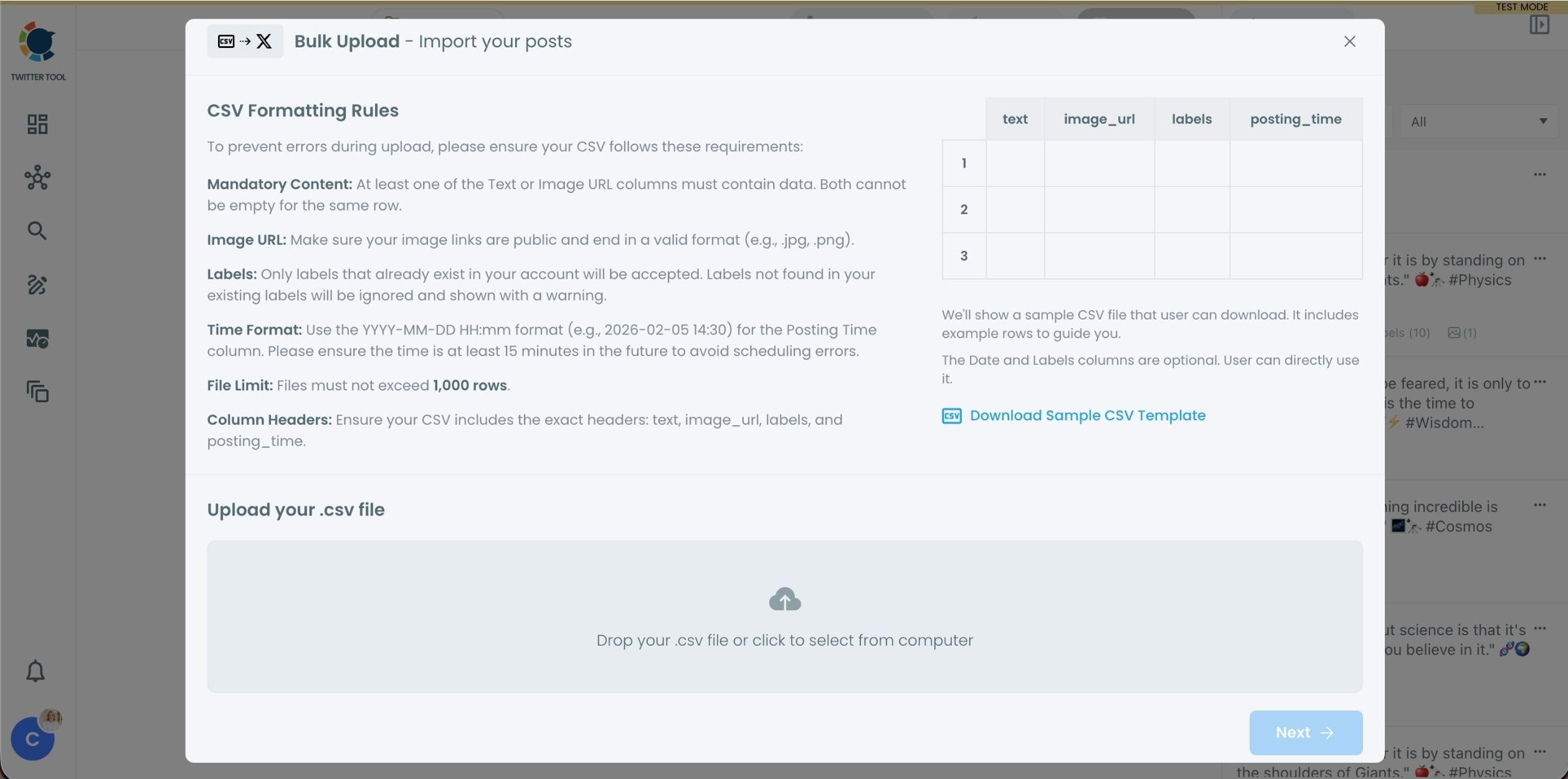
Step #3: Upload your CSV file by dragging it into the upload area or selecting it from your device.
Before uploading, make sure your CSV file follows the required format. Your file should include the correct column headers, and each row should represent a single tweet. You can include tweet text, image URLs, labels, and posting times. Preparing the file in the correct format prevents errors during scheduling.
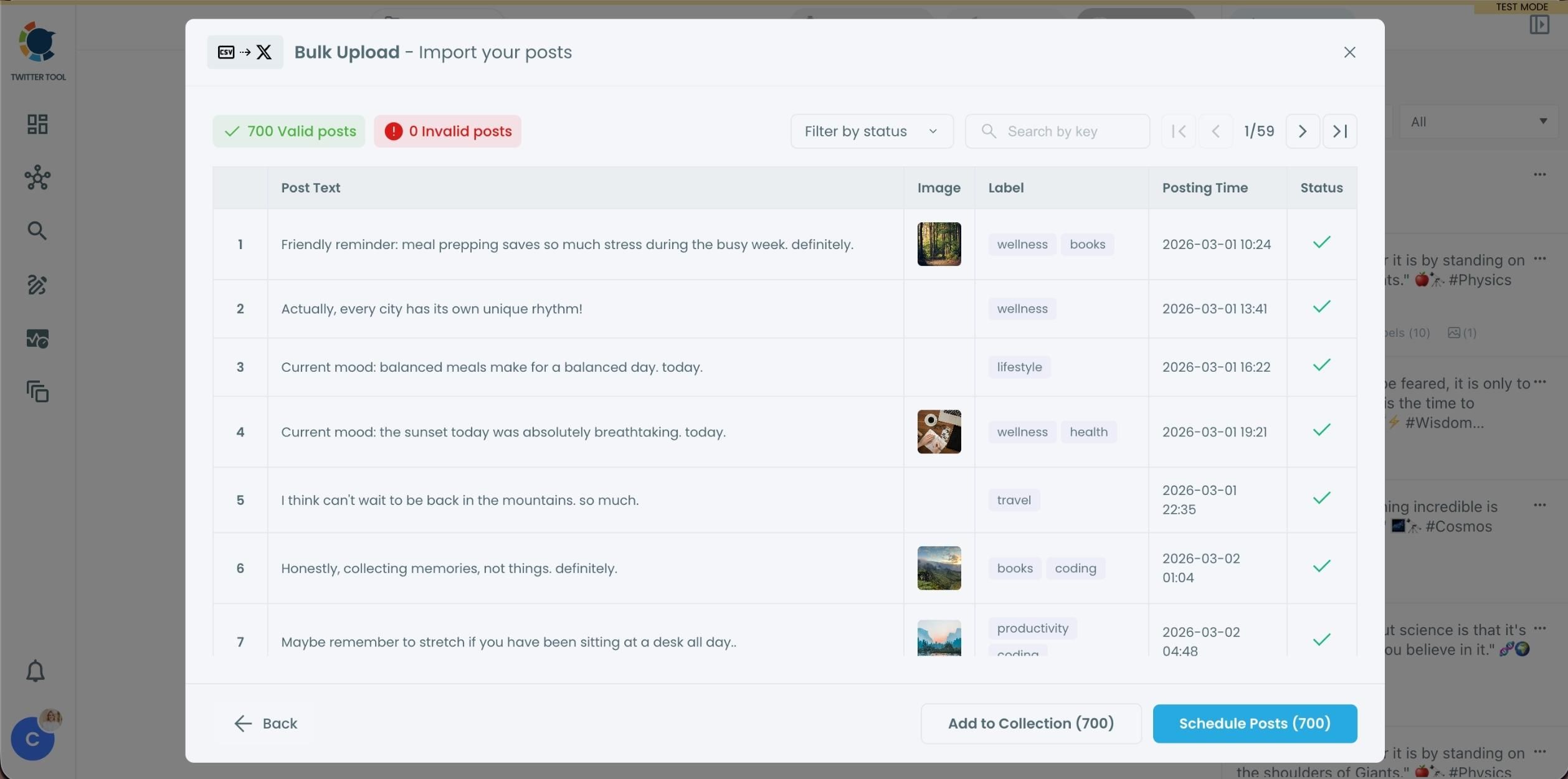
Step #4: After uploading the CSV file, Circleboom shows all your tweets in a preview list.
At this stage:
- Valid tweets are marked clearly
- Invalid tweets are shown with the reason for the error
- You can also add tweets to Collections if you want to organize or reuse them later
This step helps you catch and fix problems before anything is scheduled.
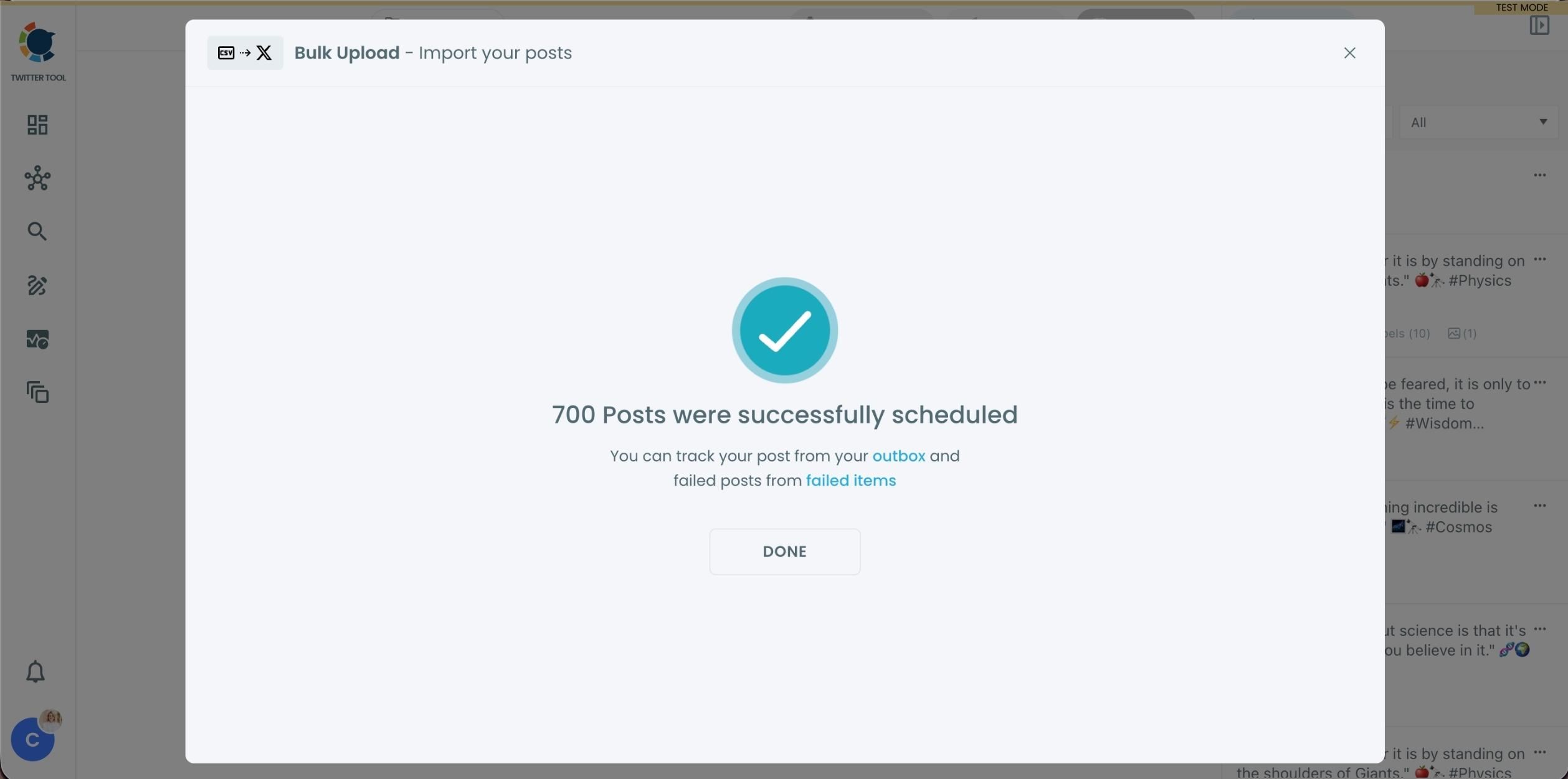
Step #5: Once everything looks correct, click Schedule Posts.
Circleboom automatically schedules all valid tweets based on the posting times in your CSV file.
Even hundreds of tweets can be scheduled in seconds, without manual work.
Step #6: After scheduling, all your tweets appear in the Outbox and calendar view.
From here, you can:
- See all scheduled tweets by date and time
- Make changes if needed
- Edit or remove scheduled posts
- Keep track of your content easily
This gives you full control even after bulk scheduling is completed.
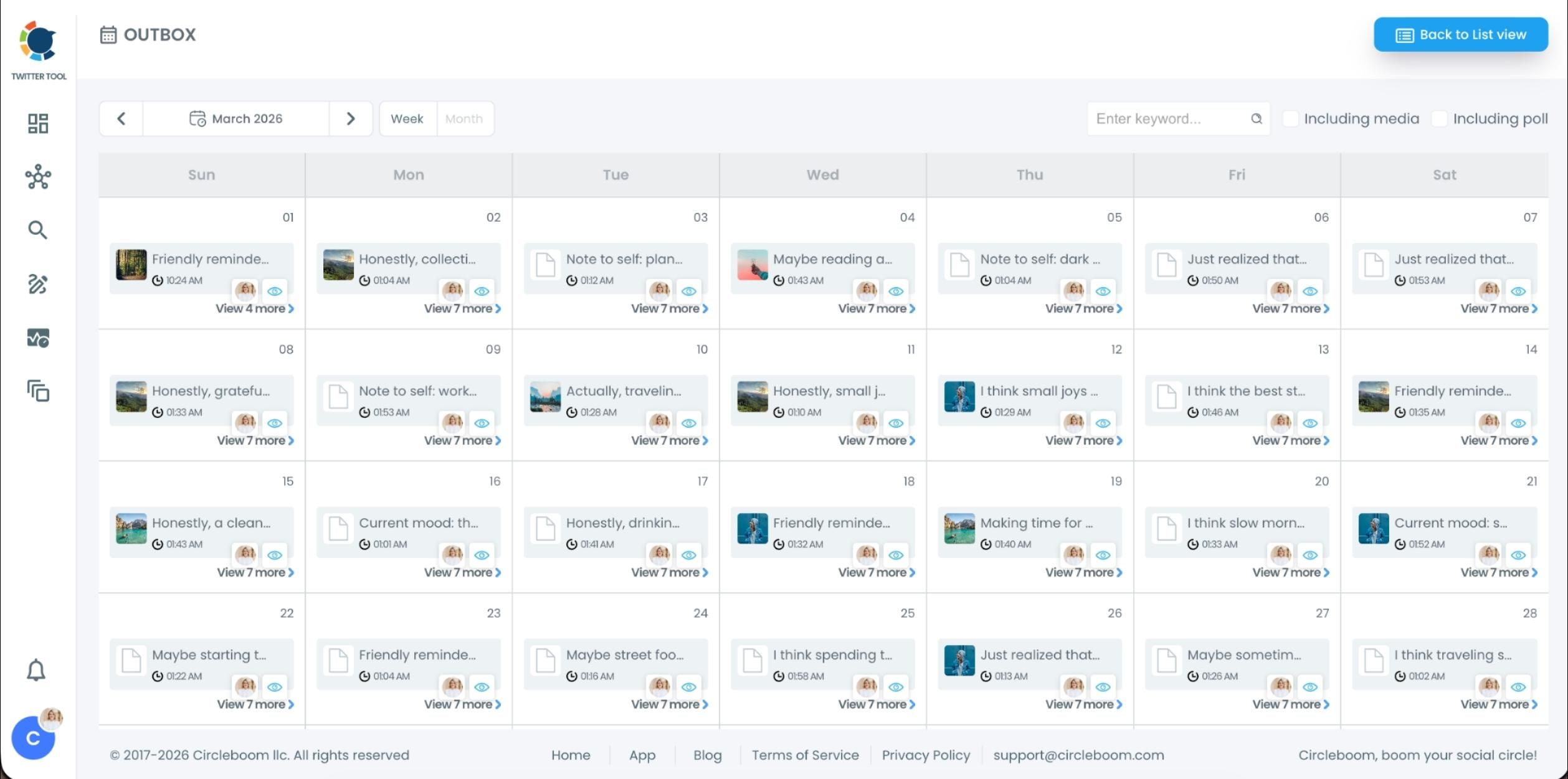
After that, Circleboom automatically publishes them at the selected times, so you don’t need to log in and post manually.
Why Bulk Uploading Tweets Is a Game-Changer
Bulk uploading isn’t just about saving time, it completely changes how you manage your presence on X.
Instead of reacting daily, you start planning ahead.
You can sit down for one hour and prepare content for an entire week or even a month. Your account stays active even when you’re busy, offline, or focused on other work.
It also helps you stay consistent, which is one of the biggest challenges on X. Most people don’t fail because of bad content, they fail because they can’t keep posting regularly.
And once everything is scheduled, Circleboom handles the publishing automatically. That means no more daily effort just to stay visible.
Who Should Use Bulk Tweet Upload?
Bulk uploading tweets is useful for more people than you might think.
- Content creators can plan their posts in advance and avoid daily pressure.
- Small businesses can prepare promotions and campaigns ahead of time.
- Agencies can manage multiple accounts more efficiently.
- Affiliate marketers can schedule consistent promotional content.
- Even personal accounts can benefit if the goal is to stay active without constantly thinking about what to post next.
If consistency is your goal but time is your problem, this approach solves both.
What to Prepare Before Uploading Tweets in Bulk
Before you upload your tweets, a little preparation makes a big difference.
➡️ Make sure your tweet texts are ready and polished.
➡️ If you’re adding links or images, check that everything works correctly.
➡️ Plan your posting frequency so your tweets are spaced naturally.
➡️ Think about the order of your content to avoid repetition.
When everything is prepared properly, the upload and scheduling process becomes smooth and efficient.
Conclusion
So, can you upload tweets in bulk? Yes, you can.
With Circleboom Twitter, you can prepare your tweets in advance, upload them all at once, schedule them together, and let them be published automatically.

This removes the need to log in every day, reduces effort, and helps you stay consistent without burning out.
If you want to stay active on X without turning it into a daily task, bulk uploading your tweets is one of the simplest and most effective ways to do it.

