

Yes, Twitter still presents follower lists in reverse chronological order by default. The newest follower sits at the top, the oldest at the bottom, both on your own profile and on any public profile you can view. That answer is the easy part. The useful answer is what the chronological list does not let you do once you actually need to work with it.
Twitter's native follower list is reverse-chronological with almost no other functionality. Circleboom retrieves the same list through official X Enterprise APIs and renders it as a structured dataset with search, filter by activity / quality / verification, sort by tweet count or join date, bulk actions, and CSV export.
→ Search and sort Twitter followers properly
Keep reading for the platform behavior on both your own account and other people's, and what the chronological default actually costs you.
What "Chronological Order" Actually Means on X
The default follower list on X is sorted by the order in which accounts followed you, newest first. That includes both your own profile and any public profile whose follower list you have permission to view. The order is not random, it is not algorithmic, and it is not engagement-weighted.
But the order also has no internal structure beyond the timestamp. You cannot search the list, you cannot filter by activity level, you cannot sort by anything other than the follow date, and you cannot bulk-act on entries. The reverse-chronological list answers exactly one question: who followed me most recently. Every other question requires something the native list does not provide.
That gap shows up immediately for anyone with more than a few hundred followers. You scroll the list to find someone you remember following you, you cannot find them because you do not know roughly when they followed, and you fall back to a username search inside the X app, which works only when you already know exactly what you are looking for. The chronological view is correct, but its utility decays sharply as the audience grows.
How the Order Behaves for Other People's Followers
When you view someone else's profile and tap their follower count, X still presents that list in reverse chronological order. The data flow is the same as your own list, with the same limitation: you can see the order, but you cannot search inside it or filter the entries.
There are two practical consequences. First, scrolling someone else's follower list to find specific overlap with your own audience is unworkable past the first few thousand followers. Second, even when the public list is fully visible, you cannot extract structured data from it, which means you cannot do any meaningful competitive analysis without an external tool.
Circleboom's search Twitter followers feature handles both cases. The same retrieval pipeline works on your own account or on any public profile, and the resulting list comes with all the search, filter, and sort options the native interface does not have.
How to Sort and Search Your Twitter Followers Beyond Chronological
The workflow that replaces the chronological-only view is short. Three actions and the list becomes a real dataset.
Connect your X account to Circleboom
- Log in to Circleboom Twitter and authorize your X account with official OAuth. The follower retrieval starts immediately.

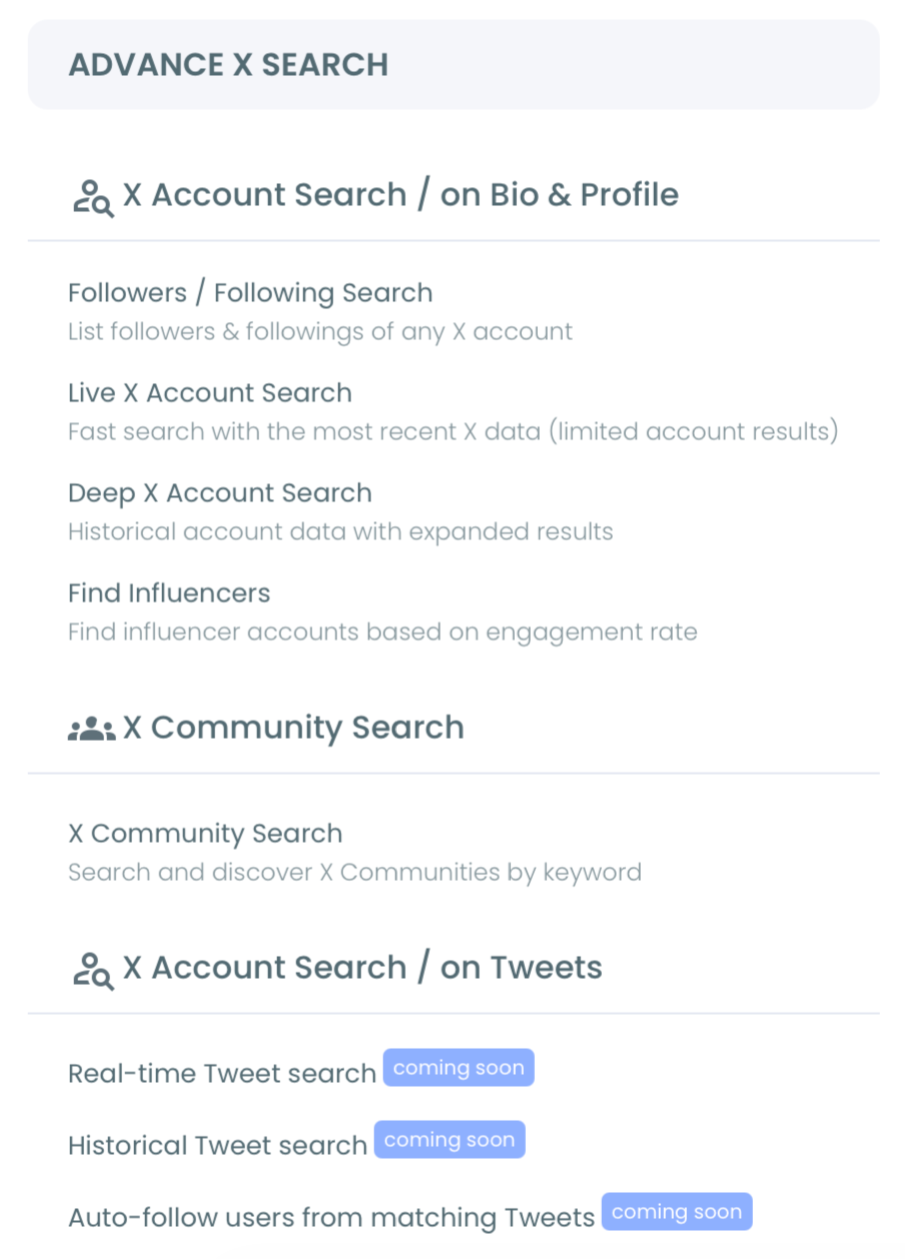
Open the Advanced X Search menu
- Open the Advanced X Search menu and click Search Twitter Followers to load the structured follower dashboard.
Apply filters and sorts beyond the chronological default
- Use the filter and sort controls to organize the list by tweet count, follower-to-following ratio, join date, verification status, language, location, or engagement classification. Search by name or bio keyword. Combine filters for tighter segments.
Act on the segment or export it
- Pick an action from the dashboard: unfollow back, add to a list, whitelist or blacklist, or export the segment to CSV for cross-tool analysis or reporting.
That sequence is what replaces the chronological-only view with a working follower-management workflow. The login earns sanctioned API access. The menu loads the structured view. The filters strip the noise. The action layer lets you do something with the segment instead of just looking at it. Skip any of those and you are back to scrolling the X-native list.
Video walkthrough: how the chronological follower list becomes a sortable, filterable dataset inside the Search Twitter Followers dashboard.
What the Native Chronological List Costs You
The cost is hidden because the list looks complete. A reverse-chronological list with every account on it feels like full coverage. It is full coverage, but only of one axis.
The other axes that actually matter for audience work are absent. Engagement quality is not surfaced, so you cannot tell which followers are likely to actually see your posts. Account quality is not surfaced, so you cannot tell which followers are real and which are spam. Recency of activity is not surfaced, so you cannot tell which followers have been active in the past month versus dormant for years. All of those reads require external tooling because the native list does not support them.
There is one reframe worth catching here. The "chronological order" question is often asked because someone wants to do something specific (find a follower, identify recent joiners, compare audiences) and is hoping the native list will support it. The honest answer is that the list is chronological and that the chronological order is rarely the useful axis. The useful axis is whatever the specific question requires, and the Search Twitter Followers dashboard exposes most of them.
Circleboom is an official X Enterprise Developer company, so the retrieval runs against X's published platform limits. The same dashboard surfaces the All My Followers view for the full structured base and the Twitter follower tracker for change tracking over time.
X's own help on the For You timeline covers how the algorithmic feed differs from chronological views, and X's developer documentation on timelines explains the underlying mechanics. The recent X Daily News post on the Following tab sort clarifies that the algorithmic ranking now applies to the Following feed itself, though the follower-list view remains chronological.
Related Circleboom reading that goes deeper on adjacent angles:
- is there any way to sort someone's followers by most recent addresses the third-party-list version of the question.
- how to sort Twitter followers by popularity on the alternative sort axes.
- how to sort tweets by date on the parallel content-sorting question.
- a quick 1-min Twitter audit to find your real followers on quality-based segmentation.
FAQ
Is Twitter's follower list always in chronological order?
By default, yes. The native follower list is sorted newest-first by follow date on both your own profile and any public profile. Other sort orders require external tooling, because X has never shipped sort controls inside the native interface.
Can I sort my own followers by anything other than join date?
Not inside the X app. To sort by tweet count, follower-to-following ratio, account age, verification, language, location, or engagement level, you need a tool that retrieves the structured data and lets you apply filters. The Search Twitter Followers dashboard handles all of those.
Does the algorithmic feed change apply to the follower list?
No. The algorithmic ranking applies to the For You and Following timelines, which are content feeds. The follower list itself remains chronological. The two are separate surfaces on the platform.
Can I view someone else's followers in any order other than chronological?
Not inside X. The native follower-list view on any public profile is reverse-chronological. Circleboom can retrieve that public list and render it with the same filter and sort controls as your own.
Does chronological order mean "in the order they followed me"?
Yes. The follower list shows the order in which accounts started following you, with the most recent follower at the top. That ordering reflects the follow timestamp, not any engagement or activity signal.
What to Actually Do With the Answer
The chronological order question almost always points to a different underlying need. If you want to find your most recent followers, the chronological list is fine for that one job. If you want to do anything else (search, filter, segment, act, export, analyze), the chronological list cannot help and you need a structured view.
The short list of things that require leaving the native interface: identifying inactive or spam followers, segmenting by language or location, sorting by engagement quality, bulk-actioning on a subset, exporting the list, and comparing your follower base against someone else's. All of those are routine on the Search Twitter Followers dashboard and impossible in the native UI.
The decision is the same one most audience-management questions come back to: stay limited to one axis of data, or get the rest of the axes back. The chronological default is fine for one specific question and unhelpful for the rest.




)


